62,266
社区成员
 发帖
发帖 与我相关
与我相关 我的任务
我的任务
 分享
分享
// 不限制大小

        protected void Page_Load(object sender, EventArgs e)

        {

            if (this.IsPostBack)

            {

                UploadInfo uploadInfo = this.Session["UploadInfo"] as UploadInfo;

                uploadInfo.IsReady = true;


                string myDicPath = string.Empty;

                string path = string.Empty;

                Boolean hasFile = fileUpload.HasFile;

                Session["hasFile"] = hasFile;

                if (this.fileUpload.PostedFile != null && this.fileUpload.PostedFile.ContentLength > 0)

                {

                    string fileName = Path.GetFileName(this.fileUpload.PostedFile.FileName);

                    string filepath=fileUpload.PostedFile.FileName.ToString();

                    string Type = filepath.Substring(filepath.LastIndexOf(".") + 1);

                    if (Type == "doc" || Type == "pdf" || Type == "txt" || Type == "chm" || Type == "ppt" || Type == "sql" || Type == "xls" || Type == "et" || Type == "jnt" || Type == "dps")

                    {

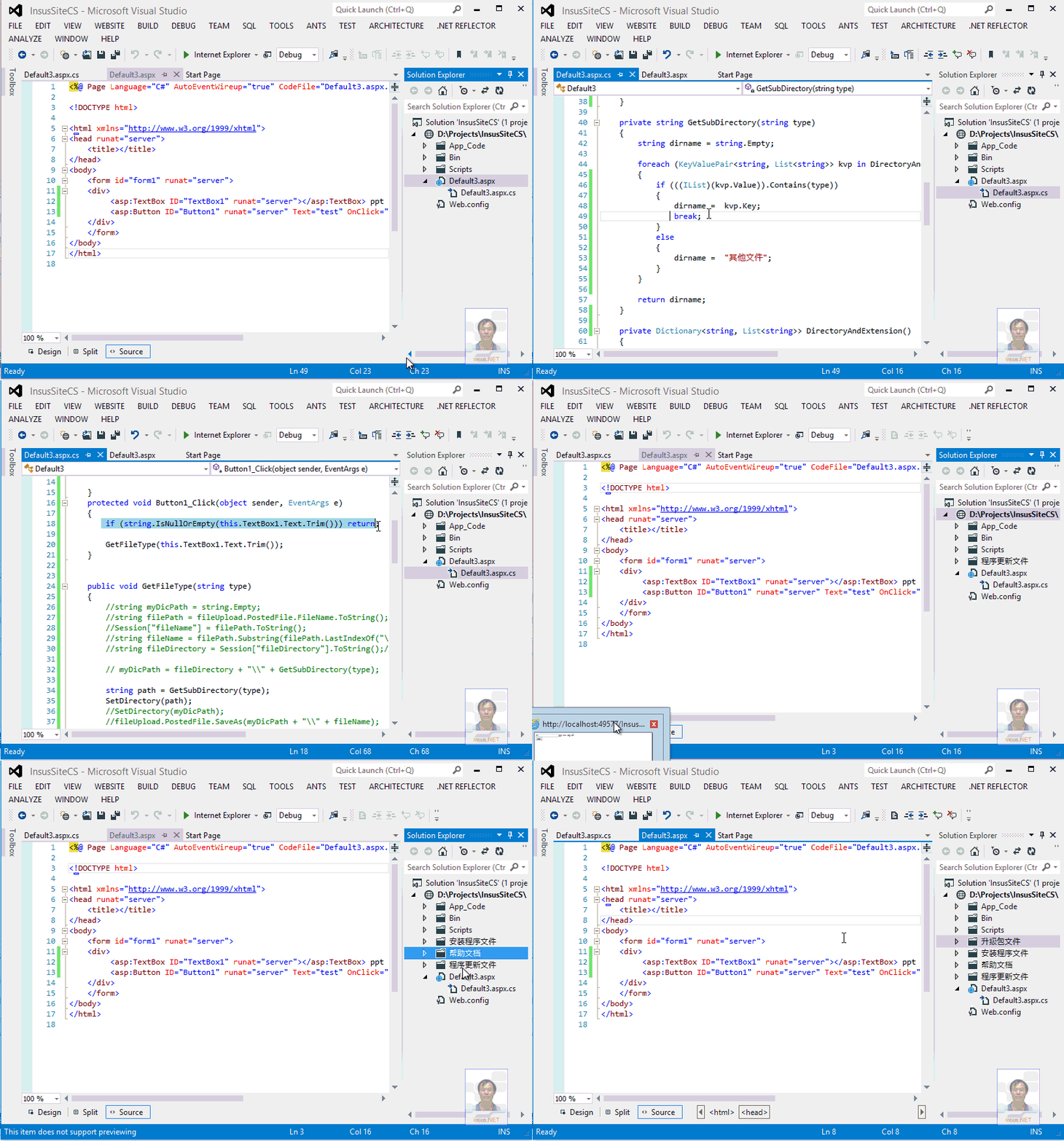
                        path = this.Server.MapPath(@"UpLoadFile\\帮助文档");    //文件在服务器上的路径

                        GetFileType(Type);


                    }else if(Type=="exe"){

                        path = this.Server.MapPath(@"UpLoadFile\\安装程序文件");

                        GetFileType(Type);

                    }

                    else if (Type == "rar" || Type == "zip")

                    {

                        path = this.Server.MapPath(@"UpLoadFile\\升级包文件");

                        GetFileType(Type);

                    }

                    else if (Type == "dll")

                    {

                        path = this.Server.MapPath(@"UpLoadFile\\程序更新文件");

                        GetFileType(Type);

                    }

                    else {

                        path = this.Server.MapPath(@"UpLoadFile\\其他文件");

                        GetFileType(Type);

                    }


                    //Session 存上传文件名

                    //Session["fileName"] = fileName.ToString();

                    Session["Path"] = path.ToString();

                    uploadInfo.ContentLength = this.fileUpload.PostedFile.ContentLength;


                    Session["fileLength"] = uploadInfo.ContentLength;

                    uploadInfo.FileName = fileName;

                    uploadInfo.UploadedLength = 0;


                    //uploadInfo.IsReady = true;      //告诉服务器,已经准备好了,


                    int bufferSize = 1;

                    byte[] buffer = new byte[bufferSize];


                    using (FileStream fs = new FileStream(Path.Combine(path, fileName), FileMode.Create))

                    {

                        while (uploadInfo.UploadedLength < uploadInfo.ContentLength)

                        {

                            int bytes = this.fileUpload.PostedFile.InputStream.Read(buffer, 0, bufferSize);

                            fs.Write(buffer, 0, bytes);

                            uploadInfo.UploadedLength += bytes;

                        }

                    }

                    //上传成功标识

                    const string js = "window.parent.onComplete('success', '系统已成功上传附件: {0}');";

                    ScriptManager.RegisterStartupScript(this, typeof(upload_aspx), "progress", string.Format(js, fileName), true);

                }

                else

                {

                    const string js = "window.parent.onComplete('error', '上传文件出错');";

                    ScriptManager.RegisterStartupScript(this, typeof(upload_aspx), "progress", js, true);

                }

                uploadInfo.IsReady = false;

            }

        }

//获取文件类型

        public void GetFileType(string type)

        {

            string myDicPath = string.Empty;

            string filePath = fileUpload.PostedFile.FileName.ToString();

            Session["fileName"] = filePath.ToString();

            string fileName = filePath.Substring(filePath.LastIndexOf("\\")+1);

            string fileDirectory = Session["fileDirectory"].ToString();//数据库文件总目录

            if (type == "doc" || type == "pdf" || type == "txt" || type == "ppt" || type == "chm" || type == "sql" || type == "xls" || type == "et" || type == "jnt" || type == "dps")

            {

                myDicPath = fileDirectory+"\\帮助文档";

                if (!Directory.Exists(myDicPath))

                    Directory.CreateDirectory(myDicPath);

                fileUpload.PostedFile.SaveAs(myDicPath +"\\"+ fileName); //文件保存在磁盘上

            }

            else if (type == "exe")

            {

                myDicPath = fileDirectory + "\\安装程序文件";

                if (!Directory.Exists(myDicPath))

                    Directory.CreateDirectory(myDicPath);

                fileUpload.PostedFile.SaveAs(myDicPath + "\\" + fileName);

            }

            else if( type=="rar" || type == "zip")

            {

                myDicPath = fileDirectory + "\\升级包文件";

                if (!Directory.Exists(myDicPath))

                    Directory.CreateDirectory(myDicPath);

                fileUpload.PostedFile.SaveAs(myDicPath + "\\" + fileName);

            }

            else if (type == "dll")

            {

                myDicPath = fileDirectory + "\\程序更新文件";

                if (!Directory.Exists(myDicPath))

                    Directory.CreateDirectory(myDicPath);

                fileUpload.PostedFile.SaveAs(myDicPath + "\\" + fileName);

            }

            else {

                myDicPath = fileDirectory + "\\其他文件";


                if (!Directory.Exists(myDicPath))

                    Directory.CreateDirectory(myDicPath);

                fileUpload.PostedFile.SaveAs(myDicPath + "\\" + fileName);

            }


        }

    </script>