

 .NET社区

asp.net mvc 项目发布到IIS报错
 墨衍会员 · AI 创作全网分发 墨衍智能分发 通过墨衍一键同步至各平台 可同步平台 CSDN微信公众号微博知乎掘金百家号博客园抖音小红书 你的文章也可以这样分发 墨衍会员 ¥399起/年,写一次发全网
我也要 关注 + 加入社区
墨衍会员 · AI 创作全网分发 墨衍智能分发 通过墨衍一键同步至各平台 可同步平台 CSDN微信公众号微博知乎掘金百家号博客园抖音小红书 你的文章也可以这样分发 墨衍会员 ¥399起/年,写一次发全网
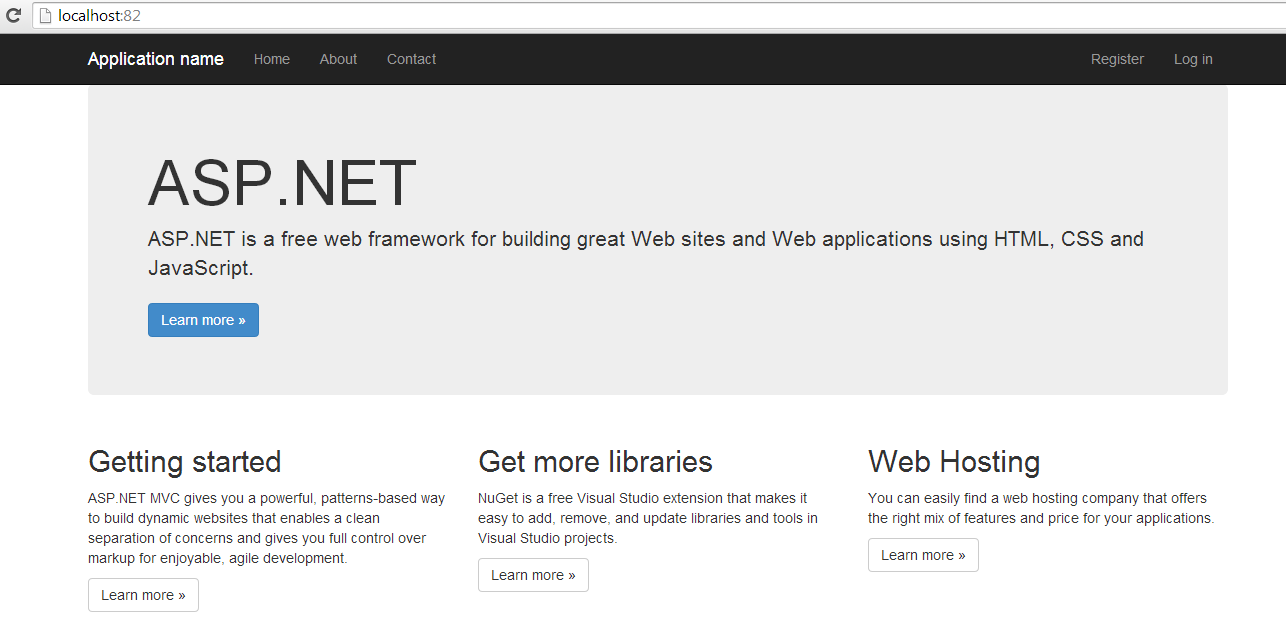
我也要 关注 + 加入社区项目发布到iis7.5,输入localhost可以正常访问页面
但是注册账号的时候,跟数据库交互,就报错了。
webconfig链接(是创建项目默认链接)
错误提示:A network-related or instance-specific error occurred while establishing a connection to SQL Server. The server was not found or was not accessible. Verify that the instance name is correct and that SQL Server is configured to allow remote connections. (provider: SQL Network Interfaces, error: 50 - Local Database Runtime error occurred. Cannot create an automatic instance. See the Windows Application event log for error details.
)
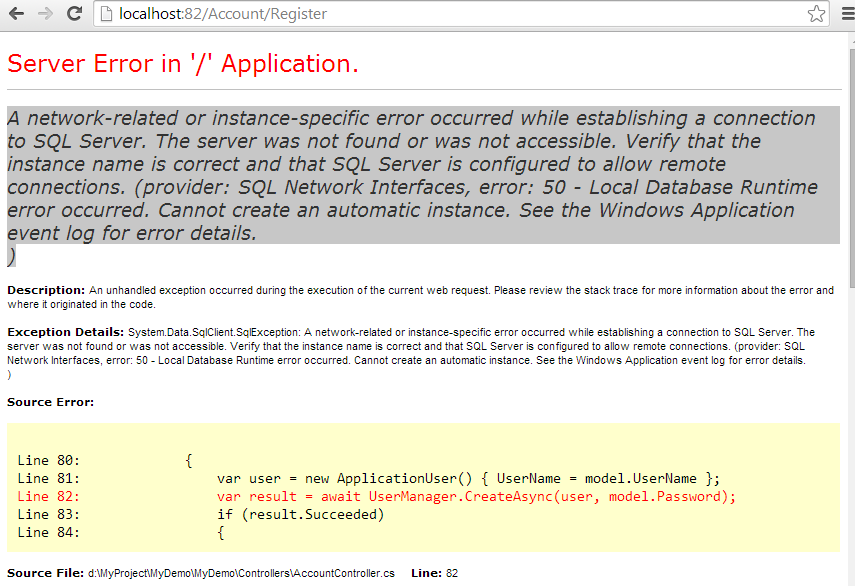
但是注册账号的时候,跟数据库交互,就报错了。
webconfig链接(是创建项目默认链接)
<add name="DefaultConnection" connectionString="Data Source=(LocalDb)\v11.0;AttachDbFilename=|DataDirectory|\aspnet-MyDemo-20140620110306.mdf;Initial Catalog=aspnet-MyDemo-20140620110306;Integrated Security=True"

providerName="System.Data.SqlClient" />错误提示:A network-related or instance-specific error occurred while establishing a connection to SQL Server. The server was not found or was not accessible. Verify that the instance name is correct and that SQL Server is configured to allow remote connections. (provider: SQL Network Interfaces, error: 50 - Local Database Runtime error occurred. Cannot create an automatic instance. See the Windows Application event log for error details.
)
...全文
相关推荐
把ASP.NET MVC项目部署到本地IIS上的完整步骤
最近会经常修改一些网站前端的内容,为了方便跟UI和产品交流,需要将自己修改过的页面及时发布到测试机或者是本地的IIS上。下面这篇文章主要给大家介绍了关于如何把ASP.NET MVC项目部署到本地IIS
ASP.NET MVC4企业门户源码解析:从数据库到IIS部署与缓存优化
企业门户网站是企业展示品牌与发布信息的核心窗口,长久以来都需要稳定、易维护的技术方案。ASP.NET MVC4作为经典框架,结合SQL Server 2008数据库,曾是中小企业门户的主流选择。其清晰的MVC分层、路由映射与Razor视图引擎,让前后台内容管理变得条理分明;而基于ROW_NUMBER的分页存储过程与SqlHelper数据访问,则对应着SQL Server 2008环境下的工程实践。面对存量系统,理解其项目结构、数据库脚本与IIS部署配置,是二次开发与改造的基础。本文从通用门户的技术架构谈起,
一个完整的asp.net mvc架构网站实例
**部署**:发布项目至服务器,配置IIS等服务器环境。
ASP.NET Core MVC 项目在IIS中部署
通过以上步骤,你可以在IIS中成功部署ASP.NET Core MVC项目,享受到ASP.NET Core的高性能和IIS的稳定性。
asp.net Mvc发布IIS部署问题解决方法
ASP.NET MVC 发布 IIS 部署问题解决方法在 ASP.NET MVC 应用程序中,发布到 IIS 服务器是非常常见的,但是出现一些问题也是不可避免的。




