23,223
社区成员
 发帖
发帖 与我相关
与我相关 我的任务
我的任务
 分享
分享BOOL CProgramDlg::OnInitDialog()
{
CDialog::OnInitDialog();
CRect clientRect;
GetClientRect(&clientRect);
CView* pNewView;
pNewView = new CProgramWin;//ProgramWin为编辑区EditView
// Creation of the view window
afxTraceEnabled=FALSE;
if(! pNewView->Create(NULL, NULL, WS_VISIBLE | WS_CHILD, CRect(clientRect.left,clientRect.top,clientRect.right-180,clientRect.bottom+90), this, 1000))//程序编辑区的大小
{
TRACE0( "Failed view creation\n" );
}
afxTraceEnabled=TRUE;
pNewView->OnInitialUpdate();
return TRUE; // return TRUE unless you set the focus to a control
}
void CProgramWin::OnGeneration()

{

        CString strText;

	strPath=_T("projects\\main.cpp");

        CFile file(strPath,CFile::modeRead);

        char read[1000];

        file.Read(read,1000);

        for(int i=0;i<(file.GetLength());i++)

        {

            strText+=read[i];

        }

        file.Close();

	SetWindowText(strText);

}
void CProgramView::OnGeneration()

{

	// TODO: 在此添加命令处理程序代码

	CMainFrame* pMain=(CMainFrame*)AfxGetApp()->m_pMainWnd;

        pMain->m_ProPane.ShowPane(TRUE,FALSE,TRUE);//m_ProPane是定义在MainFrame.h中的CProPane   m_ProPane

	pMain->m_wndProgram.OnGeneration();//m_wndProgram是定义在MainFrame.h中的CProgramWin   m_wndProgram

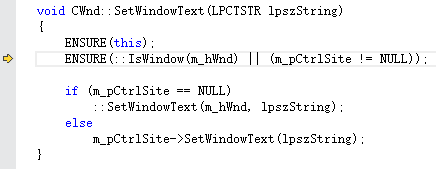
}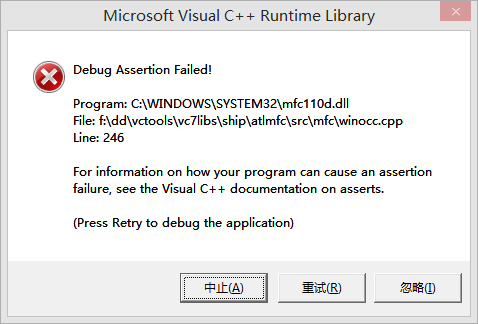 。
。