

 Apache

关于ngnix反向代理,导致系统在登录的时候无法登陆。大家知道是不是配置哪里有问题啊 求大声
 墨衍会员 · AI 创作全网分发 墨衍智能分发 通过墨衍一键同步至各平台 可同步平台 CSDN微信公众号微博知乎掘金百家号博客园抖音小红书 你的文章也可以这样分发 墨衍会员 ¥399起/年,写一次发全网
我也要 关注 + 加入社区
墨衍会员 · AI 创作全网分发 墨衍智能分发 通过墨衍一键同步至各平台 可同步平台 CSDN微信公众号微博知乎掘金百家号博客园抖音小红书 你的文章也可以这样分发 墨衍会员 ¥399起/年,写一次发全网
我也要 关注 + 加入社区
#user  nobody;

worker_processes  1;


#error_log  logs/error.log;

#error_log  logs/error.log  notice;

#error_log  logs/error.log  info;


#pid        logs/nginx.pid;


events {

    worker_connections  1024;

}


http {

    include       mime.types;

    default_type  application/octet-stream;


    #log_format  main  '$remote_addr - $remote_user [$time_local] "$request" '

    #                  '$status $body_bytes_sent "$http_referer" '

    #                  '"$http_user_agent" "$http_x_forwarded_for"';


    #access_log  logs/access.log  main;


    sendfile        on;

    #tcp_nopush     on;


    #keepalive_timeout  0;

    keepalive_timeout  65;


    #gzip  on;

	 gzip  on;#启用Gizp压缩


	#服务器的集群

    upstream  netitcast.com {  #服务器集群名字

		server    127.0.0.1:18080  weight=1;#服务器配置   weight是权重的意思,权重越大,分配的概率越大。

		server    127.0.0.1:28080  weight=1;

	}


    server {

        listen       8080;

        server_name  localhost;


        #charset koi8-r;


        #access_log  logs/host.access.log  main;


       location / {

	        index index.jsp

            proxy_pass http://netitcast.com;

            proxy_redirect off;

        }


        #error_page  404              /404.html;


        # redirect server error pages to the static page /50x.html

        #

        error_page   500 502 503 504  /50x.html;

        location = /50x.html {

            root   html;

        }


        # proxy the PHP scripts to Apache listening on 127.0.0.1:80

        #

        #location ~ \.php$ {

        #    proxy_pass   http://127.0.0.1;

        #}


        # pass the PHP scripts to FastCGI server listening on 127.0.0.1:9000

        #

        #location ~ \.php$ {

        #    root           html;

        #    fastcgi_pass   127.0.0.1:9000;

        #    fastcgi_index  index.php;

        #    fastcgi_param  SCRIPT_FILENAME  /scripts$fastcgi_script_name;

        #    include        fastcgi_params;

        #}


        # deny access to .htaccess files, if Apache's document root

        # concurs with nginx's one

        #

        #location ~ /\.ht {

        #    deny  all;

        #}

    }


    # another virtual host using mix of IP-, name-, and port-based configuration

    #

    #server {

    #    listen       8000;

    #    listen       somename:8080;

    #    server_name  somename  alias  another.alias;


    #    location / {

    #        root   html;

    #        index  index.html index.htm;

    #    }

    #}


    # HTTPS server

    #

    #server {

    #    listen       443 ssl;

    #    server_name  localhost;


    #    ssl_certificate      cert.pem;

    #    ssl_certificate_key  cert.key;


    #    ssl_session_cache    shared:SSL:1m;

    #    ssl_session_timeout  5m;


    #    ssl_ciphers  HIGH:!aNULL:!MD5;

    #    ssl_prefer_server_ciphers  on;


    #    location / {

    #        root   html;

    #        index  index.html index.htm;

    #    }

    #}


}
我这个代码里面我就添加了一个服务器集群,以及一个location。然后可以登录我的系统,系统可以由ngnix来自由分配。但是在登录页面的时候,发现就是实现登录成功。
如下图:
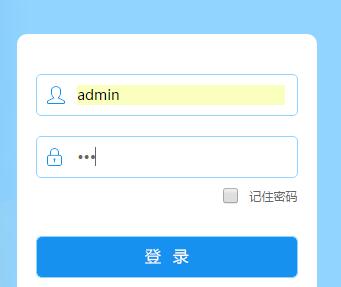
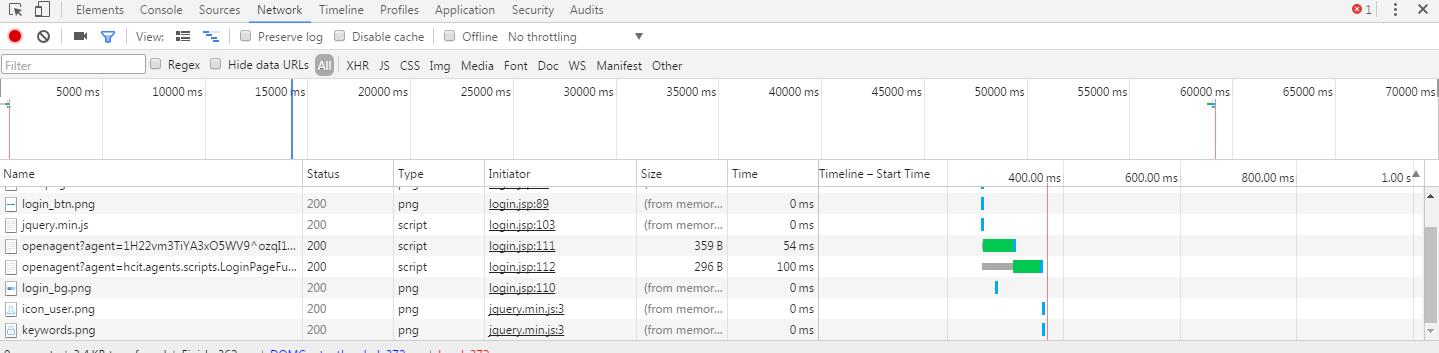
求大神指点 一下,看下是不是哪里配置漏了或者是我还需要做什么?无法系统登录也无法正常跳转到系统中,点击登录以后,页面刷新了一下,然后还是在原来的页面。
...全文
相关推荐
29Linux基础命令详解——用户管理.docx
29Linux基础命令详解——用户管理
科技服务机构如何通过数据分析增强服务竞争力?.docx
科易网基于40亿+科创知识图谱数据库,深度探索AI技术在技术转移、成果转化、技术经纪、知识产权、产业创新、科技招商等垂直领域的多样化应用场景,研究科技创新领域的AI+数智化解决方案,推动科技创新与产业创新智能化发展。
vue+springboot基于 Java 的南昌实利广告公司的员工管理系统的设计与实现_oj680rl3毕业设计源码数据库.zip
vue+springboot基于 Java 的南昌实利广告公司的员工管理系统的设计与实现_oj680rl3毕业设计源码数据库.zip
车辆缺陷分割数据集4000张json格式.zip
数据集格式:labelme格式(不包含mask文件,仅仅包含jpg图片和对应的json文件) 图片数量(jpg文件个数):4000 标注数量(json文件个数):4000 标注类别数:1 标注类别名称:["defect"] 每个类别标注的框数: defect count = 8740 总框数:8740 使用标注工具:labelme=5.5.0 所在仓库:firc-dataset 图片分辨率:640x640 标注规则:对类别进行画多边形框polygon 重要说明:可以将数据集用labelme打开编辑,json数据集需自己转成mask或者yolo格式或者coco格式作语义分割或者实例分割 特别声明:本数据集不对训练的模型或者权重文件精度作任何保证
高校如何利用技术转移服务转化科研成果并提升影响力?.docx
高校如何利用技术转移服务转化科研成果并提升影响力?




