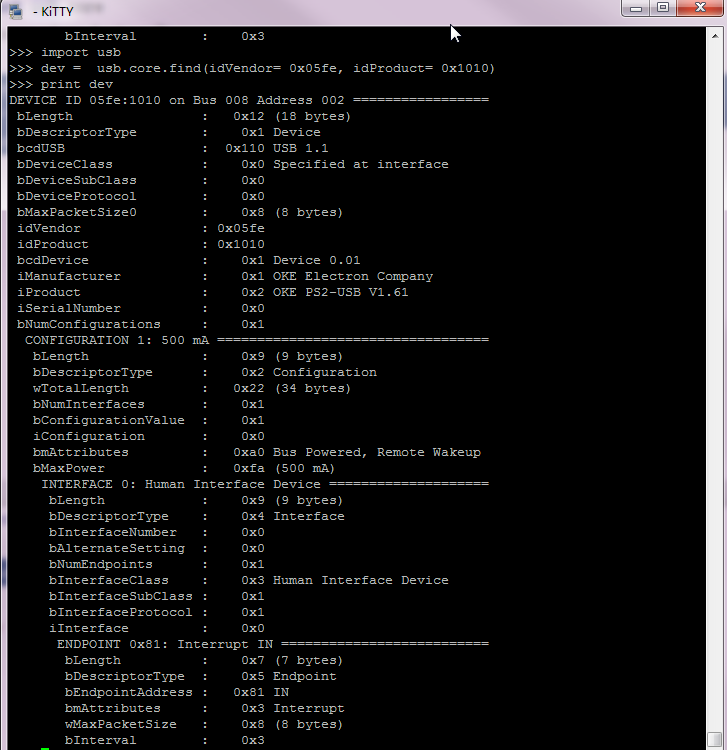
windows 下面需要 filter install 我也会小白 莫名自瞄刚开始没有,后来用然后 >>> import usb.core >>> usb.core.show_devices() 能把添加进去的驱动打印出来,但是别的findall 那个还是全空
用Pyserial这个,一直在更新的
这是我复制的pyusb代码,看看对你有用没有 import usb.core import usb.util import sys dev = usb.core.find(idVendor= 0x5345, idProduct= 0x1234) cfg = dev.get_active_configuration() intf = cfg[(0,0)] ep = usb.util.find_descriptor( intf, # match the first OUT endpoint custom_match = \ lambda e: \ usb.util.endpoint_direction(e.bEndpointAddress) == \ usb.util.ENDPOINT_OUT ) print 'The length of data(write USB) is:', ep.write('WANTFORGETTXT') ep_read = usb.util.find_descriptor( intf, # match the first IN endpoint custom_match = \ lambda e: \ usb.util.endpoint_direction(e.bEndpointAddress) == \ usb.util.ENDPOINT_IN ) data_len = ep_read.read(4) print 'Get USB data:',data_len len = (data_len[3] << 24) + (data_len[2] << 16) + (data_len[1] << 8) + data_len[0] print 'data len is:',len dev.reset()
当年踩过坑的路过,反正我是不在windows下用pyusb玩了,我是搞不定了。 我现在的解决方案: 1、在windows下:使用pywinusb库,不过貌似只支持HID设备 2、在Linux(只在ubuntu和raspberry pi 的wheezy)上测试过,使用pyusb。(记得用root)。 其中的USB部分供参考: http://git.oschina.net/jakey.chen/SlaveDebugTool
先用lsusb看看能不能列舉到設備
37,743
社区成员
34,213
社区内容
加载中
试试用AI创作助手写篇文章吧


 发帖
发帖 与我相关
与我相关 我的任务
我的任务
 分享
分享

 然后
然后

 v
v


