

 Delphi

请教各位大神一个遍历控件的问题,谢谢
 墨衍会员 · AI 创作全网分发 墨衍智能分发 通过墨衍一键同步至各平台 可同步平台 CSDN微信公众号微博知乎掘金百家号博客园抖音小红书 你的文章也可以这样分发 墨衍会员 ¥399起/年,写一次发全网
我也要 关注 + 加入社区
墨衍会员 · AI 创作全网分发 墨衍智能分发 通过墨衍一键同步至各平台 可同步平台 CSDN微信公众号微博知乎掘金百家号博客园抖音小红书 你的文章也可以这样分发 墨衍会员 ¥399起/年,写一次发全网
我也要 关注 + 加入社区各位大侠:
小弟菜鸟,在这里问个小问题,求大神们点化一下:
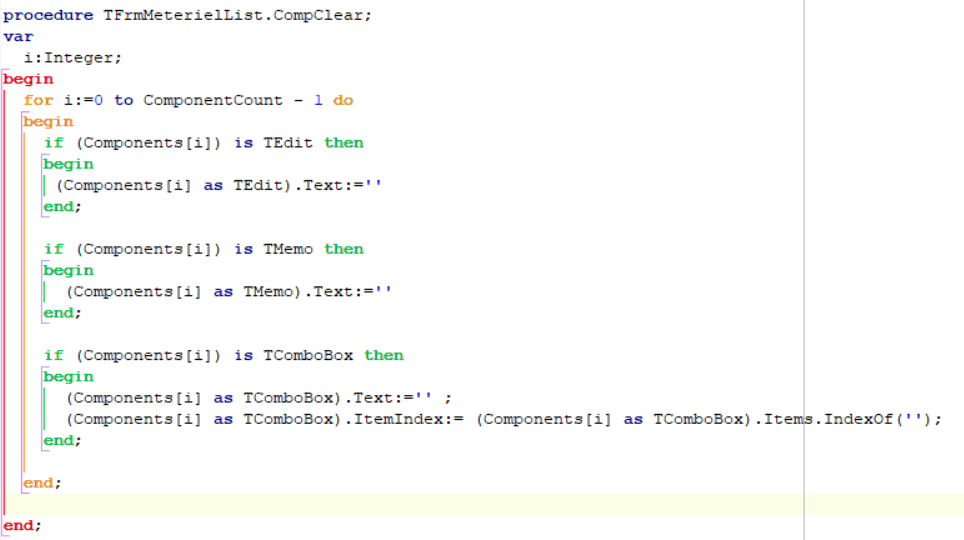
下面这张图片是我用遍历控件的方式将控件的文本属性清空,实现没有问题,功能也可以
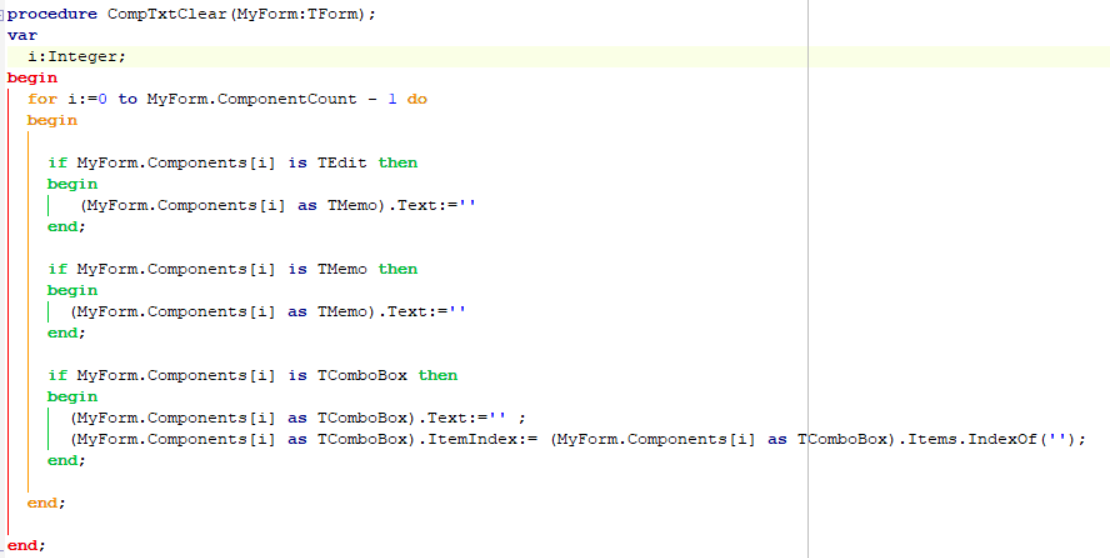
但因为每个窗体都会用到这个功能,我想写到公共模块中,所以就写成了下面这张图片的样子,但写成这样后功能就不能实现了,请问下问题出在哪里啊
------------------------------------------------------------------------------------------
下面是代码:
//这段代码是写在窗体单元中的,可以实现功能
procedure TFrmMeterielList.CompClear;
var
i:Integer;
begin
for i:=0 to ComponentCount - 1 do
begin
if (Components[i]) is TEdit then
begin
(Components[i] as TEdit).Text:=''
end;
if (Components[i]) is TMemo then
begin
(Components[i] as TMemo).Text:=''
end;
if (Components[i]) is TComboBox then
begin
(Components[i] as TComboBox).Text:='' ;
(Components[i] as TComboBox).ItemIndex:= (Components[i] as TComboBox).Items.IndexOf('');
end;
end;
end;
//下面这段代码是写在公共单元中的,不能实现功能
procedure CompTxtClear(MyForm:TForm);
var
i:Integer;
begin
for i:=0 to MyForm.ComponentCount - 1 do
begin
if MyForm.Components[i] is TEdit then
begin
(MyForm.Components[i] as TMemo).Text:=''
end;
if MyForm.Components[i] is TMemo then
begin
(MyForm.Components[i] as TMemo).Text:=''
end;
if MyForm.Components[i] is TComboBox then
begin
(MyForm.Components[i] as TComboBox).Text:='' ;
(MyForm.Components[i] as TComboBox).ItemIndex:= (MyForm.Components[i] as TComboBox).Items.IndexOf('');
end;
end;
end;
小弟菜鸟,在这里问个小问题,求大神们点化一下:
下面这张图片是我用遍历控件的方式将控件的文本属性清空,实现没有问题,功能也可以
但因为每个窗体都会用到这个功能,我想写到公共模块中,所以就写成了下面这张图片的样子,但写成这样后功能就不能实现了,请问下问题出在哪里啊
------------------------------------------------------------------------------------------
下面是代码:
//这段代码是写在窗体单元中的,可以实现功能
procedure TFrmMeterielList.CompClear;
var
i:Integer;
begin
for i:=0 to ComponentCount - 1 do
begin
if (Components[i]) is TEdit then
begin
(Components[i] as TEdit).Text:=''
end;
if (Components[i]) is TMemo then
begin
(Components[i] as TMemo).Text:=''
end;
if (Components[i]) is TComboBox then
begin
(Components[i] as TComboBox).Text:='' ;
(Components[i] as TComboBox).ItemIndex:= (Components[i] as TComboBox).Items.IndexOf('');
end;
end;
end;
//下面这段代码是写在公共单元中的,不能实现功能
procedure CompTxtClear(MyForm:TForm);
var
i:Integer;
begin
for i:=0 to MyForm.ComponentCount - 1 do
begin
if MyForm.Components[i] is TEdit then
begin
(MyForm.Components[i] as TMemo).Text:=''
end;
if MyForm.Components[i] is TMemo then
begin
(MyForm.Components[i] as TMemo).Text:=''
end;
if MyForm.Components[i] is TComboBox then
begin
(MyForm.Components[i] as TComboBox).Text:='' ;
(MyForm.Components[i] as TComboBox).ItemIndex:= (MyForm.Components[i] as TComboBox).Items.IndexOf('');
end;
end;
end;
...全文
相关推荐
JQuery周历控件
使用JQuery封装的周历控件,可切换年份月份,选择本周、下一周时间。
Android 周日历控件 weeklyEvent 完整开发指南
在开发周日历控件时,设计理念是用户友好和高效。我们希望用户能够直观地看到日期信息,并能够轻松地进行日期选择。一个周日历控件应该具有清晰的视图、灵活的交互以及良好的扩展性,以便容纳未来的各种需求。比如,日历控件应当支持不同的主题和样式,以适应不同的应用场景。自定义View的基本步骤可以分为以下几个阶段:初始化: 包括定义View的构造器以及初始化画笔和布局参数。测量: 在onMeasure方法中计算View的期望大小。布局: 在onLayout。
仿携程去哪双日历控件
仿携程,去哪,双日历控件. 简化源码.根据自己需求 再改进吧
js 周历控件 --实现自动显示本周功能等
简单js周历控件 功能描述:根据当前的时间得到本周以及前几周的列表。 显示格式:34周(2009-8-17至2009-8-23) 调用方法: 方法一: 方法二:
JQuery双日历控件实例
JQuery双日历控件实例,主要用于时间段查询,还可以自定义。。




