

 Web 开发

SSM静态资源配置出问题大神救救我
 墨衍会员 · AI 创作全网分发 墨衍智能分发 通过墨衍一键同步至各平台 可同步平台 CSDN微信公众号微博知乎掘金百家号博客园抖音小红书 你的文章也可以这样分发 墨衍会员 ¥399起/年,写一次发全网
我也要 关注 + 加入社区
墨衍会员 · AI 创作全网分发 墨衍智能分发 通过墨衍一键同步至各平台 可同步平台 CSDN微信公众号微博知乎掘金百家号博客园抖音小红书 你的文章也可以这样分发 墨衍会员 ¥399起/年,写一次发全网
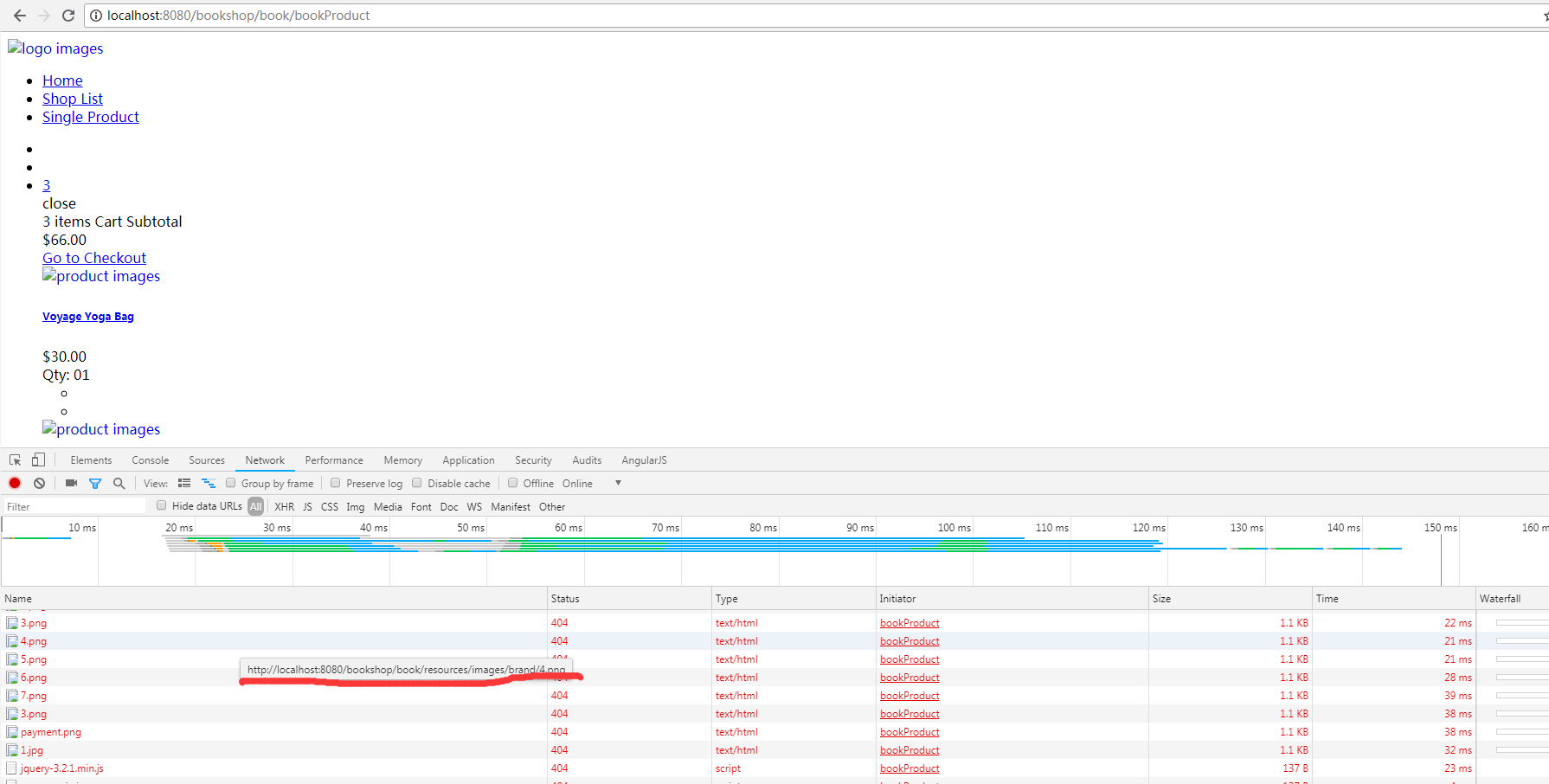
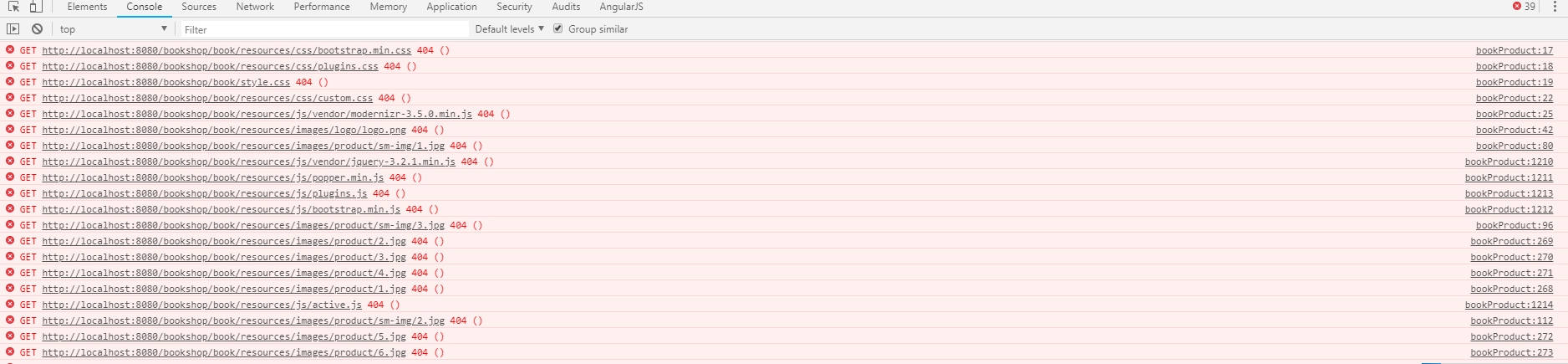
我也要 关注 + 加入社区通过Controller跳转页面后,发现资源不能访问,而且路径有问题。
controller:
@Controller
@RequestMapping("/book")
public class BookController {
@Autowired
private BookService bookService;
@Autowired
private CategoryService categoryService;
@RequestMapping(value = "/bookProduct",method = RequestMethod.GET)
private String bookProduct(){
return "single-product";
}
}
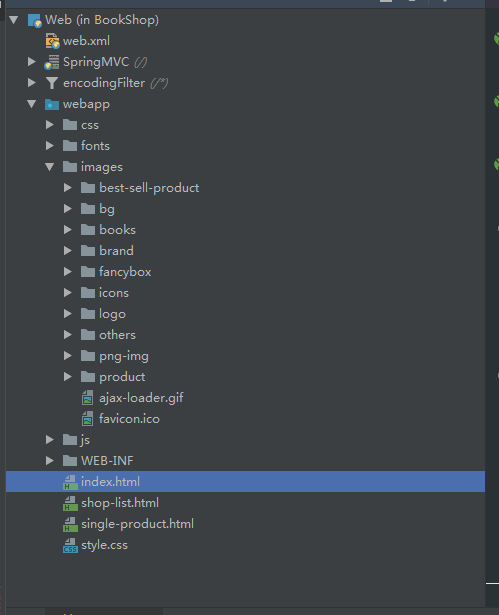
我项目的路径是:
web的配置:
<?xml version="1.0" encoding="UTF-8"?>
<web-app xmlns="http://xmlns.jcp.org/xml/ns/javaee"
xmlns:xsi="http://www.w3.org/2001/XMLSchema-instance"
xsi:schemaLocation="http://xmlns.jcp.org/xml/ns/javaee http://xmlns.jcp.org/xml/ns/javaee/web-app_3_1.xsd"
version="3.1">
<display-name>ChatRobot</display-name>
<description>ChatRobot_Alpha_0.0.1</description>
<!-- 编码过滤器 -->
<filter>
<filter-name>encodingFilter</filter-name>
<filter-class>org.springframework.web.filter.CharacterEncodingFilter</filter-class>
<init-param>
<param-name>encoding</param-name>
<param-value>UTF-8</param-value>
</init-param>
</filter>
<filter-mapping>
<filter-name>encodingFilter</filter-name>
<url-pattern>/*</url-pattern>
</filter-mapping>
<!-- 配置DispatcherServlet -->
<servlet>
<servlet-name>SpringMVC</servlet-name>
<servlet-class>org.springframework.web.servlet.DispatcherServlet</servlet-class>
<!-- 配置springMVC需要加载的配置文件-->
<init-param>
<param-name>contextConfigLocation</param-name>
<param-value>classpath:spring-*.xml</param-value>
</init-param>
<load-on-startup>1</load-on-startup>
<async-supported>true</async-supported>
</servlet>
<servlet-mapping>
<servlet-name>SpringMVC</servlet-name>
<!-- 匹配所有请求,此处也可以配置成 *.do 形式 -->
<url-pattern>/</url-pattern>
</servlet-mapping>
<welcome-file-list>
<welcome-file>index.html</welcome-file>
</welcome-file-list>
</web-app>
MVC的配置:
<?xml version="1.0" encoding="UTF-8"?>
<beans xmlns="http://www.springframework.org/schema/beans"
xmlns:xsi="http://www.w3.org/2001/XMLSchema-instance"
xmlns:context="http://www.springframework.org/schema/context"
xmlns:mvc="http://www.springframework.org/schema/mvc"
xsi:schemaLocation="http://www.springframework.org/schema/beans
http://www.springframework.org/schema/beans/spring-beans.xsd
http://www.springframework.org/schema/context
http://www.springframework.org/schema/context/spring-context.xsd
http://www.springframework.org/schema/mvc
http://www.springframework.org/schema/mvc/spring-mvc-3.0.xsd">
<!-- 扫描web相关的bean -->
<context:component-scan base-package="com.fangxiaofeng.controller"/>
<!-- 开启SpringMVC注解模式 -->
<mvc:annotation-driven/>
<!-- 静态资源默认servlet配置 -->
<mvc:resources location="/js/" mapping="/js/**"></mvc:resources>
<mvc:resources location="/images/" mapping="/images/**"></mvc:resources>
<mvc:resources location="/fonts/" mapping="/fonts/**"></mvc:resources>
<mvc:resources location="/css/" mapping="/css/**"></mvc:resources>
<mvc:default-servlet-handler/>
<!-- 配置jsp 显示ViewResolver -->
<bean class="org.springframework.web.servlet.view.InternalResourceViewResolver">
<property name="viewClass" value="org.springframework.web.servlet.view.JstlView"/>
<property name="prefix" value="/"/>
<property name="suffix" value=".html"/>
</bean>
</beans>
controller:
@Controller
@RequestMapping("/book")
public class BookController {
@Autowired
private BookService bookService;
@Autowired
private CategoryService categoryService;
@RequestMapping(value = "/bookProduct",method = RequestMethod.GET)
private String bookProduct(){
return "single-product";
}
}
我项目的路径是:
web的配置:
<?xml version="1.0" encoding="UTF-8"?>
<web-app xmlns="http://xmlns.jcp.org/xml/ns/javaee"
xmlns:xsi="http://www.w3.org/2001/XMLSchema-instance"
xsi:schemaLocation="http://xmlns.jcp.org/xml/ns/javaee http://xmlns.jcp.org/xml/ns/javaee/web-app_3_1.xsd"
version="3.1">
<display-name>ChatRobot</display-name>
<description>ChatRobot_Alpha_0.0.1</description>
<!-- 编码过滤器 -->
<filter>
<filter-name>encodingFilter</filter-name>
<filter-class>org.springframework.web.filter.CharacterEncodingFilter</filter-class>
<init-param>
<param-name>encoding</param-name>
<param-value>UTF-8</param-value>
</init-param>
</filter>
<filter-mapping>
<filter-name>encodingFilter</filter-name>
<url-pattern>/*</url-pattern>
</filter-mapping>
<!-- 配置DispatcherServlet -->
<servlet>
<servlet-name>SpringMVC</servlet-name>
<servlet-class>org.springframework.web.servlet.DispatcherServlet</servlet-class>
<!-- 配置springMVC需要加载的配置文件-->
<init-param>
<param-name>contextConfigLocation</param-name>
<param-value>classpath:spring-*.xml</param-value>
</init-param>
<load-on-startup>1</load-on-startup>
<async-supported>true</async-supported>
</servlet>
<servlet-mapping>
<servlet-name>SpringMVC</servlet-name>
<!-- 匹配所有请求,此处也可以配置成 *.do 形式 -->
<url-pattern>/</url-pattern>
</servlet-mapping>
<welcome-file-list>
<welcome-file>index.html</welcome-file>
</welcome-file-list>
</web-app>
MVC的配置:
<?xml version="1.0" encoding="UTF-8"?>
<beans xmlns="http://www.springframework.org/schema/beans"
xmlns:xsi="http://www.w3.org/2001/XMLSchema-instance"
xmlns:context="http://www.springframework.org/schema/context"
xmlns:mvc="http://www.springframework.org/schema/mvc"
xsi:schemaLocation="http://www.springframework.org/schema/beans
http://www.springframework.org/schema/beans/spring-beans.xsd
http://www.springframework.org/schema/context
http://www.springframework.org/schema/context/spring-context.xsd
http://www.springframework.org/schema/mvc
http://www.springframework.org/schema/mvc/spring-mvc-3.0.xsd">
<!-- 扫描web相关的bean -->
<context:component-scan base-package="com.fangxiaofeng.controller"/>
<!-- 开启SpringMVC注解模式 -->
<mvc:annotation-driven/>
<!-- 静态资源默认servlet配置 -->
<mvc:resources location="/js/" mapping="/js/**"></mvc:resources>
<mvc:resources location="/images/" mapping="/images/**"></mvc:resources>
<mvc:resources location="/fonts/" mapping="/fonts/**"></mvc:resources>
<mvc:resources location="/css/" mapping="/css/**"></mvc:resources>
<mvc:default-servlet-handler/>
<!-- 配置jsp 显示ViewResolver -->
<bean class="org.springframework.web.servlet.view.InternalResourceViewResolver">
<property name="viewClass" value="org.springframework.web.servlet.view.JstlView"/>
<property name="prefix" value="/"/>
<property name="suffix" value=".html"/>
</bean>
</beans>
...全文
相关推荐
Java SSM框架如何配置静态资源加载
主要介绍了Java SSM框架如何配置静态资源加载,文中通过示例代码介绍的非常详细,对大家的学习或者工作具有一定的参考学习价值,需要的朋友可以参考下
解决idea导入ssm项目启动tomcat报错404的问题
今天小编就为大家分享一篇解决idea导入ssm项目启动tomcat报错404的问题,具有很好的参考价值,希望对大家有所帮助。一起跟随小编过来看看吧
SSM框架配置步骤.pdf
本文档详细的介绍了一个SSM框架的搭建过程,包含maven工程的建立,MyBatis的整合,spring的整合,springMVC的整合。最后配置相关的文件生成策略。
SpringMVC访问静态资源
SpringMVC访问静态资源SpringMVC访问静态资源SpringMVC访问静态资源
SpringMVC使用的Swagger UI静态资源
Swagger 是一款RESTFUL接口的、基于YAML、JSON语言的文档在线自动生成、代码自动生成的工具。




