想要爬取我们系统内网页的数据。如图所示,已经用chrome锁定了爬取内容–response中的json字符串
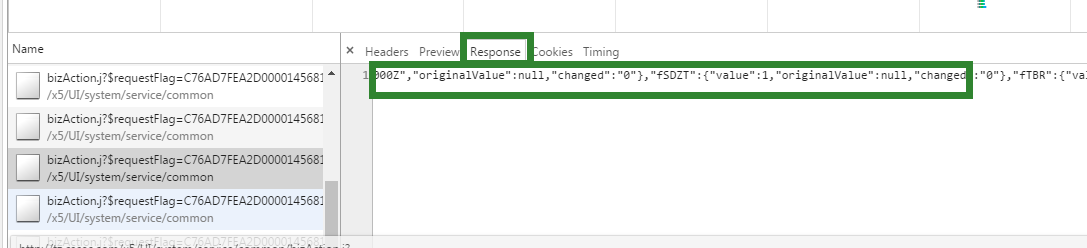
首先,先通过保存cookie文件,读取token的方式模拟登陆网站:
$session = New-Object Microsoft.PowerShell.Commands.WebRequestSessionGet-Content .\cookienyf.txt | foreach {$line=$_ -split '/' | select -First 1$tokens=$_.Split("`t").TrimEnd()$c=@{ name=$tokens[0] value=$tokens[1] domain=$tokens[2]} $cookie = New-Object System.Net.Cookie $cookie.Name=$c.name $cookie.Value=$c.Value $cookie.Domain=$c.domain $session.Cookies.Add($cookie)}
然后使用Invoke-RestMethod
$response = Invoke-RestMethod $url -Method post -ContentType "application/json" -WebSession $session -OutFile output.json -UserAgent 'Mozilla/5.0 (Windows NT 6.1; WOW64) AppleWebKit/537.36 (KHTML, like Gecko) Chrome/51.0.2704.106 Safari/537.36'
本以为可以直接拿到response,但返回报错:"A JSONObject text must begin with '{' at character 0"]
不知哪位能否指点一下?


 发帖
发帖 与我相关
与我相关 我的任务
我的任务
 分享
分享