


476
社区成员
 发帖
发帖 与我相关
与我相关 我的任务
我的任务
 分享
分享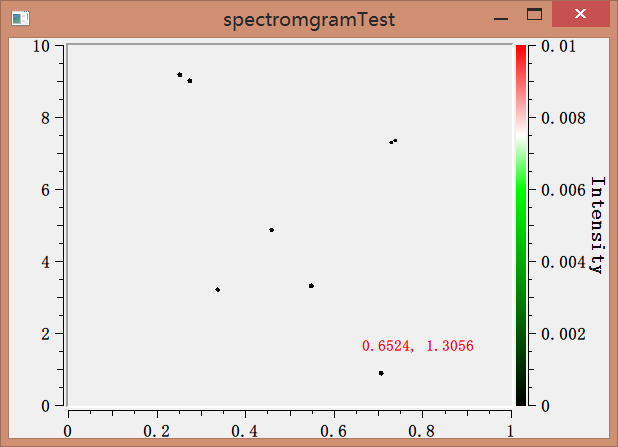 拉长后显示如下
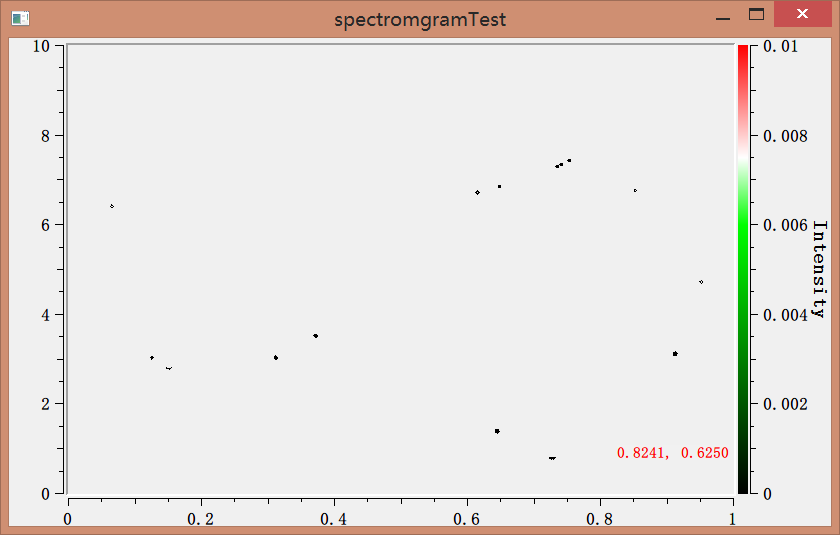 放到最大时候显示如下
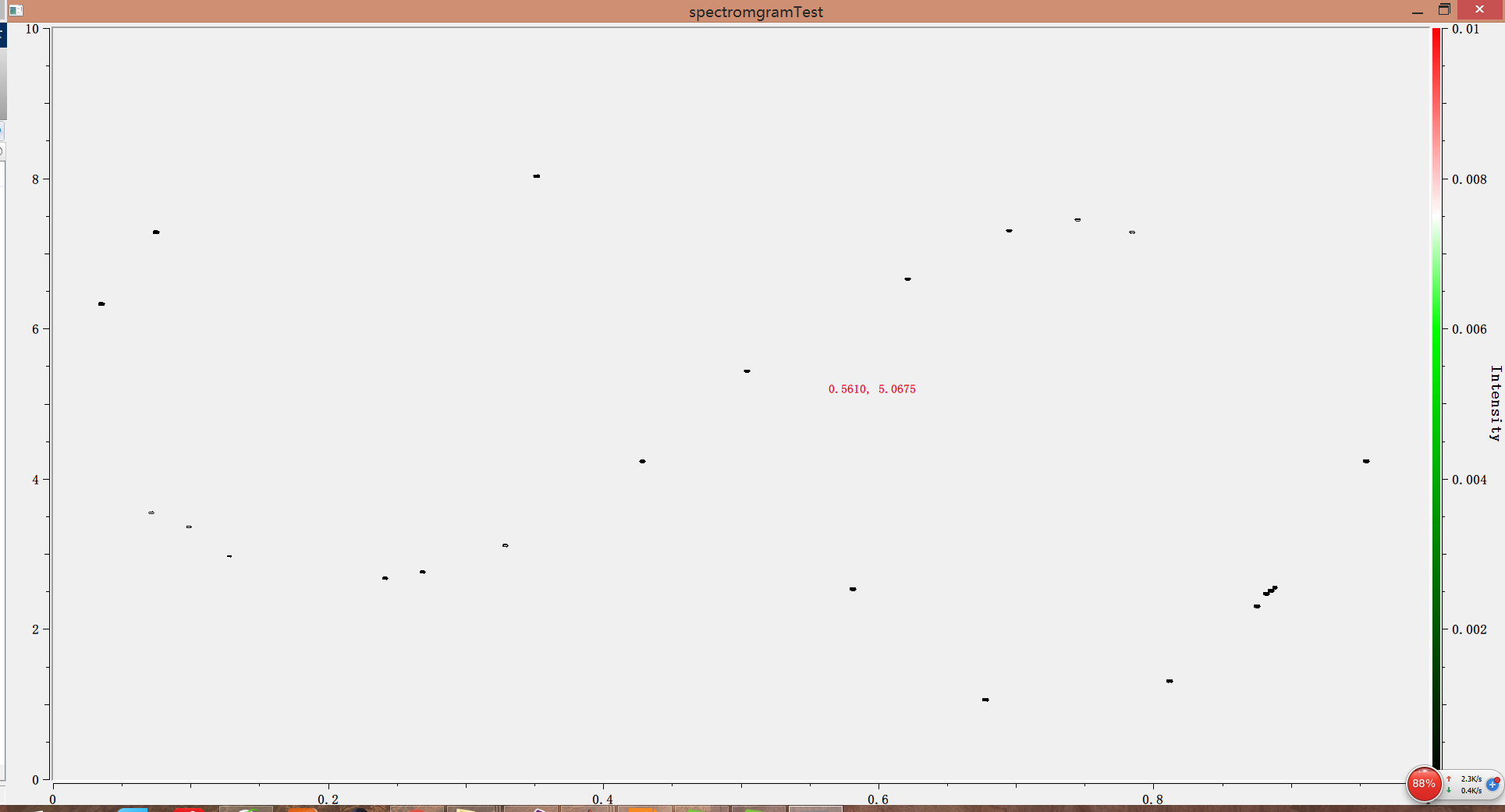 代码如下:plot.h复制代码#include <qwt_plot.h>#include <qwt_plot_spectrogram.h>class Plot : public QwtPlot{ Q_OBJECTpublic: Plot(QWidget * = NULL); public slots:private: QwtPlotSpectrogram *d_spectrogram;};plot.cpp复制代码#include <qprinter.h>#include <qprintdialog.h>#include <qnumeric.h>#include <qwt_color_map.h>#include <qwt_plot_spectrogram.h>#include <qwt_scale_widget.h>#include <qwt_scale_draw.h>#include <qwt_plot_zoomer.h>#include <qwt_plot_panner.h>#include <qwt_plot_layout.h>#include <qwt_plot_renderer.h>#include <qwt_matrix_raster_data.h>#include "plot.h"#include <QFile>#include<QtAlgorithms>class MyZoomer : public QwtPlotZoomer{public: MyZoomer(QWidget *canvas) : QwtPlotZoomer(canvas) { setTrackerMode(AlwaysOn); } virtual QwtText trackerTextF(const QPointF &pos) const { QColor bg(Qt::white); //设置背景透明度 bg.setAlpha(20); //QwtPlotZoomer::trackerTextF返回x,y的坐标轴的刻度数 QwtText text = QwtPlotZoomer::trackerTextF(pos); text.setBackgroundBrush(QBrush(bg)); return text; }};class SpectrogramData : public QwtMatrixRasterData{public: SpectrogramData() { QFile data("H:/STUDY/Qtproject/spectromgramTest/est.bin"); if (data.open(QFile::ReadOnly)) { QDataStream instream(&data); QVector<double> rawData; double *temp = new double[10000 * 300]; instream.readRawData((char*)temp, 10000 * 300 * sizeof(double)); for (int i = 0; i < 10000; i++) { for (int j = 0; j < 300; j++) { rawData += temp[j * 10000 + i]; } } setValueMatrix(rawData, 300); delete[] temp; } setInterval(Qt::XAxis, QwtInterval(0, 1)); setInterval(Qt::YAxis, QwtInterval(0,10)); setInterval(Qt::ZAxis, QwtInterval(0.0, 0.01)); }};class LinearColorMapRGB : public QwtLinearColorMap{public: LinearColorMapRGB() : //首尾颜色 QwtLinearColorMap(Qt::darkCyan, Qt::red, QwtColorMap::RGB) { addColorStop(0.0, Qt::black); addColorStop(0.6, Qt::green); addColorStop(0.75, Qt::white); }};Plot::Plot(QWidget *parent) :QwtPlot(parent){ d_spectrogram = new QwtPlotSpectrogram(); // use system specific thread count //设置线程数和缓存,影响不大 d_spectrogram->setRenderThreadCount(0); d_spectrogram->setCachePolicy(QwtPlotRasterItem::PaintCache); d_spectrogram->setData(new SpectrogramData()); d_spectrogram->attach(this); //设置轮廓线的数量和层次(当值为多少时画一条轮廓线) QList<double> contourLevels; for ( double level =0.001; level <0.1; level += 0.002) contourLevels += level;//不是相加,是在其后面添加元素 d_spectrogram->setContourLevels( contourLevels ); const QwtInterval zInterval = d_spectrogram->data()->interval(Qt::ZAxis); // A color bar on the right axis QwtScaleWidget *rightAxis = axisWidget(QwtPlot::yRight); rightAxis->setTitle("Intensity"); //仅设置这个还不行 rightAxis->setColorBarEnabled(true); setAxisScale(QwtPlot::yRight, zInterval.minValue(), zInterval.maxValue()); enableAxis(QwtPlot::yRight);//默认disabed //设置画布对齐到所有坐标轴 plotLayout()->setAlignCanvasToScales(true); //设置为RGBColorMap d_spectrogram->setColorMap(new LinearColorMapRGB()); rightAxis->setColorMap(zInterval, new LinearColorMapRGB()); //设置显示模式 d_spectrogram->setDisplayMode(QwtPlotSpectrogram::ContourMode,true); d_spectrogram->setDisplayMode( QwtPlotSpectrogram::ImageMode, false); //设置鼠标操作 // LeftButton for the zooming // MidButton for the panning // RightButton: zoom out by 1 // Ctrl+RighButton: zoom out to full size QwtPlotZoomer* zoomer = new MyZoomer(canvas()); //修改某一操作,比如一步返回到不放大状态 zoomer->setMousePattern(QwtEventPattern::MouseSelect2, Qt::RightButton, Qt::ControlModifier); zoomer->setMousePattern(QwtEventPattern::MouseSelect3, Qt::RightButton); const QColor c(Qt::red); //设置RubberBandPen选择框笔触 zoomer->setRubberBandPen(c); //设置TrackerPen笔触 zoomer->setTrackerPen(c); QwtPlotPanner *panner = new QwtPlotPanner(canvas()); //移动绘图时候右边colorbar不需要自动改变刻度 panner->setAxisEnabled(QwtPlot::yRight, false); panner->setMouseButton(Qt::MidButton); // Avoid jumping when labels with more/less digits // appear/disappear when scrolling vertically const QFontMetrics fm(axisWidget(QwtPlot::yLeft)->font()); QwtScaleDraw *sd = axisScaleDraw(QwtPlot::yLeft); sd->setMinimumExtent(fm.width("100.00"));}请问用什么办法使其显示出所有数据?困扰好久,感激不尽!
