社区
Linux/Unix社区
帖子详情
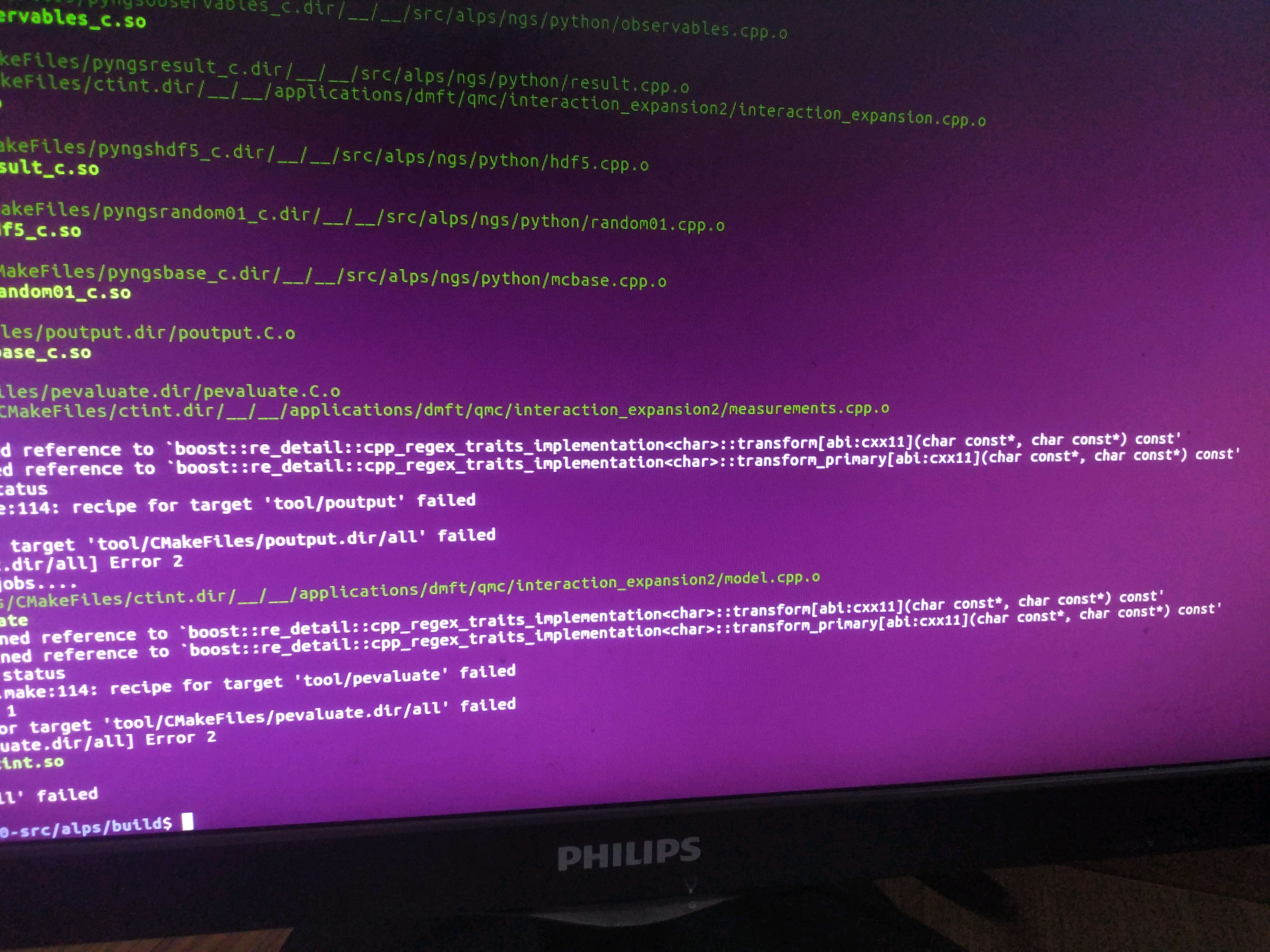
用make编译时出现recipe for target 'all' failed
小齐大圣
2019-12-17 09:32:10
...全文
23316
2
打赏
收藏
用make编译时出现recipe for target 'all' failed
[图片]
复制链接
扫一扫
分享
举报
写回复
配置赞助广告
用AI写文章
2 条
回复
切换为时间正序
请发表友善的回复…
发表回复
打赏红包
☁(^_^)☁
2020-12-17
打赏
举报
回复
make clean;cmake ..;make 不行唉
这是一个正经昵称
2019-12-20
打赏
举报
回复
18
报错已经很清楚的说明是动态库函数的问题了,大概是你动态库用的不对或者动态库不对,或者你需要make clean;cmake ..;make
Ubuntu系统opencv
编译
错误:
Make
file:162:re
cipe
for
target
‘all‘
failed
make
:*** [all] Error 2
问题: 在Ubuntu中使用opencv源码进行
make
操作
时
,
出现
了如下的错误信息:
Make
file:162:re
cipe
for
target
‘all’
failed
make
:*** [all] Error 2 一开始一脸懵逼,仅使用这些关键词查找出问题的原因,结果一无所获,后来看到一些答案说往上翻,可以看到红字,果不其然,我所
出现
的错误信息如下: fatal error: boostdesc_bgm.i: No such file or directory 出错原因:
出现
问题的原因是因
opencv re
cipe
for
target
‘all‘
failed
解决
这些配置包括但不限于
编译
器选项、库依赖、自定义的构建选项等,帮助我们更方便地管理和构建项目,同
时
保持跨平台的兼容性和一致性。如果你使用的是较旧的OpenCV版本,可能已知的问题已经在后续版本中得到修复。在OpenCV官方网站上下载并安装最新版本的OpenCV,然后尝试重新
编译
你的项目。当你使用C
Make
生成
编译
文件
时
,一个常见的错误是由于配置文件错误引起的。确保你使用的C
Make
配置文件正确地指定了OpenCV的安装路径和必要的依赖项。这将清除之前生成的
编译
文件,重新生成新的
编译
文件,并重新
编译
你的项目。
三种问题导致
Make
file: re
cipe
for
target
‘all‘
failed
make
,以及解决方法
这种情况,现在网上看到的问题有两种,第一是c
make
list里面自己写的东西有些问题。这个报错是会给提示的,跟着提示修改就可以解决问题。 还有一种是安装了Anaconda后,它会有自带的
编译
器,也就导致了Anaconda和Linux默认的
编译
器gcc 不是同一个版本 外国网友给出了两种解决方法: I think there are two ways to solve this issue. Method 1: Pass the option -D WITH_OPENMP=ON, or, when usin
Make
file:140: re
cipe
for
target
‘all‘
failed
make
: [all] Error 2 Invoking “
make
-j4 -l4“
failed
当我在Ubuntu20.04中对全局规划器global_planner的参数文件GlobalPlannerConfig.h进行修改后,
编译
成功,并可正常使用,新增的动态调参功能,但当我将功能包放置到Ubuntu18.04中
时
编译
时
,产生了以下报错
Ubuntu16.04下
make
all
编译
caffe
时
re
cipe
for
target
'.build_release/.linked'
failed
Ubuntu16.04下
make
all
编译
caffe
时
报错在github上clone下来的代码在终端输入$
make
all 可能
出现
的错误如下: ln:
failed
to create symbolic link ‘build’: Function not implemented
Make
file:556: re
cipe
for
target
‘.build_release/.link
Linux/Unix社区
18,828
社区成员
11,489
社区内容
发帖
与我相关
我的任务
Linux/Unix社区
Linux/Unix社区 专题技术讨论区
复制链接
扫一扫
分享
社区描述
Linux/Unix社区 专题技术讨论区
社区管理员
加入社区
获取链接或二维码
近7日
近30日
至今
加载中
查看更多榜单
社区公告
暂无公告
试试用AI创作助手写篇文章吧
+ 用AI写文章
 小齐大圣 2019-12-17 09:32:10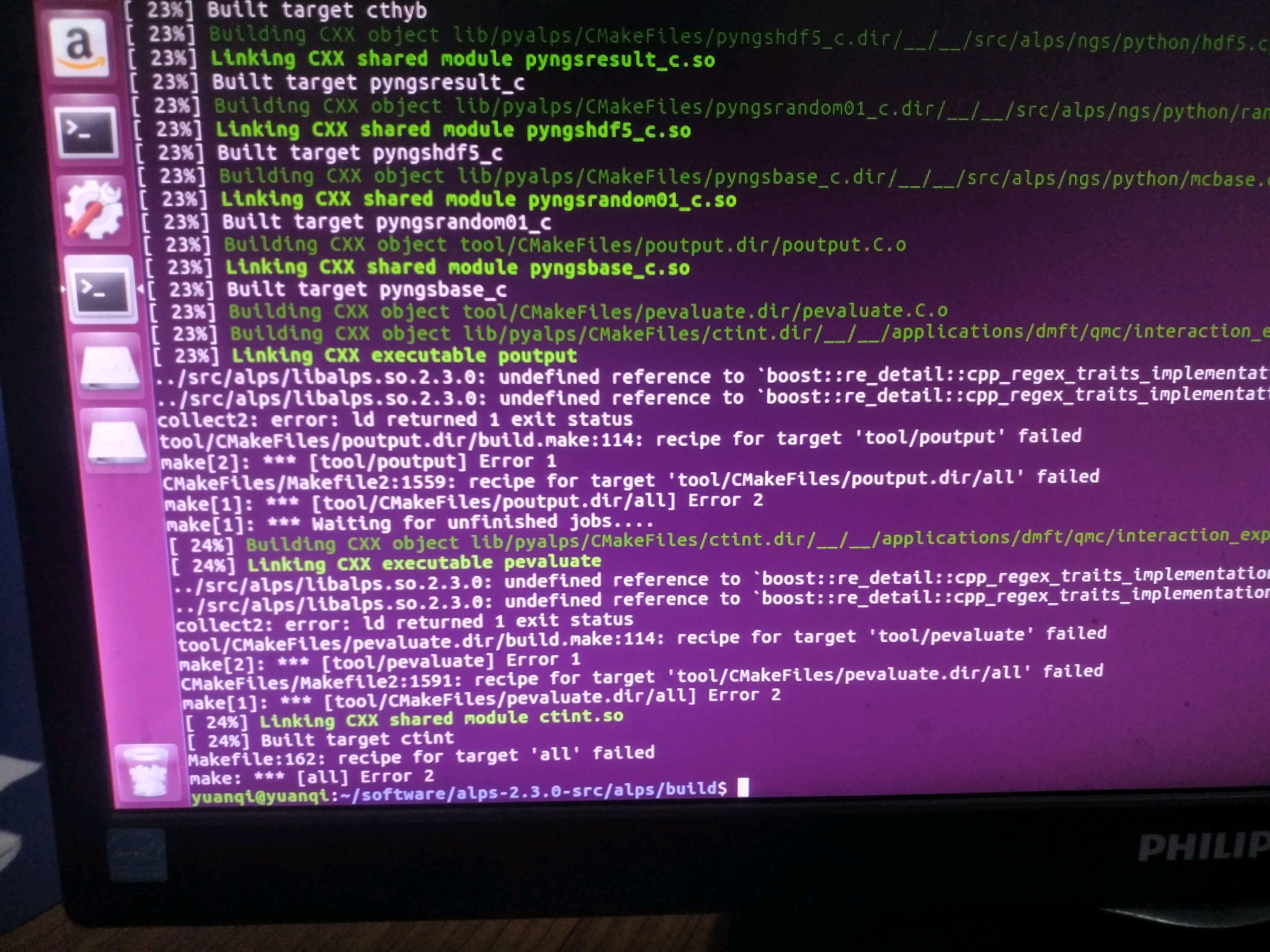


 发帖
发帖 与我相关
与我相关 我的任务
我的任务
 分享
分享