183
社区成员
 发帖
发帖 与我相关
与我相关 我的任务
我的任务
 分享
分享| The Link Your Class | https://bbs.csdn.net/forums/MUEE308FZ |
|---|---|
| The Link of Requirement of This Assignment | https://bbs.csdn.net/topics/600914861 |
| The Aim of This Assignment | Bobbing software prototype |
| MU STU ID and FZU STU ID | 19104308&831901320/19104979&831901313 |
| Personal Software Process Stage | Estimated time (mins) | real time(mins) |
|---|---|---|
| Planning | - | - |
| Estimate | 24 | 30 |
| Development | - | - |
| Analysis | 30 | 60 |
| Design Spec | 0 | 30 |
| Design Review | 0 | 42 |
| Coding Standard | 0 | 0 |
| Design | 240 | 480 |
| Coding | 0 | 0 |
| Code Review | 0 | 0 |
| Test | 0 | 30 |
| Reporting | - | - |
| Test Report | 30 | 60 |
| Size Measurement | 0 | 0 |
| Postmortem&Process Improvement | 30 | 60 |
| 第N周 | 新增代码(行) | 累计代码(行) | 本周学习耗时(小时) | 累计学习耗时(小时) | 重要成长 |
|---|---|---|---|---|---|
| 1 | 100 | 100 | 7 | 7 | 初步了解HTML、CSS以及JavaScript,同时学习微信小程序开发 |
| 2 | 250 | 350 | 8 | 8 | 进一步深入学习前端开发、观看网络上的开发视频 |
Directory
How to realize the function of judging the award by dice?
How do I export the results of dice rolling directly to the page and display them in real time?
The development and abandonment of wechat applets
Develop Vue location debugging
Game log records and displays fumble in real time
Prototype compression makes software run more smoothly
Design and implementation process and Code description
H5页面在线查看(请使用手机扫码)

Our idea is to make Html5 blog pie mini game based on Vue first, then use WebSocket to make multiplayer games, and finally try to package into Android App program and wechat mini program. The tools we use are: wechat developer tools, VSCode, Git&GitHub and so on.
First we borrowed a couple of dice, and we looked at his movement through a couple of rolls. The first is the inevitable displacement of position during the throwing process, and the second is the effect of rotation when in the air. To achieve this effect as realistically as possible, we use jQuery animation to demonstrate the following code:
// 获取六个骰子的位置
    getPosition () {
      const positions = [1, 2, 3, 4, 5, 6, 7, 8]
      let res = []
      for (let i = 0; i < 6; i++) {
        res.push(positions.splice(Math.floor(Math.random() * positions.length), 1)[0])
      }
      return res
    },
    setDice () {
      this.loading = true
      $('#bowl').removeClass('active')
      $('#bowl').addClass('inactive')
      const positions = this.getPosition()
      $.each($('#bowl .dice'), (index, item) => {
        $(item).removeClass()
        $(item).addClass(`dice dice${this.result[index]} dice-position${positions[index]}`)
      })
      setTimeout(() => {
        $('#bowl').removeClass('inactive')
        $('#bowl').addClass('active')
        this.showAwardTitle()
      }, 200)
First, the number of the six dice is transformed as follows, and an array is built to store the number of dice representing each point. The if-else structure is then used to match the judging item and assign a value to the award name. The first step is to create an array of structures that contain the award names. Then the prize is obtained by traversing the structure array matching.
// 统计结果
import $ from 'jquery'
  _countResult() {
    this.award = new Array(6).fill(0)
    this.result.forEach(item => {
      this.award[item - 1]++
    })
    return this
  }

  // 判断奖项
  _judgeAward() {
    this._countResult()
    const award = this.award
    let awardTitle = ''
    let rank = -1
    if (award[3] === 4 && award[0] === 2) {
      awardTitle = '状元插金花'
      rank = 1
    } else if (award[3] === 6) {
      awardTitle = '状元红六勃'
      rank = 2
    } else if (award[0] === 6) {
      awardTitle = '状元遍地锦'
      rank = 3
    } else if (award[1] === 6 || award[2] === 6 || award[4] === 6 || award[5] === 6) {
      awardTitle = '状元黑六勃'
      rank = 4
    } else if (award[3] === 5) {
      awardTitle = '状元五红'
      rank = 5
    } else if (award[0] === 5 || award[1] === 5 || award[2] === 5 || award[4] === 5 || award[5] === 5) {
      awardTitle = '状元五子登科'
      rank = 6
    } else if (award[3] === 4) {
      awardTitle = '状元四红'
      rank = 7
    } else if (new Set(this.result).size === 6) {
      awardTitle = '对堂'
      rank = 8
    } else if (award[3] === 3) {
      awardTitle = '三红'
      rank = 9
    } else if (award[0] === 4 || award[1] === 4 || award[2] === 4 || award[4] === 4 || award[5] === 4) {
      awardTitle = '四进'
      rank = 10
    } else if (award[3] === 2) {
      awardTitle = '二举'
      rank = 11
    } else if (award[3] === 1) {
      awardTitle = '一秀'
      rank = 12
    } else {
      awardTitle = '落榜'
    }

    return {
      awardTitle: awardTitle,
      rank: rank,
      result: this.result
    }
  }
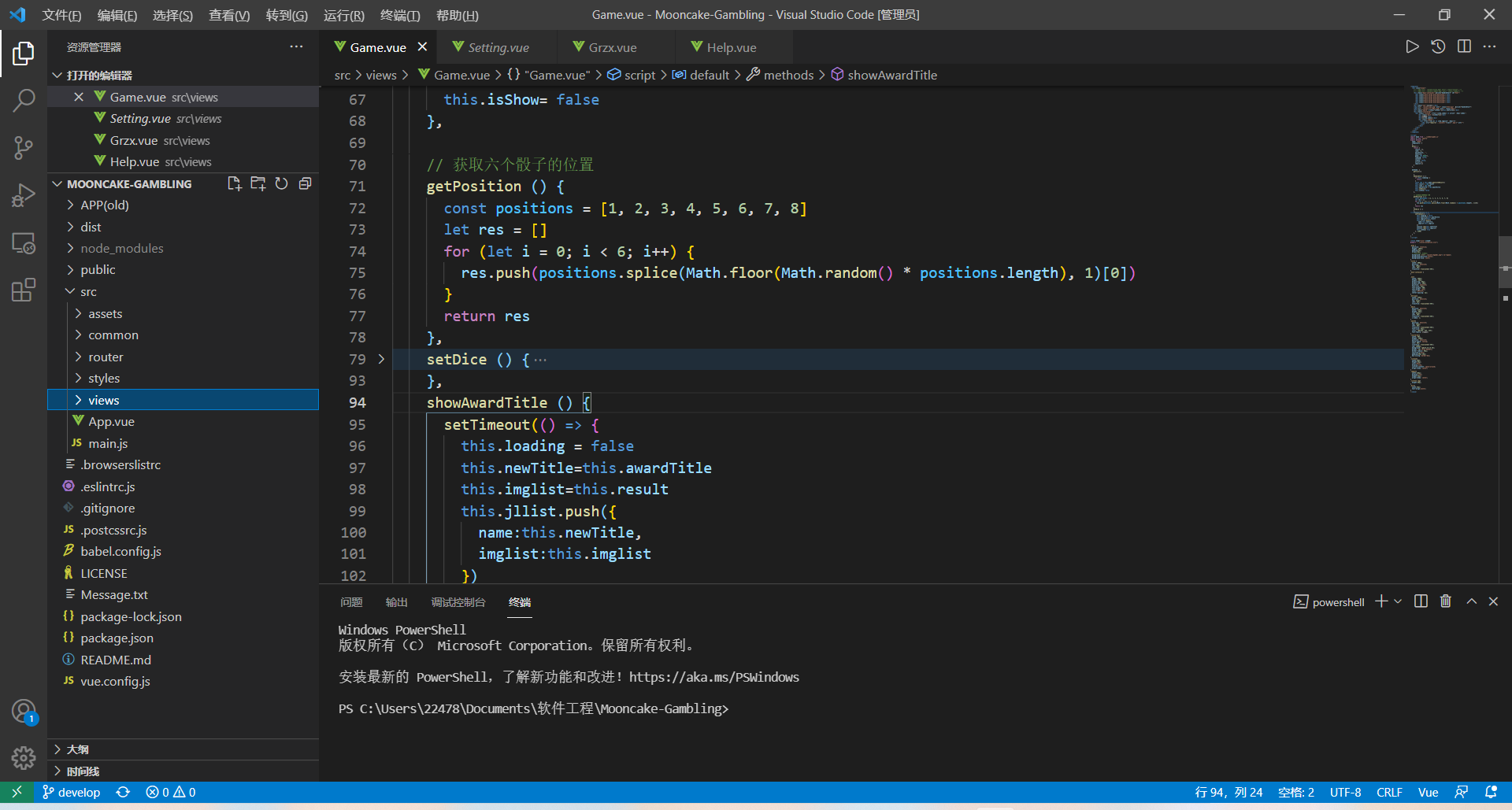
We first introduce the Game result of game.js into the Game interface, and then create a string that uses the this pointer to assign the Game result to the page. Since the game result is generated in real time, in order to give users a more realistic game experience, we need to show the result after the game result. Therefore, we use a delay function, in which the game result is assigned to a new string, and then the string is bound to the interface result by v-text method.
import Game from '../common/game.js'
showAwardTitle () {
      // Set a delay so that the result does not appear until the animation ends
      setTimeout(() => {
        this.loading = false
        this.newTitle=this.awardTitle
        this.imglist=this.result
        this.jllist.push({
          name:this.newTitle,
          imglist:this.imglist
        })
        console.log(this.newTitle)
        console.log(this.imglist)
        this.isShow= true
      }, 1200)
    },
<div class="award" v-show="isShow">{{this.newTitle}}</div>
The collocation of display and position in page layout is also one of the difficulties. We use the layout code of ali team's HD scheme. The so-called HD scheme makes use of REM feature (we know that 1REM HTML = 16px by default), and according to the DPR of the device screen (device pixel ratio, Also known as DPPX, for example, when DPR =2, it means that a CSS pixel consists of four physical pixels.) Dynamically set the FONT size of HTML to (50 \* DPR) according to the DEVICE DPR, and adjust the compression ratio of the page (i.e., 1/ DPR), so as to achieve high definition effect.
<script>!function(e){function t(a){if(i[a])return i[a].exports;var n=i[a]={exports:{},id:a,loaded:!1};return e[a].call(n.exports,n,n.exports,t),n.loaded=!0,n.exports}var i={};return t.m=e,t.c=i,t.p="",t(0)}([function(e,t){"use strict";Object.defineProperty(t,"__esModule",{value:!0});var i=window;t["default"]=i.flex=function(normal,e,t){var a=e||100,n=t||1,r=i.document,o=navigator.userAgent,d=o.match(/Android[\S\s]+AppleWebkit\/(\d{3})/i),l=o.match(/U3\/((\d+|\.){5,})/i),c=l&&parseInt(l[1].split(".").join(""),10)>=80,p=navigator.appVersion.match(/(iphone|ipad|ipod)/gi),s=i.devicePixelRatio||1;p||d&&d[1]>534||c||(s=1);var u=normal?1:1/s,m=r.querySelector('meta[name="viewport"]');m||(m=r.createElement("meta"),m.setAttribute("name","viewport"),r.head.appendChild(m)),m.setAttribute("content","width=device-width,user-scalable=no,initial-scale="+u+",maximum-scale="+u+",minimum-scale="+u),r.documentElement.style.fontSize=normal?"50px": a/2*s*n+"px"},e.exports=t["default"]}]); flex(false,100, 1);</script>
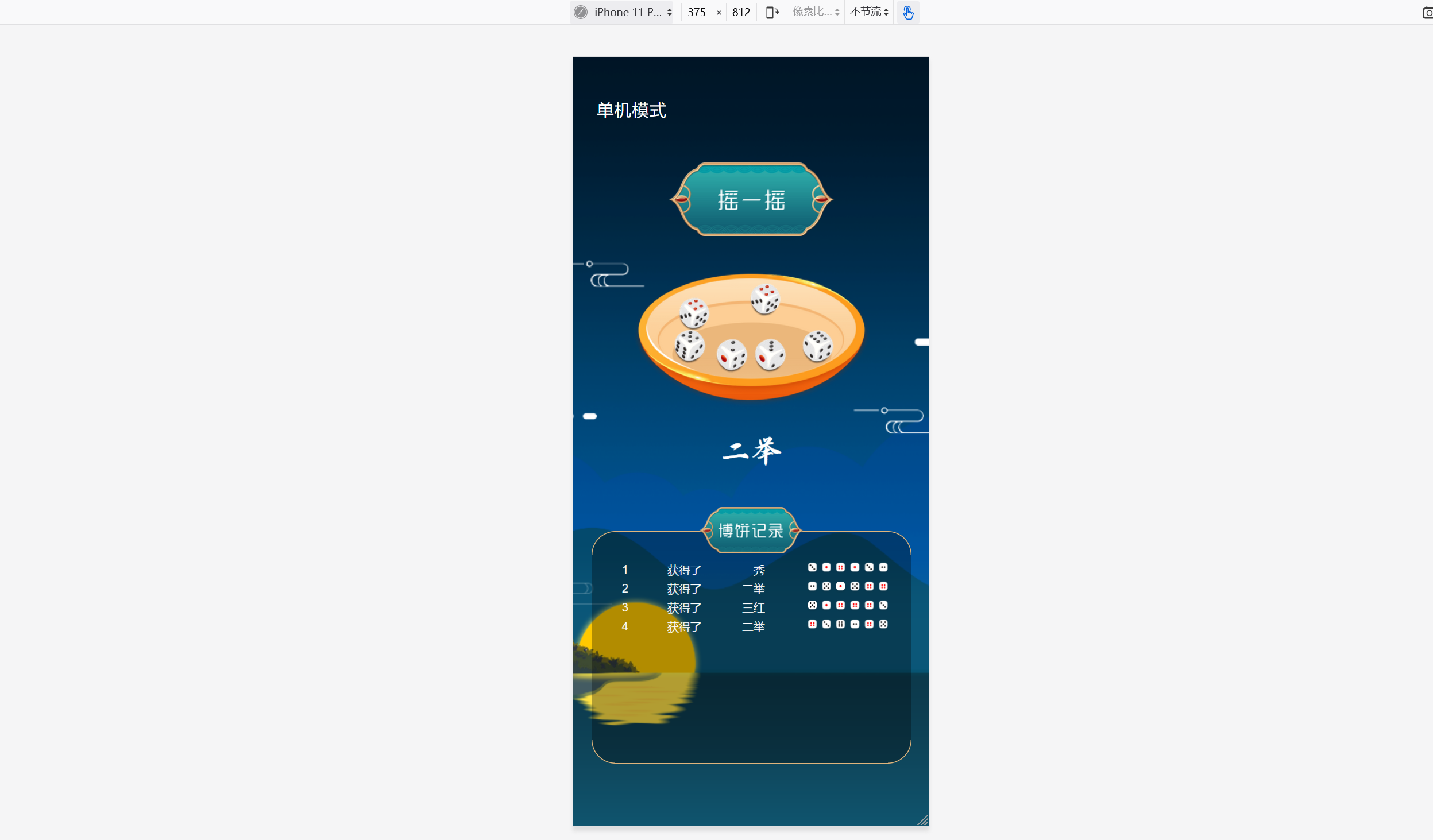
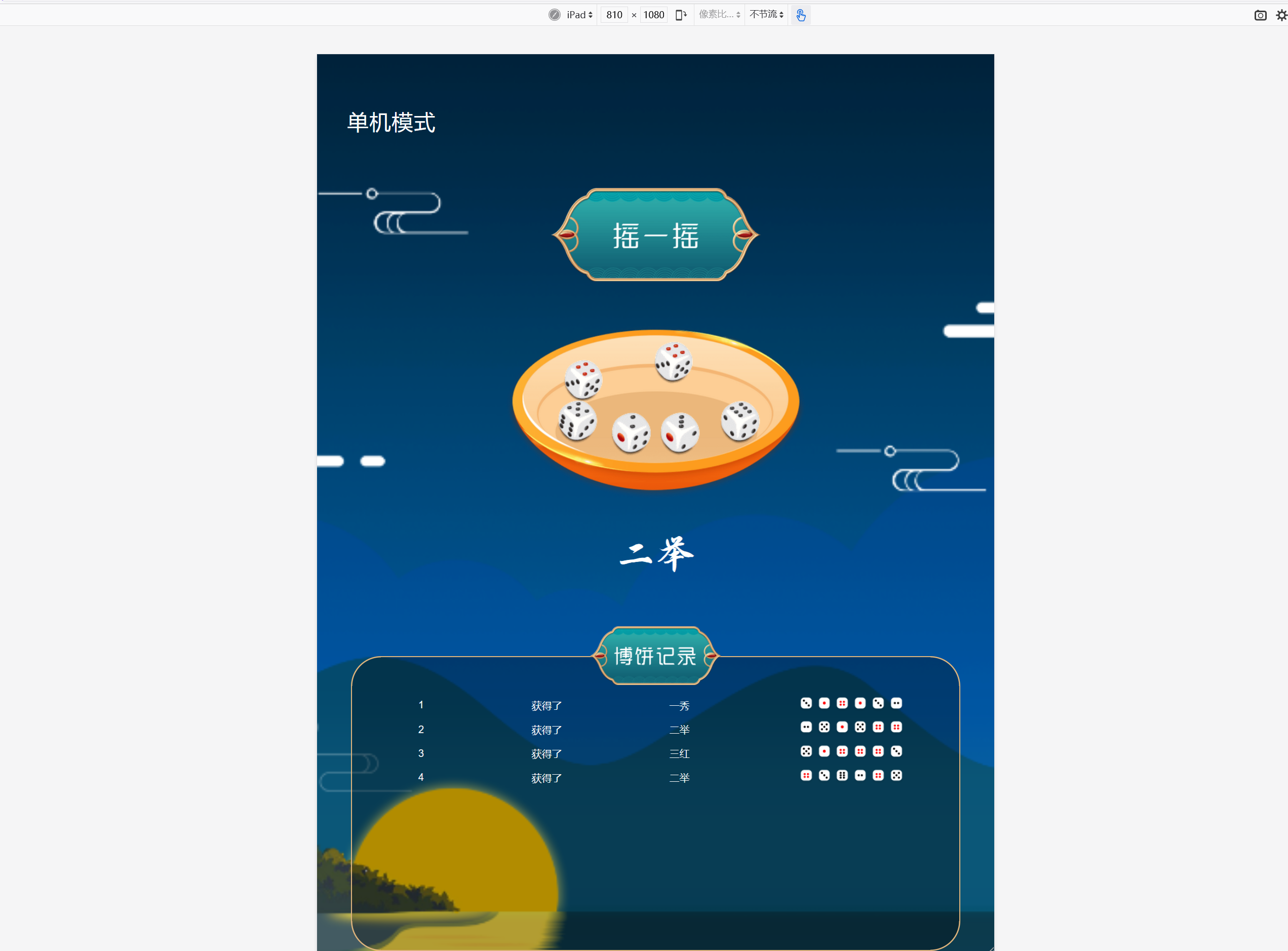
We use this assignment WeChat small program production, but in WeChat small program production process, we found that WeChat small program each image, components should be uploaded to the cloud, load need style files and so on, too much trouble, so we moved to Html development based on Vue, although abandon learned WeChat applet unfortunately, But as long as we achieve our goal, we are satisfied.
In preparation, we refer to the following result sites:
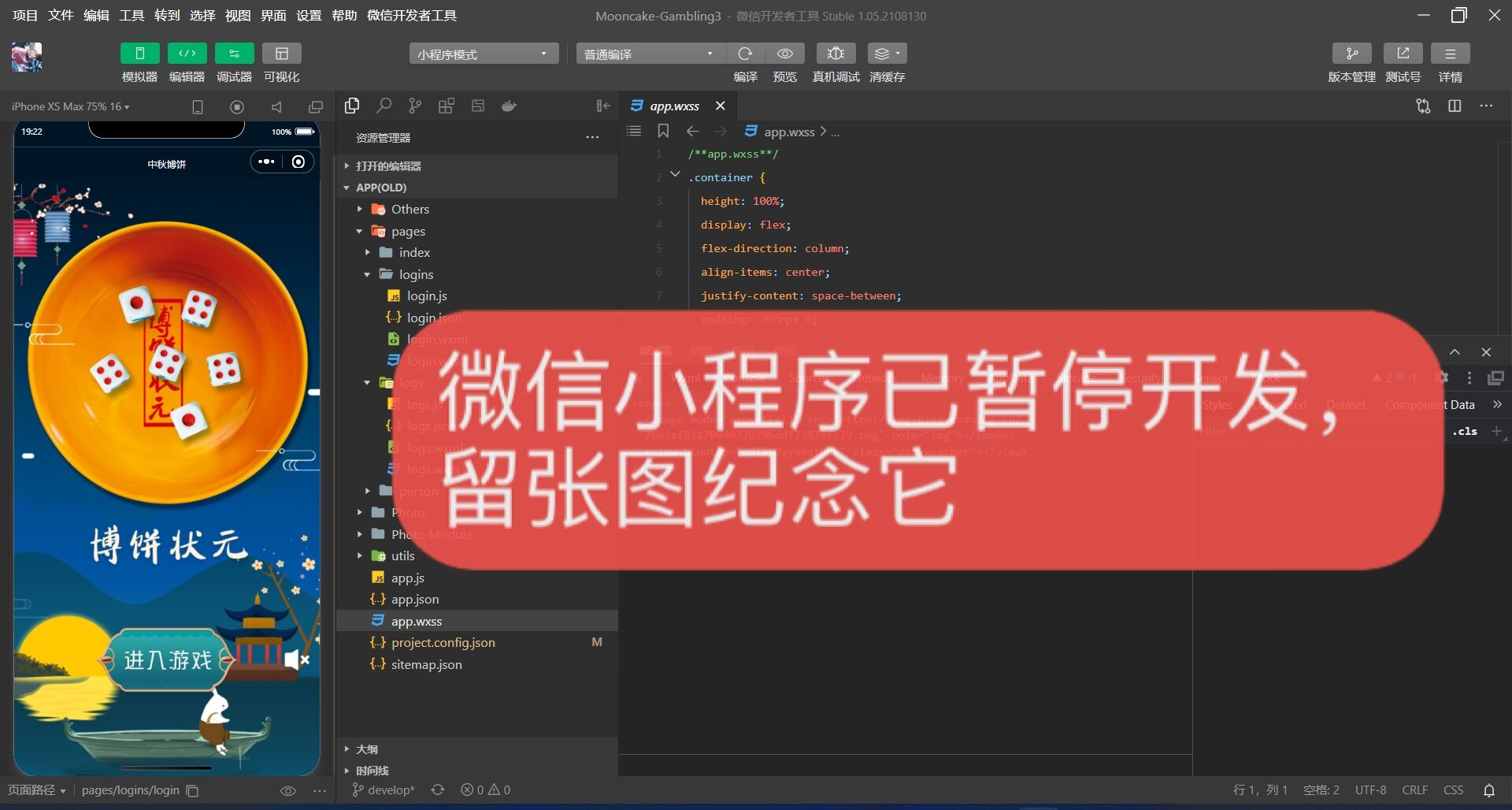
The first problem we encountered was the icon reference of wechat applets, which can only be stored in 4M space. In order to make the application simple and flexible, we put all the background pictures on the cloud. We gave up GitHub, which has a slow network, and chose to put them directly on CSDN blog. Wechat mini program ICONS, simple points are directly referenced in Ali's Iconfont vector icon library, the website will be attached with a Style file for us to use, we hope to use our own ICONS, but found that just uploading the icon file is not only cumbersome, but also to write their own Style file. Next to the night heard ho-yuen hoh students trapped in a prolonged WeChat small game development cannot extricate oneself, we gave up the WeChat decisive choice for the development of small programs, to the development of the Vue, we choose to develop Html because they continually put pictures can be directly (not so trouble like WeChat applet), and completes the page still can pack into a mobile phone App, Even wechat small program, this is certainly the development of Vue ah.
In the process of developing Vue, the most tedious problem we encountered was the repeated debugging position of the code, which would really torture people to death, but as long as the effort is deep and the iron axe is ground into a needle, under our repeated debugging, we finally matched the original prototype diagram to the maximum extent.
During the "single player" Vue editing, we found that the tutorials we studied were devoted to the development of a single Vue, which was far from enough for our Vue project. We learned how to make Vue widgets and related logic.
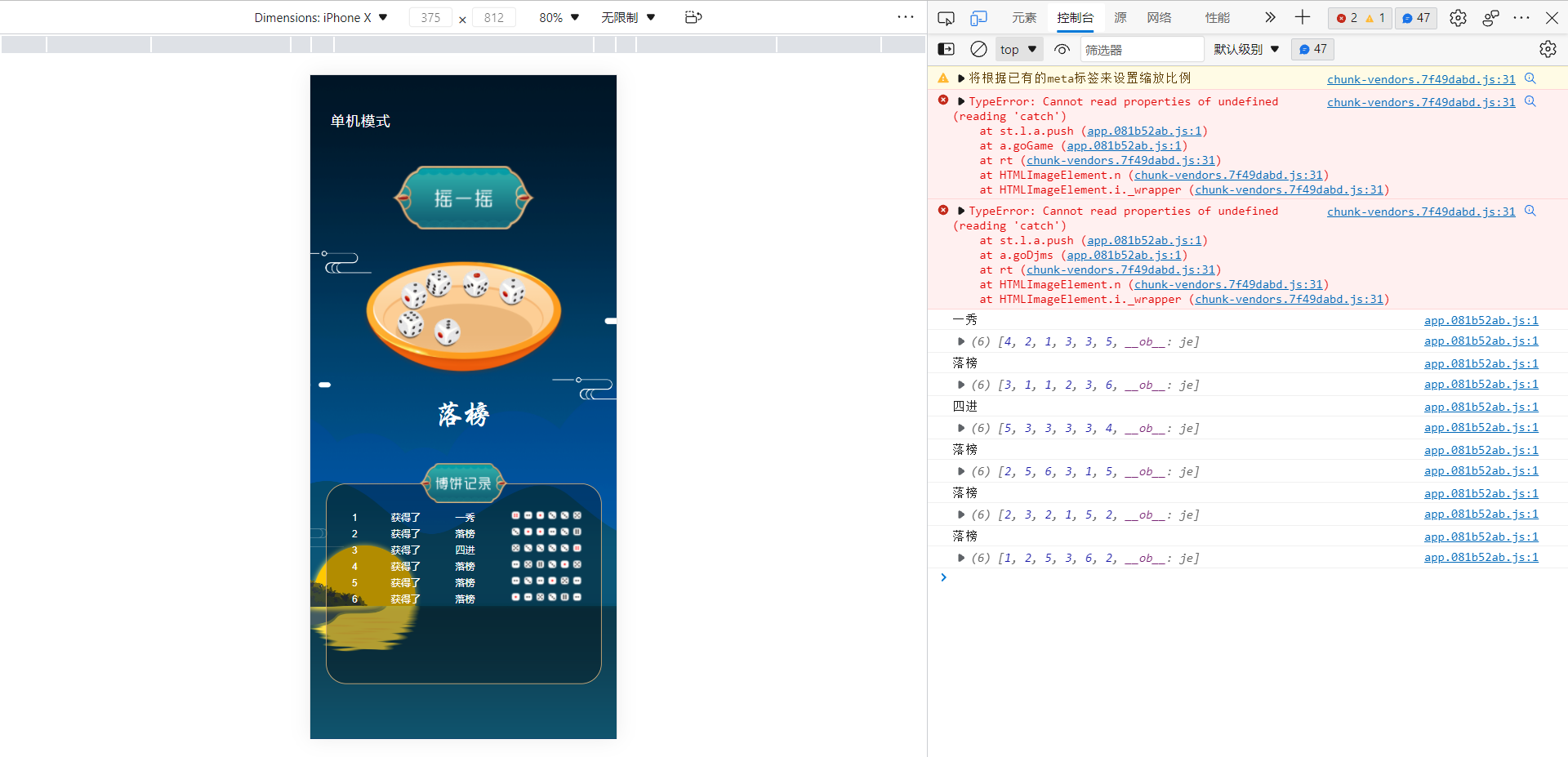
In the "single player game", we encountered a problem is how to run out of the game records in real time display in the game record box below, we check online are using LocalStorage function for storage, the difference between it and cookie is that one can only be saved for a short time and the space is small, one is a large space, It can't be crawled, it can be stored for a long time, but we have a corresponding problem. We have saved the data in JSON file, why can't it be displayed? This problem plagued us for half the night, and finally the next day we realized that we had compounded the problem by passing game.js into the page as a child component and getting the data to put into a list of Flex layouts.
<div class='listone' v-for='(item,index) in jllist' :key='index'>
          <div class='dict'>{{index+1}}</div>
          <div>获得了</div>
          <div>{{item.name}}</div>
          <div class='imgout'>
            <div v-for='(val,e) in item.imglist' :key='e'>
              <img :src="require('../assets/'+(val)+'.png')" alt="">
            </div>
          </div>
      </div>
.listone{
  width:100%;
  height:40px;
  color:#fff;
  display:flex;
  justify-content: space-around;
  align-items: center;
}
.imgout{
  width:160px;
  display:flex;
  height:40px;
  align-items: center;
}
.listone img{
  height:30px;
}
.dict{
  width:10px;
  text-align:center;
}
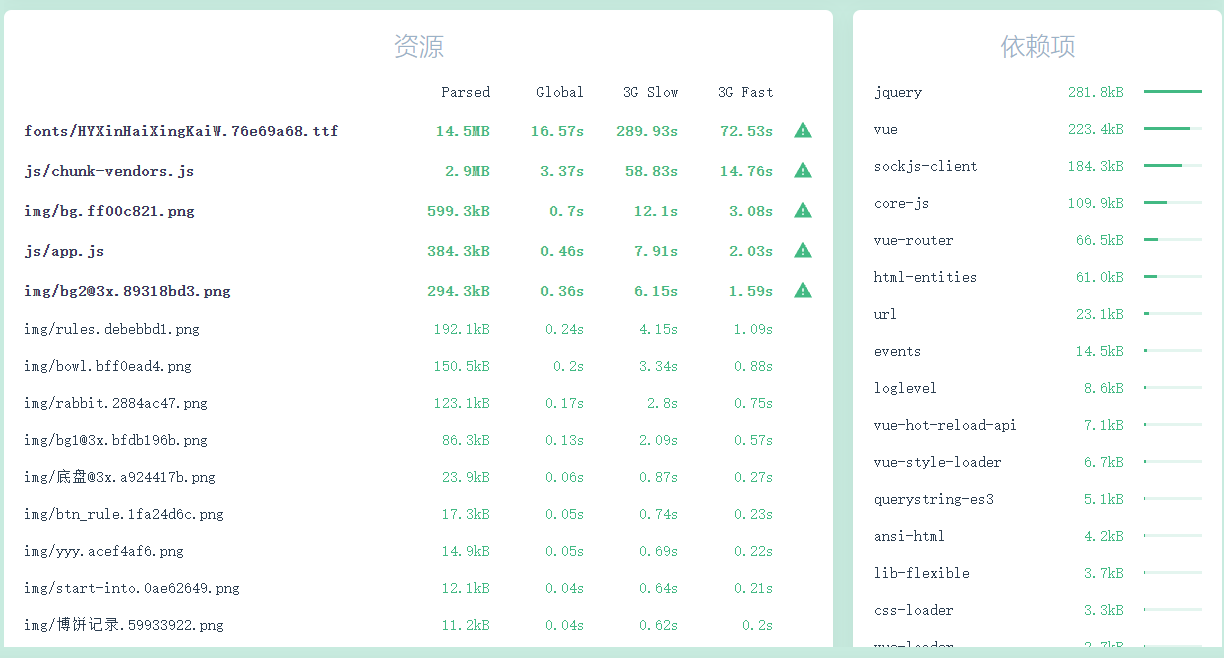
When we did the prototype design, we uploaded all the design drafts of XD to MockPlus. This multi-person collaboration platform can greatly improve the efficiency of design and front-end docking. For each component, you can view the pixel location and CSS code reference in the web page. Also, cutscenes downloaded from MockPlus are compressed automatically, otherwise the original will take longer to load, directly affecting the experience of the page.
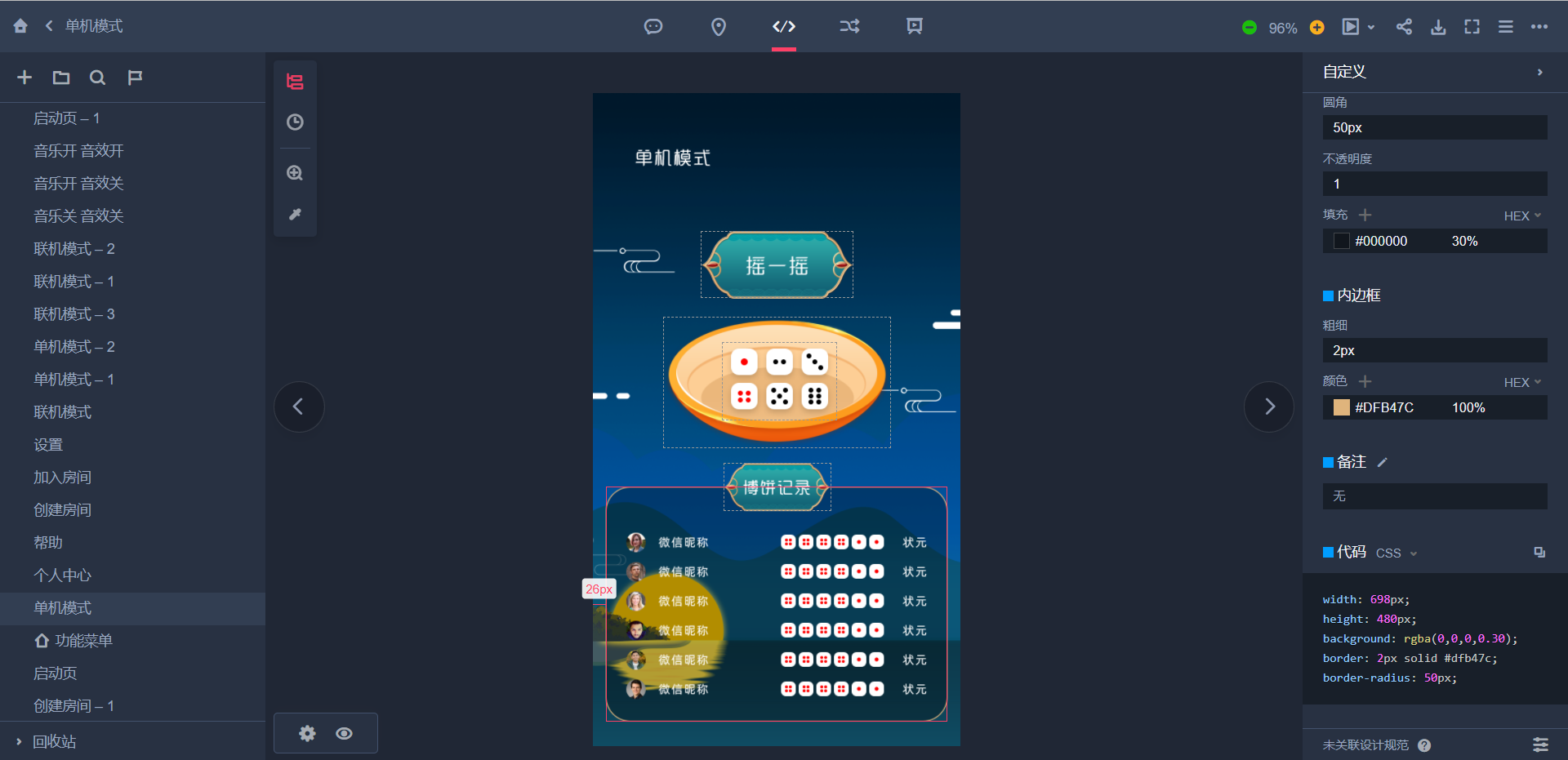
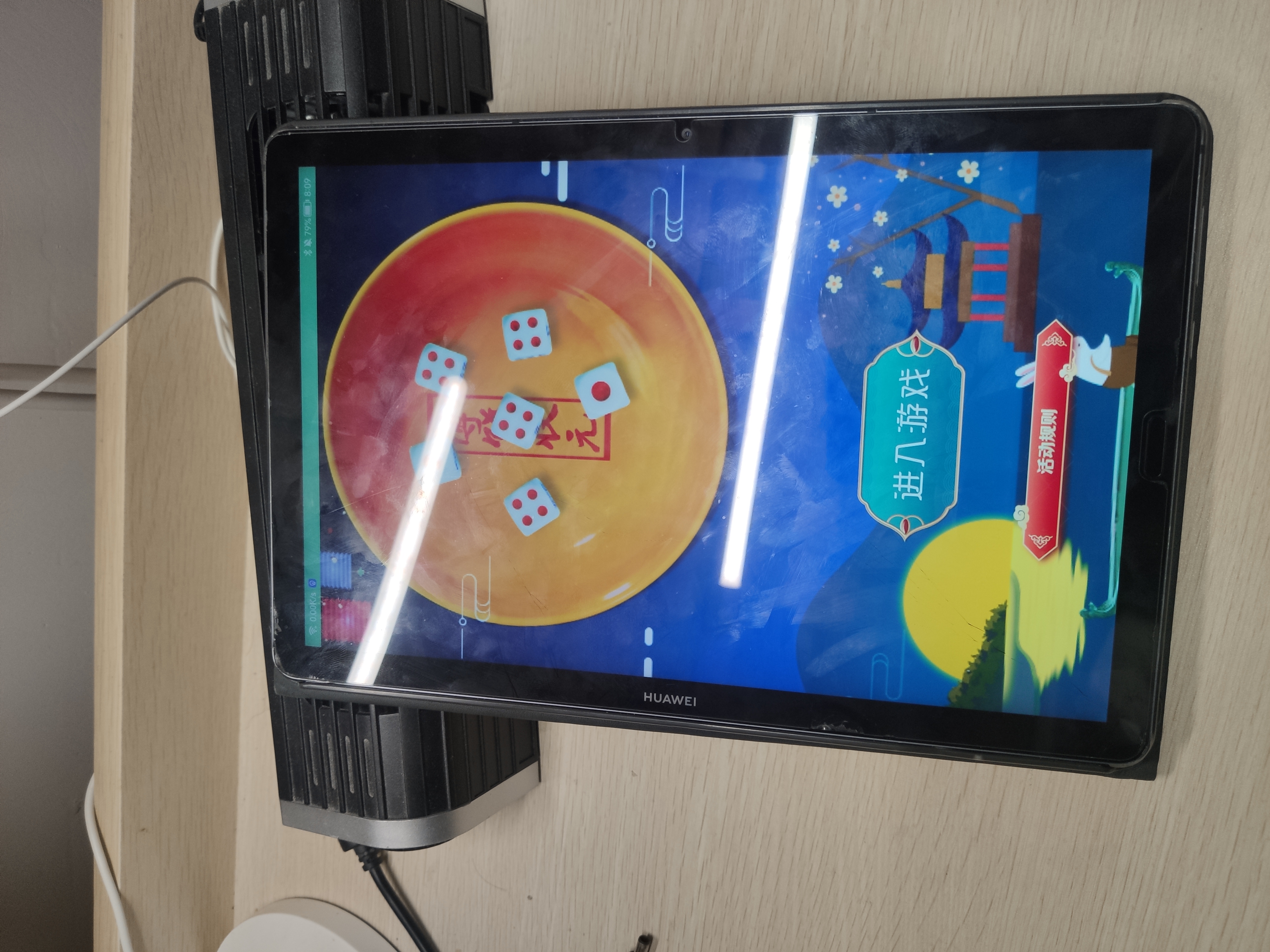
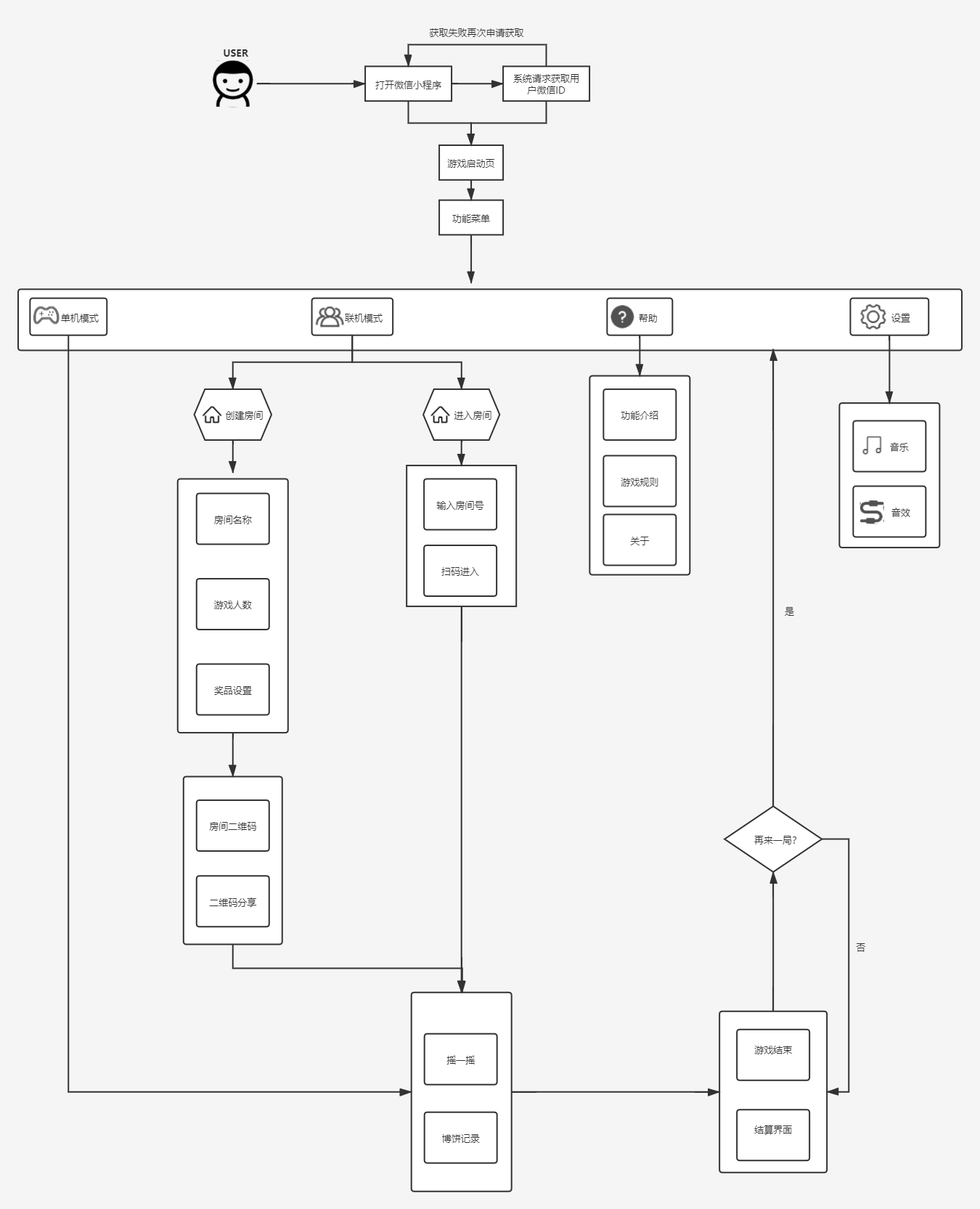
When the user opens the program, the program automatically obtains the account and profile picture to form a token and stores them in the server and Settings. Click "Enter the game" to enter the program function interface. The bowl of bo cake is designed as a prototype, corresponding to the Mid-Autumn full moon, meaning Mid-Autumn reunion happiness. At the same time, six dice are placed on it to tell the user that the function of the program is to play the pie game. The design adopts Chinese style design, the interface is simple and beautiful.
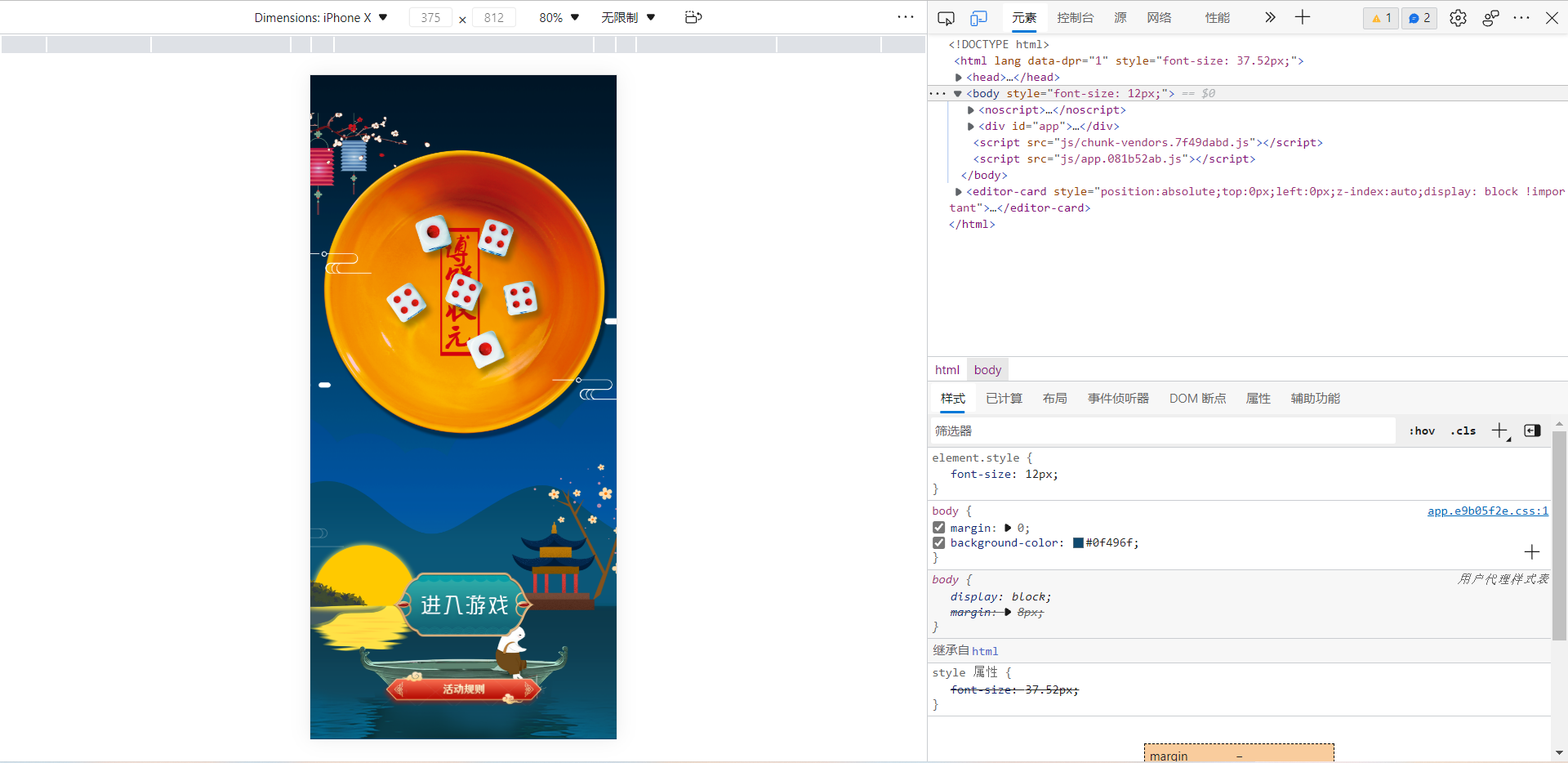
<template>
  <div class="rule-container">
    <div class="box"></div>
    <img src="../assets/start-into.png" alt="" class="btn-into"  @click="goGame">
    <div class="btn-rule" @click="goRule"></div>
  </div>
</template>

<script>
export default {
  methods: {
    goGame () {
      this.$router.push({
        name: 'Mode'
      })
    },
    goRule () {
      this.$router.push({
        name: 'Rule'
      })
    }
  }
}
</script>

<style lang="scss" scoped>
.rule-container {
  height: 100vh;
  display: flex;
  flex-direction: column;
  align-items: center;
  background: url("../assets/bg2@3x.png") no-repeat;
  background-position:center center;
  background-size: cover;

  .box {
    height: 60%;
  }
  .btn-into {
    position: absolute;
    bottom: 250px;
    width: 350px;
    left: 50%;
    transform: translateX(-50%);
  }
  .btn-rule {
    width: 400px;
    height: 86px;
    position: absolute;
    bottom: 80px;
    left: 50%;
    transform: translateX(-50%);
    background: url("../assets/btn_rule.png") no-repeat;
    background-size: cover;
  }
}
</style>
After clicking the "Enter the game" button, users will enter the "function interface" of the program. The function interface has six modules, which are the single player mode for themselves to play, the multiplayer mode for multiplayer entertainment, help, Settings and personal center. Multiplayer is also divided into create rooms and join rooms, taking into account that each room has an owner.
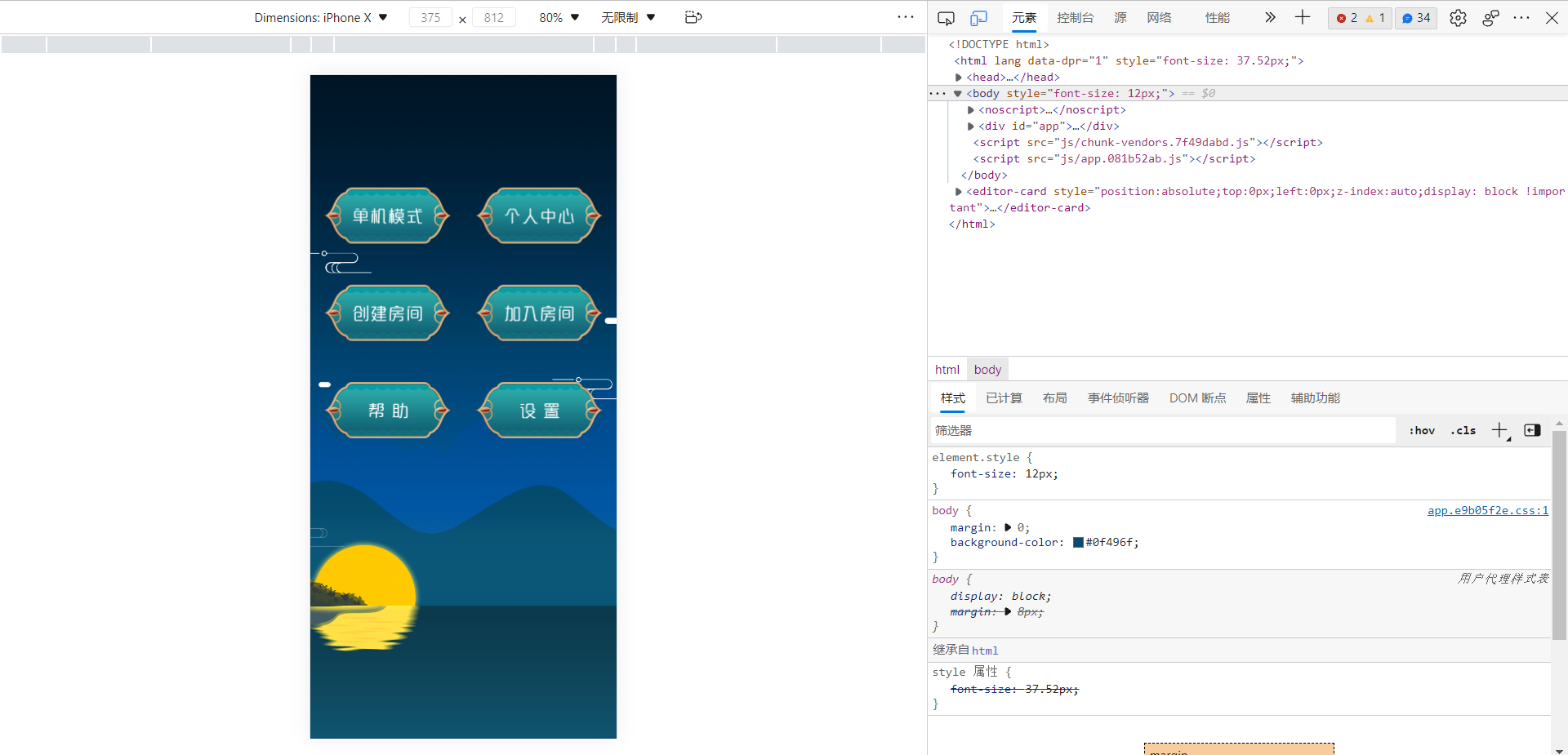
<template>
  <div class="mode">
    <div class="container">
      <img src="../assets/djms.png" alt="" class="button"  @click="goDjms">
      <img src="../assets/grzx.png" alt="" class="button"  @click="goGrzx">
      <img src="../assets/cjfj.png" alt="" class="button"  @click="goDjms">
      <img src="../assets/jrfj.png" alt="" class="button"  @click="goDjms">
      <img src="../assets/bz.png" alt="" class="button"  @click="goHelp">
      <img src="../assets/sz.png" alt="" class="button"  @click="goSetting">
    </div>
  </div>
</template>

<script>
export default {
  methods: {
    goDjms () {
      this.$router.push({
        name: 'Game'
      })
    },
    goGrzx (){
      this.$router.push({
        name: 'Grzx'
      })
    },
    goSetting (){
      this.$router.push({
        name: 'Setting'
      })
    },
    goHelp (){
      this.$router.push({
        name: 'Help'
      })
    }
  }
}
</script>

<style lang="scss" scoped>
@import "../styles/animation.scss";

.mode {
  position: absolute;
  height: 100vh;
  padding:0px;
  margin:0px;
  background: url("../assets/bg1@3x.png") no-repeat;
  background-position:center;
  background-size: cover;
}
.container{
  display: flex;
  flex-wrap: wrap;
  justify-content: center;
  margin-top: 30%;
}
.button{
  width: 312px;
  height: 138px;
  justify-content: center;
  flex:0 1 auto;
  margin: 50px 30px;
}
</style>
Click "single player mode", will enter the "start game" interface, the interface has a shake option and the record of each bo cake, click "shake", there will be a bowl covered, click stop will give the game result. Each game will be recorded.
<template>
  <div class="play">
    <!-- <img src="../assets/title.png" alt="" class="title"> -->
    <!-- <img src="../assets/rabbit.png" alt="" class="rabbit"> -->
    <div class="bowl-container" @click="handleStart" id="bowl">
      <div class="dice dice4 dice-position1"></div>
      <div class="dice dice4 dice-position2"></div>
      <div class="dice dice1 dice-position3"></div>
      <div class="dice dice1 dice-position4"></div>
      <div class="dice dice4 dice-position5"></div>
      <div class="dice dice4 dice-position6"></div>
    </div>
    <img src="../assets/back.svg" alt="" class="back" @click="goBack">
    <div class="nav">单机模式</div>
    <img src="../assets/yyy.png" alt="" class="btn-yyy"  @click="handleStart">
    <img src="../assets/博饼记录.png" alt="" class="bbjl">
    <div class="award" v-show="isShow">{{this.newTitle}}</div>
    <div class="record-box">
      <div class='listone' v-for='(item,index) in jllist' :key='index'>
          <div class='dict'>{{index+1}}</div>
          <div>获得了</div>
          <div>{{item.name}}</div>
          <div class='imgout'>
            <div v-for='(val,e) in item.imglist' :key='e'>
              <img :src="require('../assets/'+(val)+'.png')" alt="">
            </div>
          </div>
      </div>
    </div>
  </div>
</template>

<script>
import Game from '../common/game.js'
import $ from 'jquery'
export default {
  name: 'Home',
  components: {
  },
  data() {
    return {
      result: [],
      rank: -1,
      awardTitle: '',
      newTitle: '',
      game: new Game(),
      loading: false,
      content: '',
      isShow: false,
      jllist:[],
      imglist:[]
    }
  },

  methods: {
    goBack () {
      this.$router.go(-1)
    },
    getlist(){

    },
    handleStart () {
      if (this.loading) {
        return
      }
      const res = this.game.generateResult()
      this.result = res.result
      this.rank = res.rank
      this.awardTitle = res.awardTitle
      this.setDice()
      this.isShow= false
    },

    // 获取六个骰子的位置
    getPosition () {
      const positions = [1, 2, 3, 4, 5, 6, 7, 8]
      let res = []
      for (let i = 0; i < 6; i++) {
        res.push(positions.splice(Math.floor(Math.random() * positions.length), 1)[0])
      }
      return res
    },
    setDice () {
      this.loading = true
      $('#bowl').removeClass('active')
      $('#bowl').addClass('inactive')
      const positions = this.getPosition()
      $.each($('#bowl .dice'), (index, item) => {
        $(item).removeClass()
        $(item).addClass(`dice dice${this.result[index]} dice-position${positions[index]}`)
      })
      setTimeout(() => {
        $('#bowl').removeClass('inactive')
        $('#bowl').addClass('active')
        this.showAwardTitle()
      }, 200)
    },
    showAwardTitle () {
      // Set a delay so that the result does not appear until the animation ends
      setTimeout(() => {
        this.loading = false
        this.newTitle=this.awardTitle
        this.imglist=this.result
        this.jllist.push({
          name:this.newTitle,
          imglist:this.imglist
        })
        console.log(this.newTitle)
        console.log(this.imglist)
        this.isShow= true
      }, 1200)
    },
  }
}
</script>

<style lang="scss" scoped>
@import "../styles/animation.scss";

.play {
  position: relative;
  height: 100vh;
  padding:0px;
  margin:0px;
  // overflow: hidden;
  background: url("../assets/bg1@3x.png") no-repeat;
  background-position:center;
  background-size: cover;
}
.title {
  width: 500px;
  position: absolute;
  top: 150px;
  left: 50%;
  transform: translateX(-50%);
}
.bowl-container {
  width: 500px;
  height: 289px;
  position: absolute;
  top: 450px;
  left: 50%;
  transform: translateX(-50%);
  background: url("../assets/底盘@3x.png") no-repeat;
  background-size: cover;
  .dice {
    width: 80px;
    height: 80px;
    position: absolute;
    &.dice1 {
      background: url("../assets/dice_1.png") no-repeat;
      background-size: cover;
    }
    &.dice2 {
      background: url("../assets/dice_2.png") no-repeat;
      background-size: cover;
    }
    &.dice3 {
      background: url("../assets/dice_3.png") no-repeat;
      background-size: cover;
    }
    &.dice4 {
      background: url("../assets/dice_4.png") no-repeat;
      background-size: cover;
    }
    &.dice5 {
      background: url("../assets/dice_5.png") no-repeat;
      background-size: cover;
    }
    &.dice6 {
      background: url("../assets/dice_6.png") no-repeat;
      background-size: cover;
    }
    &.dice-position1 {
      top: 20px;
      left: 150px;
    }
    &.dice-position2 {
      top: 140px;
      left: 170px;
    }
    &.dice-position3 {
      top: 140px;
      left: 250px;
    }
    &.dice-position4 {
      top: 40px;
      left: 330px;
    }
    &.dice-position5 {
      top: 120px;
      left: 350px;
    }
    &.dice-position6 {
      top: 20px;
      left: 240px;
    }
    &.dice-position7 {
      top: 120px;
      left: 80px;
    }
    &.dice-position8 {
      top: 50px;
      left: 90px;
    }
  }
  &.active {
    .dice {
      display: block;
      &.dice-position1 {
        animation: diceAnimation 1s cubic-bezier(0.39, 0.12, 0.85, 0.48);
      }
      &.dice-position2 {
        animation: diceAnimation2 800ms cubic-bezier(0.39, 0.12, 0.85, 0.48);
      }
      &.dice-position3 {
        animation: diceAnimation3 600ms cubic-bezier(0.39, 0.12, 0.85, 0.48);
      }
      &.dice-position4 {
        animation: diceAnimation 750ms cubic-bezier(0.39, 0.12, 0.85, 0.48);
      }
      &.dice-position5 {
        animation: diceAnimation2 500ms cubic-bezier(0.39, 0.12, 0.85, 0.48);
      }
      &.dice-position6 {
        animation: diceAnimation3 678ms cubic-bezier(0.39, 0.12, 0.85, 0.48);
      }
      &.dice-position7 {
        animation: diceAnimation3 800ms cubic-bezier(0.39, 0.12, 0.85, 0.48);
      }
      &.dice-position8 {
        animation: diceAnimation 800ms cubic-bezier(0.39, 0.12, 0.85, 0.48);
      }
    }
  }
  &.inactive {
    .dice {
      display: none;
    }
  }
}
.back{
  position: absolute;
  margin-top: 88px;
  margin-left: 35px;
  height: 45px;
}
.nav{
  width: 200px;
  height: 80px;
  margin-top: 88px;
  margin-left: 100px;
  position: absolute;
  font-size: 35px;
  font-weight: 400;
  text-align: left;
  color: #ffffff;
  letter-spacing: 2px;
}
.btn-yyy{
  width: 350px;
  position: absolute;
  top: 222px;
  left: 50%;
  transform: translateX(-50%);
}
.bbjl{
  position: absolute;
  width: 220px;
  height: 98px;
  top: 950px;
  left: 50%;
  transform: translateX(-50%);
  z-index: 1;
}
.award{
  position: absolute;
  top: 788px;
  left: 50%;
  transform: translateX(-50%);
  font-size: 66px;
  color: rgb(255, 255, 255);
  font-family: xingkai;
}
.record-box{
  width: 90%;
  height: 490px;
  position: absolute;
  white-space: nowrap;
  left: 50%;
  transform: translateX(-50%);
  top: 1000px;
  background: rgba(0,0,0,0.30);
  border: 2px solid #dfb47c;
  border-radius: 50px;
  overflow-y:auto;
  padding:60px 20px;
  box-sizing: border-box;
}
.listone{
  width:100%;
  height:40px;
  color:#fff;
  display:flex;
  justify-content: space-around;
  align-items: center;
}
.imgout{
  width:160px;
  display:flex;
  height:40px;
  align-items: center;
}
.listone img{
  height:30px;
}
.dict{
  width:10px;
  text-align:center;
}
</style>
The help screen shows the rules of the game and about, about will have personal information Protection Guidelines, User Service Agreement and Privacy Policy.
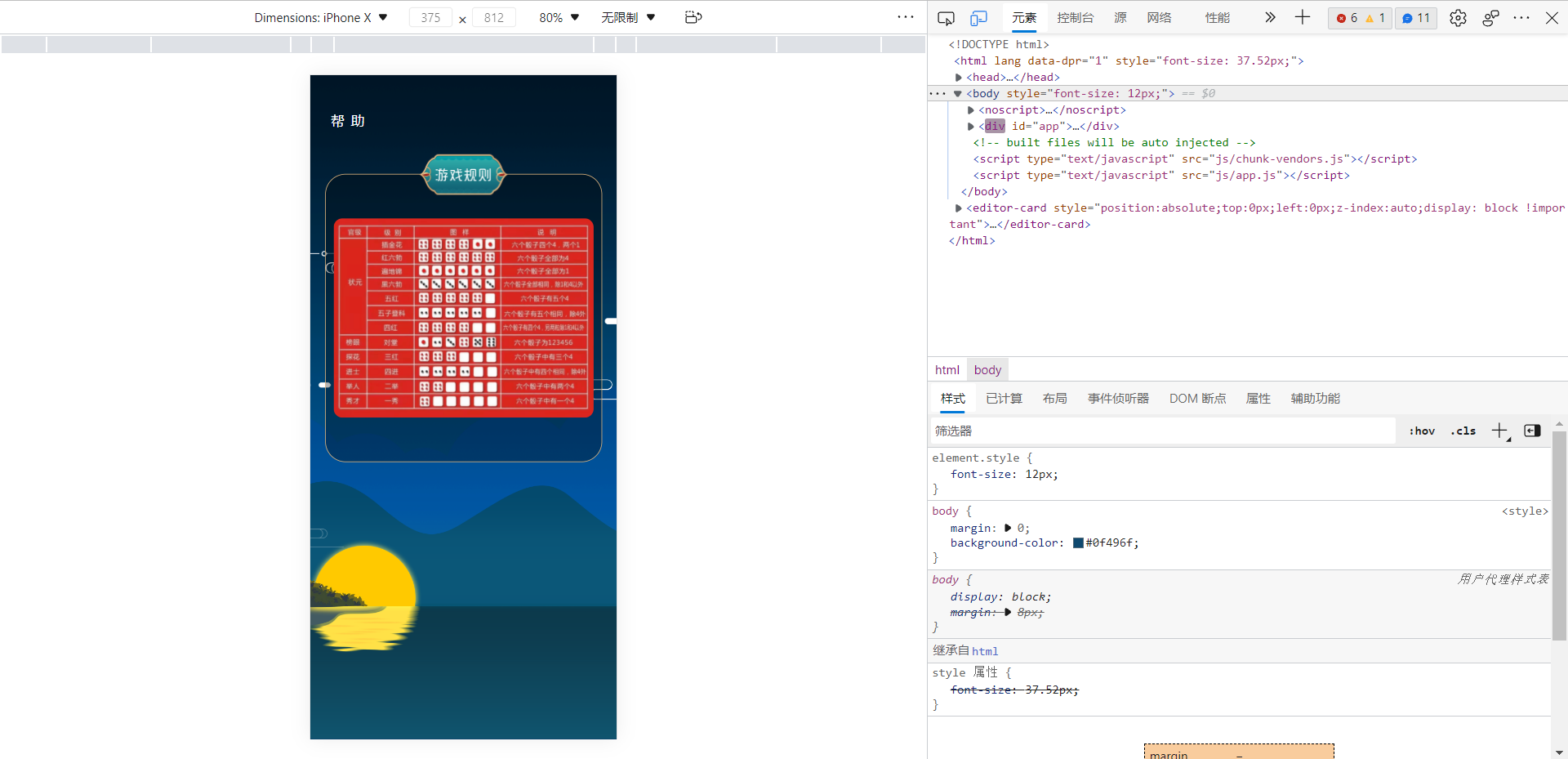
<template>
  <div class="help">
    <img src="../assets/back.svg" alt="" class="back" @click="goBack">
    <div class="nav">帮 助</div>
    <div class="rule"></div>
    <img src="../assets/yxgz.png" alt="" class="yxgz">
    <img src="../assets/rules.png" alt="" class="rules">
  </div>
</template>

<script>
export default {
  name: 'Help',
  components: {
  },
  data() {
    return {
    }
  },

  methods: {
    goBack () {
      this.$router.go(-1)
    }
  }
}
</script>

<style lang="scss" scoped>
@import "../styles/animation.scss";

.help {
  position: relative;
  height: 100vh;
  padding:0px;
  margin:0px;
  // overflow: hidden;
  background: url("../assets/bg1@3x.png") no-repeat;
  background-position:center;
  background-size: cover;
}
.back{
  position: absolute;
  margin-top: 88px;
  margin-left: 35px;
  height: 45px;
}
.nav{
  width: 200px;
  height: 80px;
  margin-top: 88px;
  margin-left: 100px;
  position: absolute;
  font-size: 35px;
  font-weight: 400;
  text-align: left;
  color: #ffffff;
  letter-spacing: 2px;
}

.grjl{
  position: absolute;
  left: 50%;
  transform: translateX(-50%);
  top:460px;
  width: 220px;
  height: 98px;
  z-index: 1;
}
.rule{
  position: absolute;
  left: 50%;
  transform: translateX(-50%);
  top:242px;
  width: 90%;
  height: 700px;
  background: rgba(0,0,0,0.30);
  border: 2px solid #dfb47c;
  border-radius: 50px;
}
.yxgz{
  position: absolute;
  width: 220px;
  height: 98px;
  top: 194px;
  left: 50%;
  transform: translateX(-50%);
  z-index: 1;
}
.rules{
  position: absolute;
  top:350px;
  width: 85%;
  left: 50%;
  transform: translateX(-50%);
  border-radius: 22px;
}
</style>
The user can set the volume and sound effects of the application through the Settings screen, and more Settings are under consideration.
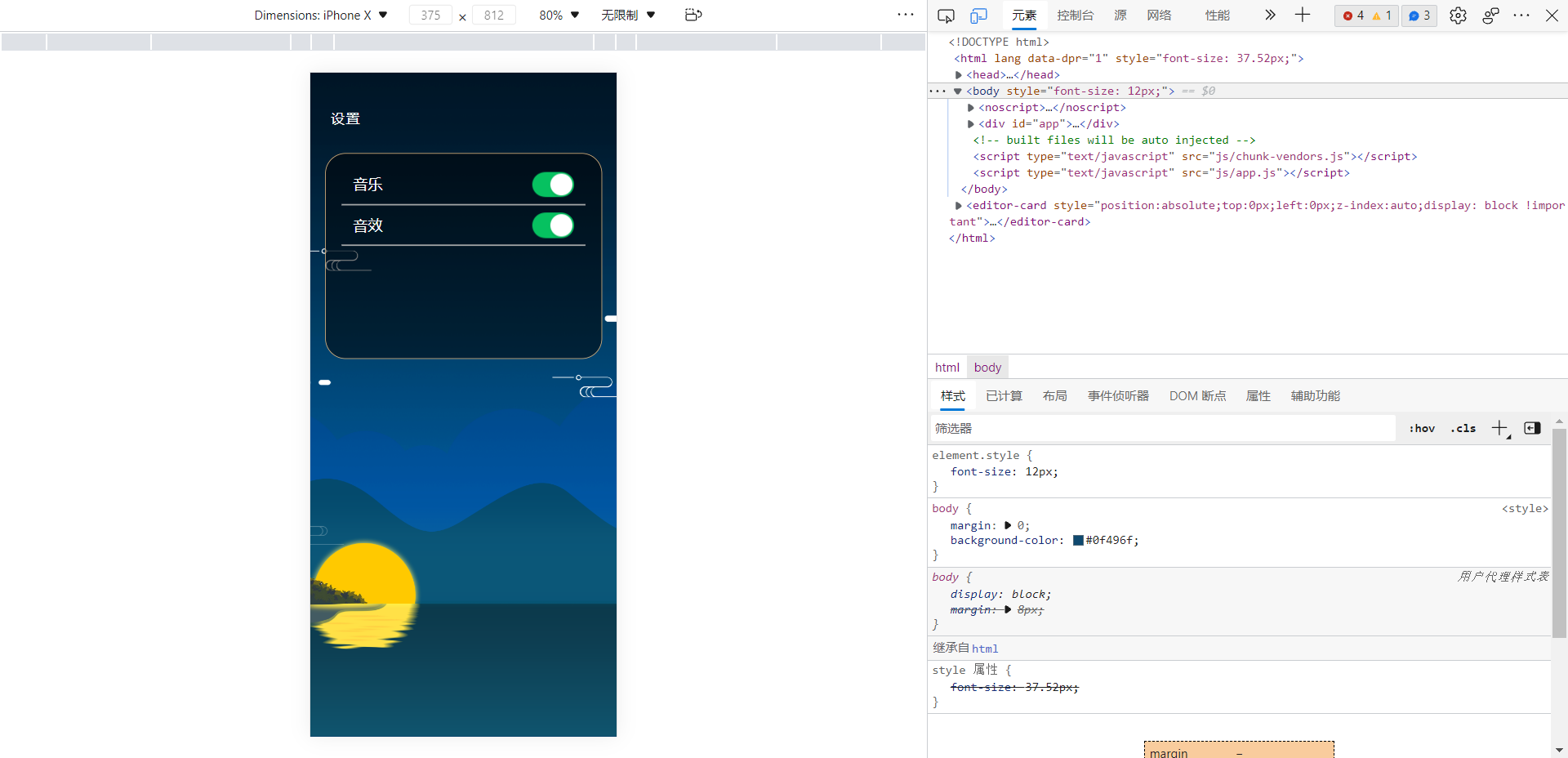
<template>
  <div class="setting">
    <img src="../assets/back.svg" alt="" class="back" @click="goBack">
    <div class="nav">设置</div>
    <div class="sz">
      <div class="box">
        <div class="option">
          <div class="title">音乐</div>
          <div class="switch">
            <SSwitch v-model="value" text="on|off"></SSwitch>
          </div>
          <div class="line"></div>
        </div>
        <div class="option">
          <div class="title">音效</div>
          <div class="switch">
            <SSwitch v-model="value" text="on|off"></SSwitch>
          </div>
          <div class="line"></div>
        </div>
      </div>
    </div>
  </div>
</template>

<script>
import SSwitch from '../common/Switch.vue'
export default {
  name: 'Setting',
  components: {
    SSwitch
  },
  data() {
    return {
      value:''
    }
  },

  methods: {
    goBack () {
      this.$router.go(-1)
    }
  }
}
</script>

<style lang="scss" scoped>
@import "../styles/animation.scss";

.setting {
  position: relative;
  height: 100vh;
  padding:0px;
  margin:0px;
  // overflow: hidden;
  background: url("../assets/bg1@3x.png") no-repeat;
  background-position:center;
  background-size: cover;
}
.back{
  position: absolute;
  margin-top: 88px;
  margin-left: 35px;
  height: 45px;
}
.nav{
  width: 200px;
  height: 80px;
  margin-top: 88px;
  margin-left: 100px;
  position: absolute;
  font-size: 35px;
  font-weight: 400;
  text-align: left;
  color: #ffffff;
  letter-spacing: 2px;
}
.sz{
  position: absolute;
  left: 50%;
  transform: translateX(-50%);
  width: 90%;
  height: 500px;
  top:196px;
  background: rgba(0,0,0,0.50);
  border: 2px solid #dfb47c;
  border-radius: 50px;
}
.box{
  display: flex;
  flex-direction:column
}
.option{
  position: relative;
  width:100%;
  height:100px;
}
.title{
  position: absolute;
  top: 50px;
  left: 10%;
  font-size: 36px;
  color: #ffffff;
}
.switch{
  width: 102px;
  height: 68px;
  position: absolute;
  top: 50px;
  right: 10%;
}
.line{
  position: absolute;
  left: 50%;
  transform: translateX(-50%);
  top:123px;
  width: 88%;
  border: 1px solid #b6b6b6;
}
</style>
Users to create or join a room after room, will enter the online mode, launched by homeowners game, began to play by turns clockwise (order entered by the user to decide location), by the order of 1 "shake" user interface, the user clicks shake after the game, click on the "click to stop" after the end of the game, the final results, The results of each round will be placed in the blog pie record. At last, all the prizes are distributed or the host clicks "End game" after the game ends and enters the settlement interface. Each user has his or her own achievements, and the ranking board shows the luckiest user ranking.
We found through the query, WebSocket can be perfect to achieve the setting of multiplayer games, but we have learned WebSocket time is not much, now attached part of the key code, I hope we can achieve in the future!
Here is the code for the server to receive and send:
AsyncHttpClient.getDefaultInstance().websocket("ws://test.ling.com:9588/", "9588", new AsyncHttpClient.WebSocketConnectCallback() {

            @Override
            public void onCompleted(Exception e, WebSocket webSocket) {
                if (e != null) {
                    e.printStackTrace();
                    return;
                }

                //接收到消息的监听
                webSocket.setStringCallback(new WebSocket.StringCallback() {
                    @Override
                    public void onStringAvailable(String s) {
                        runOnUiThread(new Runnable() {
                            @Override
                            public void run() {
                                //更新ui界面
                            }
                        });
                    }
                });

                //关闭链接的监听
                webSocket.setClosedCallback(new CompletedCallback() {
                    @Override
                    public void onCompleted(Exception e) {

                    }
                });

                //发送内容到服务端
                webSocket.send("测试测试");
            }
        });
Here is the code for user creation:
webSocket.send("{"code":1,"name":"A用户"}");
 webSocket.send("{"code":1,"name":"B用户"}");
 ·······
 webSocket.send("{"code":1,"name":"J用户"}");
This is the second pair of homework, compared with the last homework, this homework is obviously much more difficult to achieve, and in the beginning of this homework, first of all, the core functions that need to be completed together with my teammates, and then beautify and optimize the interface together. The process of this operation is still harmonious, although there are differences in some places, but there is no quarrel and other phenomena, it can be said that the running-in is better. In the process of pair work, in line with the principle of being responsible for teammates and work, it also avoids the phenomenon of excessive fishing by oneself and improves the efficiency of completion.
This is the second pair of homework, compared with the last homework, this homework is obviously much more difficult to achieve, and in the beginning of this homework, first of all, the core functions that need to be completed together with my teammates, and then beautify and optimize the interface together. This time we first used the micro channel small program for related development, the results encountered all kinds of problems, unable to restore our prototype diagram is the fundamental reason we give up micro channel small program development, but also let us understand a truth, as long as we can achieve the goal, what tools are on! We re-conducted the study of Vue. At the beginning, we were troubled by various debugging pages, followed by the development problems of software components. However, we finally completed the target smoothly with all our efforts.
In this pair of work, we first learned two development languages, wechat small program and Vue, both of which have their own advantages, we also learned to further division of labor and cooperation to achieve the goal. In the development process, although there are still many bottlenecks, the efficiency of solving them together is several times higher than that of solving them by one person. And in the development process, learning a certain degree of compromise is a very important ability, in the development process, due to the limitation of time and technical force, many expected functions are difficult to achieve, so it is necessary to adjust the direction of the project, everything to complete the task. Extensions can be added later.