


183
社区成员
 发帖
发帖 与我相关
与我相关 我的任务
我的任务
 分享
分享| The Link of Class | https://bbs.csdn.net/forums/MUEE308FZ |
|---|---|
| The Link of Requirement of This Assignment | https://bbs.csdn.net/topics/603608738 |
| Goals of the job | Alpha Sprint Improvements |
| Team name | 1B - 您说得都队 |
| My Group Member 1's MU STU ID and FZU STU ID | 19105754_831901114 |
| My Group Member 2's MU STU ID and FZU STU ID | 19104260_831901111 |
| My Group Member 3's MU STU ID and FZU STU ID | 19104073_831901119 |
| My Group Member 4's MU STU ID and FZU STU ID | 19104308_831901320 |
| My Group Member 5's MU STU ID and FZU STU ID | 19104979_831901313 |
Problem 1: The interface cannot be refreshed in real time. After calling some operation functions to change the content, the open client cannot update the content in real time. Even if the drop-down refresh can update the content at this time, it is inconvenient.
Sol: The essential reason is that after we update the data, we call this. in the operation function. Onload() or that Onload() (sometimes that = this needs to be defined when the scope of this is not enough). Manually require the content to be overloaded and updated once, so that the user can see the content refresh. In fact, it is equivalent to a drop-down refresh.
Problem 2: The search function cannot be used normally. Originally, you can filter content items by searching keywords in the column, but it cannot be used normally after an interface adjustment.
Sol: The reason may be that we use the front-end interface together with the search request when using the "wheel", but we later changed some of the front-end interfaces, which may be changed in some related places, but the corresponding code is not changed, resulting in the loss of contact between the front-end interface and the requested code. Due to the duration relationship, this function can only be vaguely located temporarily and cannot be completely repaired. It needs to be modified again in the later stage to repair this error.
Problem 3: When submitting for approval, Wechat development platform requires to fill in many unused user permission instructions.
Sol: When filling in the user permission instructions, we did not use the relevant permissions, so we had no way to explain the purpose and responsibility statement. This makes it impossible for us to submit for review normally. The reason may be that there are many functions involving other user permissions that we don't use in the "wheel" of the front-end interface because of its compatibility. Although we do not use these functions, the detector of wechat public platform has detected similar functions. After modifying and deleting part of the front-end code, the detected unused user permissions are much less. For very few permissions, we passed the permission detection using some general descriptions. Successfully submitted for review and passed the review to release the applet normally.
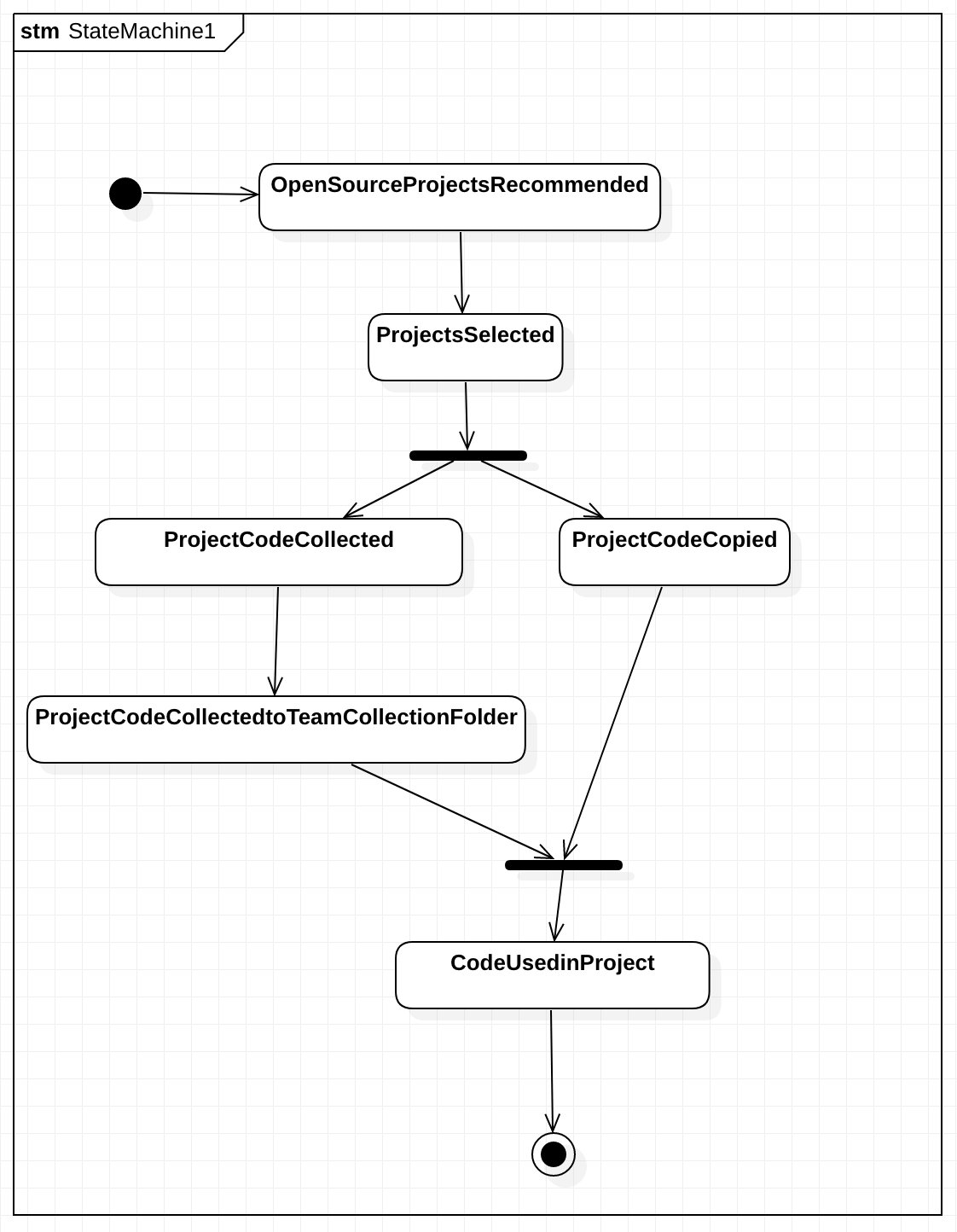
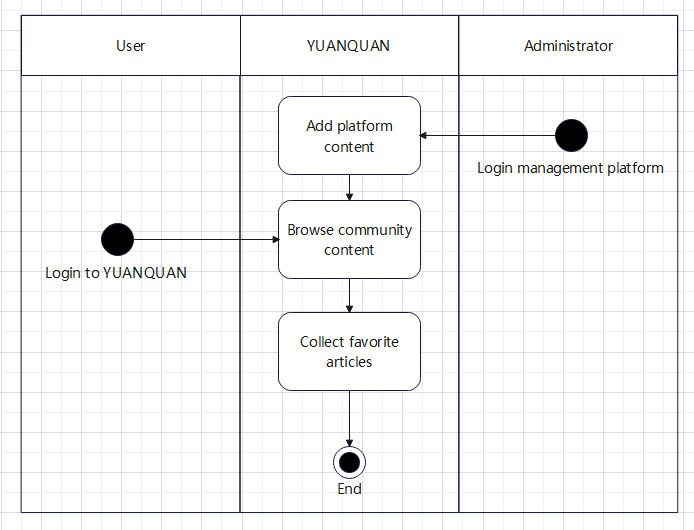
1. Front-end
1)主页集成了搜索框,快捷功能栏以及信息资讯流,引导用户找到所需功能。
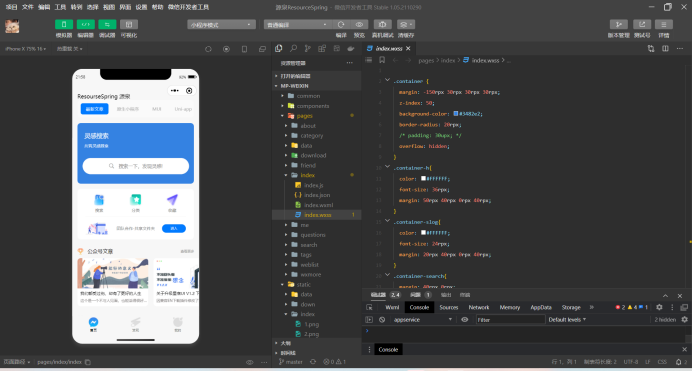
2)发现页集成了搜索框以及分类标签,以海量分类标签帮助用户找到相关内容。
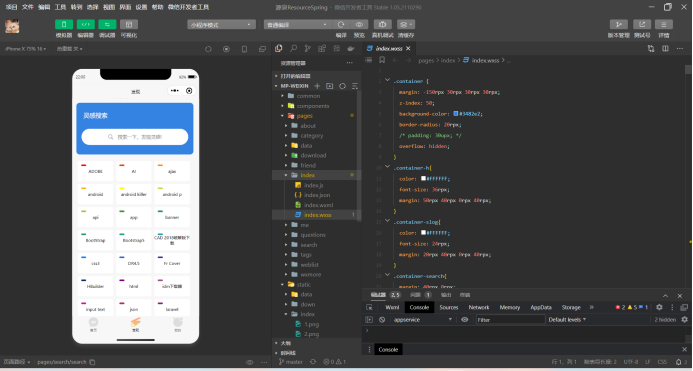
3) “我的”集成了设置、账号信息,以及团队共享文件夹功能。在这个页面,个人属性和团队协作可以无缝衔接,助力用户之间的高效协同。
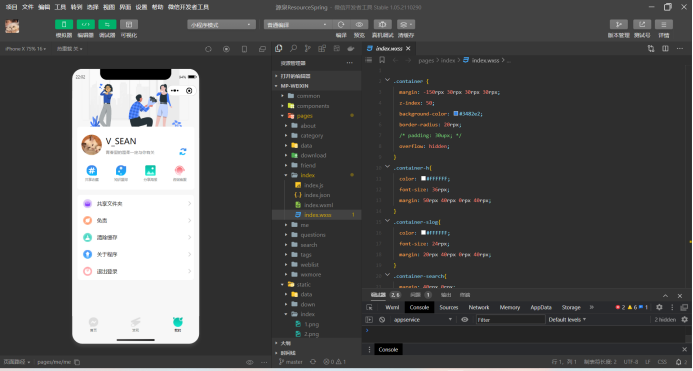
4) 文章内页排版整洁明了,图文并茂,并且可以在页面的任何一个位置打开底栏进行收藏,共享等操作。
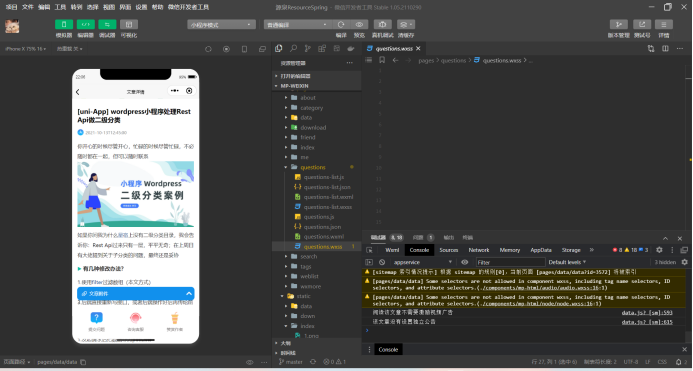
2. Back-end
Our back end uses WordPress, a content management system, WordPress (WP, WordPress.org) is a free and open-source content management system (CMS) written in PHP[4] and paired with a MySQL or MariaDB database.
WordPress has a web template system using a template processor. Its architecture is a front controller, routing all requests for non-static URIs to a single PHP file which parses the URI and identifies the target page. This allows support for more human-readable permalinks.
1) Login Interface
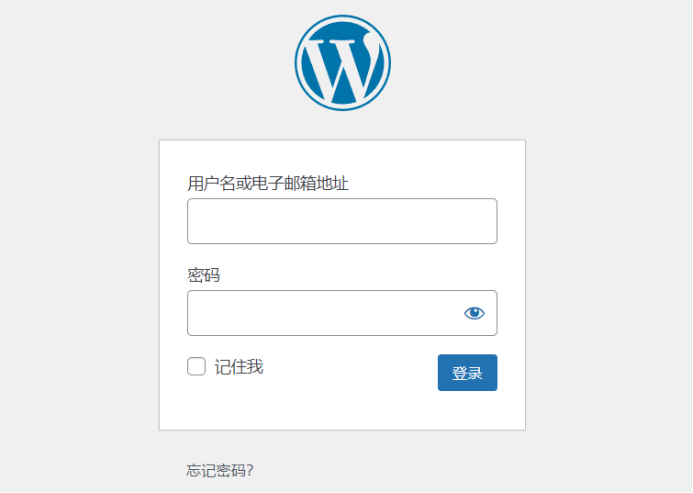
Our login interface is the login interface of WordPress, which is used for the administrator to log in with the account and password. There are five of us, so we set up five accounts. If you forget the account, you can click "Forget password" to check the previous password problem.
2) Dashboard
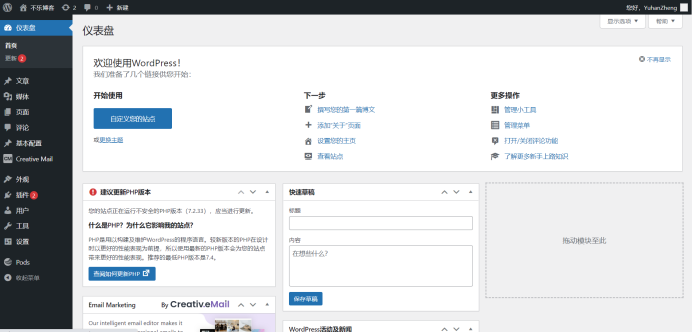
The first thing to log in is the dashboard. This is the general interface. There are various official WordPress documents, you can add a new boot page in the upper left corner of the new front page, or you can set up your account information in the upper right corner.
3) The Article Page
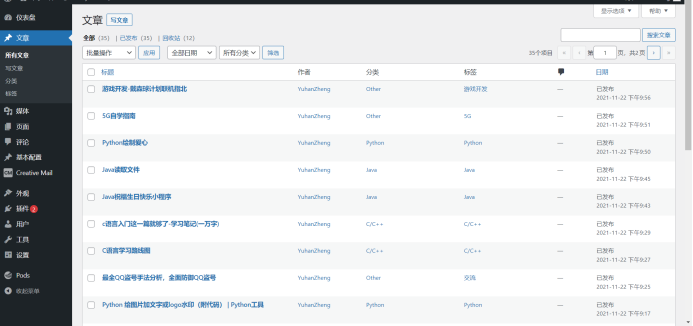
This page is the article page, and we can publish corresponding articles on this page. By tying the publishing control to our own website crawler, we can crawl open source articles on other websites in real time and integrate and publish in our own back-end database.
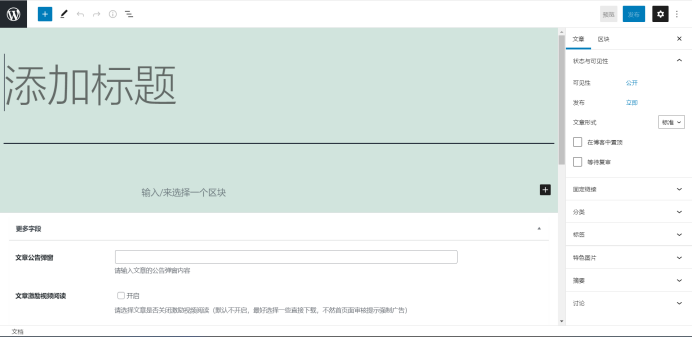
We can also choose to manually publish the article, click the upper right corner of the article page to write the article, you can publish the article related operations. WordPress supports Html language and traditional article language, adding new blocks can be pictures, text, video and so on, especially convenient, the last thing you need is to do a good job of classifying and labeling articles, so that the front-end extraction can be directly extracted.
4) Media Library
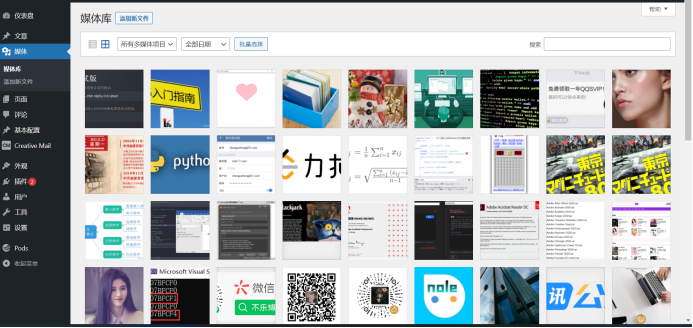
So this is our media library, which is the visual interface of MySQL, where we can store videos, images, etc., and every time we post a video image, it's going to be put in there, and the next time we call an image, we can call a video image directly from the media library.
5) Front-end Page Management
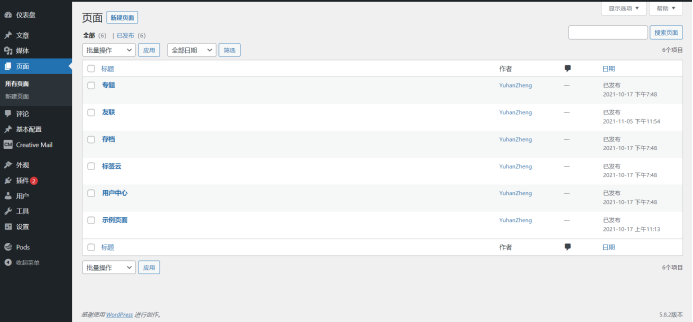
This is our front end page management interface, our back end archive front end pages, can store new pages in it, and then the front end call. Of course, articles and videos published in the back end should be marked on which page, so as to be reflected in the front end of the corresponding page.
1. Front-end: https://github.com/LIV-CODE/YUANQUAN
2. Back-end: https://github.com/Howell-1108/YUANQUAN
| Members | Experience |
|---|---|
| HAOYUAN HE |
In this lab, I acted as the back-end. In this sprint, I deeply felt the difficulty of a project production process. In a very short time, due to the non circulation of information, I reworked many times, which exercised my learning ability and mentality. Different from other team assignments, this task is very difficult, so I spent a lot of time learning related technologies and referring to other projects, but the effect is not good due to time constraints. Therefore, we should pay more attention to the arrangement of time and the estimation of the amount of tasks. |
| YUHAN ZHENG |
I have roughly completed the basic functions of the program, crawler and database construction.I wasn't very good at using schedules on this project, leading to very tight schedules in many cases.Also, because this is my first exposure to this kind of project. We all lack expertise. The project is in progress. I learned a lot. I believe THAT I will be more skilled in dealing with such projects in the future. |
| ZHENSHUO CHEN | In this project, I am mainly responsible for front-end development and work record. After the previous two individual and pair work experience, we have improved a lot of proficiency in the whole development process, the team division of labor is orderly. In the process of front-end development that I was in charge of, every link was extremely challenging, from frame selection, to page building, and finally to the front and back end docking. However, through the weekly group meeting, we not only solved many difficult problems together, but also improved the efficiency of the team. I think this is a good way of team cooperation. Finally, as a record keeper, I felt very excited when I saw our project start from scratch. Maybe this is the charm of software engineering. |
| XI LIN |
After seven days of sprinting at full steam, my enthusiasm for soft works climbed to the top and I experienced the joy of being a software worker. Through this trial, I learnt how to work in a team with others and understood the importance of cooperation among programmers, I also learnt a lot about developing applets and learned more about the hardships behind developing them. It was an unforgettable experience and I feel that I benefited greatly from it. |
| YANLI LIU | In this team project, I served as the group leader. Perhaps I am not specifically responsible for the specific work of which part of the front or back end, but I am more involved in the overall planning and arrangement of the whole process of the project. From demand analysis to function design, and then to division of labor, I realize that a project must have the direction of overall planning before it will not fall apart. Through this project experiment, although the process is very painful and difficult, it is also full of harvest. I learned the whole process of software design from zero to some. |

