


571
社区成员
 发帖
发帖 与我相关
与我相关 我的任务
我的任务
 分享
分享本项目借助vue + express 实现了在线chatroom的demo。
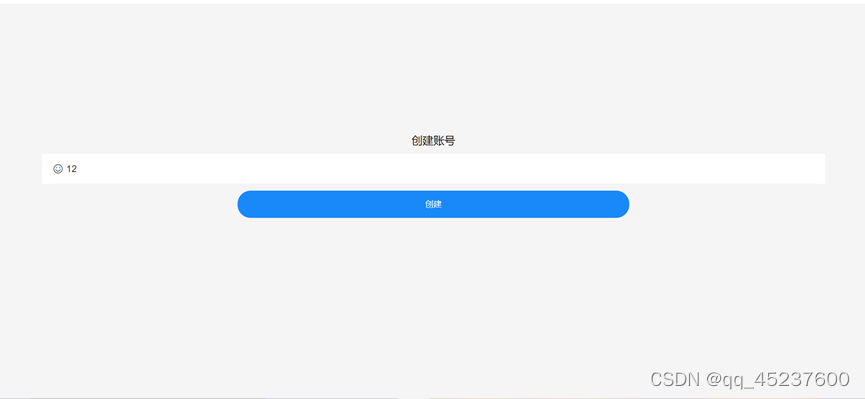
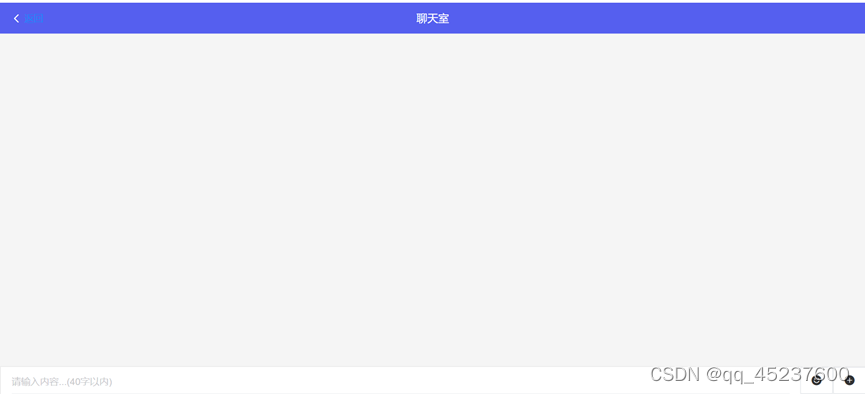
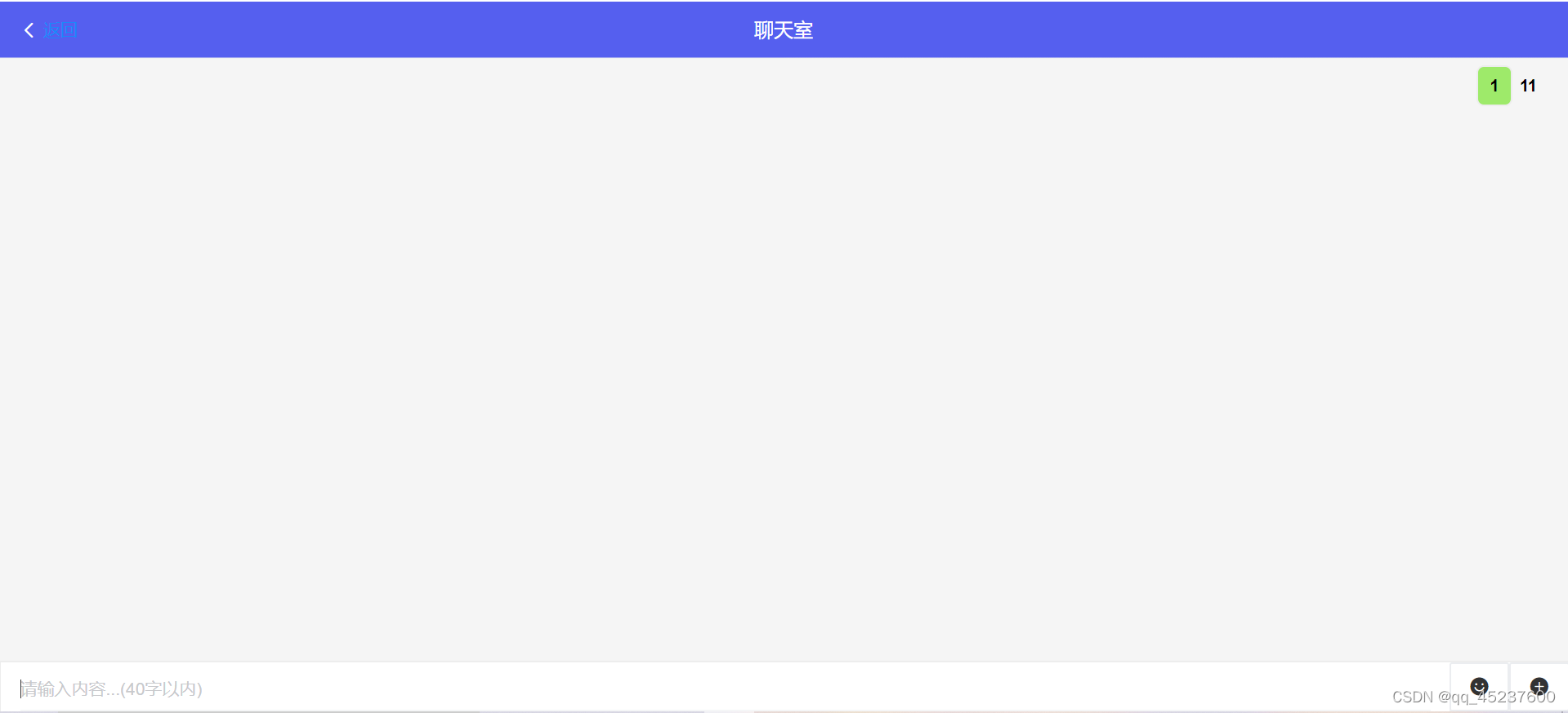
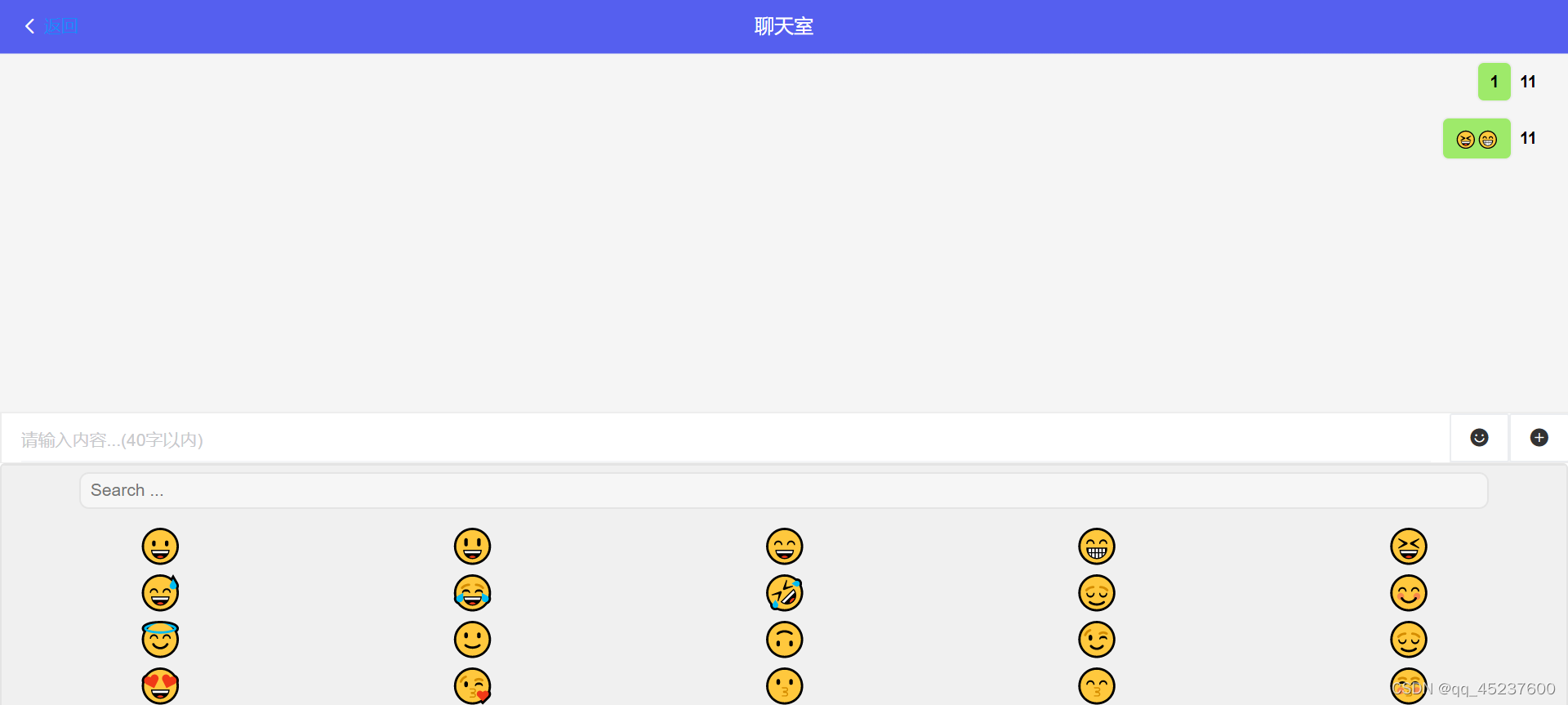
通过注册页面每个用户都能注册自己的身份并进入一个在线聊天室进行聊天。聊天室不仅仅只能发送文字,还可以在emoj列表中选取表情发送。

下面我将着重介绍几个重要的文件,文件中的样式设计的比较简单,不赘述。
1.main.js文件
main.js是vue的入口文件,比较重要的操作是在文件中定义了socket绑定后端服务器,如果是部署在服务器上,请更换ip地址和端口号。
import Vue from 'vue'
import App from './App.vue'
import router from '@/router/index'
import '@/style/global.css'
import '@/style/index.sass'
import io from "socket.io-client"


Vue.config.productionTip = false;

let socket = io.connect("127.0.0.1:8081", {
  'force new connection': true,
  reconnect: true,  // 开启重连
  'reconnection delay': 200,
  'max reconnection attempts': 10
});
Vue.prototype.$socket = socket;


new Vue({
  router,
  render: h => h(App),
}).$mount('#app')
2.home目录下的index.vue
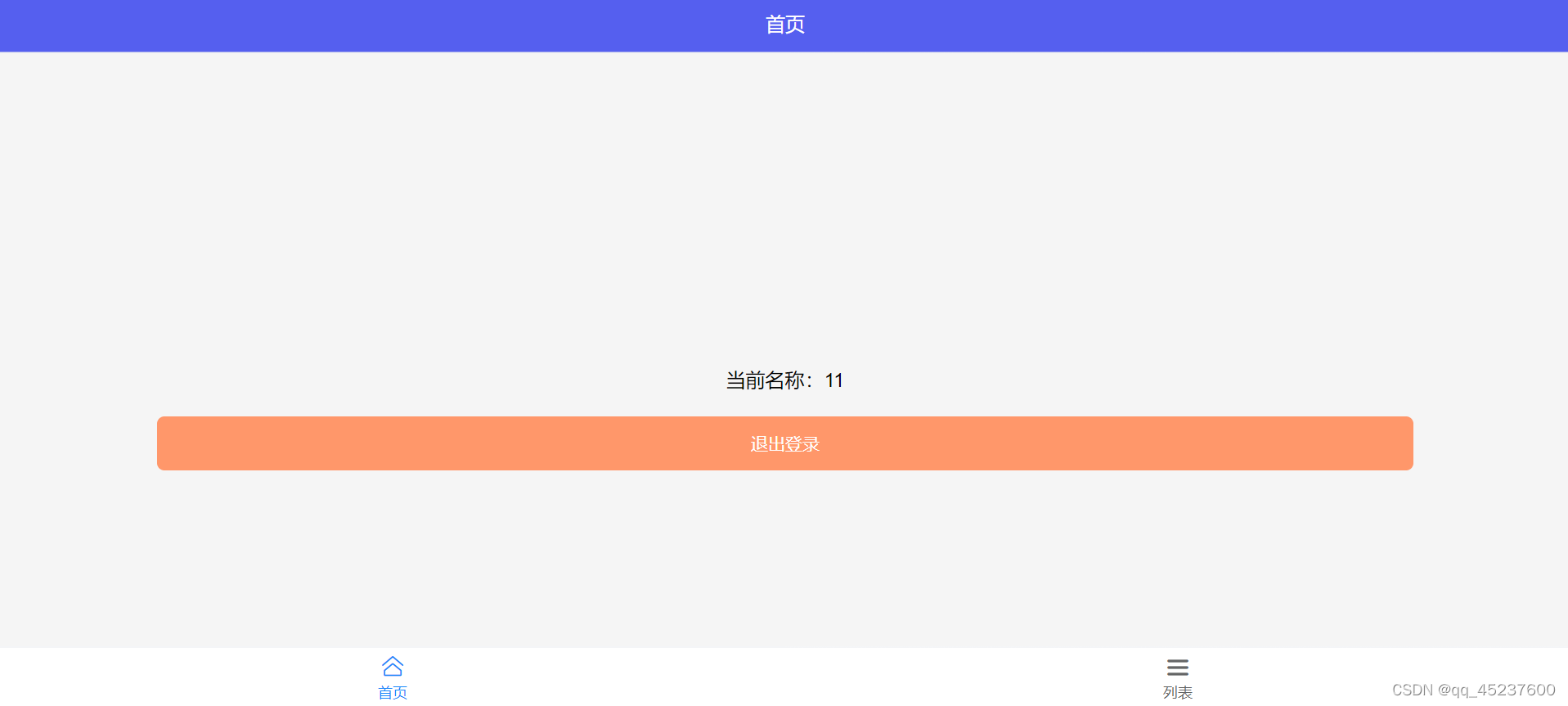
此文件主要生成home页面模块。此页面主要功能是显示当前账号和退出登录。账号名称是存放在localStorage的Account中。退出登录是用outLogin方法实现并绑定给”退出登录”button,退出登录的逻辑是重定向并且给与服务器断开连接,后端收到该信息后会发送给其他用户该用户登出的消息。
<template>
    <div class="home">
        <div class="account">当前名称:{{ account }}</div>
        <van-button class="outLogin" type="warning" @click="outLogin">退出登录</van-button>
    </div>
</template>
<script>
import { Button } from 'vant';
export default {
    name: 'Home',
    components: {
        vanButton: Button,
    },
    data() {
        return {
            account: ""
        }
    },
    created() {
        const a = localStorage.getItem('Account');
        this.account = a;
    },
    methods: {
        outLogin() {
            localStorage.removeItem('Account');
            this.$router.push('/login');
            this.$socket.close();
        }
    }
}
</script>
3. list目录下的index.vue
此文件渲染了list页面模块,展示聊天室应用,用户可以点击“点击进入”进入到聊天室,逻辑实现就是一个页面跳转,比较简单不再赘述。
<template>
    <div class="list">
        <van-cell is-link to="/chatRoom" value="点击进入">
            <template #title>
                <van-tag size="large" type="primary">聊天室</van-tag>
            </template>
        </van-cell>
    </div>
</template>
<script>
import { Cell, Tag } from 'vant';
export default {
    name: 'List',
    components: {
        vanCell: Cell,
        vanTag: Tag
    }
}
</script>
4.login目录下的index.vue
此文件生成了login页面模块,主要功能是创建账号,由createAccount函数实现,将昵称装入localStorage并跳转至list页面。
<template>
    <div class="login">
        <div class="formBox">
            <div class="formBox-title">创建账号</div>
            <van-field left-icon="smile-o" v-model="name" maxlength="4" placeholder="请输入昵称...(4字以内)" />
            <van-button round type="info" size="small" class="formBox-btn" @click="createAccount">创建</van-button>
        </div>
    </div>
</template>
<script>
import { Field, Button, Toast } from 'vant';
export default {
    name: 'login',
    components: {
        vanField: Field,
        vanButton: Button
    },
    data() {
        return {
            name: ''
        }
    },
    methods: {
        createAccount() {
            if (this.name === '') {
                Toast.fail('名字不能为空!');
            } else {
                Toast.success('创建成功!');
                localStorage.setItem('Account', this.name);
                this.$router.push('/')
            }

        }
    }
}
</script>
5.chatRoom下的index.vue文件
这是此项目的核心文件,渲染了聊天室页面。聊天室中主要功能是返回到list页面、展现群聊内容和发送自己的消息。群聊消息由list列表管理,消息类型分为自己的和他人的,两者样式不同。
该模块渲染后会进行初始化,包括得到自己的昵称,创建socket身份和一些基本的初始化例如开启监听。关键代码是模块中的mouted函数。
mounted() {
    const a = localStorage.getItem("Account");
    this.account = a;
    if (!this.$socket.connected) this.$socket.connect(); // 重连socketio
    this.$socket.emit("join", { name: a }); //创建socket身份
    this.init();
  },
接下里着重讲解一些重要的函数实现的细节。
发送消息
在用户选择发送消息后,会将聊天输入框和文件列表中的内容添加到发送列表sendList中,再调用sendMsg函数向服务器发送列表中的内容,别忘了在最后还原发送框等元素以便于下次输入。
//发送事件
    send() {
      if (this.value) {
        this.sendList.push({
          value: this.value,
          type: "text",
          name: this.account,
        });
      }
      if (this.fileList.length > 0) {
        this.sendList.push({
          value: this.fileList[0].content,
          type: "img",
          name: this.account,
        });
      }
      this.sendMsg();
    },
//发送消息
    sendMsg() {
      for (let i = 0; i < this.sendList.length; i++) {
        this.$socket.emit("client", this.sendList[i]);
      }
      this.value = "";
      this.isMedia = false;
      this.isWhrite = false;
      this.isEmoji = false;
      this.fileList = [];
      this.sendList = [];
    },
接收消息
getMsg函数从服务器接收广播消息,并添加到list列表中,由于vue是由数据驱动页面,会直接显示接收的消息。一个小细节是在最后调用scrollToBottom函数将页面滚动到底部。
//接受消息
    getMsg() {
      let _this = this;
      this.$socket.on("message", function (message) {
        _this.list.push(message);
        _this.scrollToBottom();
      });
    },
监听群员登录退出
每当群员加入退出时,会收到服务器的消息,消息中带有该群员的昵称,接收到消息后会在页面上提示。
//群员加入监听
    joinNoticeOther() {
      this.$socket.on("joinNoticeOther", function (socket) {
        const { name } = socket;
        Notify({
          message: name + " 加入聊天室",
          color: "#fff",
          background: "#01c1fd",
        });
      });
    },

    //群员退出监听
    disconnection() {
      this.$socket.on("disconnection", function (socket) {
        const { name } = socket;
        Notify({
          message: name + " 离开聊天室",
          color: "#000000",
          background: "#dddddd",
        });
      });
    },
聊天室模块完整代码如下:
<template>
  <div class="chatRoom">
    <van-nav-bar
      title="聊天室"
      left-text="返回"
      left-arrow
      @click-left="goBack"
    />
    <div class="center" @click="closeMedia">
      <div class="message" ref="message">
        <div v-for="(item, index) in list" :key="index">
          <div
            class="message-list"
            :class="item.name === account ? 'mine' : 'other'"
          >
            <div class="name" v-if="item.name !== account">{{ item.name }}</div>
            <div class="msg">
              <div v-if="item.type === 'text'">{{ item.value }}</div>
              <van-image
                width="100"
                v-else
                fit="cover"
                :max-zoom="3"
                :min-zoom="'1/3'"
                :src="item.value"
                @click="viewImg(item.value)"
              />
            </div>
            <div class="name" v-if="item.name === account">{{ item.name }}</div>
          </div>
        </div>
      </div>
    </div>
    <div class="bottom">
      <div class="bottom-input">
        <Field
          v-model="value"
          maxlength="40"
          @input="whrite"
          @focus="closeMedia"
          placeholder="请输入内容...(40字以内)"
        />
        <van-button
          icon="smile"
          class="btn"
          type="default"
          @click="emojiOrMenu"
        />
        <van-button
          type="info"
          icon="upgrade"
          class="btn"
          @click="send"
          v-on:keyup.enter="sent"
          v-if="isWhrite"
          @oversize="onOversize"
        />
        <van-button
          icon="add"
          class="btn"
          type="default"
          @click="menuOrEmoji"
          v-else
        />
      </div>
      <div class="bottom-media" v-if="isMedia">
        <VEmojiPicker class="emoji" @select="selectEmoji" v-if="isEmoji" />
        <van-uploader
          v-else
          :after-read="afterRead"
          multiple
          :max-count="1"
          :max-size="700 * 1024"
          v-model="fileList"
          style="margin: 10px"
          @oversize="onOversize"
        />
      </div>
    </div>
  </div>
</template>
<script>
import {
  Button,
  Field,
  Notify,
  NavBar,
  Uploader,
  Image as VanImage,
  ImagePreview,
} from "vant";
import { VEmojiPicker } from "v-emoji-picker";

export default {
  name: "ChatRoom",
  components: {
    vanButton: Button,
    Field,
    vanNavBar: NavBar,
    vanUploader: Uploader,
    vanImage: VanImage,
    VEmojiPicker,
  },
  data() {
    return {
      value: "",
      account: "",
      isMedia: false,
      isWhrite: false,
      isEmoji: false,
      list: [],
      fileList: [],
      sendList: [],
    };
  },
  mounted() {
    const a = localStorage.getItem("Account");
    this.account = a;
    if (!this.$socket.connected) this.$socket.connect(); // 重连socketio
    this.$socket.emit("join", { name: a }); //创建socket身份
    this.init();
  },
  methods: {
    init() {
      this.joinNoticeOther();
      this.disconnection();
      this.getMsg();
      this.scrollToBottom();
      this.enterKeyup();
    },

    //发送事件
    send() {
      if (this.value) {
        this.sendList.push({
          value: this.value,
          type: "text",
          name: this.account,
        });
      }
      if (this.fileList.length > 0) {
        this.sendList.push({
          value: this.fileList[0].content,
          type: "img",
          name: this.account,
        });
      }
      this.sendMsg();
    },

    //图片上传后
    afterRead() {
      this.isWhrite = true;
    },

    //预览图片
    viewImg(value) {
      ImagePreview({
        images: [value],
        closeable: true,
      });
    },

    //图片上传大小校验
    onOversize() {
      Notify({
        message: "图片上传不能超过700kb",
        type: "warning",
      });
    },

      //输入监听
    whrite() {
      if (this.value || this.fileList.length > 0) return (this.isWhrite = true);
      return this.isWhrite = false;
    },

      //关闭功能区和Emoji
    closeMedia() {
      if (!this.isEmoji) return( this.isMedia = false,this.isEmoji = false);
    },

    //munu按钮点击逻辑
    emojiOrMenu() {
      if (!this.isMedia && !this.isEmoji) return (this.isMedia = true, this.isEmoji = true);
      if (this.isMedia && !this.isEmoji) return (this.isEmoji = true);
      if (this.isMedia && this.isEmoji) return (this.isMedia = false, this.isEmoji = false);
    },

    //emoji按钮点击逻辑
    menuOrEmoji() {
      if (!this.isMedia || (this.isMedia && this.isEmoji)) return (this.isMedia = true), (this.isEmoji = false);
      if (this.isMedia && !this.isEmoji) return (this.isMedia = false, this.isEmoji = false);
    },

    // 选择emoji
    selectEmoji(emoji) {
      this.value = this.value + emoji.data;
      this.isWhrite = true;
    },

    //发送消息
    sendMsg() {
      for (let i = 0; i < this.sendList.length; i++) {
        this.$socket.emit("client", this.sendList[i]);
      }
      this.value = "";
      this.isMedia = false;
      this.isWhrite = false;
      this.isEmoji = false;
      this.fileList = [];
      this.sendList = [];
    },

    //接受消息
    getMsg() {
      let _this = this;
      this.$socket.on("message", function (message) {
        _this.list.push(message);
        _this.scrollToBottom();
      });
    },

    //群员加入监听
    joinNoticeOther() {
      this.$socket.on("joinNoticeOther", function (socket) {
        const { name } = socket;
        Notify({
          message: name + " 加入聊天室",
          color: "#fff",
          background: "#01c1fd",
        });
      });
    },

    //群员退出监听
    disconnection() {
      this.$socket.on("disconnection", function (socket) {
        const { name } = socket;
        Notify({
          message: name + " 离开聊天室",
          color: "#000000",
          background: "#dddddd",
        });
      });
    },

    //滚动到底部
    scrollToBottom() {
      if (this.$refs.message) {
        //解决scrollHeight是undefinde的问题
        this.$nextTick(() => {
          let div = this.$refs.message;
          div.scrollTop = div.scrollHeight;
        });
      }
    },

    //回车键事件
    enterKey(event) {
      const code = event.keyCode
        ? event.keyCode
        : event.which
        ? event.which
        : event.charCode;
      if (code == 13) return this.send();
    },

    //添加监听页面回车事件
    enterKeyup() {
      document.addEventListener("keyup", this.enterKey);
    },

    //取消监听回车事件
    enterKeyupDestroyed() {
      document.removeEventListener("keyup", this.enterKey);
    },

    //退出聊天室
    goBack() {
      this.$router.go(-1);
      this.$socket.close(); // 关闭socket链接
      this.enterKeyupDestroyed();
      this.$destroy(); // 销毁页面
    },
  },
  // updated() {
  //   this.scrollToBottom()
  // }
};
</script>
作者:NP599

