


571
社区成员
 发帖
发帖 与我相关
与我相关 我的任务
我的任务
 分享
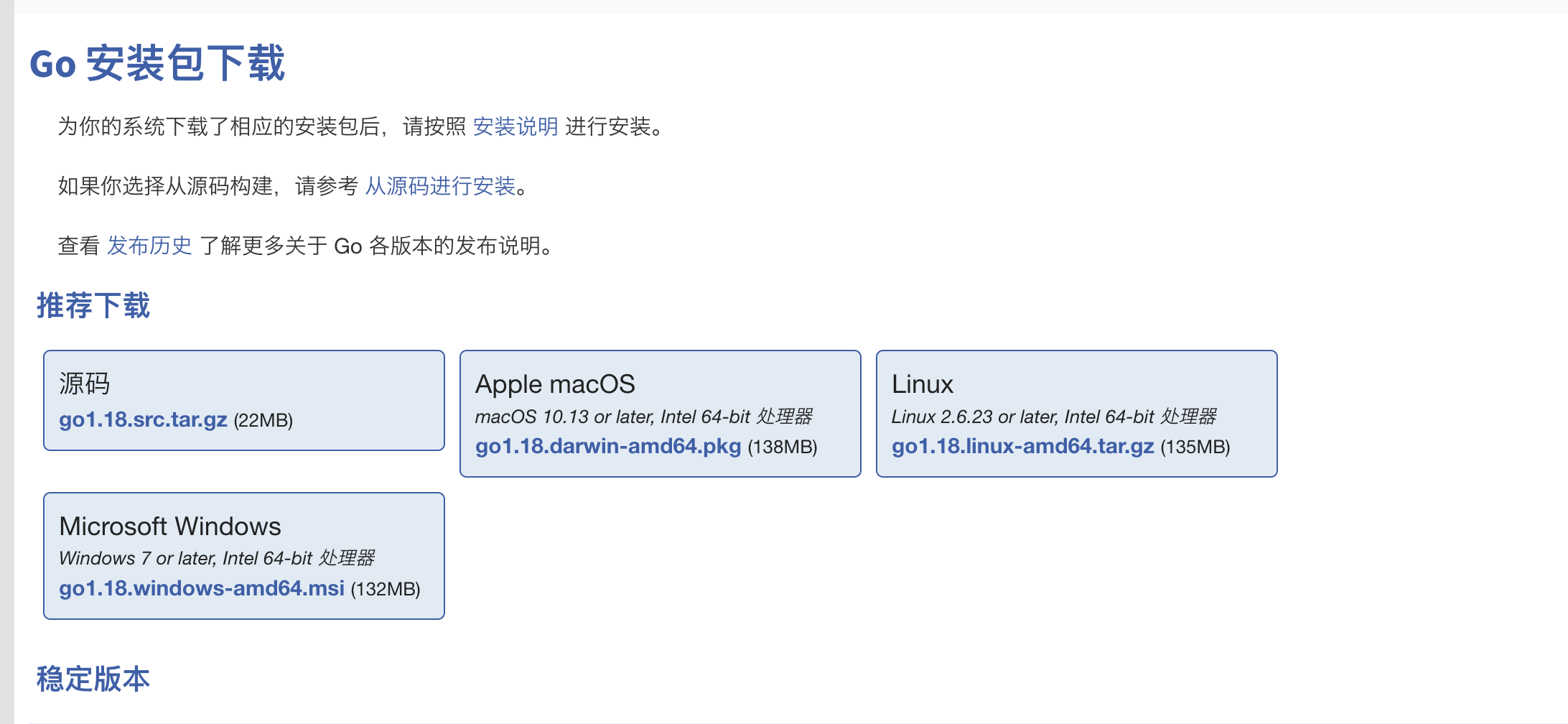
分享1. 上Go语言官网https://studygolang.com/dl下载对应操作系统的Go语言安装包(https://studygolang.com/dl/golang/go1.18.darwin-amd64.pkg),点击直接安装。
2. 配置路径
使用go env指令可以查看Go的安装路径GOROOT以及Go的项目存放路径GOPATH。
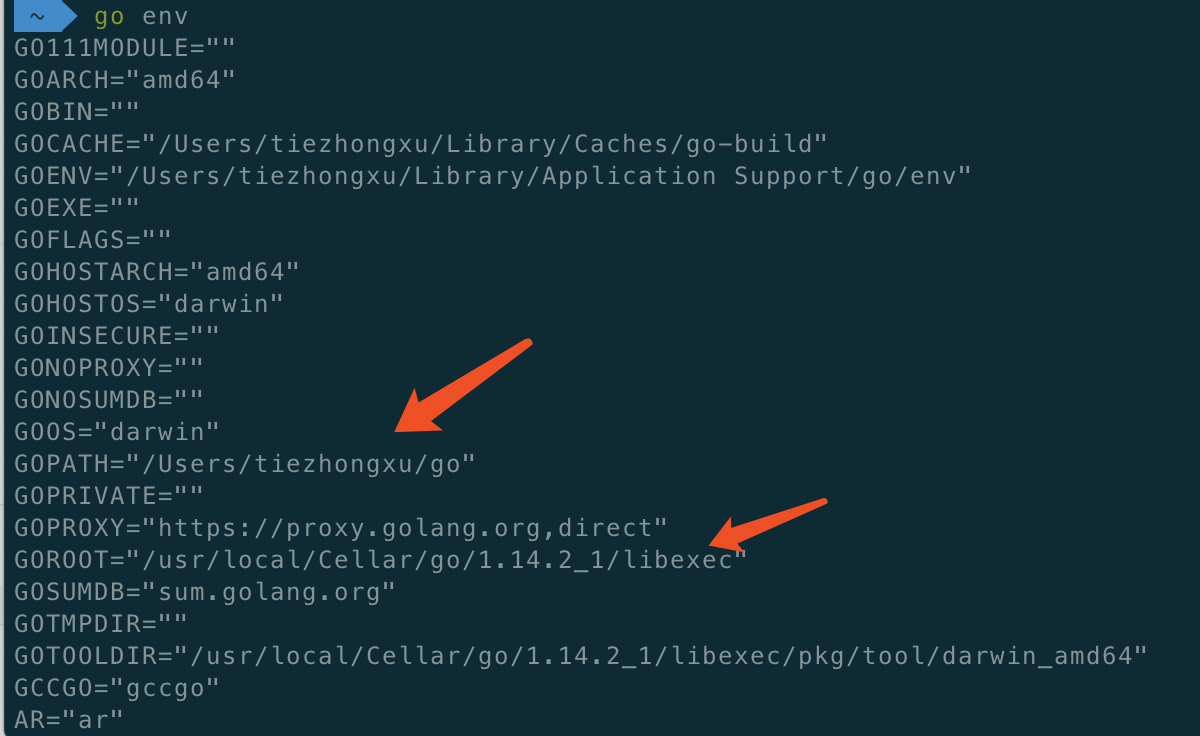
go文件目录需要创建三个新的文件目录,分别为:bin,src,pkg。分别存放:编译后可执行文件、编译后包文件、源文件代码
可以自行更改文件路径,使用以下质量进入配置文件修改后保存运行即可。
vim ~/.bash_profile
source ~/.bash_profile
3. 打开VSCode安装Go扩展包

4. 创建简单Go程序运行看是否成功
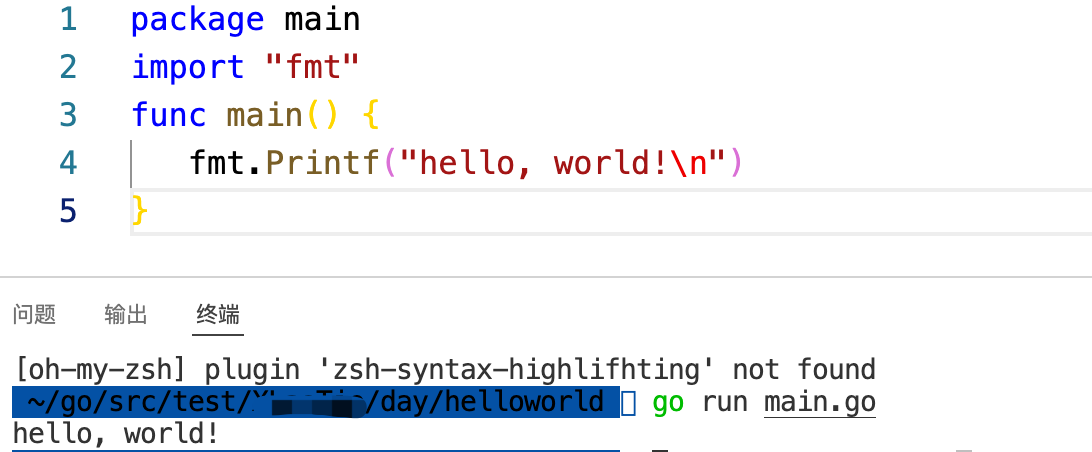
代码如下:
package main
/*********************************************************************************
  *Copyright(C),2022-2022,USTC
  *FileName:  menu.go
  *Author:  xutiezhong
  *Version:  1.0
  *Date:  2022.03.22
  *Description: 实现简单的类似Shell的菜单程序
  *Others:
  *Function List:  //主要函数列表,每条记录应包含函数名及功能简要说明
     1.func(CmdNode)Do() :指令结点调用指令操作函数
     2.func (*CmdList)p_add(*CmdNode) : 向治理列表添加指令结点
	 3.func (*CmdList)Process(string) : 从指令列表查找指令执行
	 4.func (cmd_help)do() : help显示指令操作
	 5.func (cmd_quit)do() : quit退出指令操作
	 6.func (cmd_ls)do() : ls显示文件列表指令操作
  *History:  //修改历史记录列表,每条修改记录应包含修改日期、修改者及修改内容简介
     1.Date:2022.03.22
       Author:XTZ
       Modification:
**********************************************************************************/
import "fmt"
//指令结点
type CmdNode struct{
	cmd_s string
	desc string
	cmd_do CmdDo
	next *CmdNode
}
//指令操作
type CmdDo interface{
	do()
}
//指令列表
type CmdList struct{
	head *CmdNode
	tail *CmdNode
	cnt int
}
var List *CmdList
//节点相关
func(this *CmdNode)Do() {
	this.cmd_do.do()
}
//节点列表相关
func (this *CmdList)p_add(newC *CmdNode) {
	if this.head == nil {
		this.head = newC
		this.tail = newC
		this.cnt = 1
		return
	}
	this.cnt++;
	this.tail.next = newC
	this.tail = this.tail.next
}
func (this *CmdList)Process(cmd string) {
	p := this.head
	for p != nil {
		if p.cmd_s == cmd {
			p.Do()
			return;
		}
		p = p.next
	}
	fmt.Println("error cmd")
}

//指令操作相关
type cmd_help struct {

}
func (this cmd_help)do() {
	fmt.Println("Commands in Menu:")
	p := List.head
	for p != nil {
		fmt.Printf("%s : %s \n", p.cmd_s, p.desc)
		p = p.next
	}
}
type cmd_quit struct {
}
func (this cmd_quit)do() {
	panic("Quit!")
}
type cmd_ls struct {

}
func (this cmd_ls)do() {
	fmt.Println("file1, file2, file3.....")
}
func main()  {
	List = new(CmdList)
	tmp1 := &CmdNode{
		cmd_s : "help",
		desc : "show all command and descirbe!",
		cmd_do : new(cmd_help),
		next : nil,
	}
	tmp2 := &CmdNode{
		cmd_s : "quit",
		desc : "quit the Menu!",
		cmd_do : new(cmd_quit),
		next : nil,
	}
	tmp3 := &CmdNode{
		cmd_s : "ls",
		desc : "show all file list",
		cmd_do : new(cmd_ls),
		next : nil,
	}
	List.p_add(tmp1)
	List.p_add(tmp2)
	List.p_add(tmp3)
	var cmd string
	for{
		fmt.Printf("%s :", "Input a cmd number >")
		fmt.Scanln(&cmd)
		List.Process(cmd)
		if(cmd=="list"){
			fmt.Println("list all files")
		}
	}
}
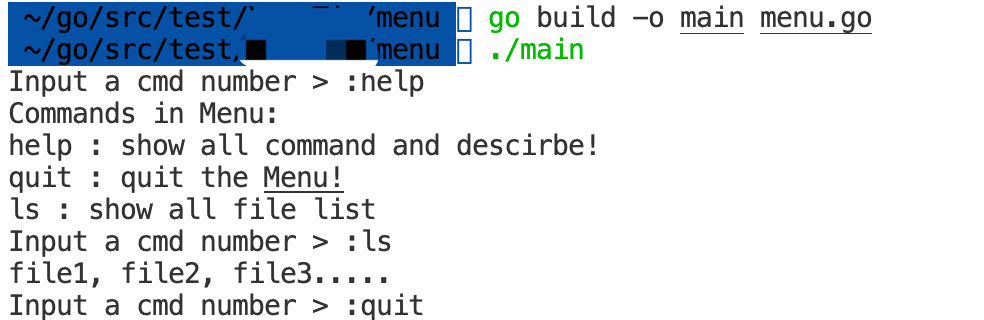
运行结果:
1. 在github上创建远程仓库
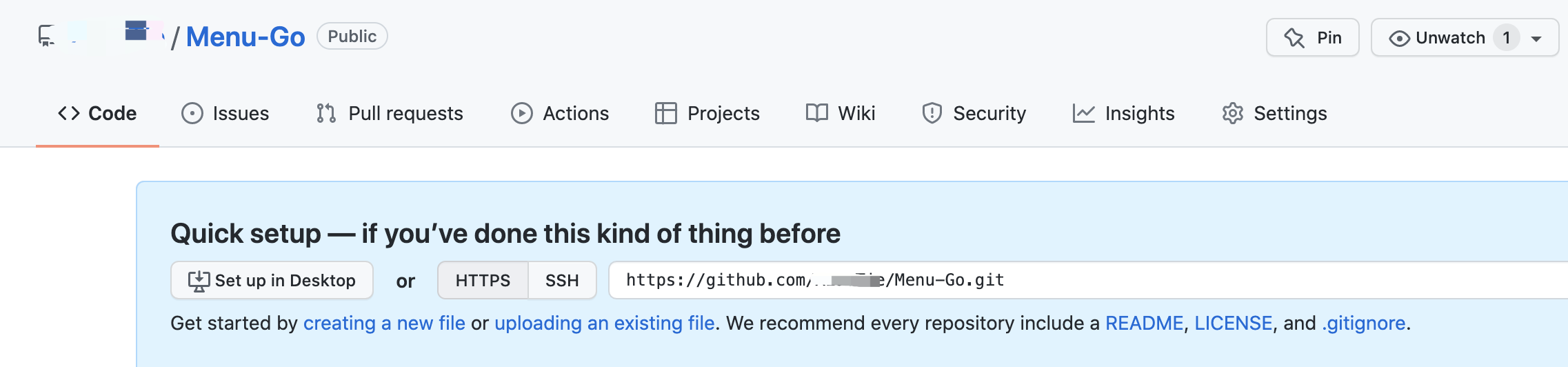
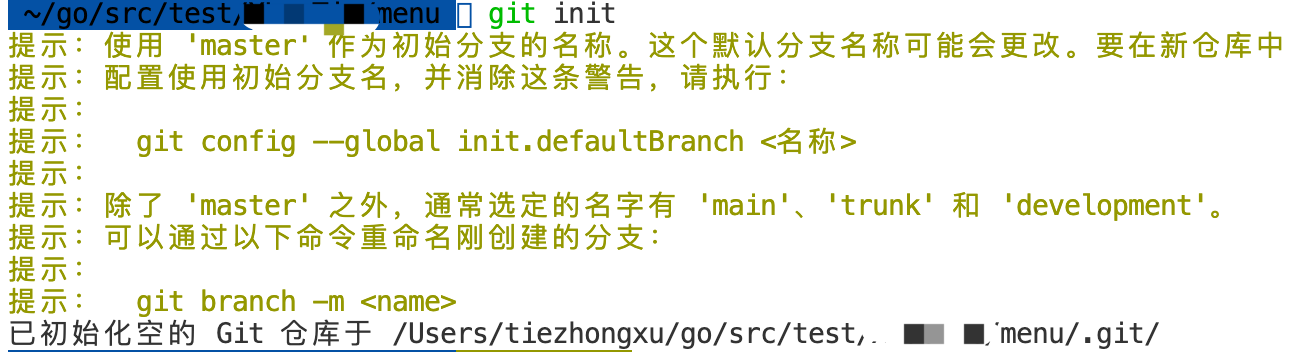
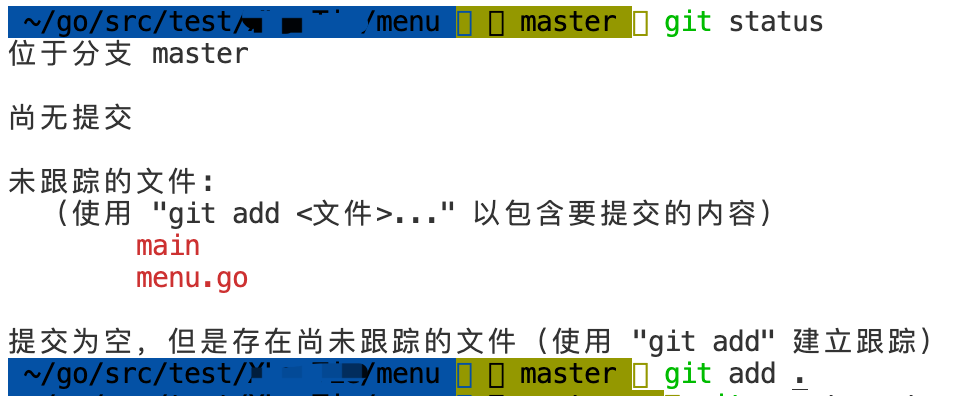
2. 在本地初始化git本地仓库——>查看提交状态——>添加文件到缓存——>上传到本地仓库
 3. 将本地仓库与远程仓库建立连接
git remote add origin 远程仓库连接
git remote set-url origin 远程仓库的ssh连接
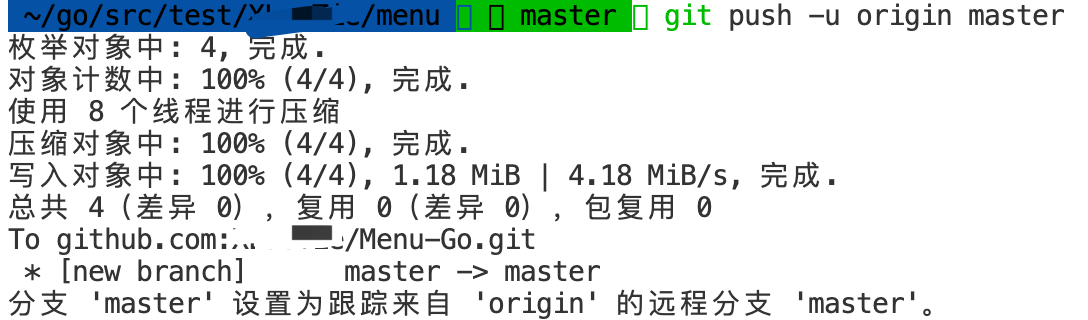
4. 将本地项目push到远程仓库上
作者:许铁中 学号:498

