

21,476
社区成员
 发帖
发帖 与我相关
与我相关 我的任务
我的任务
 分享
分享
#include "mainwindow.h"
#include "ui_mainwindow.h"
#include<QString>
#include<qdebug.h>
#include<QFileDialog>
#include<QPixmap>
MainWindow::MainWindow(QWidget *parent) :
    QMainWindow(parent),
    ui(new Ui::MainWindow)
{
    ui->setupUi(this);
}

MainWindow::~MainWindow()
{
    delete ui;
}

void MainWindow::on_pushButton_clicked()
{
    QString filter="Image(*.tiff)";
    QString path=QFileDialog::getOpenFileName(this,"选择图片","",filter);
    //判断用户是否选择图片
    if(path.isEmpty()){
        qDebug()<<"未选择图片";
        return;
    }
    qDebug()<<"选择图片"<<path;
    QPixmap pixmap(path);
    //ui->label->setPixmap(pixmap);
    ui->label->setPixmap(pixmap.scaled(ui->label->size(),Qt::KeepAspectRatio,Qt::SmoothTransformation));
    ui->label->setScaledContents(true);
}
以上是我写的代码
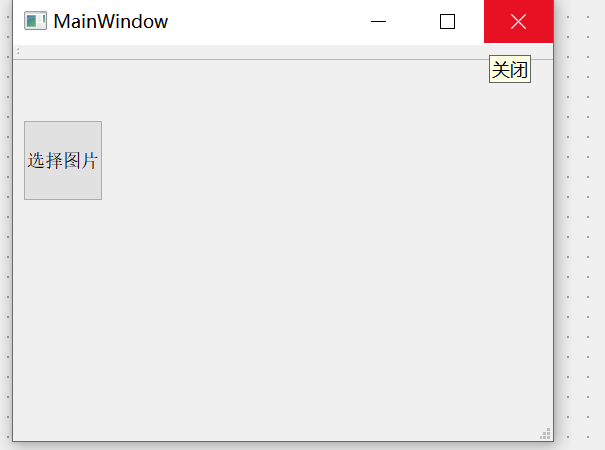
这是点击选择图片后选择完图片后的反应,没有图片显示
Starting D:\pw2013\build-untitled74-Desktop_Qt_5_10_1_MinGW_32bit-Debug\debug\untitled74.exe...
????? "C:/Users/hp/Desktop/ss.tiff"
QPixmap::scaled: Pixmap is a null pixmap
这是报出的信息
实在不知道哪里出错误了,请各位大佬给讲解一下

qDebug()<<"选择图片"<<path;
QPixmap pixmap(path);
//! 添加判断,大概率你的位图文件无法加载,要么path不对,要么格式不对。
if (pixmap.isNull()) {
    qDebug("the picture is null, please check your path");
    return;
}

#include "mainwindow.h"
#include "ui_mainwindow.h"
#include
#include<qdebug.h>
#include
#include
MainWindow::MainWindow(QWidget *parent) :
QMainWindow(parent),
ui(new Ui::MainWindow)
{
ui->setupUi(this);
}
MainWindow::~MainWindow()
{
delete ui;
}
void MainWindow::on_pushButton_clicked()
{
QString filter="Image(*.tiff)";
QString path=QFileDialog::getOpenFileName(this,"选择图片","",filter);
//判断用户是否选择图片
if(path.isEmpty()){
qDebug()<<"未选择图片";
return;
}
qDebug()<<"选择图片"<<path;
QPixmap pixmap(path);
**if (pixmap.isNull()) {
qDebug("the picture is null, please check your path");
return;
}**
//ui->label->setPixmap(pixmap);
ui->label->setPixmap(pixmap.scaled(ui->label->size(),Qt::KeepAspectRatio,Qt::SmoothTransformation));
ui->label->setScaledContents(true);
}


