VUE

大佬们请教一下,这个vue-elementui-admin webpack的报错如何解决
 墨衍会员 · AI 创作全网分发 墨衍智能分发 通过墨衍一键同步至各平台 可同步平台 CSDN微信公众号微博知乎掘金百家号博客园抖音小红书 你的文章也可以这样分发 墨衍会员 ¥399起/年,写一次发全网
我也要 关注 + 加入社区
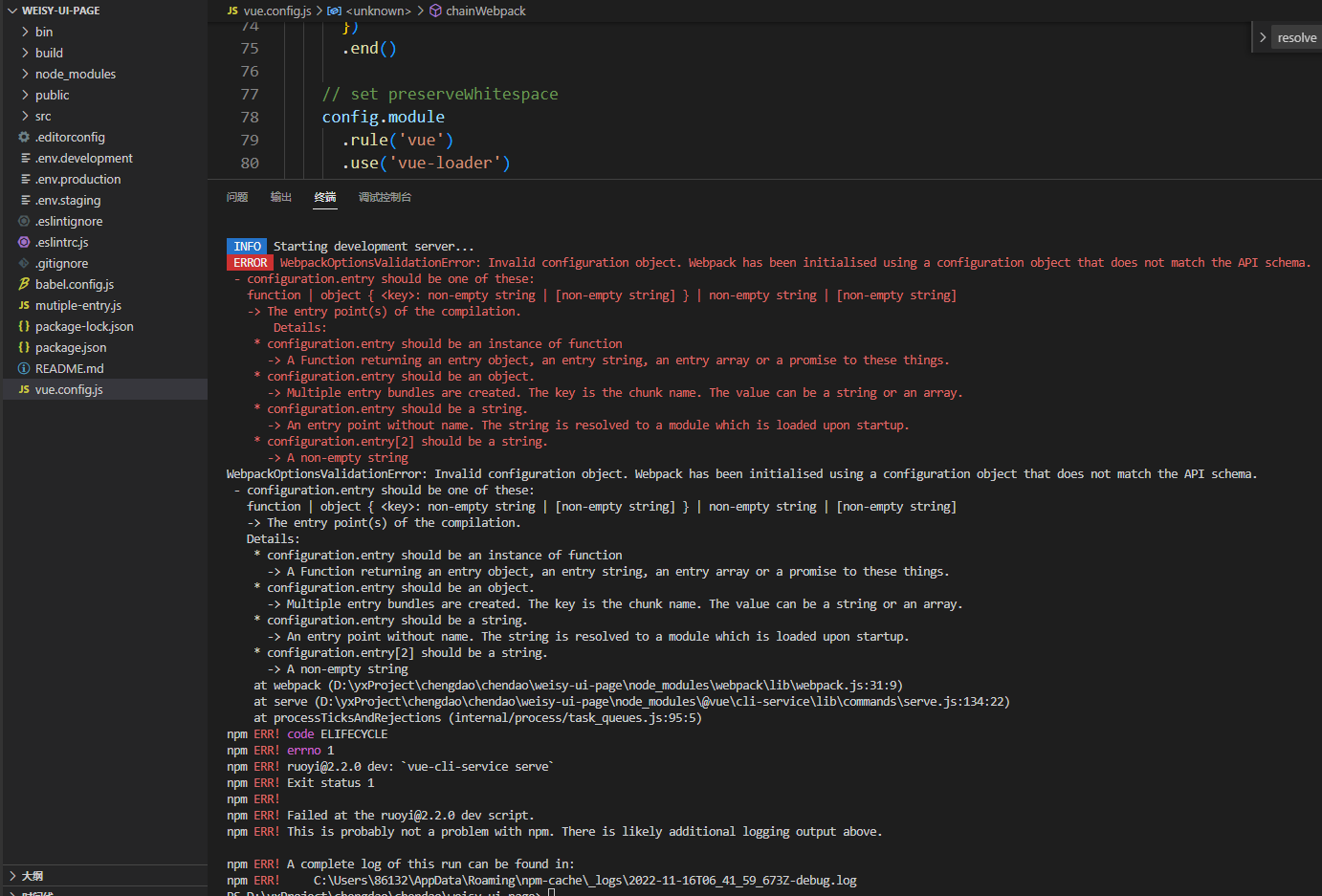
ERROR WebpackOptionsValidationError: Invalid configuration object. Webpack has been initialised using a configuration object that does not match the API schema.
- configuration.entry should be one of these:
function | object { <key>: non-empty string | [non-empty string] } | non-empty string | [non-empty string]
-> The entry point(s) of the compilation.
Details:
* configuration.entry should be an instance of function
-> A Function returning an entry object, an entry string, an entry array or a promise to these things.
* configuration.entry should be an object.
-> Multiple entry bundles are created. The key is the chunk name. The value can be a string or an array.
* configuration.entry should be a string.
-> An entry point without name. The string is resolved to a module which is loaded upon startup.
* configuration.entry[2] should be a string.
-> A non-empty string
相关推荐
详解使用vue-admin-template的优化历程
主要介绍了详解使用vue-admin-template的优化历程,小编觉得挺不错的,现在分享给大家,也给大家做个参考。一起跟随小编过来看看吧
vue-element-admin:Vuejs实例-Vuejs2.0全家桶结合ELementUI制作后台管理系统http://www.cnblogs.comweiqinlp6873761.html
vue-element-admin PS:如果无法访问, 刷新下,是否cdn资源没有加载出来。 使用http访问 用到的技术 vuejs框架 vue-cli脚手架工具 vue-router路由插件 vuex状态管理 ElementUI饿了么ui组件 axios第三方http请求库 webpack资源打包工具 构建设置 # install dependencies npm install # serve with hot reload at localhost:8080 npm run dev # build for production with minification npm run b
VueOA-:基于vue-element-admin做的一个企业OA管理系统
vue-admin-template 这是一个极简的 vue admin 管理后台。它只包含了 Element UI & axios & iconfont & permission control & lint,这些搭建后台必要的东西。 目前版本为 v4.0+ 基于 vue-cli 进行构建,若你想使用旧版本,可以切换分支到,它不依赖 vue-cli。 Extra 如果你想要根据用户角色来动态生成侧边栏和 router,你可以使用该分支 Build Setup # 克隆项目 git clone https://github.com/PanJiaChen/vue-admin-template.git # 进入项目目录 cd vue-admin-template # 安装依赖 npm install # 建议不要直接使用 cnpm 安装以来,会有各种诡异的 bug。可以通过如下操作解决 npm
vue-admin-webapp:基于vuejs + element-ui后台管理系统
vue-admin-webapp 看了掘金一篇文章后,仿照别人的demo自己做的一个vue后台管理系统 本项目涉及的技术栈有 本项目github地址 项目简介 vue-admin-webapp是一个后台管理系统,基于vuecli和element-ui ,使用fastmock来模拟数据,其中有图表,表格,权限,excel等,您可以根据自己的需求来添加路由。 安装 # 克隆项目 git clone git@github.com:yqxshiki/vue-admin-webapp.git # 进入项目目录 cd vue-admin-webapp # 安装依赖 npm install # 启动服务 npm run serve 启动后,将自动打开游览器 ,你就可以看到项目效果了。 项目页面结构 出去登录页,页面主要来三个部分组成:头部侧边栏展示页,可以点击侧边栏来就行路由转换 登录权限
VUE和ElementUI源码学习
这个是vue和elementui打造的element-Admin模板,适合web前端直接引用和学习