


688
社区成员
 发帖
发帖 与我相关
与我相关 我的任务
我的任务
 分享
分享| 这个作业属于哪个课程 | 2023年福大-软件工程实践-W班 |
|---|---|
| 这个作业要求在哪里 | 软件工程实践第二次作业——个人实战 |
| 这个作业的目标 | 测试代码、GitHub管理项目、解析Json |
| 其他参考文献 | 单元测试、《码出高效_阿里巴巴Java开发手册》 |
| PSP | Personal Software Process Stages | 预估耗时(分钟) | 实际耗时(分钟) |
|---|---|---|---|
| Planning | 计划 | 30 | 40 |
| • Estimate | • 估计这个任务需要多少时间 | 10 | 5 |
| Development | 开发 | 600 | 500 |
| • Analysis | • 需求分析 (包括学习新技术) | 30 | 60 |
| • Design Spec | • 生成设计文档 | 20 | 25 |
| • Design Review | • 设计复审 | 20 | 30 |
| • Coding Standard | • 代码规范 (为目前的开发制定合适的规范) | 20 | 15 |
| • Design | • 具体设计 | 50 | 60 |
| • Coding | • 具体编码 | 720 | 800 |
| • Code Review | • 代码复审 | 30 | 35 |
| • Test | • 测试(自我测试,修改代码,提交修改) | 30 | 30 |
| Reporting | 报告 | 50 | 70 |
| • Test Repor | • 测试报告 | 20 | 30 |
| • Size Measurement | • 计算工作量 | 10 | 20 |
| • Postmortem & Process Improvement Plan | • 事后总结, 并提出过程改进计划 | 10 | 10 |
| 合计 | 1650 | 1730 |
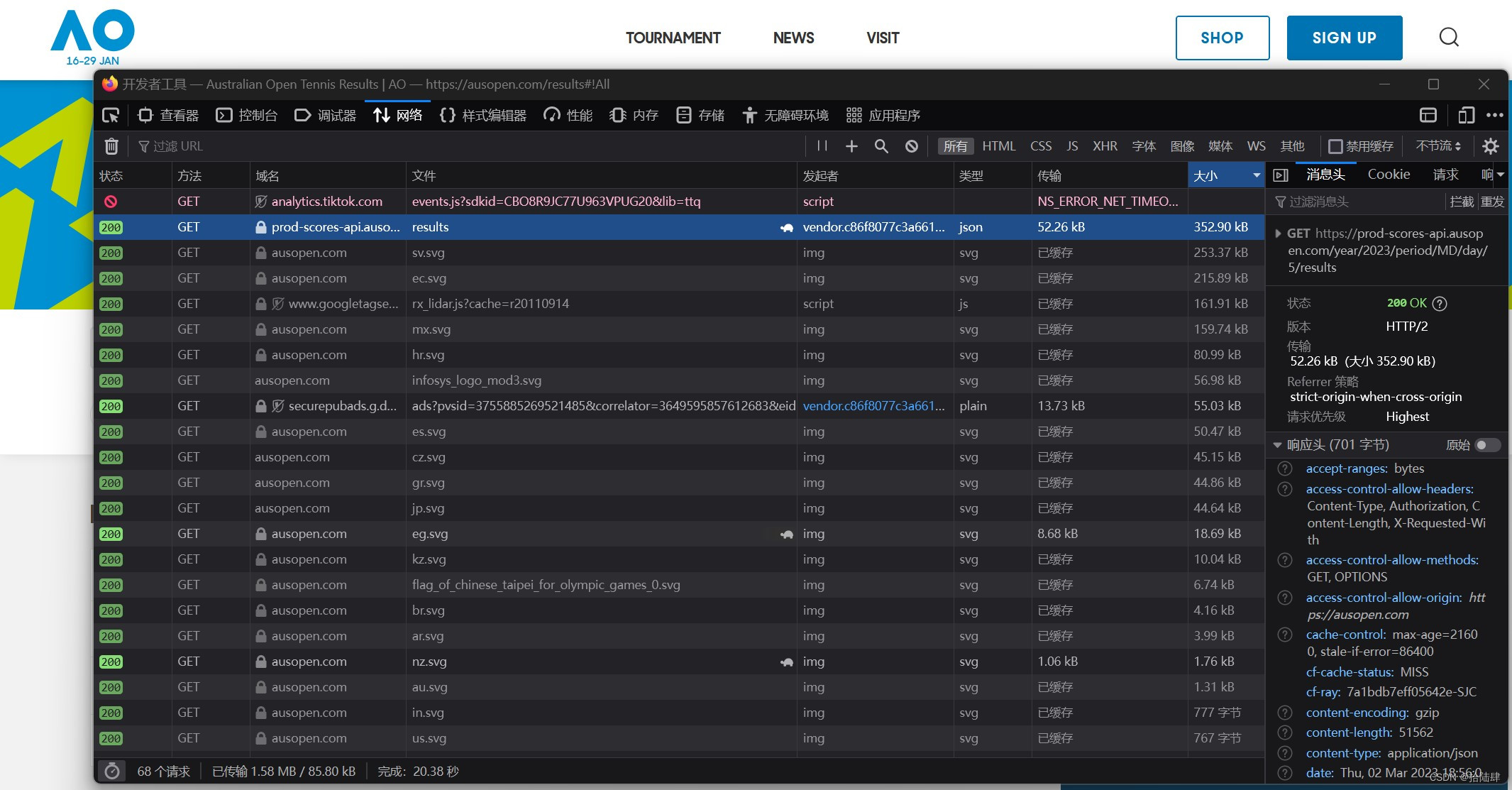
先在官网上爬到json数据,用fastjson解析json,最后编写代码实现输入输出。
找到json地址
public static boolean saveJsonData(String jsonData, String fileName) {
        boolean result = false;
        BufferedWriter bufferedWriter = null;
        JsonParser jsonParser = new JsonParser();
        JsonObject jsonObject = jsonParser.parse(jsonData).getAsJsonObject();
        Gson gson = new GsonBuilder().setPrettyPrinting().create();
        String content = gson.toJson(jsonObject);
        try {
            String jsonFilePath = "data/schedule/" + fileName + ".json";
            File file = new File(jsonFilePath);
            if (!file.getParentFile().exists()) {
                file.getParentFile().mkdirs();
                file.createNewFile();
            }
            bufferedWriter = new BufferedWriter(new OutputStreamWriter(new FileOutputStream(file), StandardCharsets.UTF_8));
            bufferedWriter.write(content);
            result = true;
        } catch (IOException e) {
            System.out.println("保存数据到json文件异常!" + e);
        } finally {
            if (null != bufferedWriter) {
                try {
                    bufferedWriter.close();
                } catch (IOException exception) {
                    System.out.println("保存数据到json文件后,关闭流异常" + exception);
                }
            }
        }
        System.out.println("成功保存" + fileName +".json");
        return result;
    }
//将读取的json保存到本地
 for (int i=1;i<=4;i++)
        {
            String url = "https://prod-scores-api.ausopen.com/year/2023/period/Q/day/" + String.valueOf(i) + "/results";
            String json = loadJson(url);
            HashMap map = new Gson().fromJson(json, HashMap.class);
            saveJsonData(json,"Q"+String.valueOf(i));
        }
然后编写代码达到题目需求,保证输出格式正确性
class Lib{
    //读入函数
    public static List<String> inPut(String path)
    //写函数
    public static void outPut(String content, String path)
    //判断命令函数
    public static String findCommand(String fname)
    //根据json文件名得到当天/当季的胜者信息
    public static String getMatch(String fname)
    //得到所有选手的信息
    public static String getPlayers()
}
class MatchDay//单日、季度的实体类
{
    private List<MatchesBean> matches;
    private List<PlayersBean> players;
    private List<TeamsBeanX> teams;

    public static class MatchesBean {
        private String actual_start_time;
        private MatchStatusBean match_status;
        private List<TeamsBean> teams;

        public static class MatchStatusBean {
            private String abbr;
        }
        public static class TeamsBean {
            private String team_id;
            private String status;
            private List<ScoreBean> score;

            public static class ScoreBean {
                private int set;
                private String game;
            }
        }
    }
    public static class PlayersBean {
        private String uuid;
        private String short_name;
    }
    public static class TeamsBeanX {
        private String uuid;
        private List<String> players;
    }
}
class MatchPlayers//选手的实体类
{
    private List<PlayersBean> players;

    public static class PlayersBean {
        private String full_name;
        private String gender;

        public static class NationalityBean {
            private String name;

        }
    }
}
//输入命令字符串
//输出结果字符串(Error或者N/A或者字符串结果集)
 public static String findCommand(String fname)
    {
        if (fname.length()<7)
        {
            return "Error\n-----\n";
        }
        else if (!fname.trim().equals("players")&&!fname.substring(0,7).equals("result "))
        {
            return "Error\n-----\n";
        }
        else if (fname.trim().equals("players"))
        {
            return getPlayers();
        }
        else
        {
            String name="01";
            for (int i=16;i<30;i++)
            {
                if (fname.substring(7).trim().equals(name+i))
                {
                    return getMatch(name+i);
                }
            }
            for (int i=1;i<5;i++)
            {
                if (fname.substring(7).trim().equals("Q"+i))
                {
                    return getMatch("Q"+i);
                }
            }
            return "N/A\n-----\n";
        }
    }
//读写函数(略)
public static List<String> inPut(String path){}
public static void outPut(String content, String path){}

//核心,获得胜者信息
        //遍历每场比赛
        for (MatchDay.MatchesBean match:matchDay.getMatches())
        {
            if (match.getMatch_status().getAbbr().equals("W/O"))
            {
                winners+="W/O\n-----\n";
                continue;
            }
            //胜利队号码
            String teamNumber="";
            //得到比赛时间
            winners+="time:"+match.getActual_start_time()+"\n";

            if (match.getTeams().get(0).getStatus()!=null)
            {
                teamNumber=match.getTeams().get(0).getTeam_id();
            }
            else
            {
                teamNumber=match.getTeams().get(1).getTeam_id();
            }
            //根据队号找选手名字,遍历队伍
            winners+="winner:";
            for (MatchDay.TeamsBeanX team: matchDay.getTeams())
            {
                if (team.getUuid().equals(teamNumber))
                {

                    List<String> uuid=team.getPlayers();
                    for (int i=0;i<uuid.size();i++)
                    {
                        for (MatchDay.PlayersBean p: matchDay.getPlayers())
                        {
                            if (uuid.get(i).equals(p.getUuid()))
                            {

                                if (i != 0)
                                {
                                    winners += " & ";
                                }
                                winners += p.getShort_name();
                            }
                        }
                    }
                }
            }
            winners+="\n";
            //得到比分
            winners+="score:";
            int i=0;
            while (i<match.getTeams().get(0).getScore().size())
            {
                if (i==0)
                {
                    winners+=match.getTeams().get(0).getScore().get(i).getGame()+":";
                    winners+=match.getTeams().get(1).getScore().get(i).getGame();
                }
                else
                {
                    winners+=" | "+match.getTeams().get(0).getScore().get(i).getGame()+":";
                    winners+=match.getTeams().get(1).getScore().get(i).getGame();
                }

                i++;
            }
            winners+="\n-----\n";
        }
        //输出winners为胜者信息;
文件读写为常规读写,json解析使用fastjson.jar包的方法,将本地json封装到实体类中,然后使用普通的嵌套循环获得胜者信息,因为循环次数不大,代码的效率还算可以,选手信息的获取比较简单,就不放代码了。
原来使用BufferedReader按行读文件,加到String
            String line;
            BufferedReader br =new BufferedReader(new InputStreamReader(new FileInputStream("data/schedule/"+fname+".json"),"utf-8"));
            while ((line = br.readLine()) != null)
            {
                json+=line;
            }
            br.close();
改进:Read流按字符读取,append进StringBuffer流,速度更快。
             File file = new File("data/schedule/"+fname+".json");
            FileReader fileReader = new FileReader(file);
            Reader reader = new InputStreamReader(new FileInputStream(file),"Utf-8");
            int c = 0;
            StringBuffer sb = new StringBuffer();
            while ((c = reader.read()) != -1) {
                sb.append((char) c);
            }
            fileReader.close();
            reader.close();
            json= sb.toString();
程序花费的时间从10872ms->898ms,时间是输出所有json的output花费的时间,使用fastjson包实体类解析速度不算慢,这里就不改进了,另外胜者信息的嵌套循环感觉速度还可以,这里页没有去改进(可能是实力不够,没时间改了)
测试和覆盖率
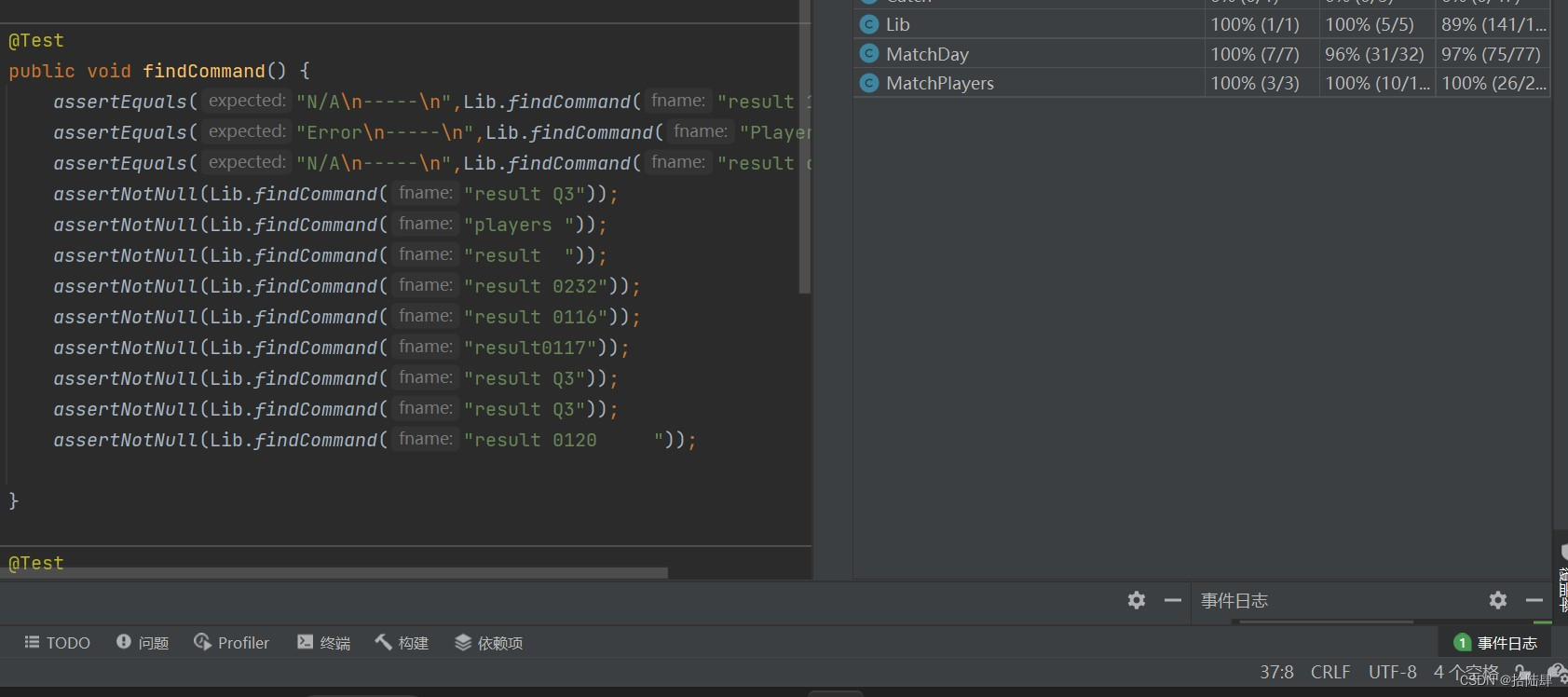
测试函数从函数入手,使得测试代码可以运行到大部分的函数代码,考虑函数的各种分支,测试尽量走过所有的分支和函数,提高覆盖率,保证代码的正确。
开学缓考没有时间写实践作业,只能天天熬夜(哭),实践收获还是有的,不止是黑眼圈。这次实践学到了爬json的过程,以前不怎么接触的,也复习了json解析,使用fastjson.jar和一些其他插件。 也学习许多程序测试、代码格式要求,感觉可以更加好得适应以后的工作。


