


571
社区成员
 发帖
发帖 与我相关
与我相关 我的任务
我的任务
 分享
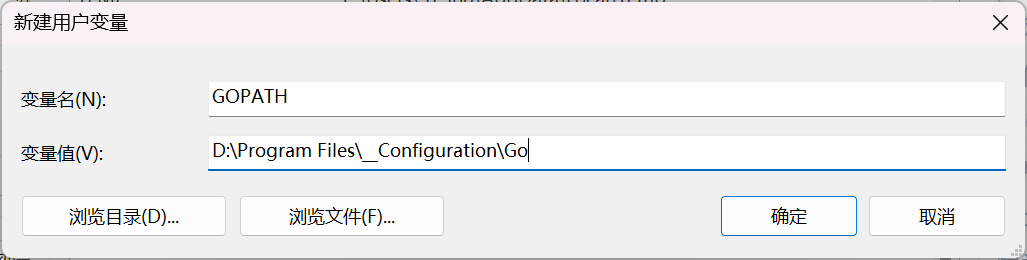
分享在Go语言官网中下载Windows安装包(*.msi文件),并配置环境变量:
命令行中输入:
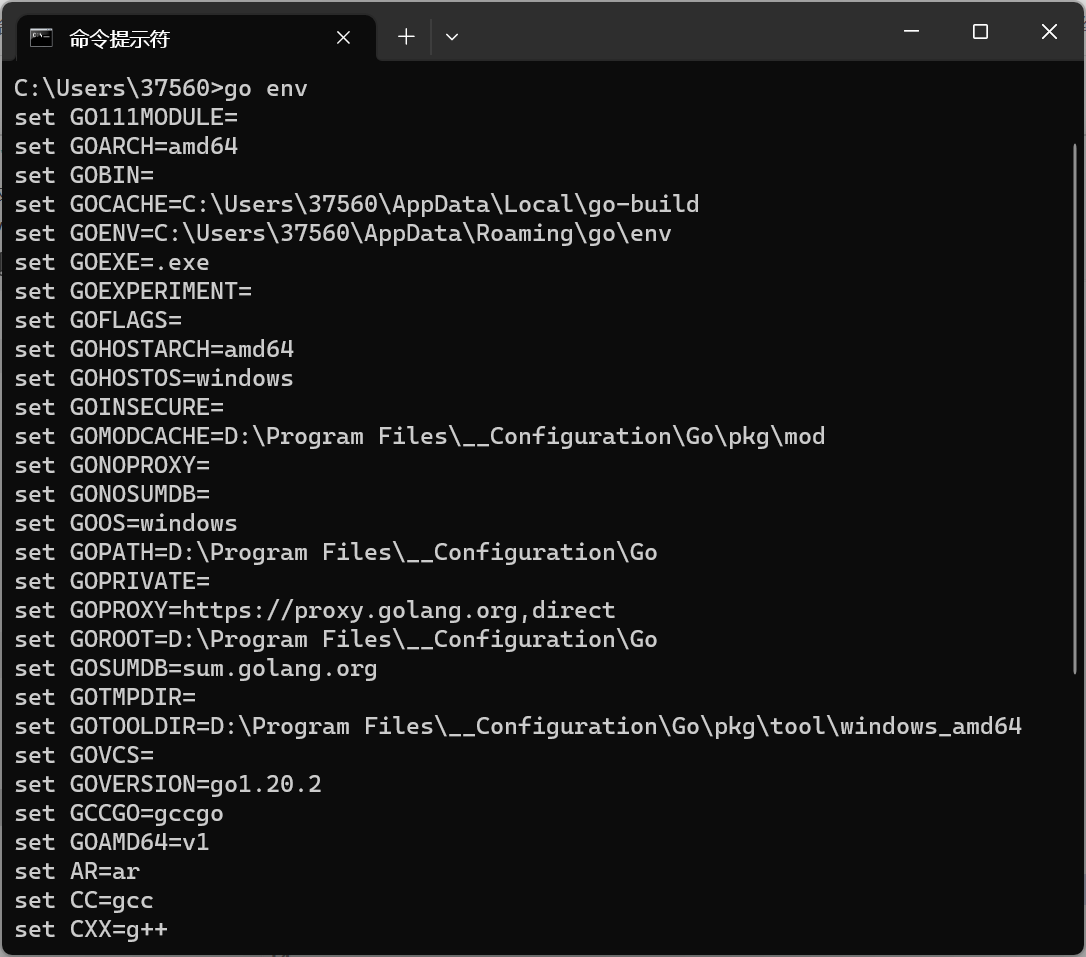
go env
出现以下内容,表明Go开发环境配置成功。
下载VSCode对go语言的支持:

还需要安装go调试工具dlv,而安装该工具依赖go.mod文件。命令如下:
go mod init example.com/m/v2
go get github.com/go-delve/delve/cmd/dlv
若第二条命令可能由于网络原因不能执行,可采用git工具来进行安装:
cd $GOPATH/src/
git clone https://github.com/derekparker/delve.git
cd delve/cmd/dlv/
go build
go install
编写Go语言程序如下:
package main
import "fmt"

func main() {
	fmt.Print("\nMENU offers developers reference of environment configuration and workflow.\n\n")
	fmt.Print("\tType in your command or 'help' to learn more. Press 'Ctrl+C' to quit\n\n")
	for true {
		fmt.Print(">>>>");
		var stdin string
		fmt.Scanln(&stdin)
		if stdin == "help" {
			fmt.Println("\t\thelp\t\tshow commands of MENU")
			fmt.Println("\t\thello\t\tan easy 'hello' output")
			fmt.Println("\t\texit\t\texit MENU immediately")
		} else if stdin == "hello" {
			fmt.Println("\t\tHello, World!")
		} else if stdin == "exit" {
			fmt.Println("\t\tSee you again!\n")
			break
		} else {
			fmt.Println("\t\tUnknown command. please type 'help' to learn more.")
		}
	}
}
采用“基本路径测试”的思想对代码进行调试,测试用例如下:
"exit"
"help","exit"
"hello","exit"
"help","hello","exit"
"hello","help","exit"
调试过程:

采用gitee创建远程仓库

本地git bash中输入以下命令:
git init
git remote add origin [repo link]
git pull --rebase origin master
git add .
git commit -m [log info]
git push
本地仓库、远程仓库均进行检查,保持一致,创建版本库成功。


