

688
社区成员
 发帖
发帖 与我相关
与我相关 我的任务
我的任务
 分享
分享| 这个作业属于哪个课程 | 2023软工W班 |
|---|---|
| 这个作业要求在哪里 | 结对第二次作业--编程实现 |
| 结对学号 | 222000321, 222000320 |
| 这个作业的目标 | 基本要求,编码实现,结果汇报,结对合作 |
| 其他参考文献 | 无 |
https://gitcode.net/MarkPoloChina/pair_project
下面的时间是两个人的总和时间。
| PSP | Personal Software Process Stages | 预估耗时(分钟) | 实际耗时(分钟) |
|---|---|---|---|
| Planning | 计划 | 30 | 30 |
| • Estimate | • 估计这个任务需要多少时间 | 30 | 30 |
| Development | 开发 | 2360 | 3340 |
| • Analysis | • 需求分析 (包括学习新技术) | 120 | 180 |
| • Design Spec | • 生成设计文档 | 100 | 80 |
| • Design Review | • 设计复审 | 30 | 30 |
| • Coding Standard | • 代码规范 (为目前的开发制定合适的规范) | 10 | 10 |
| • Design | • 具体设计 | 300 | 500 |
| • Coding | • 具体编码 | 1200 | 2000 |
| • Code Review | • 代码复审 | 200 | 220 |
| • Test | • 测试(自我测试,修改代码,提交修改) | 400 | 320 |
| Reporting | 报告 | 160 | 270 |
| • Project Repor | • 项目报告 | 120 | 230 |
| • Size Measurement | • 计算工作量 | 10 | 10 |
| • Postmortem & Process Improvement Plan | • 事后总结, 并提出过程改进计划 | 30 | 30 |
| SUM | 总计 | 2550 | 3640 |
https://gitcode.net/MarkPoloChina/pair_project/-/blob/dev/222000321_222000320/README.md

导航栏实现了hover效果和active效果,含淡入和淡出。
赛况这个按钮不能主动点击。
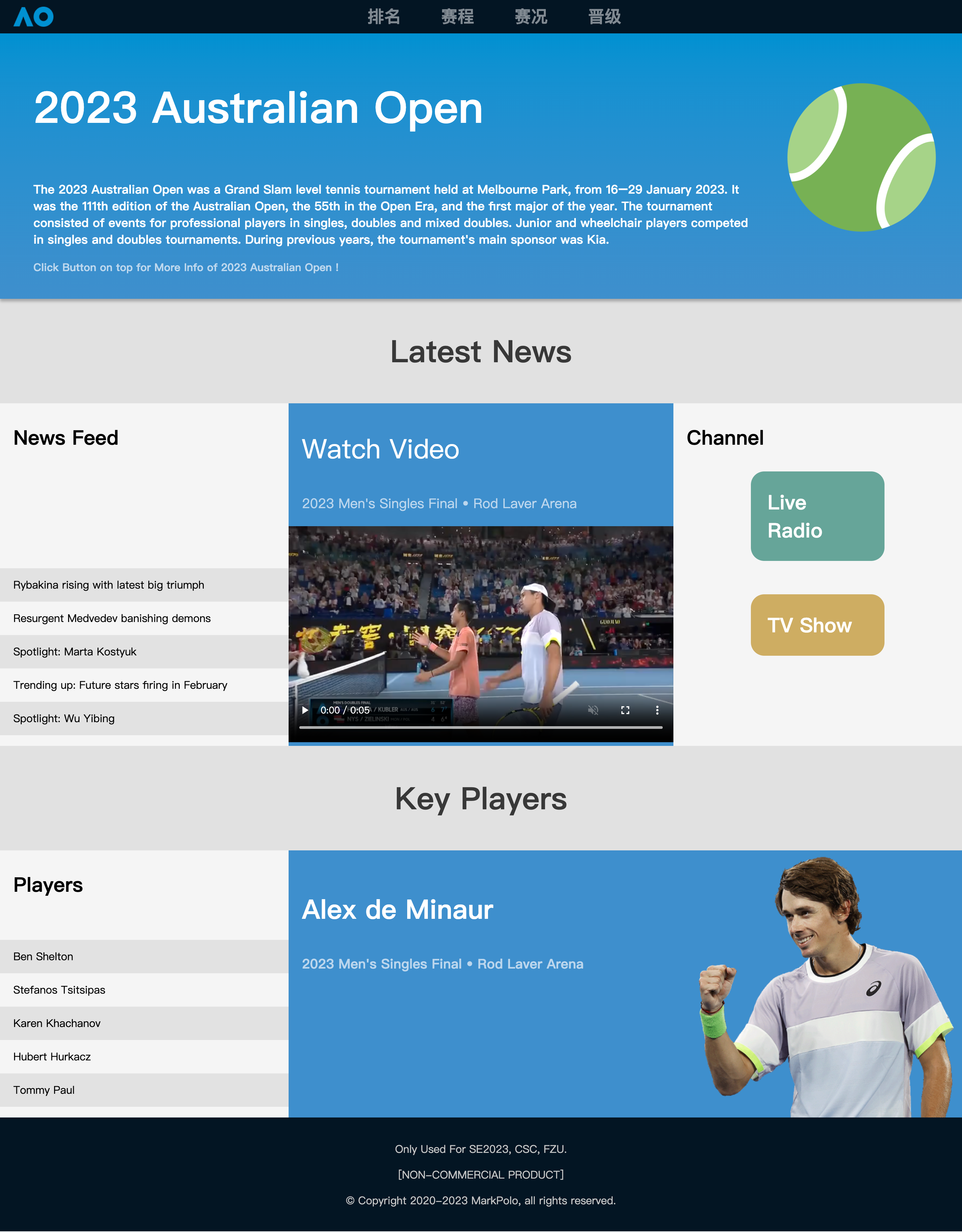
主页是进入网站的第一个界面。切换到其他页面后,点击AO的logo(位于导航栏左侧)即可返回主页。
这部分内容大部分是静态的,因为在数据源方面有一些问题。
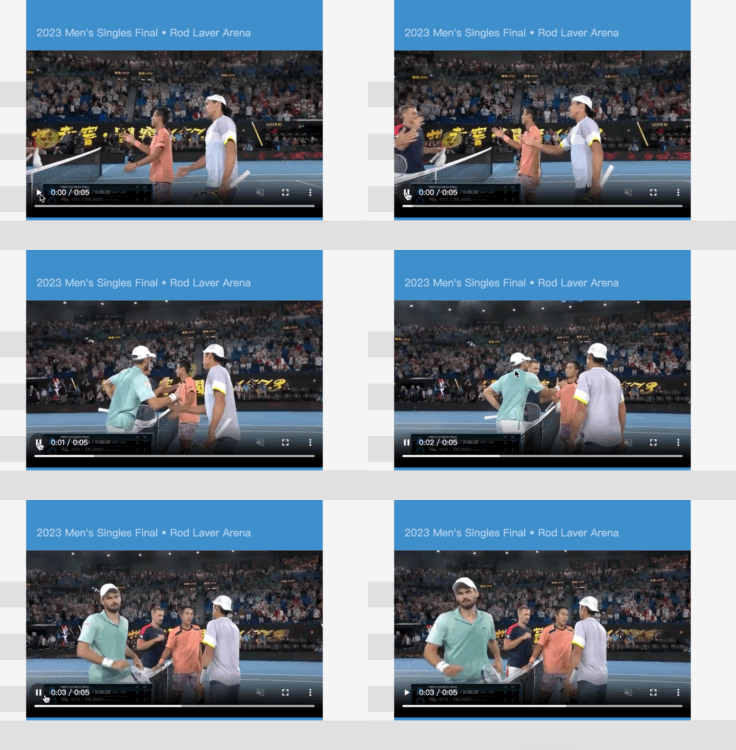
首页由主头栏,新闻模块和选手模块组成。在头栏,简要介绍了澳网。在新闻模块,枚举了新闻,按新闻按钮可以跳转到某个新闻链接(此处没有实现具体跳转);中间的视频静态引用自官网,可以点击播放;右侧是新闻频道,点击可以跳转到某个频道(此处没有实现具体跳转)。
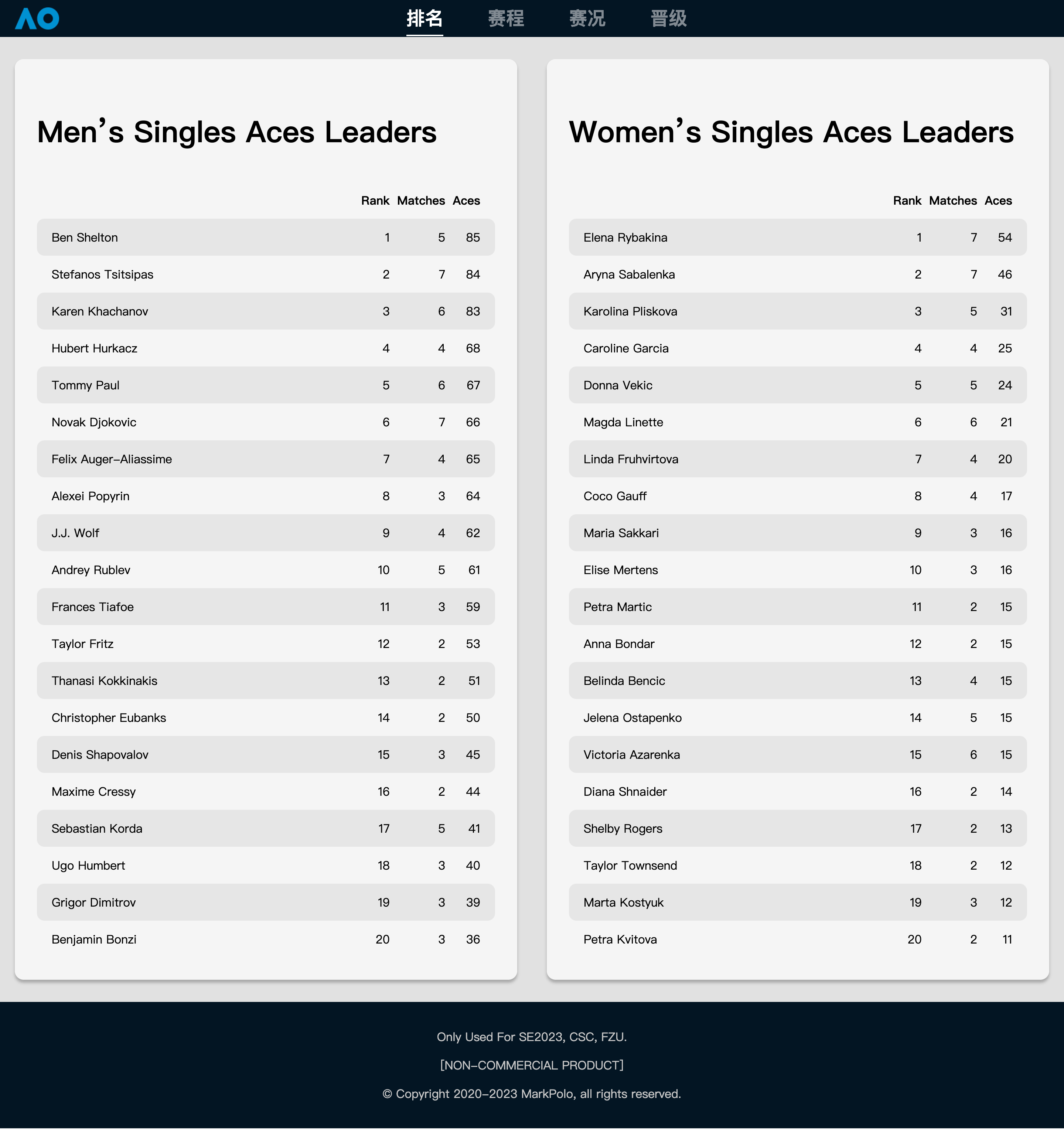
点击排行按钮可以跳转到排行页面。
排行实现了Men’s Singles Aces Leaders以及Women’s Singles Aces Leaders,分别给出了前20位选手的数据,数据来自官方API。
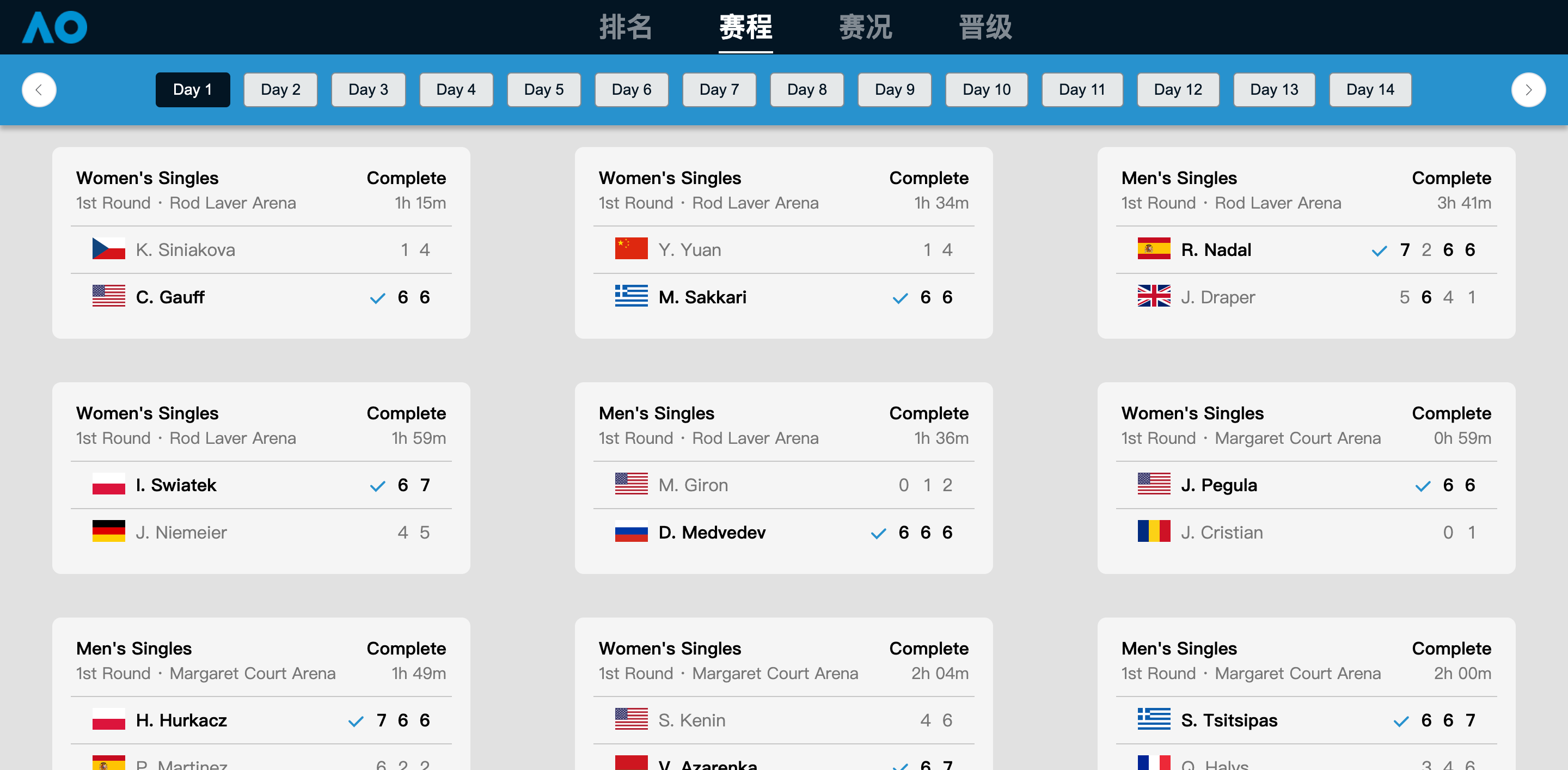
点击赛程按钮可以跳转到赛程页面。
枚举出了day1-day14全部的赛程。点击上面的day1-day14的按钮组可以切换day。切换day后下面的内容自动刷新。
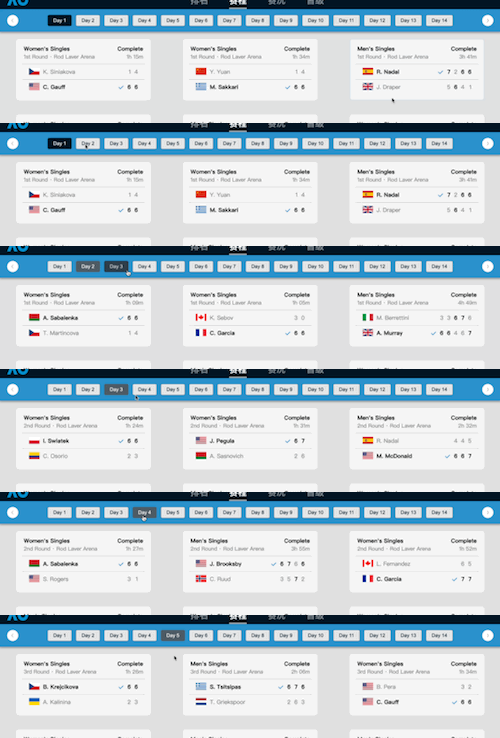
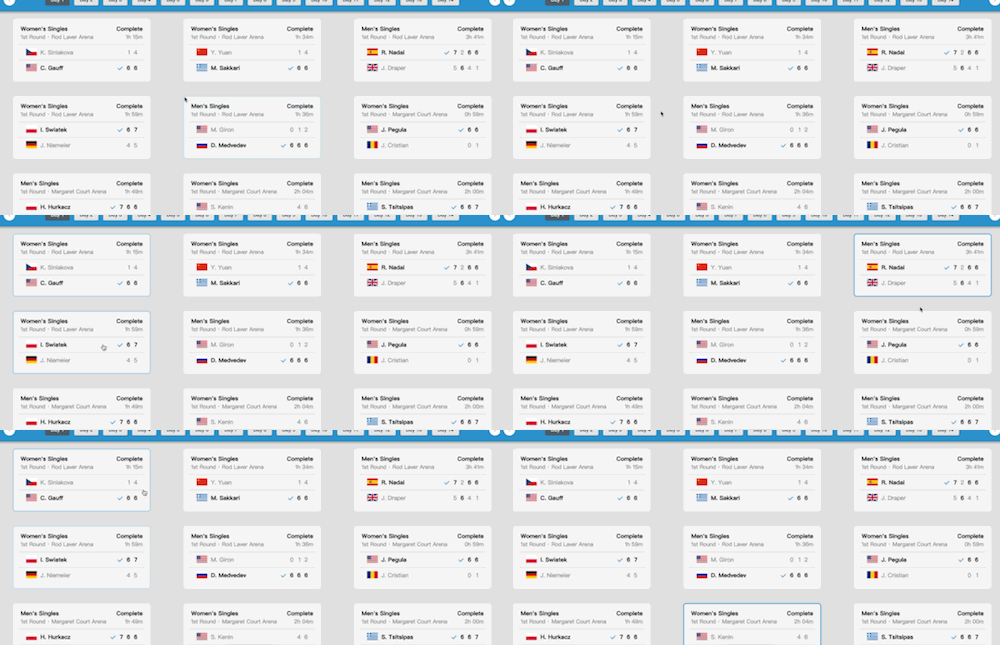
支持hover效果,以及点击跳转(仅Day1前6个,以及Day2的第一个。)
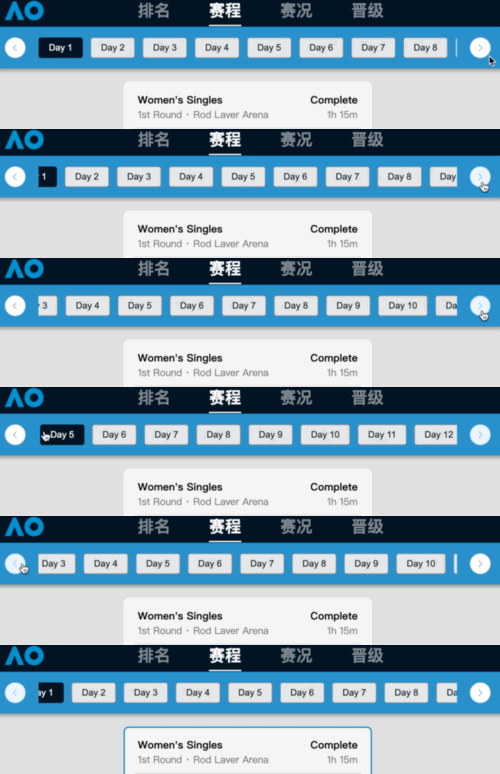
支持在屏幕宽度较小时,点击左右按钮来滑动上面的滚动条
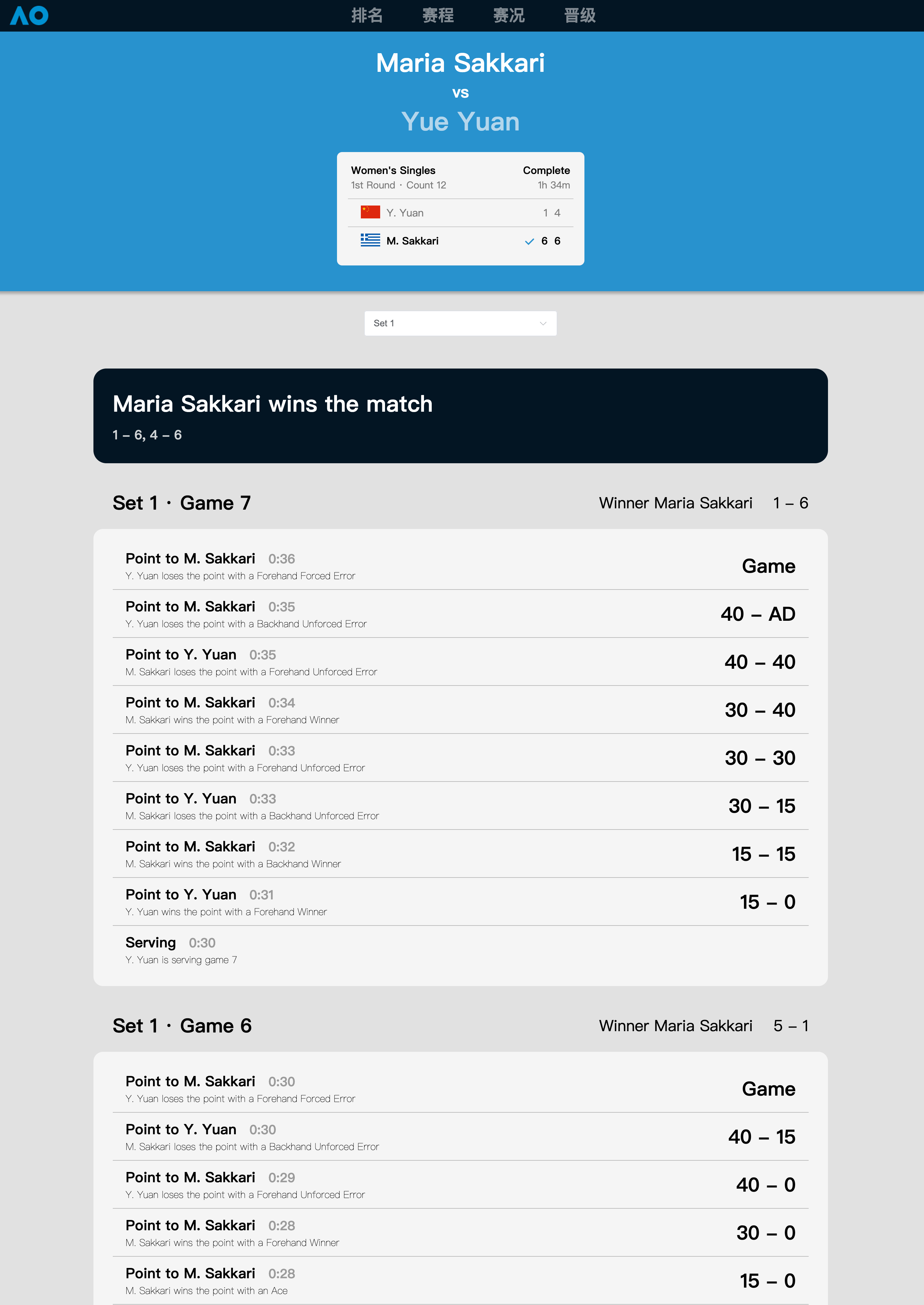
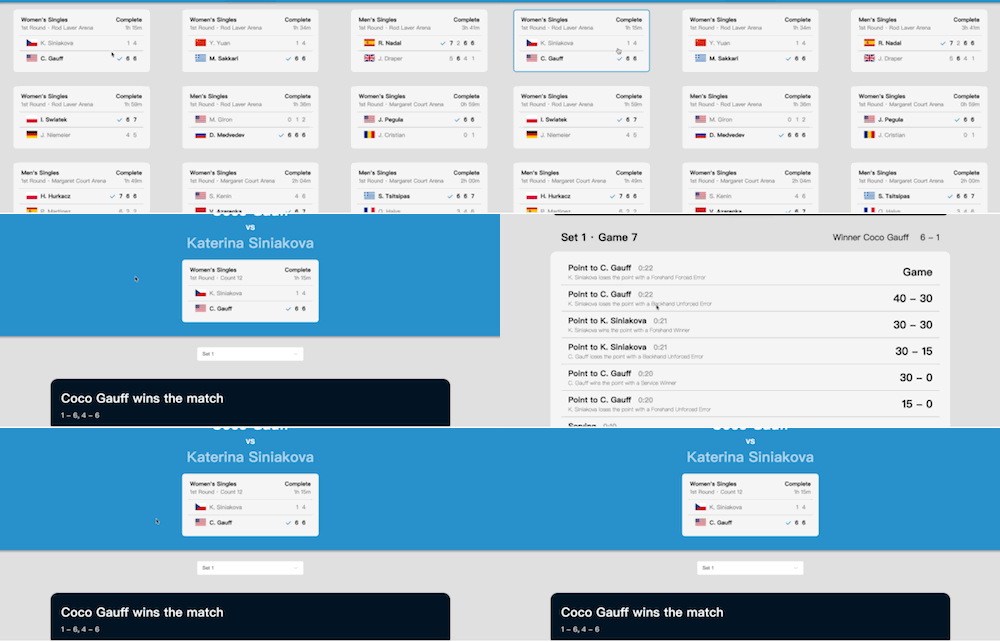
通过点击赛程中的比赛块能跳转到详细赛况。
赛况给出了比赛双方的信息,以及每个Set的比分和赢家,以及Set每个Game的比分序列和得分原因。
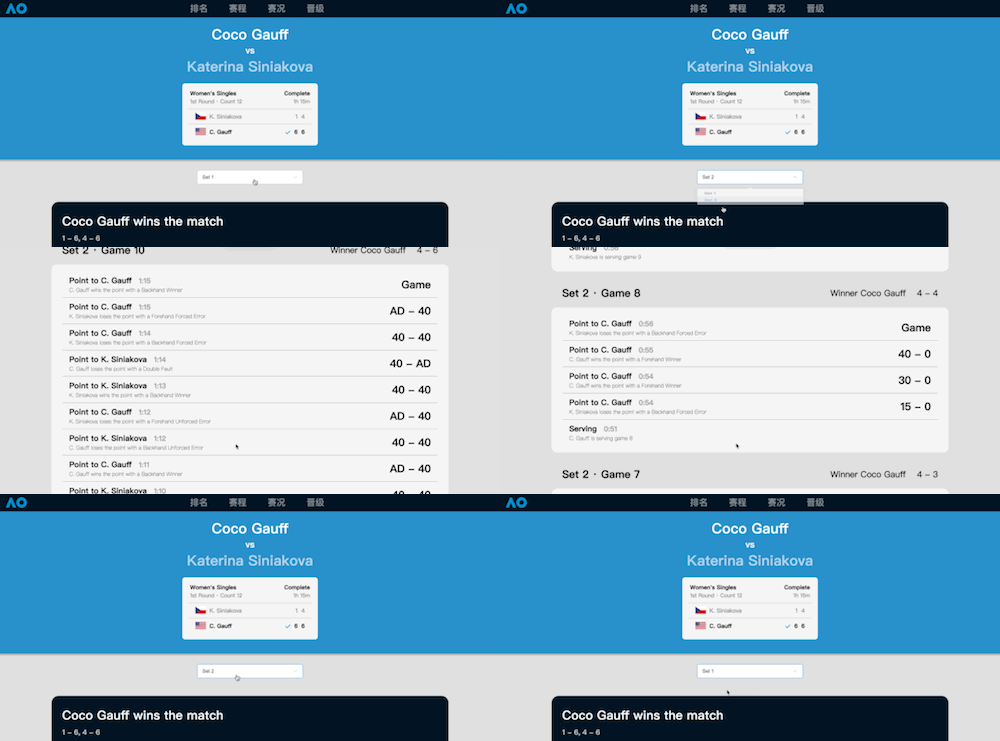
能够点击下拉选框来选择当前Set
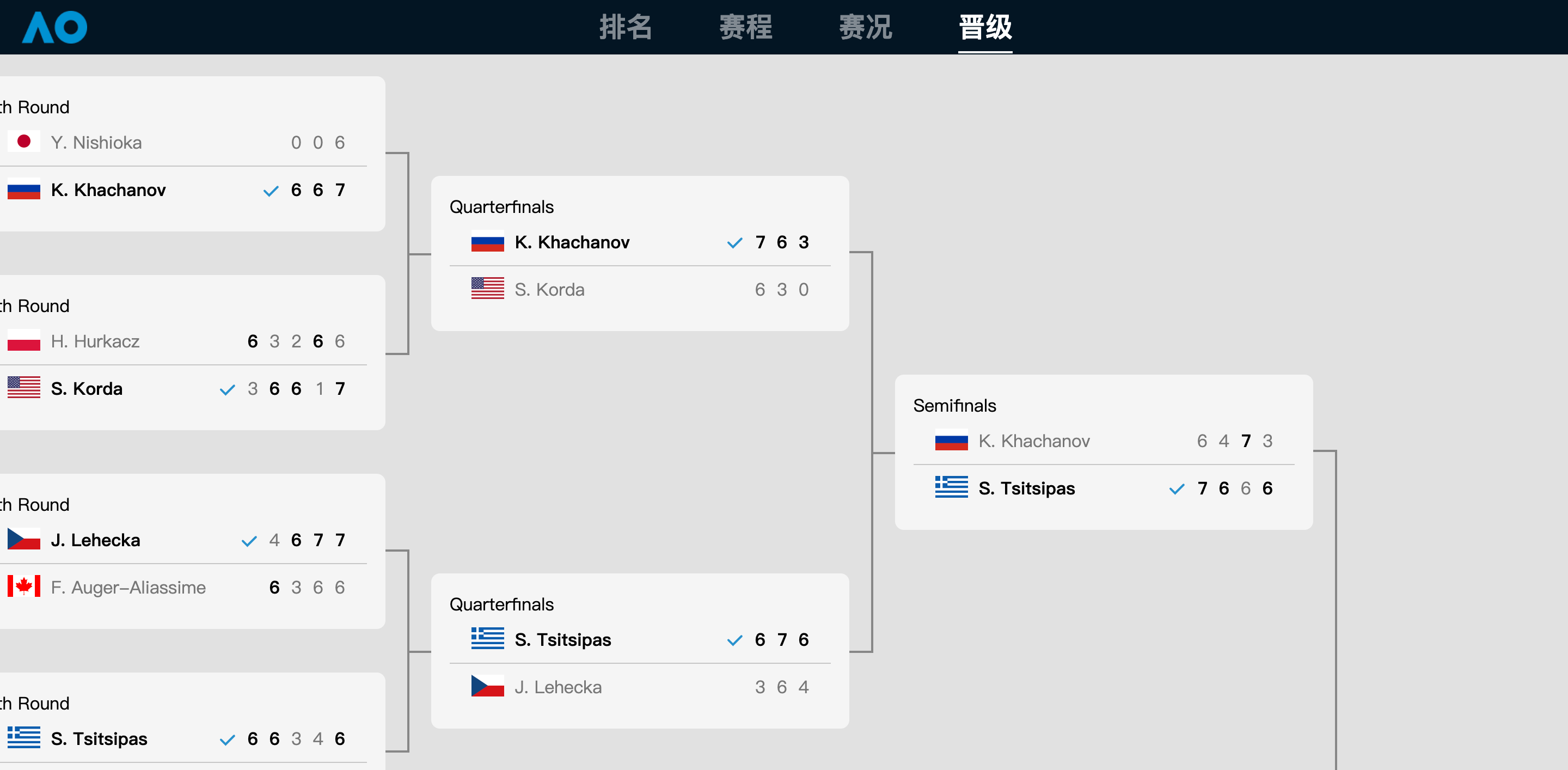
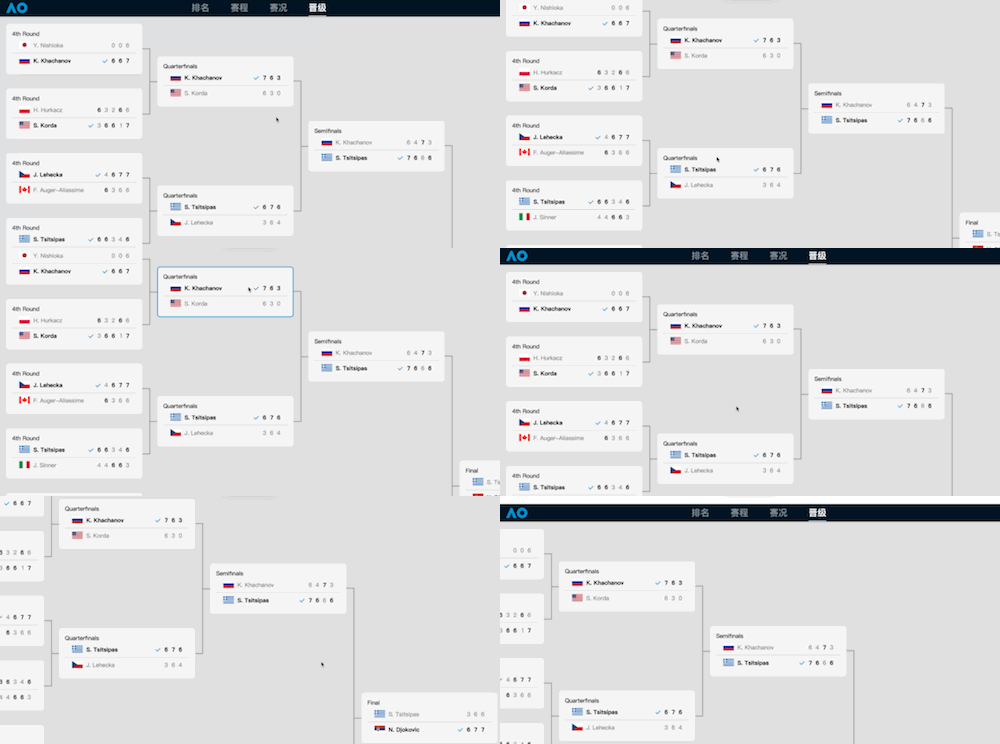
给出了第4轮到决赛的晋级图。支持横向滚动和纵向滚动
项目基于原型所列出的功能需求,包含以下内容:
注:详细赛况数据仅支持到赛程Day1的前6个和Day2的第一个。点击其他的会弹出信息提示并跳转到首页。
根据上述设计,生成功能结构图如下:
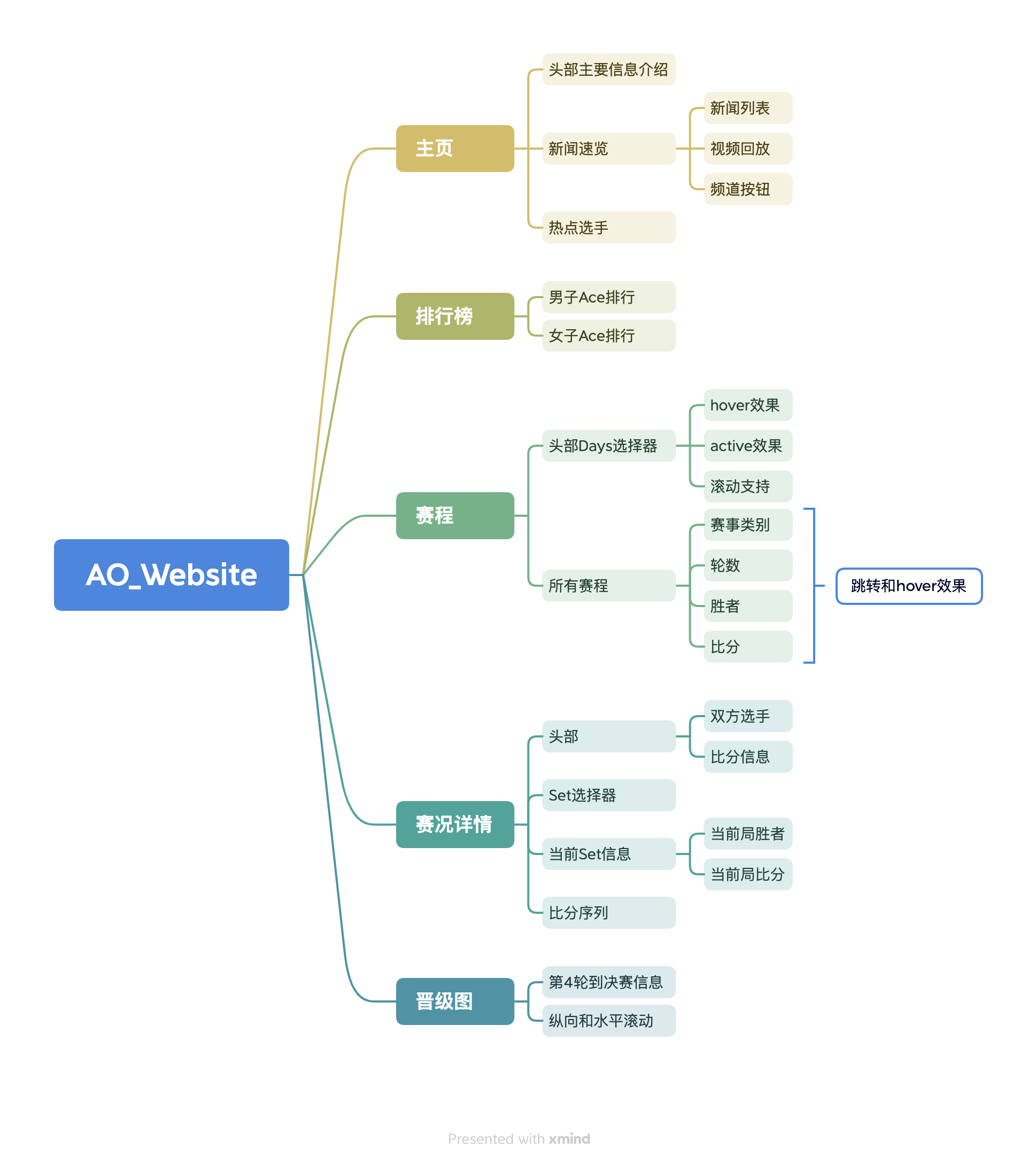
Vue3.2,基于纯CompositeAPI,setup语法糖。ElementPlus组件库,并且引用了其中的少量图标。yarn进行包管理。Typescript。Vite进行项目管理。scss作为样式表语言。以下是前端项目结构:
大体使用了Vite推荐的项目结构,在此基础上进行了少量优化。
以flex布局为核心,尤其是在用到嵌套的晋级图中。避免使用浮动,尤其不能在父元素高度不确定或者不含非浮动的兄弟元素时。
容器宽度高度避免使用静态数值。尽量避免使用vh和vw。
晋级图需要纵向以及横向的滚动。将整张晋级图的父元素的overflow-x设成scroll,这样在横向移出屏幕时,会产生一个滚动条,可以拖动。
.container {
  overflow-x: scroll;
}
在其他常规界面,只要不限制最外层元素的高度和宽度即可做到自适应。
在days选择器中,当宽度不足以容纳全部的按钮时,多余的按钮会移出,然后有两种情况:
这两种都不是本项目想要的。
因此我们直接将其设为hide,也就是隐藏,这样溢出的内容就不可见。然后通过点击左右两侧的按钮,回调获取整个容器元素,直接控制它的滚动位置,然后步进向左或者向右。此外还能将behavior设成smooth,这样滚动能平滑一些。
const scrollLeft = () => {
  const ele = document.getElementById("btns");
  ele?.scrollTo({ left: ele?.scrollLeft - 40, behavior: "smooth" });
};
const scrollRight = () => {
  const ele = document.getElementById("btns");
  ele?.scrollTo({ left: ele?.scrollLeft + 40, behavior: "smooth" });
};
在晋级图中,需要实现:
justify-content: space-between;即可。由于晋级图每个模块是递归二叉的,最后就会沿一条中轴线排列。 div {
position: absolute;
background-color: $border_color;
height: 50%;
width: 100%;
top: 0;
bottom: 0;
margin: auto;
}
div::after {
content: "";
position: absolute;
border-top: $border_width solid $border_color;
border-bottom: $border_width solid $border_color;
height: 100%;
width: calc(20px + $border_width);
top: 0;
bottom: 0;
left: -20px;
margin: auto;
}
div::before {
content: "";
position: absolute;
background-color: $border_color;
height: $border_width;
width: 20px;
top: 50%;
right: -20px;
}
hover使用了伪类。直接在css中即可实现。通过先在非hover中设置透明边框,然后在hover中将透明取消,避免宽度突变。
其次也使用了变换transition来添加淡出淡入效果。
.link {
z-index: 1000;
position: relative;
text-decoration: none;
font-weight: bolder;
color: rgba(255, 255, 255, 0.5);
transition: 0.2s all linear;
}
.link:hover {
color: rgb(255, 255, 255);
transition: 0.2s all linear;
}
active状态使用了vue的一个响应式变量。当用户点击一个按钮时,回调储存按到的数字,然后变换class类名,再通过不同类名控制active和非active状态的按钮样式。
Set选择器是使用了ElementPlus中的组件。直接使用选择组件el-select即可。
路由切换用到了vue-router在VM中的实例router。
路由跳转等价与将该对象调用push()
数据仅用于学习!非商用。
onMounted生命周期时,异步地从json中import进来,然后传递经过转换函数传递给响应式对象。排名,赛程,以及赛况需要从json转为线性数据结构,这个过程与之前的java输出相似,也是对json的matches不断的嵌套查询,对于一个非显式的id,遍历对应的数组,找到满足id == uuid的对象,填充到目标对象中,最后遍历完之后就是一个能直接渲染的线性结构。
json到二叉树是为了构建晋级图。在这个部分,需要从决赛轮开始进行遍历,对于决赛轮的两支队伍,选择在半决赛轮中队伍含有其中一支队伍的比赛作为当前比赛的子节点。然后对于每个子节点,递归地调用上述方法,就能完成对全部层的迭代,生成二叉树。
const processRoundName = [
"Final",
"Semifinals",
"Quarterfinals",
"4th Round",
];
const ArraysObj: { [propsName: string]: MatchArray } = {};
const RoundNameMap: { [propName: string]: any } = {};
jsonData.rounds.forEach((round) => {
RoundNameMap[round.uuid] = round.name;
});
jsonData.matches.forEach((match) => {
if (processRoundName.includes(RoundNameMap[match.round_id])) {
if (!ArraysObj[RoundNameMap[match.round_id]])
ArraysObj[RoundNameMap[match.round_id]] = [];
ArraysObj[RoundNameMap[match.round_id]].push(match);
}
});
const findNext = (objectToExpand: Tree, nextIndex: number) => {
if (nextIndex == 4) return;
const nextRoundName = processRoundName[nextIndex];
ArraysObj[nextRoundName].forEach((nextItem) => {
if (
nextItem.teams.find(
(team) =>
objectToExpand.match.teams.findIndex(
(_team) => _team.team_id == team.team_id
) != -1
)
) {
objectToExpand.child.push({
name: nextRoundName,
match: nextItem,
child: [],
});
findNext(
objectToExpand.child[objectToExpand.child.length - 1],
nextIndex + 1
);
}
});
};
treeData.value.push({
name: "Final",
match: ArraysObj["Final"][0],
child: [],
});
findNext(treeData.value[0], 1);
域名注册以后要在DNS上填写解析,使得子域名能被解析到ip。
yarn
yarn build
在项目目录执行上述命令来编译打包vue工程。
将生成的dist内的全部文件移至nginx下的html文件夹,之后就能用80端口访问。
一些具体的功能性的代码已经展示在了上面的功能实现中。下面仅展示主Vue文件的代码。
<script setup lang="ts">
import { ref } from "vue";
import { useRoute, useRouter } from "vue-router";
const currentNav = ref("home");
const route = useRoute();
const router = useRouter();
const getClassName = (path: string) => {
if (route.path == path) return "active";
else return "";
};
</script>
<template>
<header>
<img
src="/src/assets/ao_blue_1.png"
height="30"
@click="router.push('/')"
style="z-index: 1200; cursor: pointer"
/>
<nav>
<ul>
<li :class="getClassName('/arrange')">
<router-link to="/arrange" class="link">排名</router-link>
</li>
<li :class="getClassName('/match')">
<router-link to="/match" class="link">赛程</router-link>
</li>
<li :class="getClassName('/detail')">
<span class="link">赛况</span>
</li>
<li :class="getClassName('/draw')">
<router-link to="/draw" class="link">晋级</router-link>
</li>
</ul>
</nav>
</header>
<div class="main">
<router-view></router-view>
</div>
<footer>
<p>Only Used For SE2023, CSC, FZU.</p>
<p>[NON-COMMERCIAL PRODUCT]</p>
<p>© Copyright 2020-2023 MarkPolo, all rights reserved.</p>
</footer>
</template>
<style scoped lang="scss">
header {
position: relative;
height: 50px;
width: 100%;
background-color: #041423;
img {
position: absolute;
left: 20px;
top: 0;
bottom: 0;
margin: auto;
}
nav {
position: absolute;
left: 0;
right: 0;
top: 0;
bottom: 0;
margin: auto;
text-align: center;
ul {
list-style: none;
margin-top: 7px;
margin-bottom: 0;
li {
display: inline;
font-size: 25px;
position: relative;
padding-bottom: 5px;
.link {
z-index: 1000;
position: relative;
text-decoration: none;
font-weight: bolder;
color: rgba(255, 255, 255, 0.5);
transition: 0.2s all linear;
}
.link:hover {
color: rgb(255, 255, 255);
transition: 0.2s all linear;
}
&.active {
.link {
color: rgb(255, 255, 255);
}
}
}
li::after {
content: "";
position: absolute;
top: 0;
right: 100%;
width: 0;
height: 100%;
border-bottom: 2px solid rgb(255, 255, 255);
transition: 0.2s all linear;
}
li:hover::after {
width: 100%;
right: 0;
transition: 0.2s all linear;
}
li.active::after {
width: 100%;
right: 0;
}
li + li {
margin-left: 60px;
}
}
}
}
.main {
background-color: #e1e1e1;
min-height: calc(100vh - 50px);
}
footer {
padding: 20px 50px;
text-align: center;
color: #c6c6c6;
background-color: #041423;
}
</style>
<style>
body {
margin: 0;
}
</style>
上面的代码是App.vue,定义了整个页面的基本公共布局,也就是上面导航栏,中间路由,下方页脚。
<script setup lang="ts">
import { ref, computed, reactive } from "vue";
import { DrawParser } from "../ts/parser";
import { Select } from "@element-plus/icons-vue";
defineProps({
expandedObject: Object,
});
</script>
<template>
<div class="single-block">
<div class="parent-block">
<div class="block">
{{ expandedObject?.name }}
<div class="player-block" v-for="team in expandedObject?.match.teams">
<div :class="team.status ? 'winner' : ''">
<img
:src="`https://ausopen.com${DrawParser.getTeamFlag(
team.team_id
).replace('2022-04/rus-empty', '2021-11/ru')}`"
/>{{ DrawParser.getTeamName(team.team_id) }}
</div>
<div class="scores">
<el-icon
color="#2892ce"
v-if="team.status"
style="vertical-align: middle"
><Select
/></el-icon>
<span v-for="s in team.score" :class="s.winner ? 'winner' : ''">
{{ s.game }}
</span>
</div>
</div>
</div>
</div>
<div
:class="
expandedObject?.child && expandedObject?.child.length != 0 ? 'line' : ''
"
>
<div></div>
</div>
<div
class="child-blocks"
v-if="expandedObject?.child && expandedObject?.child.length != 0"
>
<div>
<BinaryTree :expanded-object="expandedObject?.child[0]"></BinaryTree>
</div>
<div>
<BinaryTree :expanded-object="expandedObject?.child[1]"></BinaryTree>
</div>
</div>
</div>
</template>
<style scoped lang="scss">
$border_color: rgba(0, 0, 0, 0.4);
$border_width: 2px;
.single-block {
display: flex;
flex-direction: row-reverse;
align-items: center;
> div {
flex: none;
}
.line {
width: $border_width;
align-self: stretch;
position: relative;
   div {
      position: absolute;
      background-color: $border_color;
      height: 50%;
      width: 100%;
      top: 0;
      bottom: 0;
      margin: auto;
    }
    div::after {
      content: "";
      position: absolute;
      border-top: $border_width solid $border_color;
      border-bottom: $border_width solid $border_color;
      height: 100%;
      width: calc(20px + $border_width);
      top: 0;
      bottom: 0;
      left: -20px;
      margin: auto;
    }
    div::before {
      content: "";
      position: absolute;
      background-color: $border_color;
      height: $border_width;
      width: 20px;
      top: 50%;
      right: -20px;
    }
}
.block {
width: 350px;
margin: 20px;
background-color: #f5f5f5;
border-radius: 8px;
padding: 15px;
border: 2px solid #0089c800;
transition: 0.2s all linear;
.player-block {
padding: 10px 20px;
display: flex;
flex-direction: row;
justify-content: space-between;
font-weight: light;
color: #777777;
.winner {
font-weight: bolder;
color: #000;
}
img {
vertical-align: top;
margin-right: 10px;
height: 20px;
width: 30px;
object-fit: cover;
}
.scores {
span {
width: 20px;
display: inline-block;
text-align: right;
}
}
}
.player-block + .player-block {
border-top: 1px solid rgb(199, 199, 199);
}
&:hover {
border: 2px solid #008ac8;
transition: 0.2s all linear;
}
}
}
</style>
上面是BinaryTree.vue文件的内容。这是一个可复用模块,主要封装了晋级图的二叉树,并且含递归调用。
在line10-56,以flex布局的方式定义了最简二叉树的父亲节点和儿子节点的内容。在儿子节点中,再次调用自身,传入对应的对象,完成递归调用。
| 学号 | 分工 |
|---|---|
| 222000321 | 总体设计,样式表编写,依赖确定,晋级图,每日赛程,导航栏 |
| 222000320 | 数据填充,部署,赛况详情部分,排行榜 |
拿到需求后,首先我们先讨论技术选型,我们讨论了多种前端框架的可能性,最后选择vue3作为我们的前端框架。
在是否需要后端的问题上,我们讨论了很久。因为避免再从json向数据库填充并建立实体类,我们选择了纯前端,直接读入json文件并进行处理。
在样式设计上,我们先统一了布局规范,然后按页面分开实现。
在函数设计上,我们采用了类似接口的形式,先建一个工具类库来放全部的接口,这样两个人就可以同时分别完成vue和具体函数。
在沟通上,我们使用qq进行意见交换,使用git进行代码协作。
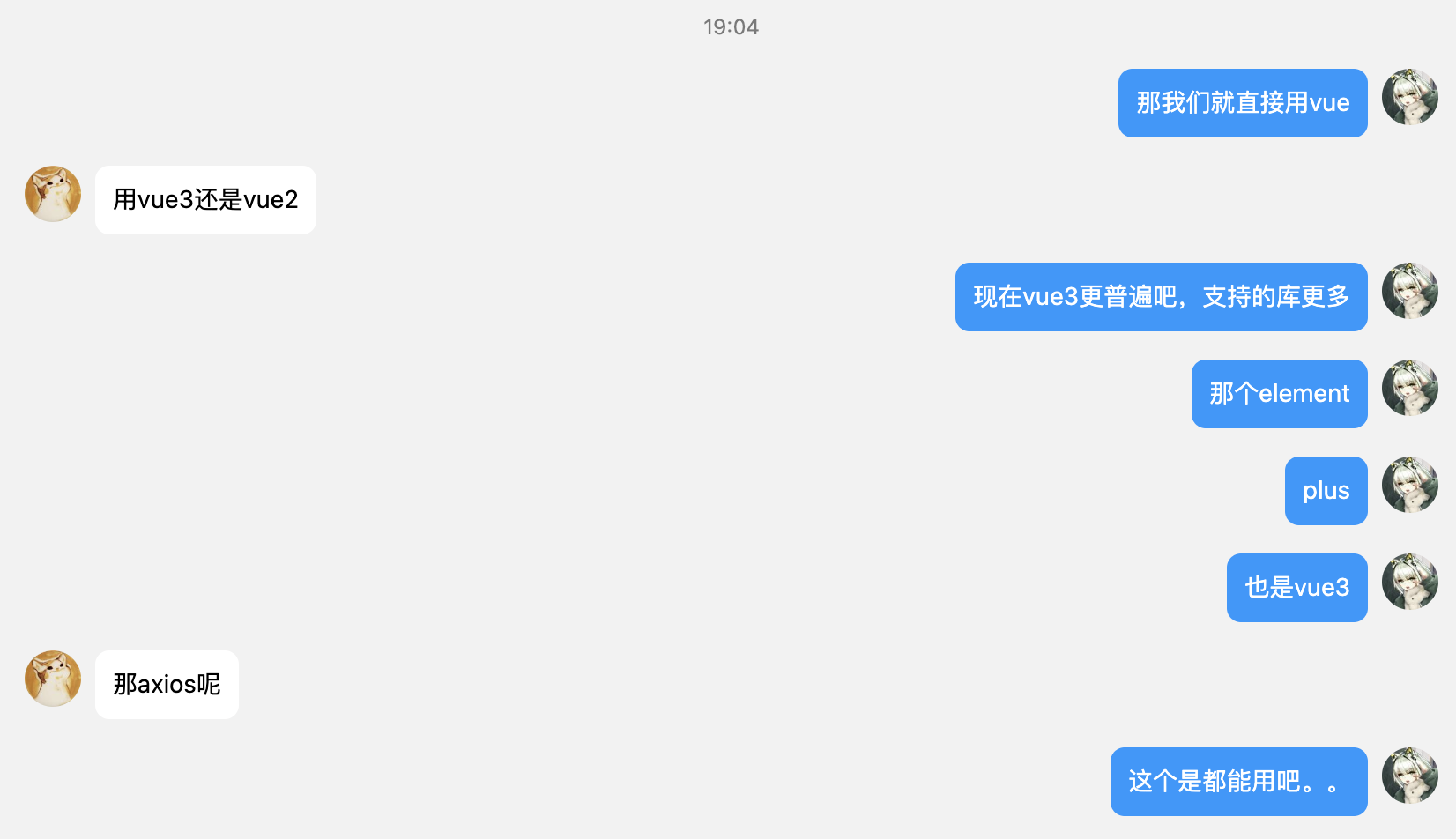
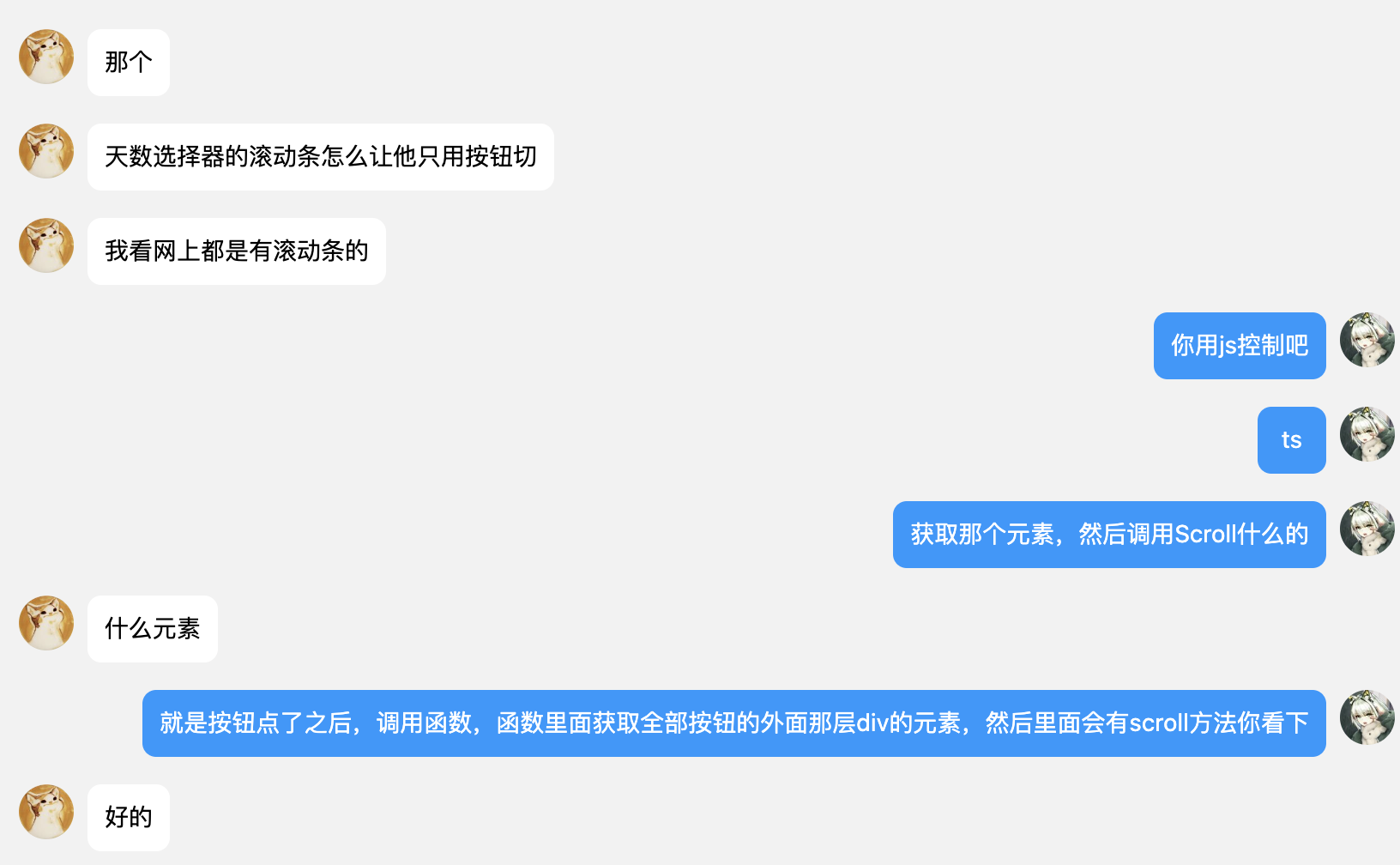
这是结对的第二次作业,主要是完成对原型的具体编码实现,时间很短,工作量和密度还是比较大的。
为了在规定时间内完成任务,我们简化了很多步骤,为了高效地填充数据,省去了后端和数据通讯,这个使得我们在这次项目中没有用到后端的内容,但是不影响我们最后的成品。感觉还是损失不大,可接受的。
我们第一次使用了TS版本的vue工程来构建项目,一个直觉是,vue在搭建工程上的方便性还是很高的,但是必须熟练运用其中的API,不然就会云里雾里地出现很多undefined问题,这应该是我们遇到的最多的bug,好在vue有丰富的调试机制,尤其是vue devtool,避免我们打断点。
在团队协作上,我们又一次高效完成了协作,这主要依赖于我们在刚开始的时候体验了很多不同的技术,最后确定下来技术依赖,约定了一些规范,这样就使得后续的工作少了很多返工。
本博客的编写未使用ChatGPT或newBing等工具。
Only Used For SE2023, CSC, FZU.
© Copyright 2020-2023 MarkPolo, all rights reserved.

1.整体完整性很好!赞!2.进入4个具体功能之后,无法返回首页?3.如果从晋级图中能够进入详细赛况就更好了。


