


176
社区成员
 发帖
发帖 与我相关
与我相关 我的任务
我的任务
 分享
分享
| The Link Your Class | https://bbs.csdn.net/forums/ssynkqtd-04 |
|---|---|
| Assignment Requirements | Construct a back-end seperation calculator |
| Objectives of This Assignment | Accomplish the objectives of seperate the UI part and data storing part |
| MU STU ID and FZU STU ID | <21126186_832101309> |
the final project code:https://github.com/18959242570/using-unity-to-construct-an-back-end-seperator-calculator.git
My schedule of doing this back end seperation calculator:
| Personal Software Process Stages | Estimated Time(minutes) | Actual Time(minutes) |
|---|---|---|
| Planning | ||
| Estimate | 25minutes | 30minutes |
| Development | ||
| Analysis | 30minutes | 40minutes |
| Design Spec | 45minutes | 50minutes |
| Design Review | 30minutes | 25minutes |
| Coding Standard | 1h | 1h |
| Design | 20minutes | 20minutes |
| Coding | 1h | 1.5h |
| Code Review | 15minutes | 30minutes |
| Test | 45minutes | 45minutes |
| Reporting | ||
| Test Report | 15minutes | 20minutes |
| Size Measurement | 10minutes | 10minutes |
| Postmortem &Process Improvement Plan | ||
| Sum | 5.92h | 7h |
if(sin ==true)
{
    textMeshPro1.text += "=";
    memory = Mathf.Round(Mathf.Sin(memory2*Mathf.PI/180f)*100f)/100f;
    Save(index.ToString(), textMeshPro1.text += memory.ToString());
    CLEAR0();
    index++;
    sin = false;
public void Save(string formula, string result)
    {
        PlayerPrefs.SetString(formula,result);
        PlayerPrefs.Save();
    }
public void Ans()
{
    string[] ansfind = { "1","2","3","4","5","6","7","8","9","10"};

    if (PlayerPrefs.HasKey(ansfind[i]))
    {
        textMeshPro.text = PlayerPrefs.GetString(ansfind[i]);
        i++;
        Debug.Log(i);
    }

    if (i == 9)
    {
        i = 0;
    }


}
public void AnsClear()
{
    CLEAR();
    PlayerPrefs.DeleteAll();
}
the main code of doing the operation
    public TextMeshProUGUI textMeshPro, textMeshPro1;

    private float memory, memory2, result = 0;
    private bool plus, minus, mul, devide,remainder,sin,cos = false;
    public int index = 1;
    public int i = 0;
    public void num1()
    {

        Debug.Log("在遮挡范围内");
        if (GameObject.FindGameObjectWithTag("Show"))
        {
            textMeshPro.text += "1";
            textMeshPro1.text += "1";

        }
    }
    public void num2()
    {

        Debug.Log("在遮挡范围内");
        if (GameObject.FindGameObjectWithTag("Show"))
        {
            textMeshPro.text += "2";
            textMeshPro1.text += "2";
        }
    }
    public void num3()
    {

        Debug.Log("在遮挡范围内");
        if (GameObject.FindGameObjectWithTag("Show"))
        {
            textMeshPro.text += "3";
            textMeshPro1.text += "3";
        }
    }
    public void num4()
    {

        Debug.Log("在遮挡范围内");
        if (GameObject.FindGameObjectWithTag("Show"))
        {
            textMeshPro.text += "4";
            textMeshPro1.text += "4";
        }
    }
    public void num5()
    {

        Debug.Log("在遮挡范围内");
        if (GameObject.FindGameObjectWithTag("Show"))
        {
            textMeshPro.text += "5";
            textMeshPro1.text += "5";
        }
    }
    public void num6()
    {

        Debug.Log("在遮挡范围内");
        if (GameObject.FindGameObjectWithTag("Show"))
        {
            textMeshPro.text += "6";
            textMeshPro1.text += "6";
        }
    }
    public void num7()
    {

        Debug.Log("在遮挡范围内");
        if (GameObject.FindGameObjectWithTag("Show"))
        {
            textMeshPro.text += "7";
            textMeshPro1.text += "7";
        }
    }
    public void num8()
    {

        Debug.Log("在遮挡范围内");
        if (GameObject.FindGameObjectWithTag("Show"))
        {
            textMeshPro.text += "8";
            textMeshPro1.text += "8";
        }
    }
    public void num9()
    {

        Debug.Log("在遮挡范围内");
        if (GameObject.FindGameObjectWithTag("Show"))
        {
            textMeshPro.text += "9";
            textMeshPro1.text += "9";
        }
    }
    public void num0()
    {

        Debug.Log("在遮挡范围内");  // this is a func that can be a debug func which can debug whether the func below their func can be done
        if (GameObject.FindGameObjectWithTag("Show"))
        {
            textMeshPro.text += "0";
            textMeshPro1.text += "0";
        }
    }
    public void numDOT()
    {

        Debug.Log("在遮挡范围内");
        if (GameObject.FindGameObjectWithTag("Show"))
        {
            textMeshPro.text += ".";
            textMeshPro1.text += ".";
        }
    }
    public void numPLUS()
    {
        plus = true;
        textMeshPro1.text += "+";
    }
    public void numMINUS()
    {
        minus = true;
        textMeshPro1.text += "-";
    }
    public void numMUL()
    {
        mul = true;
        textMeshPro1.text += "*";
    }
    public void numDEVIDE()
    {
        devide = true;
        textMeshPro1.text += "/";
    }
    public void numREMINDER()// fullfill the remainder funciton
    {
        remainder = true;
        textMeshPro1.text += "%";
    }
    public void numSin()
    {
        sin = true;
        textMeshPro1.text += "sin";
    }
    public void numCos()
    {
        cos = true;
        textMeshPro1.text += "cos";
    }
    public void CLEARM()
    {

        Debug.Log("在遮挡范围内");
        if (GameObject.FindGameObjectWithTag("Show"))
        {
            textMeshPro.text = null;
            memory2 = 0;
            memory = 0;
            textMeshPro1.text = null;
        }
    }
    public void CLEAR()
    {

        Debug.Log("在遮挡范围内");
        if (GameObject.FindGameObjectWithTag("Show"))
        {
            textMeshPro.text = null;

        }
    }
    public void CLEAR0()
    {

        Debug.Log("在遮挡范围内");
        if (GameObject.FindGameObjectWithTag("Show"))
        {
            textMeshPro1.text = null;

        }
    }
    public void cal()
    {
        memory2 = float.Parse(textMeshPro.text);
        memory = memory2;
        CLEAR();

    }
    public void ent()
    {

        if (index <= 10)
        {
            memory2 = float.Parse(textMeshPro.text);
            if (plus == true)
            {
                textMeshPro1.text += "=";
                memory += memory2;
                Save(index.ToString(), textMeshPro1.text += memory.ToString());

                CLEAR0();
                index++;

                plus = false;

            }
            if (minus == true)
            {
                textMeshPro1.text += "=";

                memory -= memory2;
                Save(index.ToString(), textMeshPro1.text += memory.ToString());
                CLEAR0();
                index++;
                minus = false;
            }
            if (mul == true)
            {
                textMeshPro1.text += "=";

                memory *= memory2;
                Save(index.ToString(), textMeshPro1.text += memory.ToString());
                CLEAR0();
                index++;
                mul = false;
            }
            if (devide == true)
            {
                textMeshPro1.text += "=";

                memory /= memory2;
                Save(index.ToString(), textMeshPro1.text += memory.ToString());
                CLEAR0();
                index++;
                devide = false;
            }
            if (remainder == true)
            {
                textMeshPro1.text += "=";

                memory %= memory2;
                Save(index.ToString(), textMeshPro1.text += memory.ToString());
                CLEAR0();
                index++;
                devide = false;
            }
            if(sin ==true)
            {
                textMeshPro1.text += "=";
                memory = Mathf.Round(Mathf.Sin(memory2*Mathf.PI/180f)*100f)/100f; //the Mathf.Round() is a function that can format the result
                Save(index.ToString(), textMeshPro1.text += memory.ToString());
                CLEAR0();
                index++;
                sin = false;
            }
            if (cos == true)
            {
                textMeshPro1.text += "=";
                memory = Mathf.Round(Mathf.Cos(memory2 * Mathf.PI / 180f)*100f)/100f;
                Save(index.ToString(), textMeshPro1.text += memory.ToString());
                CLEAR0();
                index++;
                cos = false;
            }
            Debug.Log(index);
            textMeshPro.text = memory.ToString();

        }
        if (index == 10)
        {
            index = 0;
        }
    }
the database part
    public void Save(string formula, string result)
    {
        PlayerPrefs.SetString(formula,result);
        PlayerPrefs.Save();
    }
    public void Ans()
    {
        string[] ansfind = { "1","2","3","4","5","6","7","8","9","10"}; // this is the key that I made to be a key to memory what key it is

        if (PlayerPrefs.HasKey(ansfind[i]))
        {
            textMeshPro.text = PlayerPrefs.GetString(ansfind[i]);
            i++;
            Debug.Log(i);
        }

        if (i == 9)
        {
            i = 0;
        }


    }
    public void AnsClear()
    {
        CLEAR();
        PlayerPrefs.DeleteAll();
    }
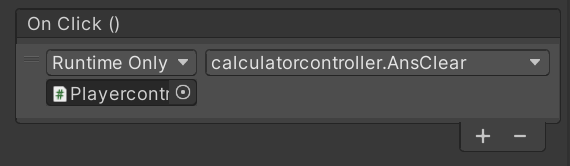
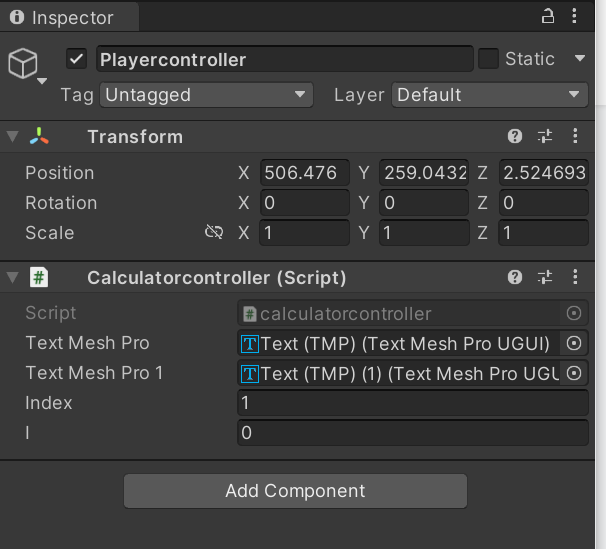
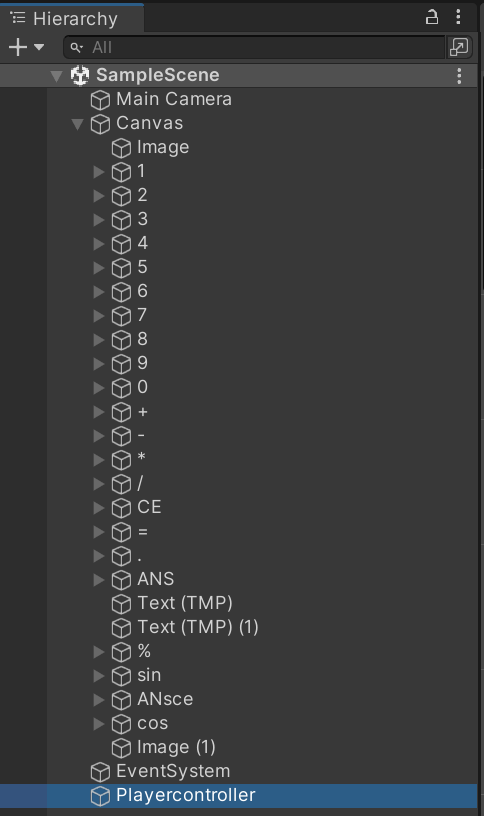
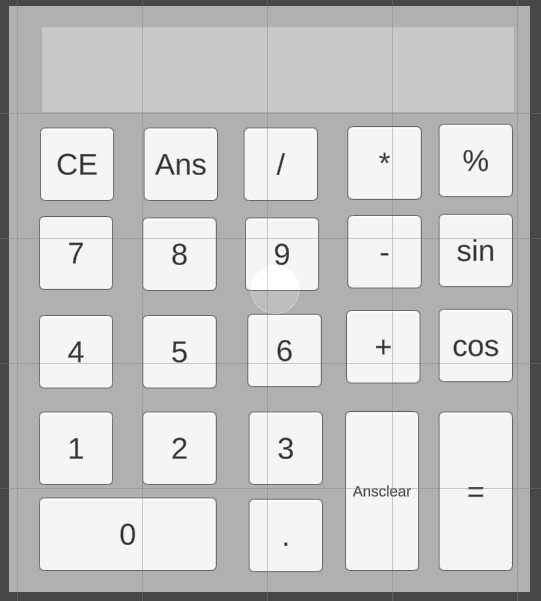
For this assignment 2, I find that I have learn a new knowledge that in th eunity --database and how to memory the previous data and call out theis data. This also enabled me to discover how to cache previous game data in unity games, and the use of function this time gave me a new idea on how to write function, which will be of great help to my further study.


