

176
社区成员
 发帖
发帖 与我相关
与我相关 我的任务
我的任务
 分享
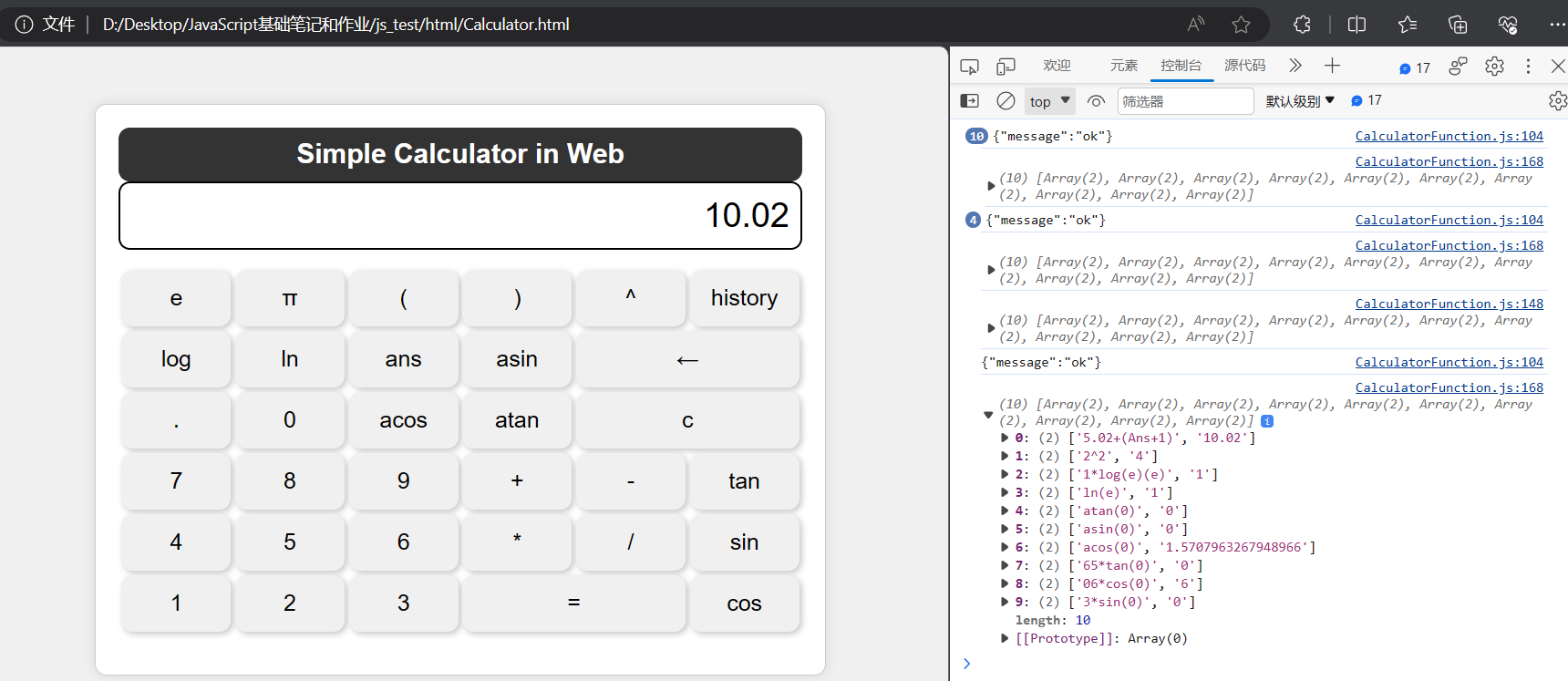
分享In this blog post, I will detail the implementation of the front - and back-end interactive Web calculator and show the final product.
I made this calculator can achieve addition, subtraction, multiplication, division, zero clearing, power and trigonometric function, exponential function, inverse trigonometric function and ans operations.
Link to the finished project code: Assignment2 codes in github
| Course for This Assignment | 2301-MUSE社区-CSDN社区云 |
| Assignment Requirements | Second assignment-- Back-end separation calculator programming-CSDN社区 |
| The Aim of This Assignment | Improve the function of calculator and realize front-end interaction |
| MU STU ID and FZU | 21126259_832101125 |
目录
⑤ Find history records(the latest ten history records):
①Front-end code interpretation
②Back-end Programming Implementation (Python)
| PSP | Estimated time (minutes) | Actual time (minutes) |
| Planning | ||
| • Estimate: | 40 | 40 |
| Development | ||
| • Analysis | 30 | 30 |
| • Design Spec | 20 | 20 |
| • Design Review | 10 | 10 |
| • Coding Standard: | 20 | 20 |
| • Design | 30 | 30 |
| • Coding | 300 | 500 |
| • Code Review | 100 | 100 |
| • Test | 20 | 30 |
| Reporting | ||
| • Test Report: | 5 | 5 |
| • Size Measurement | 10 | 10 |
| • Postmortem & Process Improvement Plan | 10 | 10 |
| TOTAL TIME | 595 | 805 |
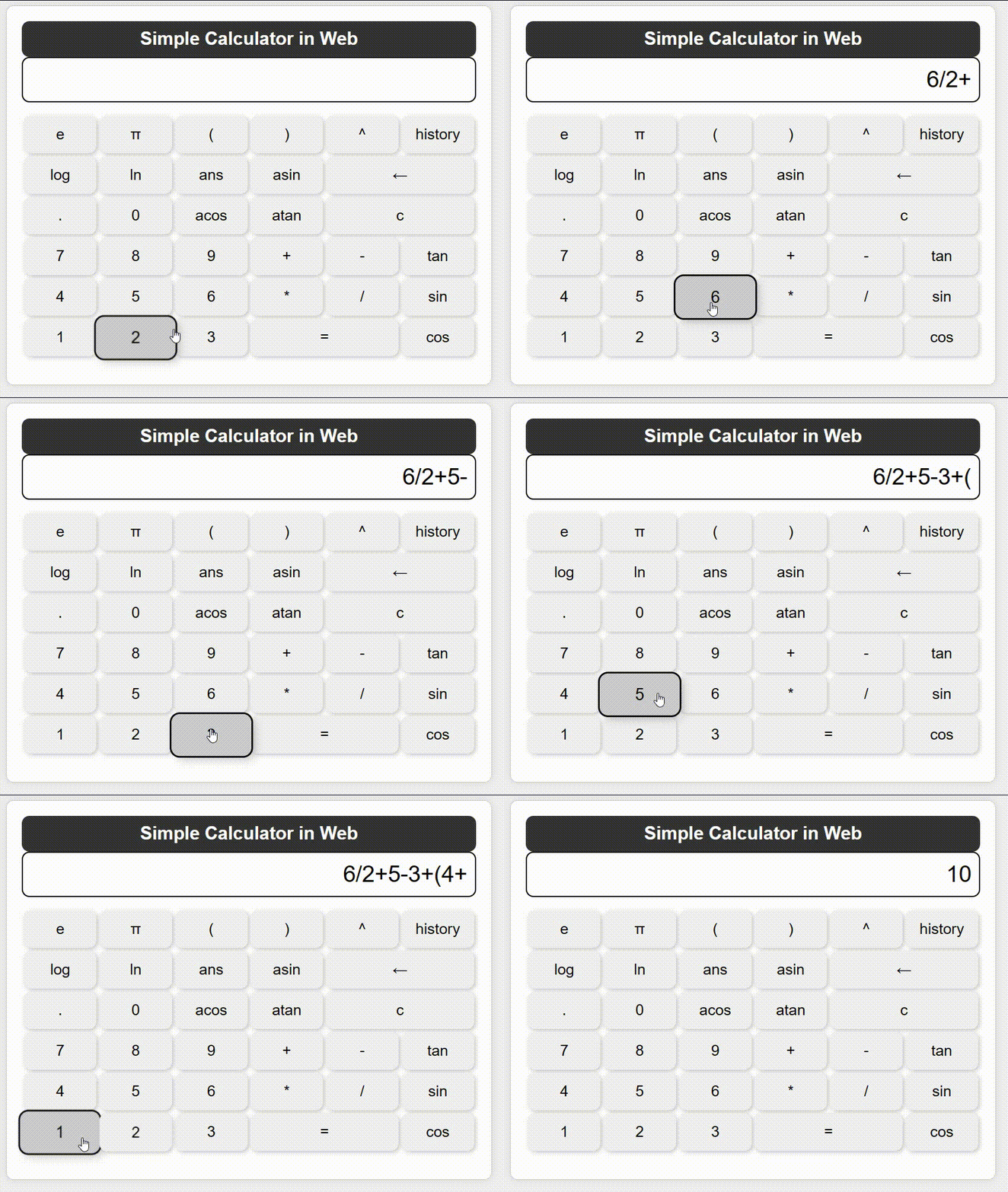
sin(x):
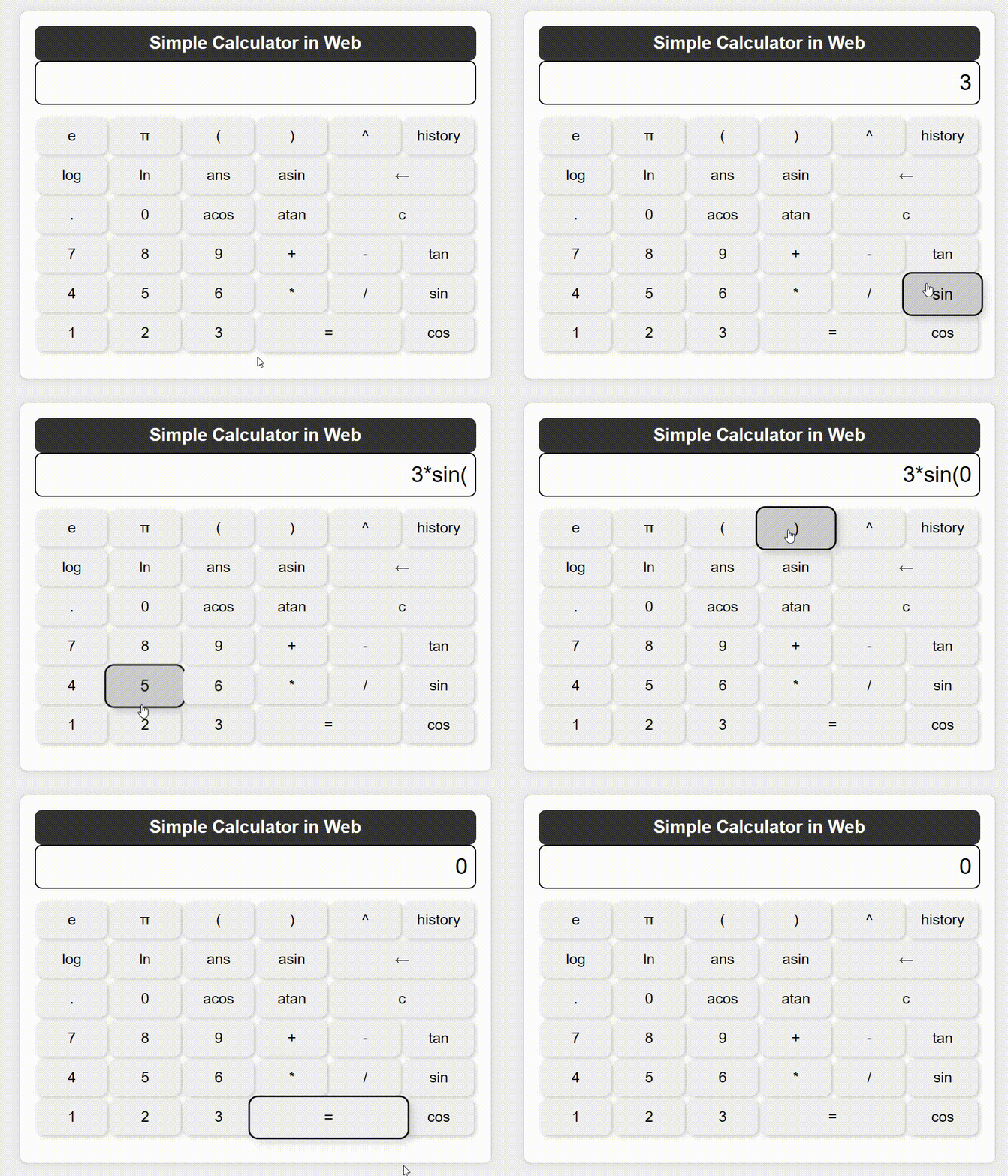
cos(x):

tan(x):
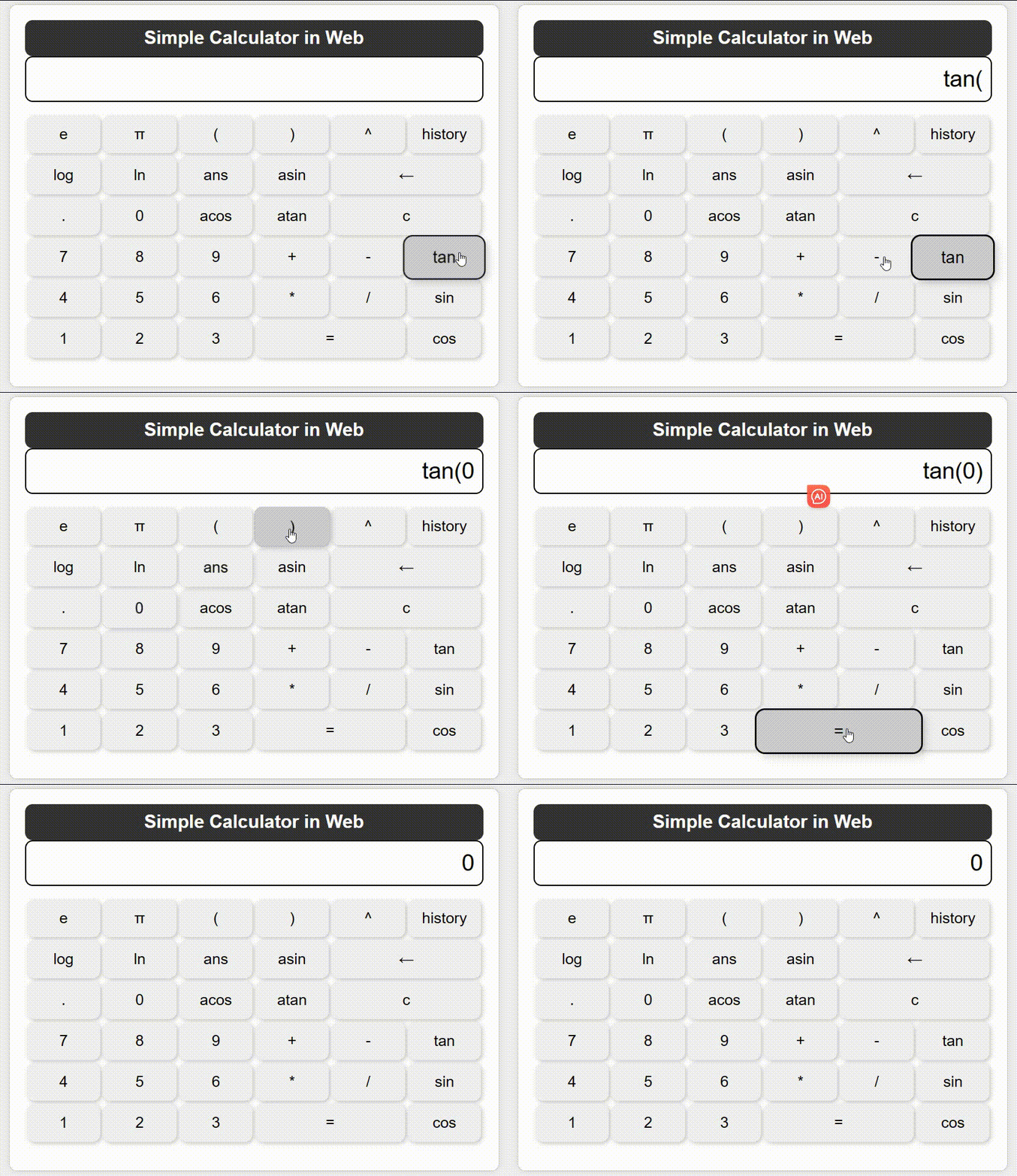
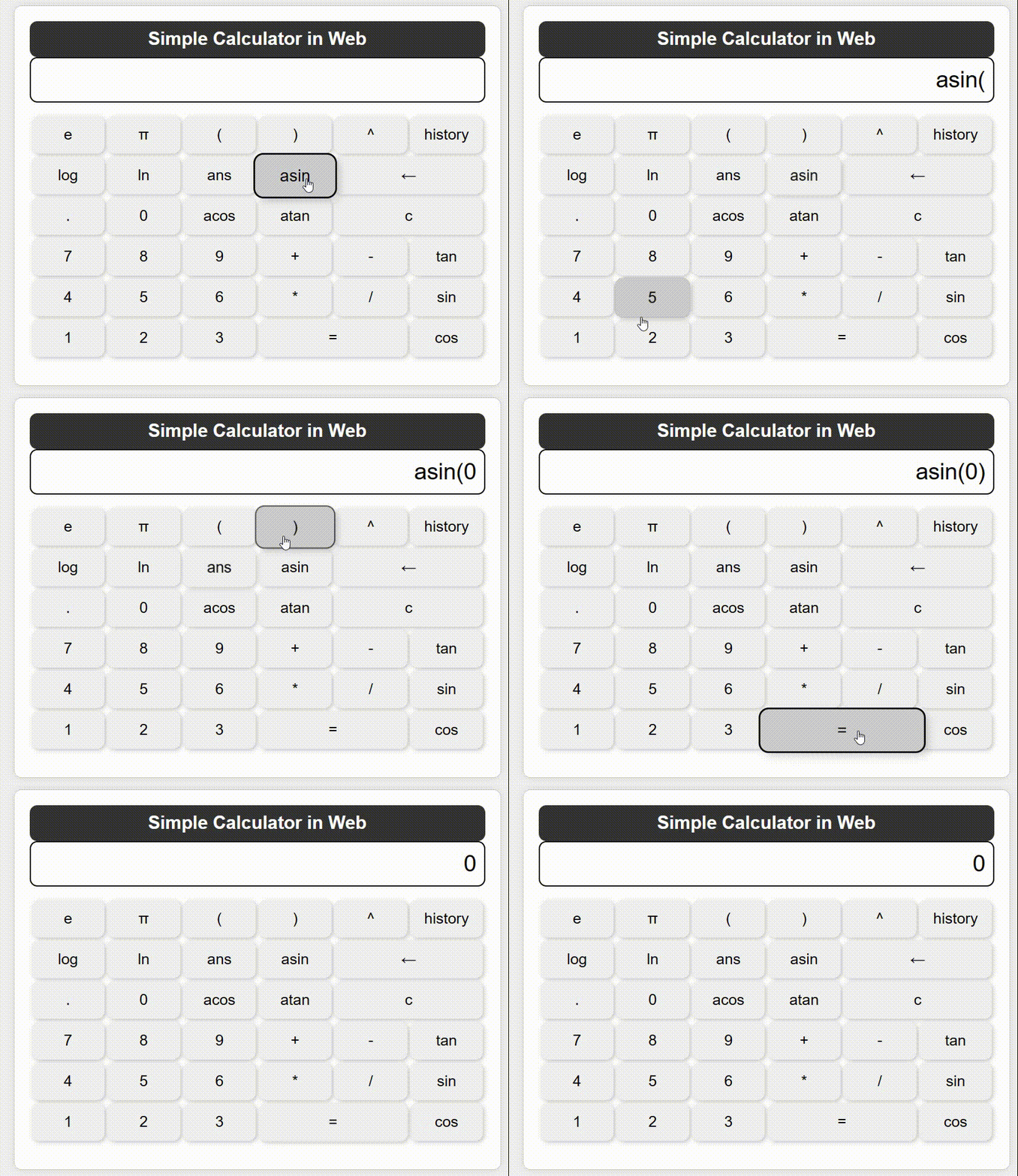
asin(x):
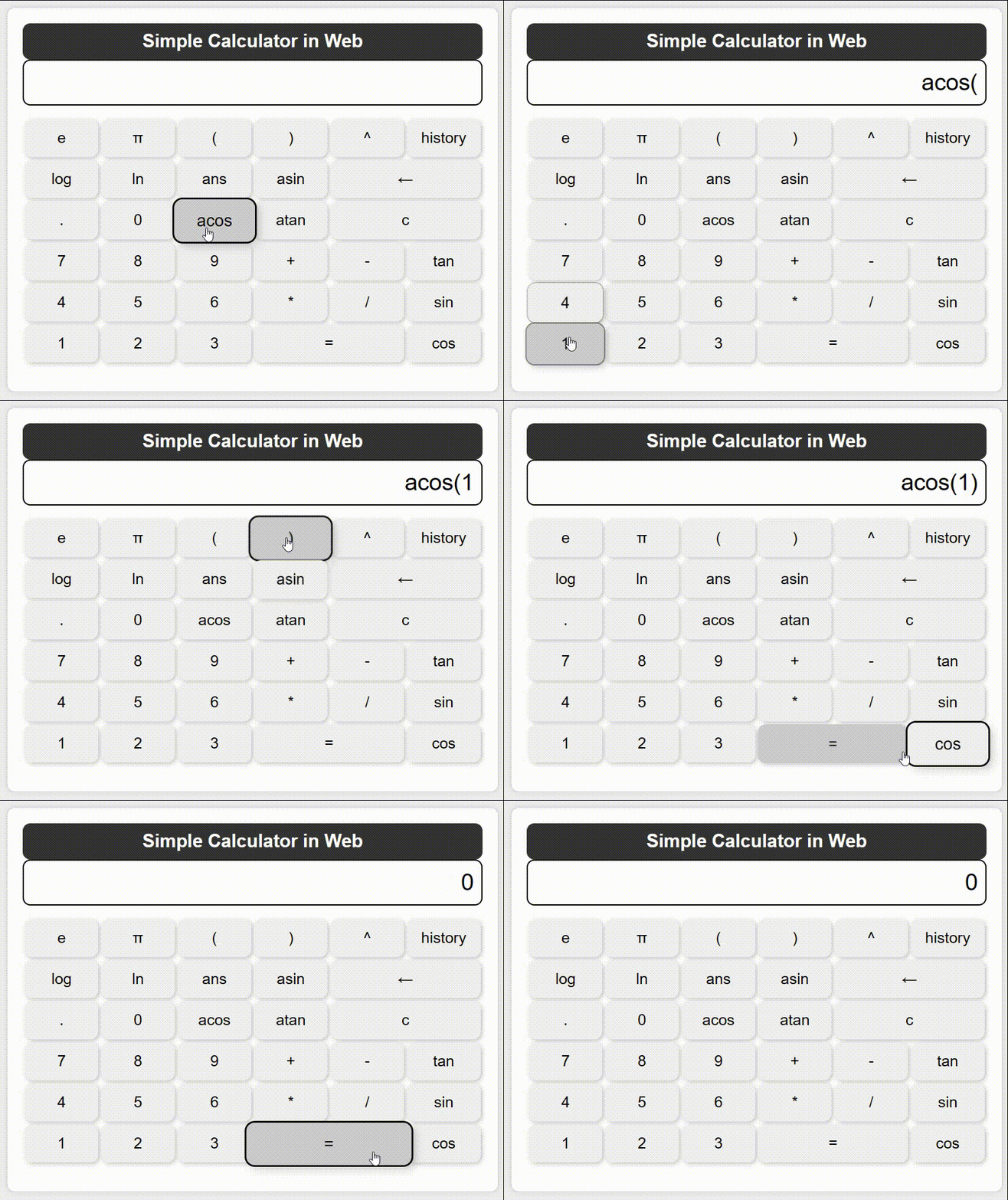
acos(x):
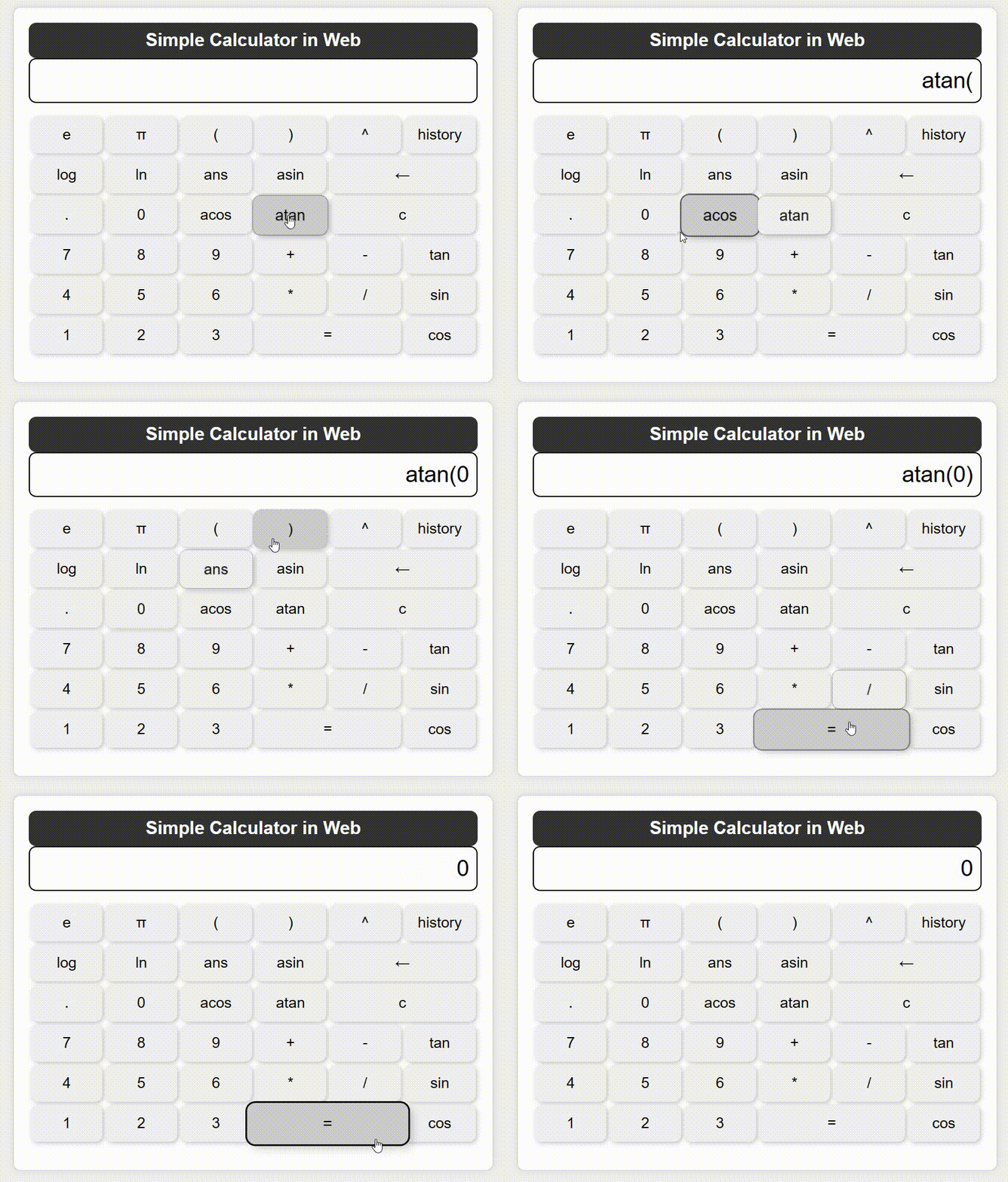
atan(x):

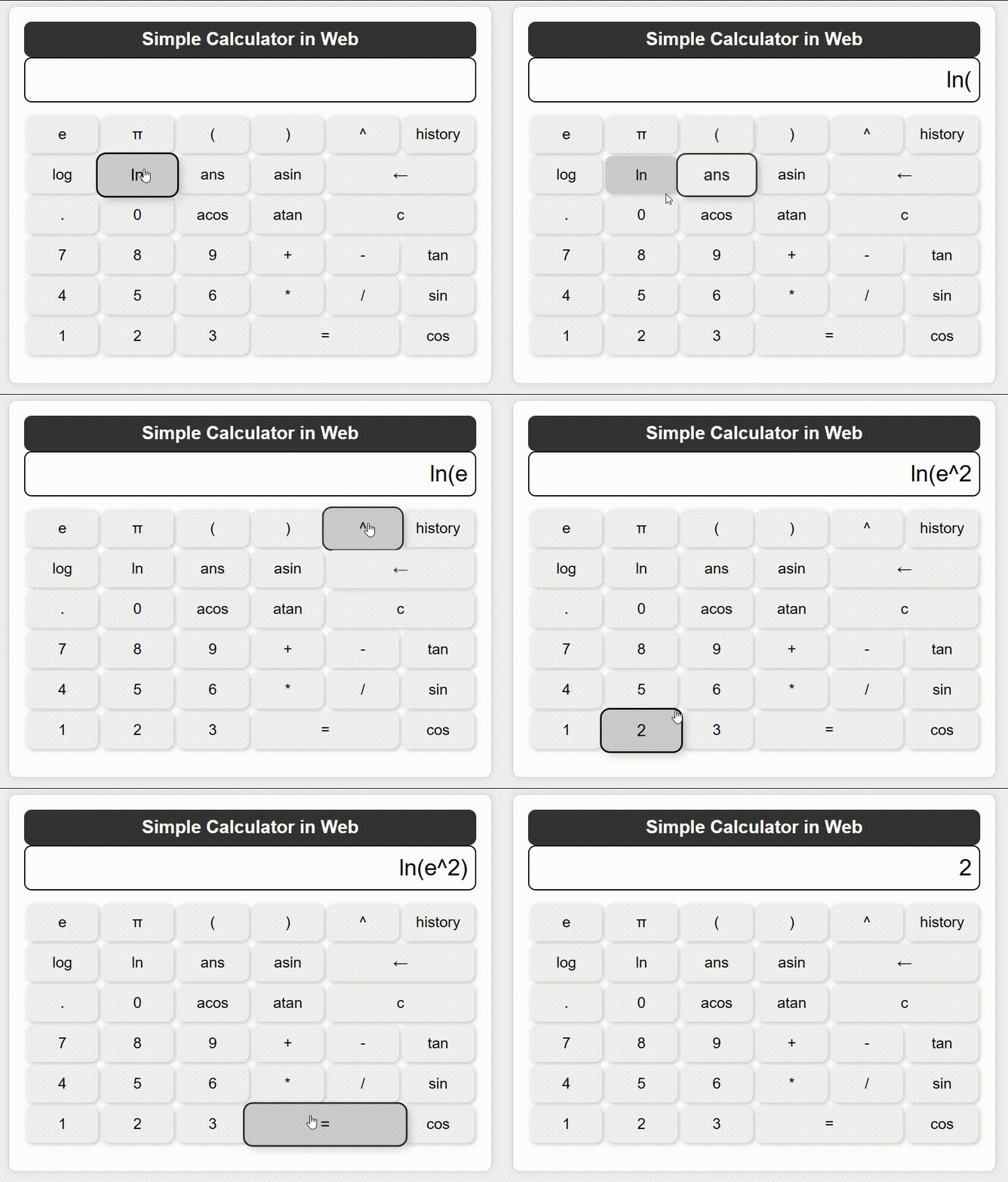

a. HTML Structure: Create an HTML file to define the structure of the web page. Add input fields, buttons, and other elements so that users can enter mathematical expressions and perform calculations.
b. CSS Styling: Use CSS to beautify your web pages and make them look attractive and easy to use. You can add styles such as backgrounds, fonts, colors, and layouts.
c. JavaScript interaction: Use JavaScript to write front-end logic that implements the following functions:
Listen for button click events to capture user input.
Dynamic display of user input mathematical expressions in the input box.
Handles expression evaluation when the user clicks the equal button.
Display the calculation results on the web page.
d. User Experience (UX) : Ensure that the user interface is friendly and easy to use. Error handling, such as division by zero error, inverse trigonometric function exceeding threshold error, etc. are added to improve user experience.
a. Python back end: Use Python to write back-end code, you can use PyCharm for development. The main role of the back end is to process requests from the front end, perform computation operations, and return the results to the front end.
b. API design: Design two apis, respectively for storage and reading.
c. Database connection: Store compute history or other data by using PyMySQL to connect to the database and perform the necessary database operations.
d. Result return: The stored expression and its corresponding calculation result are sent back to the front end, usually in JSON format. Be sure to handle any potential errors or exceptions to provide a friendly error message.
e. Deployment: Deploy the Python back-end to the local server to ensure that it can respond to front-end requests.
// 这个函数用于将输入添加到显示框中
function display(input) {
  const str = document.getElementById("text");
  str.value += input;
}

// 这个异步函数执行计算,处理数学表达式
async function equals() {
  const str = document.getElementById("text");
  let input = str.value;
  let lastExpression = input;

  // 如果输入包含 'Ans',尝试获取答案并替换 'Ans' 为答案的值
  if (input.includes('Ans')) {
    try {
      const ansValue = await getAns();
      input = input.replace(/Ans/g, ansValue);
    } catch (error) {
      console.error('获取答案出错: ' + error);
    }
  }

  // 处理三角函数和反三角函数
  if (input.includes('asin') || input.includes('acos')) {
    const asinMatch = input.match(/asin\(([^)]+)\)/);
    const acosMatch = input.match(/acos\(([^)]+)\)/);

    if (asinMatch) {
      const x = parseFloat(asinMatch[1]);
      if (x < -1 || x > 1) {
        str.value = "Error: Invalid input for asin(x). x must be in the range [-1, 1].";
        return;
      }
    }

    if (acosMatch) {
      const x = parseFloat(acosMatch[1]);
      if (x < -1 || x > 1) {
        str.value = "Error: Invalid input for acos(x). x must be in the range [-1, 1].";
        return;
      }
    }
  }

  // 替换 '^' 运算符为 '**'
  if (input.includes('^')) {
    input = input.replace(/\^/g, '**');
  }

  // 替换三角函数和反三角函数为 Math 对象的方法
  if (input.includes('asin') || input.includes('acos') || input.includes('atan')) {
    input = input.replace(/(\b(asin|acos|atan))\(/g, 'Math.$2(');
  }

  // 替换 sin, cos, tan 为 Math.sin, Math.cos, Math.tan
  if (input.includes('sin') || input.includes('cos') || input.includes('tan')) {
    input = input.replace(/(\b(sin|cos|tan))\(/g, 'Math.$2(');
  }

  // 替换 'e' 为 Math.E,'π' 为 Math.PI
  if (input.includes('e')) {
    input = input.replace(/e/g, 'Math.E');
  }
  if (input.includes('π')) {
    input = input.replace(/π/g, 'Math.PI');
  }

  // 处理对数函数
  if (input.includes('log')) {
    input = input.replace(/log\(([^)]+)\)\(([^)]+)\)/g, 'Math.log($2) / Math.log($1)');
  }

  // 替换 'ln' 为 Math.log
  if (input.includes('ln')) {
    input = input.replace(/ln/g, 'Math.log');
  }

  // 替换 'Ans' 为上次计算的结果
  if (input.includes('Ans')) {
    let ansValue = getAns();
    input = input.replace(/Ans/g, ansValue);
  }

  // 处理除以 0 的情况
  if (input.includes('/0')) {
    str.value = "Error: Division by zero is not allowed";
    return;
  }

  try {
    // 使用 eval 函数计算表达式
    const result = eval(input);
    str.value = result;

    // 创建一个 XMLHttpRequest 对象并发送 POST 请求
    const xhr = new XMLHttpRequest();
    xhr.open('POST', 'http://localhost:5000/post', true);
    xhr.setRequestHeader('Content-type', 'application/json');
    xhr.onreadystatechange = function () {
      if (xhr.readyState === 4) {
        if (xhr.status === 200) {
          const response = xhr.responseText;
          console.log(response);
        } else {
          console.error('请求失败,状态码:' + xhr.status);
        }
      }
    };
    const data = {
      expression: lastExpression,
      result: result
    };
    xhr.send(JSON.stringify(data));
  } catch (error) {
    str.value = "Error";
  }
}

// 删除最后一个字符
function back() {
  const str = document.getElementById("text");
  str.value = str.value.substring(0, str.value.length - 1);
}

// 重置显示框
function reset() {
  const str = document.getElementById("text");
  str.value = "";
}

// 将常数 Math.E 插入到显示框
function insertE() {
  const str = document.getElementById("text");
  str.value += Math.E;
}

// 在 getAns 函数中返回 Promise,用于获取答案
function getAns() {
  return new Promise((resolve, reject) => {
    const xhr = new XMLHttpRequest();
    xhr.open('GET', 'http://localhost:5000/get', true);
    xhr.onreadystatechange = function () {
      if (xhr.readyState === 4) {
        if (xhr.status === 200) {
          const Data = JSON.parse(xhr.responseText);
          const array = Data["data"];
          console.log(array);
          resolve(array[0][1]);
        } else {
          console.error('获取数据出错: ' + xhr.status);
          reject(xhr.status);
        }
      }
    };
    xhr.send();
  });
}

// 获取历史记录
function getHistory() {
  const xhr = new XMLHttpRequest();
  xhr.open('GET', 'http://localhost:5000/get', true);
  xhr.onreadystatechange = function () {
    if (xhr.readyState === 4) {
      if (xhr.status === 200) {
        Data = JSON.parse(xhr.responseText);
        array = Data["data"];
        console.log(array);
        let string = "";
        for (let i = 0; i < array.length; i++) {
          string += array[i][0] + " = " + array[i][1];
          string += '\n';
        }
      } else {
        console.error('获取数据出错: ' + xhr.status);
      }
    }
  };
  xhr.send();
}
<!DOCTYPE html>
<html>
	<head>
		<meta charset="utf-8" />
		<title>Simple Calculator in Web</title>
		<link href="css/PageSetting.css" rel="stylesheet" type="text/css" />
		<script type="text/javascript" src="js/CalculatorFunction.js"></script>
		<!-- <script type="text/javascript" src="js/history.js"></script>  -->
		<!-- <script type="text/javascript" src="js/localServer.js"></script> -->
	</head>

	<body>
		<div id="calculator">
			<div id="head"><h3>Simple Calculator in Web</h3></div>
			<div id="show" align="center"><input type="text" id="text" ></div>
			<div id="cuttom">
				<table align="center">
					<tr>
						<td><input type="button" value="e" onclick="display('e')"></td>
						<td><input type="button" value="π" onclick="display('π')"></td>

						<td><input type="button" value="(" onclick="display('(')"></td>
						<td><input type="button" value=")" onclick="display(')')"></td>

						<td><input type="button" value="^" onclick="display('^')"></td>
						<td><input type="button" value="history" onclick="getHistory()"></td>
					</tr>
					<tr>
						<td><input type="button" value="log" onclick="display('log(')"></td>
						<td><input type="button" value="ln" onclick="display('ln(')"></td>
						<td><input type="button" value="ans" onclick="display('Ans')"></td>
						<td><input type="button" value="asin" onclick="display('asin(')"></td>
						<td colspan="2"><input type="button" value="←" onclick="back()"></td>
					</tr>
					<tr>
						<td><input type="button" value="." onclick="display('.')"></td>
						<td><input type="button" value="0" onclick="display(0)"></td>
						<td><input type="button" value="acos" onclick="display('acos(')"></td>
						<td><input type="button" value="atan" onclick="display('atan(')"></td>
						<td colspan="2"><input type="button" value="c" onclick="reset()"></td>
					</tr>
					<tr>
						<td><input type="button" value="7" onclick="display(7)"></td>
						<td><input type="button" value="8" onclick="display(8)"></td>
						<td><input type="button" value="9" onclick="display(9)"></td>
						<td><input type="button" value="+" onclick="display('+')"></td>
						<td><input type="button" value="-" onclick="display('-')"></td>
						<td><input type="button" value="tan" onclick="display('tan(')"></td>
					</tr>
					<tr>
						<td><input type="button" value="4" onclick="display(4)"></td>
						<td><input type="button" value="5" onclick="display(5)"></td>
						<td><input type="button" value="6" onclick="display(6)"></td>
						<td><input type="button" value="*" onclick="display('*')"></td>
						<td><input type="button" value="/" onclick="display('/')"></td>
						<td><input type="button" value="sin" onclick="display('sin(')"></td>
					</tr>
					<tr>
						<td><input type="button" value="1" onclick="display(1)"></td>
						<td><input type="button" value="2" onclick="display(2)"></td>
						<td><input type="button" value="3" onclick="display(3)"></td>
						<td colspan="2"><input type="button" value="=" onclick="equals()"></td>
						<td><input type="button" value="cos" onclick="display('cos(')"></td>
					</tr>
				</table>

			</div>
		</div>
	</body>
</html>
body {
    background: #f0f0f0;
    font-family: Arial, sans-serif;
    margin: 0;
    padding: 0;
}

#calculator {
    width: 600px;
    margin: 50px auto;
    border: 1px solid #ccc;
    box-shadow: 0 0 10px rgba(0, 0, 0, 0.1);
    background-color: #fff;
    border-radius: 10px; /* 添加圆角 */
    padding: 20px; /* 增加内边距 */
}

#head {
    background-color: #333;
    color: #fff;
    text-align: center;
    padding: 10px 0;
    border-radius: 10px; /* 添加圆角 */
}

#head h3 {
    margin: 0;
    font-size: 24px;
}

#show input {
    width: 100%;
    height: 60px;
    font-size: 30px;
    text-align: right;
    border: 2px solid black;
    padding: 10px;
    outline: none;
    box-sizing: border-box;
    border-radius: 10px; /* 添加圆角边框 */
}

#custom {
    padding: 20px;
}

table {
    width: 100%;
    table-layout: fixed;
    margin-top: 15px; /* 上方间隔 */
    margin-bottom: 15px; /* 下方间隔 */
}

table td {
    width: 25%;
    margin: 10px; /* 左右间隔 */
}

table input {
    width: 100%;
    height: 50px;
    font-size: 20px;
    text-align: center;
    border: none;
    outline: none;
    cursor: pointer;
    background: #f0f0f0;
    border-radius: 10px;
    box-shadow: 2px 2px 5px rgba(0, 0, 0, 0.2); /* 添加阴影效果 */
    transition: transform 0.2s, box-shadow 0.2s; /* 添加过渡效果 */
}


/* 鼠标悬停时应用立体效果和放大效果 */
table input:hover {
    background: #ccc;
    transform: scale(1.1); /* 放大效果 */
    box-shadow: 5px 5px 10px rgba(0, 0, 0, 0.2), 0 0 0 2px #000; /* 增加阴影深度和黑色边框 */
}
/post API:
@app.route('/post', methods=['POST'])
def post_history():  # 存储运算表达式和值
    try:
        data = request.get_json()  # 获取POST请求的JSON数据
        expression = data.get('expression')
        result = data.get('result')

        time = datetime.datetime.now()

        # 插入新数据
        data = (time, expression, result)
        insert = "INSERT INTO history (time, expression, result) VALUES (%s, %s, %s)"
        cursor.execute(insert, data)

        # 获取当前记录数量
        cursor.execute("SELECT COUNT(*) FROM history")
        record_count = cursor.fetchone()[0]

        # 如果记录数量超过十条,删除最旧的记录
        if record_count > 10:
            delete_old_records = "DELETE FROM history ORDER BY time LIMIT %s"
            cursor.execute(delete_old_records, (record_count - 10,))

        conn.commit()

        response_message = "ok"
        return jsonify({"message": response_message})

    except Exception as e:
        error_message = str(e)
        return jsonify({"error": error_message}), 500
#用于存储运算表达式和值。
#客户端可以向此接口发送 POST 请求,传递一个 JSON 数据包括表达式和计算结果。
#该接口会将接收到的数据插入数据库中,并确保保留最新的 10 条记录,删除多余的记录。
#返回一个 JSON 响应,包括消息 "ok" 表示操作成功,或者包括错误消息和状态码 500 表示操作失败。
/get API:
@app.route('/get', methods=['GET'])
def get_calculation_data():  # 得到历史值
    try:
        cursor.execute("SELECT expression, result FROM history ORDER BY time DESC LIMIT 10")
        data = cursor.fetchall()
        return jsonify({"data": data})

    except Exception as e:
        error_message = str(e)
        return jsonify({"error": error_message}), 500
#用于获取历史运算表达式和结果。
#客户端可以向此接口发送 GET 请求,以获取最新的 10 条历史记录。
#该接口会查询数据库中的历史记录,并返回一个 JSON 响应,其中包括表达式和结果的数据。
#如果查询失败,将返回错误消息和状态码 500。
Classify users by setting new interactive bars and new calculation logic, so that specific users can directly use the calculation keys related to the intended purpose, such as tax calculation, game equipment damage calculation and other functions.
In this assignment, I successfully completed the development of web from front end to back end, which further improved my understanding of the connection between front and back end, and made the connection process and details clearer. As an EE student, after completing this project, I have also preliminarily mastered the code writing of java script, css and html, and become more familiar with the development framework of web pages, which will be of great help to my further study.

项目设计理念部分,用pycharm写java代码?


