


176
社区成员
 发帖
发帖 与我相关
与我相关 我的任务
我的任务
 分享
分享
We have employed Visual Studio Code to facilitate the operations of addition, subtraction, multiplication, division, finding residuals, trigonometric functions, and logarithmic functions. Additionally, we have enabled the "ans" button to retrieve previous calculation records. HTML alone, as a language solely designed for web page structure, lacks the capability to handle computational logic and data storage, thus unable to achieve the aforementioned functions. Therefore, JavaScript is utilized to handle front-end logic processing and back-end data storage tasks.
| The Link Your Class | bluesspirit/codingworks (github.com) |
| The Link of Requirement of This Assignment | https://bbs.csdn.net/topics/617378696 |
| The Aim of This Assignment | Learn the basic process of backend data interaction |
| MU STU ID and FZU STU ID | 21124574 832101323 |
| PSP | Estimated time | Actual time |
| Estimate | 15 | 10 |
| Development | 250 | 300 |
| Analysis | 15 | 15 |
| Design Spec | 15 | 15 |
| Design Review | 30 | 30 |
| Coding Standard | ||
| Design | 50 | 55 |
| Coding | 180 | 230 |
| CodeReview | 10 | 10 |
| Test | 35 | 40 |
| Reporting | 20 | 30 |
| Test Report | ||
| Size Measurement | 15 | 15 |
| Postmortem & Process Improvement Plan | 20 | 20 |
| planning | 15 | 15 |
| sum | 670 | 785 |
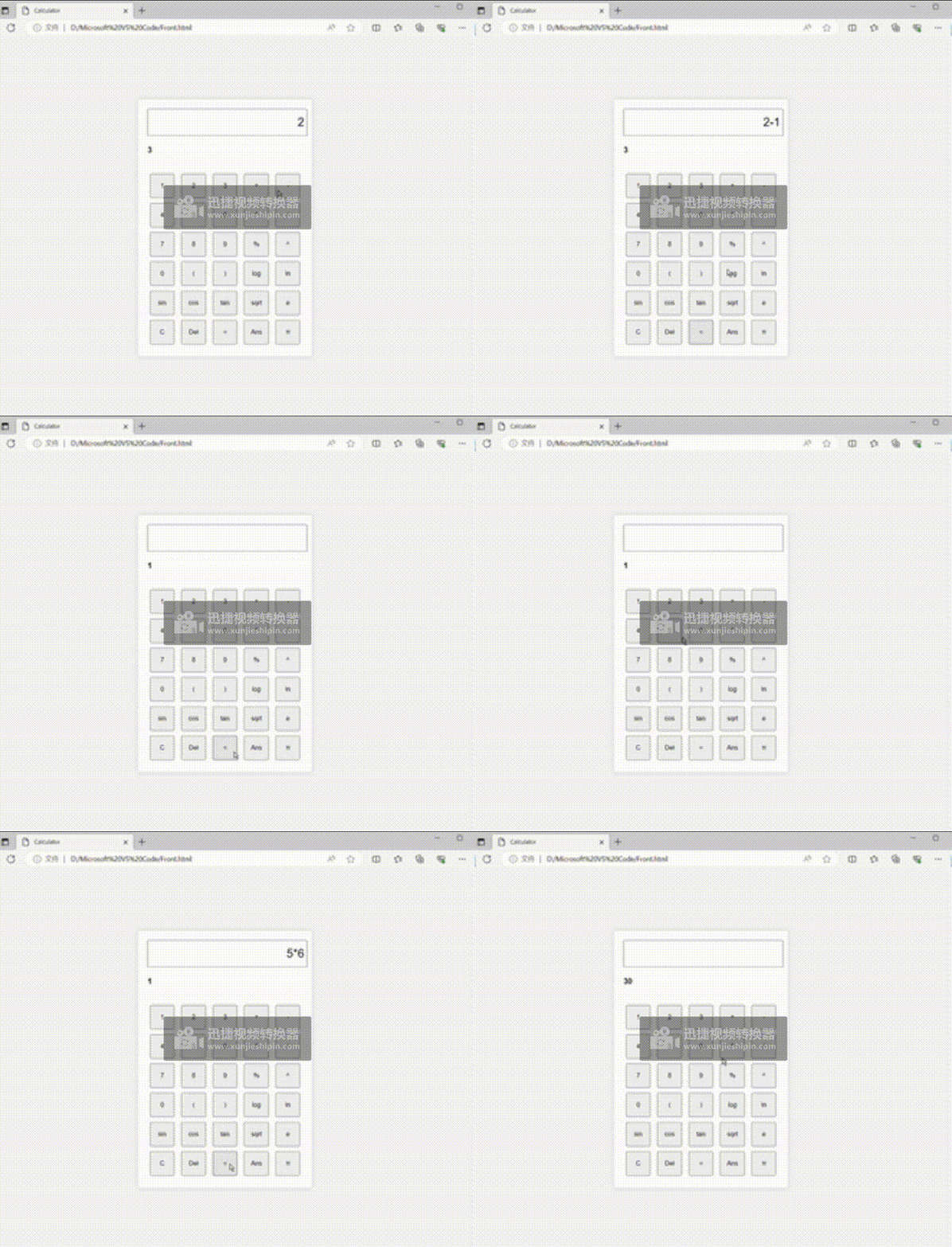
basic function:
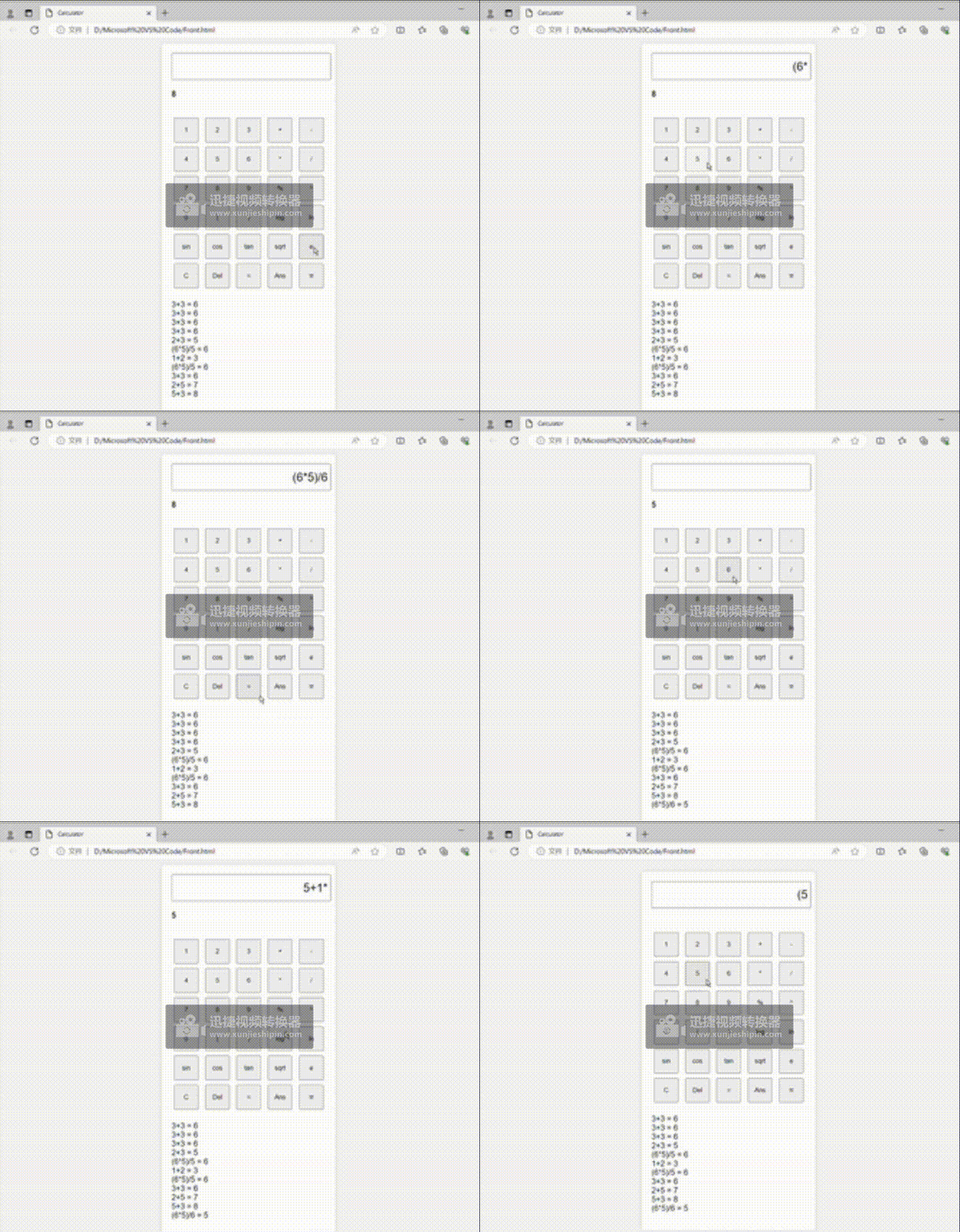
history:
advanced function:

Front End:
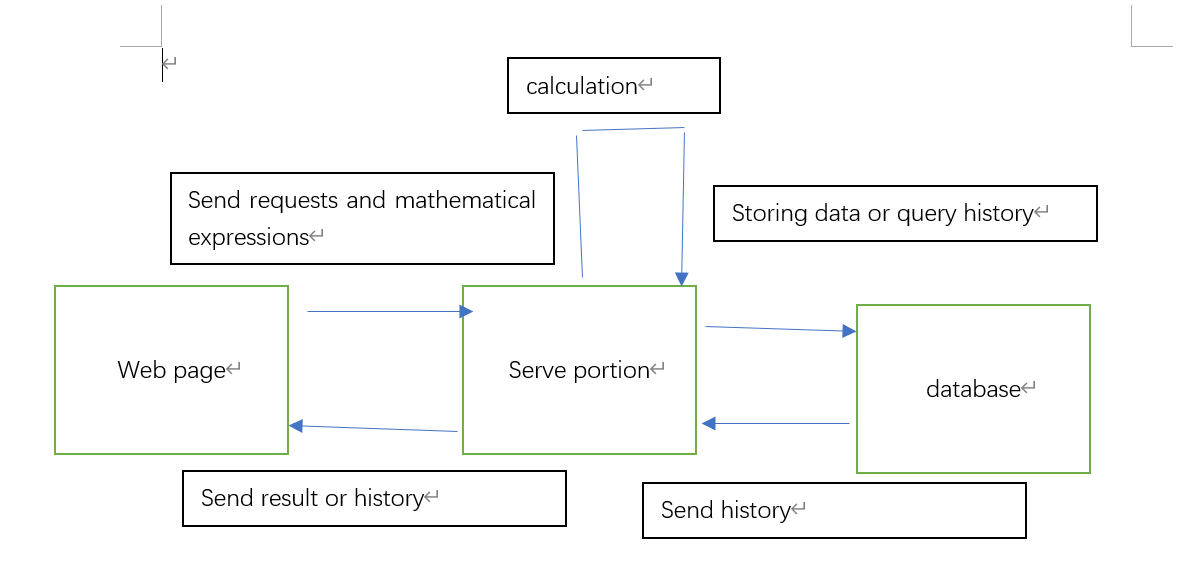
The front-end interface, crafted using HTML, showcases an input section, a results display zone, a history area, and several control buttons. The reconstruction functionality enables the history area to receive and showcase data from the back end. In simpler terms, it forwards input data to the back-end database for processing.
Back End:
The back end is a Node.js server, built on Express, offering two key APIs: one for evaluating expressions and another for retrieving history. The eval function examines the result (saved in the history list, allowing for minor errors) for any errors, displaying the evaluated data on the cmd command line. Eventually, we pass the results and history back to the front end and database. Additionally, we've incorporated the cors function to permit the server to receive data from domains that differ.
front end design:
<!DOCTYPE html>
<html>
<head>
<title>Calculator</title>
<style>
body {
display: flex;
justify-content: center;
align-items: center;
height: 100vh;
background-color: #f5f5f5;
margin: 0;
font-family: Arial, sans-serif;
}
#calculator {
border: 1px solid #ddd;
border-radius: 5px;
padding: 20px;
background-color: #fff;
box-shadow: 0 0 10px rgba(0,0,0,0.1);
}
#display {
width: 100%;
height: 50px;
margin-bottom: 10px;
text-align: right;
padding-right: 5px;
font-size: 1.5em;
}
.button {
width: 50px;
height: 50px;
margin: 5px;
}
#result {
margin-top: 10px;
font-weight: bold;
}
#history {
margin-top: 20px;
list-style: none;
padding: 0;
}
</style>
</head>
<body>
<div id="calculator">
<input id="display" type="text" readonly><br>
<p id="result"></p><br>
<button class="button" onclick="append('1')">1</button>
<button class="button" onclick="append('2')">2</button>
<button class="button" onclick="append('3')">3</button>
<button class="button" onclick="append('+')">+</button>
<button class="button" onclick="append('-')">-</button><br>
<button class="button" onclick="append('4')">4</button>
<button class="button" onclick="append('5')">5</button>
<button class="button" onclick="append('6')">6</button>
<button class="button" onclick="append('*')">*</button>
<button class="button" onclick="append('/')">/</button><br>
<button class="button" onclick="append('7')">7</button>
<button class="button" onclick="append('8')">8</button>
<button class="button" onclick="append('9')">9</button>
<button class="button" onclick="append('%')">%</button>
<button class="button" onclick="append('^')">^</button><br>
<button class="button" onclick="append('0')">0</button>
<button class="button" onclick="append('(')">(</button>
<button class="button" onclick="append(')')">)</button>
<button class="button" onclick="append('log(')">log</button>
<button class="button" onclick="append('ln(')">ln</button><br>
<button class="button" onclick="append('sin(')">sin</button>
<button class="button" onclick="append('cos(')">cos</button>
<button class="button" onclick="append('tan(')">tan</button>
<button class="button" onclick="append('sqrt(')">sqrt</button>
<button class="button" onclick="append('e')">e</button><br>
<button class="button" onclick="clearDisplay()">C</button>
<button class="button" onclick="deleteLast()">Del</button>
<button class="button" onclick="calculate()">=</button>
<button id="history-button" class="button">Ans</button>
<button class="button" onclick="append('Π')">Π</button><br>

<ul id="history"></ul>
</div>
    <script src="Calculaor2.js"></script>

</body>
</html>
let display = document.getElementById('display');
let result = document.getElementById('result');
let isClicked = false;

function append(str) {
    display.value += str;
}

function clearDisplay() {
    display.value = '';
    result.textContent = '';
}

function deleteLast() {
    display.value = display.value.slice(0, -1);
}

// Prepare the expression for calculation
function prepareExpression(expression) {
    expression = expression.replace(/tanh|cos|log|sin|exp|sqrt|tan|ln|e|Π/g, match => {
        switch (match) {
            case 'tanh':
            case 'cos':
            case 'log':
            case 'sin':
            case 'exp':
            case 'sqrt':
            case 'tan':
                return 'Math.' + match;
            case 'ln':
                return 'Math.log';
            case 'e':
                return 'Math.E';
            case 'Π':
                return 'Math.PI';
            default:
                return match;
        }
    });
    return expression.replace(/\^/g, '**');
}

async function calculate() {
    let preparedExpression = prepareExpression(display.value);
    let response = await fetch('http://localhost:3000/calculate', {
        method: 'POST',
        headers: {
            'Content-Type': 'application/json',
        },
        body: JSON.stringify({expression: preparedExpression}),
    });
    let data = await response.json();
    if (data.error) {
        result.textContent = 'Error';
    } else {
        result.textContent = data.result;
        display.value = '';
        updateHistory();
    }
}

async function updateHistory() {
    let response = await fetch('http://localhost:3000/history');
    let data = await response.json();
    displayHistory(data);
}

function displayHistory(historyData) {
    let historyElement = document.getElementById('history');
    if(isClicked) {
        historyElement.style.display = 'block';
        historyElement.innerHTML = '';
        for (let i = historyData.length - 1; i >= 0; i--) {
            let li = document.createElement('li');
            li.textContent = historyData[i].expression + ' = ' + historyData[i].result;
            li.onclick = function() {
                display.value = historyData[i].expression;
            };
            historyElement.appendChild(li);
        }
    } else {
        historyElement.style.display = 'none';
    }
}

document.getElementById('history-button').onclick = function() {
    isClicked = !isClicked;
    updateHistory();
}
back-end design
const express = require('express');
const app = express();
const bodyParser = require('body-parser');
const sqlite3 = require('sqlite3').verbose();
const cors = require('cors');

app.use(cors());

// Use JSON body parser middleware
app.use(bodyParser.json());

// Initialize SQLite database
let db = new sqlite3.Database('database.db', (err) => {
  if (err) {
    return console.error(err.message);
  }
  console.log('Connected to the SQLite database.');
});

// Create history table
db.run('CREATE TABLE IF NOT EXISTS history(expression text, result text)', (err) => {
  if (err) {
    return console.error(err.message);
  }
  console.log('History table created.');
});

app.post('/calculate', (req, res) => {
  let expression = req.body.expression;
  let result;
  try {
    result = eval(expression);
    // Insert the expression and result to the history table
    db.run(`INSERT INTO history(expression, result) VALUES(?, ?)`, [expression, result], function(err) {
      if (err) {
        return console.log(err.message);
      }
      console.log(`A row has been inserted with rowid ${this.lastID}`);

      // Check the number of rows in the history table and delete the oldest if there are more than 10
      db.run(`DELETE FROM history WHERE rowid NOT IN (SELECT rowid FROM history ORDER BY rowid DESC LIMIT 10)`);
    });
    res.json({ result: result });
  } catch (e) {
    res.json({ error: 'Invalid expression' });
  }
});

// Endpoint to get calculation history
app.get('/history', (req, res) => {
  db.all('SELECT * FROM history ORDER BY rowid DESC', [], (err, rows) => {
    if (err) {
      throw err;
    }
    console.log(rows); // Print history data
    res.json(rows);
  });
});

// Start the server
app.listen(3000, () => {
  console.log('Server is running on port 3000');
});
Throughout this project, I gained hands-on experience with the front-end and back-end separation development model, a widely-used approach among modern web application engineers. The front-end focuses on user interface and interaction, while the back-end handles data processing and storage, with both communicating via HTTP api. This model enables independent development and testing for both front-end and back-end, ultimately boosting development efficiency.
I utilized HTML and JavaScript for front-end coding, Node.js and Express for the back-end, and SQLite for the database. Thankfully, extensive documentation and community support were available to assist with any challenges encountered during my implementation.
Some hurdles I faced included handling user-inputted expressions, setting limits on history quantity, and returning expressions to the input box upon user's history click. However, through documentation exploration and experimentation, I successfully resolved these issues, further solidifying my understanding of these technologies.
Anticipations:
While this calculator performs adequately, there are numerous areas ripe for enhancement, making it far from a "super" calculator. Presently, it only supports basic mathematical functions, but I envision expanding its capabilities to include a wider range of functions and constants. I also plan to revamp the history display, allowing users to view entries in chronological order and even search or filter through them.
My ultimate goal is to transform this calculator into a comprehensive web application or a user-friendly mobile app, complete with registration and login features. This will enable users to save and share their history with others. To achieve these functionalities, I plan to delve deeper into technologies like user authentication, database optimization, and front-end frameworks.
I am eager to continue refining my skills in future learning and development endeavors, acquire more knowledge, implement additional features, and ultimately, deliver an exceptional user experience.


