2023-2024 20233809《Linux内核原理与分析》第八周作业

20233809黄雅琦 2023-11-10 22:47:40

一、通过chatgpt学习相关知识
https://chat.openai.com/c/59e97352-da20-4ba0-8ebf-275589ecc453
二、实验楼实验七
1、理解编译链接的过程和 ELF 可执行文件格式
1)首先编写hello.c,并生成编译链接
#include<stdio.h>
int main(){
printf("Hello World!\n");
return 0;
}
编译链接命令
gcc -E hello.c -o hello.i//预处理
gcc -S hello.i -o hello.s//编译
gcc -c hello.s -o hello.o//汇编
gcc hello.o -o hello//链接
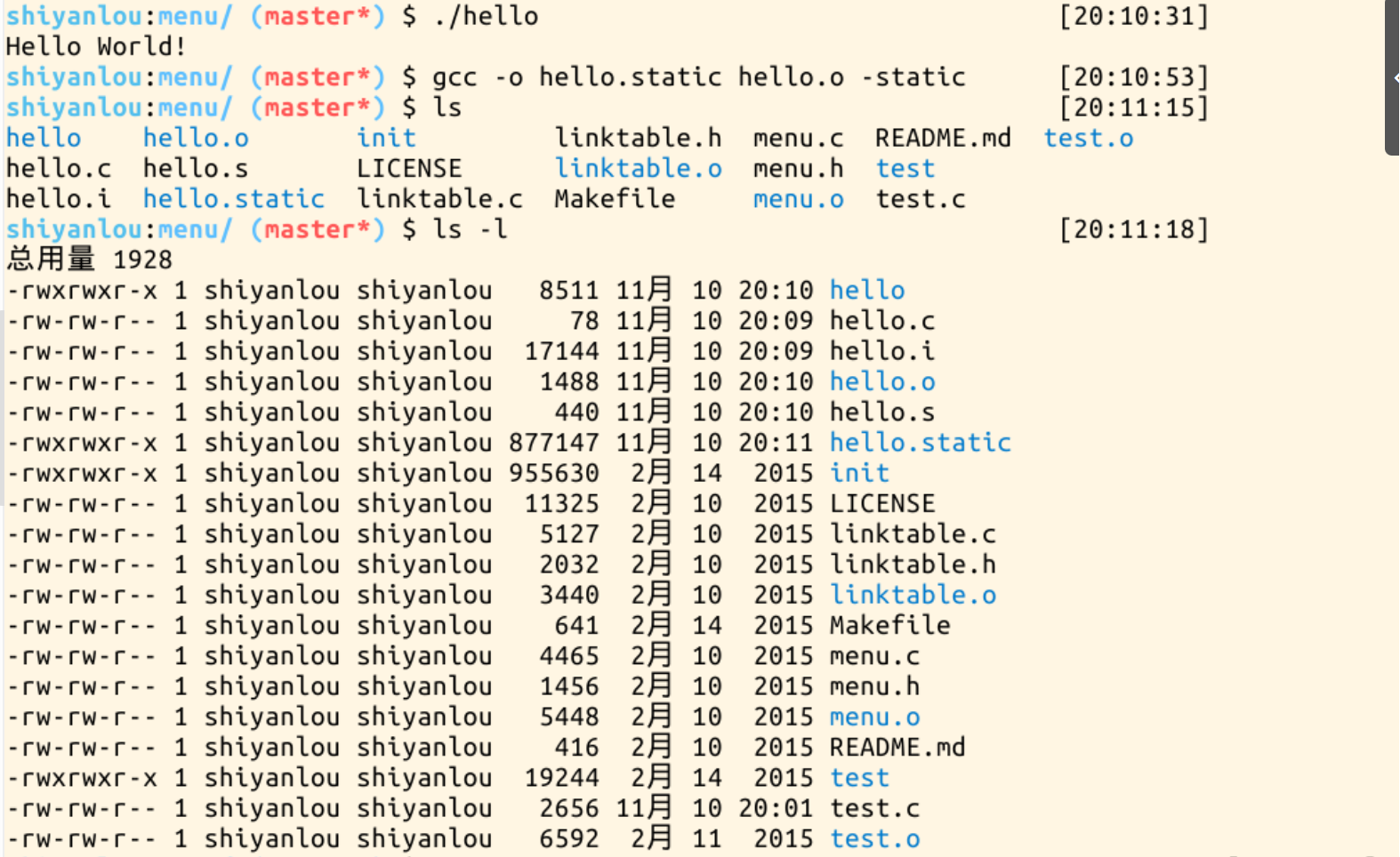
“gcc -o hello.static hello.o -static”静态编译出来的hello.static把C库里需要的东西也放到可执行文件里了。使用命令ls –l后,可以看到hello只有8511,hello.static有大概有877147。
编译过程图展示:
img


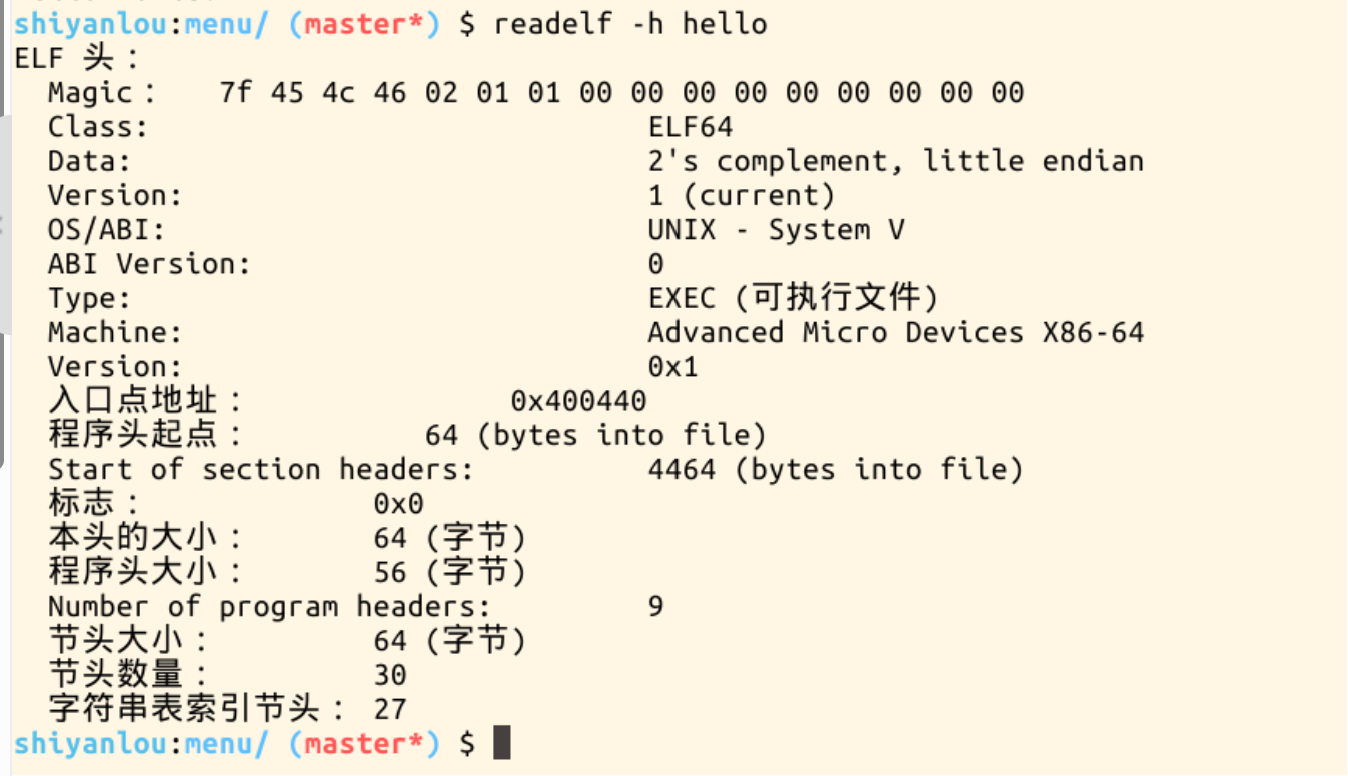
2)、输入命令readelf -h hello查看hello文件的头

img


2、编程使用 exec库函数加载一个可执行文件,动态链接分为可执行程序装载时动态链接和运行时动态链接。
1)可执行程序装载时动态链接
#ifndef SH_LIB_EXAMPLE_H
#define SH_LIB_EXAMPLE_H
#define success 0
#define failure(-1)
#ifdef __cplusplus
extern "C"{
#endif
int SharedLibApi();
#ifdef __cplusplus
}
#endif
#endif /
SH_LIB_EXAMPLE_H */
2)生成shlibexample.c文件
#include<stdio.h>
#include"shlibexample.h"

int SharedLibApi()
{
printf("This is a shared libary!\n");
return success;
}
3)输入gcc -shared shlibexample.c -o libshlibexample.so -m32”(在64位环境下执行时加上-32)生成.so文件生成文件

img


4)编写dllibexample.h文件
#ifndef DL_LIB_EXAMPLE_H
#define DL_LIB_EXAMPLE_H

#ifdef __cplusplus
extern "C" {
#endif

int DynamicalLoadingLibApi();

#ifndef __cplusplus
}
#endif
#endif /* DL_LIB_EXAMPLE_H */
5)编写dllibexample.c文件
#include<stdio.h>
#include"dllibexample.h"
#define success0
#define failure (-1)

int DynamicalLoadingLibApi()
{
printf("This is a Dynamical Loading libary!\n");
return success;
}
6)使用命令gcc -shared dllibexample.c -o libdllibexample.so生成动态库
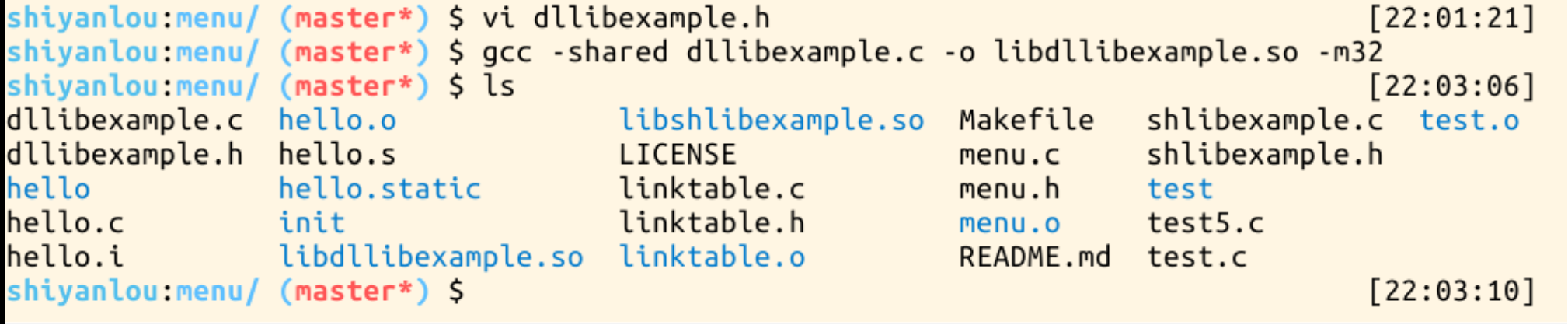
img

7)接着建立动态链接,首先编写主函数test5.c
#include <stdio.h>
#include "shlibexample.h"
#include <dlfcn.h>

int main()
{
printf("This is a Main program!\n");
printf("Calling SharedLibApi() function of libshlibexample.so!\n");
SharedLibApi();
void * handle = dlopen("libdllibexample.so",RTLD_NOW);
if(handle == NULL)
{
printf("Open Lib libdllibexample.so Error:%s\n",dlerror());
return failure;
}
int (*func)(void);
char * error;
func = dlsym(handle,"DynamicalLoadingLibApi");
if((error = dlerror()) != NULL)
{
printf("DynamicalLoadingLibApi not found:%s\n",error);
return failure;
}
printf("Calling DynamicalLoadingLibApi() function of libdllibexample.so!\n");
func();
dlclose(handle);
return success;
}
8)
输入gcc main.c -o main -L/home/shiyanlou -lshlibexample -ldl -m32和export LD_LIBRARY_PATH=$(pwd)以及./test5.c
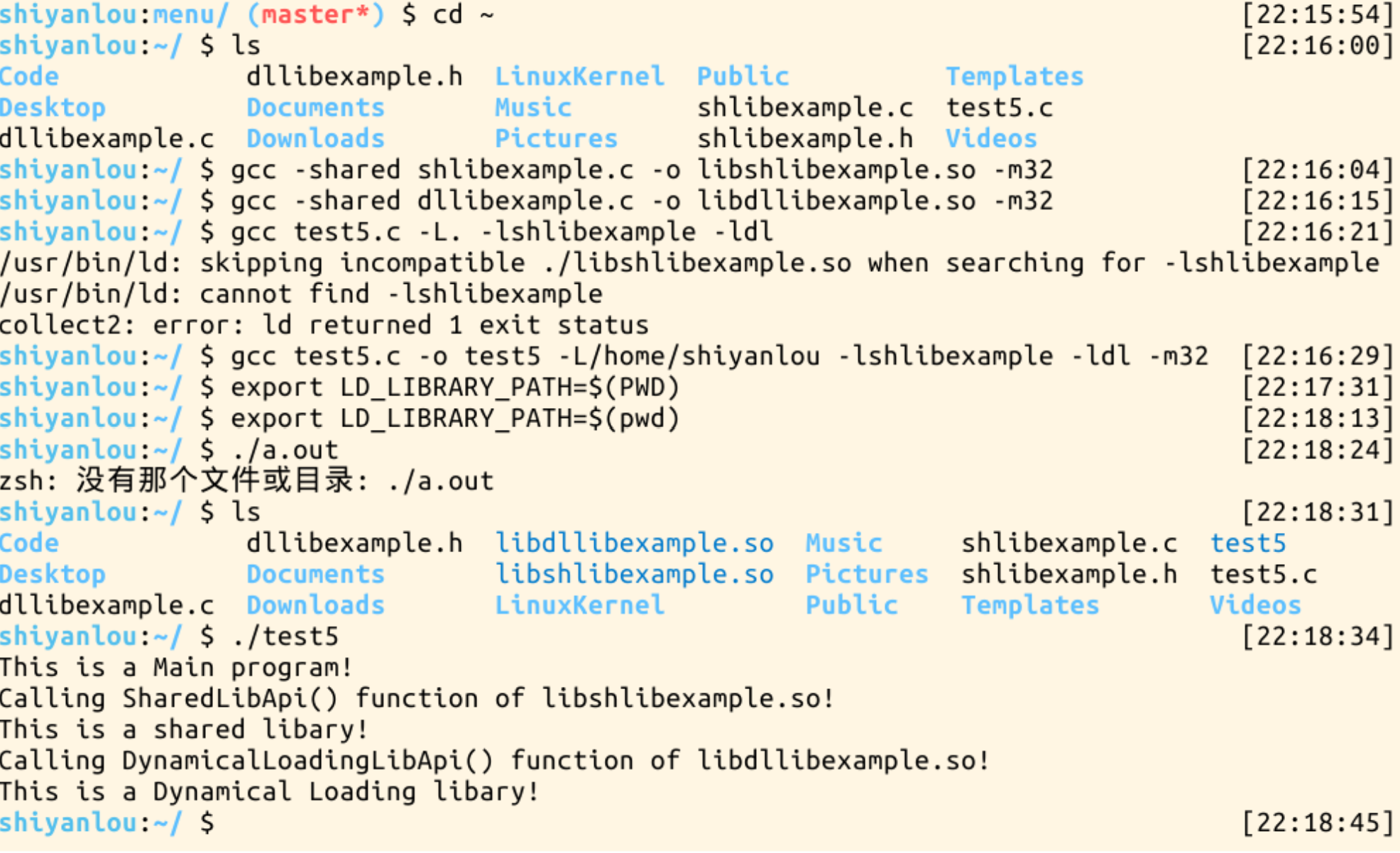
img


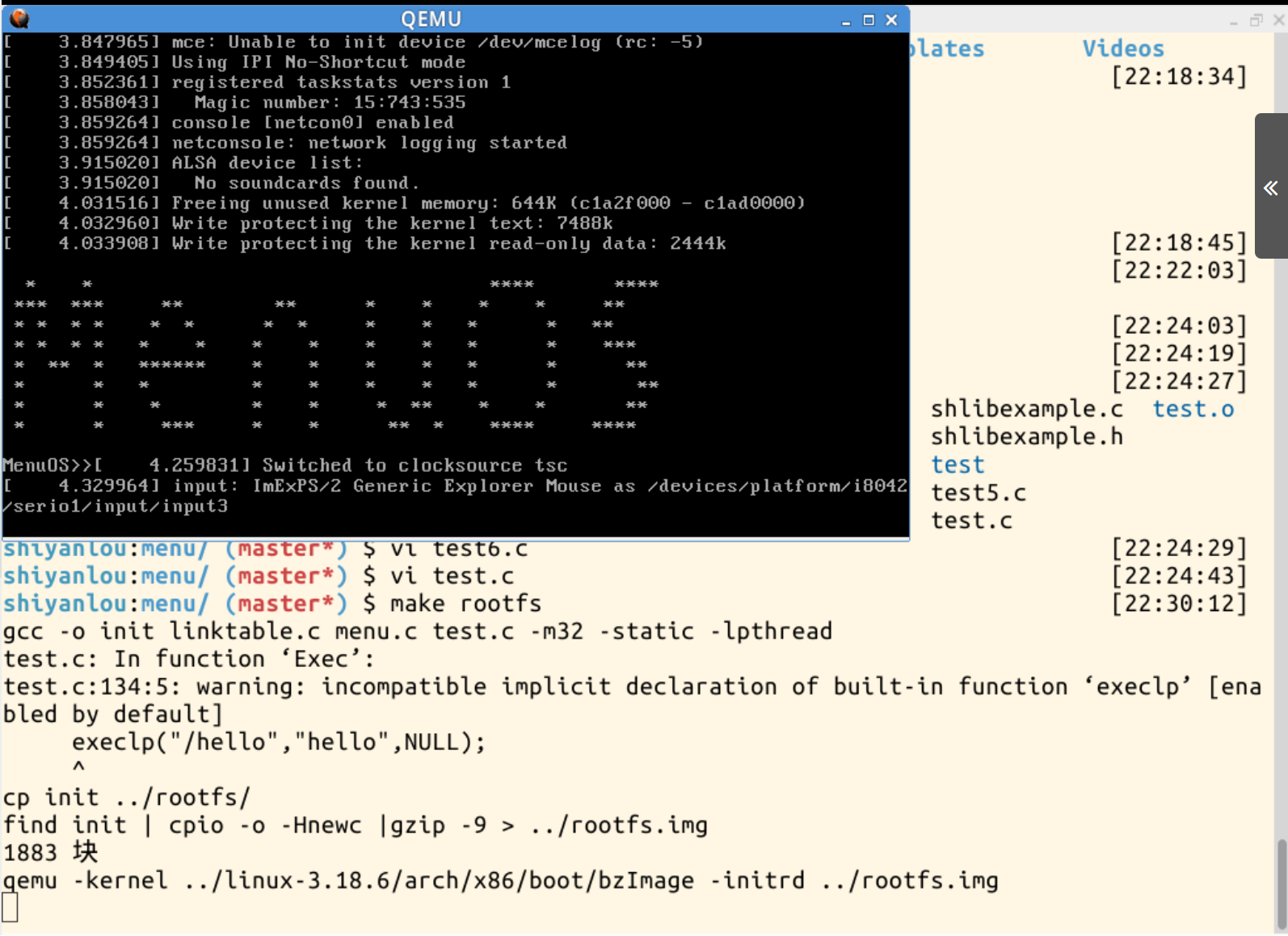
3、使用 gdb 跟踪分析一个 execve 系统调用内核处理函数 sys_execve
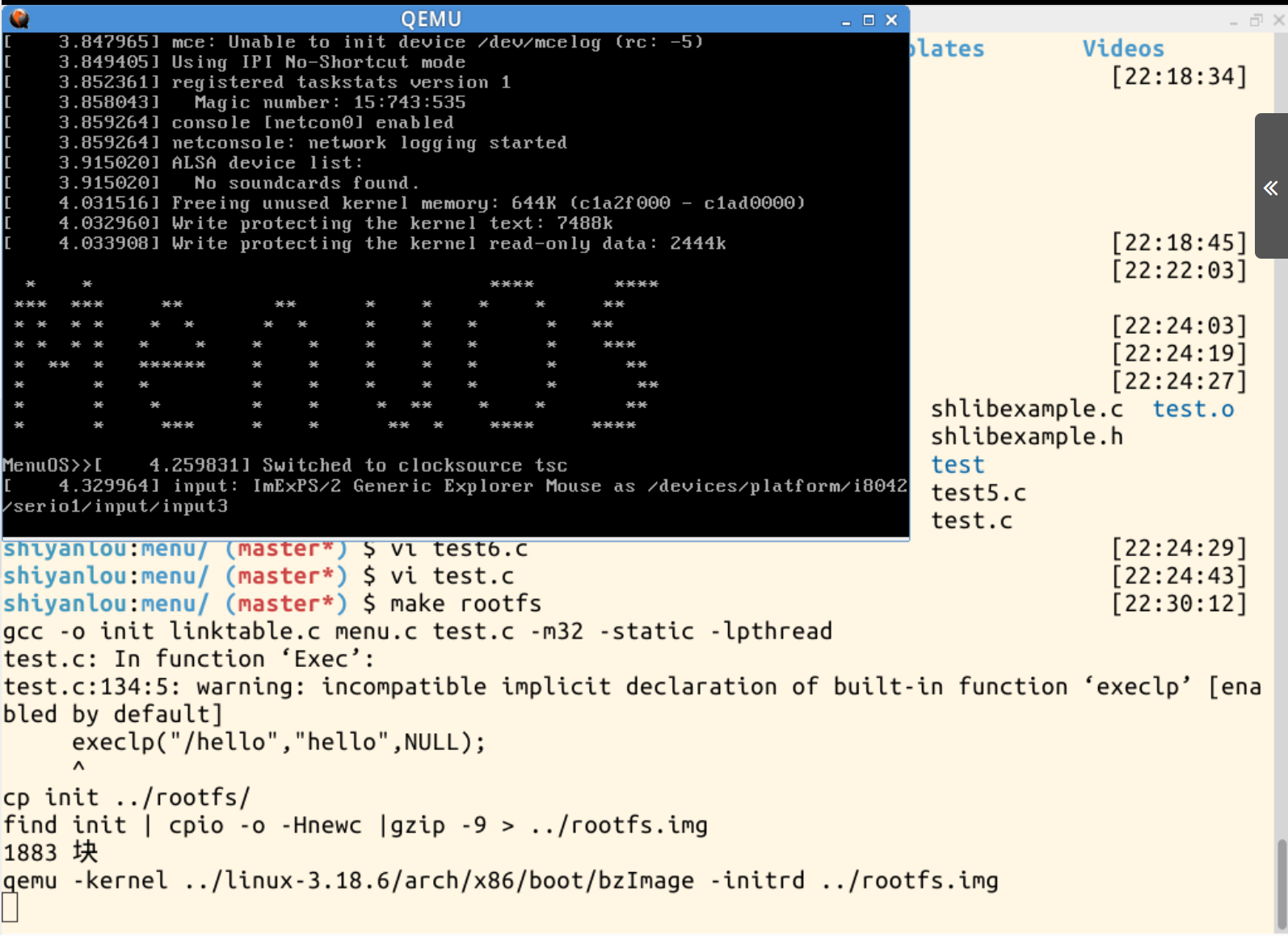
1)Linux提供了exec、execlp、execle、execv、execvp、execve等六个用以执行一个可执行文件的函数,统称为exec函数,差异在于对命令行参数和环境变量参数的传递方式不同。以上函数的本质都是调用系统调用sys_execve()来执行一个可执行文件。
整体的调用关系从前到后为:
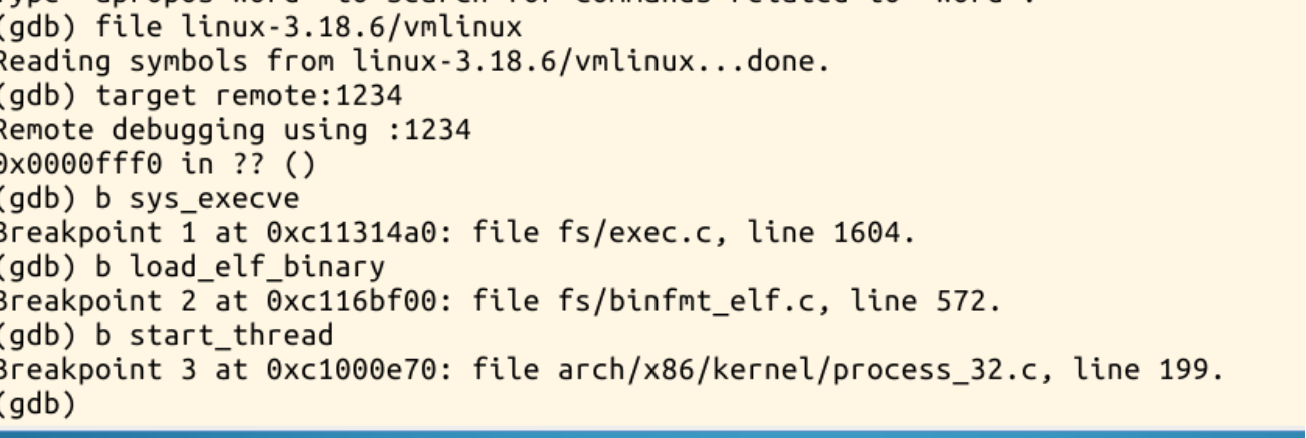
sys_execve、do_execve、do_execve_common、exec_binprm、search_binary_handler、load_elf_binary、start_thread
可执行程序执行到execve的时候陷入到内核态,当系统调用从内核态返回到用户态时,eip直接跳转到ELF程序的入口地址,CPU也得到新的用户态堆栈(包含新程序的命令行参数和shell上下文环境)。这样,新程序就开始执行了。
当执行execve时,用execve的加载的可执行文件把当前进程的可执行程序给覆盖掉,execve的系统调用会返回新的可执行程序的起点——main函数。

img


2)接着使用gdb进行跟踪分析

img


img


4、实验总结
本次实验围绕着编译链接的过程和 ELF 可执行文件格式、动态链接以及系统调用,学习了相关知识以及简单的代码编译。

...全文
543 回复 打赏 收藏 举报
写回复
用AI写文章
回复
切换为时间正序
请发表友善的回复…
发表回复
源码下载地址: https://pan.quark.cn/s/07e7935aff27 在Android应用开发过程中,`ImageView`作为一个基础组件被广泛运用,其主要功能是展示各种图像资源,这些资源可以来源于本地存储或通过网络获取。本文将详细阐述如何动态地变更`ImageView`所显示的图片内容,并借助自定义监听机制来监控和干预图片的加载流程。此类技术在应用开发中具有很高的实用价值,特别是在处理网络用户头像、商品展示图以及实时数据更新的场景下。 我们首先需要明确`ImageView`的基本操作方式。在Android平台,我们常通过`setImageResource()`、`setImageBitmap()`以及`setImageDrawable()`等函数来设定`ImageView`的图像内容。然而,这些方法主要适用于已加载至内存中的图像文件,对于网络图片,则需要借助更为复杂的处理逻辑。 在实现动态下载并更新`ImageView`中的图像时,我们普遍采用`AsyncTask`或`Loader`来执行后台任务,以此防止主线程被阻塞。本文将重点介绍自定义监听器的构建方法。自定义监听器能够让我们依据图片加载的进程或状态来执行特定的任务,例如显示加载进度指示器或处理加载失败的情况。 自定义监听器通常定义为一个接口,其中包含了若干个回调方法,例如`onStart()`、`onProgressUpdate()`、`onSuccess()`、`onError()`等。以下是一个示例接口定义: ```java public interface ImageDownloaderListener { void onStart(); void onProgress(int ...

39

社区成员

发帖
与我相关
我的任务
社区描述
北京电子科技学院 《Linux内核原理与分析》课程
linuxarm开发系统安全 高校 北京·丰台区
社区管理员
  • rocflytosky
加入社区
  • 近7日
  • 近30日
  • 至今
社区公告
暂无公告

试试用AI创作助手写篇文章吧