

16,551
社区成员
 发帖
发帖 与我相关
与我相关 我的任务
我的任务
 分享
分享正在做一个纯文本编辑器,使用的字符集是UTF-16,比如有一行字符串 "ABCDEFGH [空格] XYZ" (此处XYZ代表任意字符),因为XYZ已经超过右边界,所以此时可能需要折词,就是把XYZ折到下一行,现在只知道XYZ是英文时需要折词,是中文时不需要折词,请问XYZ的内码是哪些范围时需要折词?
下图中的方框代表窗口区
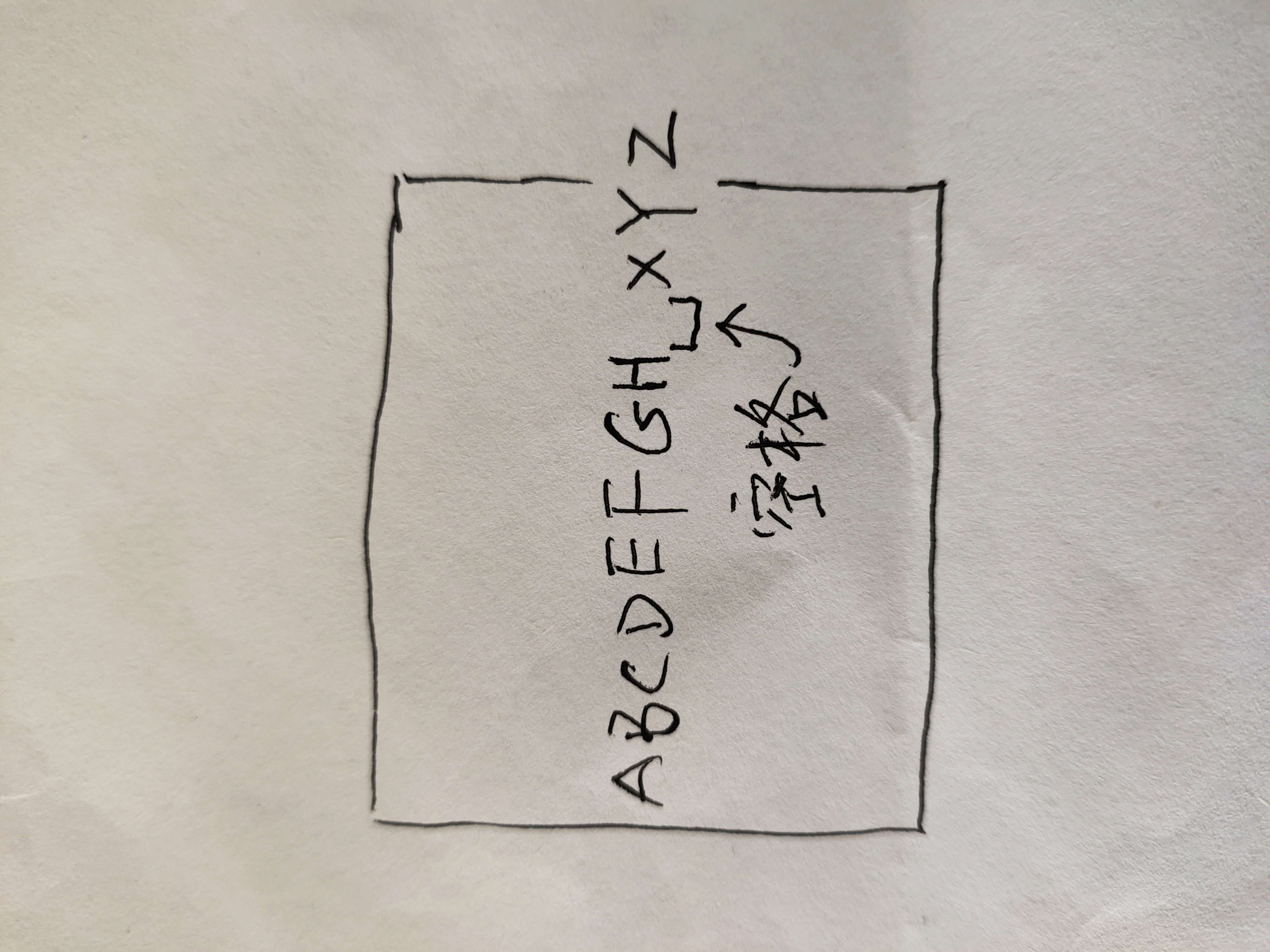

DrawTextEx
The DrawTextEx function draws formatted text in the specified rectangle.
int DrawTextEx(
HDC hdc, // handle to device context
LPTSTR lpchText, // pointer to string to draw
int cchText, // length of string to draw
LPRECT lprc, // pointer to rectangle coordinates
UINT dwDTFormat, // formatting options
LPDRAWTEXTPARAMS lpDTParams // pointer to struct with options
);
dwDTFormat
Specifies formatting options. This parameter can be one or more of these values: Value Meaning
DT_BOTTOM Justifies the text to the bottom of the rectangle. This value must be combined with DT_SINGLELINE.
DT_CALCRECT Determines the width and height of the rectangle. If there are multiple lines of text, DrawTextEx uses the width of the rectangle pointed to by the lprc parameter and extends the base of the rectangle to bound the last line of text. If there is only one line of text, DrawTextEx modifies the right side of the rectangle so that it bounds the last character in the line. In either case, DrawTextEx returns the height of the formatted text, but does not draw the text.
Graphics::MeasureString(string, length, font, origin, boundingBox)
The MeasureString method measures the extent of the string in the specified font and layout rectangle.
Status MeasureString(
const WCHAR* string,
INT length,
const Font* font,
const PointF& origin,
RectF* boundingBox
) const;
Parameters
string
[in] Pointer to a wide-character string to be measured.
length
[in] Integer that specifies the number of characters in the string array. The length parameter can be set to –1 if the string is null terminated.
font
[in] Pointer to a Font object that specifies the family name, size, and style of the font that is applied to the string.
origin
[in] Reference to the point at which the string starts.
boundingBox
[out] Pointer to a RectF object that receives the rectangle that bounds the string.
Return Values
If the method succeeds, it returns Ok, which is an element of the Status enumeration.
If the method fails, it returns one of the other elements of the Status enumeration.
Example Code [C++]
The following example measures the size of a string and then draws a rectangle that represents that size.
VOID Example_MeasureString4(HDC hdc)
{
Graphics graphics(hdc);
// Set up the string.
WCHAR string[256];
wcscpy(string, L"Measure Text");
Font font(L"Arial", 16);
PointF origin(0.0f, 0.0f);
RectF boundRect;
// Measure the string.
graphics.MeasureString(string, wcslen(string), &font, origin, &boundRect);
// Draw a rectangle that represents the size of the string.
graphics.DrawRectangle(&Pen(Color(255, 0, 0, 0)), boundRect);
}
Requirements
Windows NT/2000/XP: Included in Windows XP and Windows .NET Server.
Redistributable: Requires GDI+ on Windows NT 4.0 SP6; Windows 2000; and Windows 98/Me.
Header: Declared in Gdiplusgraphics.h; include Gdiplus.h.

自己顶一下!


