Team Geeks - Beta Sprint log 3
目录
- I. SCRUM
- Achievements from yesterday’s stand-up meeting to the present
- Unexpected Issue
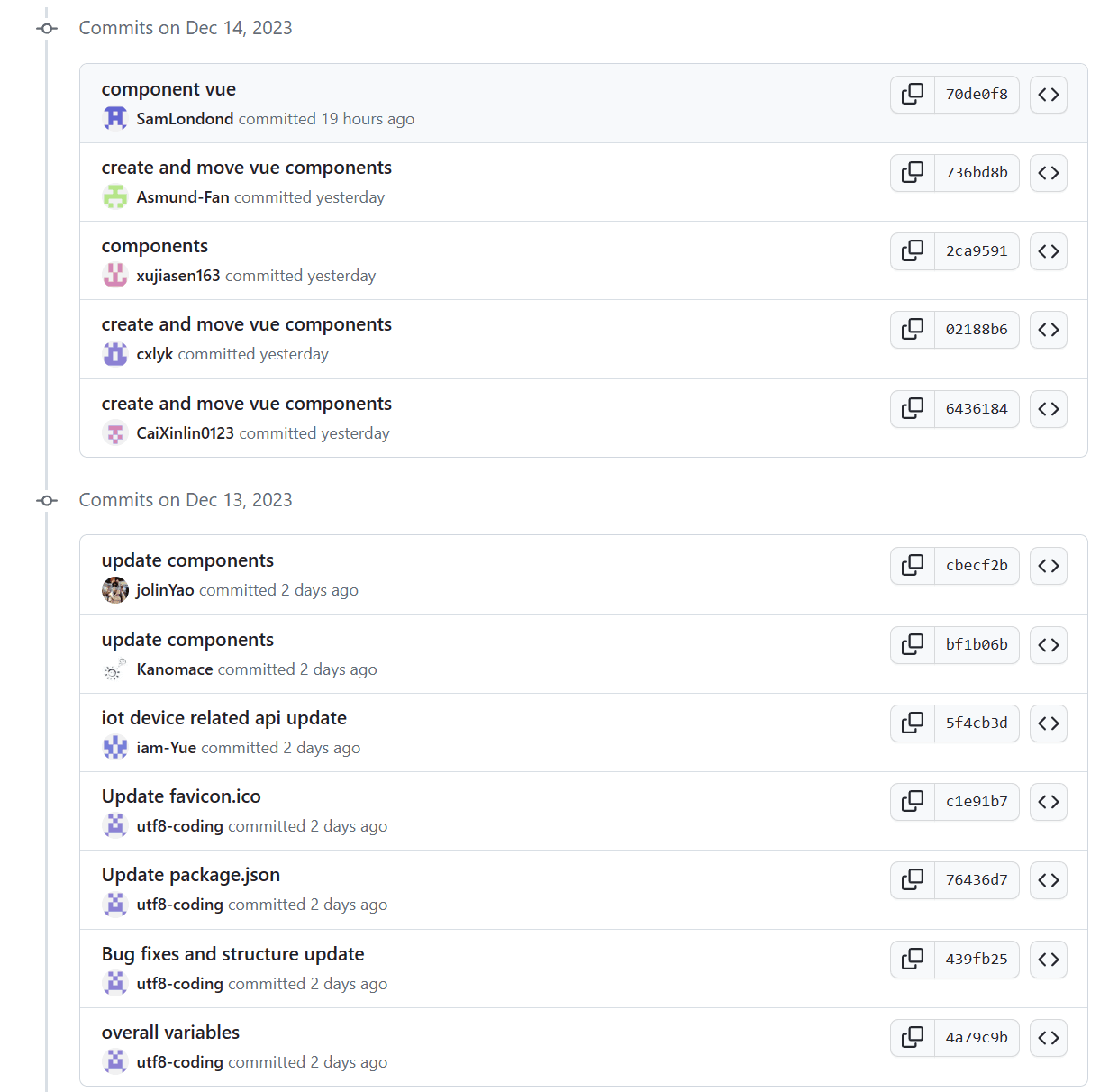
- Commit record
- PM Report
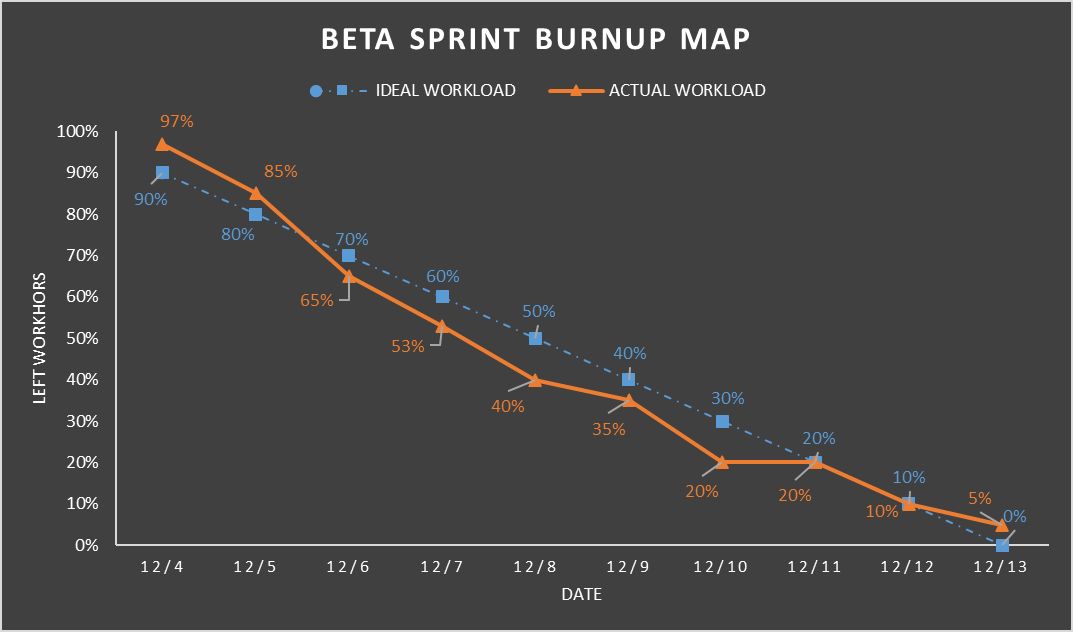
- Burnup map
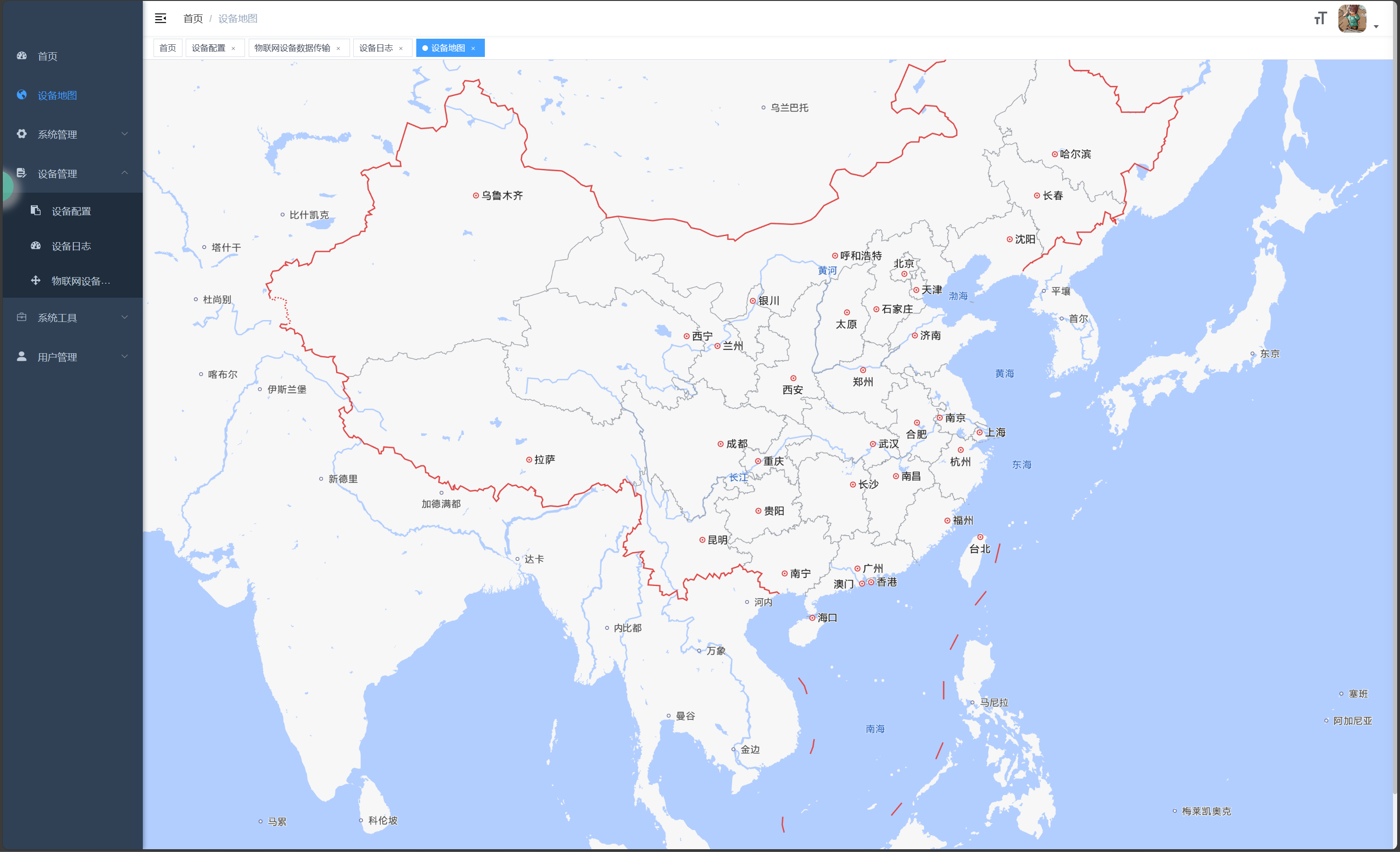
- Running image of our current program
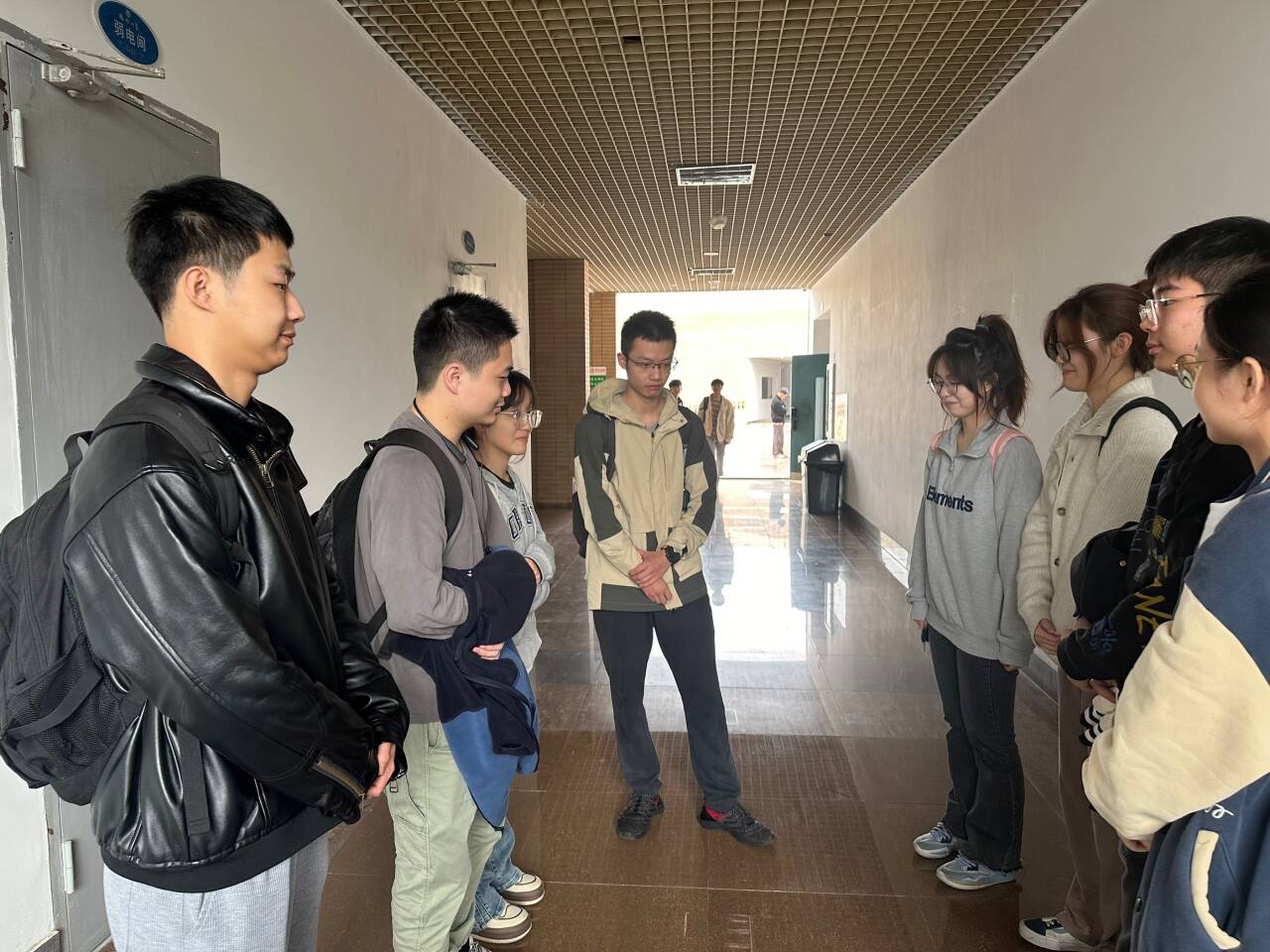
- Team discussion photos
I. SCRUM
Achievements from yesterday’s stand-up meeting to the present
周玥:
- My commit updates the iot device-related api for the embedded monitoring system client project. It adds the following functions to the web/src/API/iot folder:
getDeviceName: This function returns the device name from the iot device configuration.warnState: This function returns the current number of warnings from the iot device log.warnNumPerHour: This function returns the number of warnings per hour from the iot device log as a line chart data.warnStateToday: This function returns the number of warnings today from the iot device log.
黄家成
- My commit adds the components for a crontab editor in the web/src/components folder. The crontab editor allows the user to create and modify cron expressions for scheduling tasks.
- The components include:
- Crontab: the main component that renders the tabs for each cron field (second, minute, hour, day, month, week, year) and displays the cron expression and the execution results.
- CrontabSecond, CrontabMin, CrontabHour, CrontabDay, CrontabMonth, CrontabWeek, CrontabYear: the subcomponents that handle the logic and UI for each cron field. They allow the user to choose between different options such as wildcard, cycle, average, specific, etc.
- CrontabResult: the component that shows the next execution dates for the cron expression using a table and a scrollable list.
- The components use Element UI components such as radio, input-number, select, option, tabs, tab-pane, button, etc. They also use some custom methods and computed properties to validate and update the cron expression.
姚依林
Update:
- My commit updated the components of the embedded monitoring system client project, which is a web application that uses Vue.js and Element UI.
- The main changes are in the web/src/components/components folder, where 10 files were added or modified.
- The files include Breadcrumb/index.vue, which is a component for displaying the navigation path of the web page, and Crontab/*.vue, which are components for setting up cron expressions for scheduling tasks.
- The commit also added some styles and scripts to the components, such as using el-radio, el-input-number, el-select, and el-option elements, and defining some methods and computed properties.
蔡心林
Update:
- My commit creates and moves some Vue components for the embedded monitoring system client project.
- The components are DictData, DictTag, Editor, FileUpload, and Hamburger, which are located in the web/src/components folder.
- The DictData component is a utility that allows the use of data dictionaries in Vue applications. It defines a function to request and store the dictionary data from the API.
- The DictTag component is a UI element that displays the labels of the dictionary values as tags. It handles the cases when the values are arrays or separated by a separator.
- The Editor component is a wrapper for the vue-quill-editor library, which provides a rich text editor for Vue applications.
- The FileUpload component is a UI element that allows the user to upload files to the server. It uses the element-ui upload component and supports multiple file types and sizes.
- The Hamburger component is a UI element that toggles the sidebar menu. It uses the element-ui icon component and emits a click event.
林泳坤
Update:
- My commit creates and moves some Vue components for the embedded monitoring system client project.
- The components are:
- HeaderSearch: A component that allows the user to search for routes or icons using a fuzzy-search module and an input box with a suffix icon.
- IconSelect: A component that displays a list of icons that can be filtered by name and selected by clicking.
- iFrame: A component that renders an iframe with a given source URL and a loading indicator.
- The commit also adds a requireIcons.js file that imports all the SVG icons from the assets folder and exports them as an array.
许嘉森
Update:
- My commit adds two new components to the web/src folder of the embedded_monitoring_system_client project: ImagePreview and ImageUpload.
- The ImagePreview component uses the el-image element from Element UI to display an image with a custom style and a preview feature. It also handles the error slot with an icon if the image fails to load.
- The ImageUpload component uses the el-upload element from Element UI to upload multiple images to the server with a limit, a file size and a file type validation. It also handles the success, error, exceed, remove and preview events of the upload process. It uses the listToString method to convert the uploaded image list to a string separated by commas.
- The commit also imports the getToken function from the auth utils and the listByIds and delOss functions from the system/oss API to handle the authorization and the deletion of the images from the server.
范文卓
Update:
- My commit creates and moves some Vue components for the embedded monitoring system client project.
- The components are:
- RightPanel: A component that displays a right panel with a slot for other components.
- RightToolbar: A component that displays a toolbar with buttons for search, refresh, and column visibility.
- RuoYiDoc: A component that displays an icon that links to the RuoYi-Vue-Plus documentation.
- RuoYiGit: A component that displays an icon that links to the RuoYi-Vue-Plus repository.
- Screenfull: A component that displays an icon that toggles the fullscreen mode.
- The commit adds 309 lines of code and deletes 0 lines of code.
孙仲恒:
Update:
- My commit adds five Vue components to the web/src folder of the embedded_monitoring_system_client project.
- The components are SizeSelect, SvgIcon, ThemePicker, TopNav, and 1.
- SizeSelect is a component that allows the user to select the size of the UI elements from a dropdown menu.
- SvgIcon is a component that renders SVG icons using the element-ui library.
- ThemePicker is a component that allows the user to change the theme color of the UI using a color picker.
- TopNav is a component that displays the top navigation menu with horizontal mode and supports submenus and external links.
- 1 is a component that integrates the AMap API to provide a map view and a search function for geographic locations.
孙逊
Update:
- My commit made some bug fixes and structure updates to the embedded_monitoring_system_client project, which is a web application for monitoring IoT devices.
- The commit added a new component called ParentView, which is used to render nested routes in the router.
- The commit modified the Navbar component to remove the screenfull feature, which allows the user to toggle the full-screen mode of the browser.
- The commit removed the code for loading the AMap library, which is a JavaScript API for interactive maps.
- The commit changed the icon of the Map route from dashboard to international.
Unexpected Issue
- Deployment: Deployment took more time that we would expected, which interfered the proceeding on our other targets including making a dedicated mobile client and refactoring of our framework for RCP structure. However, the main function we have designed and backend service robustness has been increased thanks to our test program.
Commit record
PM Report
Burnup map
Running image of our current program
Team discussion photos


 发帖
发帖 与我相关
与我相关 我的任务
我的任务
 分享
分享


