


176
社区成员
 发帖
发帖 与我相关
与我相关 我的任务
我的任务
 分享
分享| Which course does this assignment belong to | Software Engineering |
|---|---|
| Where are the requirements for this assignment? | https://bbs.csdn.net/topics/617676810 |
| Team Name | SophonNexus |
| Project Name | Crowdsourced Parking Management System |
| The objective of this assignment | Beta Sprint Essay 2 |
This Beta Sprint Essay is about the uni-app development
| Team Member | Student ID | Completed Tasks | Time spent | Issues or Challenges | Plan |
|---|---|---|---|---|---|
| 陈尧 Chen Yao | 832102118 | Coding, UI Components | 5h | The designed components appear incongruent on screens of different sizes. | Designing components through responsive design. |
| 陈震 Chen Zhen | 832102119 | Coding login pages | 8h | None | Enhance the functionality of the login page. |
| 章汉林 Zhang Hanlin | 832102127 | Coding task pages | 9h | Slow loading of the map when publishing a task. | Improve the speed of loading the map |
| 谢彦喆 Xie Yanzhe | 832102129 | Coding user pages | 8.5h | None | Enhance the functionality of the user page. |
| 蔡思源 Cai Siyuan | 832102130 | Integrated backend’s API Calls | 6h | Not implementing error handling for the backend API | Manage the status of API calls, including loading states, success, and failure handling. |

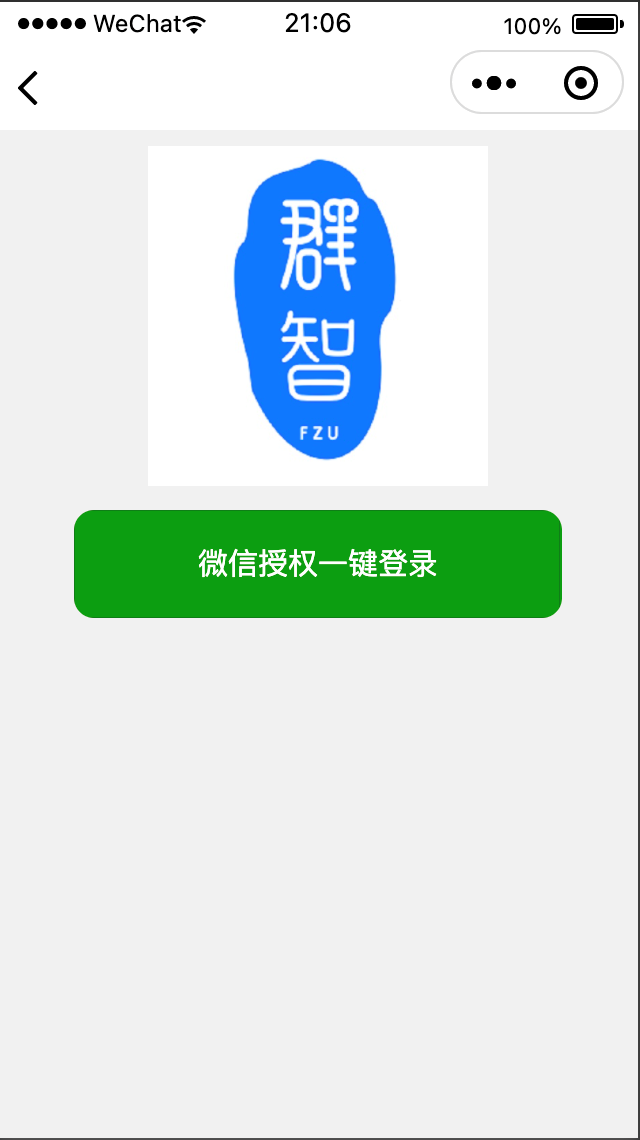
<template>
    <view class="login-container">
        <!-- Logo -->
        <image class="logo" src="/static/login/logo.jpg" mode="aspectFit"></image>

        <!-- 协议勾选框 -->
        <!-- <view class="agreement-container">
            <checkbox class="agreement-checkbox" v-model="agreeProtocol">勾选以同意XXX协议</checkbox>
        </view> -->

        <!-- 登录按钮 -->
        <button class="login-button" @click="loginByWechat()">微信授权一键登录</button>
    </view>
</template>
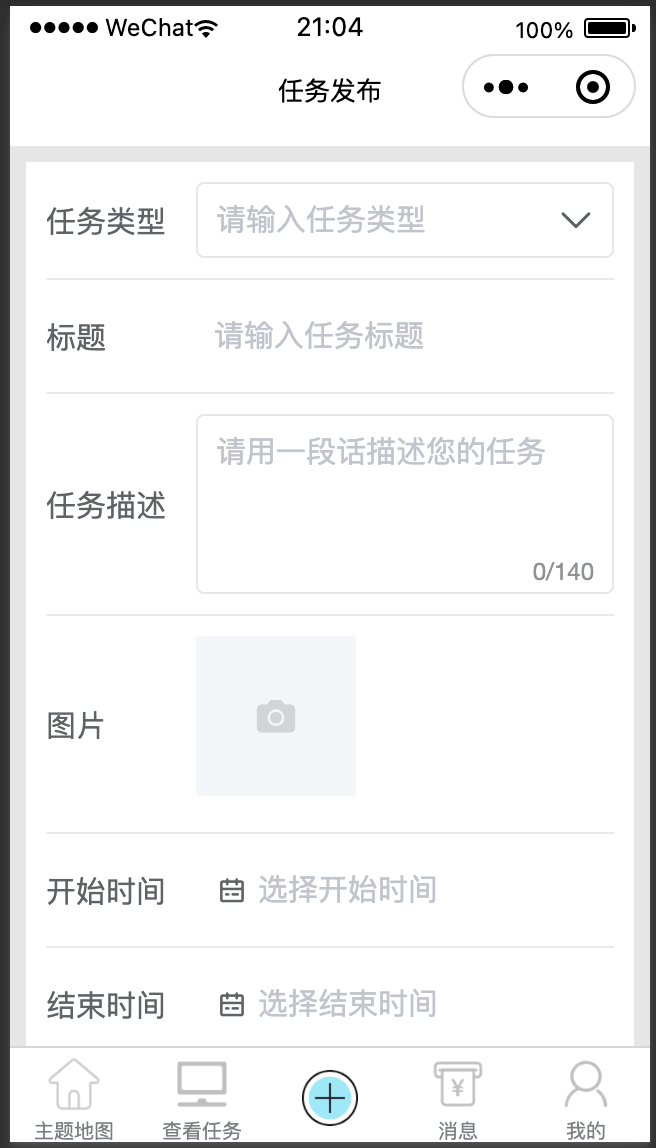
<template>
    <view>
        <!-- 使用z-paging-swiper为根节点可以免计算高度 -->
        <z-paging-swiper>
            <!-- 此处代码复制了uView中tabsSwiper全屏选项卡的代码 -->
            <!-- 需要固定在顶部不滚动的view放在slot="top"的view中 -->
            <view slot="top">
                <view class="topBox">
                    <u-search shape="round" margin="0 20rpx" placeholder="关键字搜索" :showAction="false" bgColor="#fff"
                        @click="searchPage" disabled></u-search>
                    <view class="select" @tap="showValue = true;
                        iconArrow = 'arrow-up';
                        hideKeyboard();">
                        <!-- <uni-data-select  v-model="selectValue" :localdata="range" @change="change" :clear="false"></uni-data-select> -->
                        <u--input v-model="selectedTxt" readonly customStyle="border:1px solid #e7e6e4"
                            :suffixIcon="iconArrow"></u--input>
                        <!-- //弹出层 -->
                        <u-action-sheet :show="showValue" :actions="list" :closeOnClickOverlay="true" round="8"
                            cancelText="取消" @select="typeSelect" @close="closeAction"></u-action-sheet>
                    </view>
                </view>
                <u-tabs-swiper class="tasktypes" ref="taskTabs" :list="tabList" :current="current" @change="tabsChange" :is-scroll="false"
                    swiperWidth="750"></u-tabs-swiper>
            </view>
            <!-- swiper必须设置height:100%,因为swiper有默认的高度,只有设置高度100%才可以铺满页面  -->
            <swiper class="swiper" :current="swiperCurrent" @transition="transition" @animationfinish="animationfinish">
                <swiper-item class="swiper-item" v-for="(item, index) in tabList" :key="index">
                    <swiper-list-item :tabIndex="index" :currentIndex="swiperCurrent"
                        :selectValue="selectValue"></swiper-list-item>
                </swiper-item>
            </swiper>
        </z-paging-swiper>

        <!-- 使用新手引导提示组件 见https://ext.dcloud.net.cn/plugin?id=6653 -->
        <xky-guideStep :step="step"></xky-guideStep>
    </view>


</template>
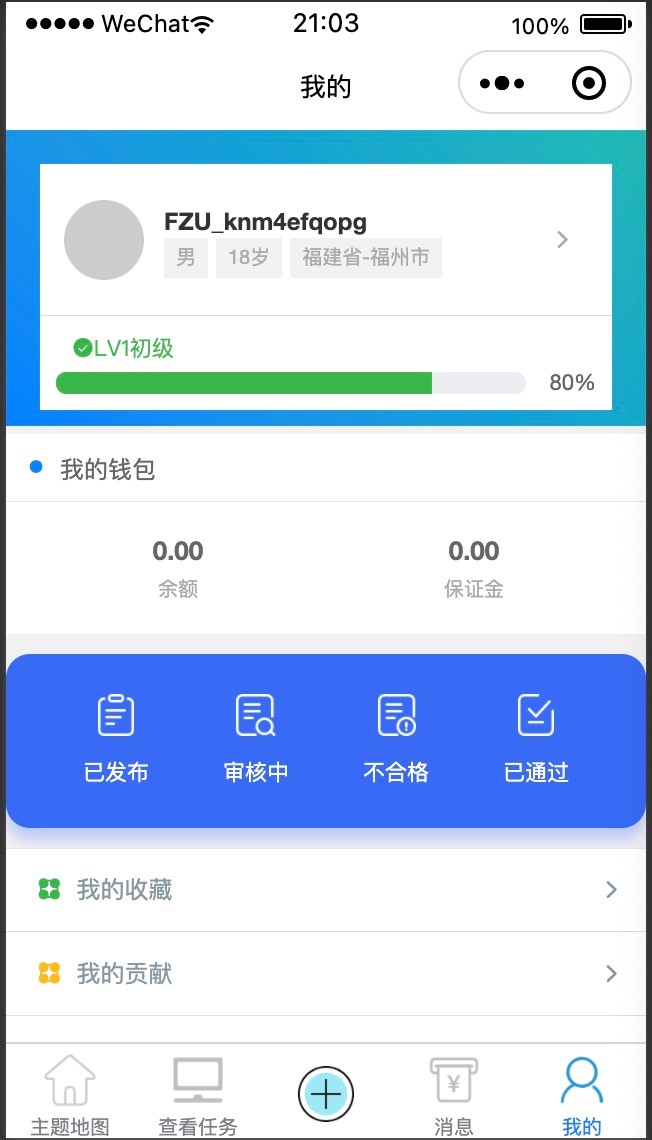
>
                </view>


            </view>


            <!-- 我的钱包 -->
            <view class="cu-bar wallet-bar bg-white solid-bottom margin-top-xs">
                <view class="action">
                    <text class="cuIcon-title text-blue"></text>我的钱包
                </view>
            </view>
            <view class="padding bg-white">
                <view class="flex">
                    <view class="flex-sub padding-xs text-center ">
                        <view class="text-lg text-bold margin-bottom-xs">{{userInfo.money_left.toFixed(2)}}</view>
                        <text class="text-sm text-gray">余额</text>
                    </view>
                    <view class="flex-sub padding-xs text-center text-sm">
                        <view class="text-lg text-bold margin-bottom-xs">{{userInfo.deposit.toFixed(2)}}</view>
                        <text class="text-sm text-gray">保证金</text>
                    </view>
                </view>
            </view>

        </view>

        <view class="task-list">
            <view class="list" @click="navigateToPublishTaskList()">
                <image src="@/static/user/icon-no-sub.png" mode="aspectFit"></image>
                <text>已发布</text>
                <view class="round bg-red cu-tag  user-fuchuan13" v-if="taskStatistics.uncompleted>0">
                    {{taskStatistics.uncompleted}}
                </view>
            </view>
            <view class="list" @click="navigateToSubmitList(1)">
                <image src="@/static/user/icon-examine.png" mode="aspectFit"></image>
                <text>审核中</text>
                <view class="round bg-red cu-tag  user-fuchuan13" v-if="taskStatistics.wait_check>0">
                    {{taskStatistics.wait_check}}
                </view>
            </view>
            <view class="list" @click="navigateToSubmitList(3)">
                <image src="@/static/user/icon-fail.png" mode="aspectFit"></image>
                <text>不合格</text>
                <view class="round bg-red cu-tag  user-fuchuan13" v-if="taskStatistics.process>0">
                    {{taskStatistics.process}}
                </view>
            </view>
            <view class="list" @click="navigateToSubmitList(2)">
                <image src="@/static/user/icon-order-taking.png" mode="aspectFit"></image>
                <text>已通过</text>
            </view>
        </view>


        <!-- list -->
        <view class="cu-list menu solid-top margin-top-xs">
            <view class="cu-item">
                <view class="content" @click="navigateToFavoritePage">
                    <text class="cuIcon-circlefill text-green"></text>
                    <text class="text-grey">我的收藏</text>
                </view>
                <view class="action">
                    <text class="text-grey text-sm cuIcon-right"></text>
                </view>
            </view>
            <view class="cu-item" @click="navigateToContrbutionPage">
                <view class="content">
                    <text class="cuIcon-circlefill text-yellow"></text>
                    <text class="text-grey">我的贡献</text>
                </view>
                <view class="action">
                    <text class="text-grey text-sm cuIcon-right"></text>
                </view>
            </view>
            <view class="cu-item" @click="navigateToFeedbackPage">
                <view class="content">
                    <text class="cuIcon-circlefill text-orange"></text>
                    <text class="text-grey">反馈建议</text>
                </view>
                <view class="action">
                    <text class="text-grey text-sm cuIcon-right"></text>
                </view>
            </view>
            <view class="cu-item" @click="loginOut">
                <view class="content">
                    <text class="cuIcon-circlefill text-blue"></text>
                    <text class="text-grey">退出</text>
                </view>
                <view class="action">
                    <text class="text-grey text-sm cuIcon-right"></text>
                </view>
            </view>

        </view>

        <u-action-sheet :actions="loginList" :show="loginout" closeOnClickOverlay closeOnClickAction cancelText="取消"
            round="8" @close="loginout = false" @select="chooseAction"></u-action-sheet>

    </view>

</template>
Unit Testing: We employed unit testing methods in the WeChat Mini Program, tested the functions submitTask and uploadSubmitImages.
Integration Testing: We conducted tests on the task submission module, login module, and page navigation.
UI Testing: We ran the WeChat Mini Program on devices and screens of different sizes, identified some components that were not displaying correctly, and are actively working to fix this issue.
Mock Data Testing: We used mock data for testing to validate the behavior of the WeChat Mini Program under different data scenarios, and found no issues during testing.
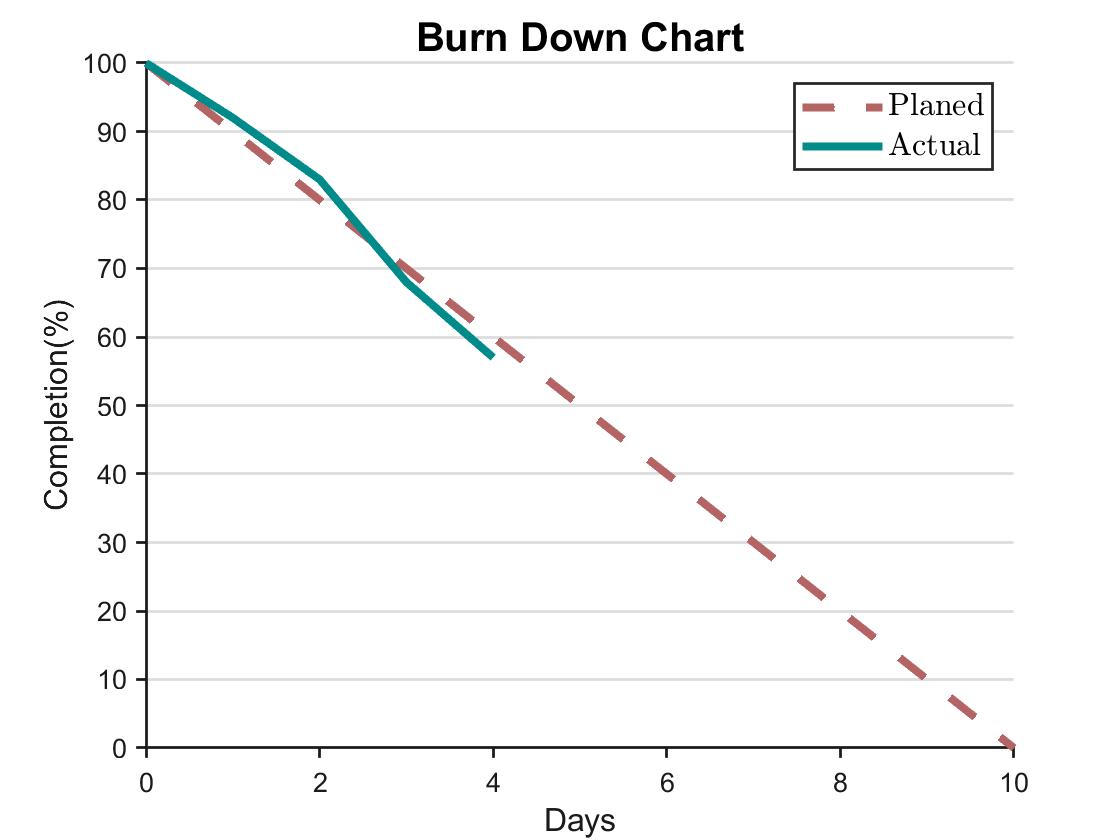
(1) Expected tasks: Completed the coding for the login page, task page, user homepage, and other components, as well as the integration with backend API. The expected duration for this work is 10 days.
(2) Completed tasks: Completed the coding for the majority of pages and integrated some of the backend API.
(3) Remaining work: Complete the full integration of interfaces and refine the project code. The expected time of the remaining work is 4 days.
(4) Issues encountered: The map loads too slowly when publishing a task, and the API interfaces integrated with the backend lack error handling in the code.
New Tasks:
Real-device testing and code debugging.
Adaptation issues for devices of different sizes.


