


93
社区成员
 发帖
发帖 与我相关
与我相关 我的任务
我的任务
 分享
分享课程:《Python程序设计》
班级: 2341
姓名: 洪碧寒
学号:20234111
实验教师:王志强
实验日期:2024年5月14日
必修/选修: 专选课
利用爬虫,从社交网络爬取数据,开展图像分类
1)导入必要的模块requests和os
import requests
import os
2)定义函数get_html(url),用于发送GET请求获取指定URL的响应数据。函数中设置了请求头部信息, 以模拟浏览器的请求。函数返回响应数据的JSON格式内容。
def get_html(url):
    header = {
        'user-agent': 'Mozilla/5.0 (Windows NT 10.0; Win64; x64) AppleWebKit/537.36 (KHTML, like Gecko) Chrome/74.0.3729.169 Safari/537.36'
    }
    response = requests.get(url=url, headers=header)
    # print(response.json())
    html = response.json()
    return html
3)定义函数parse_html(html), 用于解析响应数据中的图片信息。通过分析响应数据的结构,提取出每个图片的URL和标题,并将其存储在一个字典中,然后将所有字典组成的列表返回。
def parse_html(html):
    rl_list = html['data']['rl']
    # print(rl_list)
    img_info_list = []
    for rl in rl_list:
        img_info = {}
        img_info['img_url'] = rl['rs1']
        img_info['title'] = rl['nn']
        # print(img_url)
        # exit()
        img_info_list.append(img_info)
    # print(img_info_list)
    return img_info_list
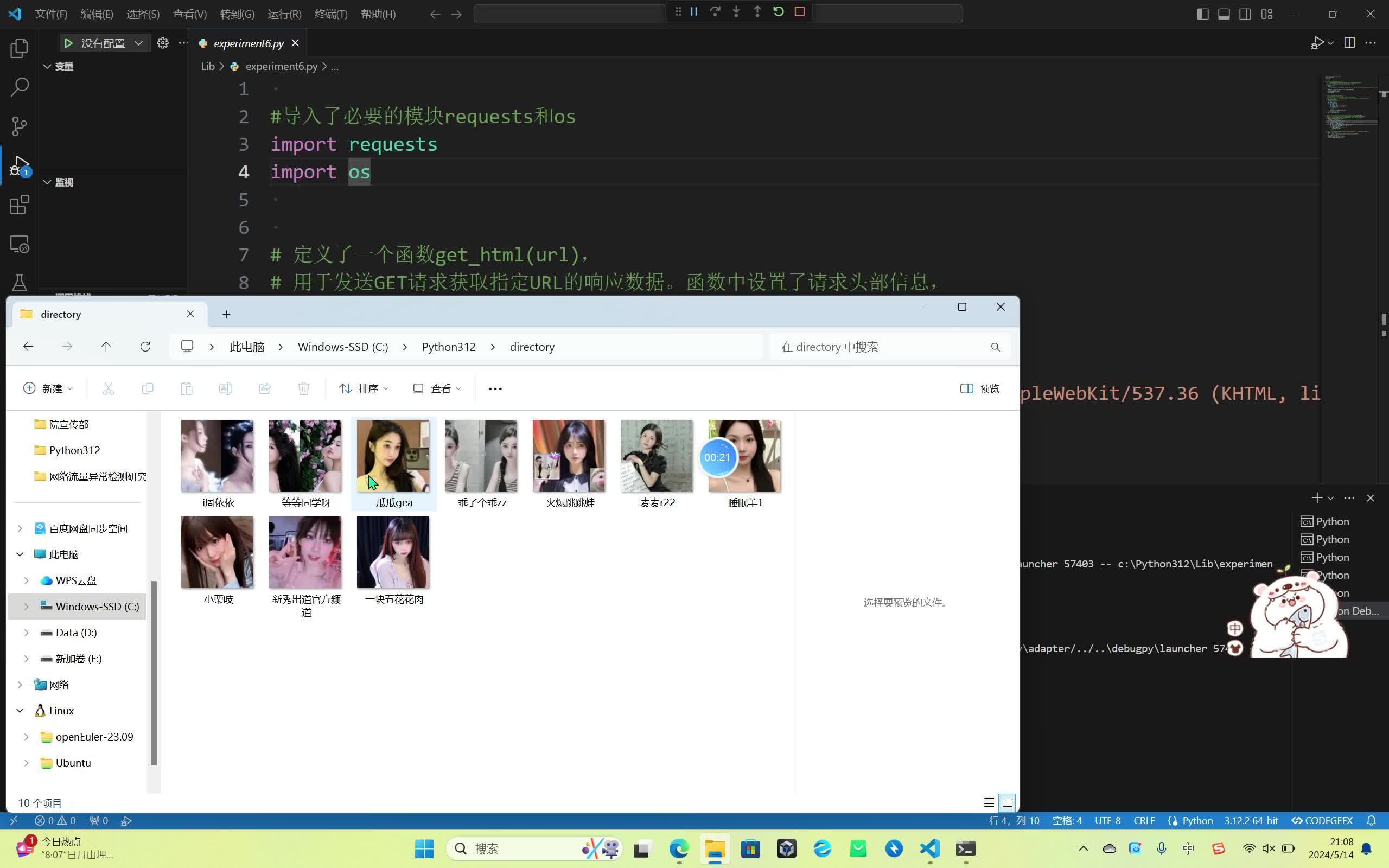
4)定义函数save_to_images(img_info_list),用于保存图片到本地。首先创建一个目录"directory",然后遍历图片信息列表,依次下载每个图片并保存到目录中,图片的文件名为标题加上".jpg"后缀。
def save_to_images(img_info_list):
    dir_path = 'directory'
    if not os.path.exists(dir_path):
        os.makedirs(dir_path)
    for img_info in img_info_list:
        img_path = os.path.join(dir_path, img_info['title'] + '.jpg')
        res = requests.get(img_info['img_url'])
        res_img = res.content
        with open(img_path, 'wb') as f:
            f.write(res_img)
        # exit()
5)在主程序中,设置要爬取的URL,并调用前面定义的函数来执行爬取、解析和保存操作。
if __name__ == '__main__':
    url = 'https://www.douyu.com/gapi/rknc/directory/yzRec/1'
    html = get_html(url)
    img_info_list = parse_html(html)
    save_to_images(img_info_list)
b8d4f0bd91a634b856482453719cbf5b
感谢老师的耐心讲解,让我们可以更好地了解python这个独具魅力的语言,并进行略有痛苦的学习过程。
在开始实验之前,我查阅了大量的资料,了解了网络爬虫的基本原理、工作流程以及常见的爬虫框架。Python作为一门功能强大的编程语言,其丰富的库和模块为网络爬虫的开发提供了极大的便利。通过这次实验,我深刻体会到了网络爬虫技术的复杂性和挑战性。网络爬虫不仅需要熟悉编程语言和网络知识,还需要具备一定的数据处理和分析能力。同时,也要注意网络爬虫技术的道德和法律问题。在爬取网站数据时,必须遵守网站的robots协议和相关法律法规,尊重网站的版权和隐私。

