2401_MU_SE_FZU

FirstAssignment_832201224郭少嵩
 墨衍会员 · AI 创作全网分发 墨衍智能分发 通过墨衍一键同步至各平台 可同步平台 CSDN微信公众号微博知乎掘金百家号博客园抖音小红书 你的文章也可以这样分发 墨衍会员 ¥399起/年,写一次发全网
我也要 关注 + 加入社区
# Full-Stack Development: Building a Traveler Management System
## Table of Contents
1. Project Introduction
1.1 Overview
1.2 Repository and Documentation Links
1.3 Personal PSP Table
1.4 Cloud Server Access Link
2. System Showcase
2.1 User Interface
2.2 Adding Travelers
2.3 Deleting Travelers
2.4 Modifying and Querying (Future Implementation)
2.5 Pagination (Future Implementation)
3. Design and Implementation Process
3.1 Project Context
3.2 System Architecture
3.3 Implementation Steps
4. Core Code Explanation
4.1 Backend: Adding Travelers
4.2 Backend: Deleting Travelers
4.3 Frontend: Displaying Traveler Information
5. Personal Learning Achievements and Insights
Github line:https://github.com/echo8886/frontEnd.git Frontend
https://github.com/echo8886/service.git Backend
| Course for This Assignment | 2401_MU_SE_FZU |
|---|---|
| Student ID | FZU:832201224 MU:22125876 |
| Assignment Requirements | Design a front-end and back-end separated contact |
| Objectives of This Assignment | Exercise independent learning ability and learn the basic knowledge of software development |
| Other References |
## 1. Project Introduction
### 1.1 Overview
This project is a full-stack traveler management system, which includes both backend and frontend development. The backend is built with Express and Apollo Server, while the frontend is developed using React with Ant Design. The system allows users to manage traveler information efficiently through adding, deleting, modifying, and querying functionalities.
### 1.2 Repository and Documentation Links
[Backend Git Repository](https://github.com/yourusername/traveller-management-backend)
[Frontend Git Repository](https://github.com/yourusername/traveller-management-frontend)
[Coding Standards](https://www.example.com/coding-standards)
### 1.3 Personal PSP Table
| PSP Version | Completion Date | Total Person-Hours | Planned Person-Hours | Actual Person-Hours | Work Items |
|-------------|-----------------|--------------------|---------------------|---------------------|------------|
| PSP 1.1 | 2024-10-15 | 40 | 35 | 40 | Requirements Analysis and Design |
| PSP 1.2 | 2024-10-20 | 20 | 20 | 25 | Code Implementation |
| PSP 2.1 | 2024-10-25 | 15 | 15 | 18 | Testing and Debugging |
| PSP 2.2 | 2024-10-30 | 10 | 10 | 12 | Documentation and Code Review |
### 1.4 Cloud Server Access Link
[Cloud Server Access Link](https://yourcloudserver.com/)
## 2. System Showcase
### 2.1 User Interface
The user interface is designed using React and Ant Design components, providing a clean and intuitive layout for managing traveler information.
### 2.2 Adding Travelers
Users can add new travelers through a modal form in the frontend, which sends data to the backend via GraphQL mutations.
### 2.3 Deleting Travelers
Travelers can be deleted from the system with a confirmation dialog to prevent accidental removals.
### 2.4 Modifying and Querying
Future implementation will include features for modifying existing traveler information and querying the database for specific records.
### 2.5 Pagination
A future update will introduce pagination to handle large datasets efficiently.
## 3. Design and Implementation Process
### 3.1 Project Context
The system is designed to meet the growing needs of the tourism industry for efficient management of traveler information.
### 3.2 System Architecture
The backend is structured using MVC principles, with GraphQL providing the API layer. The frontend is a single-page application built with React, communicating with the backend through GraphQL queries and mutations.
### 3.3 Implementation Steps
1. Set up the backend with Express and Apollo Server.
2. Define the GraphQL schema and implement resolvers.
3. Develop the frontend with React and Ant Design.
4. Implement CRUD operations on both frontend and backend.
5. Test the system thoroughly and optimize for performance.
## 4. Core Code Explanation
### 4.1 Backend: Adding Travelers
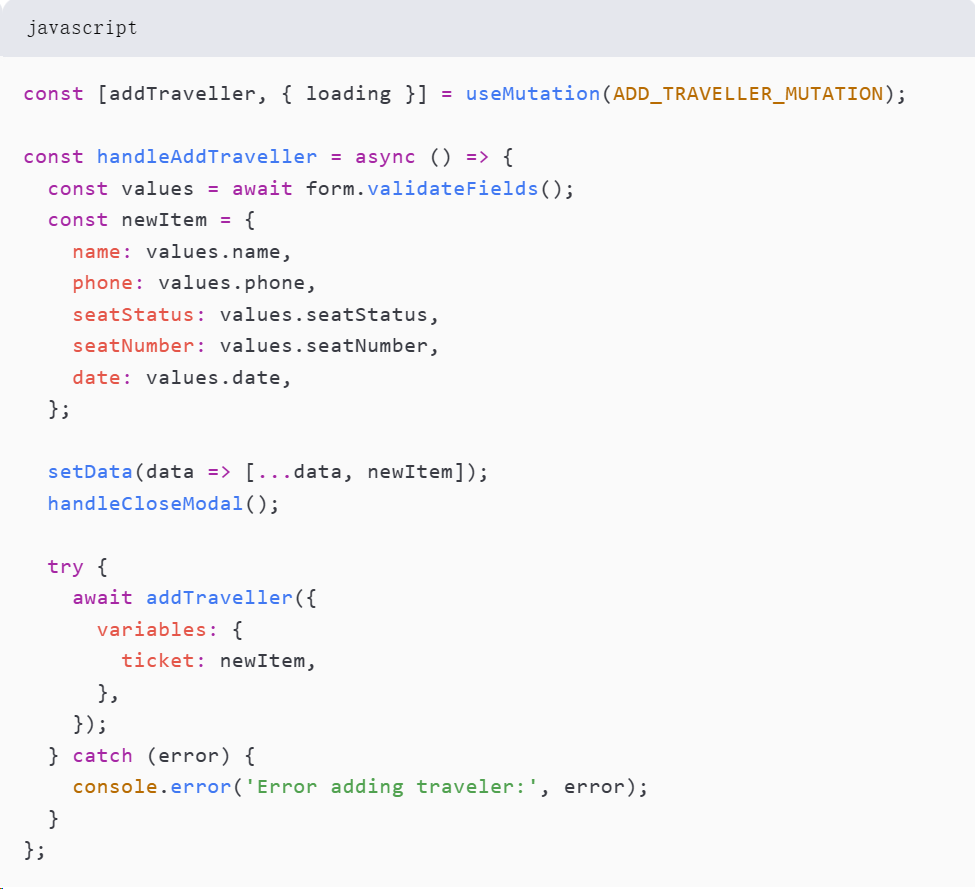
```javascript
const { ApolloServer, gql } = require('apollo-server-express');
const { GraphQLScalarType } = require('graphql');
const { Kind } = require('graphql/language');
const { MongoClient } = require('mongodb');
const typeDefs = gql`
type Mutation {
addTraveller(ticket: TravellerInput): Traveller
}
`;
const resolvers = {
Mutation: {
addTraveller: async (_, { ticket }) => {
const collection = db.collection('Travellers');
const result = await collection.insertOne(ticket);
return result.ops[0];
},
},
};
const server = new ApolloServer({ typeDefs, resolvers });
server.applyMiddleware({ app, path: '/graphql' });
```
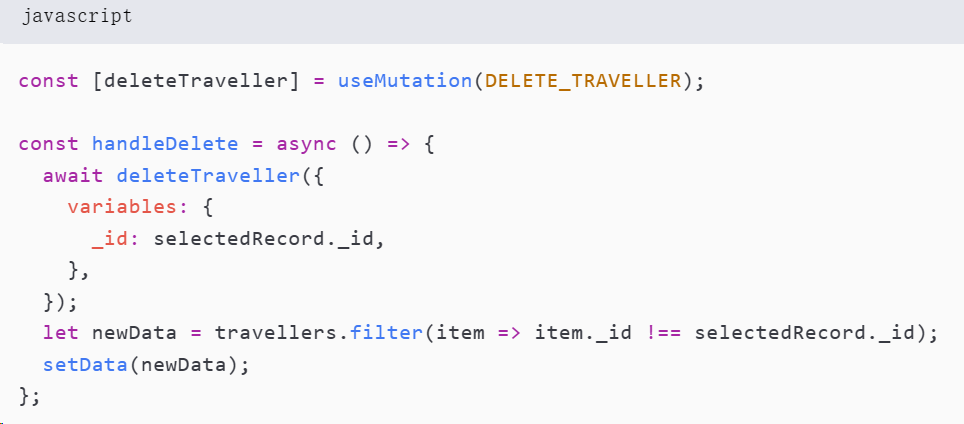
### 4.2 Backend: Deleting Travelers
```javascript
Mutation: {
deleteTraveller: async (_, { _id }) => {
const collection = db.collection('Travellers');
const result = await collection.deleteOne({ _id });
return result.deletedCount > 0;
},
}
```
### 4.3 Frontend: Displaying Traveler Information
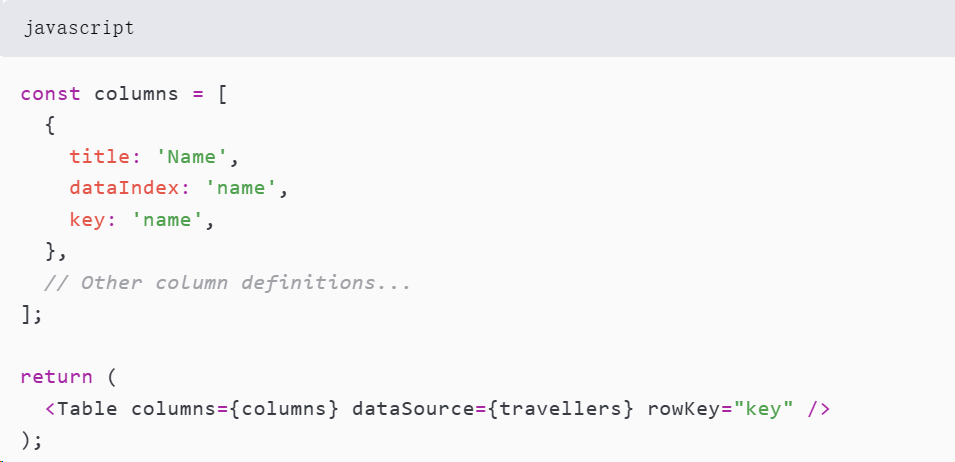
```javascript
const DisplayTraveller = ({ visible, travellers }) => {
const columns = [
// Column definitions...
];
return (
<>
{visible && <Table columns={columns} dataSource={travellers} rowKey="_id" />}
<Button onClick={() => setVisible(!visible)}>
Toggle Display
</Button>
</>
);
};
```
## 5. Personal Learning Achievements and Insights
Through the development of this full-stack system, I have gained a deeper understanding of both backend and frontend technologies, including GraphQL, React, and Ant Design. I have also learned the importance of planning and documentation through the use of PSP methodologies. This project has been a valuable learning experience and has prepared me for more complex full-stack development challenges.
Fronted:react,Backend:express, data:mongodb
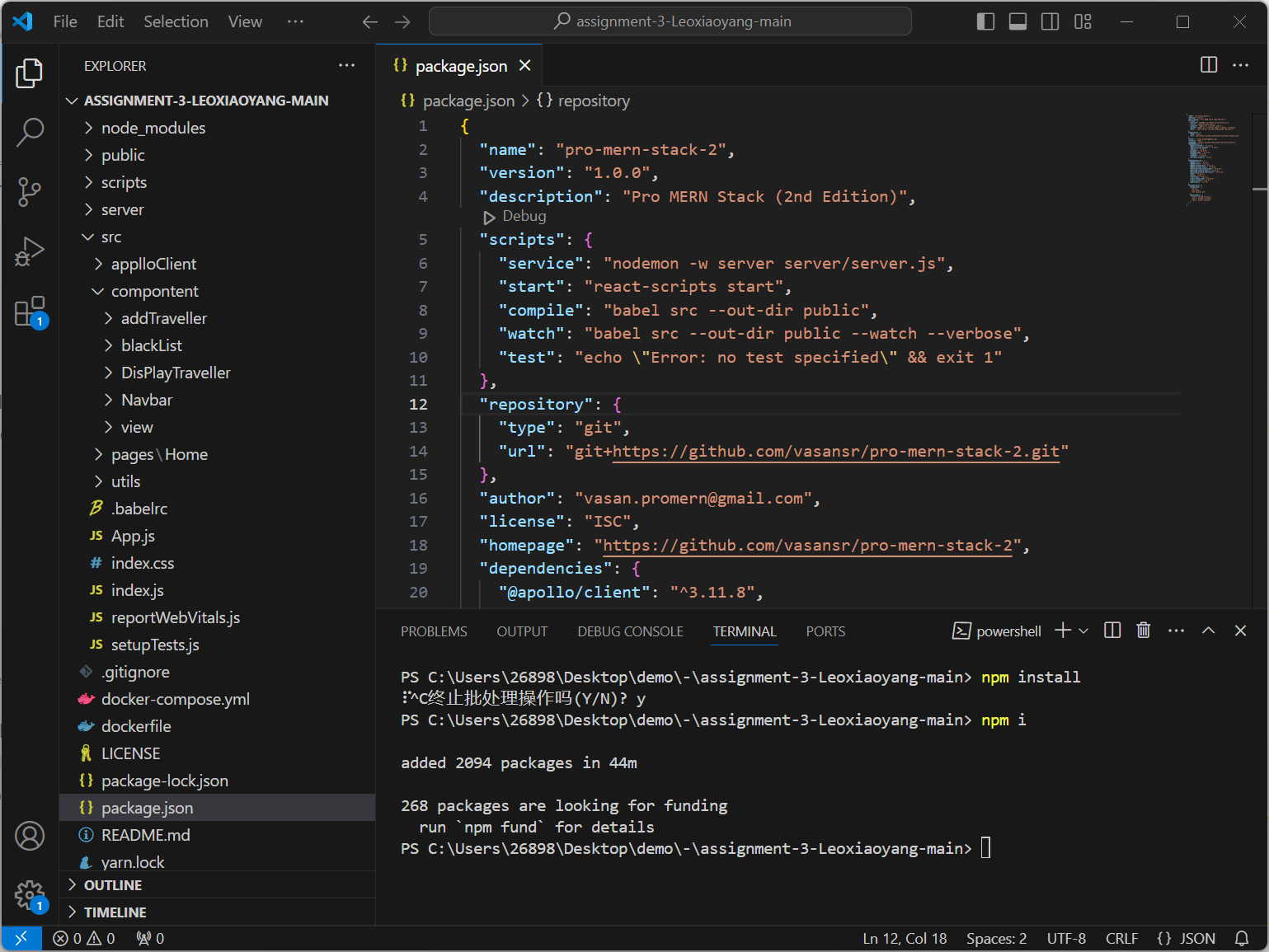
Debug can start this item
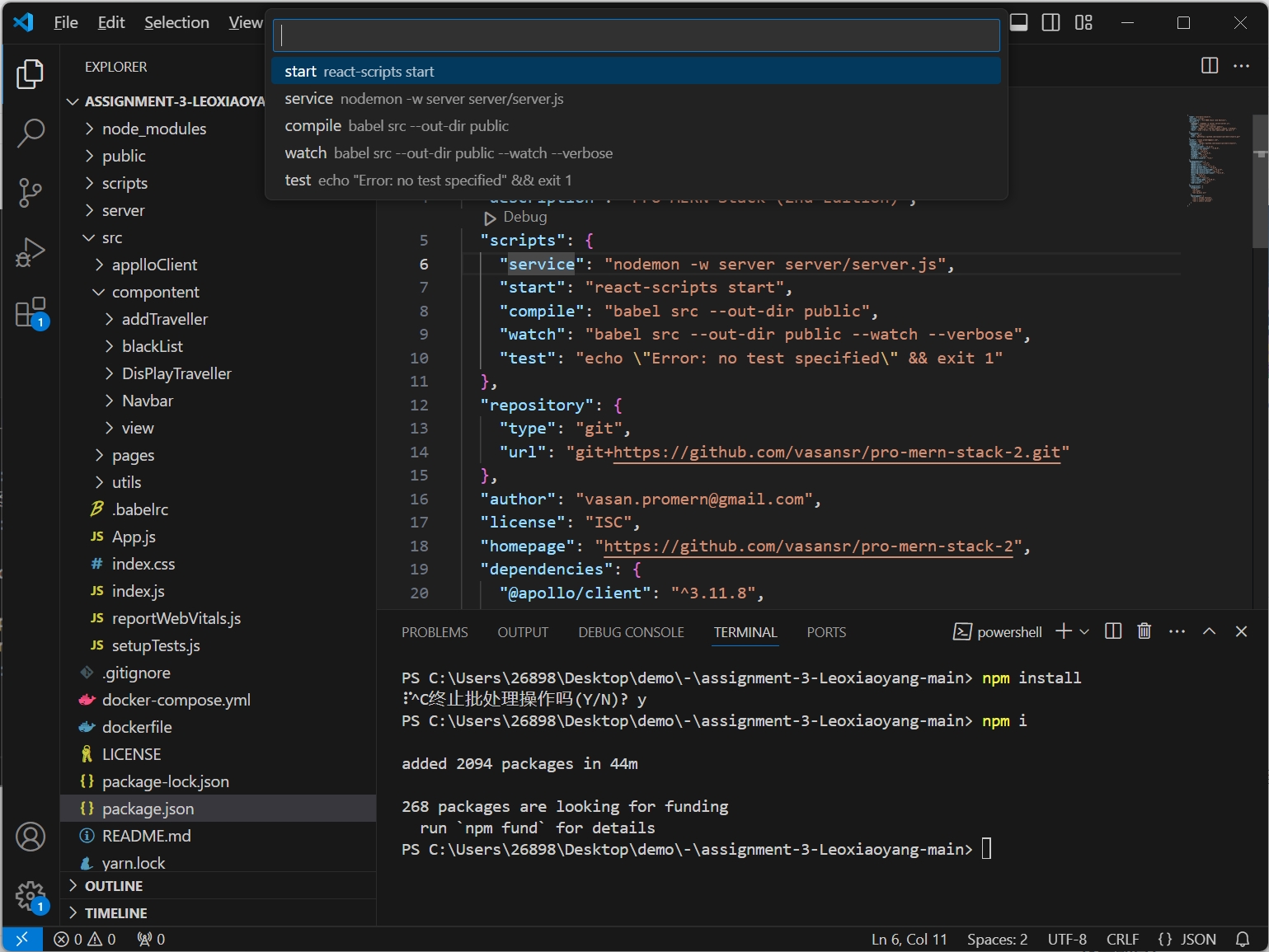
and then we will open compile
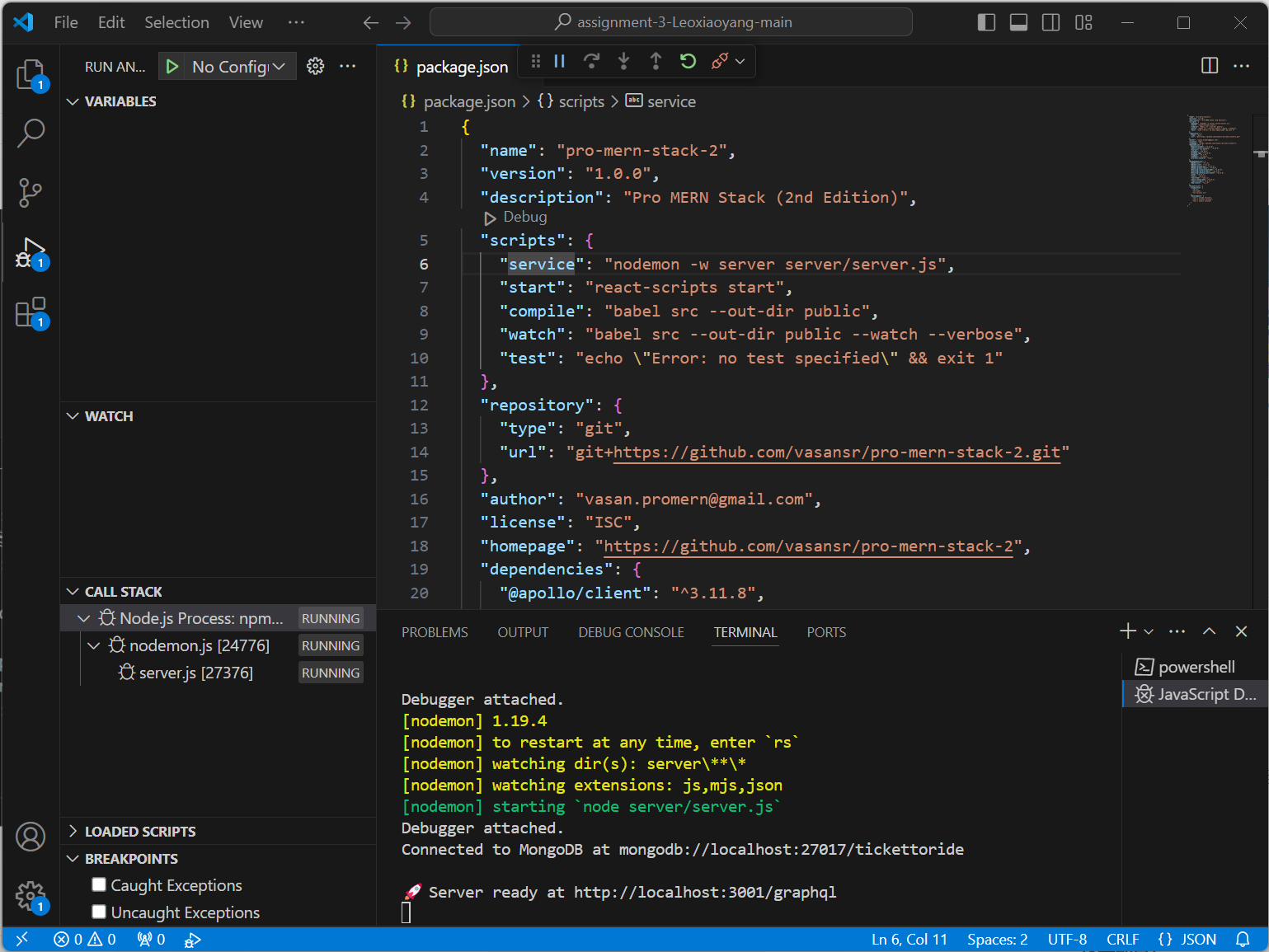
open server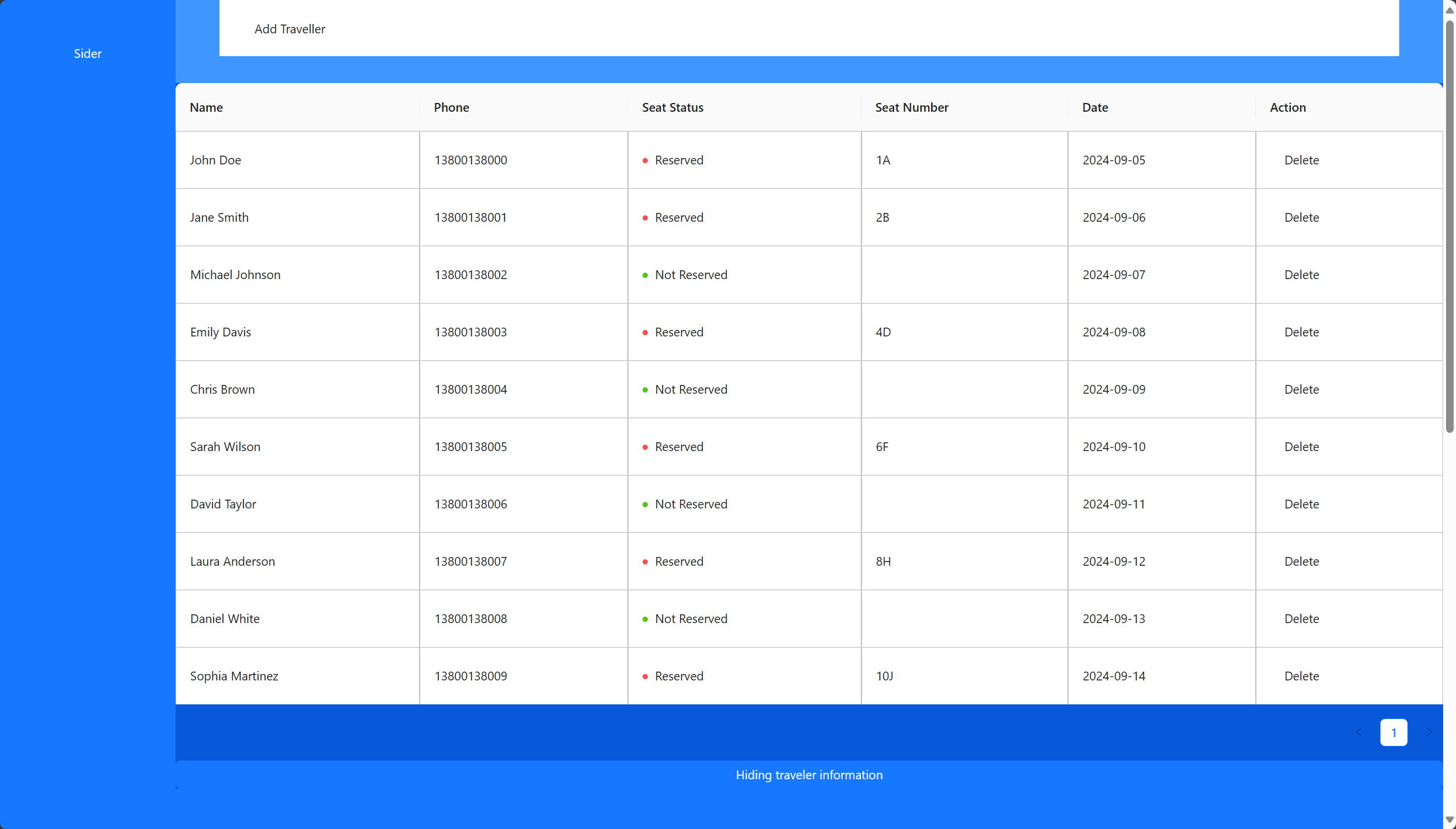
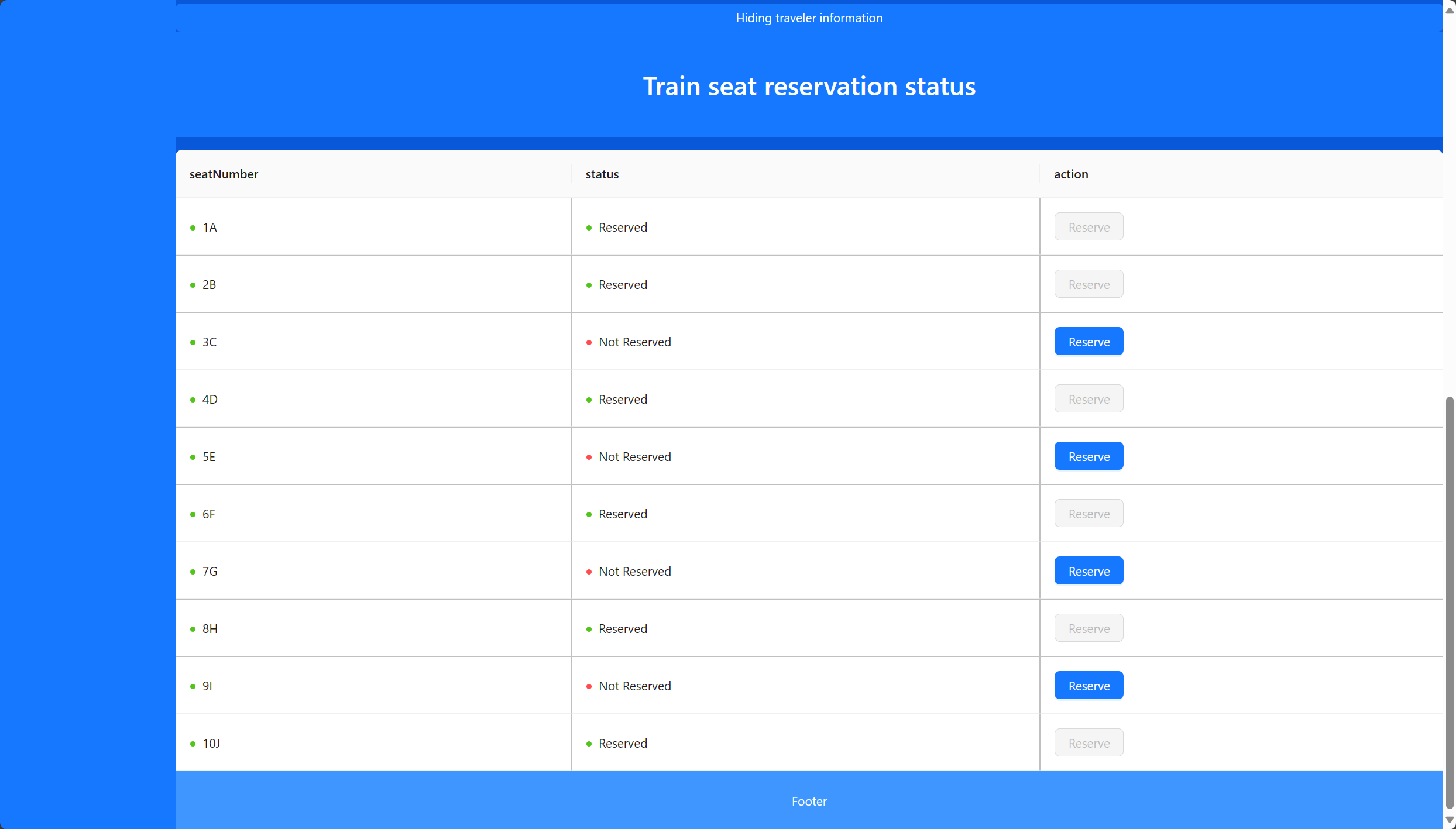
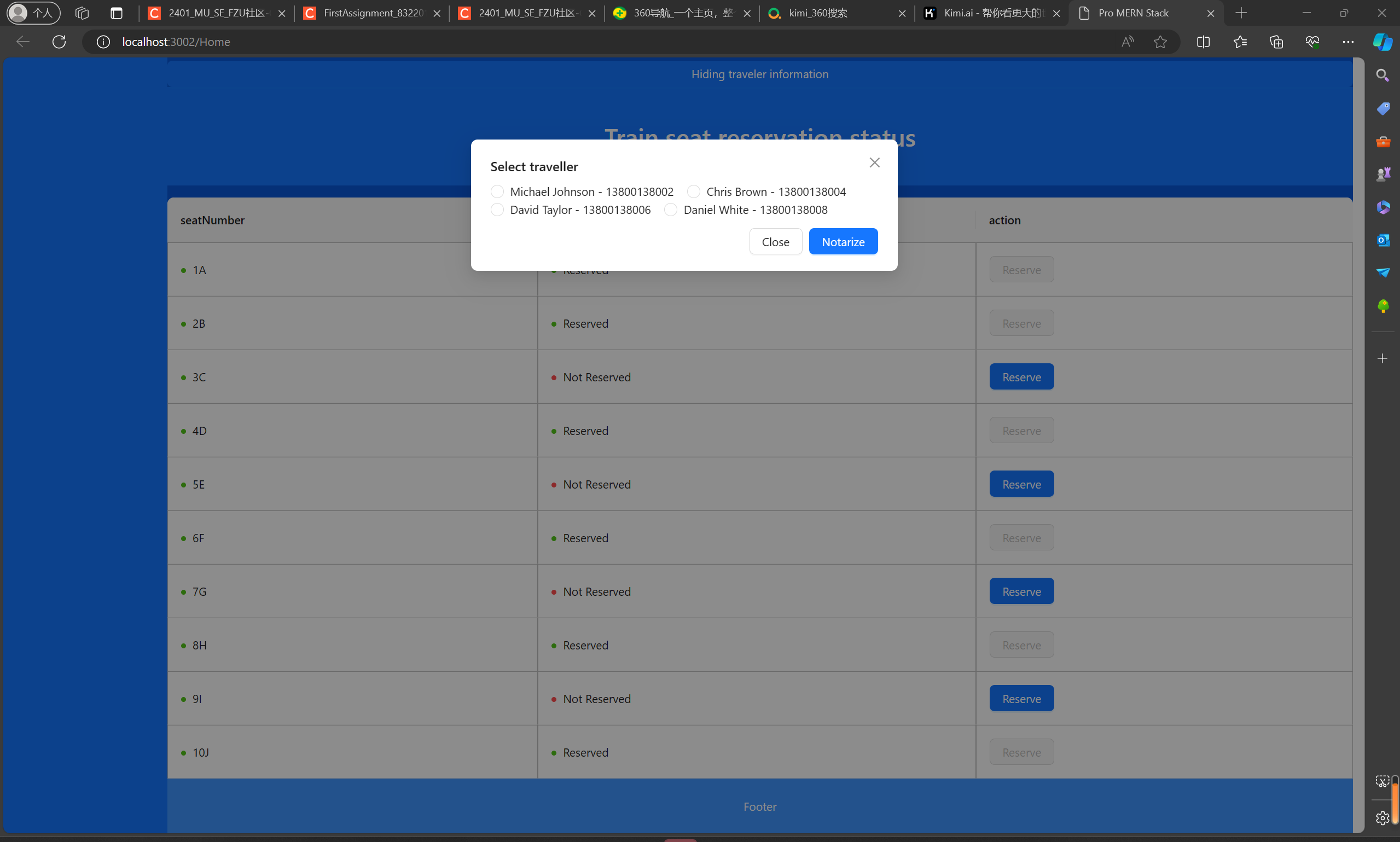
it can serve or delete someone seat
相关推荐
Firstassignment_LU:第一天的第一项任务
所有分配LU 迷你项目链接(index.html)-https:
firstassignment:涉及CFPB投诉的任务
初次分配 涉及CFPB投诉的任务
FirstAssignment:争取第一个任务
对于作业 #9,我创建了 Guardian Heroid Addict Example 中引用的程序演示。 Guardian 页面也使用了该样式。 数据以 JSON 形式收集并放在一个单独的文件中。 作业的目的是通过 jQuery 了解 HTML 注入。 为了理解 [removed] 和 jquery append() 的语法,我费了一番功夫。 理解语法后,只需正确设置标签并使用模板进行样式设置就很容易了。
首次分配
首次分配 我的Web开发入门课程的第一个任务。 我使用html和一些CSS来创建有关我最喜欢的化妆产品的博客。
【Linux系统编程】Shell脚本语言基础与应用:变量定义、流程控制及文本处理工具实战指南
内容概要:本文档系统介绍了Linux环境下Shell编程的核心知识体系,涵盖Shell的基本概念、脚本编写入门、变量使用(系统预定义变量、自定义变量、特殊变量)、算术运算、条件判断、流程控制(if、case、for、while)、read命令读取输入、函数定义与调用,以及常用文本处理工具如cut、awk的使用方法。同时讲解了正则表达式的基础语法及其在grep、awk等命令中的应用,帮助读者掌握自动化脚本编写与系统管理任务处理的能力。文档通过大量实例演示,强化实际操作技能。; 适合人群:具备基本Linux操作基础,希望深入学习Shell脚本编程的初学者及运维、开发相关人员,尤其适合从事大数据、Java、前端、Python等领域并需提升自动化能力的技术人员。; 使用场景及目标:① 编写自动化部署、日志分析、定时任务等运维脚本;② 掌握Linux命令行高效处理文本与数据的方法;③ 为后续学习大数据组件(如Hadoop、Spark)的脚本调度打下基础;④ 提升在实际项目中利用Shell解决系统级问题的能力。; 阅读建议:建议结合Ubuntu等Linux环境边学边练,重视每个案例的实际运行效果,理解不同语法结构的应用差异,特别是变量使用、流程控制与正则表达式的细节,同时可参考文档推荐资源进一步拓展学习。