

 2401_MU_SE_FZU

First assignment--832201206_LiuZhe
 墨衍会员 · AI 创作全网分发 墨衍智能分发 通过墨衍一键同步至各平台 可同步平台 CSDN微信公众号微博知乎掘金百家号博客园抖音小红书 你的文章也可以这样分发 墨衍会员 ¥399起/年,写一次发全网
我也要 关注 + 加入社区
墨衍会员 · AI 创作全网分发 墨衍智能分发 通过墨衍一键同步至各平台 可同步平台 CSDN微信公众号微博知乎掘金百家号博客园抖音小红书 你的文章也可以这样分发 墨衍会员 ¥399起/年,写一次发全网
我也要 关注 + 加入社区Table of Contents
1.Course Assignment Requirements
3.1Functionality Demonstration
4Design and Implementation Process
6Personal Journey and Learnings
Course Assignment Requirements
| Course Name | Contact Management System |
|---|---|
| Assignment Requirements | Implement a contact management system with front-end and back-end separation, including adding, modifying, and deleting contacts |
| Objectives of This Assignment | Master front-end and back-end separation development, database operations, and basic web development frameworks |
| Other References | https://github.com/BYaoKSYao/Contacts |
PSP Table
| Module | Estimated Time | Actual Time | Remarks |
|---|---|---|---|
| Frontend Page Development | 4 hours | 5 hours | |
| Backend API Development | 6 hours | 7 hours | Encountered database connection issues |
| Functional Testing | 2 hours | 3 hours | Testing covered all features |
| Documentation Writing | 1 hour | 2 hours | Including blog and code comments |
Final Product Presentation
Functionality Demonstration
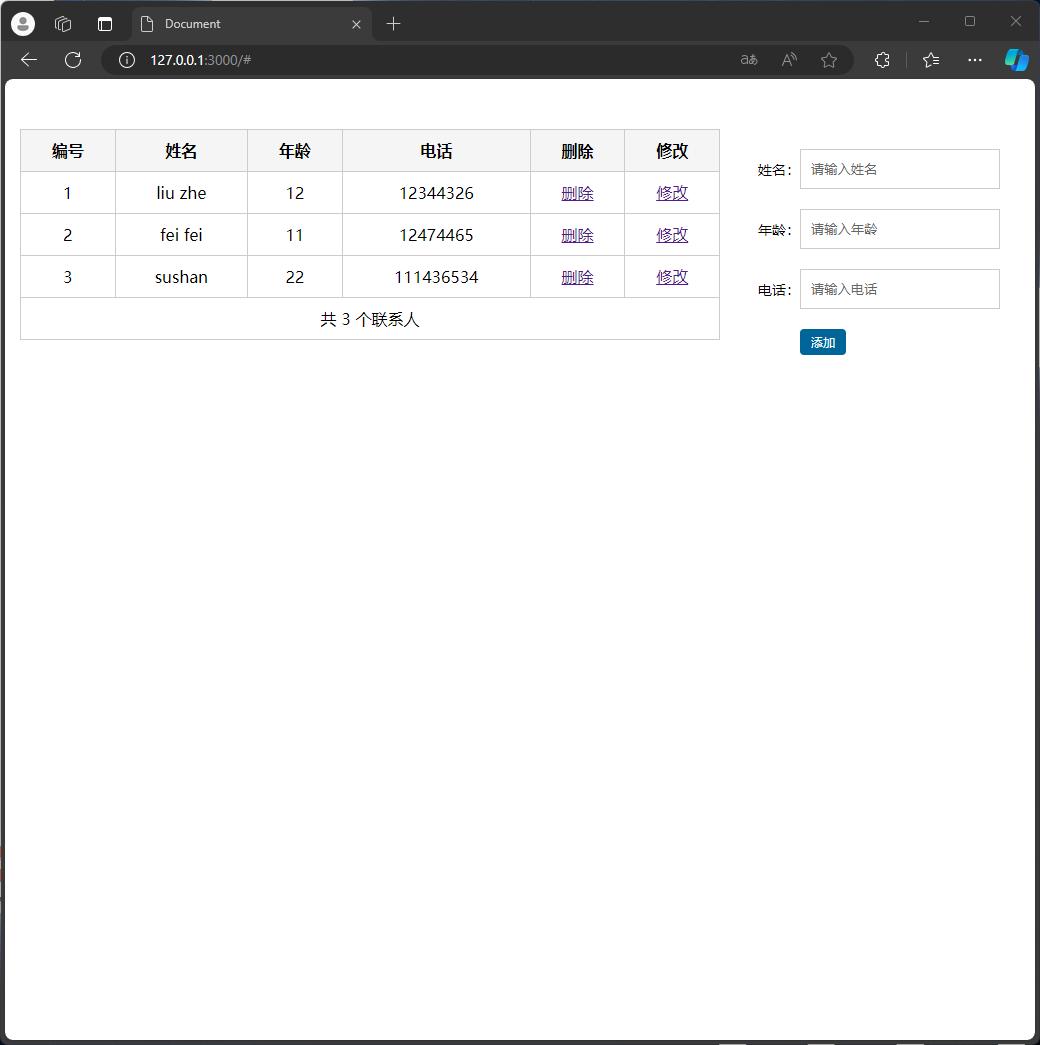
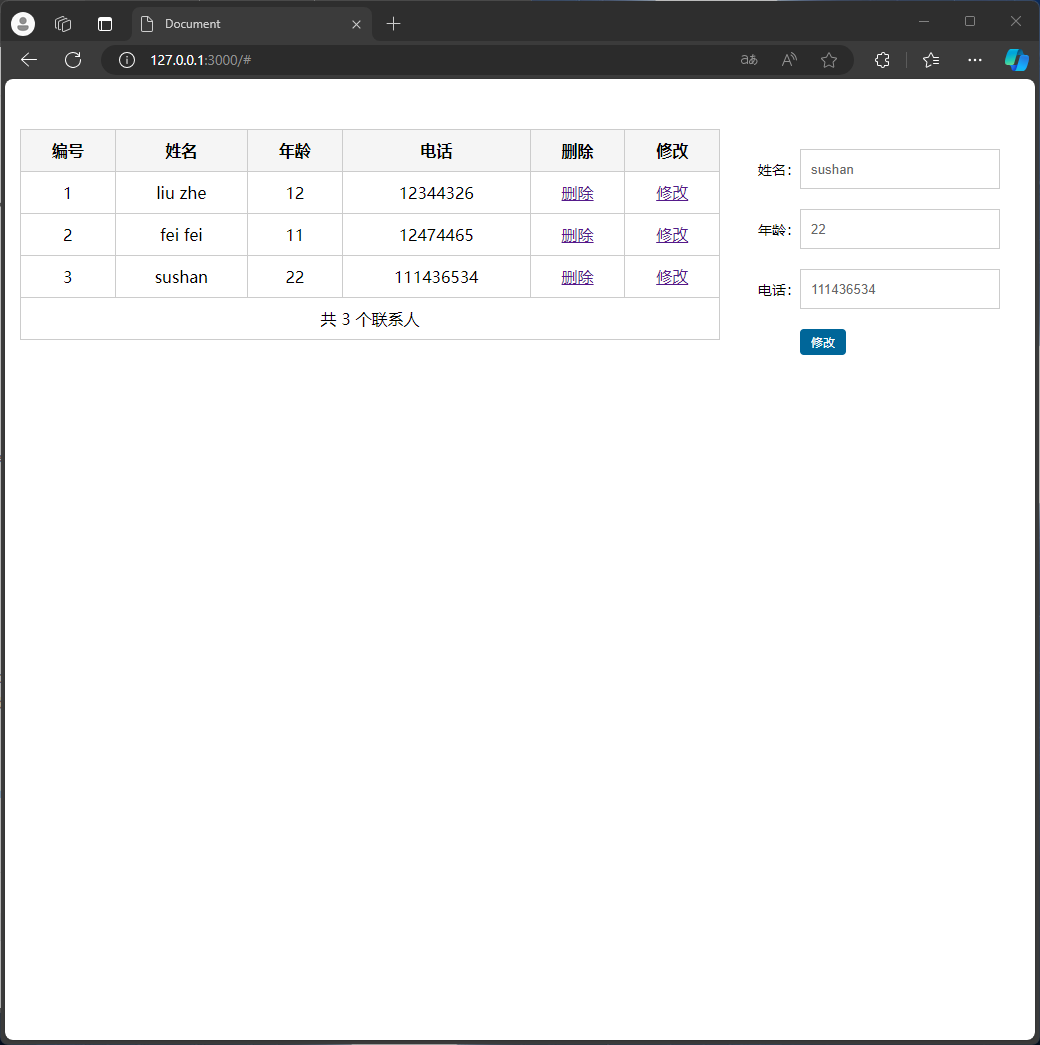
Below are the main functionalities of the system, including adding, modifying, and deleting contacts.
Main interface:
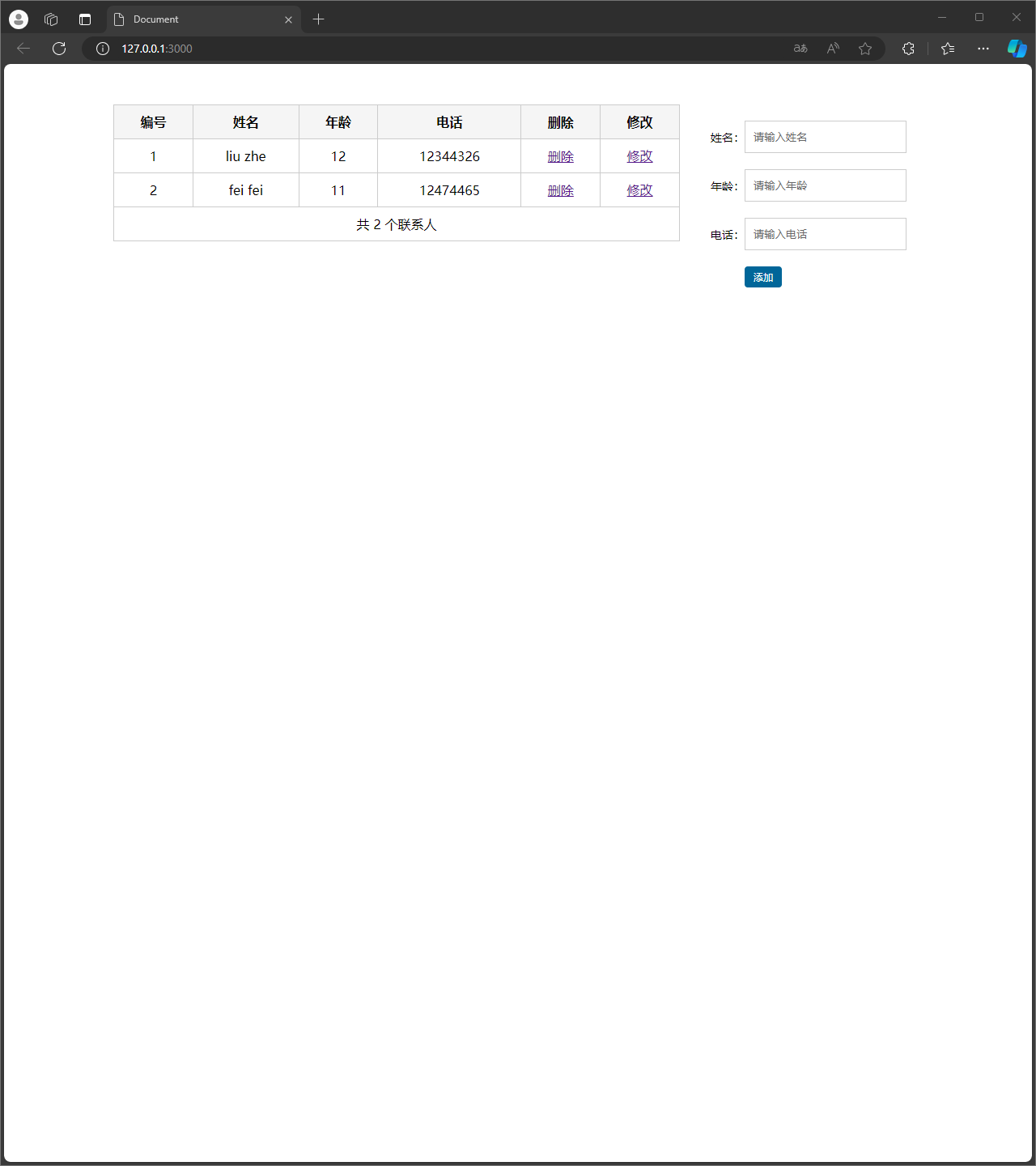
Adding a contact: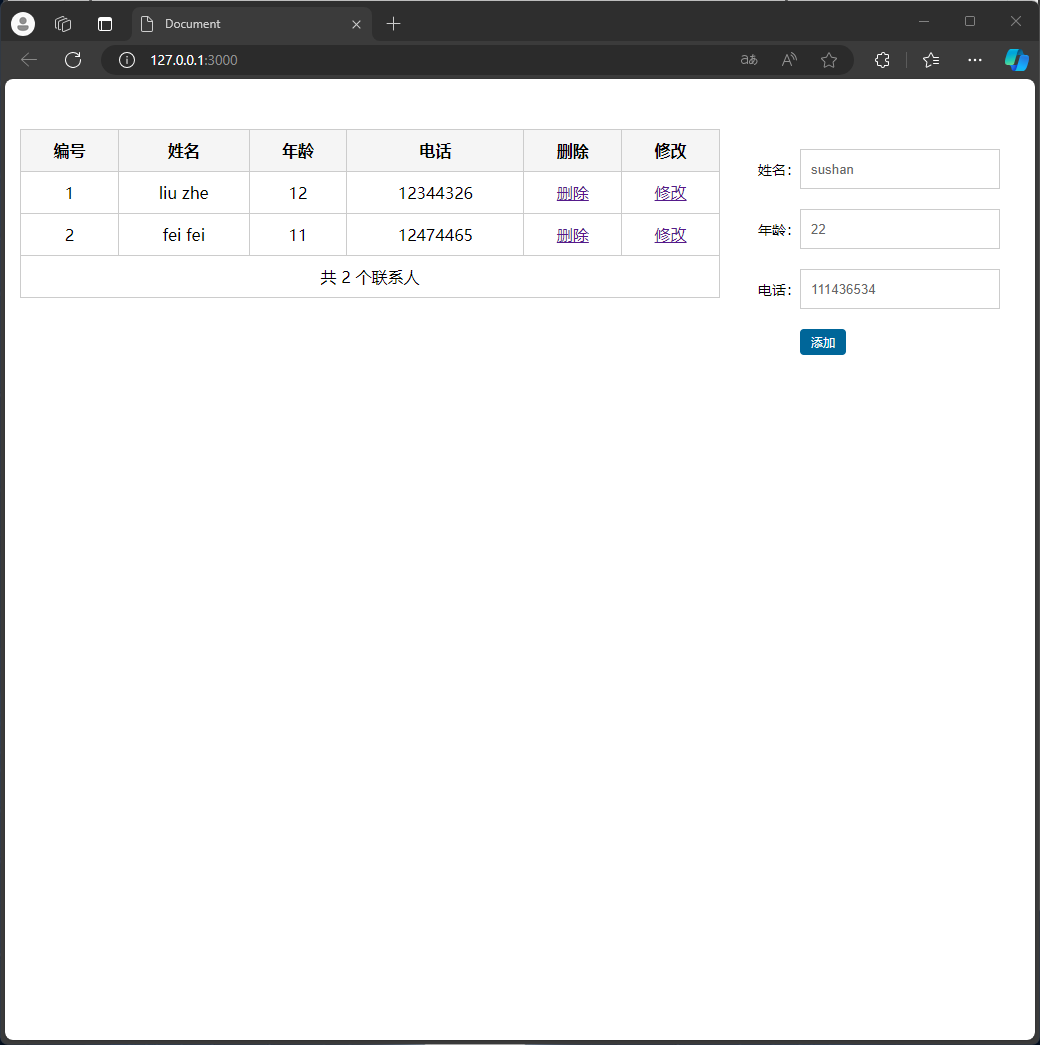
Editing a contact
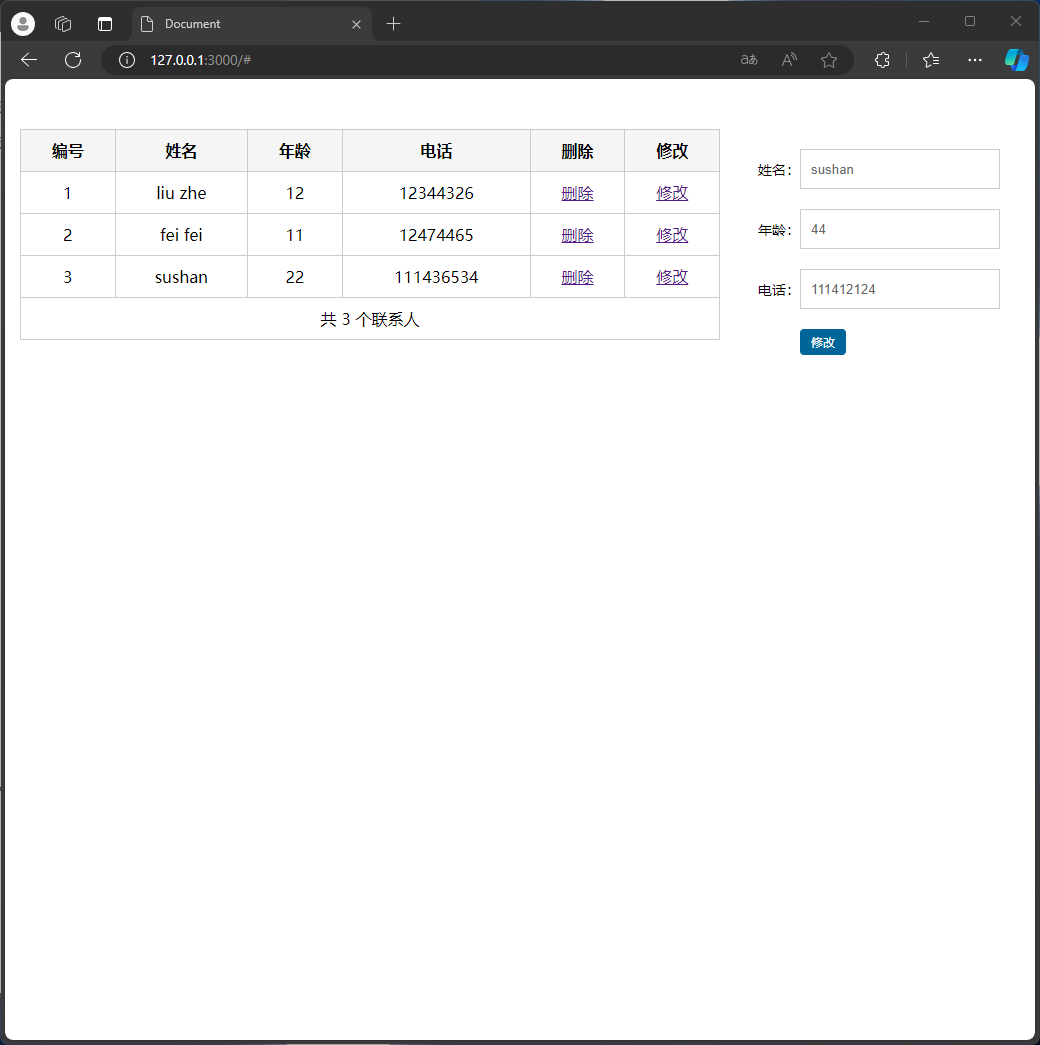
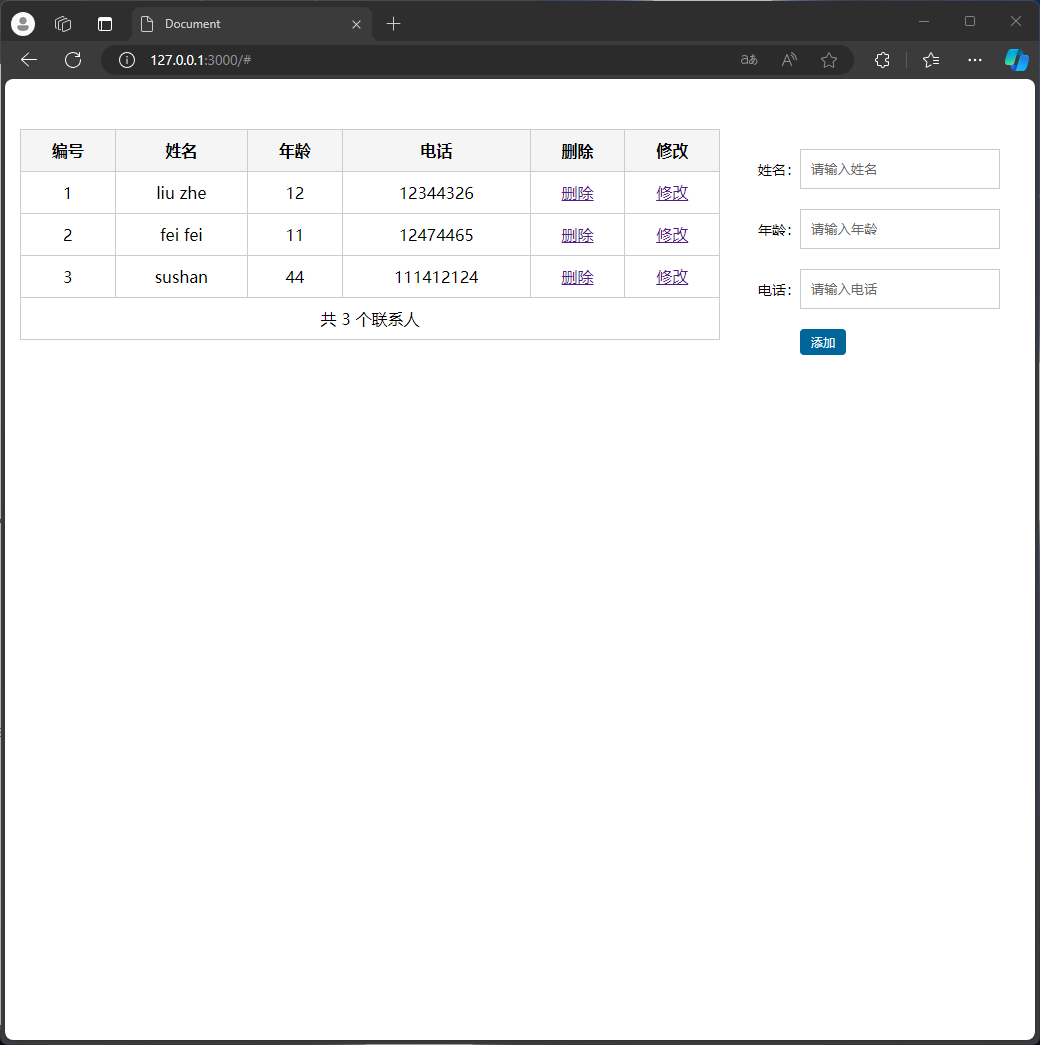
Deleting a contact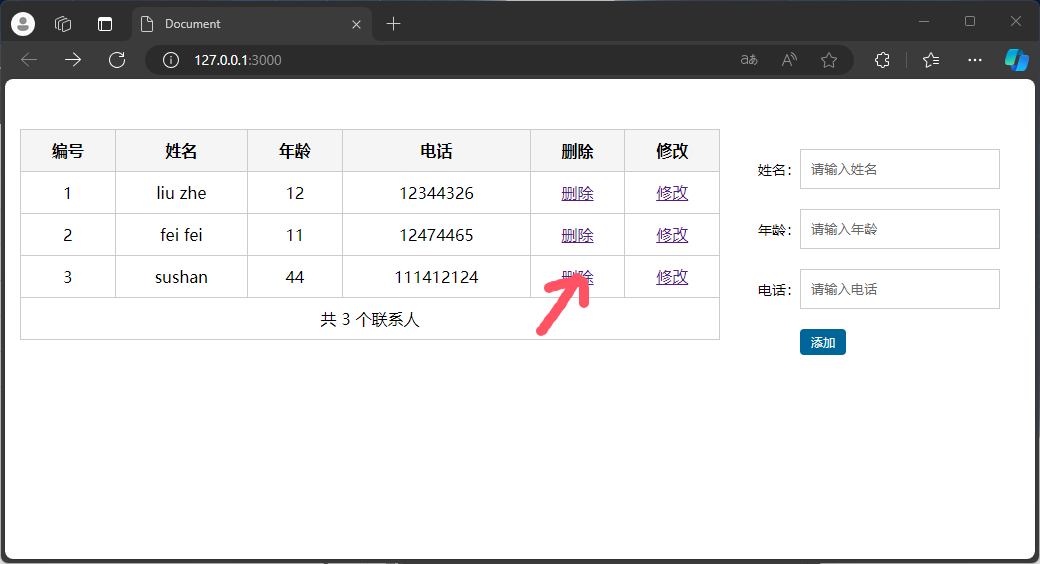
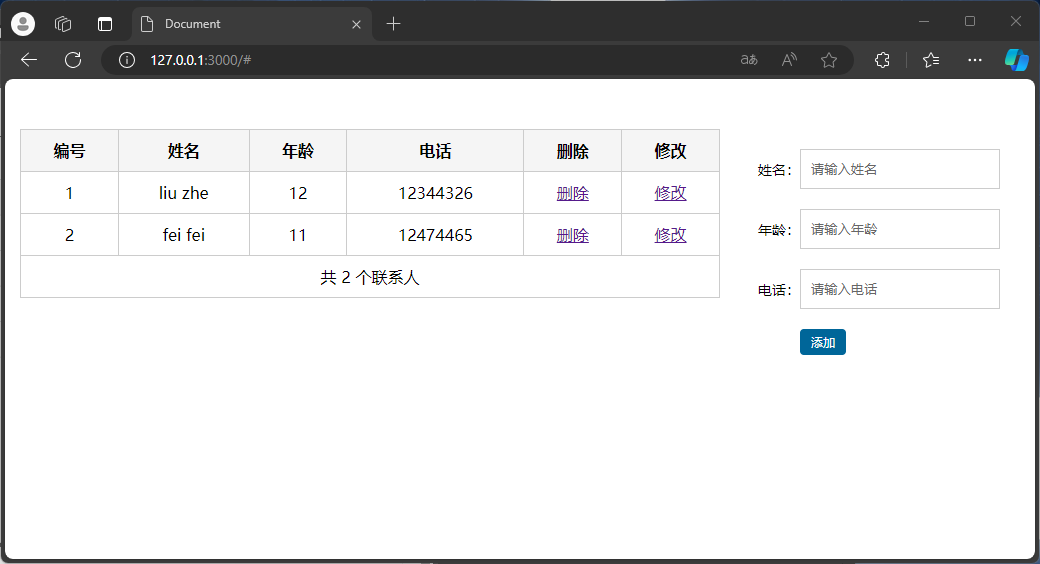
Design and Implementation Process
System Architecture
The system adopts a front-end and back-end separation architecture, with the front-end using the Vue.js framework, the back-end using the Express.js framework, and the MySQL database.
Database Design
A table named testout is created in the database, containing ID, name, age, phone fields.
Functional Implementation
- Add Contact: Store new contact information in the database through POST requests.
- Modify Contact: Update the contact information of a specified ID through POST requests.
- Delete Contact: Delete the contact information of a specified ID through DELETE requests.
Code Explanation
Frontend Code
Below is a code snippet from Vue.js for adding a contact:
async data_upload() {
  if (this.available) {
    try {
      const res = await axios.post('http://127.0.0.1:3000/post', {
        ID: '',
        name: this.name,
        age: this.age,
        phone: this.phone
      });
    } catch (error) {
      console.error(error);
    }

    this.name = ''
    this.age = ''
    this.phone = ''
    this.fetch_data()
  }
}
Backend Code
Below is a code snippet from Express.js for handling add contact requests:
router.post('/post', (req, res) => {
  res.setHeader('Access-Control-Allow-Origin', '*');
  console.log(req.body);
  sql_function.post_sql((err, results) => {
    if (err) {
      console.error('Error fetching data');
      res.status(500).send('Internal Server Error');
    } else {
      console.log("Storage successful");
      res.send("Storage successful");
      console.log('-------------------------------------');
    }
  }, req.body);
});
Personal Journey and Learnings
Through this assignment, I learned about the development model of front-end and back-end separation, mastered the use of Vue.js and Express.js, and how to operate the MySQL database. During the development process, I encountered some challenges, such as database connection issues and data interaction between the front-end and back-end, but I successfully resolved these issues by consulting materials and continuous attempts. This assignment not only improved my technical skills but also exercised my problem-solving abilities.
相关推荐
Mobile_Development_first_assignment
Mobile_Development_first_assignment"可能是针对初学者的一个项目,旨在帮助他们入门Kotlin编程和移动应用开发。
sea-d49_first_assignment
【标题】"sea-d49_first_assignment"是一个针对初学者的编程作业,旨在教授一系列基础的JavaScript技术。
First-NLU-Assignment
以上是对"First-NLU-Assignment"项目可能涵盖的知识点的详细解析,这些内容将帮助理解该项目的核心,并进一步学习和实践NLU技术。
First-Assignment
\n\n在“First-Assignment-Rashed”这个压缩包中,可能包含了一个初学者的HTML练习项目。通过打开和分析这些文件,你可以学习到HTML的基本结构,以及如何组织和呈现网页内容。
Assignment_09_C++_assignment_
【标题】"Assignment_09_C++_assignment_" 指的是一份基于C++语言的编程作业,可能是一个课程的第九次作业,重点在于学习和应用C++编程语言的各种概念和技术。




