




113
社区成员
 发帖
发帖 与我相关
与我相关 我的任务
我的任务
 分享
分享| 这个作业属于哪个课程 | https://bbs.csdn.net/forums/2401_CS_SE_FZU |
|---|---|
| 这个作业要求在哪里 | https://bbs.csdn.net/topics/619397949 |
| 这个作业的目标 | CodeArt团队实战总结 |
| 其他参考文献 | CSDN,博客园 |
222200315张俊腾
进展一:完成了接取求助接口的代码编写
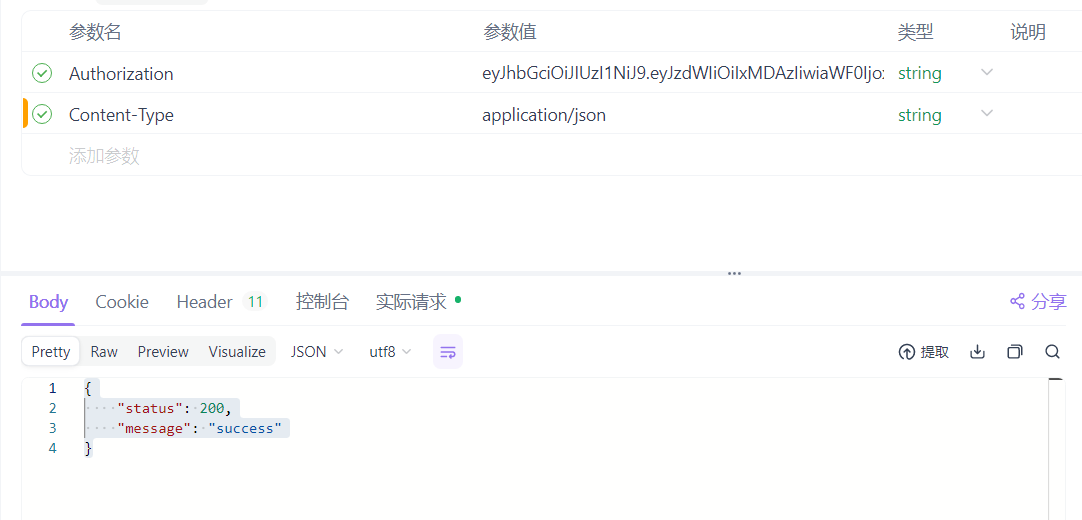
Content-Type 为 application/json 的问题,确保后端能够正确解析请求体。 public Response<Void> acceptHelpRequest(String helpRequestID, String token) {
// 验证令牌并获取用户ID
Claims claims;
try {
claims = JwtUtil.extractClaims(token);
} catch (JwtException | IllegalArgumentException e) {
return new Response<>(401, "无效的令牌", null);
}
Long userId = Long.parseLong(claims.getSubject());
// 查找求助信息
Optional<HelpRequest> optionalHelp = helpRequestRepository.findById(Long.parseLong(helpRequestID));
if (!optionalHelp.isPresent()) {
return new Response<>(404, "求助信息不存在", null);
}
HelpRequest helpRequest = optionalHelp.get();
// 检查求助类型
Integer type = helpRequest.getType(); // 1: 一对一, 2: 一对多
if (type == 1) { // 一对一
boolean alreadyAccepted = rescueInfoRepository.existsByHelpId(helpRequest.getId());
if (alreadyAccepted) {
return new Response<>(400, "该求助已被其他用户接取", null);
}
}
// 创建新的RescueInfo
RescueInfo rescueInfo = new RescueInfo();
rescueInfo.setUid(userId);
rescueInfo.setHelpId(helpRequest.getId());
rescueInfo.setStatus(0); // 0=进行中
rescueInfoRepository.save(rescueInfo);
return new Response<>(200, "success", null);
}
进展二:完成了获取救援排行榜接口的代码编写
/**
            * 获取救援排行榜
            * @param token 用户授权令牌
            * @return 救援排行榜列表
            */
           public Response<List<LeaderboardEntry>> getRescueLeaderboard(String token) {
               // 验证令牌
               try {
                   JwtUtil.extractClaims(token);
               } catch (JwtException | IllegalArgumentException e) {
                   return new Response<>(401, "无效的令牌", null);
               }

               List<Object[]> results = rescueInfoRepository.findRescueCountsByUid();
               List<LeaderboardEntry> leaderboard = new ArrayList<>();

               int rank = 1;
               for (Object[] row : results) {
                   Long uid = (Long) row[0];
                   Long rescueCount = (Long) row[1];
                   Optional<User> optionalUser = userRepository.findById(uid);
                   if (optionalUser.isPresent()) {
                       String username = optionalUser.get().getUsername();
                       LeaderboardEntry entry = new LeaderboardEntry(rank, username, rescueCount);
                       leaderboard.add(entry);
                       rank++;
                   }
               }

               return new Response<>(200, "success", leaderboard);
           }
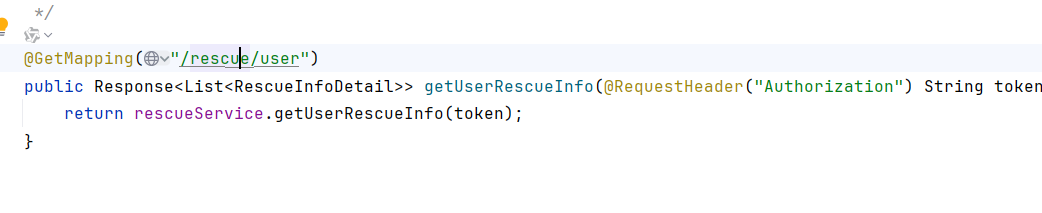
进展三:获取用户的救援信息接口 (GET /bafang/rescue/user)
/**
            * 获取用户参与的救援信息
            * @param token 用户授权令牌
            * @return 用户的救援信息列表
            */
           public Response<List<RescueInfoDetail>> getUserRescueInfo(String token) {
               // 验证令牌并确保请求的uid与令牌中的用户ID匹配
               Claims claims;
               try {
                   claims = JwtUtil.extractClaims(token);
               } catch (JwtException | IllegalArgumentException e) {
                   return new Response<>(401, "无效的令牌", null);
               }

               Long userId = Long.parseLong(claims.getSubject());

               List<RescueInfo> rescueInfos = rescueInfoRepository.findByUid(userId);
               List<RescueInfoDetail> rescueDetails = new ArrayList<>();

               for (RescueInfo rescueInfo : rescueInfos) {
                   Optional<HelpRequest> optionalHelp = helpRequestRepository.findById(rescueInfo.getHelpId());
                   if (optionalHelp.isPresent()) {
                       HelpRequest helpRequest = optionalHelp.get();
                       RescueInfoDetail detail = new RescueInfoDetail(
                               rescueInfo.getId(),
                               helpRequest.getRoadCondition(),
                               helpRequest.getWeatherCondition(),
                               helpRequest.getAssistanceType(),
                               helpRequest.getSuppliesNeeded(),
                               helpRequest.getDetailedAddress(),
                               rescueInfo.getCreatedAt()
                       );
                       rescueDetails.add(detail);
                   }
               }

               return new Response<>(200, "success", rescueDetails);
           }
222200309孙阳
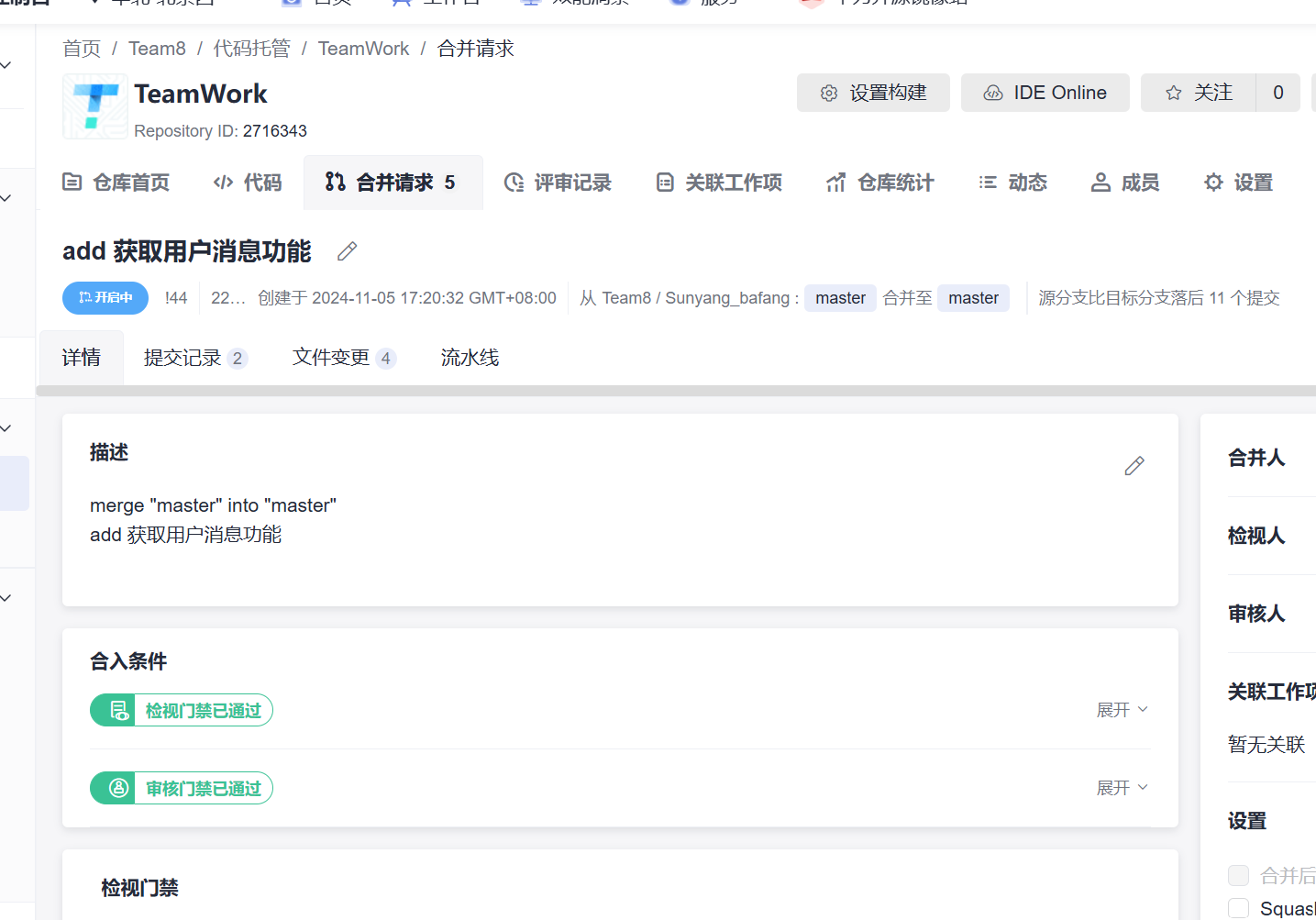
进展一:完成“获取用户消息接口”,新增了 MessageController,dto_Message,MessageRespository,MessageService文件
@Service
public class MessageService {
    @Autowired
    private MessageRepository messageRepository;

    @Autowired
    private UserRepository userRepository;


    public Response<List<MessageDetail>> GetUserMessage(Long uid, String token) {

        // 检查令牌
        Claims claims;
        try {
            claims = JwtUtil.extractClaims(token);
        } catch (MalformedJwtException e) {
            return new Response<>(400, "无效的令牌格式", null);
        } catch (ExpiredJwtException e) {
            return new Response<>(401, "令牌已过期", null);
        } catch (IllegalArgumentException e) {
            return new Response<>(400, "令牌不能为空", null);
        } catch (JwtException e) {
            return new Response<>(401, "无效的令牌", null);
        } catch (Exception e) {
            return new Response<>(500, "服务器内部错误", null);
        }

        Optional<User> optUser=userRepository.findById(uid);
        if(optUser.isEmpty()){
            return new Response<>(401, "用户不存在", null);
        }
        else {
            return new Response<>(200,"success", messageRepository.findByToUidOrderByCreatedAtDesc(uid).stream()
                    .map( message-> {
                        return new MessageDetail(
                                message.getId(),
                                message.getToUid(),
                                message.getTitle(),
                                message.getContent(),
                                message.getCreatedAt(),
                                message.getUpdatedAt(),
                                message.getDeletedAt()
                        );
                    })
                    .collect(Collectors.toList()));
        }

    }
}
222200304卢君豪
进展一:“发起求助”dto的创建
package com.bafang.dto.dto_help;

        public class InitiateHelpRequest {
            private Long uid;
            private String location;
            private Integer type;
            private String phoneNumber;
            private String detailedAddress;
            private String roadCondition;
            private String weatherCondition;
            private String utilitiesInfo;
            private Integer assistanceType;
            private String suppliesNeeded;
            private String introduction;

            public Long getUid() {
                return uid;
            }

            public void setUid(Long uid) {
                this.uid = uid;
            }

            public String getLocation() {
                return location;
            }

            public void setLocation(String location) {
                this.location = location;
            }

            public Integer getType() {
                return type;
            }

            public void setType(Integer type) {
                this.type = type;
            }

            public String getPhoneNumber() {
                return phoneNumber;
            }

            public void setPhoneNumber(String phoneNumber) {
                this.phoneNumber = phoneNumber;
            }

            public String getDetailedAddress() {
                return detailedAddress;
            }

            public void setDetailedAddress(String detailedAddress) {
                this.detailedAddress = detailedAddress;
            }

            public String getRoadCondition() {
                return roadCondition;
            }

            public void setRoadCondition(String roadCondition) {
                this.roadCondition = roadCondition;
            }

            public String getWeatherCondition() {
                return weatherCondition;
            }

            public void setWeatherCondition(String weatherCondition) {
                this.weatherCondition = weatherCondition;
            }

            public String getUtilitiesInfo() {
                return utilitiesInfo;
            }

            public void setUtilitiesInfo(String utilitiesInfo) {
                this.utilitiesInfo = utilitiesInfo;
            }

            public Integer getAssistanceType() {
                return assistanceType;
            }

            public void setAssistanceType(Integer assistanceType) {
                this.assistanceType = assistanceType;
            }

            public String getSuppliesNeeded() {
                return suppliesNeeded;
            }

            public void setSuppliesNeeded(String suppliesNeeded) {
                this.suppliesNeeded = suppliesNeeded;
            }

            public String getIntroduction() {
                return introduction;
            }

            public void setIntroduction(String introduction) {
                this.introduction = introduction;
            }
        }
进展二:“发起求助”controller的创建
@PostMapping("/bafang/help_request")
        public Response<Null> initiateHelpRequest(@RequestBody InitiateHelpRequest helpRequest, @RequestHeader("Authorization") String token) {
            return helpRequestService.initiateHelpRequest(helpRequest, token);
        }
222200310李怡涵
进展一:上传用户实况接口的实现
public Response<Null> uploadLive(UserUploadRequest userUploadRequest, String token){
        Claims claims;
        try {
            claims = JwtUtil.extractClaims(token);
        } catch (MalformedJwtException e) {
            return new Response<>(400, "无效的令牌格式", null);
        } catch (ExpiredJwtException e) {
            return new Response<>(401, "令牌已过期", null);
        } catch (IllegalArgumentException e) {
            return new Response<>(400, "令牌不能为空", null);
        } catch (JwtException e) {
            return new Response<>(401, "无效的令牌", null);
        } catch (Exception e) {
            return new Response<>(500, "服务器内部错误", null);
        }
        long userId = Long.parseLong(claims.getSubject());
        Optional<User> gettingUser = userRepository.findById(userId);
        if(gettingUser.isEmpty()) {
            return new Response<>(401, "用户无效", null);
        }

        UserUpload userUpload = new UserUpload();
        LiveInfo liveInfo = new LiveInfo();
        liveInfo.setUid(userId);
        liveInfo.setLocation(userUploadRequest.getLocation());
        liveInfo.setWeatherCondition(userUploadRequest.getWeatherCondition());
        liveInfo.setRoadCondition(userUploadRequest.getRoadCondition());
        liveInfo.setUtilitiesInfo(userUploadRequest.getUtilitiesInfo());
        Integer level = userUploadRequest.getLevel();
        liveInfo.setLevel(level);
        liveInfo.setIntroduction(userUploadRequest.getIntroduction());

        OffsetDateTime offsetDateTime = OffsetDateTime.parse(userUploadRequest.getExpiryAt());
        LocalDateTime expiryTime = offsetDateTime.toLocalDateTime();
        liveInfo.setExpiryAt(expiryTime);

        //分为两种情况 1. 用户上传实况信息,设置审核状态未审核 2. 管理员(官方)上传实况信息,设置审核状态已审核
        if (level == 1){
            liveInfo.setAuditStatus(0);
        }
        else {
            liveInfo.setAuditStatus(1);
        }
        liveInfoRepository.save(liveInfo);

        return new Response<>(200, "success", null);
    }
进展二:userUploadRequest用于存储传入内容
package com.bafang.dto.dto_live;

public class UserUploadRequest {
    private String Location;
    private String weatherCondition;
    private String roadCondition;
    private String utilitiesInfo;
    private Integer level;
    private String introduction;
    private String expiryAt;

    public String getExpiryAt() {
        return expiryAt;
    }

    public void setExpiryAt(String expiryAt) {
        this.expiryAt = expiryAt;
    }

    public String getLocation() {
        return Location;
    }

    public void setLocation(String location) {
        Location = location;
    }

    public String getWeatherCondition() {
        return weatherCondition;
    }

    public void setWeatherCondition(String weatherCondition) {
        this.weatherCondition = weatherCondition;
    }

    public String getRoadCondition() {
        return roadCondition;
    }

    public void setRoadCondition(String roadCondition) {
        this.roadCondition = roadCondition;
    }

    public String getUtilitiesInfo() {
        return utilitiesInfo;
    }

    public void setUtilitiesInfo(String utilitiesInfo) {
        this.utilitiesInfo = utilitiesInfo;
    }

    public Integer getLevel() {
        return level;
    }

    public void setLevel(Integer level) {
        this.level = level;
    }

    public String getIntroduction() {
        return introduction;
    }

    public void setIntroduction(String introduction) {
        this.introduction = introduction;
    }
}
222200311李梓玄
进展一:修复冗余的日志输出,修复 sql 表的 「每次启动都会删除表的问题」
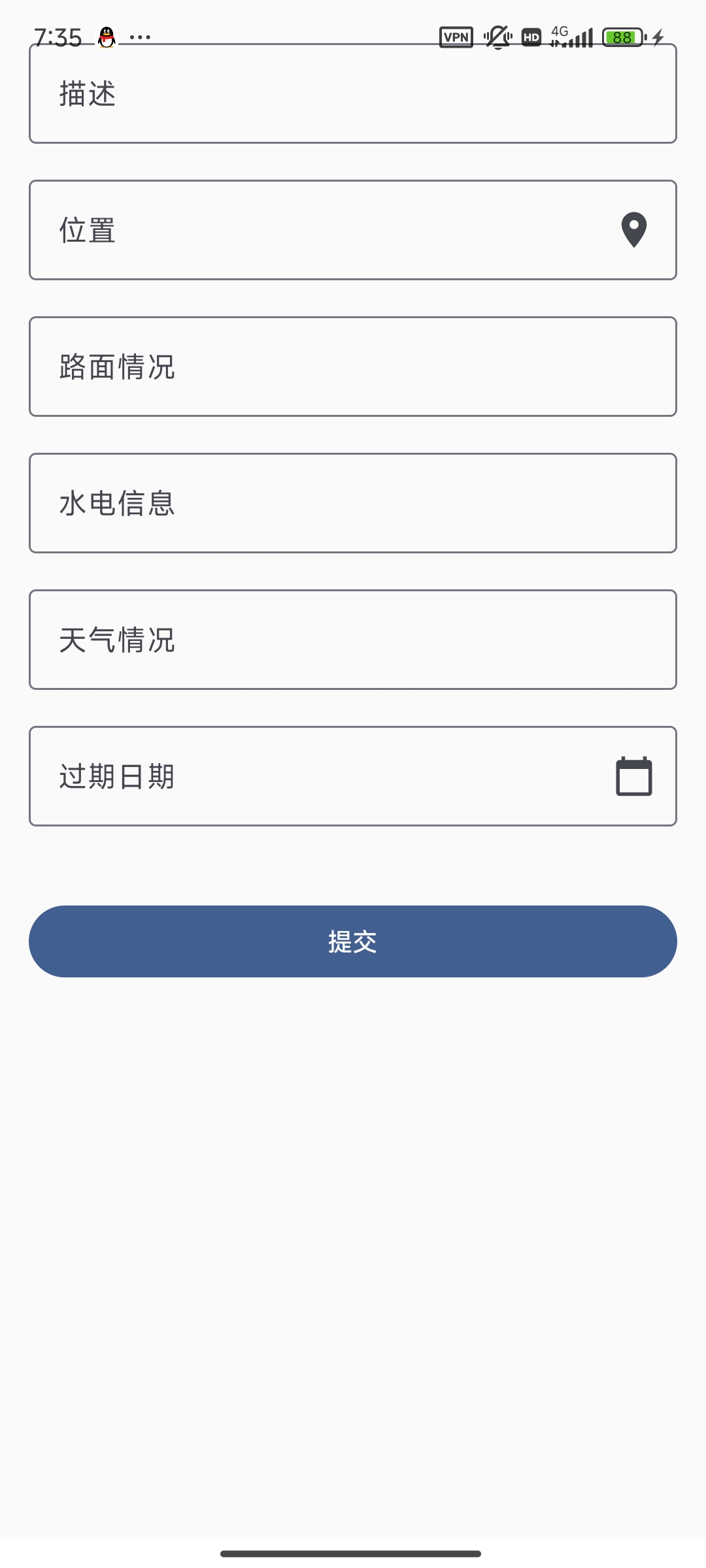
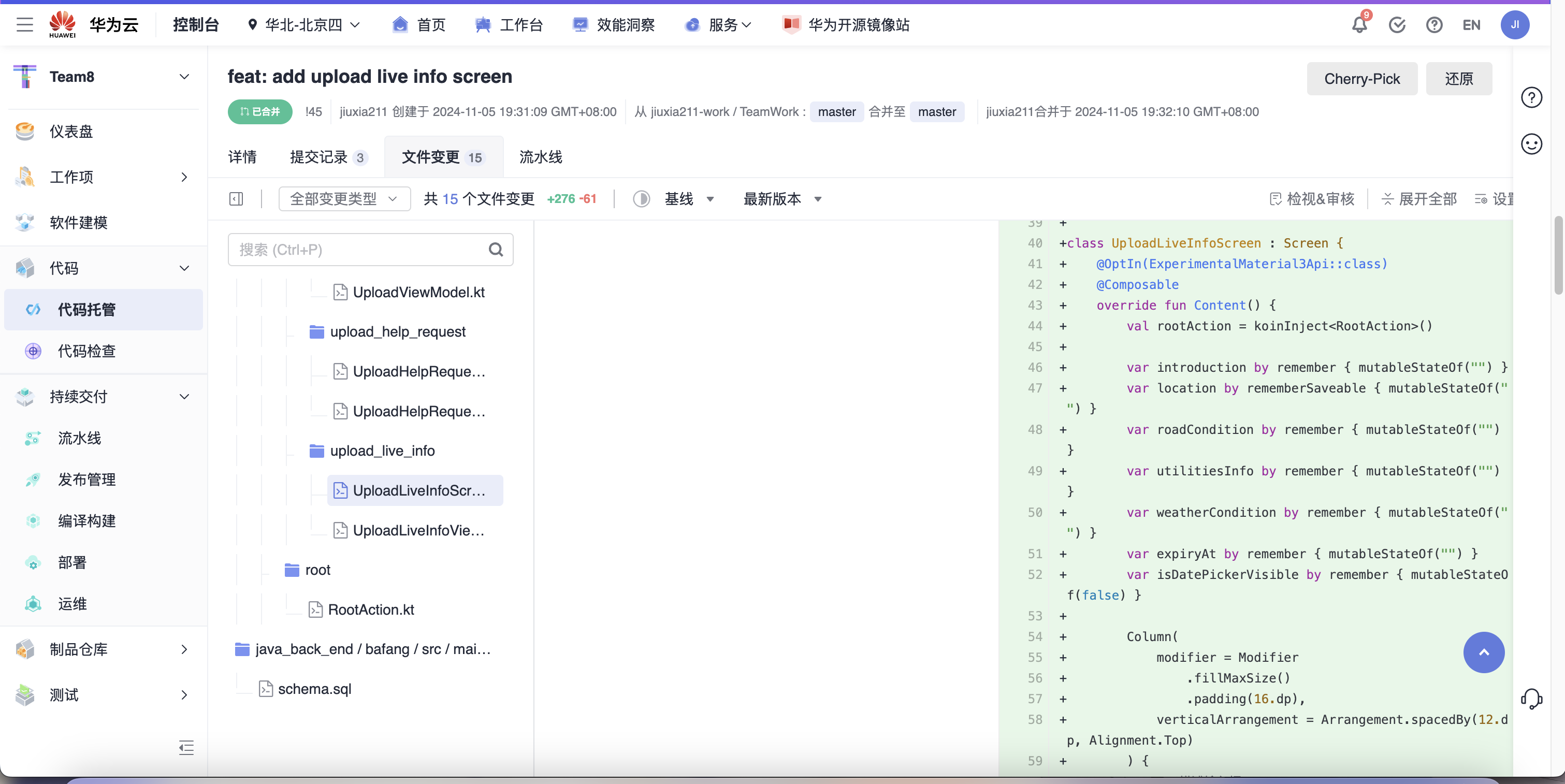
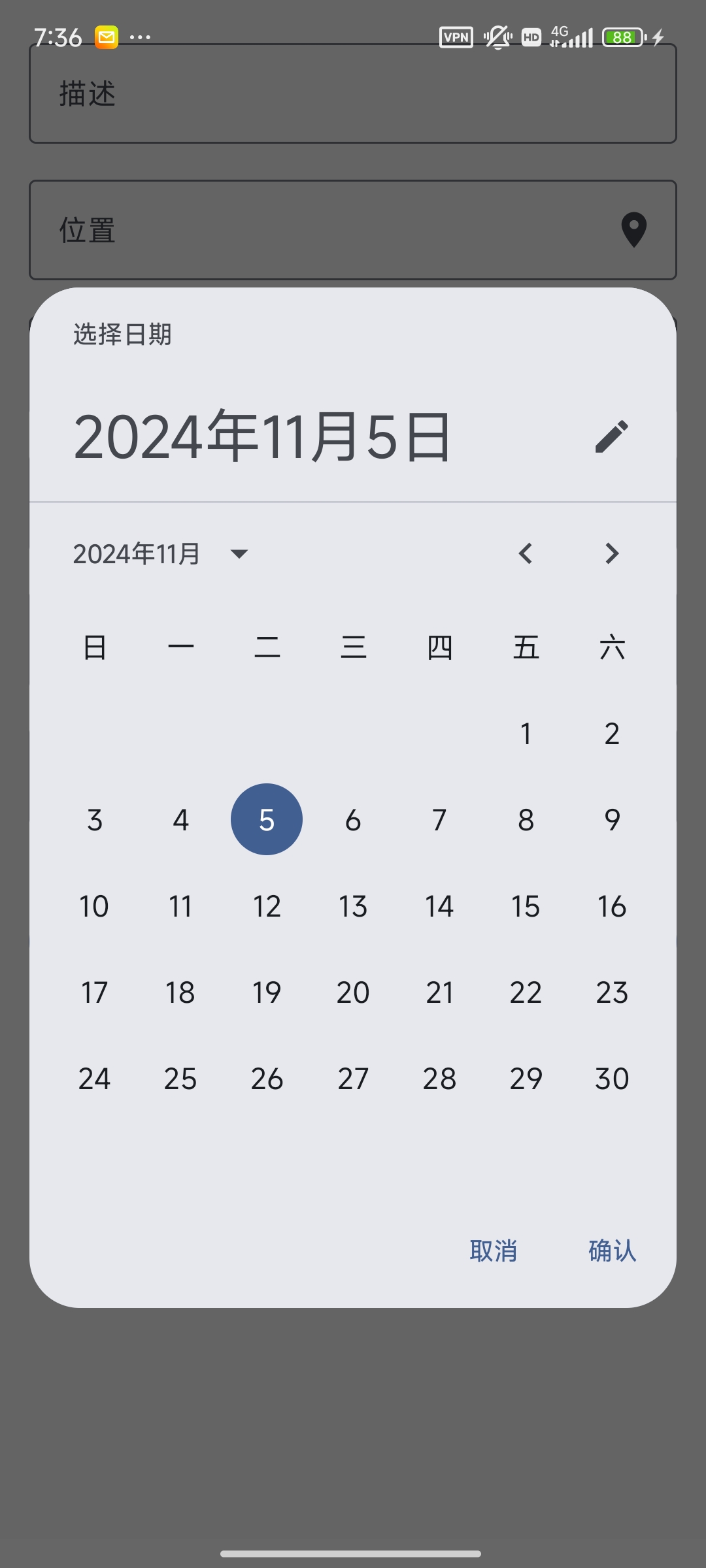
进展二:实现简单的上传实况界面,包括用户选择定位位置,和日期选择器
222200328夏振
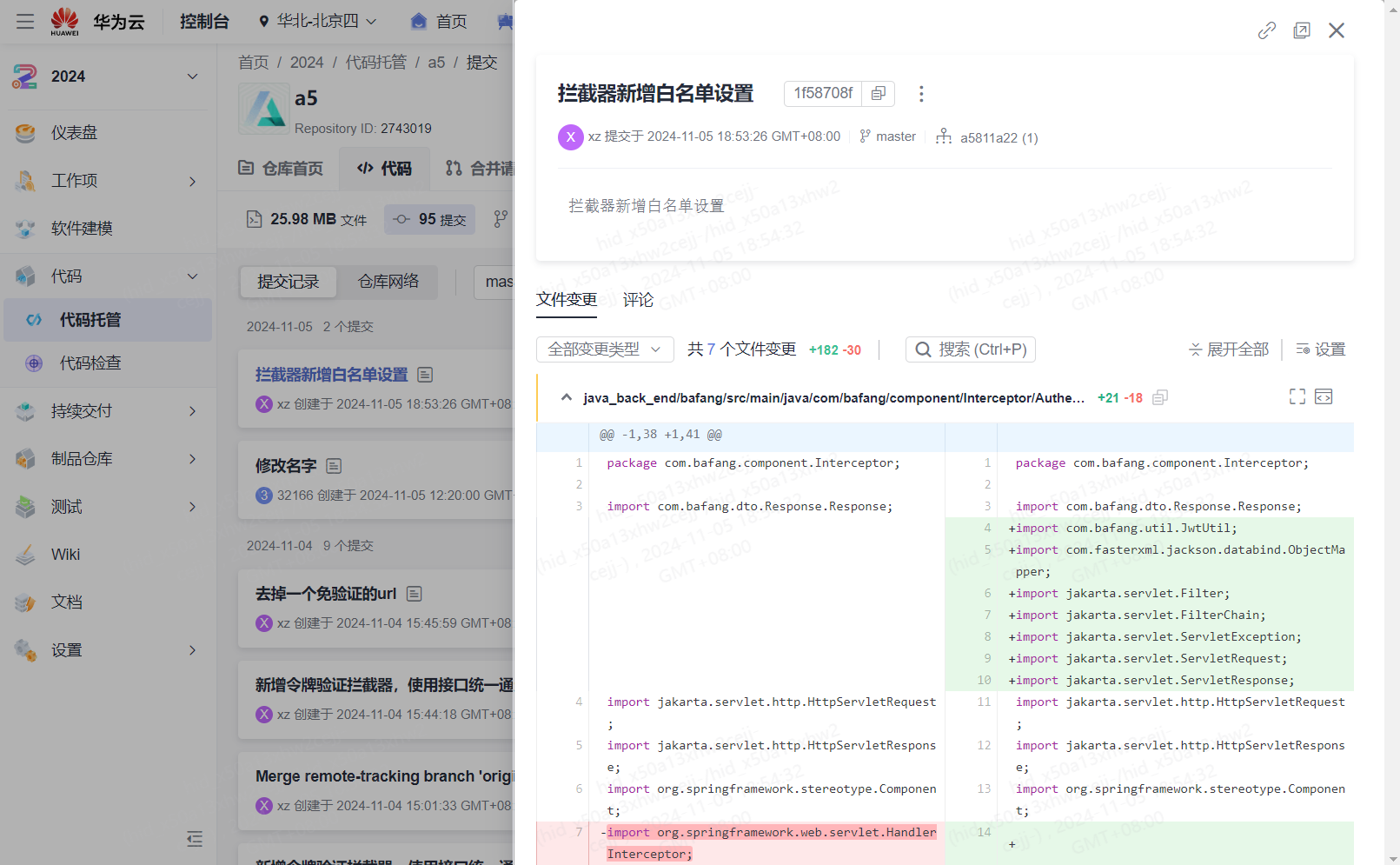
进展一:拦截器新增白名单
222200401丁昌彪
进展一:
222200312杨年申
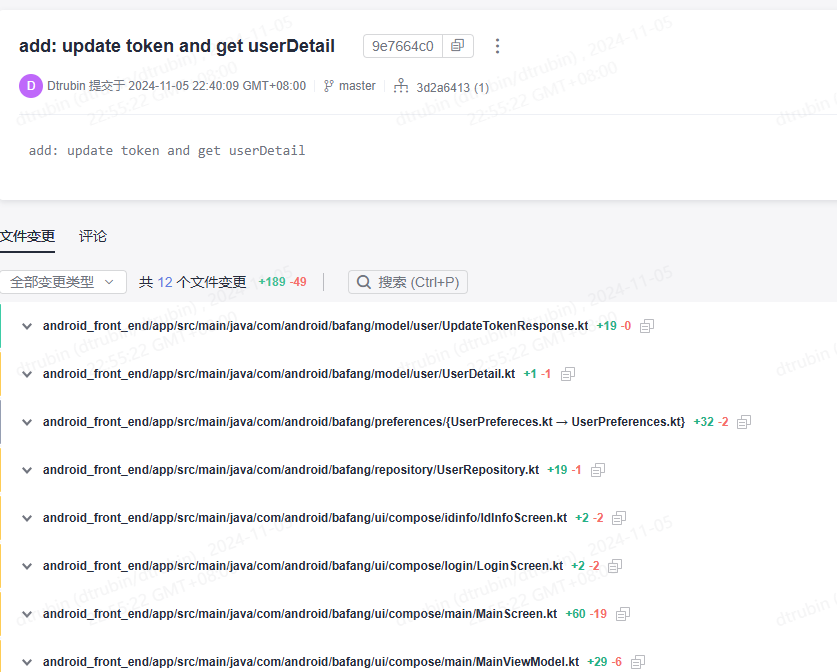
进展一:完成UserController.getUserInfo以及其返回类UserDetail搭建
@GetMapping
            public ResultResponse<UserDetail> getUserInfo(
                    @RequestParam("uid") Long uid,
                    @RequestHeader("Authorization") String token
            ) {
                return userService.GetUserInfo(uid, token);
            }
public class UserDetail {
                private Long uid;           // 用户ID
                private String username;    // 用户名
                private Integer role;       // 用户权限 (1: 普通用户, 2: 管理员)
                private String phoneNumber; // 电话号码
                private Boolean isRealNameAuthentication;
                public UserDetail(Long uid, String username, Integer role,String phoneNumber,Boolean isRealNameAuthentication) {
                    this.uid = uid;
                    this.username = username;
                    this.role = role;
                    this.phoneNumber = phoneNumber;
                    this.isRealNameAuthentication = isRealNameAuthentication;
                }

                // Getters and Setters
                public Long getUid() {
                    return uid;
                }

                public void setUid(Long uid) {
                    this.uid = uid;
                }

                public String getUsername() {
                    return username;
                }

                public void setUsername(String username) {
                    this.username = username;
                }

                public Integer getRole() {
                    return role;
                }

                public void setRole(Integer role) {
                    this.role = role;
                }

                public String getPhoneNumber() {
                    return phoneNumber;
                }

                public void setPhoneNumber(String phoneNumber) {
                    this.phoneNumber = phoneNumber;
                }

                public Boolean getIsRealNameAuthentication() {
                    return isRealNameAuthentication;
                }

                public void setIsRealNameAuthentication(Boolean isRealNameAuthentication) {
                    this.isRealNameAuthentication = isRealNameAuthentication;
                }
            }
进展二:完善getUserInfo的Service
public Response<Null> deleteUserInfo(long uid, String token) {

            //检查令牌
            Claims claims;
            try {
                claims = JwtUtil.extractClaims(token);
            } catch (MalformedJwtException e) {
                return new Response<>(400, "无效的令牌格式", null);
            } catch (ExpiredJwtException e) {
                return new Response<>(401, "令牌已过期", null);
            } catch (IllegalArgumentException e) {
                return new Response<>(400, "令牌不能为空", null);
            } catch (JwtException e) {
                return new Response<>(401, "无效的令牌", null);
            } catch (Exception e) {
                return new Response<>(500, "服务器内部错误", null);
            }

            long userId = Long.parseLong(claims.getSubject());

            // 查找用户角色
            Integer role = userRepository.findRoleById(userId);
            if (role == null)
            {
                return new Response<>(400, "用户不存在",null);
            } else if (role == 2) { // 如果是管理员
                // 软删除 uid 匹配的用户
                userRepository.softDeleteUserById(uid);
            } else if (role == 1) { // 如果是普通用户
                // 软删除 token 中解析出来的用户 ID
                userRepository.softDeleteUserById(userId);
            }

            return new Response<>(200, "success",null);
        }
222200230梁蕴潆
进展一:编写冲刺日记
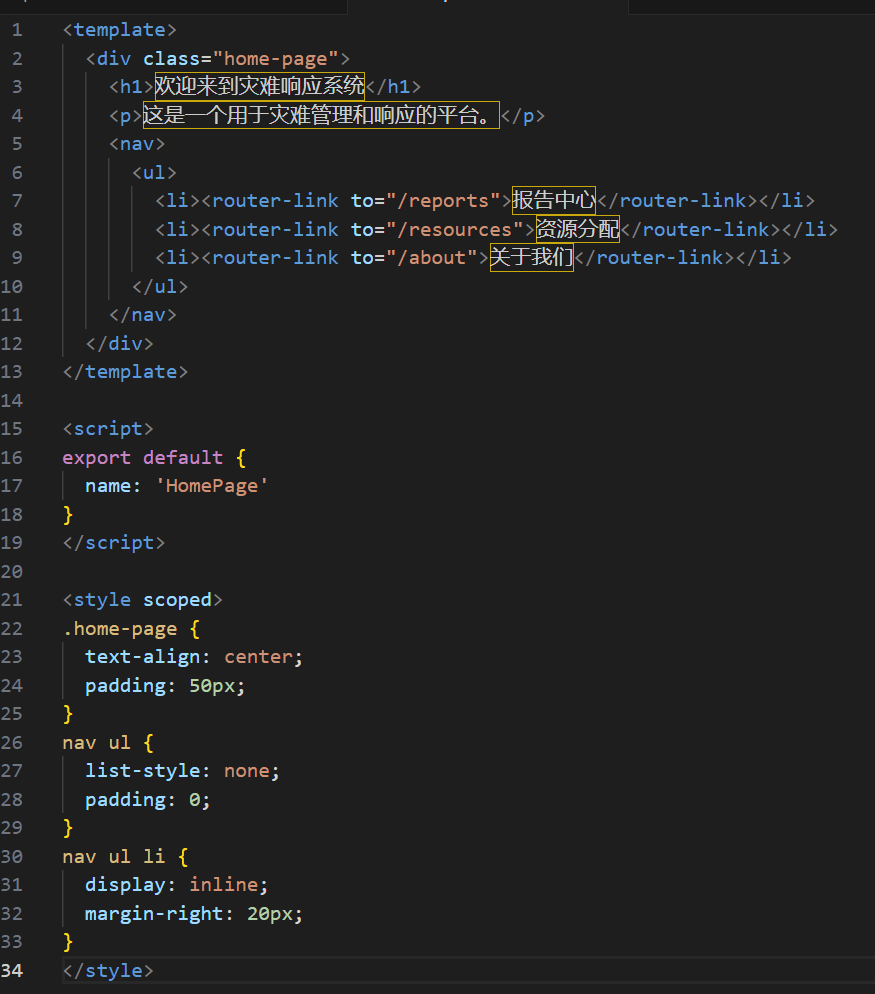
进展二:尝试设计网址主页
| 成员 | 存在的问题/遇到的困难 | 接下来的安排 |
|---|---|---|
| 222200315张俊腾 | 问题1:415 Unsupported Media Type 错误。 - 描述: 在测试 POST /bafang/help_request/accept 接口时,使用 form-data 发送请求体且未设置 Content-Type,导致服务器返回415错误。解答:- 确认请求头中设置 Content-Type 为 application/json。- 修改请求体为JSON格式,确保与后端 RescueAcceptRequest DTO 类一致。- 在Apifox中正确配置请求头和请求体,避免使用 form-data 发送JSON数据。
GET /bafang/rescue/user 接口时,返回404错误,无法找到对应的资源。- 解答:url拼写错误
| 完成接口的bug修复。 |
| 222200309孙阳 | 用户消息如何在后台自动更新 | 打算测试“获取用户消息接口,”开始编写“更新用户消息”的接口代码 |
| 222200304卢君豪 | 无 | 设计“发起求助”service |
| 222200310李怡涵 | 字符串与LocalDateTime的转化。解决:- 经搜索学习得知, 使用以下方式传入的字符串转化为LocalDateTime类型,将其存入数据库long userId = Long.parseLong(claims.getSubject()); Optional gettingUser = userRepository.findById(userId); | 修改代码满足新的需求,初步实现新的接口 |
| 222200311李梓玄 | 发起实况的界面还是太简陋了,需要重新完善- java 后端的代码初露shi山之势,明天需要重新整理 | -完善上传实况信息、发起求助的界面设计和代码 - 继续上传实况信息、发起求助接口对接 - 重新审查 后端代码,做一个小总结 |
| 222200328夏振 | 暂时没搞懂MVC怎么配置 | 接下来还是把我剩下没完成的功能设计实现,并总结今天完成的内容 |
| 222200401丁昌彪 | 问题:使用接口时报错 解决办法:仔细查看报错信息,询问同学和gpt,最后解决问题 | 1. 完善求助历史功能2. 完成我的实况功能 |
| 222200312杨年申 | 问题、困难1- - 用户提交的注册信息(如用户名、密码)需要进行验证,以确保输入的有效性。- 解答- - 用户名唯一性检测,使用密码加密工具(如 BCrypt)对用户密码进行加密,确保存储在数据库中的密码是安全的。- 问题、困难2 - - 注册过程涉及多个数据库操作(如插入用户、创建用户角色等),需要保证原子性。- 解答- - 使用 @Transactional 注解,确保在整个注册过程中所有操作要么全部成功,要么全部失败,避免数据不一致。 | 安排实现一个接口getUserInfo |
| 222200230梁蕴潆 | 无 | 总结今日的工作,初步实现下一项任务。 |
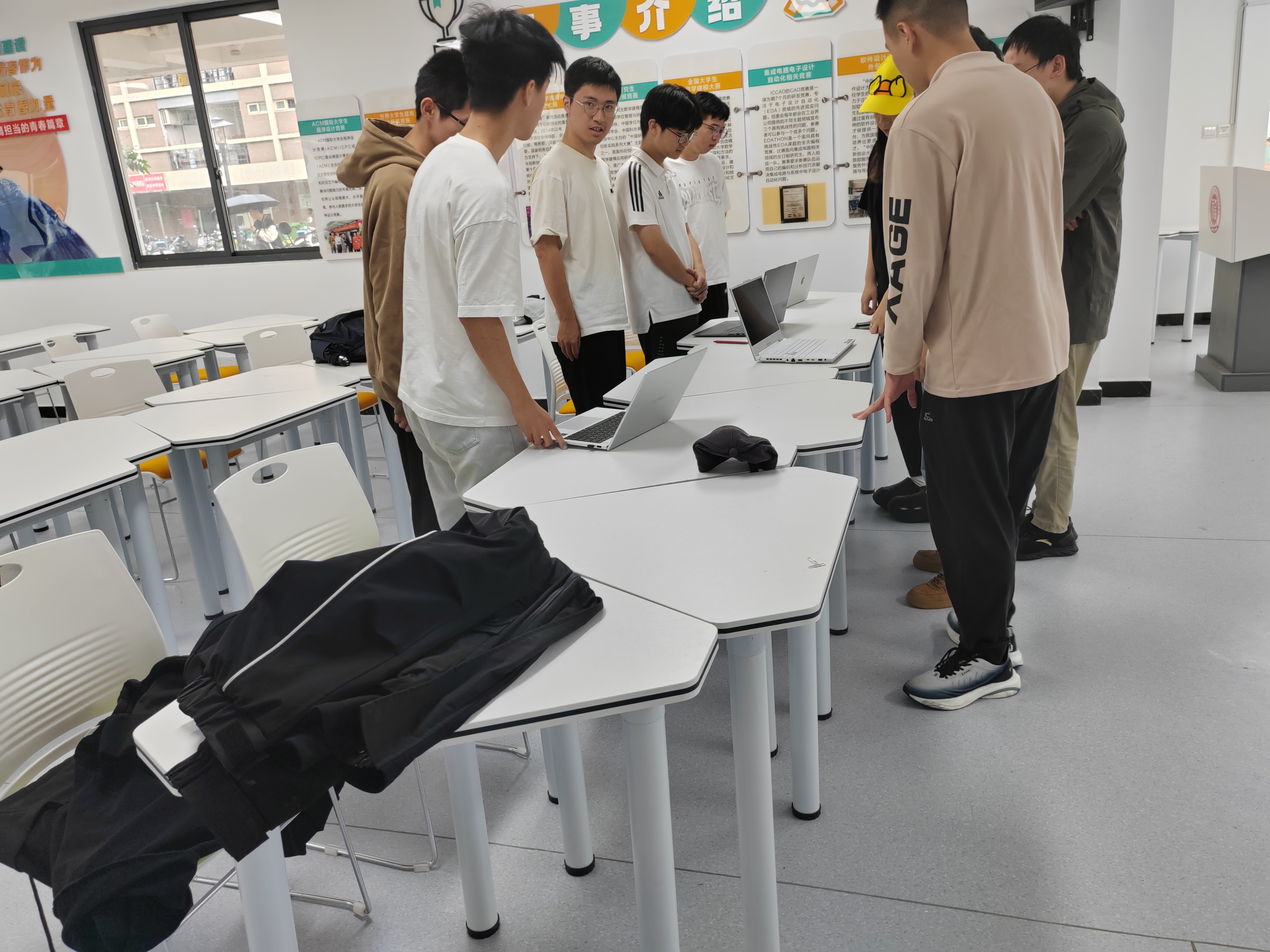
| 成员 | 相关图片 |
|---|---|
| 222200315张俊腾 |
|
| 222200309孙阳 |
|
| 222200304卢君豪 |
|
| 222200310李怡涵 |
|
| 222200311李梓玄 |
|
| 222200328夏振 |
|
| 222200401丁昌彪 |
|
| 222200312杨年申 |
|
| 成员 | 心得体会 |
|---|---|
| 222200315张俊腾 | - 在开发过程中,正确设置 Content-Type 对于API的正常运行至关重要,避免了许多不必要的错误。- 要检查url有没有拼写错误 |
| 222200309孙阳 | 代码编写要专心,否则只会永远debug |
| 222200304卢君豪 | 非常好的学习,使我“发起求助” |
| 222200310李怡涵 | 学习了字符串与LocalDateTime的转化相关知识 |
| 222200311李梓玄 | 注意代码规范!我强迫症都犯了! |
| 222200328夏振 | 感谢项目使我获得提升,谢谢 |
| 222200401丁昌彪 | 要熟悉项目,不然连错在哪里都不知道。 |
| 222200312杨年申 | 参数验证的重要性:对用户输入的严格验证可以有效减少后端逻辑的负担,防止无效或恶意输入导致的错误。良好的输入验证不仅提高了系统的稳定性,也能提升用户体验。- 关注用户体验:在注册过程中,提供清晰的提示信息,如注册成功、失败原因等,能极大提升用户体验。考虑到用户可能的操作错误,提供友好的错误反馈可以帮助用户更顺利地完成注册。 |
| 222200230梁蕴潆 | 参与项目让我获得提升,学到很多新知识。 |


