








113
社区成员
 发帖
发帖 与我相关
与我相关 我的任务
我的任务
 分享
分享| 这个作业属于哪个课程 | https://bbs.csdn.net/forums/2401_CS_SE_FZU |
|---|---|
| 这个作业要求在哪里 | https://bbs.csdn.net/topics/619397949 |
| 这个作业的目标 | CodeArt团队实战总结 |
| 其他参考文献 | CSDN,博客园 |
222200315张俊腾
进展一:修改了RescueService.java中的acceptHelpRequest方法,添加了业务逻辑以防止用户重复接取同一求助。
 @Table(
              name = "rescue_info",
              uniqueConstraints = {
                      @UniqueConstraint(columnNames = {"help_id", "uid"}) // 确保同一个用户不能重复接取同一个求助
              }
      )
      // 检查当前用户是否已接取过该求助
              boolean alreadyAcceptedByUser = rescueInfoRepository.existsByHelpIdAndUid(helpRequest.getId(), userId);
              if (alreadyAcceptedByUser) {
                  return new Response<>(400, "您已接取过该求助", null);
              }
      try {
                  rescueInfoRepository.save(rescueInfo);
              } catch (DataIntegrityViolationException e) {
                  // 处理唯一性约束违反的异常
                  if (type == 1) {
                      return new Response<>(400, "该求助已被其他用户接取", null);
                  } else if (type == 2) {
                      return new Response<>(400, "您已接取过该求助", null);
                  } else {
                      return new Response<>(400, "接取求助失败", null);
                  }
              }
222200309孙阳
进展一:- 进展1,完成“新增用户消息功能”
 public boolean Add_message(Long user_id,String msg_title,String msg_content){

        User user = userRepository.findById(user_id).orElse(null);

        if (user != null) {
            // 创建并保存消息
            Message message = new Message();
            message.setToUid(user_id);
            message.setTitle(msg_title);
            message.setContent(msg_content);
            message.setCreatedAt(LocalDateTime.now());
            message.setUpdatedAt(LocalDateTime.now());
            messageRepository.save(message);  // 将消息存入数据库,并返回保存后的实体

          return true;
        } else {
            return false;
        }
    }

    //例子:title:求助,  content:发布求助成功!求助ID:12345

    //例子:title:求助,  content:提醒:已有用户接受您的求助!求助ID:12345

    //例子:title: 救援, content:接收他人求助成功!救援ID:678090
222200304卢君豪
进展一:“获取附近求助信息”controller的创建
@GetMapping
        public Response<List<HelpRequestInfo>> getNearbyHelpRequest(@RequestParam String location) {
            Authentication authentication = SecurityContextHolder.getContext().getAuthentication();

            if (authentication == null || !authentication.isAuthenticated()) {
                return new Response<>(403, "未认证的用户没有权限执行此操作", null);
            }

            return helpRequestService.getNearbyHelpRequest(location);
        }
222200310李怡涵
进展一:优化了实况点赞/点踩接口,处理了重复点赞/点踩和将点赞/踩改为点踩/赞的情况。
 public  Response<Null> likeOrDislikeLive(UserActionRequest userActionRequest,Long userId){
        Long liveInfoId = userActionRequest.getLiveInfoID();
        Integer voteType = userActionRequest.getStatus();
        UserLiveInfoVote vote = userLiveInfoVoteRepository.findByUidAndLiveInfoId(userId, liveInfoId);
        //检查用户是否已经点赞/点踩了某一条实况
        if (vote != null){
            //用户更改了点赞或者点踩,在表中更新他的点赞/点踩
            if (!vote.getVoteType().equals(voteType)){
                vote.setVoteType(voteType);
                userLiveInfoVoteRepository.save(vote);
                return new Response<>(200, "success", null);
            }
            //用户重复点赞或者点踩
            else if (voteType == 1){
                return new Response<>(400, "重复点赞", null);
            }
            else{
                return new Response<>(400, "重复点踩", null);
            }
        }

        UserLiveInfoVote userLiveInfoVote = new UserLiveInfoVote();
        userLiveInfoVote.setUid(userId);
        userLiveInfoVote.setVoteType(voteType);
        userLiveInfoVote.setLiveInfoId(liveInfoId);
        userLiveInfoVoteRepository.save(userLiveInfoVote);

        return new Response<>(200, "success", null);
    }
进展二:UserLiveInfoVoteRepository的更新
public interface UserLiveInfoVoteRepository  extends JpaRepository<UserLiveInfoVote, Long> {
    //同一个用户对一条实况只能一次点赞/点踩
    UserLiveInfoVote findByUidAndLiveInfoId(Long uid, Long liveInfoId);
}
222200311李梓玄
今日无图,上传成功后会返回主页跳出「上传成功提示」,不好截图
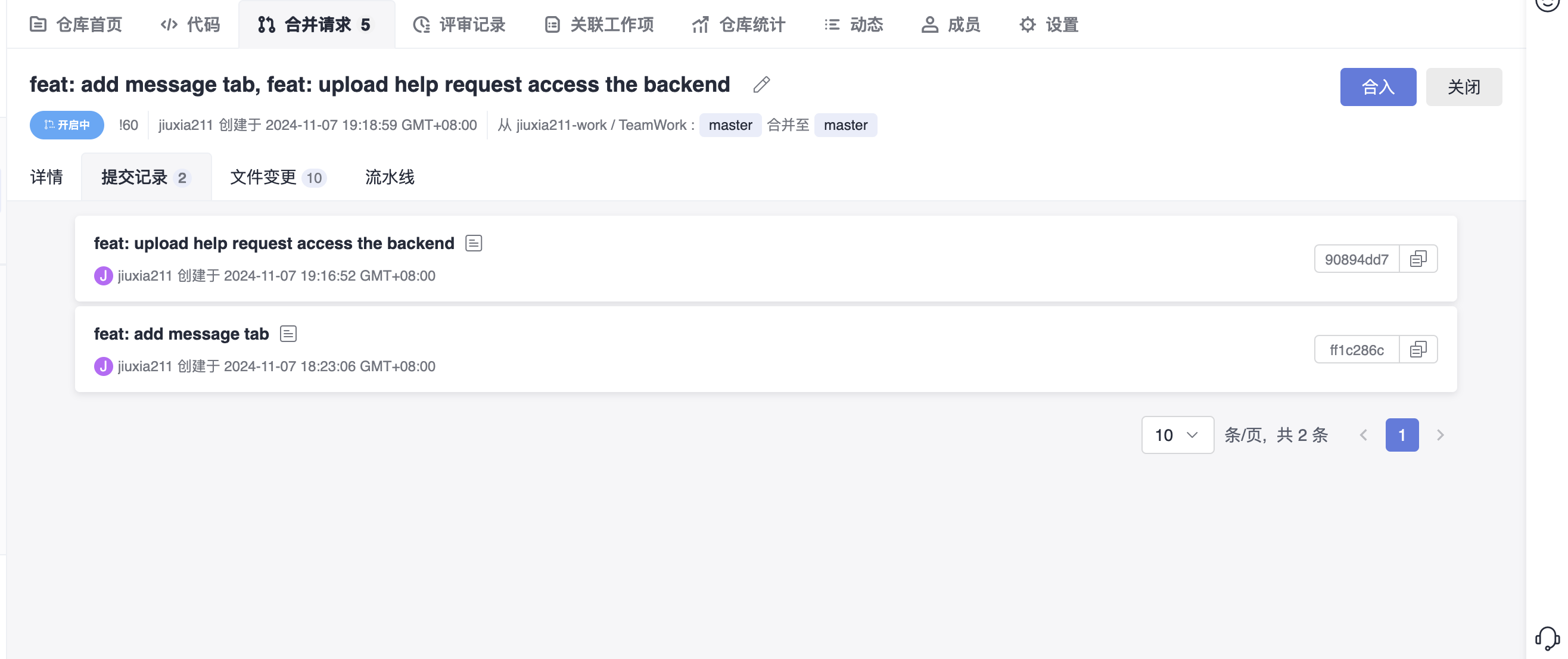
进展一: - 完成发起求助的后端对接
进展二:完全上传实况的后端对接
222200328夏振
进展一:管理员模块
222200401丁昌彪
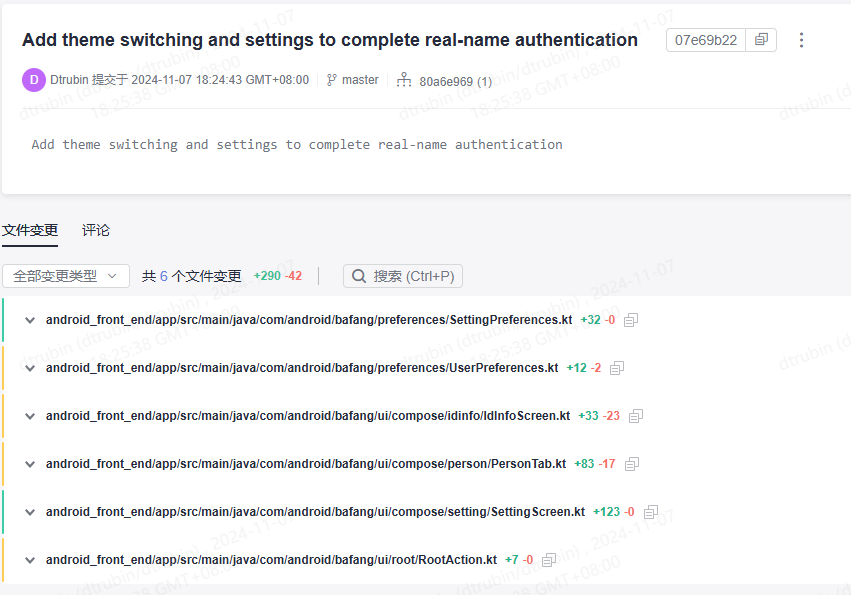
进展一:新增主题切换和设置,完成实名认证
222200312杨年申
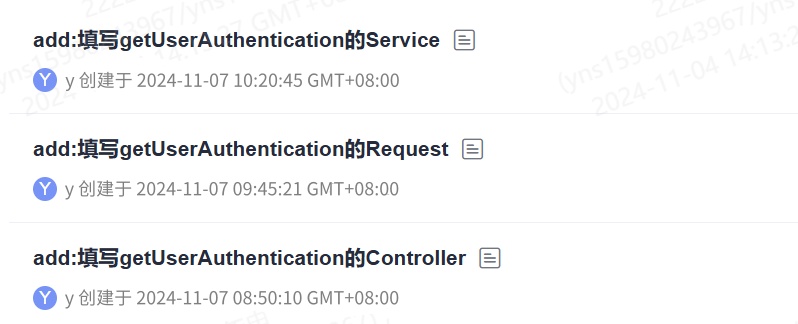
进展一:完成UserController.getUserAuthentication以及返回类UserAuthentication的搭建
@GetMapping("/real_name_authentication")
            public ResultResponse<UserAuthentication> getUserAuthentication(
                    @RequestHeader("Authorization") String token
            ) {
                return userService.GetUserAuthentication(token);
            }
    public class UserAuthentication {
                private Long uid;           // 用户ID
                private String username;    // 用户名
                private String id_number;   //身份证号
                private String real_Name;   //真实姓名

                public UserAuthentication(Long uid, String username, String id_number, String real_Name) {
                    this.uid = uid;
                    this.username = username;
                    this.id_number = id_number;
                    this.real_Name = real_Name;
                }

                // Getters and Setters
                public Long getUid() {
                    return uid;
                }

                public void setUid(Long uid) {
                    this.uid = uid;
                }

                public String getUsername() {
                    return username;
                }

                public void setUsername(String username) {
                    this.username = username;
                }

                public String getId_number() {
                    return id_number;
                }
                public void setId_number(String Id_number) {
                    this.id_number = Id_number;
                }
                public String getReal_Name() {
                    return real_Name;
                }
                public void setReal_Name(String Real_Name) {
                    this.real_Name = Real_Name;
                }
            }
进展二:完善getUserAuthentication的Service
            public Response<UserAuthentication> GetUserAuthentication(String token) {
            //检查令牌
            Claims claims;
            try {
                claims = JwtUtil.extractClaims(token);
            } catch (MalformedJwtException e) {
                return new Response<>(400, "无效的令牌格式", null);
            } catch (ExpiredJwtException e) {
                return new Response<>(401, "令牌已过期", null);
            } catch (IllegalArgumentException e) {
                return new Response<>(400, "令牌不能为空", null);
            } catch (JwtException e) {
                return new Response<>(401, "无效的令牌", null);
            } catch (Exception e) {
                return new Response<>(500, "服务器内部错误", null);
            }

            long userId = Long.parseLong(claims.getSubject());

            Optional<User> optionalUser = userRepository.findById(userId);
            if (optionalUser.isPresent()) {
                User user = optionalUser.get();
                UserAuthentication userAuthentication = new UserAuthentication(
                        user.getId(),
                        user.getUsername(),
                        user.getIdNumber(),
                        user.getRealName()
                );
                return new Response<>(200, "success", userAuthentication);
            }
            else {
                return new Response<>(401, "用户不存在", null);
            }
        }
222200230梁蕴潆
进展一:编写冲刺日记
进展二:上传了完整了主页部分组件的代码
<template>
<div class="home-container">
<!-- 导航组件 -->
<Navigation />
<!-- 主内容区域 -->
<main>
<section class="welcome-area">
<h1>欢迎来到灾难互助平台</h1>
<p>我们在这里帮助受灾地区的人们重建家园。</p>
</section>
<section class="features">
<div class="feature-item">
<h2>求助信息</h2>
<p>查看最新的求助信息,并提供援助。</p>
<router-link to="/help" class="btn">查看更多</router-link>
</div>
<div class="feature-item">
<h2>捐赠信息</h2>
<p>了解捐赠详情,并参与捐赠。</p>
<router-link to="/donate" class="btn">查看更多</router-link>
</div>
<div class="feature-item">
<h2>志愿者注册</h2>
<p>加入我们的志愿者团队,为受灾地区提供帮助。</p>
<router-link to="/volunteer" class="btn">注册</router-link>
</div>
</section>
</main>
<!-- 页脚 -->
<footer class="site-footer">
<p>© 2024 灾难互助平台</p>
</footer>
</div>
</template>
<script>
import Navigation from '@/components/Navigation.vue';
export default {
name: 'Home',
components: {
Navigation
}
}
</script>
<style scoped>
.home-container {
display: flex;
flex-direction: column;
min-height: 100vh;
}
main {
flex: 1;
}
.welcome-area {
text-align: center;
padding: 2rem;
}
.features {
display: flex;
justify-content: space-around;
padding: 2rem;
gap: 1rem;
}
.feature-item {
border: 1px solid #ccc;
padding: 1rem;
border-radius: 8px;
}
.btn {
display: inline-block;
background-color: #007bff;
color: white;
padding: 0.5rem 1rem;
text-decoration: none;
border-radius: 4px;
margin-top: 1rem;
}
.site-footer {
text-align: center;
padding: 1rem;
background-color: #f5f5f5;
}
</style>
进展三:更新了部分捐赠部分插件的代码
<template>
  <div class="donation-info-container">
    <h2>捐赠信息</h2>
    <div class="donation-list">
      <div class="donation-item" v-for="donation in donations" :key="donation.id">
        <p><strong>捐赠者:</strong> {{ donation.donorName }}</p>
        <p><strong>捐赠内容:</strong> {{ donation.donationDetails }}</p>
        <p><strong>捐赠日期:</strong> {{ donation.donationDate }}</p>
        <p><strong>联系方式:</strong> {{ donation.contactInfo }}</p>
      </div>
    </div>
| 成员 | 存在的问题/遇到的困难 | 接下来的安排 |
|---|---|---|
| 222200315张俊腾 | 遇到的问题:如何在数据库层面同时满足一对一和一对多求助类型的不同需求 - 解答:通过在RescueInfo实体中添加复合唯一性约束(help_id, uid),既满足了一对一求助的唯一性要求,也防止了同一个用户在一对多求助中重复接取。 | 继续完善RescueService.java中的业务逻辑,确保接取求助功能在各种场景下都能稳定运行。 |
| 222200309孙阳 | 无 | 打算测试“新增用户消息功能,”开始编写“更新用户奖牌”的接口代码 |
| 222200304卢君豪 | 无 | 学习经纬度计算距离 |
| 222200310李怡涵 | 无 | 完善基础实现的接口,实现获取附近实况信息的接口 |
| 222200311李梓玄 | 发现后端的同学在测试时不严谨,字段名拼错导致数据库内字段为空没有察觉 | 继优化一下上传实况和发起求助的上传加载动画 |
| 222200328夏振 | 暂时还没有弄明白最好的软删除方法 | 接下来还是把我剩下没完成的功能设计实现,并总结今天完成的内容 |
| 222200401丁昌彪 | 问题:不知道如何设置软件主题解决办法:暂未解决 | 完成救援排行榜 |
| 222200312杨年申 | 问题、困难1- 确保请求者有权限查看该用户的认证信息,防止信息泄露。- 解答 - 在 Service 层中添加权限检查,验证请求者是否有权限访问目标用户的认证信息。- 问题、困难2 - 确保返回的数据格式一致,方便前端处理。- 解答 - 创建一个 DTO(数据传输对象)用于规范化返回的数据结构,确保所有必要信息都包含在内,例如使用ResultResponse。 | 安排实现一个接口modify_info |
| 222200230梁蕴潆 | 需要考虑不同的屏幕跟设备上的良好显示效果以及不同用户的需求需求进一步调整样式和内容。 | 总结今日的工作,初步实现下一项任务。 |
| 成员 | 相关图片 |
|---|---|
| 222200315张俊腾 |
|
| 222200309孙阳 |
|
| 222200304卢君豪 |
|
| 222200310李怡涵 |
|
| 222200311李梓玄 |
|
| 222200328夏振 |
|
| 222200401丁昌彪 |
|
| 222200312杨年申 |
|
| 222200230梁蕴潆 |
|
| 成员 | 心得体会 |
|---|---|
| 222200315张俊腾 | 体会到在开发过程中,及时发现和解决BUG能提升了系统的稳定性 |
| 222200309孙阳 | 代码编写要专心,否则只会永远debug |
| 222200304卢君豪 | 非常好的学习,使我研究经纬度 |
| 222200310李怡涵 | 后端编写代码时需要多加考虑前端用户的错误操作 |
| 222200311李梓玄 | 前后端需要多沟通交流,做好简单的初步测试 |
| 222200328夏振 | 感谢项目使我获得提升,谢谢 |
| 222200401丁昌彪 | 懂的还是太少了,不能满足需求,得多学 |
| 222200312杨年申 | 权限控制的必要性:在获取用户认证信息的接口中,实施权限检查是至关重要的。通过细致的权限管理,能够保护用户的隐私,并增强系统的整体安全性。 |
| 222200230梁蕴潆 | 参与项目让我获得提升,学到很多新知识。 |


