


162
社区成员
 发帖
发帖 与我相关
与我相关 我的任务
我的任务
 分享
分享| Course Name | EE308FZ Software Engineering |
|---|---|
| Assignment Requirements | Second assignment-- Team up and Topic selection-CSDN Community |
| Team Name | PoopCare粪围感 |
| Project Objective | Develop a defecation health recording and management platform to help users track their defecation status and improve intestinal health |
| Reference Documents | None |
PoopCare粪围感
| Role Category | Name (Chinese/English) | Fuzhou University ID (FZU ID) | Partner University ID (MU ID) | CSDN Profile | Personality | Technical Expertise | Hobbies | Desired Software Engineering Role |
|---|---|---|---|---|---|---|---|---|
| Product (PM) | 曾宇琪 / Yuqi Zeng | 832301325 | 23124831 | 曾宇琪832301325 | ENTJ-A | PYTHON, C/C++, MATLAB | Travelling&Piano | PM & Front-end Engineer |
| Front-end | 万越 / Yue Wan | 832302101 | 23124253 | 2401_82682940 | - | Java, C/C++ | traveling | Front-end Engineer |
| Front-end | 程一禾 / Yihe Cheng | 832301324 | 23132051 | 832301324_程一禾 | INFJ-T | C/C++, MATLAB, Python | Writing | Front-end |
| Front-end | 王娇玲 / Jiaoling Wang | 832302107 | 23125039 | ID:wjl546400 | ENFJ-T | C++, MATLAB, Java, HBuilder X | Writing&Music | Front-end |
| Front-end | 黄海粟 / Haisu Huang | 832301323 | 23125861 | ID:2403_86741808 | - | C++, MATLAB, Python | Reading | Front-end |
| Front-end | 李炳言 / Bingyan Li | 832302122 | 23125942 | 832302122李炳言 | ENFJ-T | C/C++, MATLAB, JAVA, MYSQL | Football&Music | Front-end and Back-end Development |
| Back-end | 苏子妍 / Ziyan Su | 832302119 | 23124873 | 832302119苏子妍 | INTJ-T | Java, C/C++ | traveling | Back-end Engineer |
| Back-end | 王洛森 / Luosen Wang | 832302106 | 23126027 | forest_sky6 | ENFJ-A | Java, C/C++ | Music&Sport | Back-end Engineer |
| Testing | 王楷瑜 / Kaiyu Wang | 832302108 | 23125560 | pam3kmol | - | Java, C/C++ | Music | Tester |
| Testing | 韦雨杉 / Yushan Wei | 832302109 | 23125055 | wyssss1412_ | INTP-A | Java, C/C++ | Music&Sleep | Front-end Engineer and Tester |
| UI | 阮柔灵 / Rouling Ruan | 832302117 | 23125063 | Berswy_ | ENFP-A | Java, C++/C, Procreate, Figma | Painting & Traveling | UI Designer |
| UI | 洪筱萱 / Xiaoxuan Hong | 832301313 | 23126051 | xiao_qiu_ | ENTP | Python, C/C++/C#, Figma | Art | UI/UX |
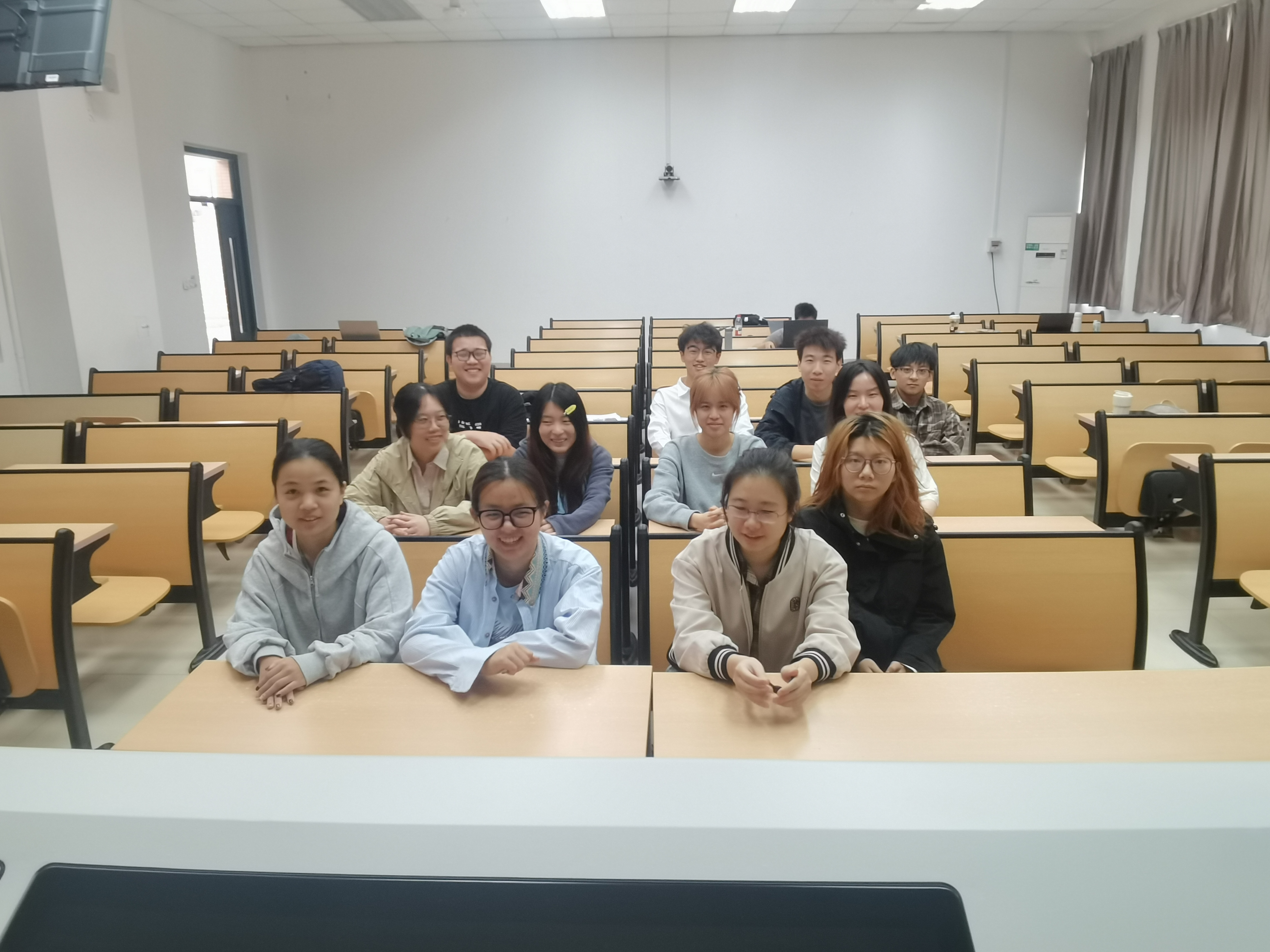
The PoopCare team consists of 12 members, covering 5 core functions: "project management, front-end development, back-end development, UI design, and testing". Members have clear division of labor and complementary capabilities, forming a complete software development closed loop.
The team is characterized by "solid fundamentals and efficient collaboration": From a technical perspective, the front-end focuses on page interaction and visual presentation, the back-end focuses on interface development and data security, UI design ensures visual experience and usability, and the testing phase covers functional and abnormal scenarios; From a collaboration perspective, "biweekly evaluations and daily progress updates" ensure information transparency. The project manager coordinates cross-module requirements uniformly, and technical issues are resolved through collective team discussions. This positioning adapts to the "weak fundamentals and common progress" of the team, ensuring efficient project advancement.
Core Vision: Develop a "simple, practical, and user-friendly" web platform for defecation health management, helping ordinary users easily track their intestinal health status and lower the threshold for daily health management;
Team Goals: Complete the development of 23 core functions within one semester, realize the full-process closed loop of "recording-statistics-guidance", and ensure the platform is stably launched and fully functional.
Operation Threshold Requirements: Core functions (such as adding defecation records and viewing health scores) require ≤ 3 operation steps. Interface text is concise and easy to understand (avoiding professional terms; for example, "Bristol Stool Scale" is simplified to "Stool Type Reference" with intuitive images). A 1-minute guidance pop-up is provided for first-time use (e.g., "Click here to add today's defecation record");
Health Assistance Requirements: The platform should solve users' practical pain points through data statistics—such as "automatic reminders when there is no defecation for 3 consecutive days" and "providing actionable improvement suggestions when the weekly health score is below 5 (e.g., 'Weekly score: 4. It is recommended to drink 1.5L of water daily and increase vegetable intake')". Popular science articles focus on high-frequency needs such as "emergency handling of constipation/diarrhea" and "daily intestinal maintenance", with each article limited to 500 words or less and accompanied by 1-2 schematic diagrams;
Measurement Standards: During simulated user testing, users under 60 years old should take ≤ 2 minutes to independently complete the full process of "adding records → viewing scores", and 80% of users should consider the "health suggestions practical and actionable".
Function Completeness Requirements: All 23 core functions are intact, and there are no breaks in key processes (such as "registration → login → adding records → viewing statistics → setting reminders"). There are no core issues such as "no response when clicking buttons" or "data not displayed after submission";
Stability Requirements: Page loading time ≤ 3 seconds, interface response time ≤ 1 second, no crashes or data loss within 2 hours of continuous use, and 100% compatibility with Chrome/Edge browsers (no style disorders or functional failures);
Deployment Requirements: After launch, stable access is available through Alibaba Cloud student servers, with a public URL opening success rate ≥ 95%. User data (such as defecation records and personal information) is protected by "password MD5 encryption + records visible only to the user" to prevent data leakage;
Measurement Standards: By the end of the project, the pass rate of core function testing is 100%, and the bug fix rate is ≥ 98% (remaining unfixed bugs are "non-core minor issues", such as "unclear word count prompt in the note box").
Technology Selection Requirements: No complex frameworks or algorithms are used. The front-end mainly uses "HTML+CSS+Vue Basic Version", avoiding advanced content such as Vuex and Vue Router; The back-end uses the lightweight Flask framework, with no more than 6 database tables. SQL statements focus on "CRUD (Create, Read, Update, Delete)" and no complex multi-table joins;
Code Standard Requirements: Basic comments are added to both front-end and back-end code (e.g., front-end page comment: "// Logic for stool type selection drop-down box"; back-end interface comment: "// Health score calculation: 3 points for frequency + 3 points for type + 4 points for feeling, total 10 points"). Uniform formats are used for file naming and variable naming (e.g., page file name: "poop-record.html"; variable name: "poopType");
Reusability Requirements: Code for core modules (such as "user login verification" and "data chart rendering") can be independently extracted. If functions such as "diet recording" and "exercise recording" are expanded later, they can be quickly adapted based on the existing framework;
Measurement Standards: Members with weak fundamentals (e.g., only mastering basic Python syntax) can understand and modify the "water intake recording interface" code within 1 week, and the code comment coverage rate is ≥ 70%.

A lightweight web-based health management platform for ordinary users, focusing on the core scenarios of "defecation recording - data statistics - health guidance". It can be used without professional health knowledge, helping users track their defecation status through simple operations and prevent intestinal problems such as constipation and diarrhea.
The platform only has an "ordinary user end", focusing on the core scenarios of "defecation recording - data statistics - health guidance". A total of 23 functional points are designed, divided into 5 modules: "account management, core recording, statistical analysis, health assistance, and system configuration". This ensures that functions cover the full-process needs of users without complex redundant functions. The specific list is as follows:
| Module Category | Number of Functional Points | Details of Functional Points |
|---|---|---|
| 1. Account and Personal Center (User identity management and personal information maintenance) | 4 | 1. Mobile phone registration: Supports mobile phone number + simulated verification code registration (no need to connect to real operators in the test environment to simplify development); 2. Password login/retrieval: Password verification for login, and supports "mobile phone number + verification code" for password retrieval (avoiding complex security question verification); 3. Personal information editing: Allows modification of nickname, gender, age, height, and weight (basic information used for subsequent BMI calculation and health analysis); 4. Account security settings: Supports changing login password and optional binding of alternate email (improves account security, non-mandatory function). |
| 2. Defecation Recording (Core data entry, covering key dimensions of defecation) | 7 | 5. Add defecation record: Automatically obtains the current time by default, and supports manual modification of "year-month-day-hour-minute" (adapts to scenarios where users supplement historical records); 6. Stool type selection: Provides 7 options based on the "Bristol Stool Scale", each with intuitive images + brief text descriptions (e.g., "Type 4: Banana-shaped, normal defecation"); 7. Defecation duration recording: Provides 3 options (within 5 minutes / 5-10 minutes / more than 10 minutes), no need for manual number input; 8. Defecation feeling labeling: 4 options for feeling (easy / average / strenuous / painful) to quickly mark the defecation experience; 9. Symptom selection: Supports multiple selections (none / bloating / abdominal pain / others), and the "others" option allows custom input of specific symptoms (e.g., "mild bloating"); 10. Note input: Text box limited to ≤ 200 words, for recording special situations (e.g., "Diet today: Ate hot pot, stool is loose"); 11. Defecation habit tags: Provides 3 types of preset tags (morning defecation / bedtime defecation / post-meal defecation), supports multiple selections to facilitate subsequent screening and analysis of habit patterns. |
| 3. Data Statistics and Analysis (Visual presentation of data and generation of health conclusions) | 5 | 12. Record time filtering: Supports filtering historical records by "today / this week / this month / custom date", with real-time refresh of filtering results; 13. Defecation frequency chart: Uses a bar chart to display the number of daily defecations in "the past 7 days / 30 days", with the horizontal axis as date and vertical axis as count, to intuitively present patterns; 14. Stool type proportion: Uses a pie chart to display the proportion of various stool types in "the past 30 days" (e.g., "Type 4 accounts for 60%, Type 5 accounts for 20%"), with different colors distinguishing different types; 15. Health score generation: Calculates a 1-10 score based on 3 dimensions (3 points for defecation frequency, 3 points for normal type proportion, 4 points for pain-free feeling), with text explanations for the score (e.g., "Score 8: Regular defecation, normal type, keep up the good work"); 16. Abnormal record reminder: When there is "no defecation for 3 consecutive days" or "≥ 3 defecations in one day", the record for the corresponding date is marked with a red border and displays the text "Abnormal Reminder" to alert the user. |
| 4. Health Guidance and Tools (Providing auxiliary functions and health suggestions) | 4 | 17. Health popular science articles: Contains 10 static articles focusing on high-frequency intestinal health needs (e.g., "Constipation? 3 Emergency Tips" / "What to Eat Daily to Nourish the Intestines"), each with ≤ 500 words and accompanied by 1-2 schematic diagrams; 18. Defecation reminder settings: Supports setting a fixed daily reminder time (e.g., "8:00 AM"), with reminders in the form of page pop-ups (no need to connect to system notifications to simplify development); 19. BMI calculator: Inputs height (cm) and weight (kg), automatically calculates BMI value, and displays body type judgment (underweight: < 18.5 / normal: 18.5-23.9 / overweight: 24-27.9 / obese: ≥ 28); 20. Water intake recording assistance: Records the number of daily water cups (1 cup = 200ml by default), and displays the "7-day water intake trend" in a line chart in the personal center to help users develop a water-drinking habit. |
| 5. System Settings (Personalized configuration and feedback) | 3 | 21. Theme switching: Supports switching between "light mode / dark mode" (implemented by front-end CSS, with real-time effect after switching) to adapt to different usage scenarios (e.g., dark mode for eye protection at night); 22. Privacy settings: Only provides the option of "records visible only to oneself" (no sharing function to simplify privacy logic) to ensure user data security; 23. Feedback submission: Text input box (≤ 300 words) for users to submit usage problems or suggestions, and the content is directly stored in the database (no real-time notification required for the back-end, only visible to the team in the background). |
| Technology Category | Tools/Frameworks | Usage Description |
|---|---|---|
| Front-end Development | HBuilder X | Front-end project development tool, supporting Vue syntax highlighting and real-time preview |
| HTML+CSS+Vue Basic Version | Implements page structure, styles, and basic interactions (e.g., form submission, image switching) | |
| ECharts | Implements data visualization charts (bar charts, pie charts, line charts) | |
| Back-end Development | Python Flask | Lightweight back-end framework for developing API interfaces (e.g., user registration, record query interfaces) |
| MySQL | Relational database for storing user data, defecation records, feedback information, etc. | |
| Design Tools | Figma | UI design tool for outputting page drafts, annotations, and cutouts |
| Axure | Prototype design tool for sorting out page logic and interaction processes in the early stage | |
| Testing & Deployment | Postman | Interface testing tool for verifying the availability of back-end interfaces |
| Alibaba Cloud |
以下是“团队构成与分工”“项目时间表”“绩效评估计划”部分的英文Markdown版本,严格保留原表格结构与信息,仅将中文内容翻译为英文,“粪围感”三字按要求保留:
| Role Category | Number of Members | Member Names | Specific Responsibilities | Scope of Responsible Functional Points | Example Deliverables |
|---|---|---|---|---|---|
| Project Management | 1 | Yuqi Zeng (曾宇琪) | 1. Develop the Project Schedule and synchronize progress daily; 2. Coordinate cross-module issues (e.g., front-end and back-end docking time, UI draft delivery deadlines); 3. Organize project documents (requirements list, development manual, test report). | - | Project Schedule, Requirements List, Development Manual |
| Front-end Development | 4 | Jiaoling Wang (王娇玲, Front-end Lead), Yue Wan (万越), Yihe Cheng (程一禾), Haisu Huang (黄海粟) | Yue Wan: 1. Develop the account module (login/registration/profile pages); 2. Develop the system settings module (theme switching/privacy settings/feedback page); 3. Implement account-related interactions (e.g., password verification, profile saving). Jiaoling Wang: 1. Develop the defecation recording module (add record/list pages); 2. Implement recording interactions (image switching for stool type selection, tag checking). Yihe Cheng: 1. Develop the statistics module (filtering/chart/score pages); 2. Integrate ECharts to implement chart rendering. Haisu Huang: 1. Develop the health guidance module (popular science/reminder/BMI/water intake pages); 2. Implement tool interactions (BMI calculation, water intake record saving). | Yue Wan: 1-4, 21-23; Jiaoling Wang: 5-11; Yihe Cheng: 12-16; Haisu Huang: 17-20 | Front-end page code, interaction logic code |
| Back-end Development | 3 | Bingyan Li (李炳言, Back-end Lead), Luosen Wang (王洛森), Ziyan Su (苏子妍) | Bingyan Li: 1. Develop user interfaces (registration/login/profile modification/password reset); 2. Implement user data storage (password encryption, profile update). Luosen Wang: 1. Develop recording interfaces (add/query/delete defecation records); 2. Develop tool interfaces (BMI calculation/water intake recording/feedback submission); 3. Implement recording data storage and query. Ziyan Su: 1. Develop statistics interfaces (record filtering/frequency statistics/type proportion); 2. Implement health score calculation and abnormal record judgment logic. | Bingyan Li: 1-4; Luosen Wang: 5-11, 17-20, 23; Ziyan Su: 12-16 | Back-end interface code, database scripts, interface documentation |
| UI Design | 2 | Xiaoxuan Hong (洪筱萱), Rouling Ruan (阮柔灵) | Xiaoxuan Hong: 1. Design UI for the account module (login/registration/profile pages), recording module (add record/list pages), and system settings module (theme/privacy/feedback pages); 2. Output page drafts, color specifications, and icons. Rouling Ruan: 1. Design UI for the statistics module (filtering/chart/score pages) and health guidance module (popular science/reminder/BMI/water intake pages); 2. Output annotation drafts, image cutouts, and follow up on page restoration. | Xiaoxuan Hong: Corresponding to functions 1-4, 5-11, 21-23; Rouling Ruan: Corresponding to functions 12-16, 17-20 | UI design drafts (Figma files), annotation drafts, image cutouts |
| Testing | 2 | Kaiyu Wang (王楷瑜, Testing Lead), Yushan Wei (韦雨杉) | Kaiyu Wang: 1. Write Test Cases for the "account + recording + tool" modules; 2. Execute tests, record bugs, and enter them into the Bug List; 3. Verify bug fixes. Yushan Wei: 1. Write Test Cases for the "statistics + system settings" modules; 2. Execute tests (including abnormal scenarios, e.g., inputting invalid dates); 3. Verify bug fixes and write the Test Report. | Kaiyu Wang: 1-4, 5-11, 17-20; Yushan Wei: 12-16, 21-23 | Test Cases, Bug List, Test Report |
| Phase | Timeline (Weeks 1-14) | Core Objective | Key Tasks |
|---|---|---|---|
| 1. Project Initiation & Skill Learning | Week 1 | Clarify requirements + master basic technologies | 1. Hold a requirements discussion meeting to confirm details of 23 functional points and output the Requirements List; 2. Organize skill learning: Front-end team learns Vue basics, back-end team learns Flask + MySQL, UI team learns Figma basics; 3. Set up the development environment: Initialize Vue projects for front-end, create Flask projects for back-end, and create shared Figma files for UI. |
| 2. Architecture Design & UI Design | Week 2 | Design data structure + output prototypes/UI drafts | 1. Design database tables: 5-6 tables including user table (user), defecation record table (poop_record), and water intake record table (water_record); clarify field types and relationships; 2. Use Axure to draw core page prototypes (login page, recording page, statistics page); 3. UI team outputs UI drafts for corresponding modules (including color specifications and icons) and develops an interface documentation template (URL, request method, parameter examples). |
| 3. Front-end Page Development | Weeks 3-5 | Implement static pages + basic interactions | 1. Develop pages by module: Yue Wan develops account + system settings pages, Jiaoling Wang develops defecation recording pages, Yihe Cheng develops statistics pages, Haisu Huang develops health guidance pages; 2. Implement basic interactions: Form validation, date picker, chart rendering, theme switching; 3. UI team follows up on page restoration twice a week and provides adjustment suggestions (e.g., button size, color deviation). |
| 4. Back-end Interface Development | Weeks 6-9 | Develop interfaces + implement data storage logic | 1. Develop interfaces by module: Bingyan Li develops user interfaces, Luosen Wang develops recording + tool interfaces, Ziyan Su develops statistics interfaces; 2. Implement core logic: MD5 encryption for user passwords, health score calculation, abnormal record judgment; 3. Test interfaces with Postman: Ensure each interface can receive parameters, return data normally, and has no logical errors. |
| 5. Front-end & Back-end Integration & Testing | Weeks 10-12 | Connect the full process + fix bugs | 1. Integrate front-end and back-end: Front-end calls back-end interfaces (e.g., add record → POST /api/poop/add) to achieve data synchronization; 2. Testing team executes tests: Kaiyu Wang tests "account + recording + tool" modules, Yushan Wei tests "statistics + system settings" modules; write Test Cases and Bug List; 3. Development team fixes bugs: Prioritize core process issues (e.g., failed record saving, incorrect score calculation), then handle minor issues (e.g., style disorders). |
| 6. Optimization & Deployment | Week 13 | Improve user experience + complete launch | 1. Experience optimization: Compress image sizes, optimize page loading speed, add operation prompts (e.g., "Record added successfully" pop-up); 2. Document organization: Write the Development Manual (environment configuration, deployment steps) and Test Report (test coverage, bug fix rate); 3. Server deployment: Configure the Alibaba Cloud student server environment, upload front-end and back-end projects, and ensure access via public URL. |
| Indicator | Weight | Scoring Criteria (5-Point Scale; Actual Score = 5-Point Score × Weight Coefficient) |
|---|---|---|
| Task Completion | 40% | 5 points: Complete all tasks on time without assistance; 4 points: Complete core tasks on time with minimal assistance; 3 points: Complete tasks with delay and require significant guidance; 2 points: Fail to complete some core tasks; 1 point: Have not started the tasks. |
| Code/Page Quality | 20% | 5 points: Uniform style / error-free interfaces with comments; 4 points: Basically usable with minor details issues; 3 points: Occasional style disorders / interface errors; 2 points: Unable to display normally / frequent interface errors; 1 point: Unusable. |
| Team Collaboration | 25% | 5 points: Proactively share problems and assist others; 4 points: Synchronize progress on time and provide active feedback; 3 points: Passive participation; 2 points: Occasional absence and delayed feedback; 1 point: Frequent absence and no response to messages. |
| Problem-Solving Attitude | 15% | 5 points: Proactively search for information to solve problems; 4 points: Actively seek help and cooperate to solve problems; 3 points: Require reminders to solve problems; 2 points: Passively rely on others; 1 point: Avoid problems. |
Final Score = (Average Score of 7 Biweekly Assessments × 60%) + (Final Project Assessment Score × 40%)


