


165
社区成员
 发帖
发帖 与我相关
与我相关 我的任务
我的任务
 分享
分享| Course | 2501_MU_SE_FZU |
|---|---|
| Assignment Requirement | Fifth Assignment - Alpha Sprint |
| Team Name | Focus_2025 |
| Goal of this assignment | Clarify Code Standards, Sprint Tasks, and Plans for the team Alpha Sprint |
| Other references | IEEE Std 830-1998, GB/T 8567-2006 |
Author: He Jiazhuo
Completion Date: December 13, 2025
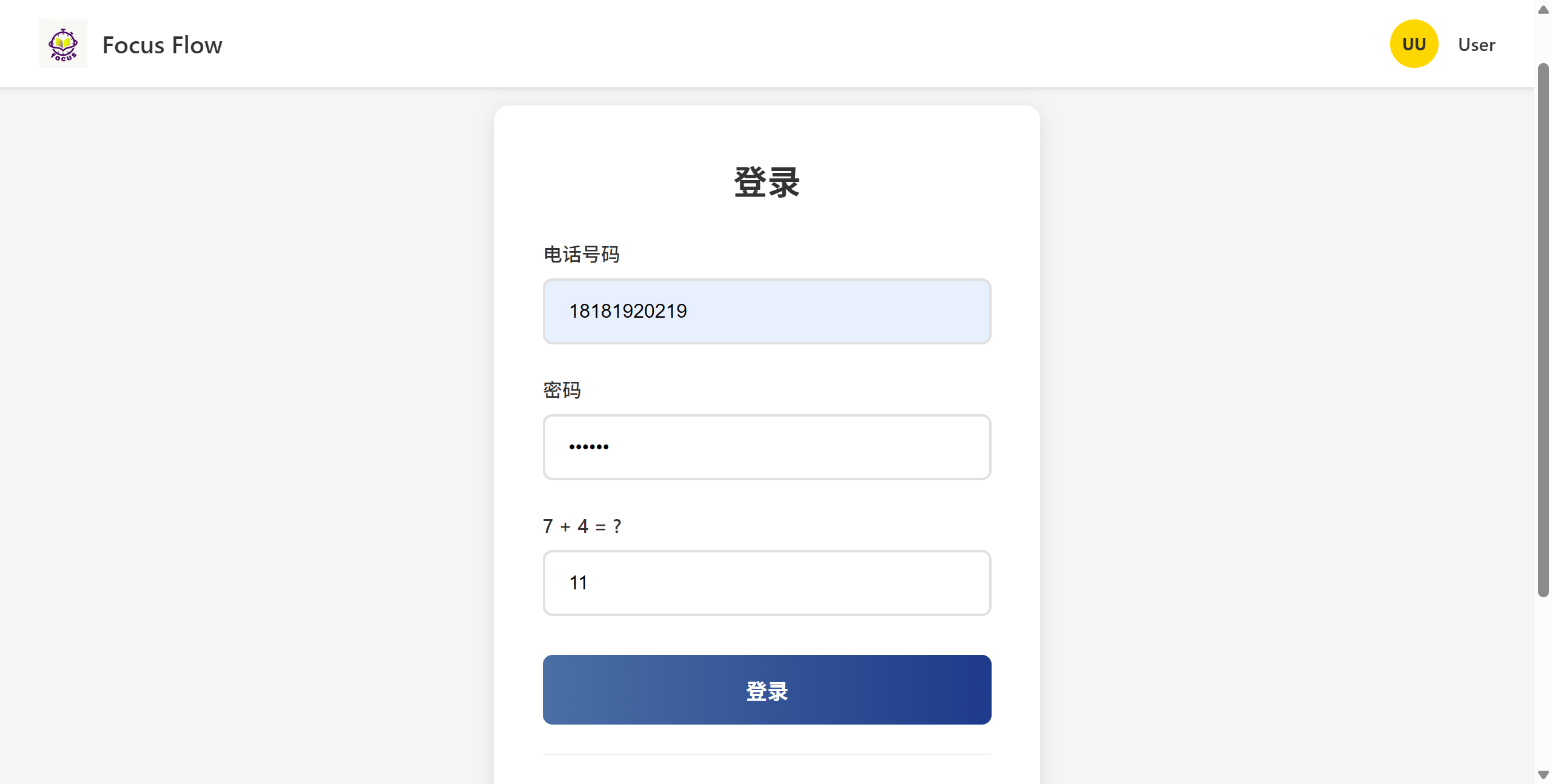
This sprint, I was mainly responsible for implementing the two core modules: user login and personal center. Below are screenshots showing the operation of the functions.
This module implements the identity verification process based on mobile phone number, password and dynamic verification code.
login interface
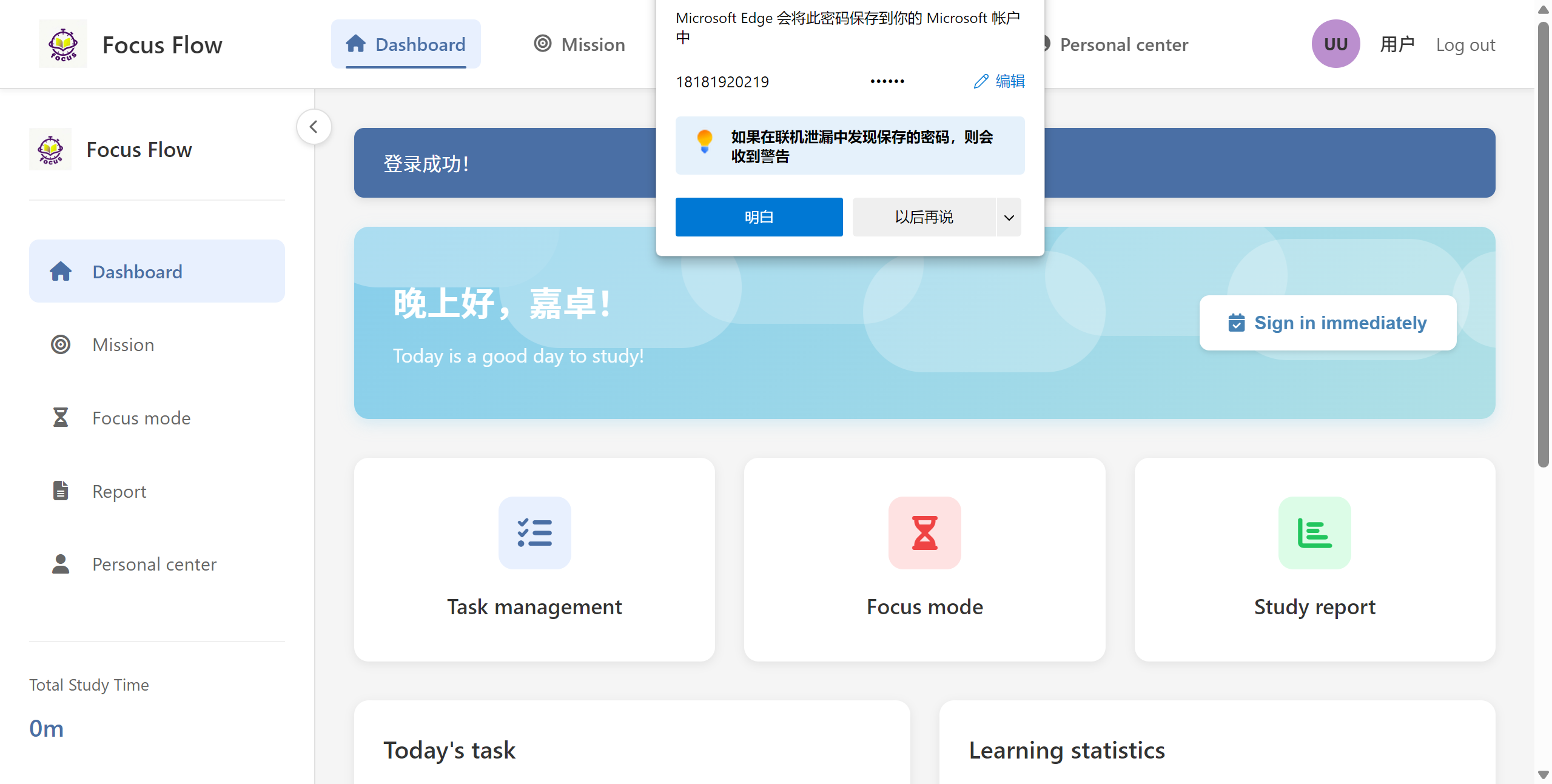
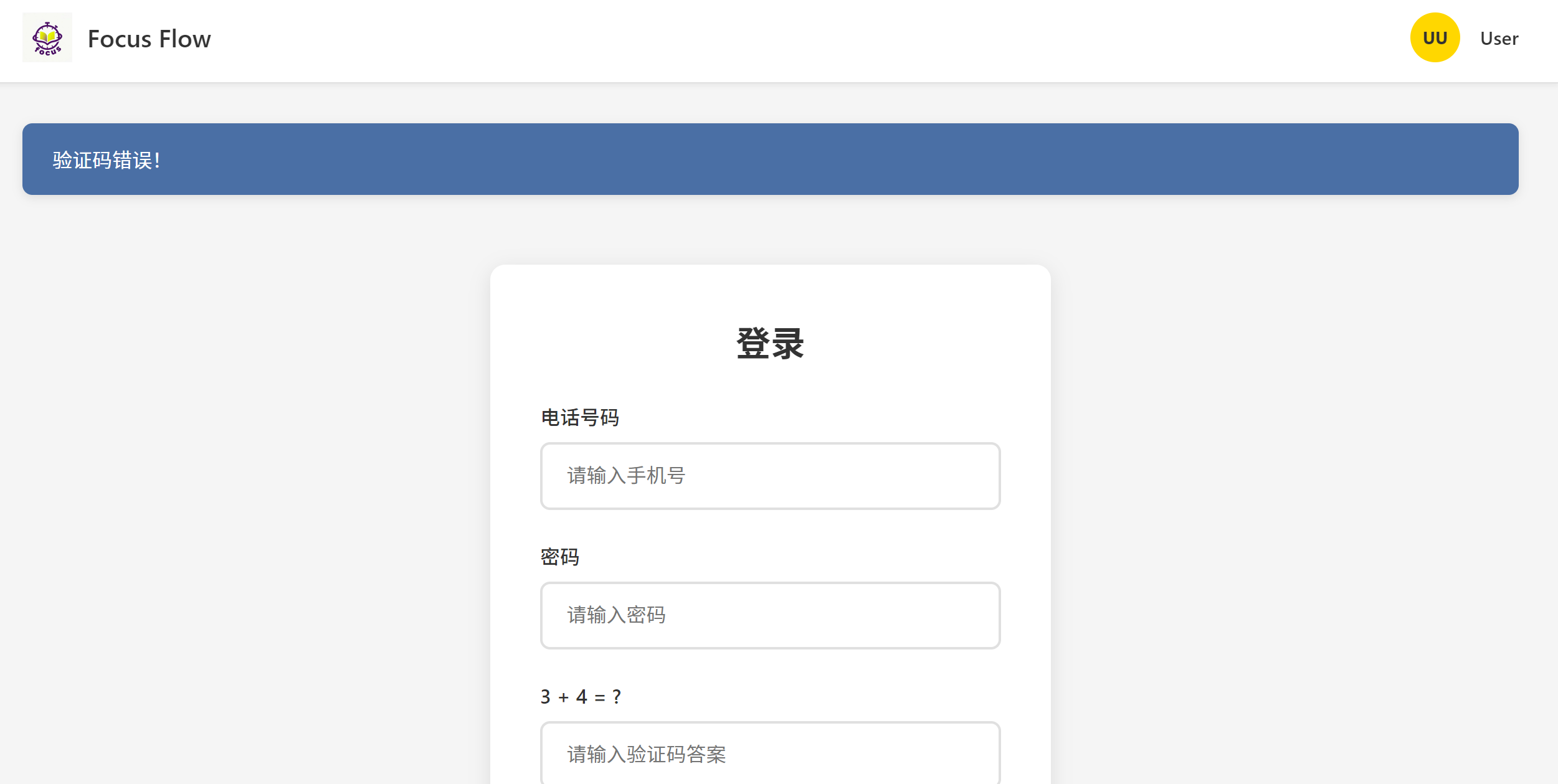
Login success/failure prompt:
This module offers users the core functions of information viewing and management, including personal information modification and account security settings.
·Personal Center Homepage:
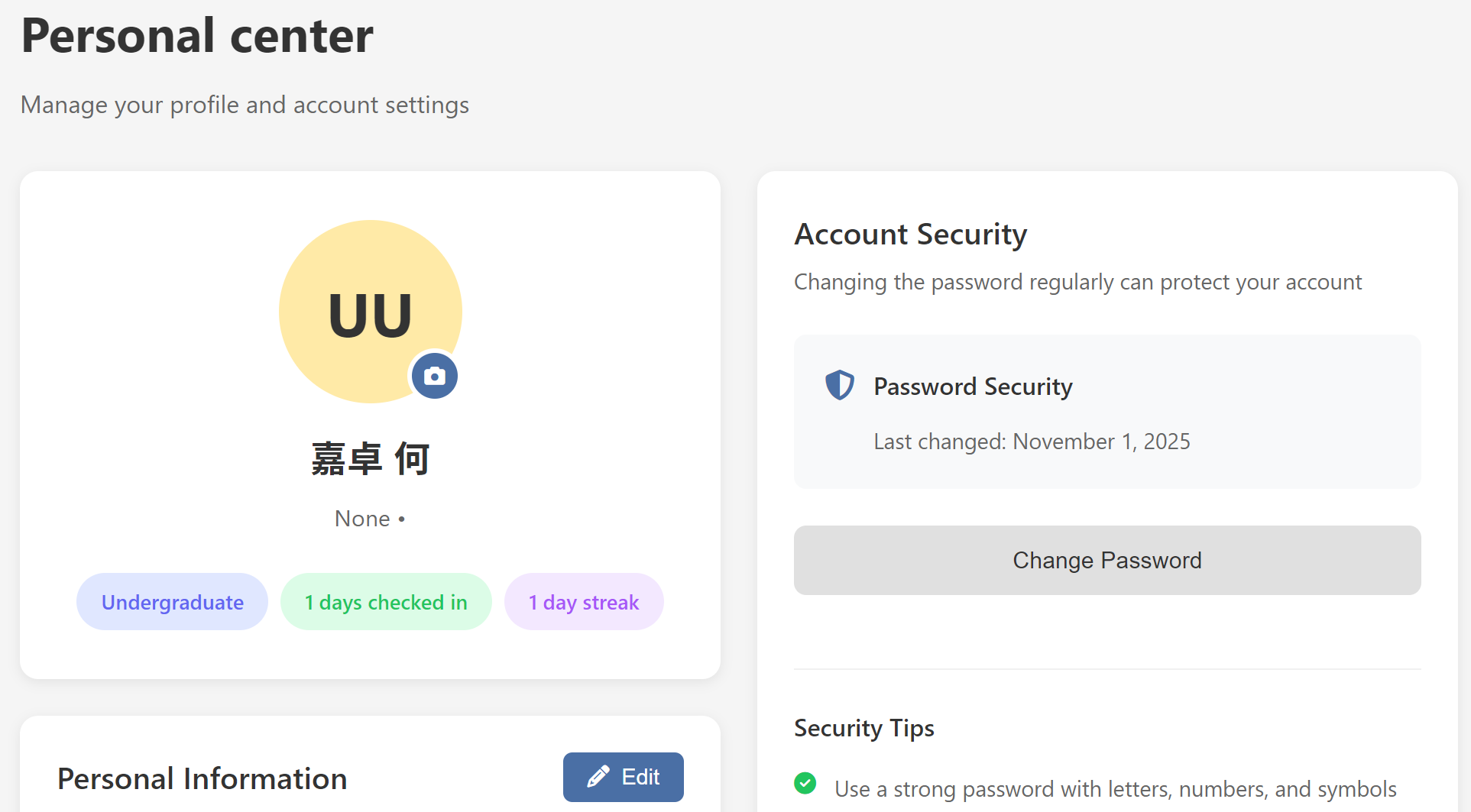
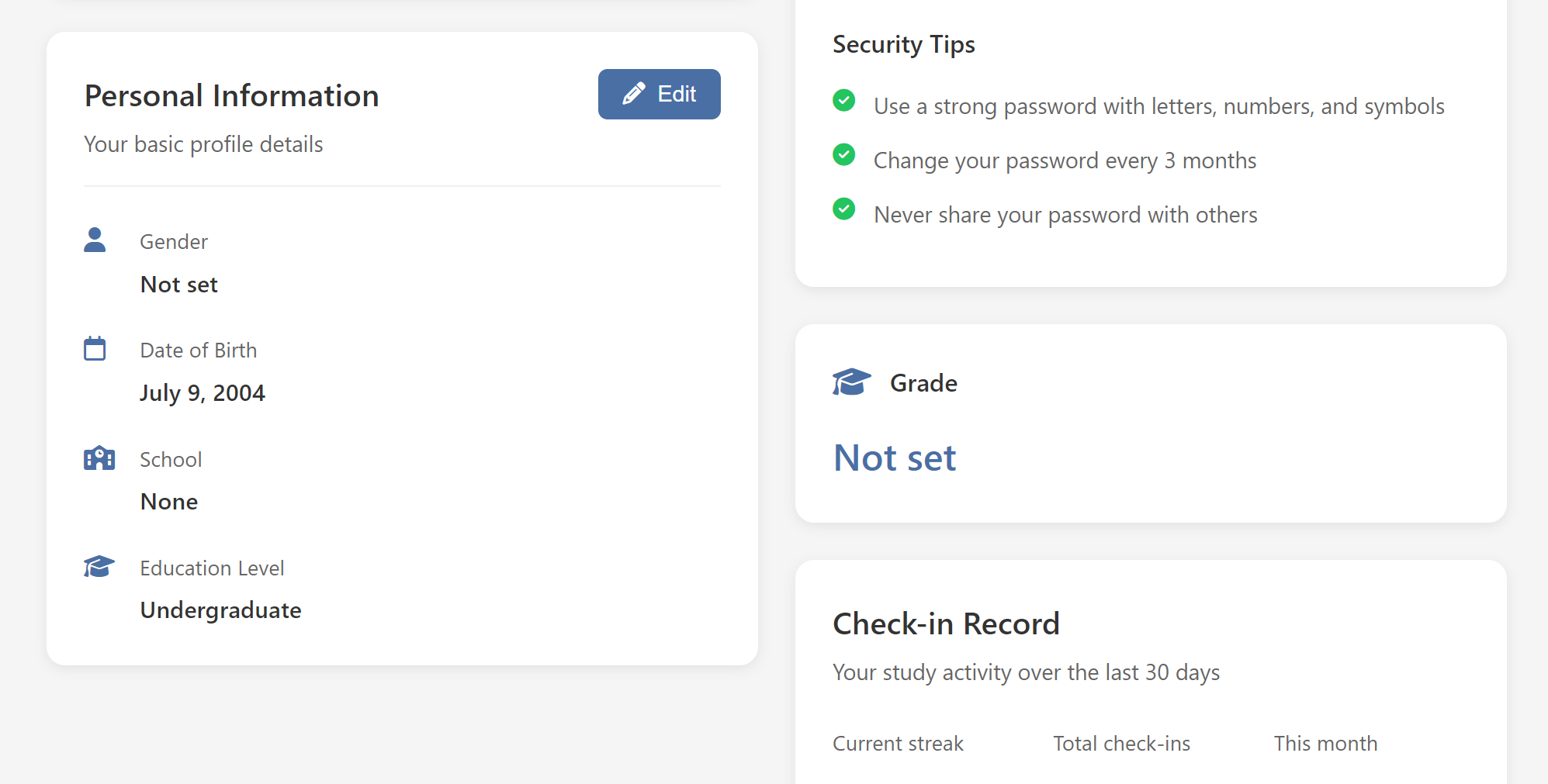
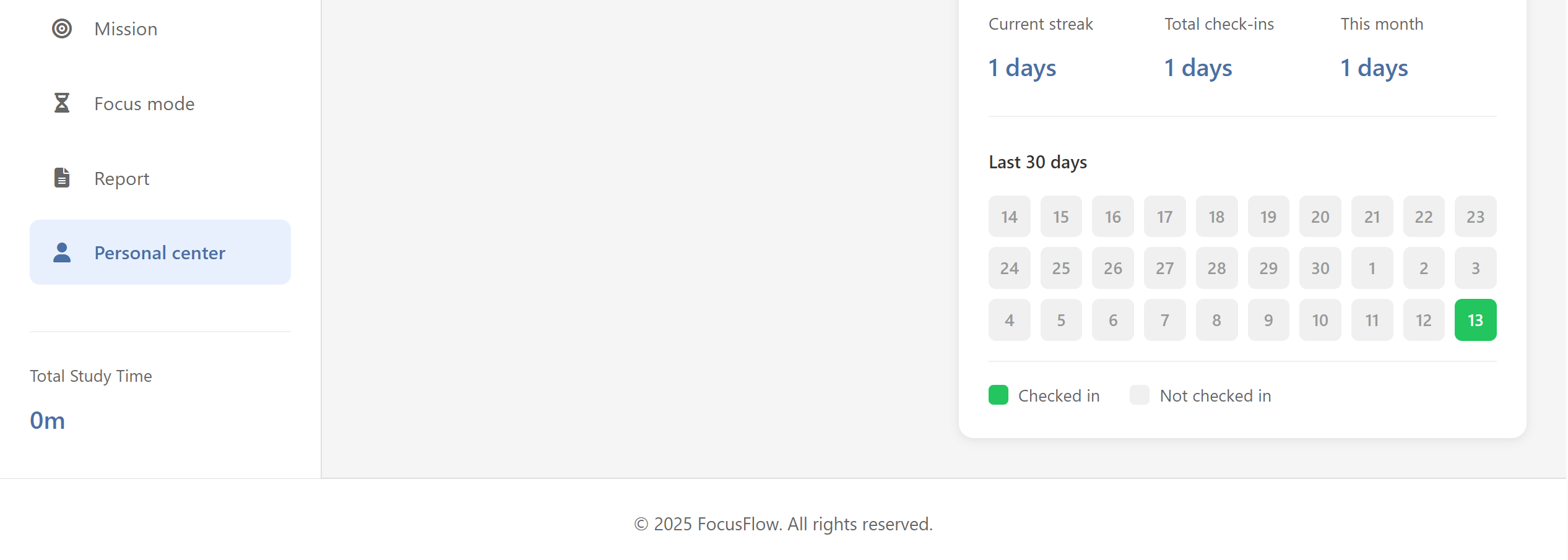
·Modify personal information:
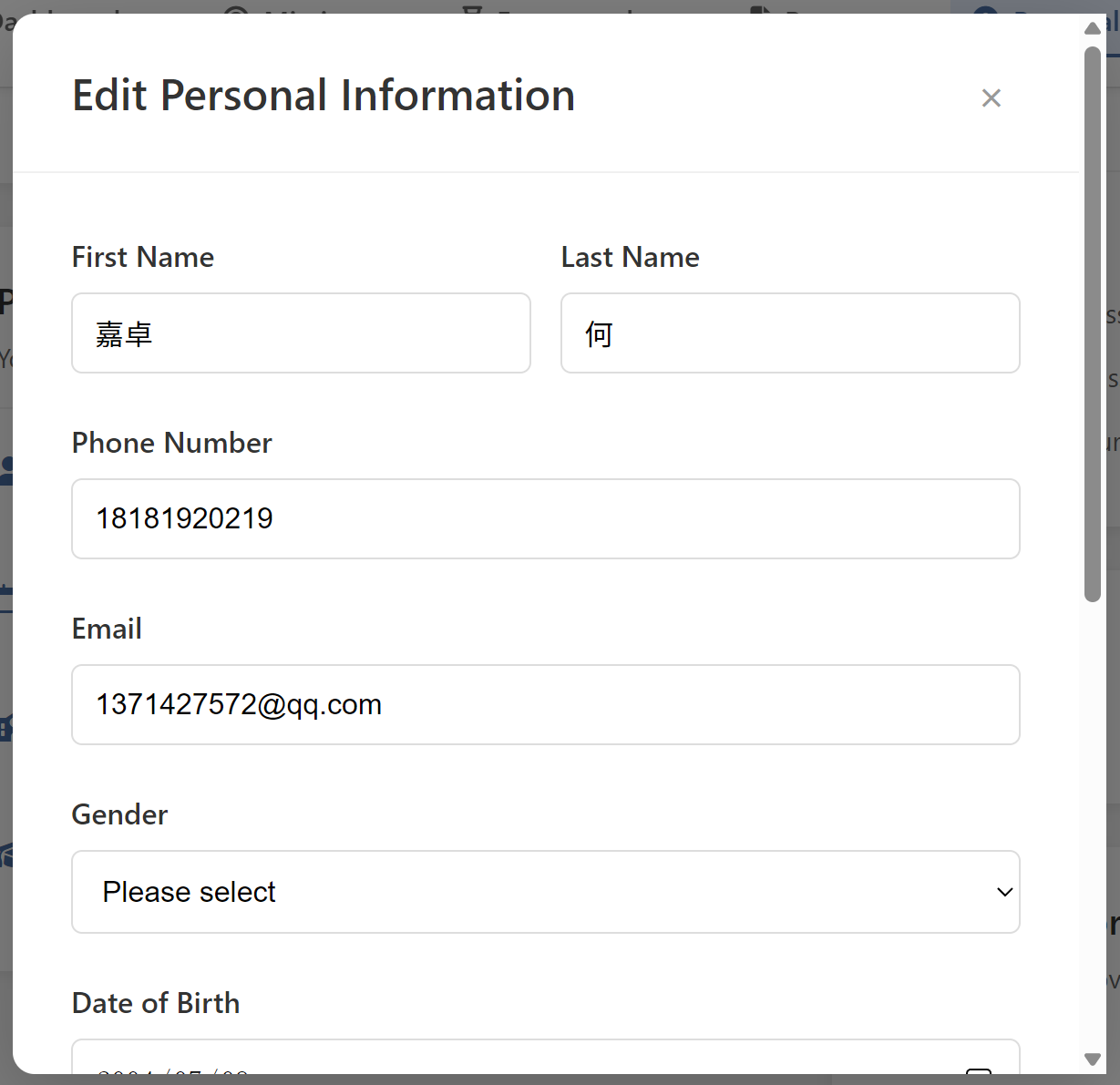
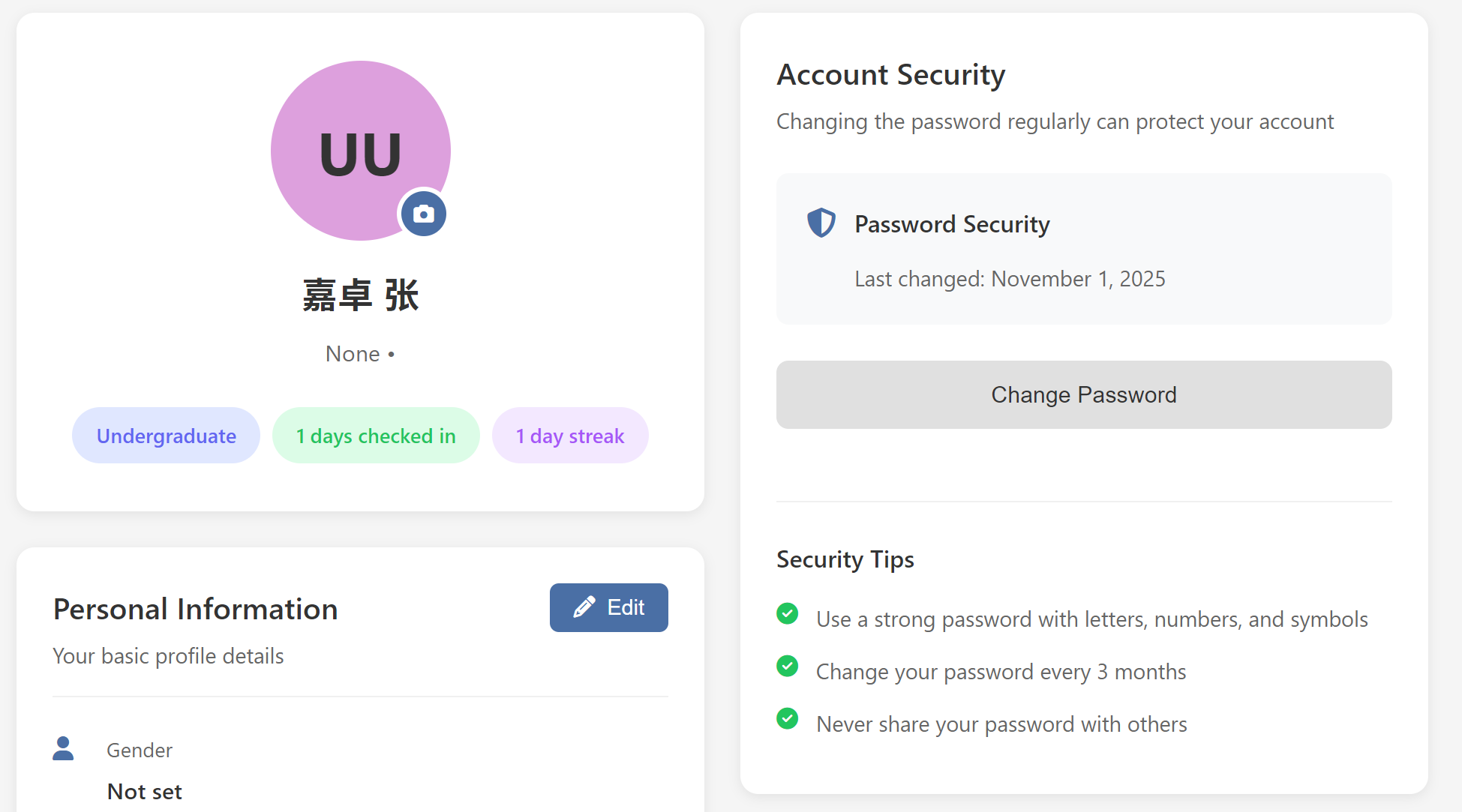
Explanation: Clicking the "Edit" button will open a modal box, allowing users to modify information such as name, phone number, email, gender, birthday, school, educational level and grade. The username/login name (mobile phone number) is the key credential and cannot be directly modified here.
·Password modification functionInstruction:
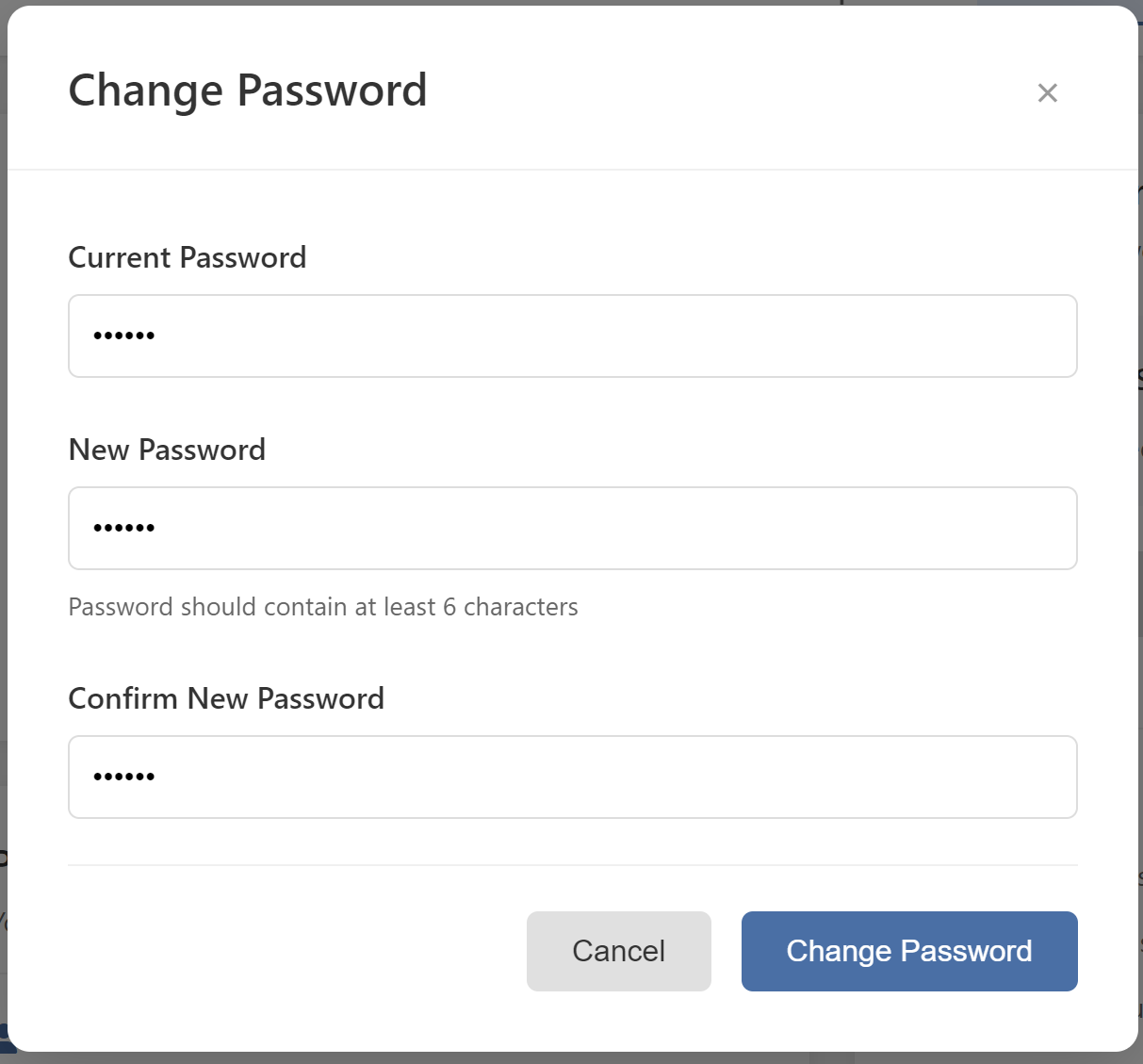
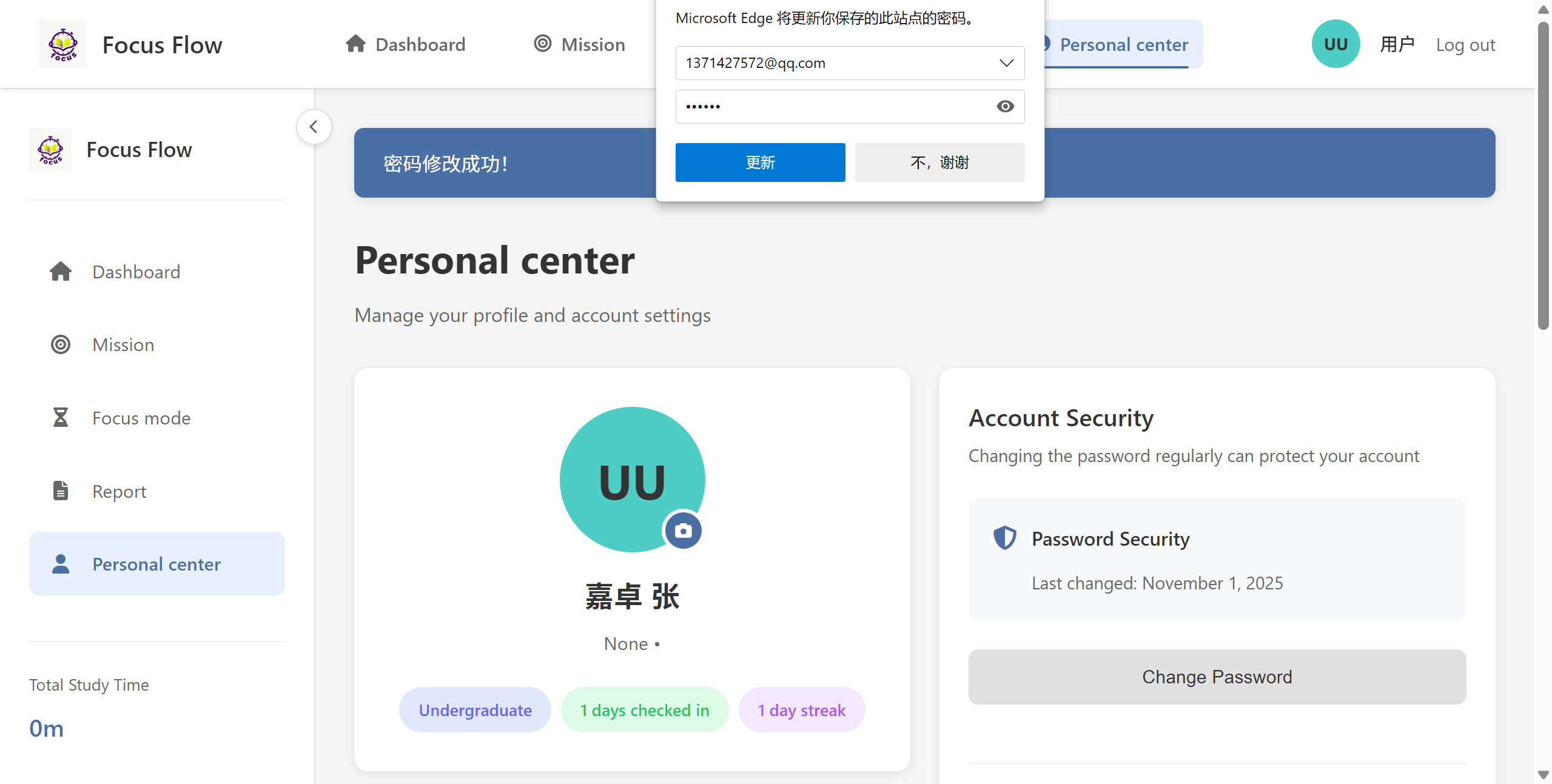
Explanation: As the person in charge of the "Login and Personal Center" module, I completed the entire development of this module from the front-end interface to the back-end logic. The main code changes were concentrated in the following files, and these changes have been integrated into the main branch of the project.
Core backend logic (app.py): It implements core routing functions such as login(), profile(), update_profile(), and change_password().
Front-end page templates (templates/login.html, templates/profile.html): These templates have constructed the user interaction interface.
Database and Models (models.py, database.py): Supports the storage and validation of user data.
Due to the reasons of the development process and local environment configuration, the detailed commit hashes could not be listed one by one in this report. All the code contributions for this sprint can be viewed and traced through the Commits history page of the project repository.
@app.route('/login', methods=['GET', 'POST'])
def login():
    if request.method == 'POST':
        phone = request.form.get('phone')
        password = request.form.get('password')
        user_captcha = request.form.get('captcha')
        correct_answer = session.get('captcha_answer', '')

        # 1. 验证码校验
        if user_captcha != correct_answer:
            flash(‘Captcha answer WRONG!’)
            return render_template(‘login.html’, ...)

        conn = get_db_connection()
        user = conn.execute(‘SELECT * FROM users WHERE phone = ?’, (phone,)).fetchone()

        # 2. 用户存在性及密码校验 (使用flask_bcrypt)
        if user and bcrypt.check_password_hash(user[‘password’], password):
            session[‘user_id’] = user[‘id’]  # 设置会话
            flash(‘Login SUCCESS!’)
            return redirect(url_for(‘dashboard’))
        else:
            flash(‘User NOT FOUND or Password WRONG!’)
        conn.close()
# 示例代码摘录自 app.py 的 update_profile() 路由函数
@app.route(‘/update_profile‘, methods=[’POST‘])
@login_required
def update_profile():
    user_id = session[’user_id‘]
    # 从表单安全获取数据
    first_name = request.form.get(’first_name‘)
    last_name = request.form.get(’last_name‘)
    email = request.form.get(’email‘)
    # ... 获取其他字段

    conn = get_db_connection()
    # 执行数据库更新
    conn.execute(’’‘
        UPDATE users
        SET first_name=?, last_name=?, email=?, ...
        WHERE id=?
    ’’’, (first_name, last_name, email, ..., user_id))
    conn.commit()
    conn.close()
    flash(‘Profile updated successfully!’)
    return redirect(url_for(’profile‘))
Login module: Completed the entire login process both on the front end and the back end, including forms with verification codes, secure password verification (using Bcrypt hashing), session management, and friendly prompts. Personal Center Module: It has realized a complete set of functions including displaying personal homepage information, visualizing the sign-in calendar, editing personal information, and modifying the password (requiring verification of the original password). Issue Resolution: The problem of ModuleNotFoundError that occurred during project startup due to the absence of the utils.helpers module has been resolved. A temporary solution was implemented to ensure the project's operability, facilitating team testing.


