


165
社区成员
 发帖
发帖 与我相关
与我相关 我的任务
我的任务
 分享
分享| Course | https://bbs.csdn.net/forums/2501_MU_SE_FZU |
|---|---|
| Assignment Requirement | https://bbs.csdn.net/topics/620061759 |
| Team Name | Focus_2025 |
| Author | Chenhe Zhu FZU: 832301108 MU: 23125047 |
| Goal of this assignment | Clarify Code Standards, Sprint Tasks, and Plans for the team Alpha Sprint |
| Other references | IEEE Std 830-1998, GB/T 8567-2006 |
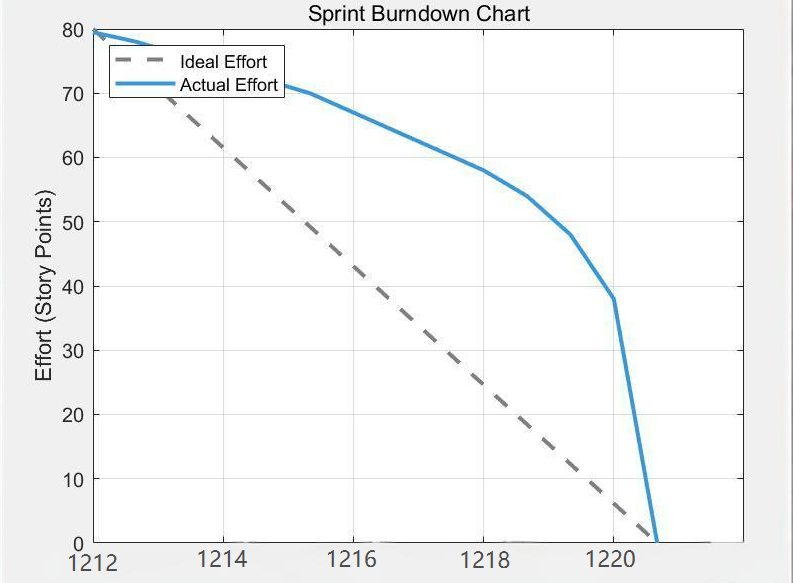
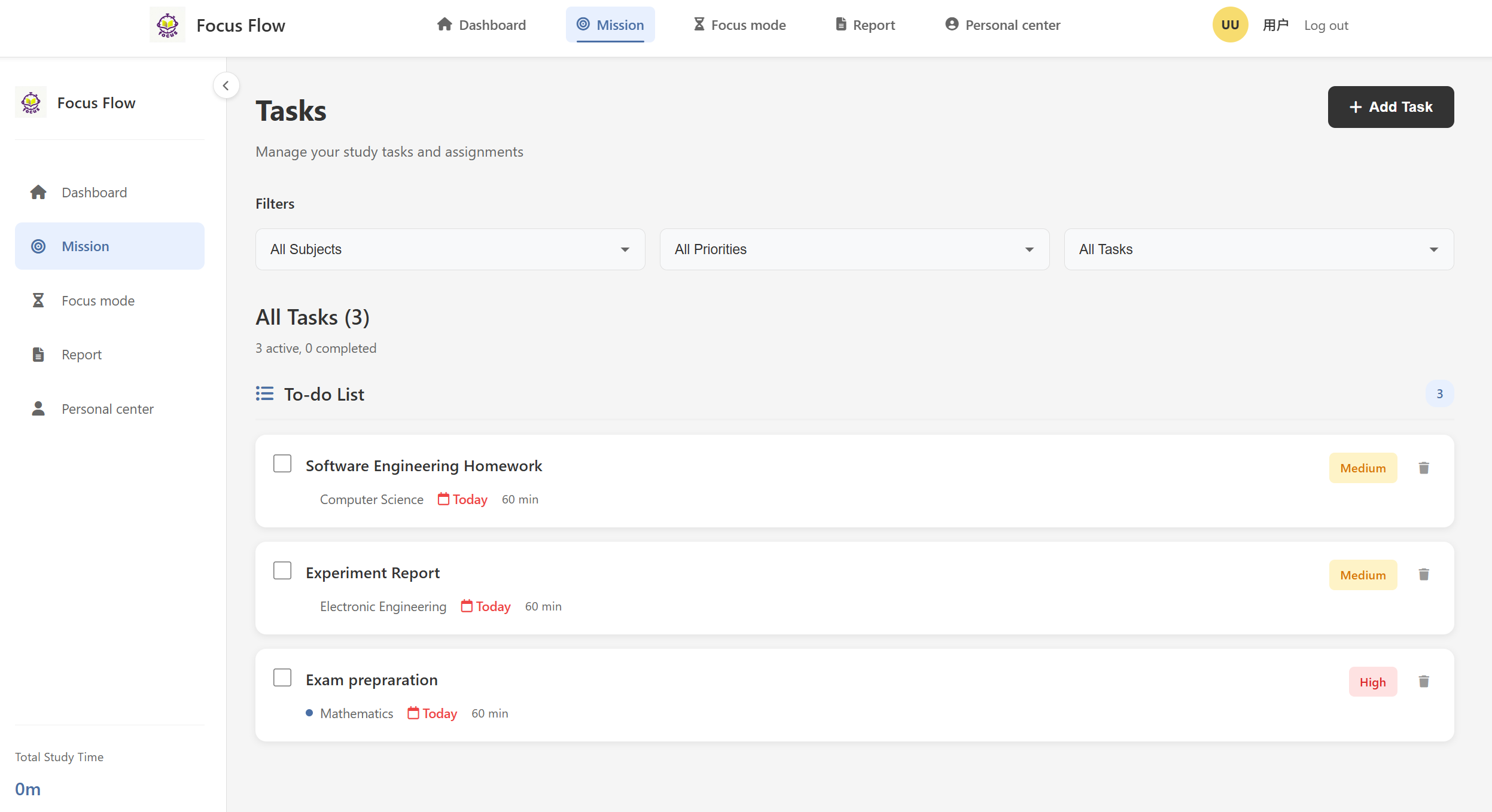
This sprint, I implemented the Task Management Module, which allows users to organize their study goals efficiently. Below are key feature demonstrations.
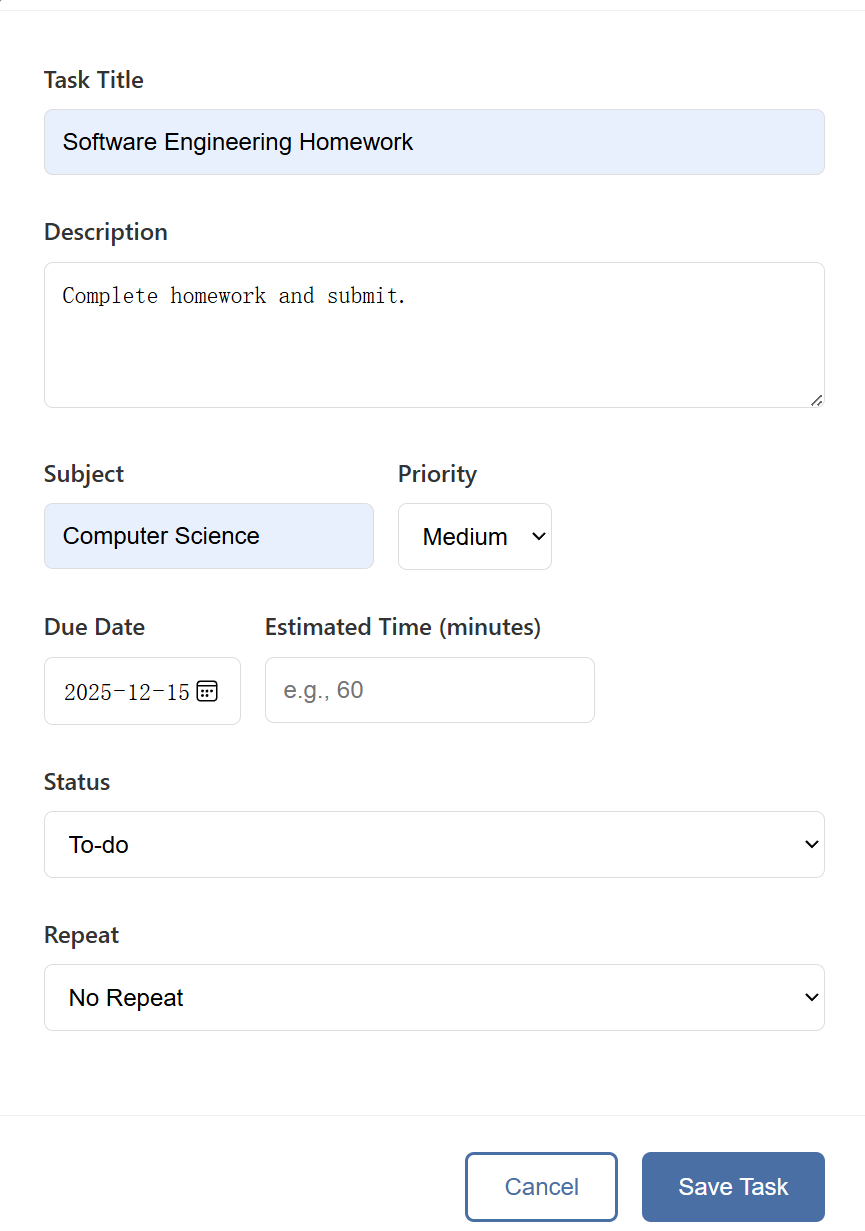
Users can add new tasks via the “+ New Task” button, specifying title, description, due date, and category. Tasks can be edited inline or deleted permanently with confirmation.
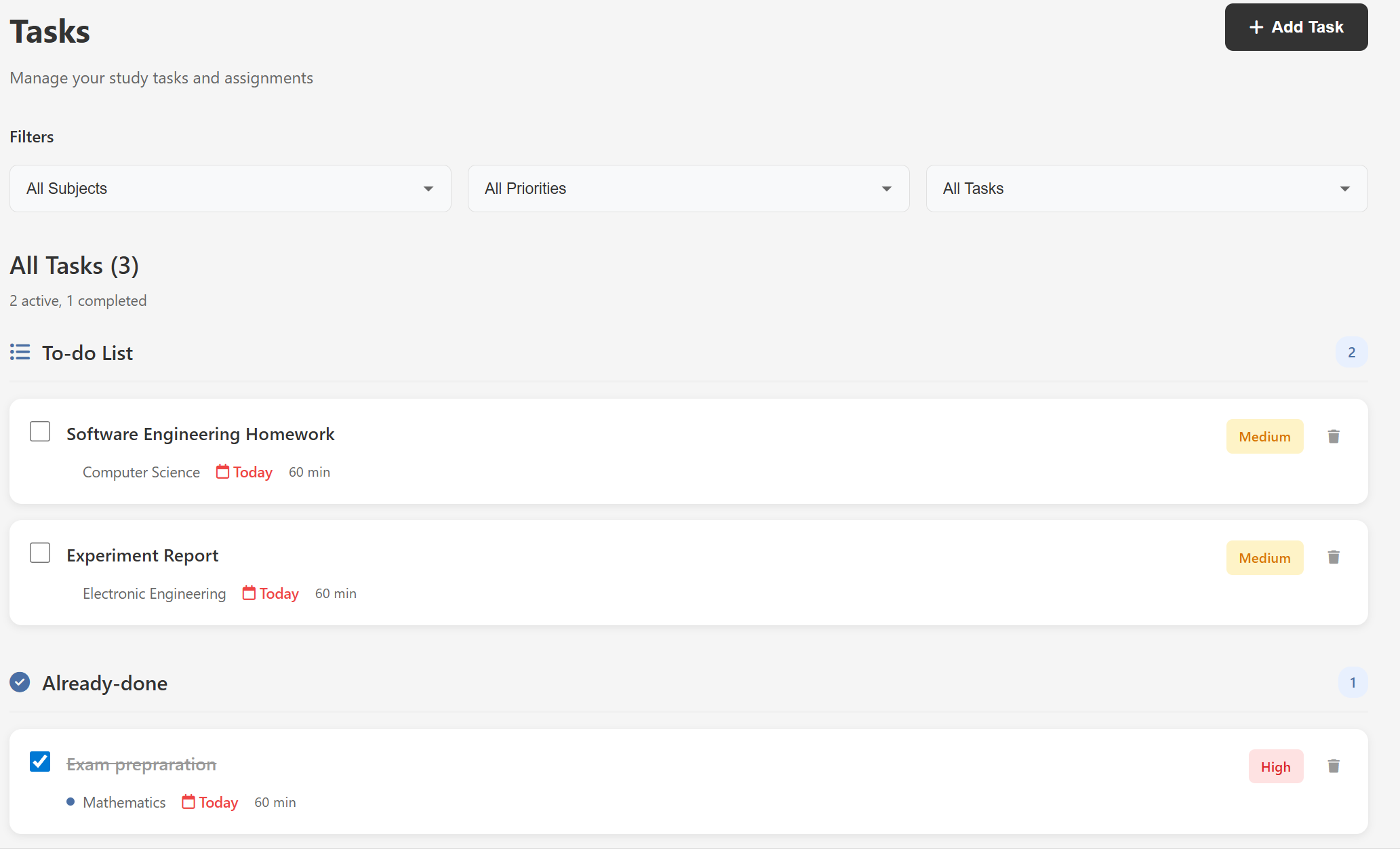
Each task includes a checkbox to mark it as completed. Completed tasks are visually dimmed and moved to a separate “Already-done” section.
Tasks are grouped by user-defined subjects, enabling structured planning.
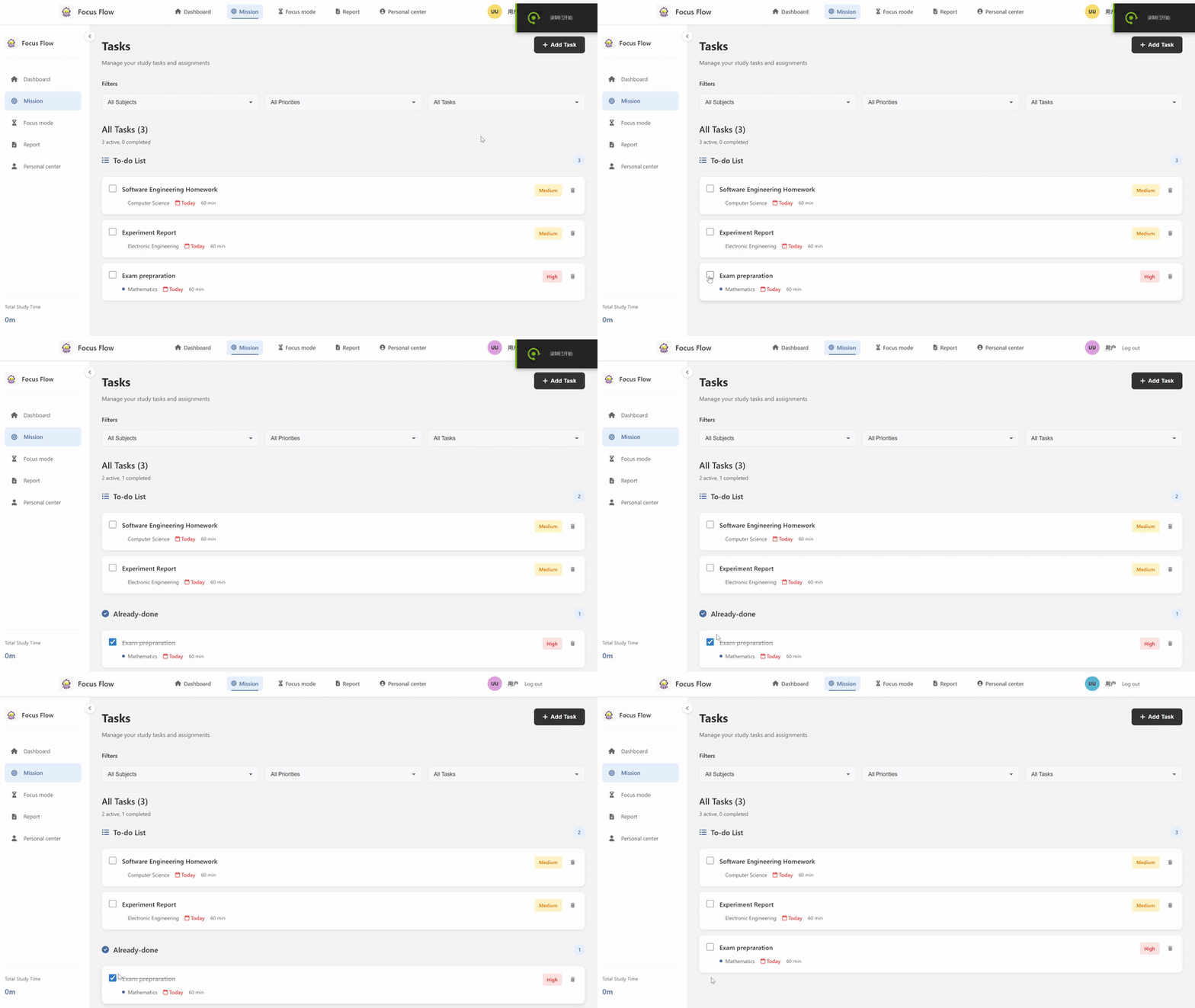

The task management system in FocusFlow is built around three key operations: CRUD (Create, Read, Update, Delete), status tracking, and tag-based organization. All logic is implemented in app.py using Flask routes and SQLite queries.
app.py)The /tasks route fetches all user tasks and enriches each with its associated tags from the task_tags table:
@app.route('/tasks')
@login_required
def tasks():
    user_id = session['user_id']
    conn = get_db_connection()
    try:
        tasks = conn.execute(
            'SELECT * FROM tasks WHERE user_id = ? ORDER BY due_date ASC',
            (user_id,)
        ).fetchall()

        tasks_with_tags = []
        today = datetime.now().date()
        for task in tasks:
            # Fetch tags for this task
            tags = conn.execute(
                'SELECT tag FROM task_tags WHERE task_id = ?',
                (task['id'],)
            ).fetchall()
            task_dict = dict(task)
            task_dict['tags'] = [tag['tag'] for tag in tags]
            # ... (date formatting logic)
            tasks_with_tags.append(task_dict)
    finally:
        conn.close()
    return render_template('tasks.html', tasks=tasks_with_tags)
This ensures every task displayed includes its dynamic tag list, enabling flexible categorization without a fixed "category" column.
The /tasks add endpoint handles both creation and editing via a single POST route. It uses task_id to distinguish between modes:
@app.route('/tasks/add', methods=['POST'])
@login_required
def add_task():
    task_id = request.form.get('task_id')  # None for new tasks
    # ... (form data extraction)

    if task_id:
        # Edit existing task
        conn.execute('''
            UPDATE tasks SET title = ?, description = ?, ..., status = ?
            WHERE id = ? AND user_id = ?
        ''', (title, ..., status, task_id, user_id))
        # Clear old tags
        conn.execute('DELETE FROM task_tags WHERE task_id = ?', (task_id,))
    else:
        # Create new task
        cursor = conn.cursor()
        cursor.execute('''
            INSERT INTO tasks (user_id, title, description, ...)
            VALUES (?, ?, ?, ...)
        ''', (user_id, title, description, ...))
        task_id = cursor.lastrowid  # Get new ID

    # Re-insert tags (for both create/edit)
    if tags:
        for tag in [t.strip() for t in tags.split(',') if t.strip()]:
            conn.execute(
                'INSERT INTO task_tags (task_id, tag) VALUES (?, ?)',
                (task_id, tag)
            )
    conn.commit()
The delete operation first validates ownership, then removes both the task and its tags:
@app.route('/tasks/delete/<int:task_id>', methods=['POST'])
@login_required
def delete_task(task_id):
    user_id = session['user_id']
    conn = get_db_connection()
    try:
        # Verify ownership
        task = conn.execute(
            'SELECT * FROM tasks WHERE id = ? AND user_id = ?',
            (task_id, user_id)
        ).fetchone()
        if not task:
            flash('Permission denied!')
            return redirect(url_for('tasks'))

        # Clean up: delete tags first, then task
        conn.execute('DELETE FROM task_tags WHERE task_id = ?', (task_id,))
        conn.execute('DELETE FROM tasks WHERE id = ?', (task_id,))
        conn.commit()
        flash('Task deleted successfully!')
    except Exception as e:
        conn.rollback()
        flash('Delete failed!')
    finally:
        conn.close()
    return redirect(url_for('tasks'))
Task completion is handled by a dedicated JSON API endpoint (/tasks/update_status/int:task_id). This allows frontend components to trigger status changes without page reloads:
@app.route('/tasks/update_status/<int:task_id>', methods=['POST'])
@login_required
def update_task_status(task_id):
    user_id = session['user_id']
    data = request.get_json()
    new_status = data.get('status', 'completed')

    conn = get_db_connection()
    try:
        # Ensure the task belongs to the current user
        task = conn.execute(
            'SELECT * FROM tasks WHERE id = ? AND user_id = ?',
            (task_id, user_id)
        ).fetchone()
        if not task:
            return jsonify({'success': False}), 403

        # Update status and timestamp
        conn.execute('''
            UPDATE tasks SET status = ?, updated_at = CURRENT_TIMESTAMP
            WHERE id = ?
        ''', (new_status, task_id))
        conn.commit()
        return jsonify({'success': True})
    finally:
        conn.close()
The status field in the tasks table stores either 'pending' or 'completed', enabling filtering and progress tracking.
When a user creates or edits a task, tags are parsed from a comma-separated string and stored in the task_tags table:
# In /tasks/add route
if tags:
    tag_list = [tag.strip() for tag in tags.split(',') if tag.strip()]
    for tag in tag_list:
        conn.execute(
            'INSERT INTO task_tags (task_id, tag) VALUES (?, ?)',
            (task_id, tag)
        )
The Alpha Sprint deliverables for the task management module include the following functionalities, all implemented in the Flask backend (app.py) with SQLite persistence:
pending and completed, with updates handled via a dedicated RESTful endpoint. task_tags table to support many-to-many relationships between tasks and labels. user_id against the session context, preventing cross-user data manipulation. commit() on success and rollback() on exception to ensure data consistency.The module is fully integrated with the dashboard view, where task lists and completion metrics are rendered based on the same underlying data model.
1. Tag Consistency During Task Updates
Initial implementations appended new tags without removing existing ones, resulting in tag duplication upon repeated edits.
Resolution: Prior to inserting new tags, all records associated with the task ID are purged from the task_tags table:
conn.execute('DELETE FROM task_tags WHERE task_id = ?', (task_id,))
This guarantees that the tag set reflects exactly the user’s current input.
2. Unauthorized Task Manipulation
Without explicit ownership verification, malicious users could modify or delete tasks by supplying arbitrary task IDs.
Resolution: Every mutating endpoint includes a pre-check query:
SELECT id FROM tasks WHERE id = ? AND user_id = ?
Operations proceed only if a matching record exists, thereby enforcing data isolation at the application layer.
Planned Enhancements for Beta Sprint
The task management module now constitutes a secure, maintainable, and extensible component of the FocusFlow system, fulfilling all Alpha Sprint requirements.


