


114
社区成员
 发帖
发帖 与我相关
与我相关 我的任务
我的任务
 分享
分享| 这个作业属于哪个课程 | 202501福大-软件工程实践-W班 |
|---|---|
| 这个作业要求在哪里 | 软件工程实践总结&个人技术博客 |
| 这个作业的目标 | 个人技术总结 |
| 其他参考文献 | 无 |
Judge0 是一个开源的在线代码执行系统,用于安全运行用户提交的多语言代码,常用于编程练习、判题平台等场景。因Code帮项目需部署判题服务而学习,难点在于服务部署配置、及错误状态精准识别。
一台2核4G及以上配置的Linux系统的服务器
预留20G左右的磁盘空间
服务器上已部署好Docker
本地安装好Postman
这里有两种下载渠道:
wget https://github.com/judge0/judge0/releases/download/v1.13.1/judge0-v1.13.1.zip
unzip judge0-v1.13.1.zip
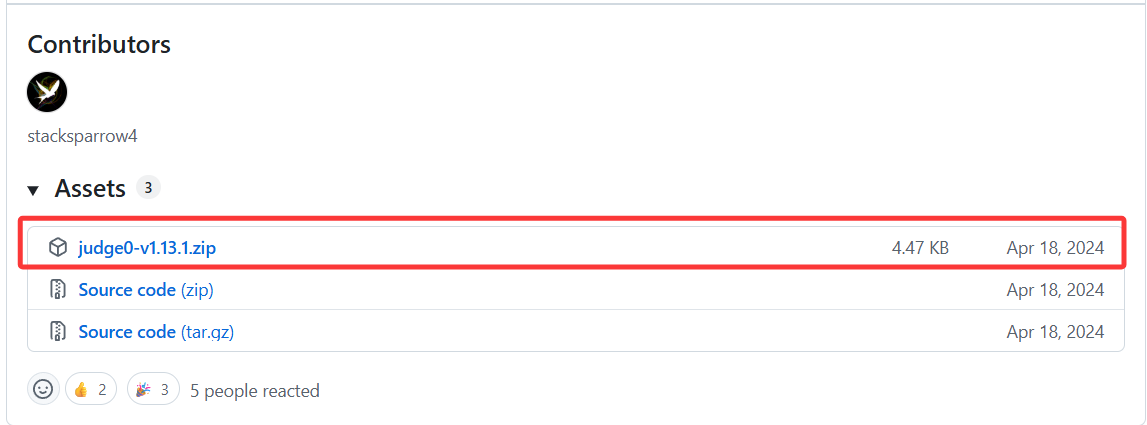
解压后应当能看到这两个文档

使用以下网址生成随机密码:
https://www.random.org/passwords/?num=1&len=32&format=plain&rnd=new
使用生成的密码来更新judge0.conf文件中的变量REDIS_PASSWORD

再次用上面的网址生成另一个随机密码
使用生成的密码来更新judge0.conf文件中的变量POSTGRES_PASSWORD

在服务器终端中输入如下代码:
cd judge0-v1.13.1
docker-compose up -d db redis
sleep 10s
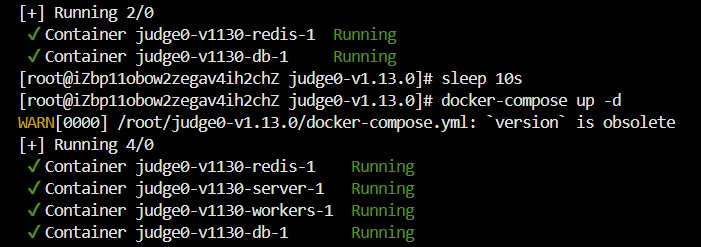
docker-compose up -d
sleep 5s
由于要下载的内容较多,可能会需要一定时间
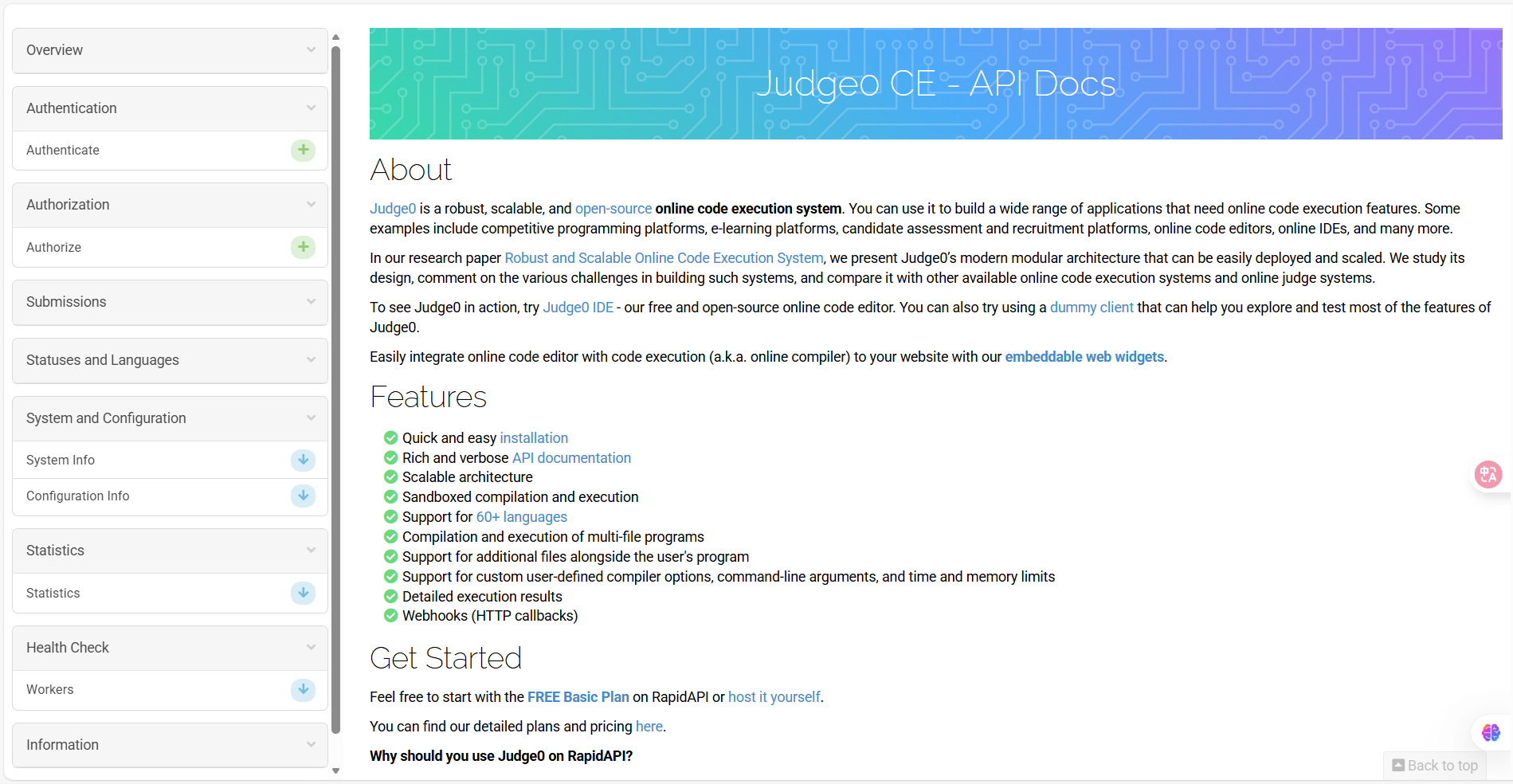
访问 http://你的服务器IP:2358/docs 的文档。应当能访问到下图所示的文档
找到语言模块
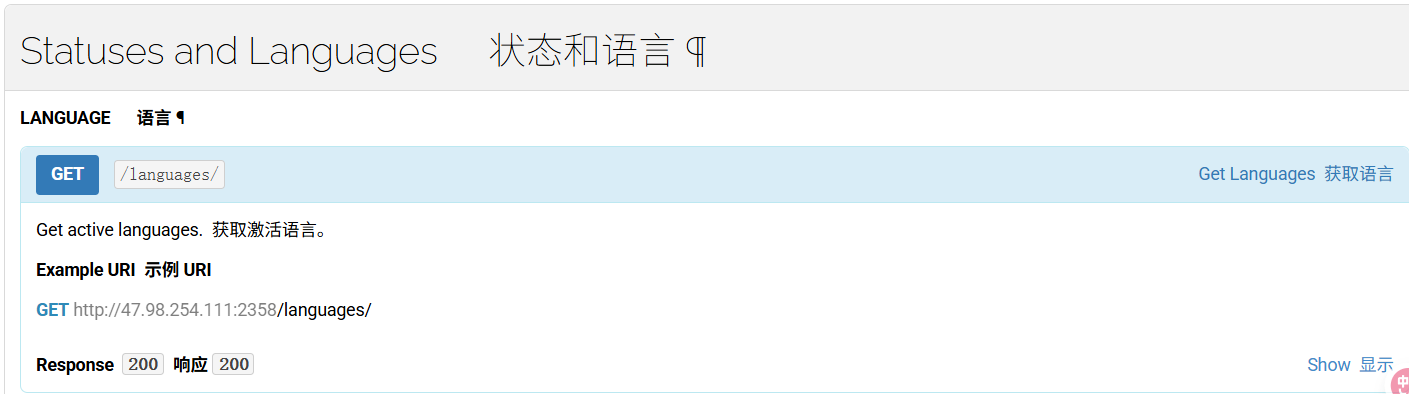
在Postman中测试获取活跃和归档的语言功能,URL可以从文档中复制
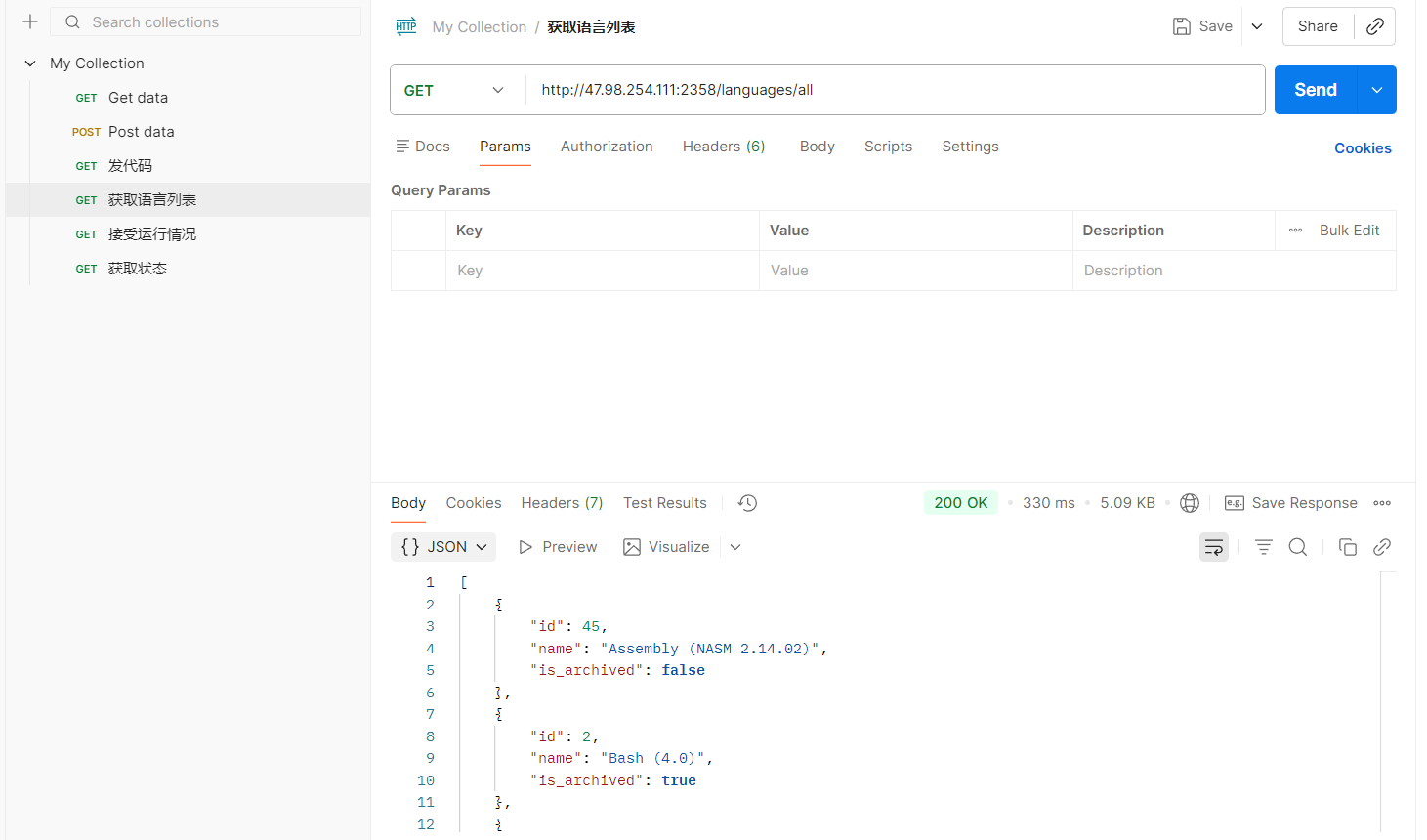
如果能正常返回语言列表和200状态码,则说明Judge0能够正常使用。如果状态码为500,则说明部署有问题(解决方案参考下文“遇到的问题”相关部分)
提交用于在指定的运行时约束下,使用可用的编程语言之一运行任意源代码。提交包含33个属性,这里只作基础演示,详细属性请自行到API文档中查看
请求:
#Headers
Content-Type: application/json

#Body
{
  "source_code": "#include <stdio.h>\n\nint main(void) {\n  char name[10];\n  scanf(\"%s\", name);\n  printf(\"hello, %s\n\", name);\n  return 0;\n}",
  "language_id": 4,
  "stdin": "world"
}
响应:
{
  "token": "d85cd024-1548-4165-96c7-7bc88673f194"
}
使用示例:
const axios = require('axios'); // Node.js 中需要安装:npm install axios

// 配置请求参数
const submissionData = {
  source_code: '#include <stdio.h>\nint main(void) {\n char name[10];\n scanf(\"%s\", name);\n printf(\"hello, %s\\n\", name);\n return 0;\n}',
  language_id: 4,
  stdin: 'world'
};

// 设置请求选项
const config = {
  method: 'post',
  url: 'http://47.98.254.111:2358/submissions?base64_encoded=false&wait=false',
  headers: {
    'Content-Type': 'application/json'
  },
  data: submissionData
};

// 发送请求
axios(config)
  .then(response => {
    console.log('提交成功!返回的 token:', response.data.token);
    // 示例输出: { token: "d85cd024-1548-4165-96c7-7bc88673f194" }
  })
  .catch(error => {
    if (error.response) {
      console.error('服务器错误:', error.response.status, error.response.data);
    } else if (error.request) {
      console.error('请求失败,未收到响应:', error.request);
    } else {
      console.error('请求配置错误:', error.message);
    }
  });
通过创建提交时返回的token,获取对应提交的运行情况
请求:
/**
 * 查询提交状态的 API 请求参数说明
 *
 * @param {string} token - 提交令牌(必需)
 *   - 由创建提交时返回,用于标识本次提交
 *   - 示例: "d85cd024-1548-4165-96c7-7bc88673f194"
 *
 * @param {boolean} base64_encoded - 是否接收 Base64 编码的数据(可选,默认 false)
 *   - 设置为 true 时,服务器会以 Base64 格式返回 stdout/stderr 等内容
 *   - 建议设为 true 当你预期输出包含非打印字符(如二进制数据、控制字符等)
 *   - 示例: true 或 false
 *
 * @param {string} fields - 返回字段列表(可选,默认值:stdout,time,memory,stderr,token,compile_output,message,status)
 *   - 指定你希望获取的响应字段,用逗号分隔
 *   - 示例: "stdout,stderr,status_id,language_id"
 *   - 可选字段包括:
 *     - stdout: 程序标准输出
 *     - stderr: 错误输出
 *     - time: 执行时间(毫秒)
 *     - memory: 内存使用量(字节)
 *     - token: 提交令牌
 *     - compile_output: 编译信息
 *     - message: 状态消息
 *     - status: 执行状态
 */
响应:
{
  "stdout": "hello, world\n",
  "status_id": 5,
  "language_id": 4,
  "stderr": null
}
使用示例:
const axios = require('axios'); // Node.js 环境需安装:npm install axios

// 示例参数
const submissionToken = 'd85cd024-1548-4165-96c7-7bc88673f194'; // 替换为你的实际 token
const base64Encoded = false; // 如果输出包含非打印字符,设为 true
const fields = 'stdout,stderr,status_id,language_id'; // 可选字段,用逗号分隔

// 构造请求 URL
const url = `http://47.98.254.111:2358/submissions/${submissionToken}`;
const params = {
  base64_encoded: base64Encoded,
  fields: fields
};

// 发送 GET 请求
axios.get(url, { params })
  .then(response => {
    console.log('提交结果:', response.data);

    // 示例输出:
    // {
    //   stdout: "hello, world\n",
    //   status_id: 5,
    //   language_id: 4,
    //   stderr: null
    // }
  })
  .catch(error => {
    if (error.response) {
      console.error('服务器错误:', error.response.status, error.response.data);
    } else if (error.request) {
      console.error('请求失败,未收到响应:', error.request);
    } else {
      console.error('请求配置错误:', error.message);
    }
  });
由于创建提交需要发送使用的语言对应的id,所以需要获取judge0支持的语言的id列表
- 示例URL:GET http://47.98.254.111:2358/languages/
响应:
[
  {
    "id": 45,
    "name": "Assembly (NASM 2.14.02)"
  },
  {
    "id": 46,
    "name": "Bash (5.0.0)"
  },
  {
    "id": 47,
    "name": "Basic (FBC 1.07.1)"
  },
  {
    "id": 48,
    "name": "C (GCC 7.4.0)"
  },
  {
    "id": 52,
    "name": "C++ (GCC 7.4.0)"
  },
  {
    "id": 49,
    "name": "C (GCC 8.3.0)"
  },
  {
    "id": 53,
    "name": "C++ (GCC 8.3.0)"
  },
  {
    "id": 50,
    "name": "C (GCC 9.2.0)"
  },
  {
    "id": 54,
    "name": "C++ (GCC 9.2.0)"
  },
  {
    "id": 51,
    "name": "C# (Mono 6.6.0.161)"
  },
  {
    "id": 55,
    "name": "Common Lisp (SBCL 2.0.0)"
  },
  {
    "id": 56,
    "name": "D (DMD 2.089.1)"
  },
  {
    "id": 57,
    "name": "Elixir (1.9.4)"
  },
  {
    "id": 58,
    "name": "Erlang (OTP 22.2)"
  },
  {
    "id": 44,
    "name": "Executable"
  },
  {
    "id": 59,
    "name": "Fortran (GFortran 9.2.0)"
  },
  {
    "id": 60,
    "name": "Go (1.13.5)"
  },
  {
    "id": 61,
    "name": "Haskell (GHC 8.8.1)"
  },
  {
    "id": 62,
    "name": "Java (OpenJDK 13.0.1)"
  },
  {
    "id": 63,
    "name": "JavaScript (Node.js 12.14.0)"
  },
  {
    "id": 64,
    "name": "Lua (5.3.5)"
  },
  {
    "id": 65,
    "name": "OCaml (4.09.0)"
  },
  {
    "id": 66,
    "name": "Octave (5.1.0)"
  },
  {
    "id": 67,
    "name": "Pascal (FPC 3.0.4)"
  },
  {
    "id": 68,
    "name": "PHP (7.4.1)"
  },
  {
    "id": 43,
    "name": "Plain Text"
  },
  {
    "id": 69,
    "name": "Prolog (GNU Prolog 1.4.5)"
  },
  {
    "id": 70,
    "name": "Python (2.7.17)"
  },
  {
    "id": 71,
    "name": "Python (3.8.1)"
  },
  {
    "id": 72,
    "name": "Ruby (2.7.0)"
  },
  {
    "id": 73,
    "name": "Rust (1.40.0)"
  },
  {
    "id": 74,
    "name": "TypeScript (3.7.4)"
  }
]
使用示例:
const axios = require('axios'); // Node.js 环境需安装:npm install axios

// 请求 URL
const url = 'http://47.98.254.111:2358/languages/';

// 发送 GET 请求
axios.get(url)
  .then(response => {
    console.log('支持的语言列表:', response.data);

    // 示例输出(部分):
    // [
    //   { id: 45, name: "Assembly (NASM 2.14.02)" },
    //   { id: 46, name: "Bash (5.0.0)" },
    //   { id: 47, name: "Basic (FBC 1.07.1)" },
    //   ...
    // ]
  })
  .catch(error => {
    if (error.response) {
      console.error('服务器错误:', error.response.status, error.response.data);
    } else if (error.request) {
      console.error('请求失败,未收到响应:', error.request);
    } else {
      console.error('请求配置错误:', error.message);
    }
  });
由于返回的提交信息有提交状态对应的id,为了明白id的含义需要获取提交状态列表
- 示例URL:GET http://47.98.254.111:2358/statuses
响应:
[
  {
    "id": 1,
    "description": "In Queue"
  },
  {
    "id": 2,
    "description": "Processing"
  },
  {
    "id": 3,
    "description": "Accepted"
  },
  {
    "id": 4,
    "description": "Wrong Answer"
  },
  {
    "id": 5,
    "description": "Time Limit Exceeded"
  },
  {
    "id": 6,
    "description": "Compilation Error"
  },
  {
    "id": 7,
    "description": "Runtime Error (SIGSEGV)"
  },
  {
    "id": 8,
    "description": "Runtime Error (SIGXFSZ)"
  },
  {
    "id": 9,
    "description": "Runtime Error (SIGFPE)"
  },
  {
    "id": 10,
    "description": "Runtime Error (SIGABRT)"
  },
  {
    "id": 11,
    "description": "Runtime Error (NZEC)"
  },
  {
    "id": 12,
    "description": "Runtime Error (Other)"
  },
  {
    "id": 13,
    "description": "Internal Error"
  },
  {
    "id": 14,
    "description": "Exec Format Error"
  }
]
使用示例:
const axios = require('axios'); // Node.js 环境需安装:npm install axios

// 请求 URL
const url = 'http://47.98.254.111:2358/statuses';

// 发送 GET 请求
axios.get(url)
  .then(response => {
    console.log('状态列表:', response.data);

    // 示例输出:
    // [
    //   { id: 1, description: "In Queue" },
    //   { id: 2, description: "Processing" },
    //   { id: 3, description: "Accepted" },
    //   { id: 4, description: "Compilation Error" },
    //   { id: 5, description: "Runtime Error" },
    //   ...
    // ]
  })
  .catch(error => {
    if (error.response) {
      console.error('服务器错误:', error.response.status, error.response.data);
    } else if (error.request) {
      console.error('请求失败,未收到响应:', error.request);
    } else {
      console.error('请求配置错误:', error.message);
    }
  });
将前端易读的语言标识映射为 Judge0 所需的 language_id
// 语言映射:前端语言标识 → Judge0 language_id
export const LANGUAGE_ID_MAP = {
  java: 62,        // Java (OpenJDK 13.0.1)
  cpp: 54,         // C++ (GCC 9.2.0)
  python: 71,      // ✅ Python 3.8.1 (NOT 70!)
  javascript: 63,  // JavaScript (Node.js 12.14.0)
  c: 50,           // C (GCC 9.2.0)
  go: 60           // Go (1.13.5)
}
封装代码提交逻辑,自动校验语言支持性、注入资源限制(CPU/内存),并统一处理 HTTP 错误。调用者只需传入源码、语言和输入即可。
/**
 * 提交代码到 Judge0
 * @param {string} sourceCode
 * @param {string} language - 'java', 'cpp' 等
 * @param {string} stdin - 测试输入
 * @returns {Promise<Object>} submission token
 */
export async function submitToJudge0(sourceCode, language, stdin = '', expected_output = '') {
  const langId = LANGUAGE_ID_MAP[language]
  if (langId === undefined) {
    throw new Error(`Unsupported language: ${language}`)
  }

  const response = await fetch(`${JUDGE0_BASE_URL}/submissions`, {
    method: 'POST',
    headers: { 'Content-Type': 'application/json' },
    body: JSON.stringify({
      source_code: sourceCode,
      language_id: langId,
      stdin: stdin,
      expected_output: expected_output,
      cpu_time_limit: 20,     // 秒
      memory_limit: 128000    // KB (128MB)
    })
  })

  if (!response.ok) {
    throw new Error(`Judge0 submit failed: ${response.status}`)
  }
  return await response.json()
}
根据提交返回的 token,获取当前执行状态和输出结果。隐藏 URL 拼接和请求细节,返回结构化 JSON。
/**
 * 获取执行结果
 * @param {string} token
 * @returns {Promise<Object>}
 */
export async function getSubmissionResult(token) {
  const response = await fetch(`${JUDGE0_BASE_URL}/submissions/${token}?base64_encoded=false`, {
    method: 'GET'
  })

  if (!response.ok) {
    throw new Error(`Judge0 获取结果失败: ${response.status}`)
  }

  return await response.json()
}
Judge0 是异步系统,提交后需轮询直到执行完成。此函数自动重试,当状态不再是 “In Queue”(1) 或 “Processing”(2) 时,返回最终结果。
/**
 * 轮询直到结果 ready
 * @param {string} token
 * @param {number} maxAttempts - 最大重试次数
 * @param {number} intervalMs - 间隔毫秒
 */
export async function waitForResult(token, maxAttempts = 10, intervalMs = 500) {
  for (let i = 0; i < maxAttempts; i++) {
    const result = await getSubmissionResult(token)
    if (result.status.id !== 1 && result.status.id !== 2) {
      return result // 已完成(成功/错误/超时等)
    }
    await new Promise(resolve => setTimeout(resolve, intervalMs))
  }
  throw new Error('Judge0 execution timeout')
}
调用 submitToJudge0 + waitForResult 获取单次执行结果,并格式化输出。
const handleRun = async () => {
  const code = editor?.getValue() || ''
  const currentInput = testCases.value[activeCaseIndex.value]?.input || ''

  try {
    // 👇 使用封装:提交代码
    const submission = await submitToJudge0(code, selectedLanguage.value, currentInput)

    // 👇 使用封装:等待执行完成
    const result = await waitForResult(submission.token)

    // 格式化输出(编译错误 / 运行时错误 / 成功)
    let message = ''
    if (result.compile_output) {
      message += `❌ 编译错误:\n${result.compile_output}\n\n`
    } else if (result.stderr) {
      message += `⚠️ 运行时错误:\n${result.stderr}\n\n`
    } else {
      message += `✅ 执行成功\n输入:\n${currentInput}\n\n输出:\n${result.stdout || '(无输出)'}\n\n`
    }
    message += `📊 状态: ${result.status.description}\n⏱️ 时间: ${result.time}s | 💾 内存: ${result.memory}KB`

    output.value = message
  } catch (err) {
    output.value = `💥 执行失败: ${err.message}`
  }
}
当时在服务器的Docker上启动Judge0相关容器完成后,用Postman测试了一下,但是结果如下图所示:
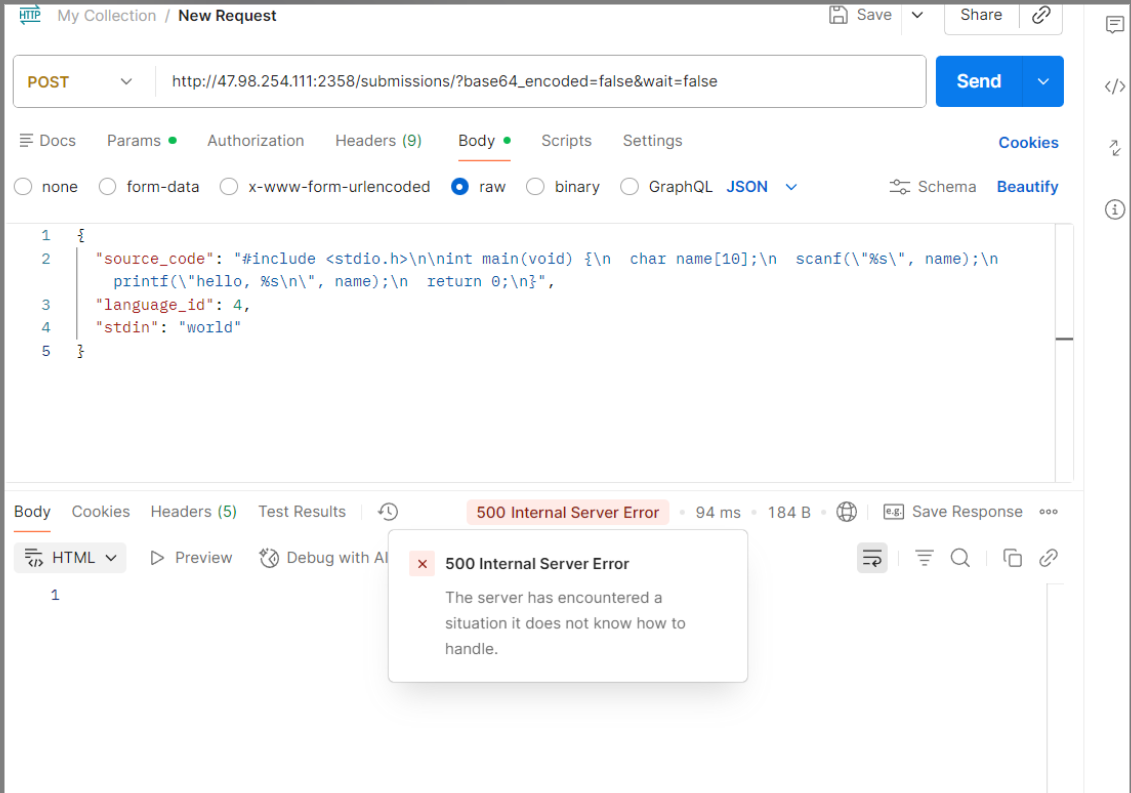
返回了500错误码,说明是服务器部署有问题,于是我在服务器终端上用命令docker ps -a | grep judge0查看了容器状态

发现server服务一直在重启,没有成功连接上。于是我用命令docker logs judge0-v1130-server-1查看了server容器的日志
FATAL:  password authentication failed for user "judge0"
Couldn't create 'judge0' database. Please check your configuration.
rails aborted!
发现是数据库密码不对,于是我又检查了judge0.conf的密码,发现了问题,原来是我在配置过程中,曾数据库和Redis已经启动,但客户端和server由于等待时间太长曾自己中断过一次,后来继续配置的时候更改过数据库的密码,但没有重新启动数据库和Redis,导致密码对不上,服务器无法访问数据库。
于是我重新启动了所有服务,再次查看容器状态

再次用Postman测试
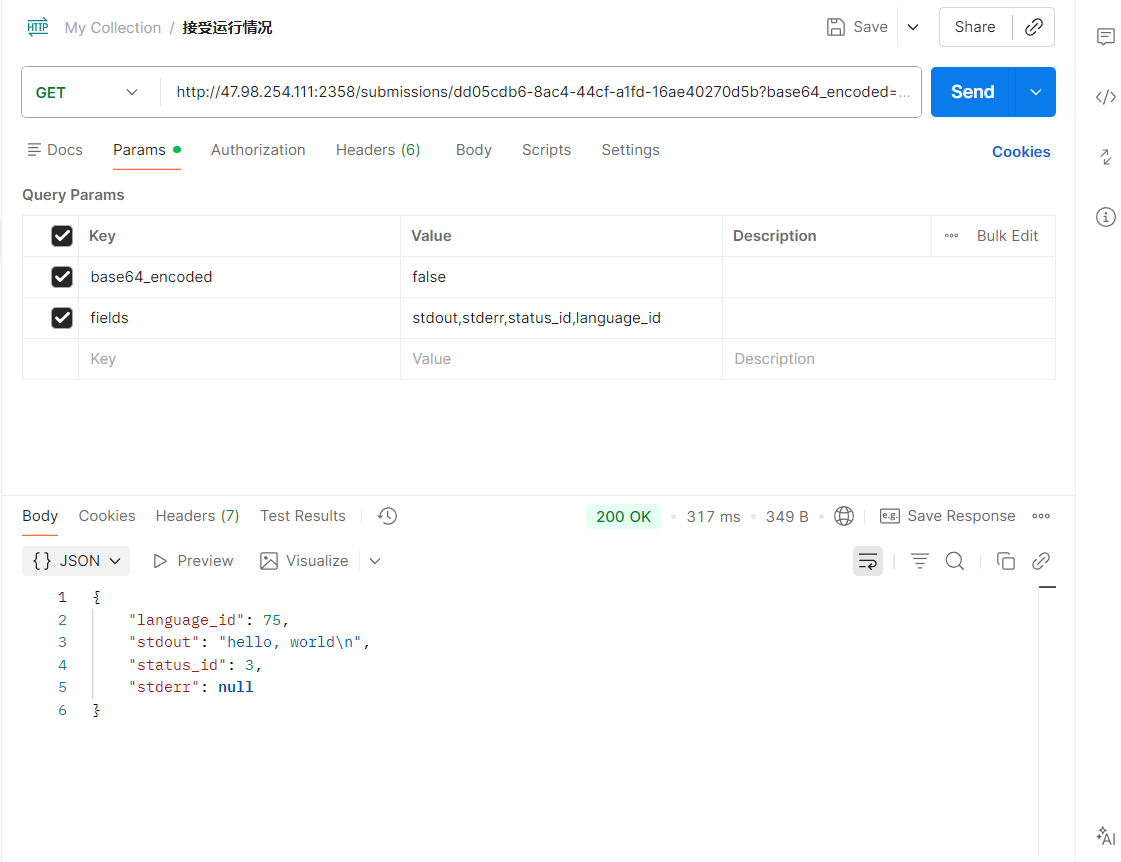
问题解决
在运行测试用例时,我发现经常出现代码复杂一点就会显示判题超时,不返回运行结果,于是我看了提交代码的API文档和judge0.conf
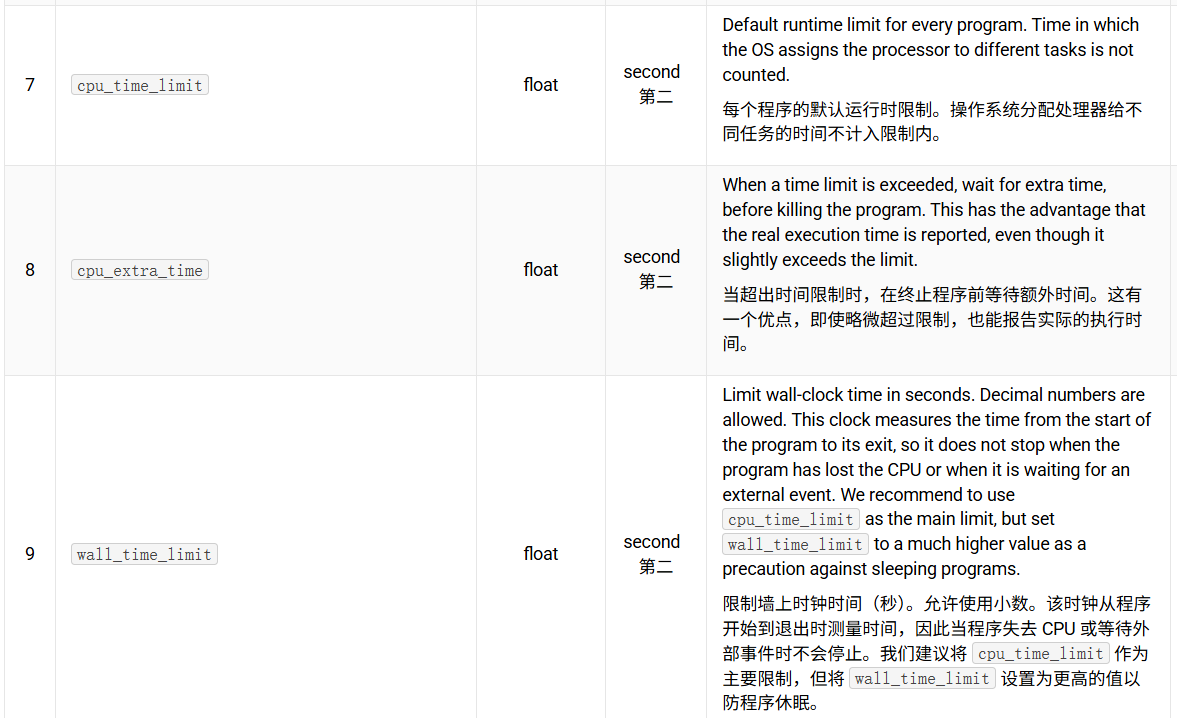
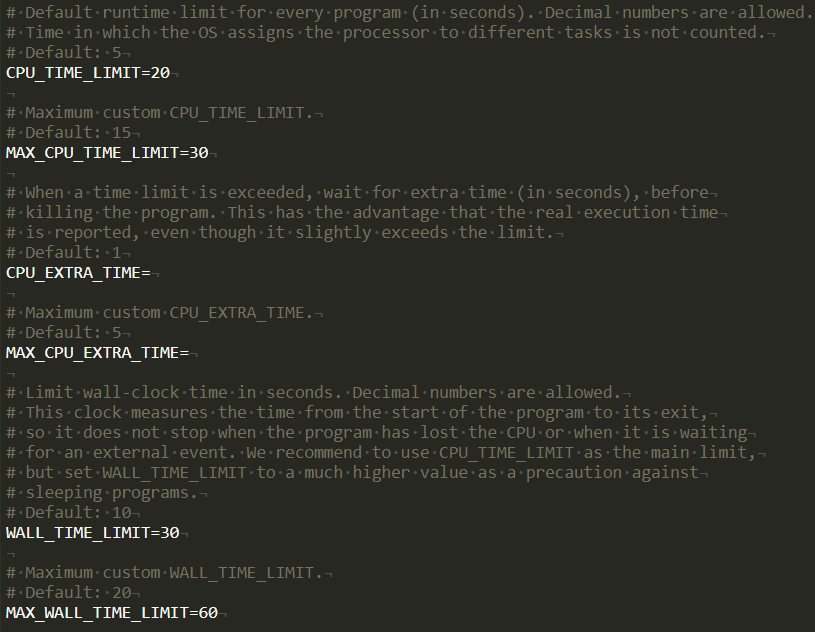
只要将这几个变量的值调高一些即可。
在 Judge0 的部署与应用实践中,我们通过对核心判题流程的抽象与封装,构建了一套简洁、可靠且高度可复用的 API 调用模块。借助对 submitToJudge0 与 waitForResult 等方法的精心设计,不仅屏蔽了 Judge0 异步判题、状态轮询和语言映射等底层复杂性,还为上层业务逻辑提供了清晰一致的调用接口。这种封装策略显著提升了代码的内聚性与可维护性,使前端组件能够专注于用户交互与结果展示,而无需关心判题服务的具体通信细节。


