


91
社区成员
 发帖
发帖 与我相关
与我相关 我的任务
我的任务
 分享
分享| Item | Content |
|---|---|
| Assignment | First Assignment — Front-End and Back-End Separation Calculator System |
| Assignment Name | Front-End and Back-End Separation Calculator System |
| Assignment Objective | Build a calculator system based on front-end and back-end separation architecture. The front end handles user interaction and display, while the back end completes expression calculation, exception handling, and persists calculation history in MySQL. Functions include expression calculation, querying history, and deleting history records. |
Replace with your real GitHub links
| Phase | Estimated Time (minutes) | Actual Time (minutes) | Description |
|---|---|---|---|
| Requirement Analysis | 60 | Read assignment requirements and sort out function checklist | |
| System Overall Design | 80 | Architecture design, database table design, API interface design | |
| Frontend Development | 120 | Page layout, input box, API invocation, rendering results and history, delete function | |
| Backend Development | 180 | Controller, Service, expression parsing, database CRUD, exception handling | |
| Database Design & Debugging | 90 | Create tables, configure MyBatis-Plus, debug database persistence | |
| Frontend-Backend Joint Debugging & Testing | 100 | Connect interfaces, test various expressions and exception scenarios | |
| Functional Testing | 70 | Test +-*/, parentheses, negative numbers, decimals, division by zero, invalid expressions, delete history | |
| Project Deployment | 120 | Deploy backend to public server, deploy static frontend page | |
| Blog Writing | 150 | Write blog, take screenshots, format markdown, organize code explanation | |
| Total | 970 |
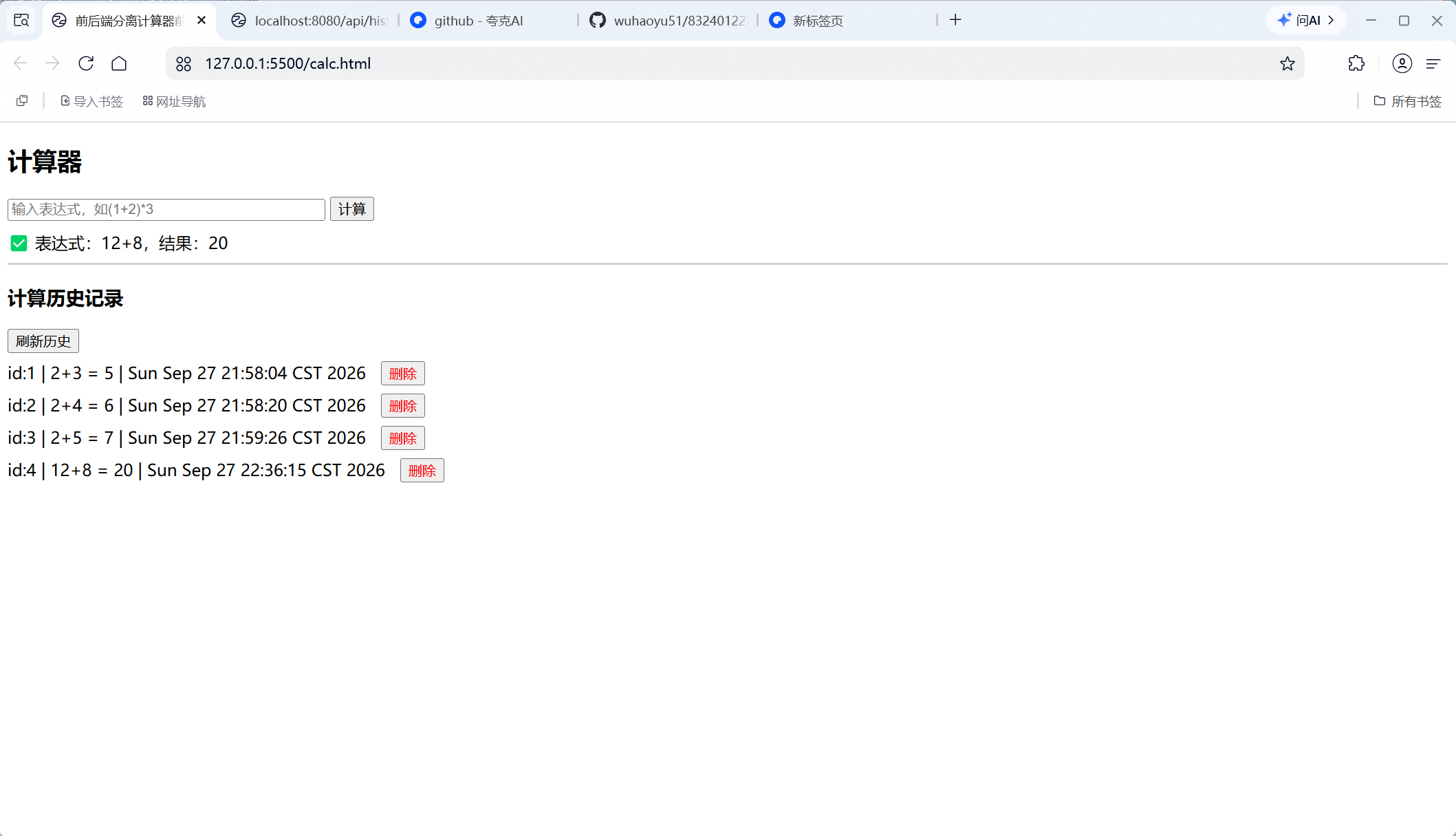
12+8, backend returns result 20.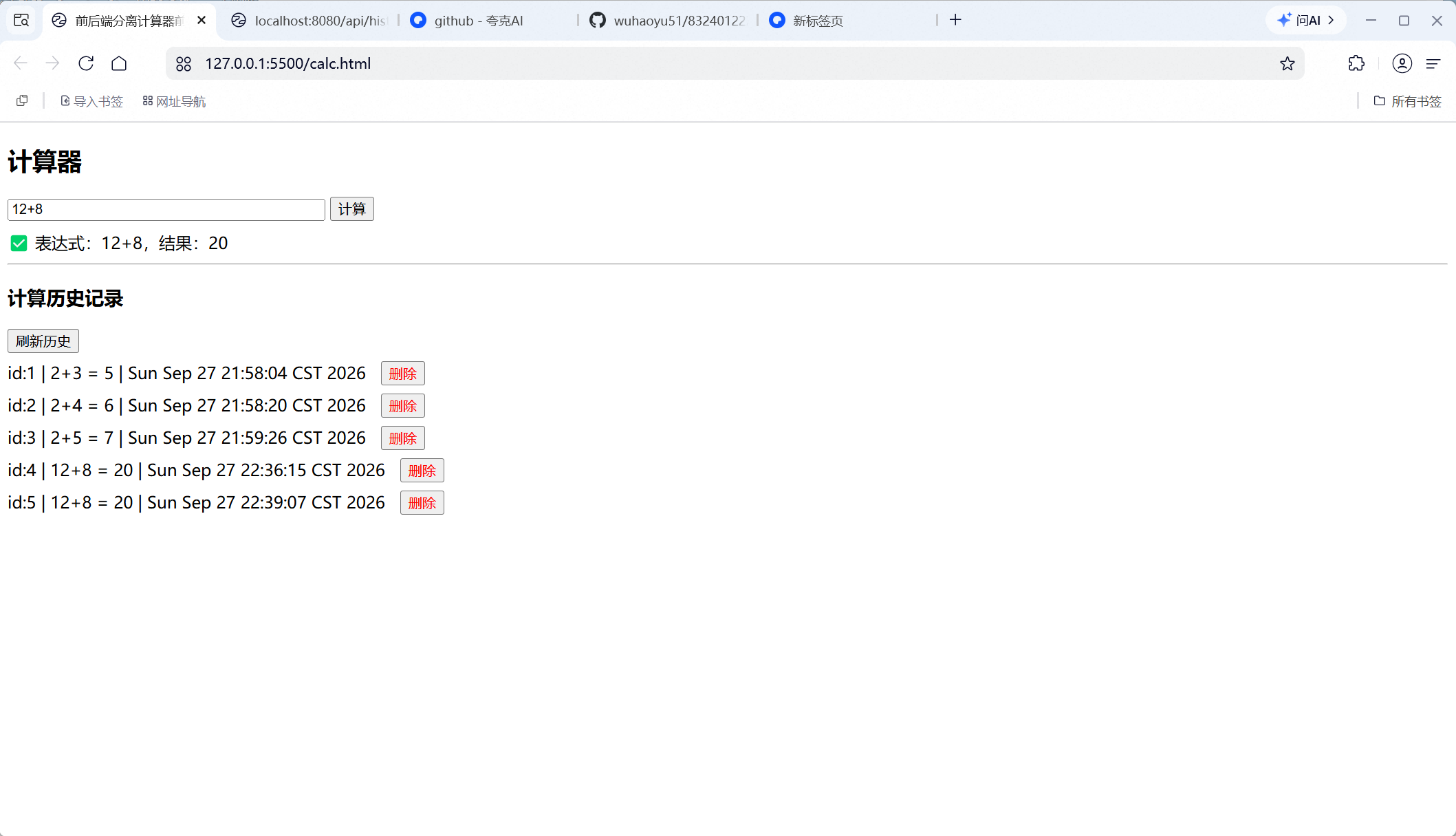
20-7.5*8.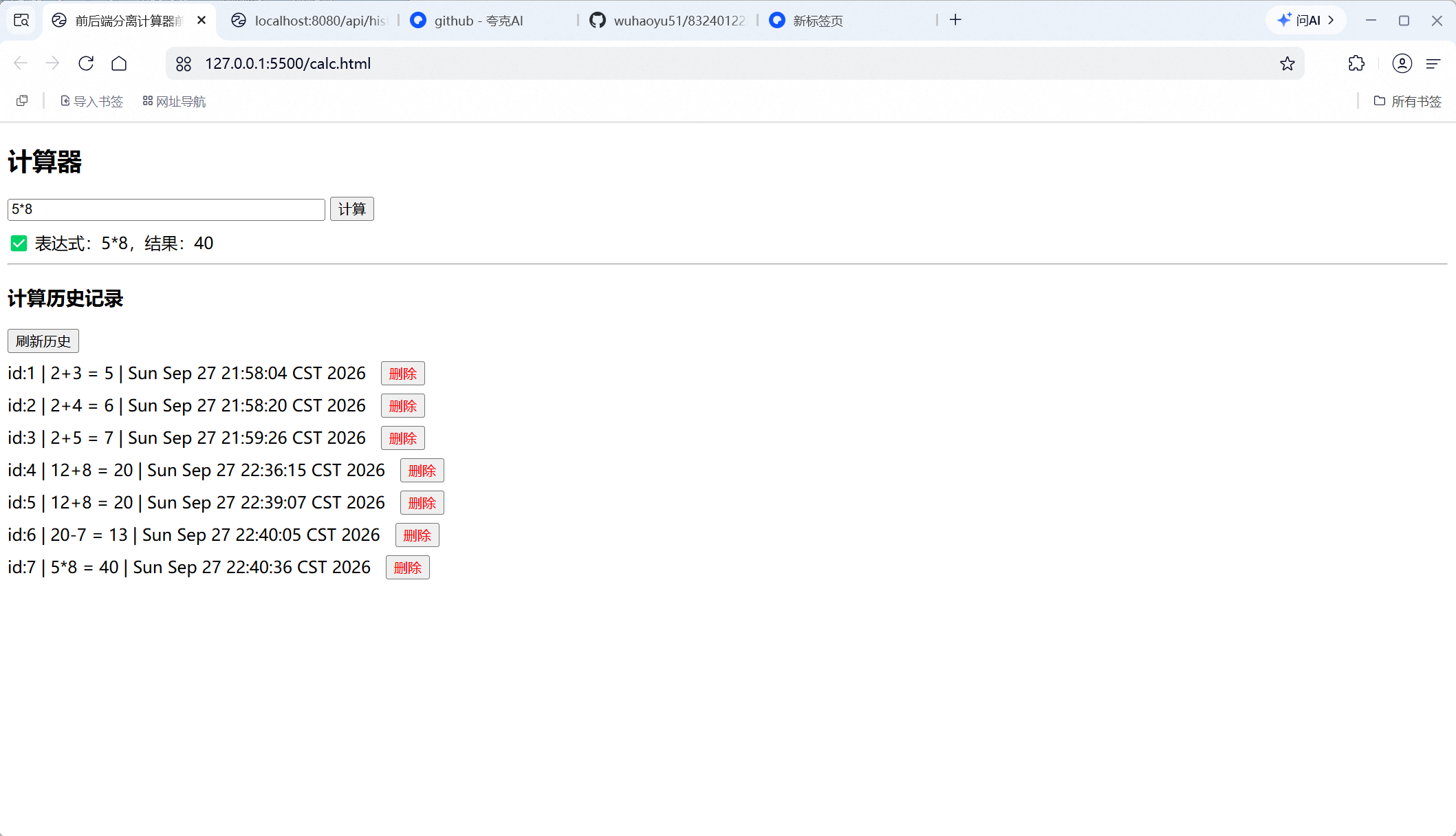
10/2.
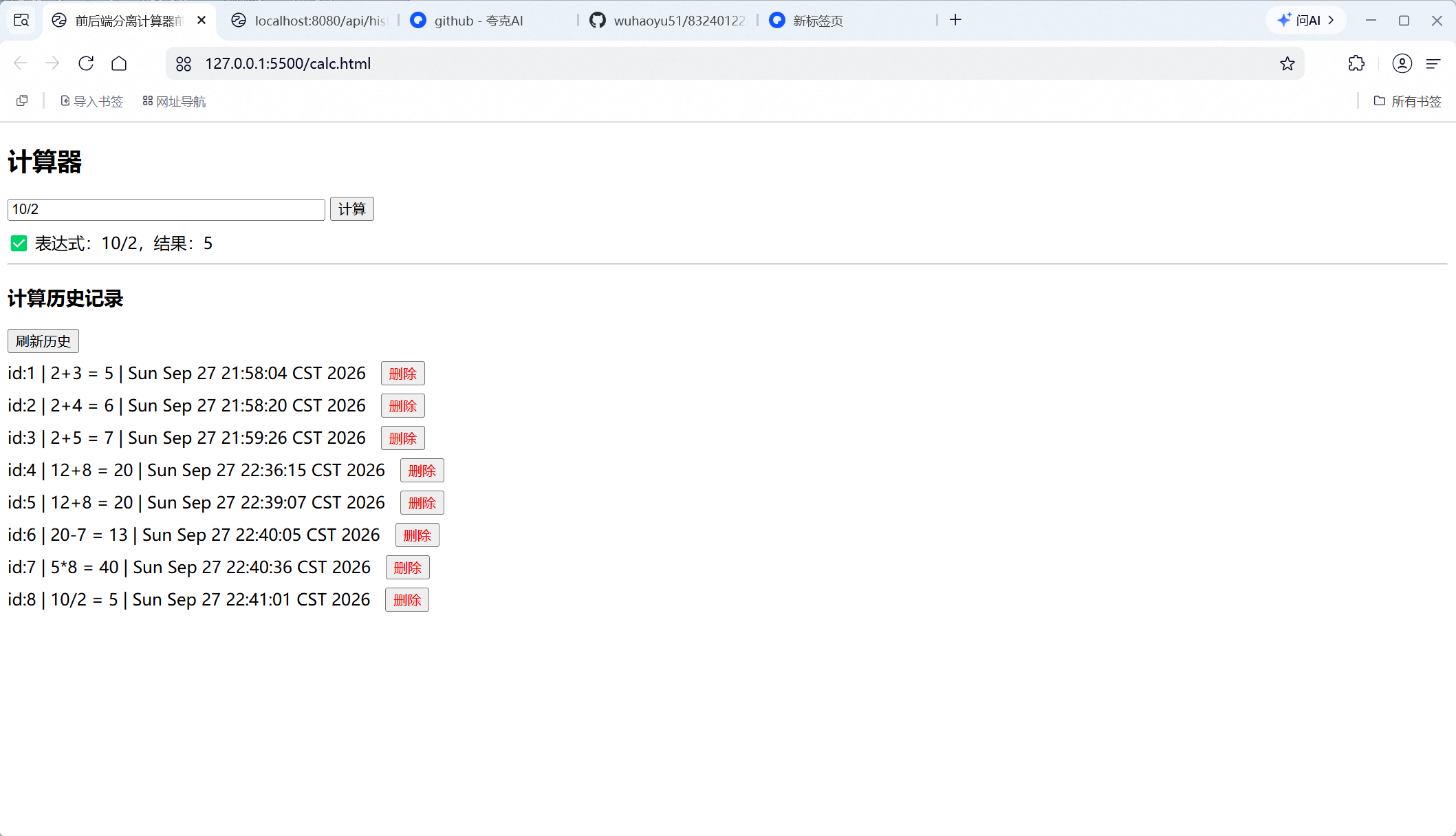
(1+2)*3.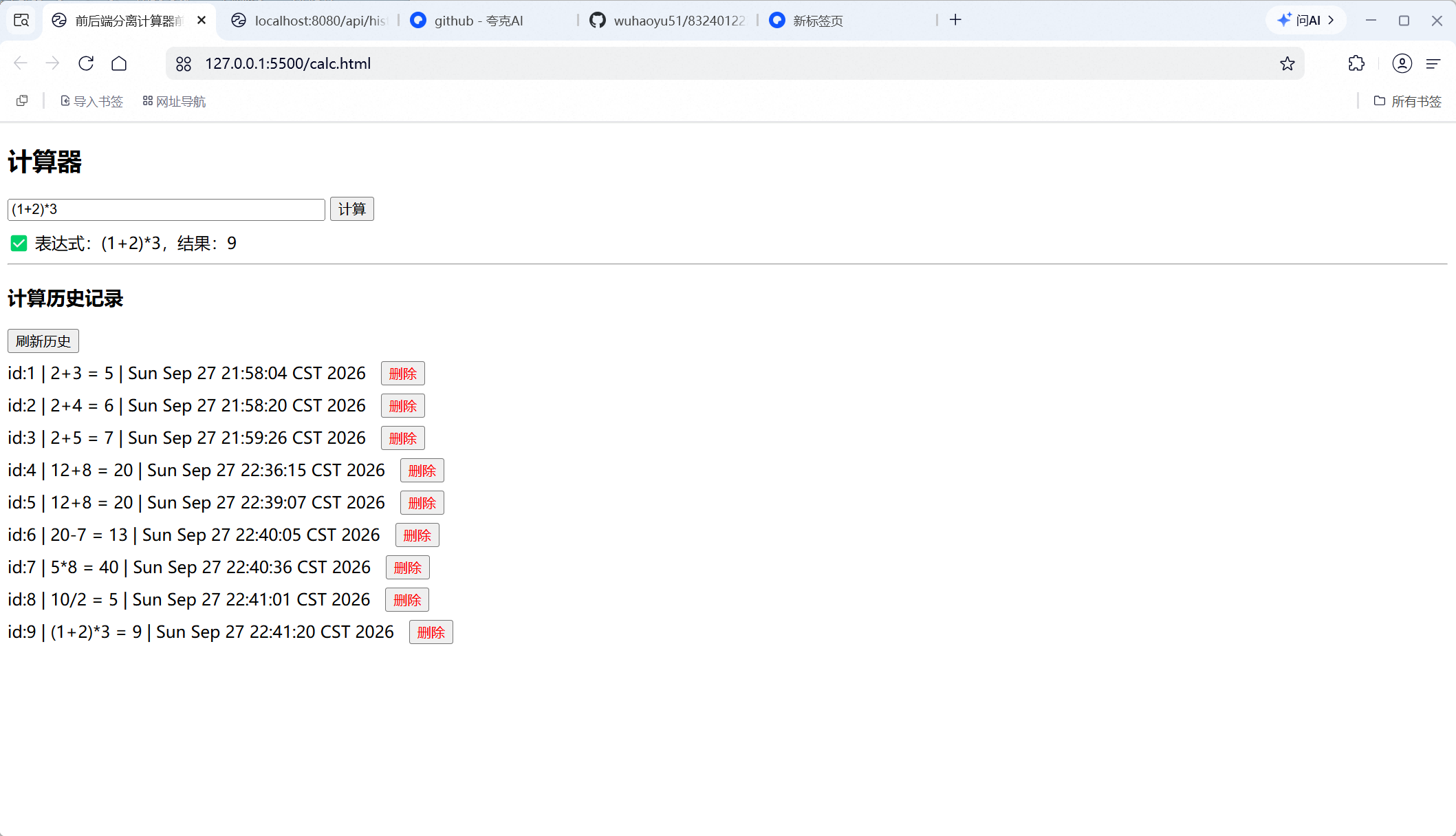
-5+8.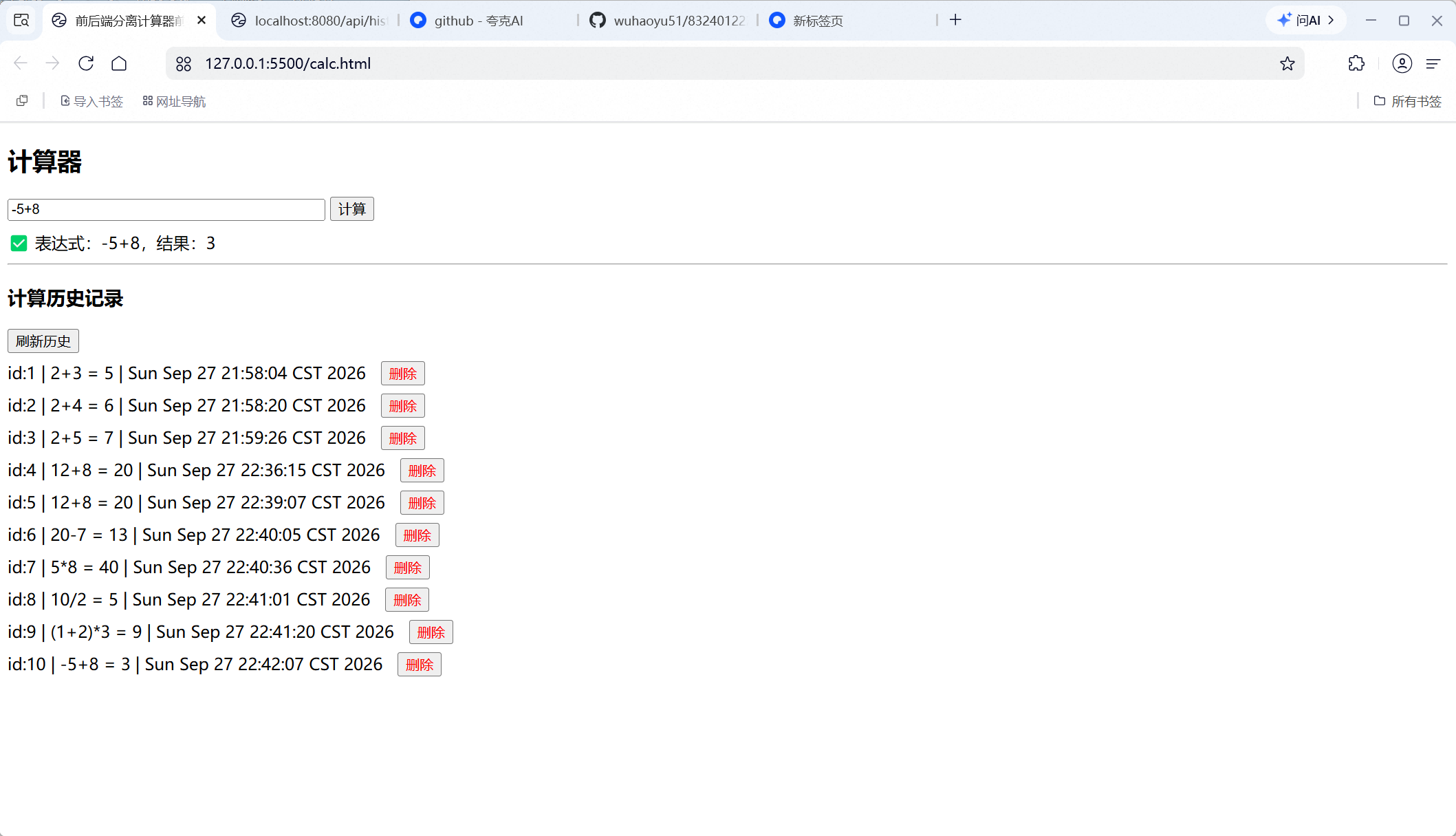
2.5+3.5.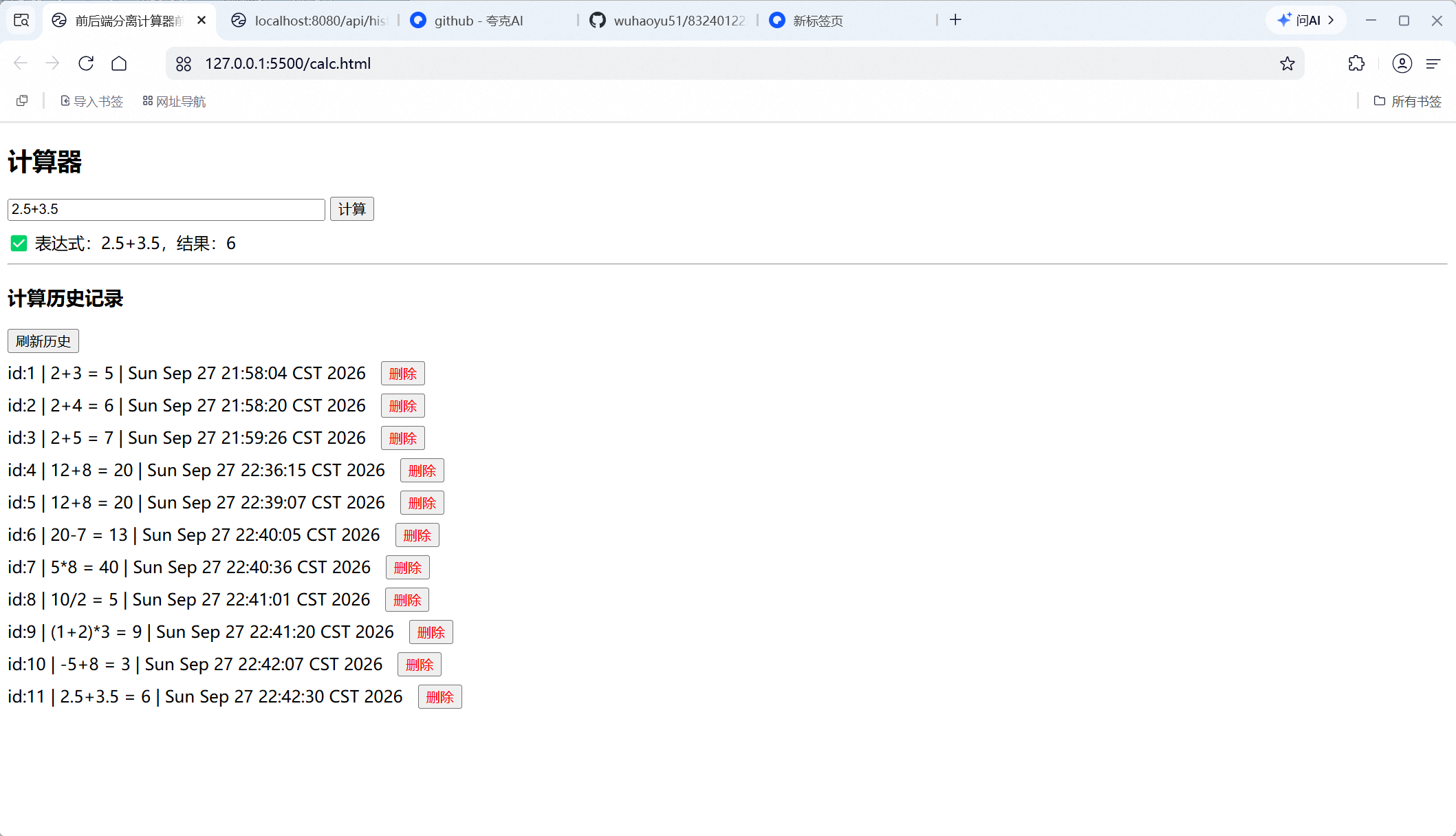
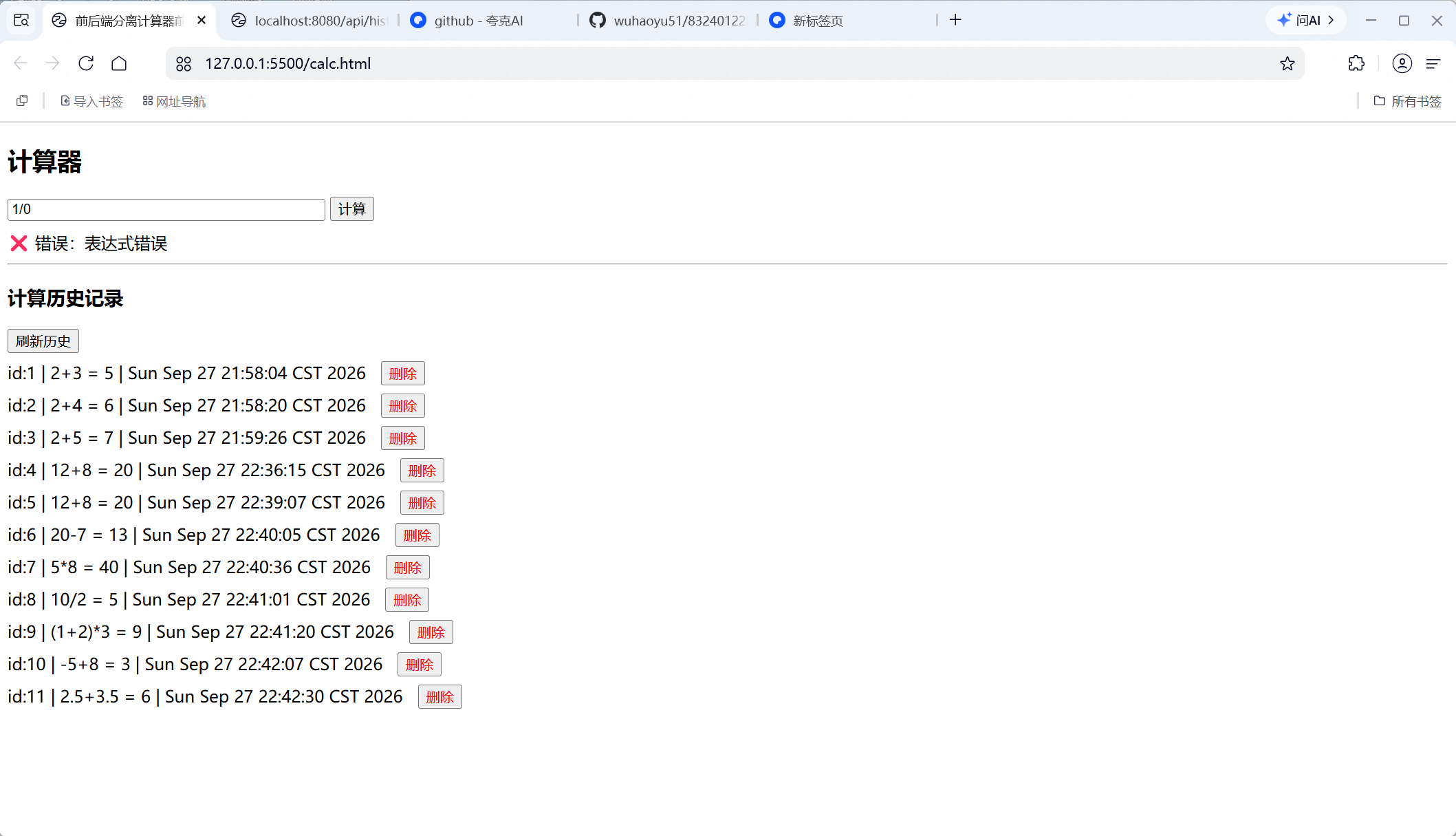
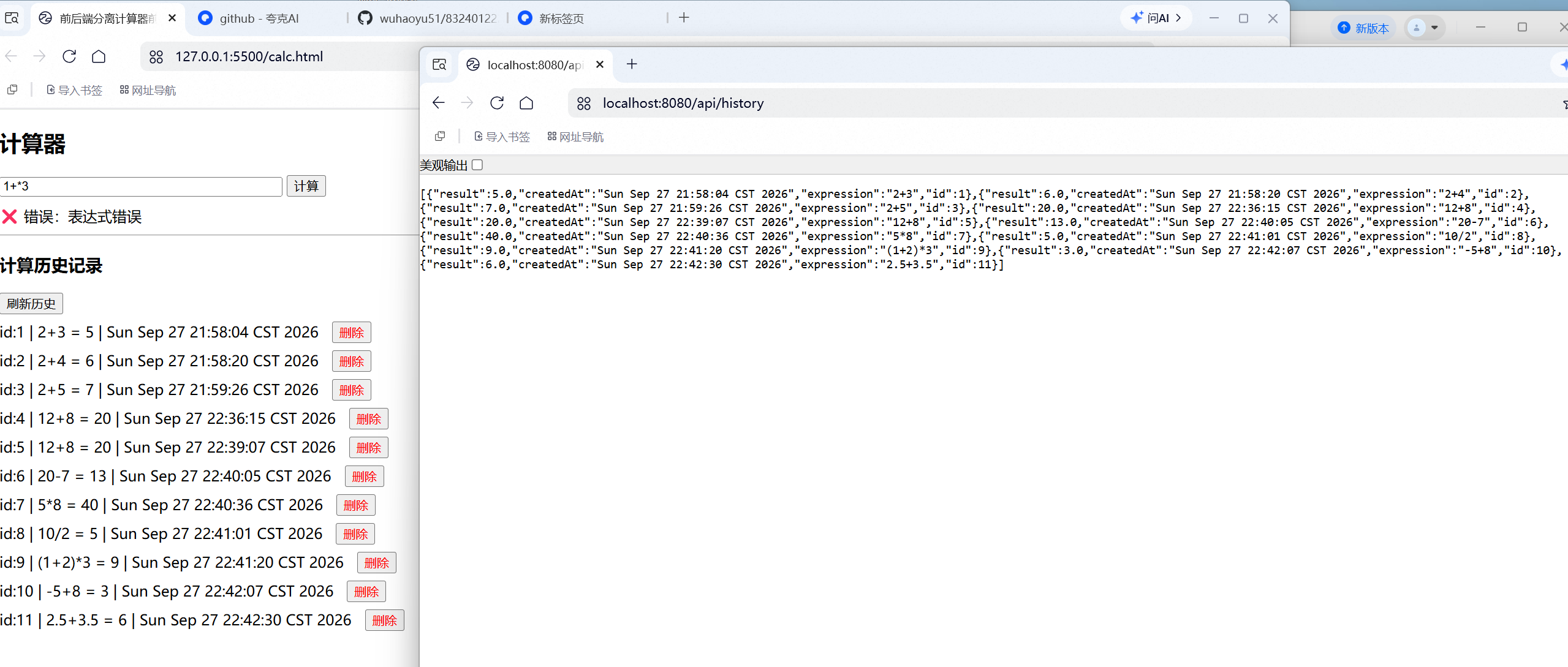
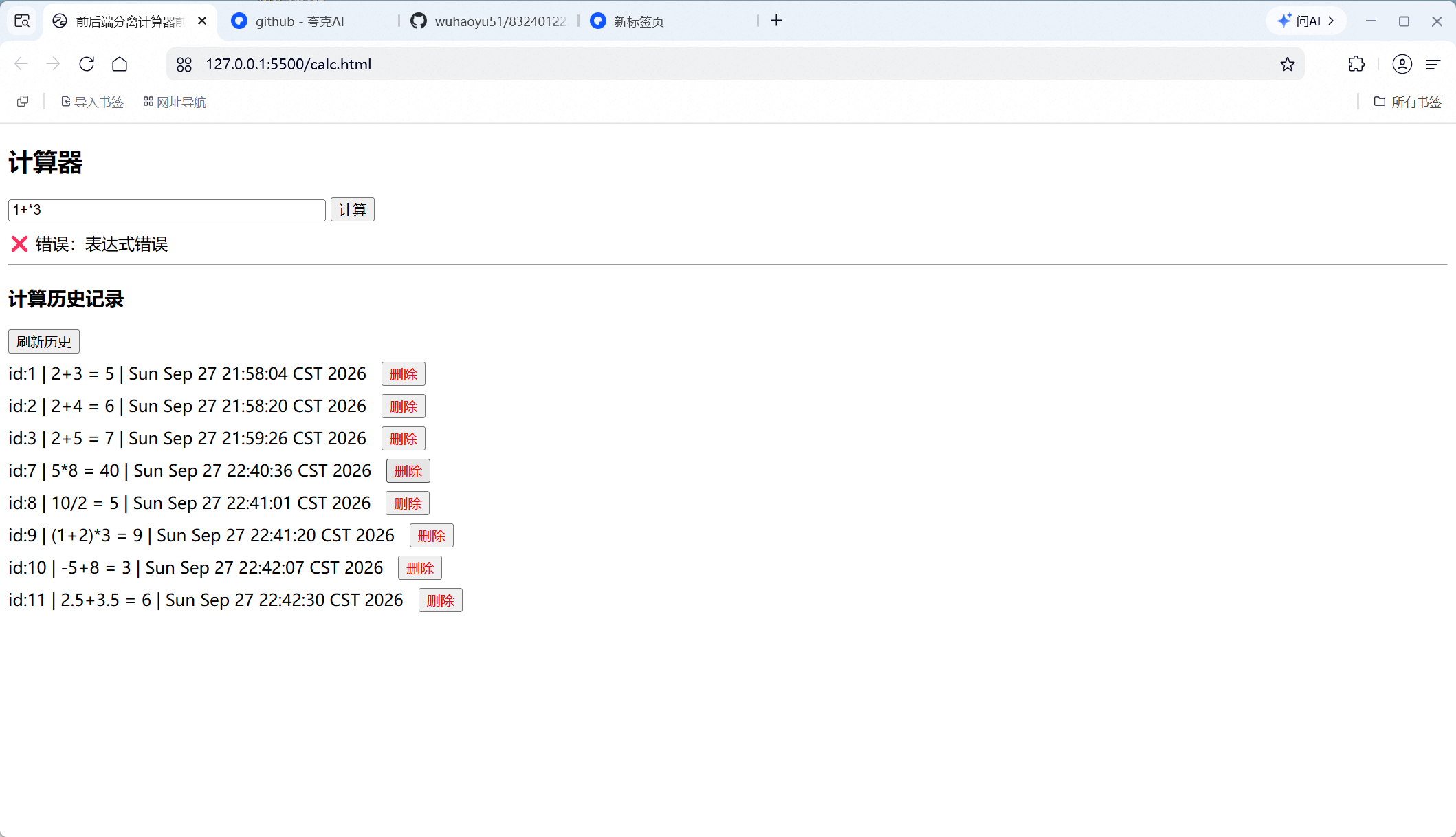
1+*3, backend returns invalid expression prompt.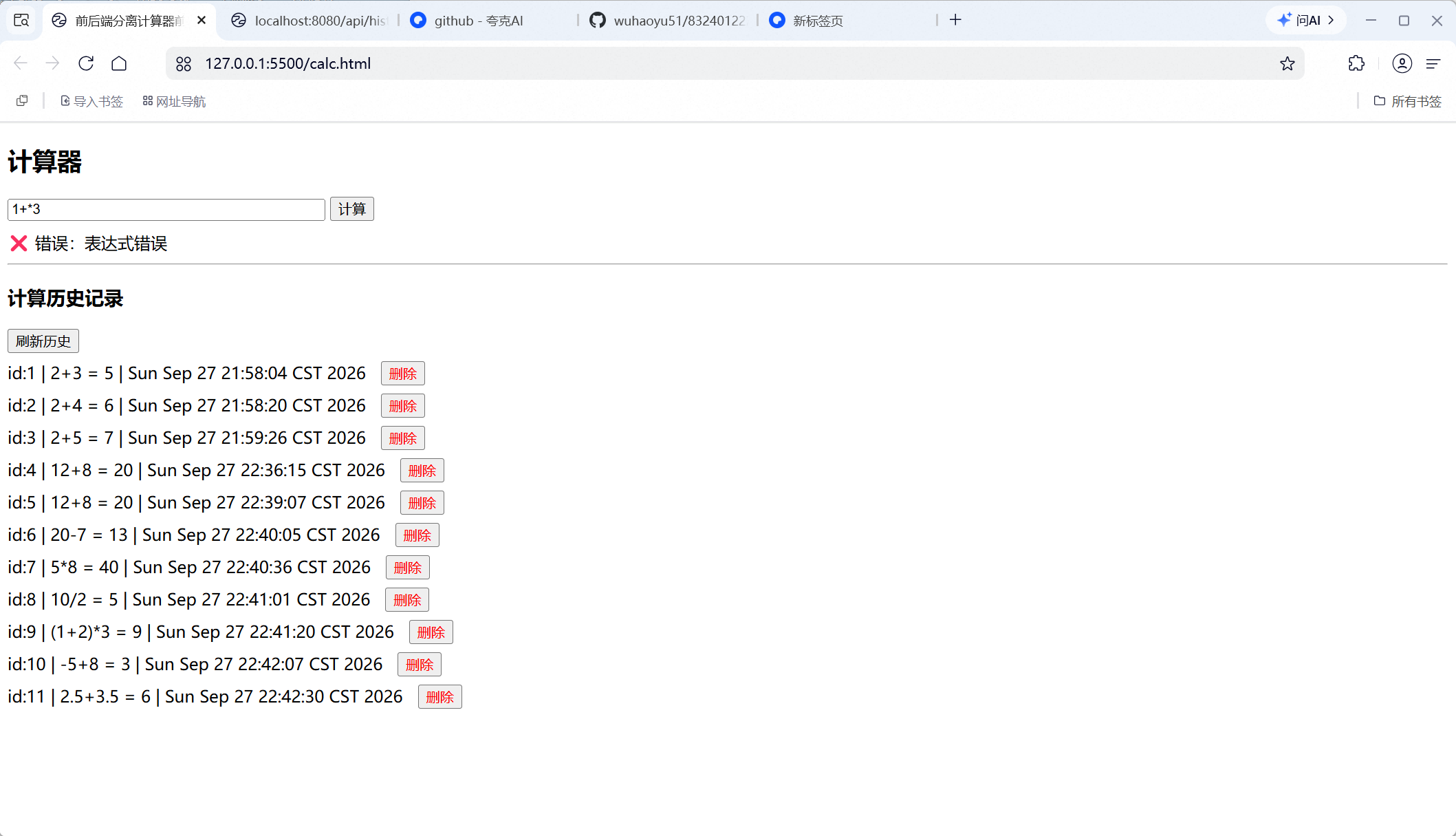
This project adopts front-end and back-end separation architecture:
Frontend Web Page (HTML+JS)
↓ HTTP JSON Request
Backend SpringBoot Service
↓ MyBatis-Plus
MySQL Database (calculation_history table)
Calculator System
├── Calculation Module
│ ├── Basic Four Arithmetic Operations
│ ├── Compound Expression Calculation (Parentheses, Negative Numbers, Decimals, Operator Precedence)
│ └── Exception Handling (Division by Zero, Invalid Expression)
└── History Record Module
├── Save Calculation Record
├── Query All History
└── Delete Single History Record
POST /api/calculate
Request body: {"expression":"(1+2)*3"}
Success response: {"success":true,"expression":"(1+2)*3","result":9}
Failure response: {"success":false,"message":"error description"}
GET /api/history
Return full list of history records stored in database.
DELETE /api/history/{id}
Delete one record from database by primary key id.
Database name: calculator_db
Table name: calculation_history
| Field | Type | Description |
|---|---|---|
| id | BIGINT auto-increment primary key | Unique ID of record |
| expression | VARCHAR(512) | Mathematical expression input by user |
| result | DECIMAL(20,6) | Calculation result |
| created_at | DATETIME | Calculation time, default current timestamp |
Backend captures multiple types of exceptions:
success:false plus human-readable error message to frontend for display.Only paste core code snippets, add explanations, do NOT paste full source code.
async function calc() {
  const expr = document.getElementById("exprInput").value;
  const res = await fetch(baseUrl + "/calculate", {
    method: "POST",
    headers: {"Content-Type":"application/json"},
    body: JSON.stringify({expression: expr})
  });
  const data = await res.json();
  if(data.success){
    resultDiv.innerText = `✅Expression: ${data.expression}, Result: ${data.result}`;
  }else{
    resultDiv.innerText = `❌Error: ${data.message}`;
  }
  await loadHistory();
}
Explanation: Frontend reads user input expression, sends POST JSON request to backend. Frontend does NOT perform calculation. After receiving response, render result and reload history list.
2. Backend Controller example
@PostMapping("/calculate")
public Result calculate(@RequestBody ExpressionDTO dto){
    return calcService.calculate(dto.getExpression());
}
Explanation: Receive POST request and expression string, pass expression to service layer for processing.
3. Backend Service: calculate and save to database
// 1. parse and calculate expression
BigDecimal result = expressionUtil.calc(expression);
// 2. insert record into MySQL
CalculationHistory history = new CalculationHistory();
history.setExpression(expression);
history.setResult(result);
historyMapper.insert(history);
// return result
return Result.success(expression, result);
Explanation: Backend executes expression calculation. If successful, create new record and insert into MySQL. Data is persisted and survives service restart.
4. Query history API
@GetMapping("/history")
public List<CalculationHistory> getHistory(){
    return historyMapper.selectList(null);
}
5. Delete history API
@DeleteMapping("/history/{id}")
public Result deleteHistory(@PathVariable Long id){
    historyMapper.deleteById(id);
    return Result.successMsg("Delete success");
}
6. Database entity class (simplified)
@Data
@TableName("calculation_history")
public class CalculationHistory {
    private Long id;
    private String expression;
    private BigDecimal result;
    private LocalDateTime createdAt;
}

