


91
社区成员
 发帖
发帖 与我相关
与我相关 我的任务
我的任务
 分享
分享| Item | Description |
|---|---|
| Course | Software Engineering |
| Assignment | Front-End and Back-End Separation Calculator System |
| Objective | Build a calculator with HTTP APIs, secure server-side calculation, and persistent history storage |
| Assignment reference | First Assignment — Front-End and Back-End Separation Calculator System |
The front end uses plain HTML, CSS, and JavaScript. Its coding style is based on the Google JavaScript Style Guide. The back end uses Python and follows PEP 8. Both repositories contain a README.md and a codestyle.md file.
| PSP Stage | Estimated Time (minutes) | Actual Time (minutes) |
|---|---|---|
| Reading the assignment and requirement analysis | 45 | 40 |
| Architecture, API, and database design | 60 | 60 |
| Front-end refactoring | 120 | 80 |
| Back-end calculator module | 150 | 120 |
| SQLite history module | 60 | 80 |
| Front-end and back-end integration | 90 | 90 |
| Testing and bug fixing | 90 | 70 |
| Deployment | 60 | 50 |
| Blog writing and screenshot preparation | 120 | 110 |
| Total | 875 | 700 |
This assignment requires a calculator system based on a front-end and back-end separation architecture. The front end is responsible for user input, button interaction, result display, and history display. The back end is responsible for expression validation, expression parsing, calculation, exception handling, and database operations. The two parts communicate through HTTP JSON APIs.
I reused the visual identity of my previous xxr Calculator, including its star-character theme, and refactored the required core features into a separated architecture. The browser sends the original expression to the server. The server calculates the result, stores the expression, result, and creation time in SQLite, and returns a JSON response. Therefore, the browser cannot generate a new valid calculation result when the back-end service is unavailable.
The required functions implemented in this project are:
The star-character theme is an interface enhancement inherited from xxr Calculator. It improves recognition and does not replace the required back-end implementation.
Front-end deployment URL: https://2310209788-del.github.io/xxr-calculator-frontend/
Back-end deployment URL: https://shixunguo.pythonanywhere.com/api/history
The following screenshots must be captured from the final deployed version. Upload each image through the CSDN editor, replace IMAGE_URL with the inserted image URL, and retain the caption in the alt text. This set provides 12 pieces of evidence, exceeding the assignment minimum of 10.
| Test ID | Input or Operation | Expected Result | Actual Result |
|---|---|---|---|
| T01 | 12 + 8 | 20 | Passed |
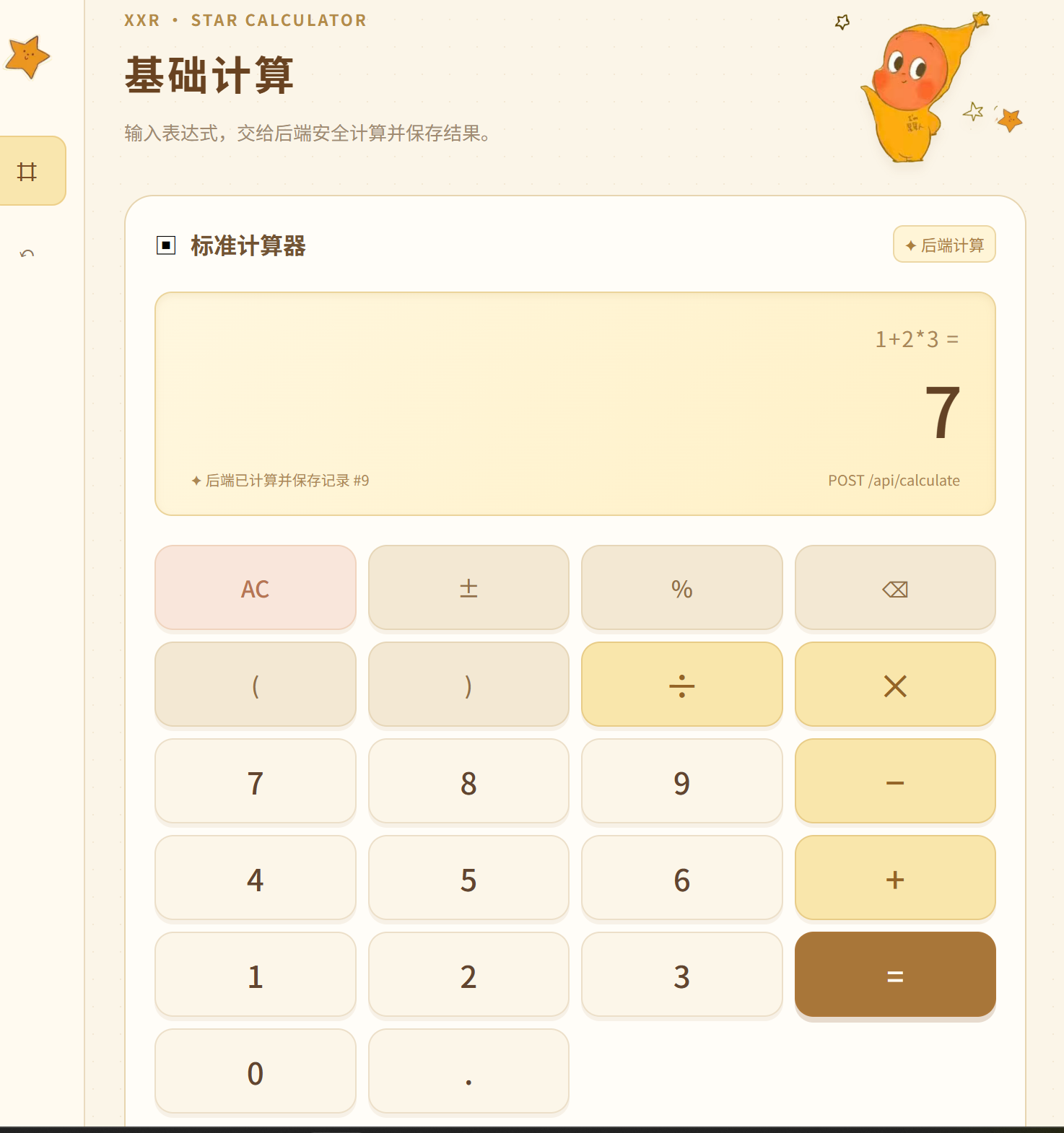
| T02 | 1 + 2 * 3 | 7 | Passed |
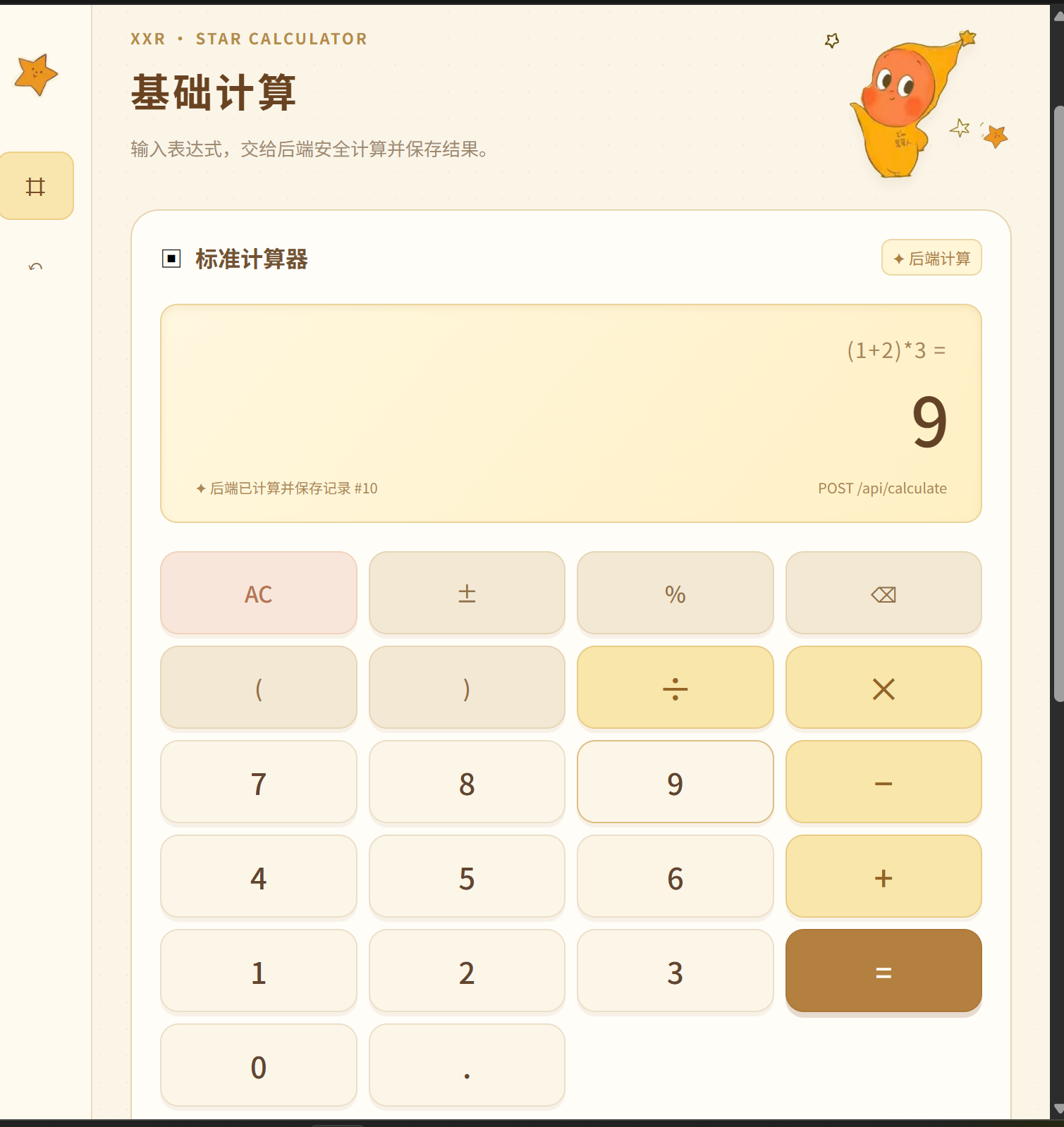
| T03 | (1 + 2) * 3 | 9 | Passed |
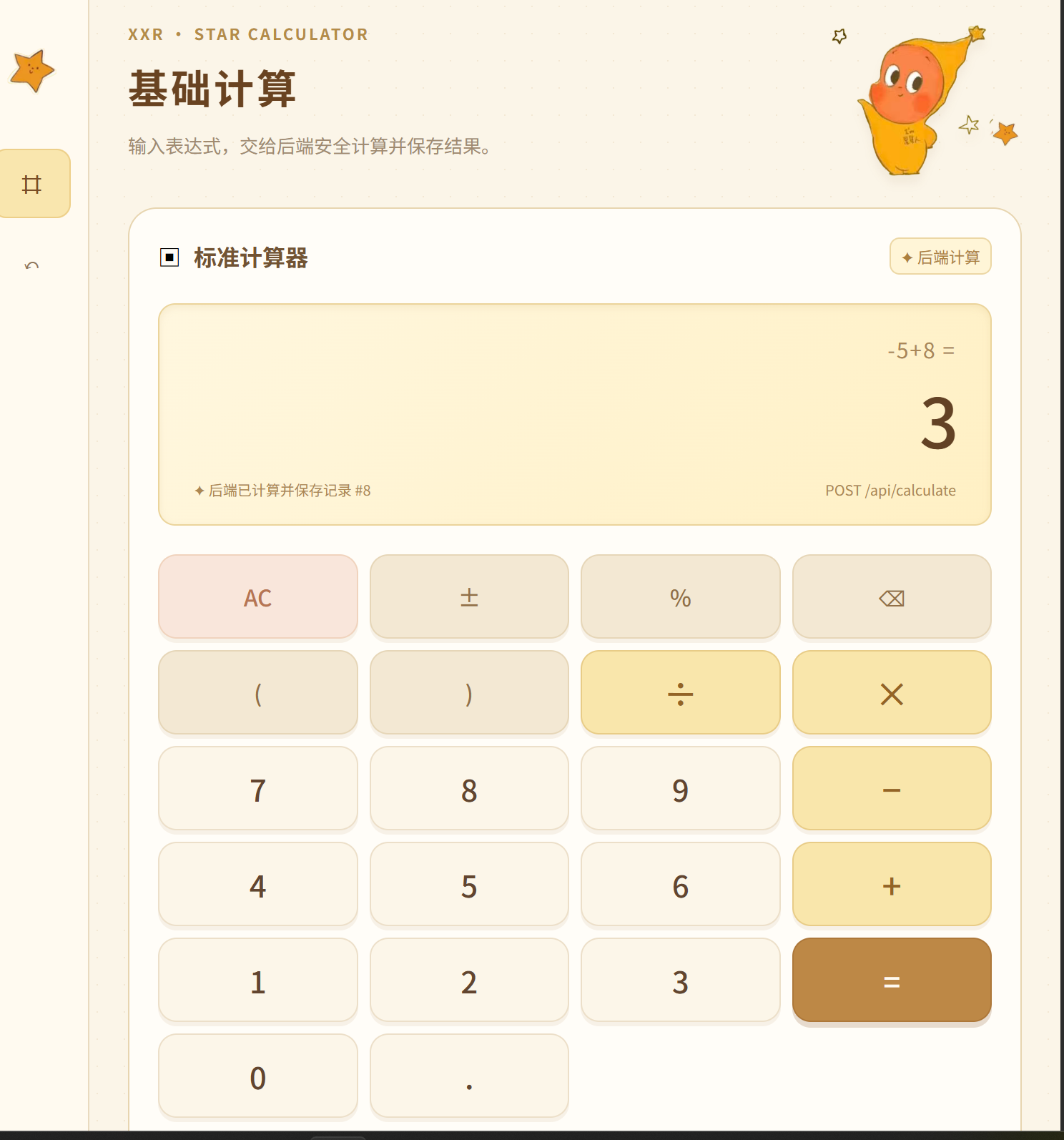
| T04 | -5 + 8 | 3 | Passed |
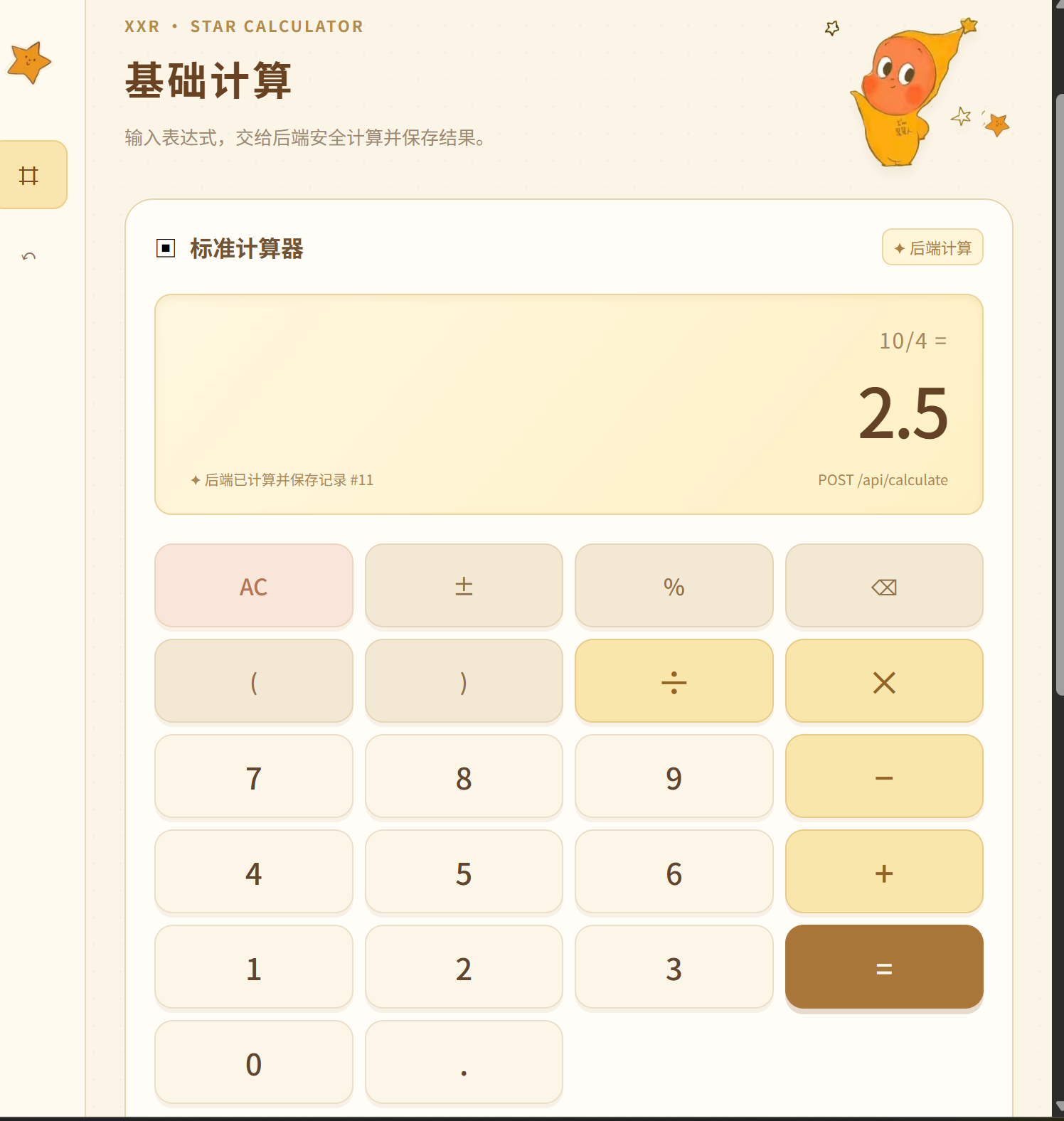
| T05 | 10 / 4 | 2.5 | Passed |
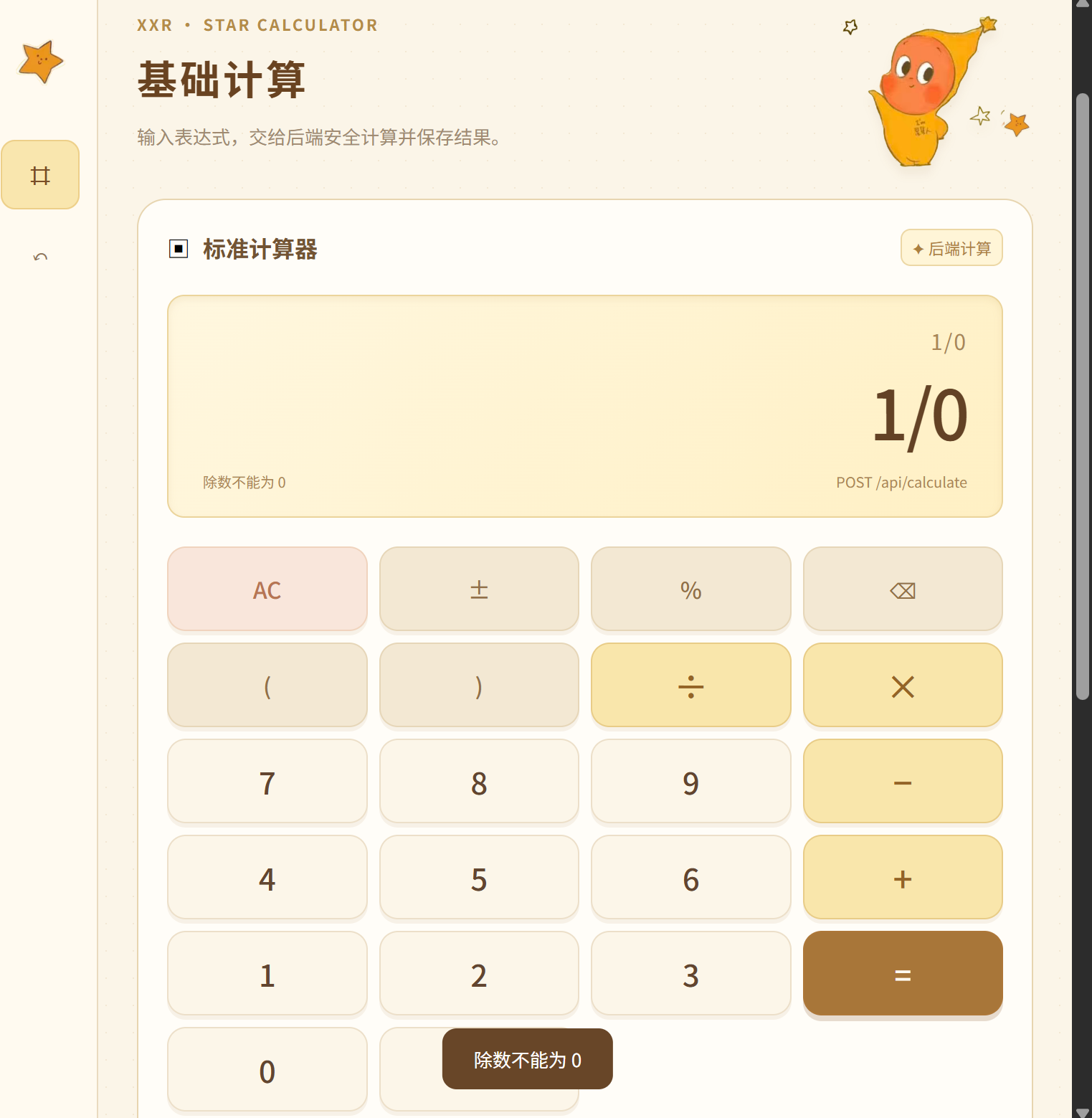
| T06 | 1 / 0 | A division-by-zero error message | Passed |
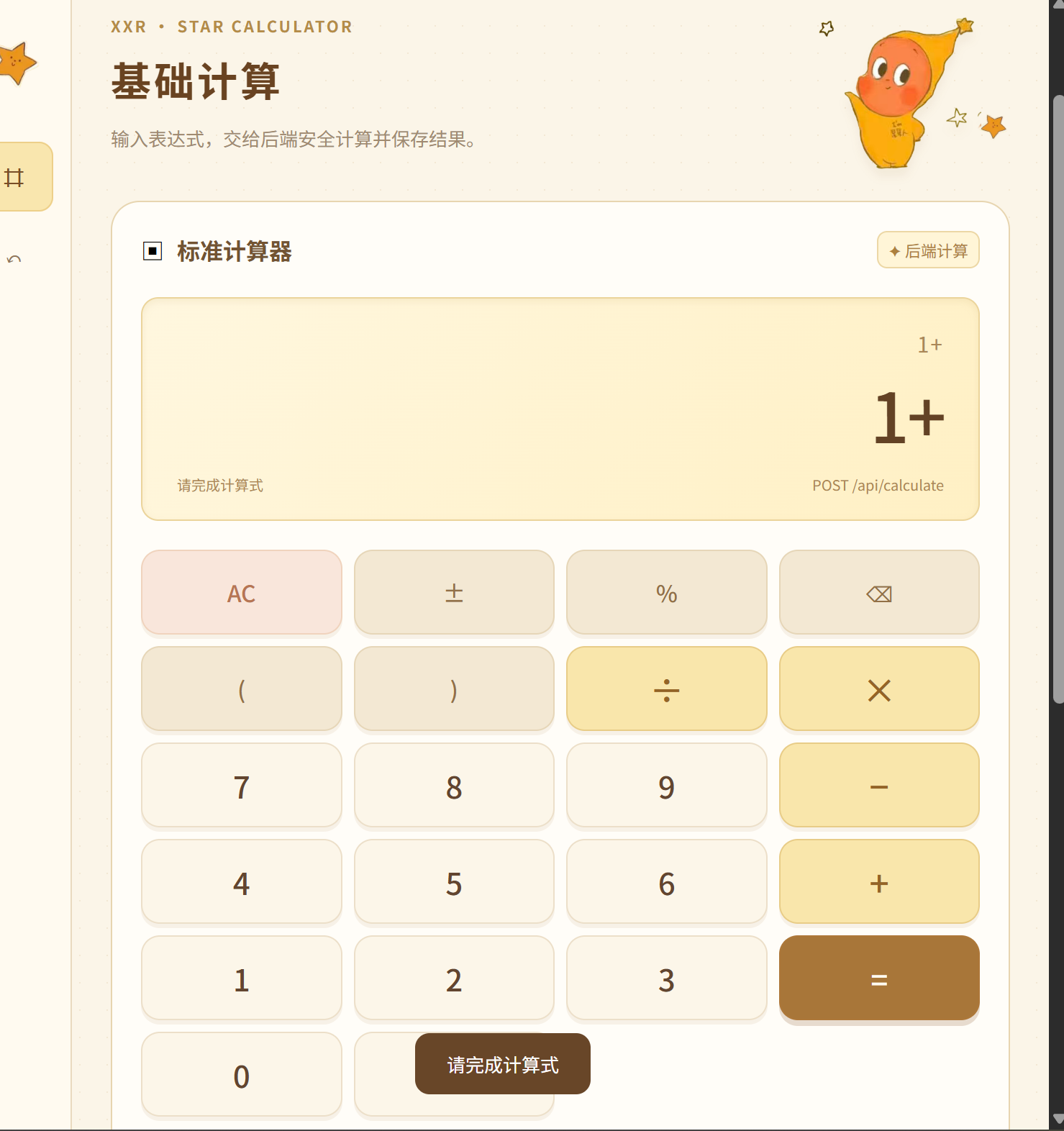
| T07 | 1 + | An invalid-expression error message | Passed |
| T08 | Refresh the history page | Records are loaded from the back-end database | Passed |
| T09 | Delete one selected record | Only the selected record is deleted | Passed |
The first challenge was ensuring that the browser did not calculate the final result. I solved this by sending the original expression to POST /api/calculate and displaying only the JSON result returned by the server.
The second challenge was evaluating expressions safely. Instead of using eval, the back end uses a recursive-descent parser. This supports operator precedence, parentheses, decimal numbers, unary signs, and error handling without executing user input as code.
The third challenge was deployment. The front end was deployed on GitHub Pages, while the Python API was deployed on PythonAnywhere with a WSGI entry point. Cross-origin requests are supported through CORS response headers.
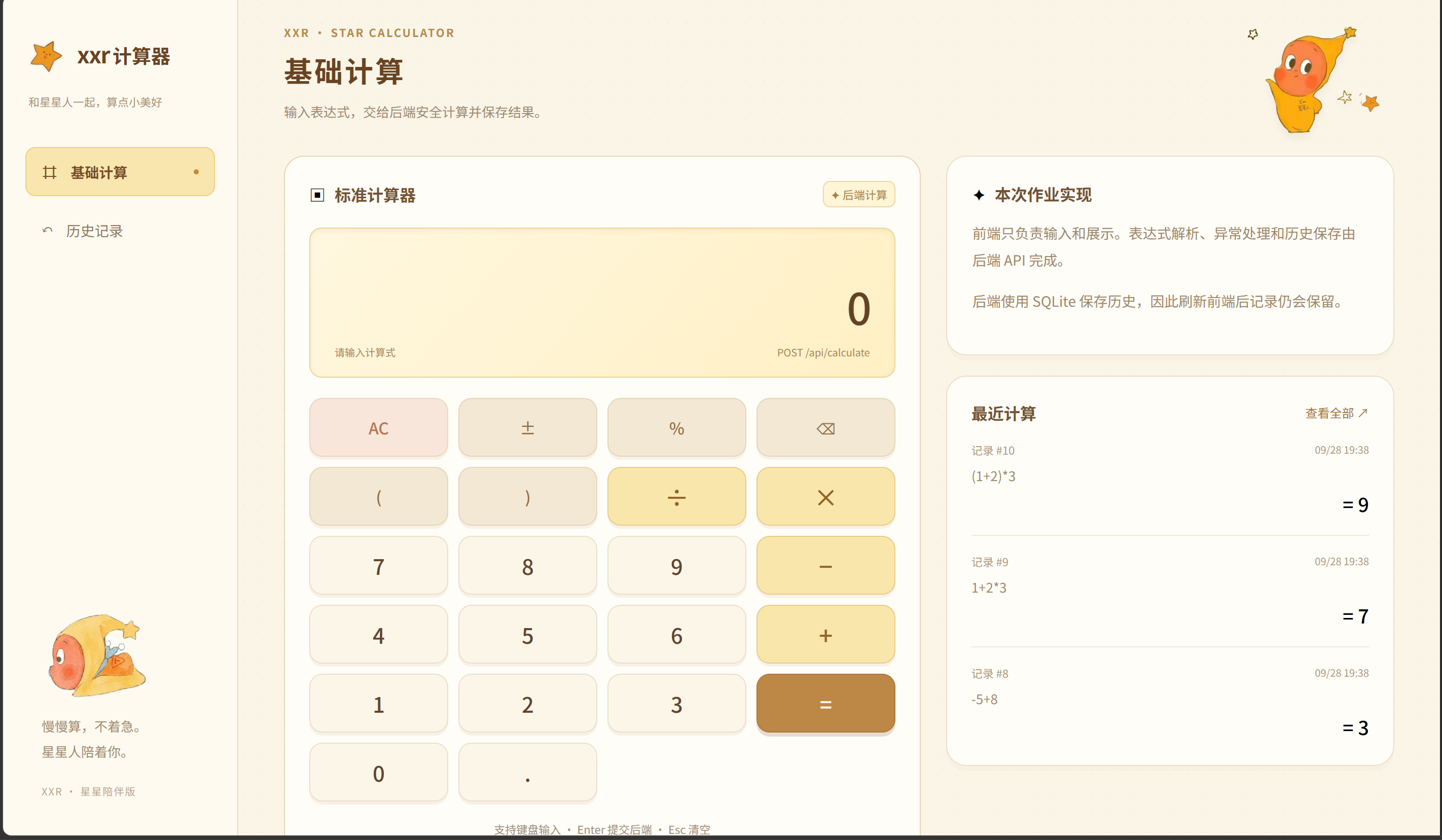
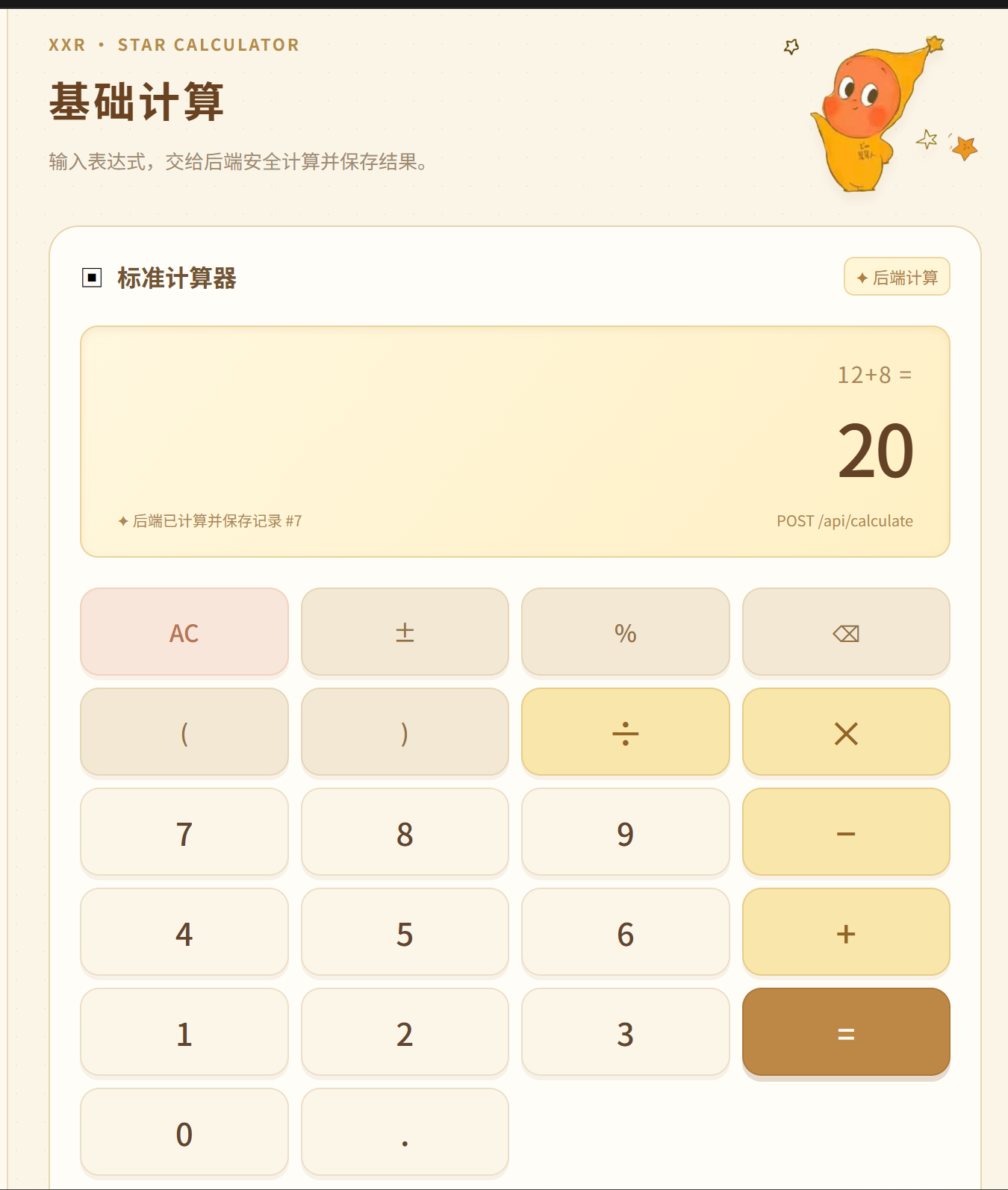
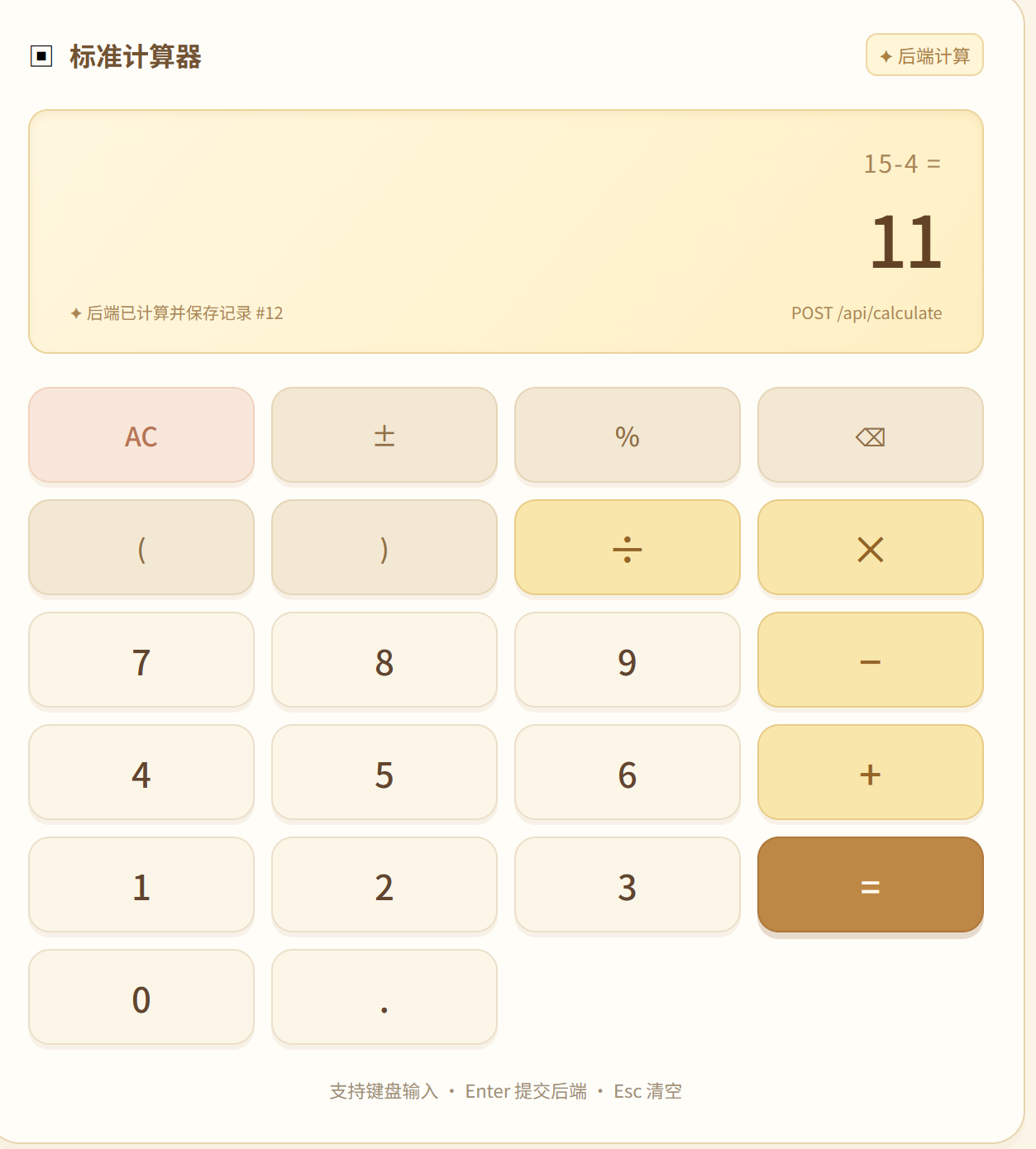
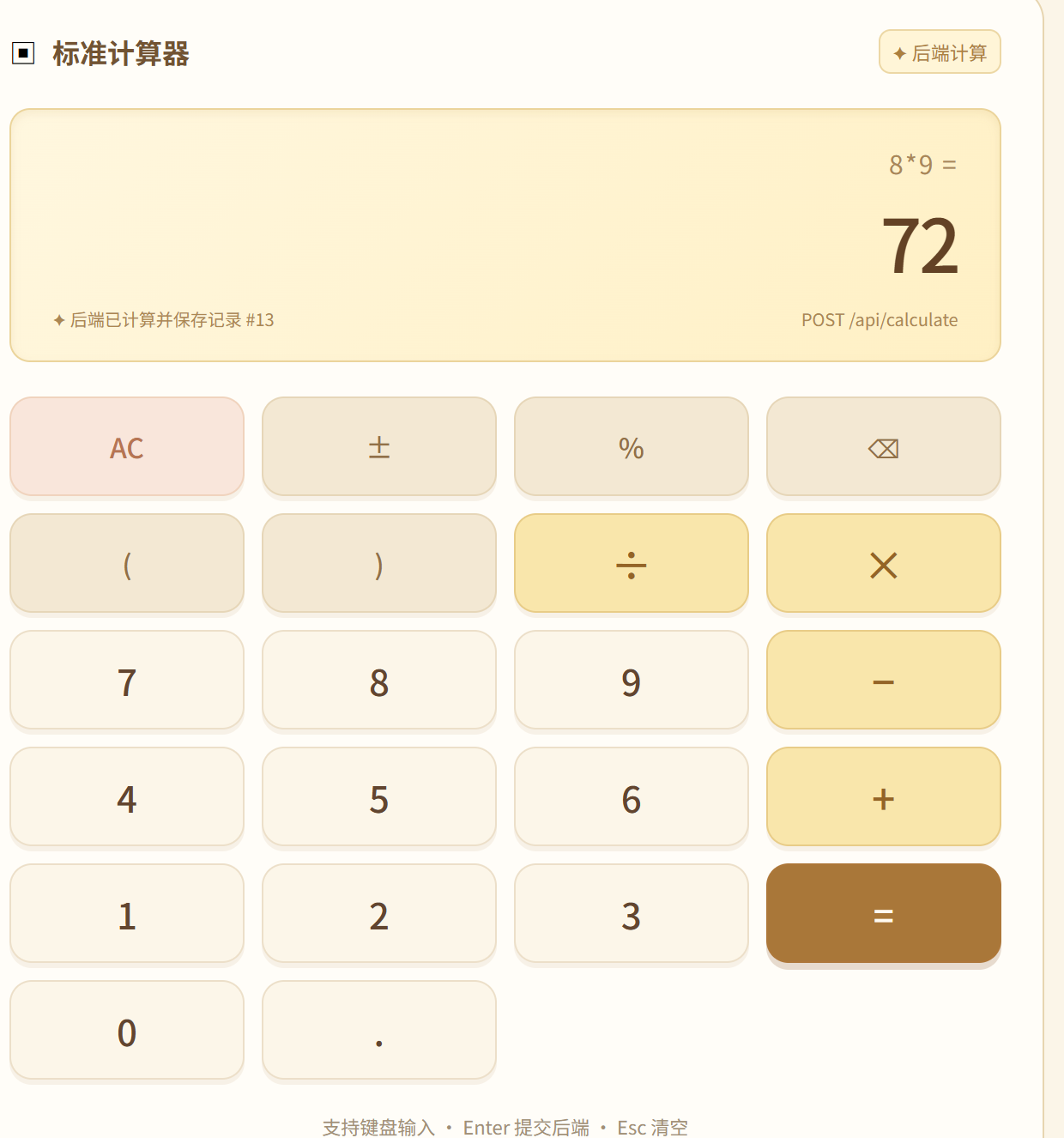



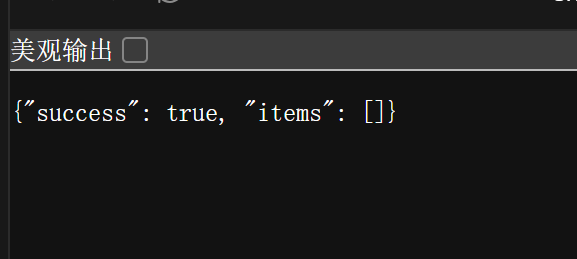
The browser accesses:
https://shixunguo.pythonanywhere.com/
Figure 14 is particularly important: it directly supports the claim that the browser requests a server-side calculation instead of calculating the final result itself.
xxr Calculator Front End
  ├─ Expression input and button interaction
  ├─ fetch requests and result display
  └─ History page
          │ HTTP / JSON
          ▼
Python Back-End API
  ├─ Input validation
  ├─ Recursive-descent expression parser
  ├─ Error handling
  └─ SQLite read and write operations
          │
          ▼
calculation_history table
xxr Calculator
├─ Basic Calculation
│  ├─ Expression Input
│  ├─ Server-Side Calculation
│  ├─ Operator Precedence and Parentheses
│  └─ Error Messages
├─ Calculation History
│  ├─ Database Persistence
│  ├─ History Query
│  └─ Delete One Record
└─ Star-Character Theme
The front end consists of index.html, style.css, and app.js. It does not evaluate mathematical expressions locally. When the user presses the equals button, the browser sends the original expression to the API. It only displays the result returned by the server.
The request function centralizes HTTP requests and handles network failures, invalid JSON, and server-side error responses. The history page loads data from the back end rather than browser cache or localStorage.
| Method | Path | Request or Response | Responsibility |
|---|---|---|---|
| POST | /api/calculate | { "expression": "(1+2)*3" } | Calculate and save a history record |
| GET | /api/history | Returns an items array | Retrieve the latest 200 records |
| DELETE | /api/history/{id} | 204 No Content | Delete one record by ID |
Successful calculation response:
{
  "success": true,
  "id": 12,
  "expression": "(1+2)*3",
  "result": "9",
  "createdAt": "2026-10-01T10:20:00+08:00"
}
Invalid input response:
{
  "success": false,
  "message": "Division by zero is not allowed"
}
The SQLite table is named calculation_history.
| Field | Type | Description |
|---|---|---|
| id | INTEGER | Auto-increment primary key used for deleting one record |
| expression | TEXT | The original expression entered by the user |
| result | TEXT | The result calculated by the back end |
| created_at | TEXT | Creation time in ISO 8601 format |
The database file is initialized automatically when the back end starts for the first time. The database file is excluded from Git because it contains local test data, not source code.
The back end does not use eval, exec, or any mechanism that executes user input as code. Instead, it uses a recursive-descent parser. The parser separates the grammar into three levels:
sum handles addition and subtraction.product handles multiplication and division, so it has higher precedence than addition and subtraction.primary handles numbers, parentheses, and unary plus or minus.The parser accepts only numbers, + - * /, parentheses, decimal points, and scientific notation. It rejects unsupported characters. It also returns an HTTP 400 response for division by zero, mismatched parentheses, incomplete expressions, and non-finite results.
(1+2)*3 and presses the equals button.POST /api/calculate.GET /api/history. Deleting a record uses DELETE /api/history/{id}, followed by a new history request.The front end is deployed with GitHub Pages from the main branch and the repository root. Its public URL is https://2310209788-del.github.io/xxr-calculator-frontend/.
The back end is deployed on PythonAnywhere. The project was cloned with the following command in a Bash console:
git clone https://github.com/2310209788-del/xxr-calculator-backend.git
The PythonAnywhere WSGI configuration imports application from wsgi.py, and the service is reloaded after each code update. Its history API is publicly available at https://shixunguo.pythonanywhere.com/api/history.
The front-end config.js sets window.XXR_API_BASE_URL to https://shixunguo.pythonanywhere.com, so all calculations and history requests use the public back-end API.
const data = await request('/api/calculate', {
  method: 'POST',
  body: JSON.stringify({ expression: original }),
});
expression = data.result;
The front end sends original, which is the expression entered by the user, rather than a locally calculated result. It updates the display only with data.result returned by the back end.
result = format_number(ExpressionParser(expression).parse())
ExpressionParser processes the expression according to the defined grammar instead of sending the string to the Python interpreter. This design satisfies both the precedence requirement and the security requirement.
connection.execute(
    "INSERT INTO calculation_history(expression, result, created_at) VALUES (?, ?, ?)",
    (expression, result, created_at),
)
Parameterized SQL prevents user input from being concatenated into SQL statements directly.
cursor = connection.execute(
    "DELETE FROM calculation_history WHERE id = ?", (history_id,)
)
The front end sends the selected record ID. The back end deletes the database row and the front end reloads the current history list. Therefore, the displayed state always follows the database state.
This assignment helped me understand that front-end and back-end separation is more than placing browser code and server code in different folders. The business boundary must also be clear: the front end manages interaction, while the back end performs trusted calculation and stores persistent data. If the browser calculates a result before sending it to the server, the project does not satisfy the core requirement of this assignment.
The most important technical challenge was safe expression parsing. I chose a recursive-descent parser instead of eval, so the system can handle precedence, parentheses, unary signs, and division-by-zero errors without executing arbitrary user input. I also learned the difference between browser storage and database persistence. localStorage may be useful for user interface preferences, but it cannot replace a back-end database for calculation history.
In the future, I plan to migrate the unit conversion, BMI calculation, base conversion, and exchange-rate functions from the original xxr Calculator into back-end APIs. I would also add pagination, search, and individual user histories while keeping the same separation between presentation and core business logic.

