


163
社区成员
 发帖
发帖 与我相关
与我相关 我的任务
我的任务
 分享
分享| Item | Content |
|---|---|
| Course for This Assignment | Software Engineering |
| Assignment Requirements | https://t.csdn.cn/bJZiK |
| Objectives of This Assignment | Master the front-end/back-end separation architecture; implement core calculation logic and database persistence on the back end; communicate via REST APIs; practice deployment and technical blog writing |
| Other References | Flask official documentation, PEP 8, Airbnb JavaScript Style Guide, MDN Web Docs |
This assignment requires building a calculator system based on a front-end/back-end separation architecture:
One of the core acceptance checks: after the back-end service is stopped, the front end can still accept input, but it cannot independently obtain any new calculation result — this project is implemented exactly according to this principle, and the front end contains no calculation logic at all.
| Item | Link |
|---|---|
| Frontend Repository | https://github.com/huo123657/832402212_calculator_frontend |
| Backend Repository | https://github.com/huo123657/832402212_calculator_backend |
| Frontend Code Standard | https://github.com/huo123657/832402212_calculator_frontend/blob/main/codestyle.md |
| Backend Code Standard | https://github.com/huo123657/832402212_calculator_backend/blob/main/codestyle.md |
| Online Access | Frontend: https://huo123657.github.io/832402212_calculator_frontend/ (Backend: https://huo123657.pythonanywhere.com/) |
| PSP Stage | Estimated Time (hours) | Actual Time (hours) |
|---|---|---|
| Requirement analysis | 0.5 | 0.5 |
| System design (architecture / API / database) | 1 | 1 |
| Backend development: expression parsing module | 3 | 3.5 |
| Backend development: API and database | 2 | 2 |
| Frontend development: UI and styles | 2.5 | 3 |
| Frontend development: interaction logic | 2 | 2.5 |
| Front-end/back-end integration and testing | 1.5 | 2 |
| Deployment | 1 | 1.5 |
| Blog writing | 2 | 2.5 |
| Total | 15.5 | 18.5 |
The expression parsing module exceeded its estimate: the edge cases of unary plus/minus (e.g.
3*-2,-5+8) and recursive-descent parsing were more numerous than expected, and handling floating-point display errors also took extra time.
Screenshot checklist (each image is followed by one line of description). Follow this checklist when taking screenshots — 13 shots in total, satisfying the 10+ requirement.
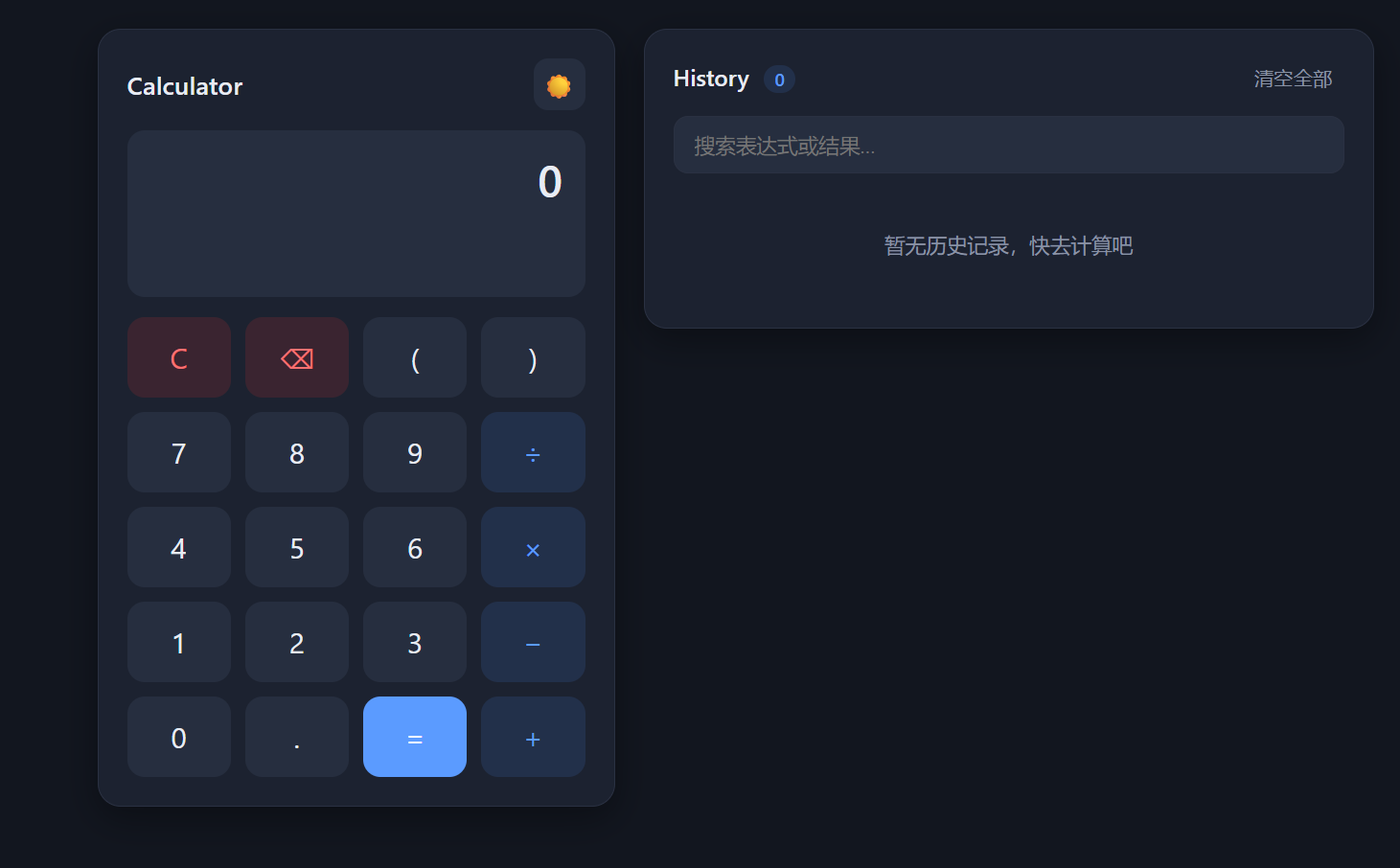
12+8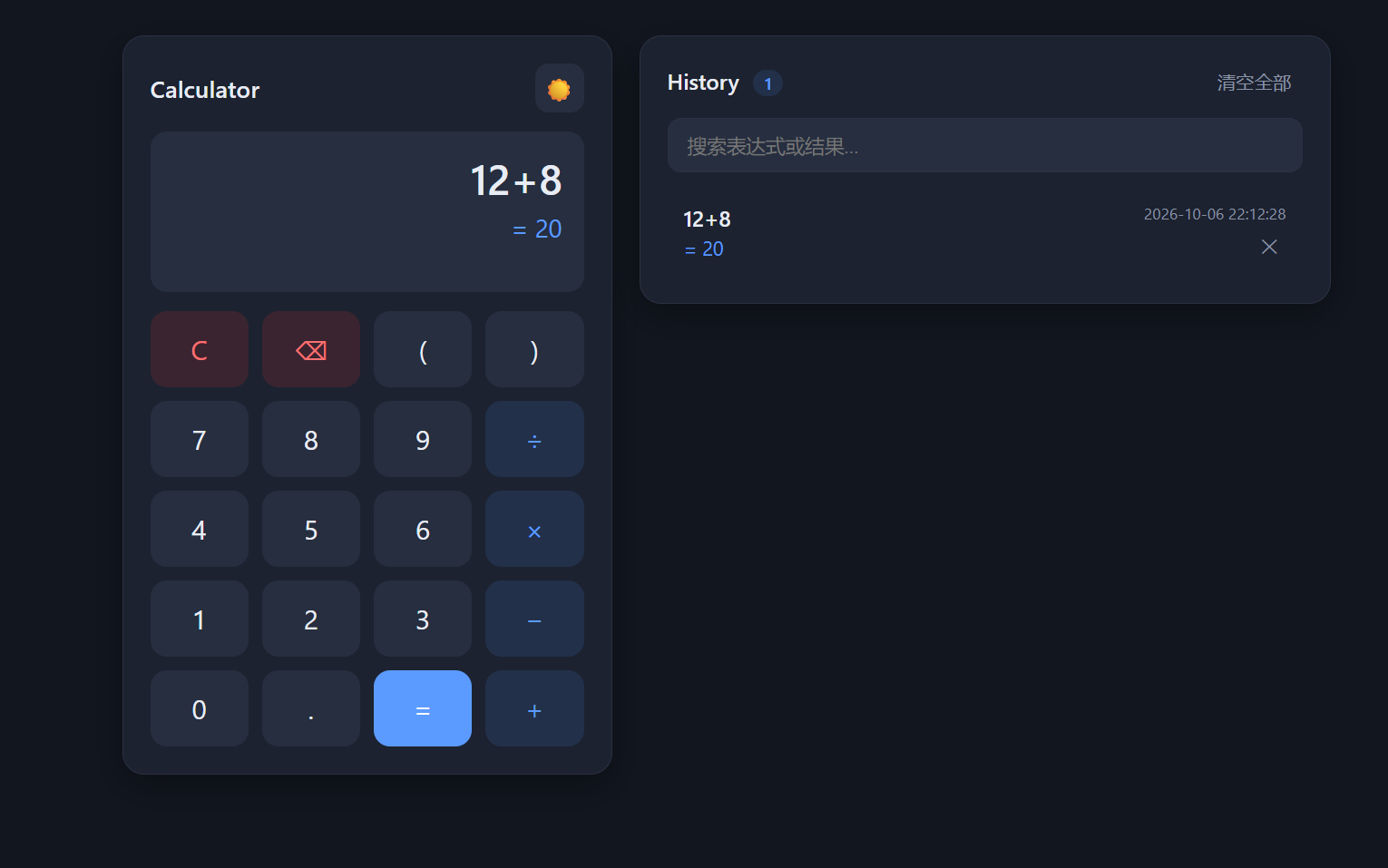
=; the display shows 20. The result is computed by the back end.
10-4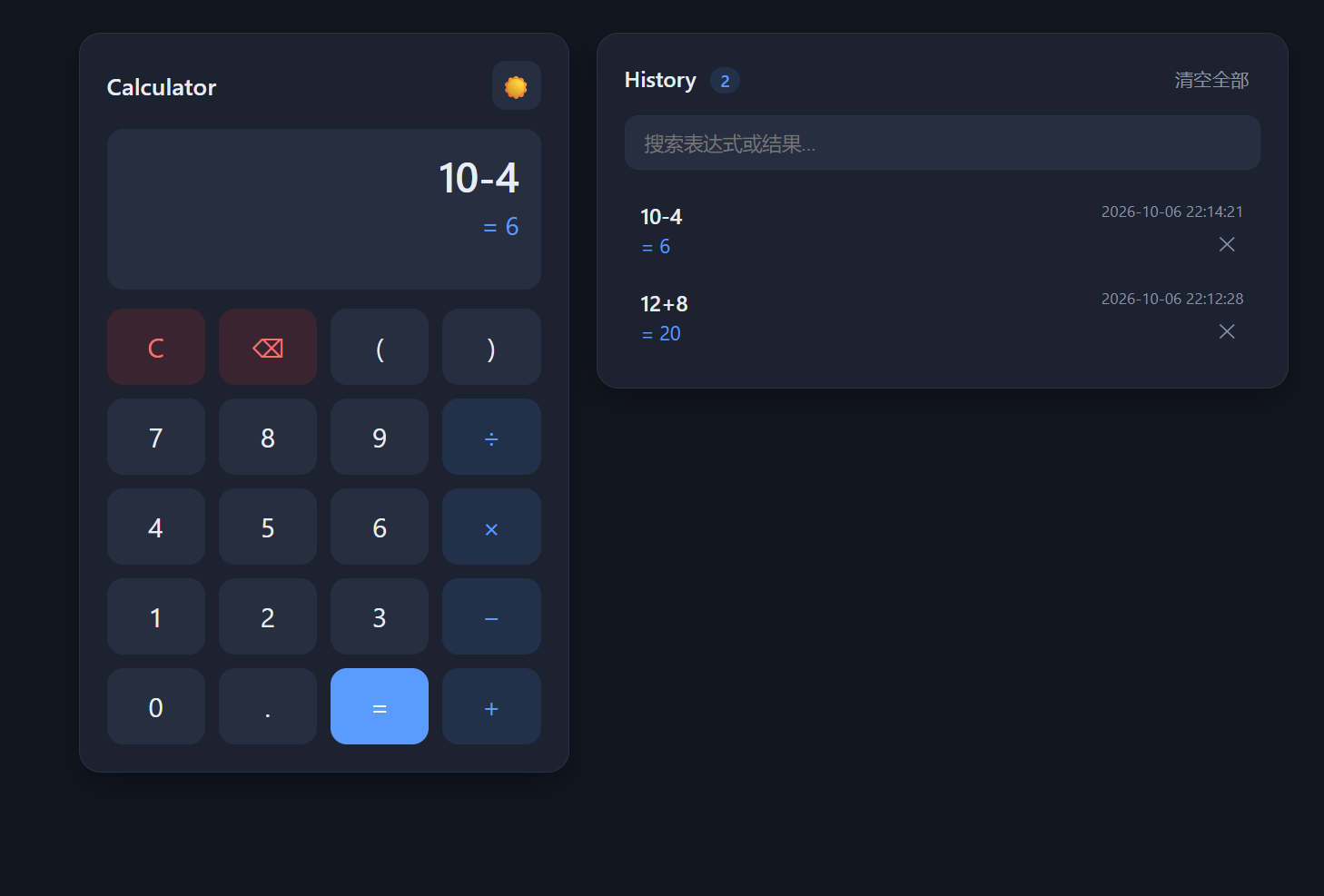
5*8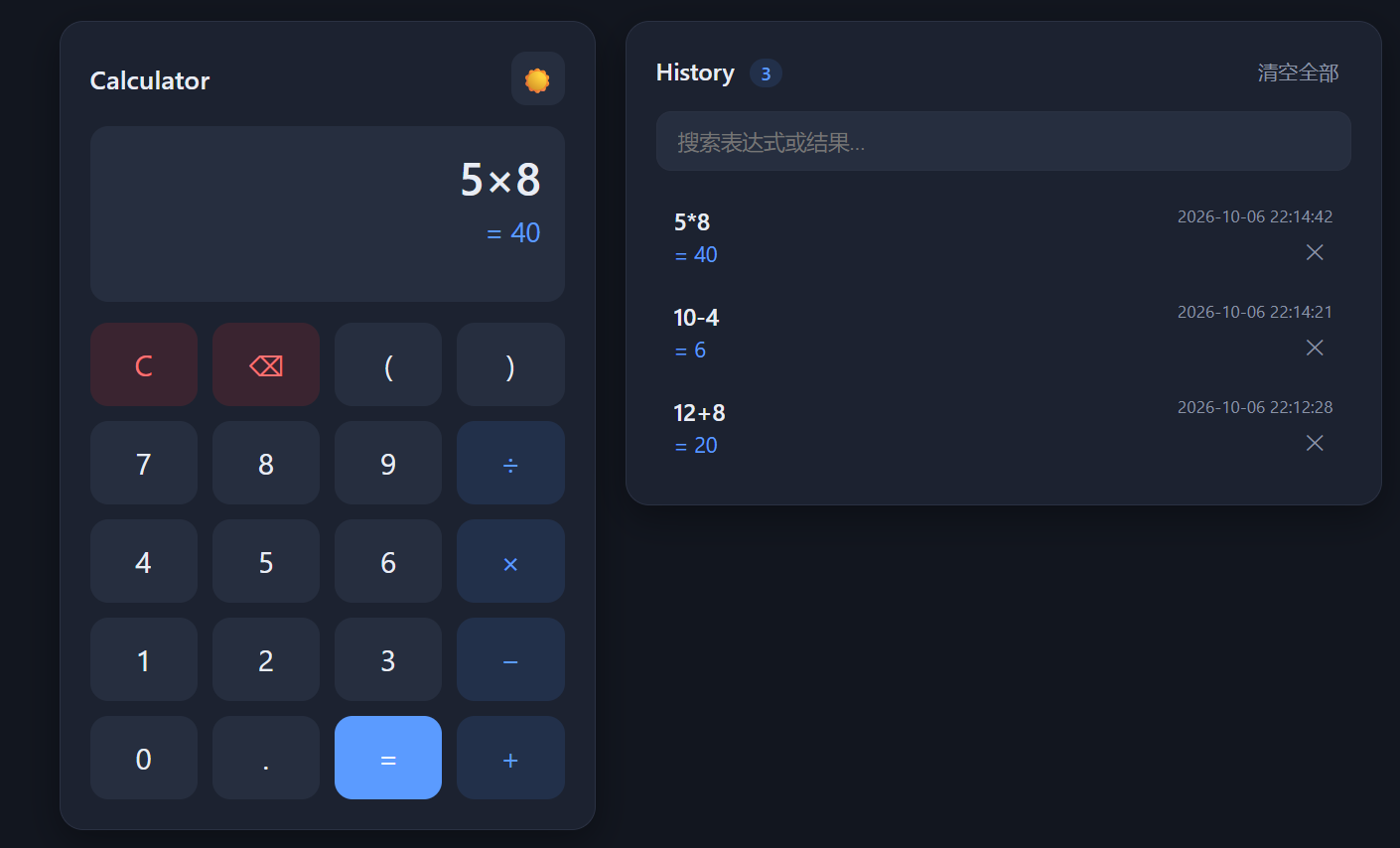
*.
10/4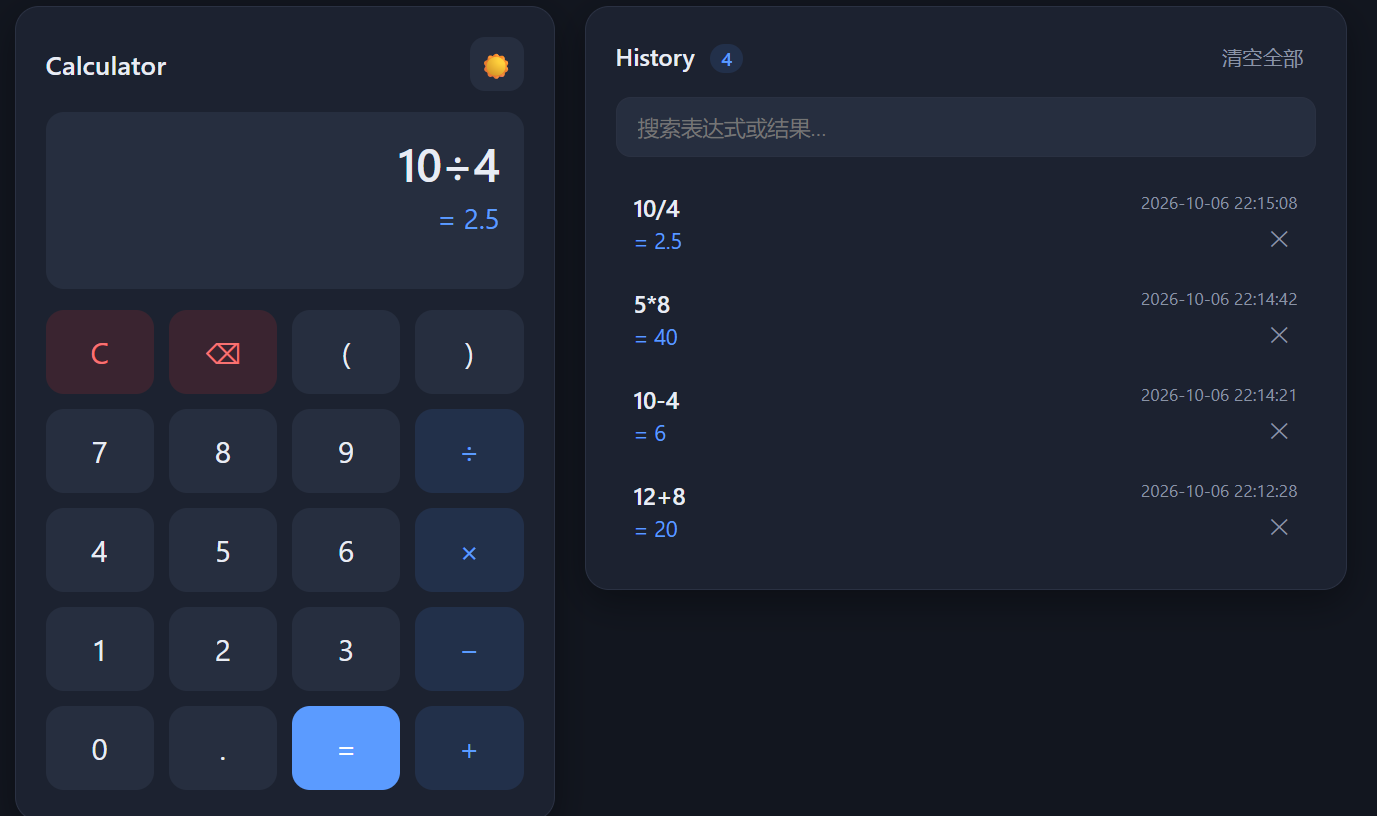
1+2*3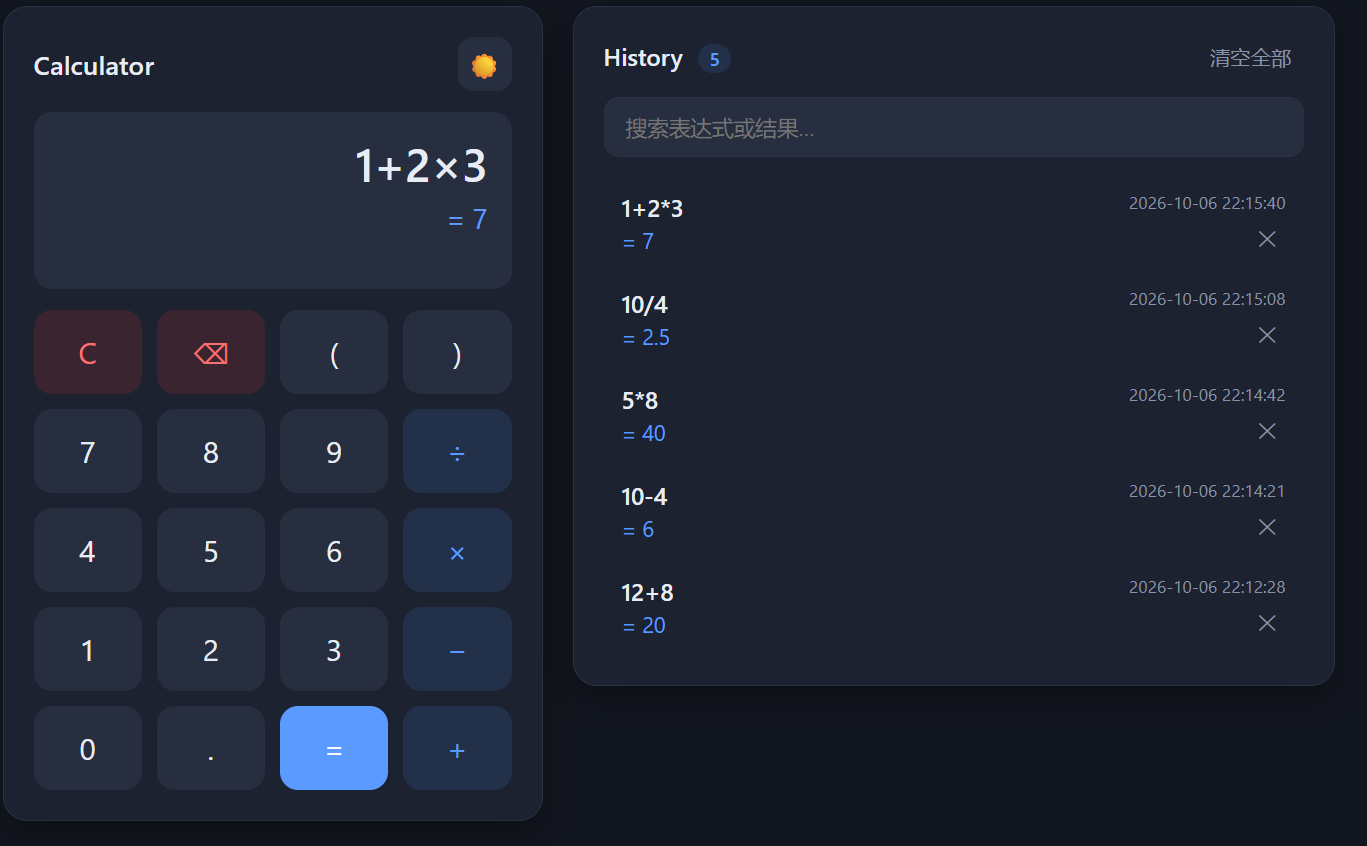
(1+2)*3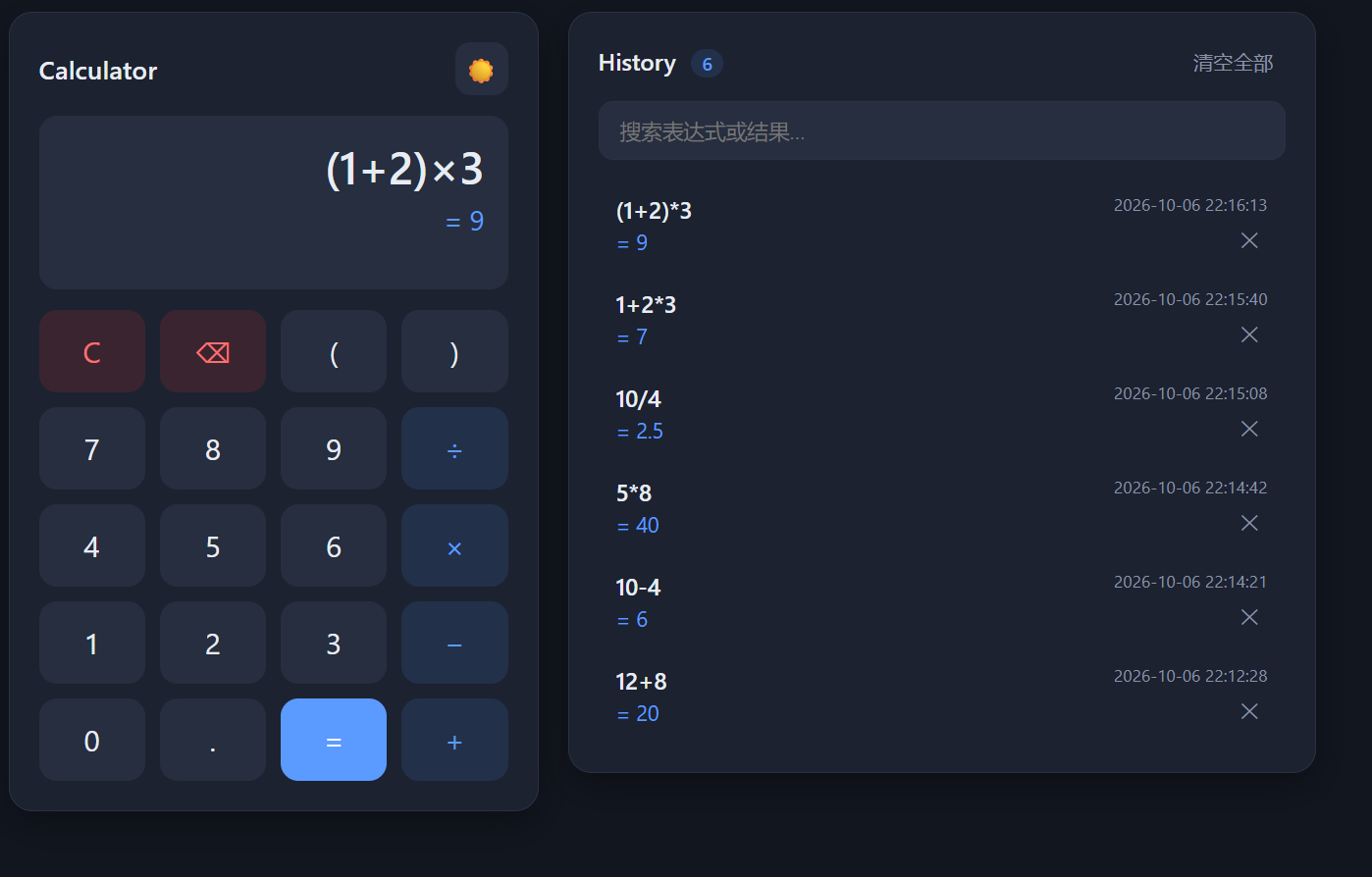
-5+8 and 3*-2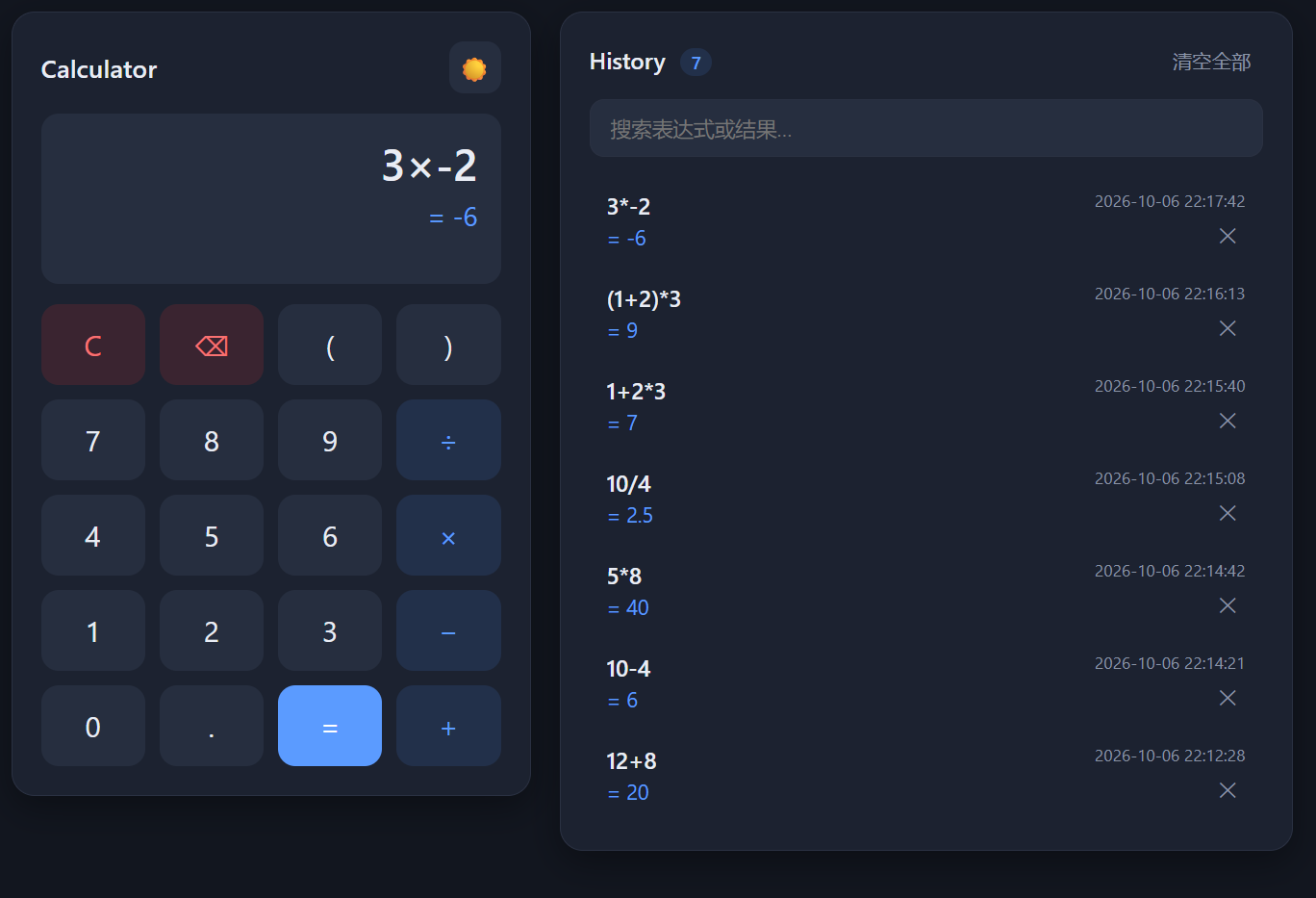
1++5÷0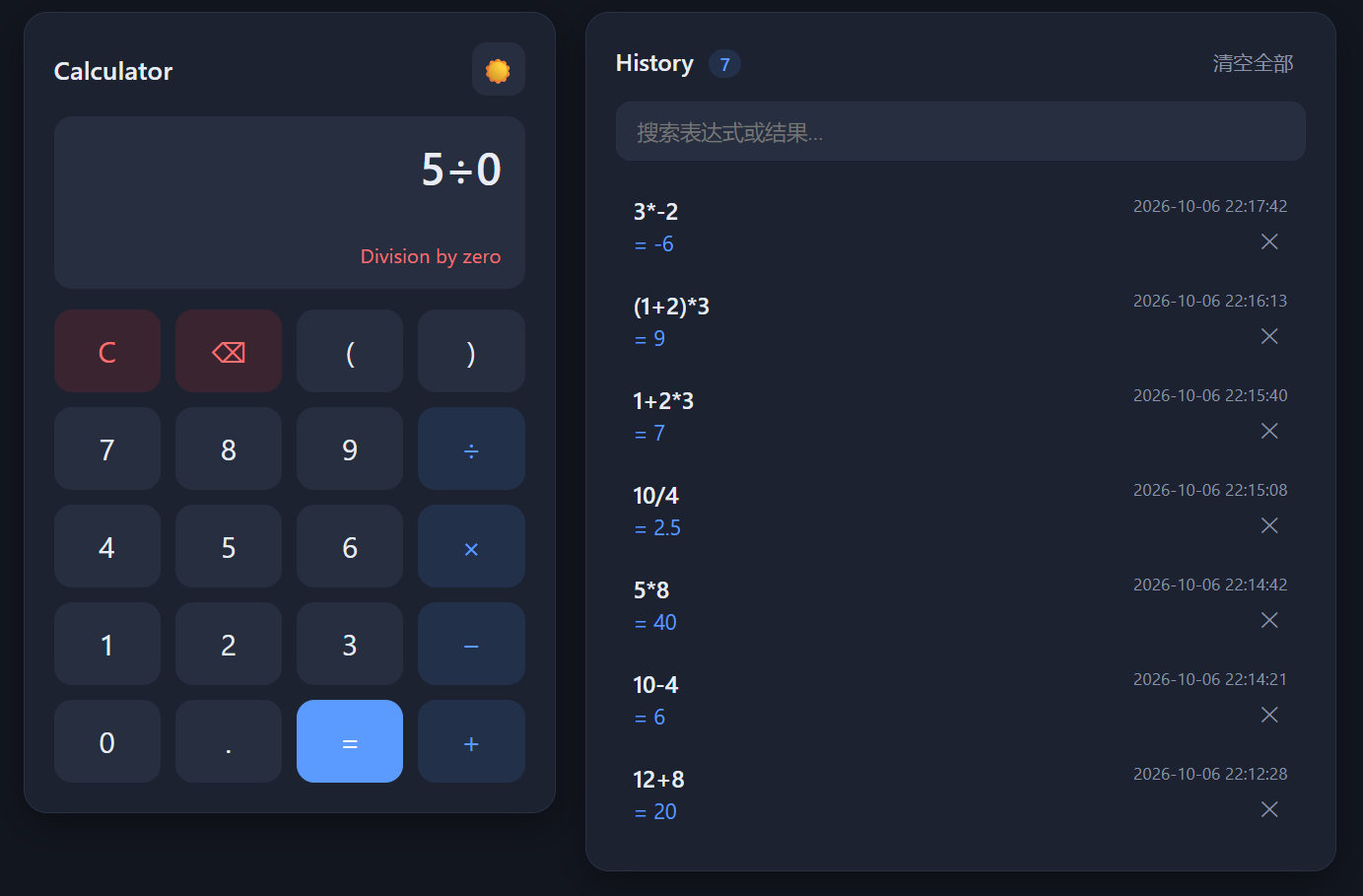
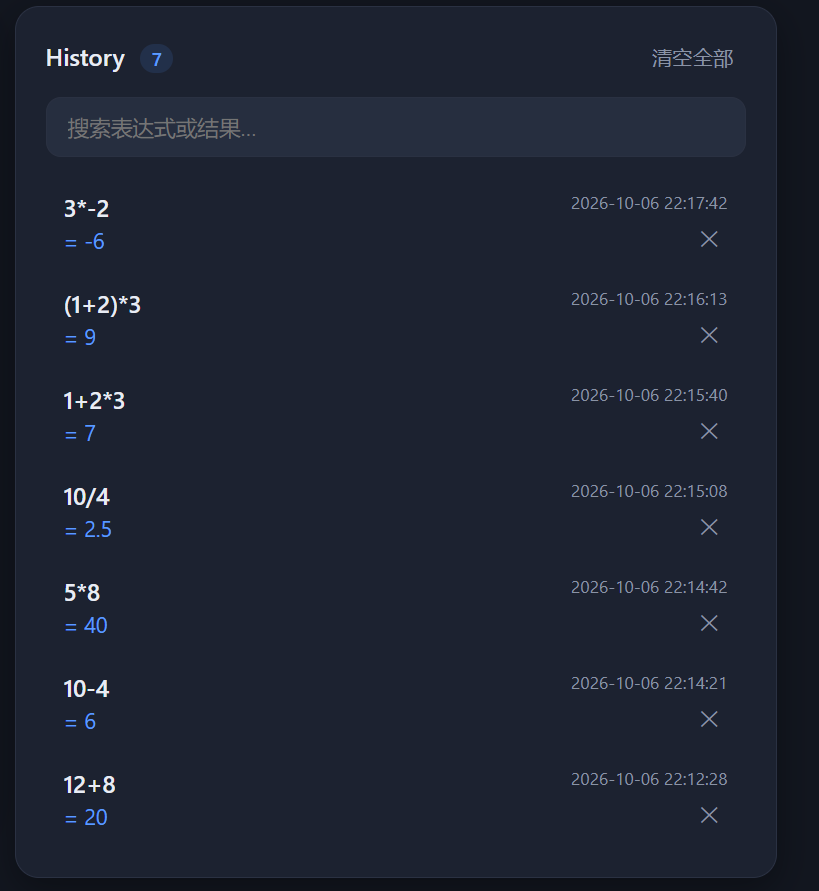
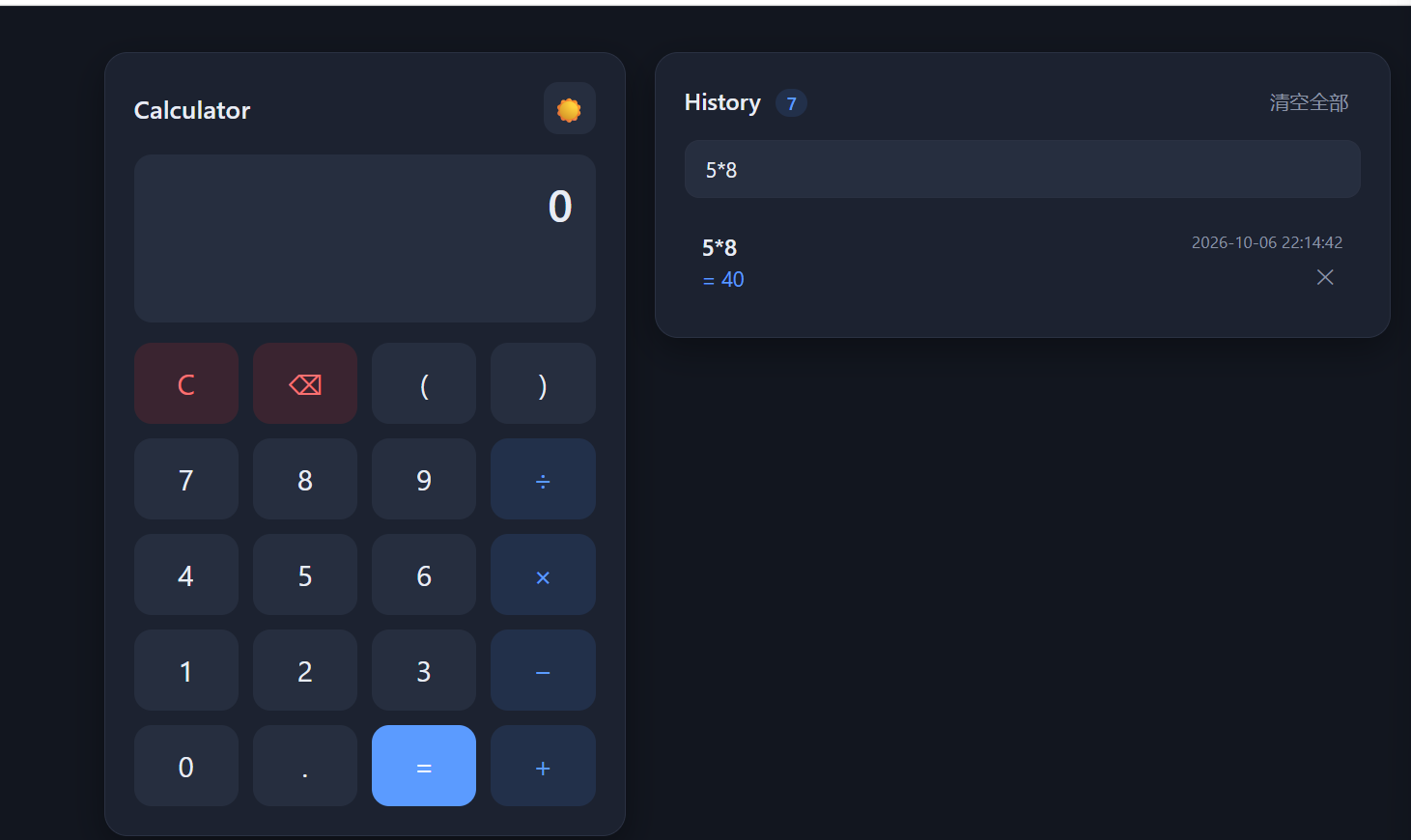
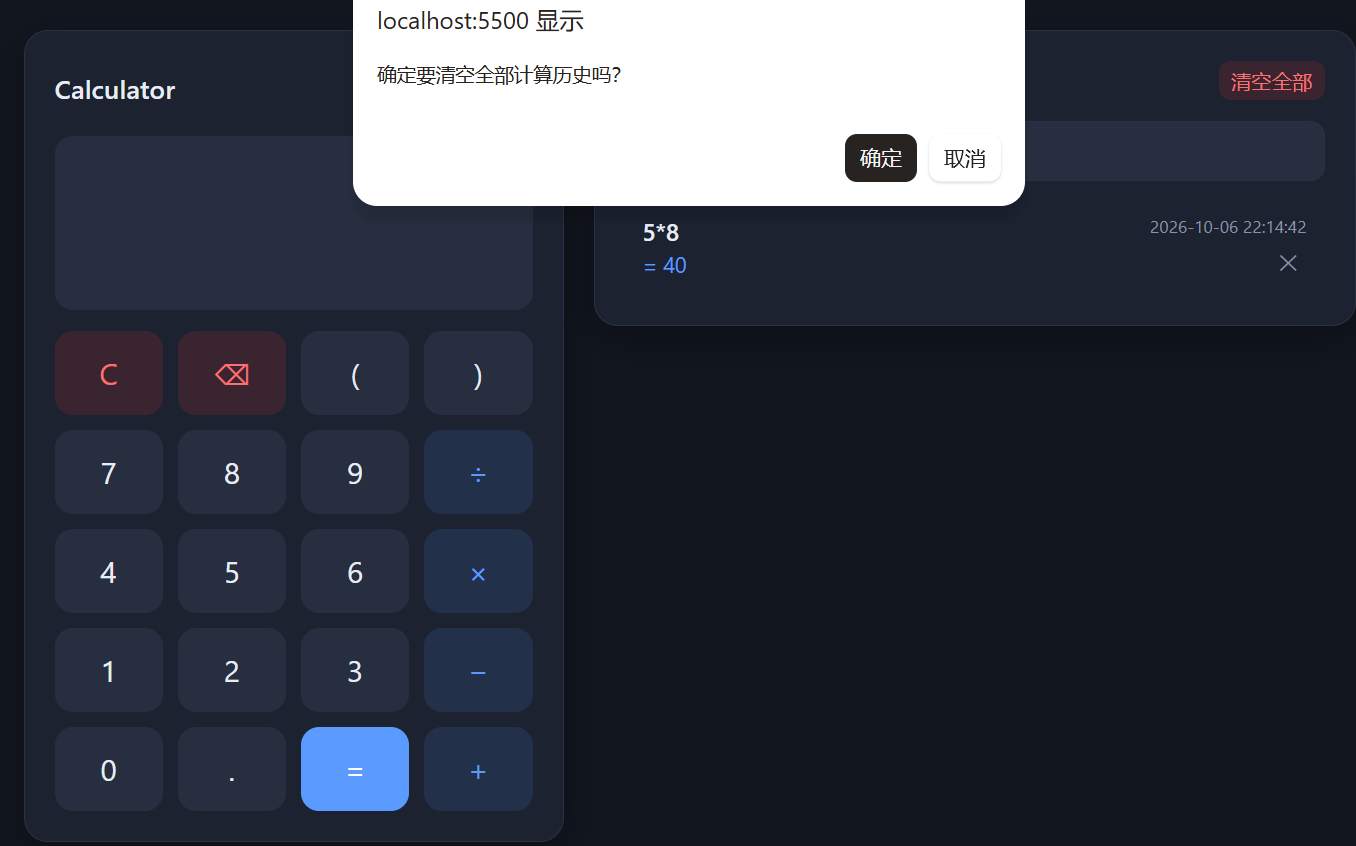
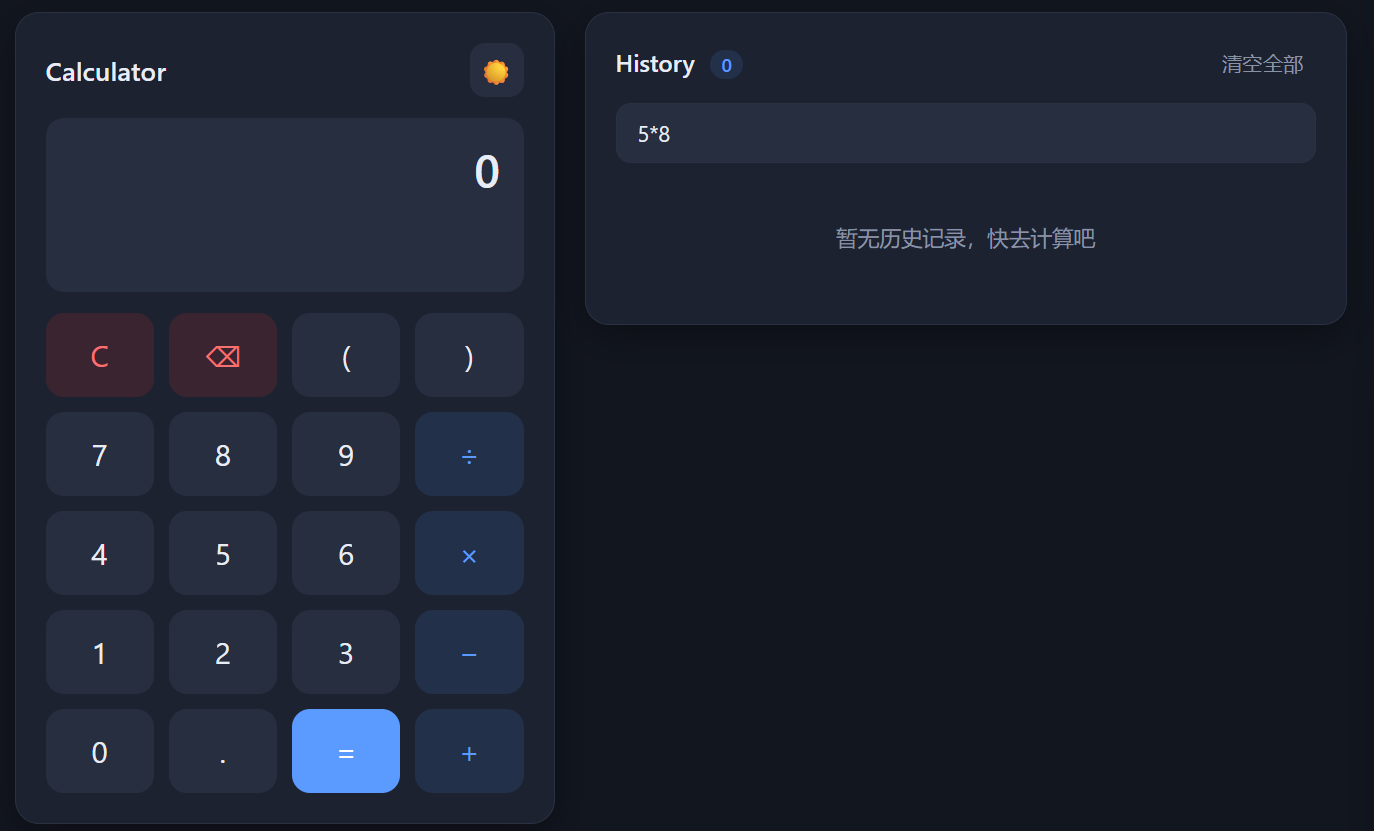
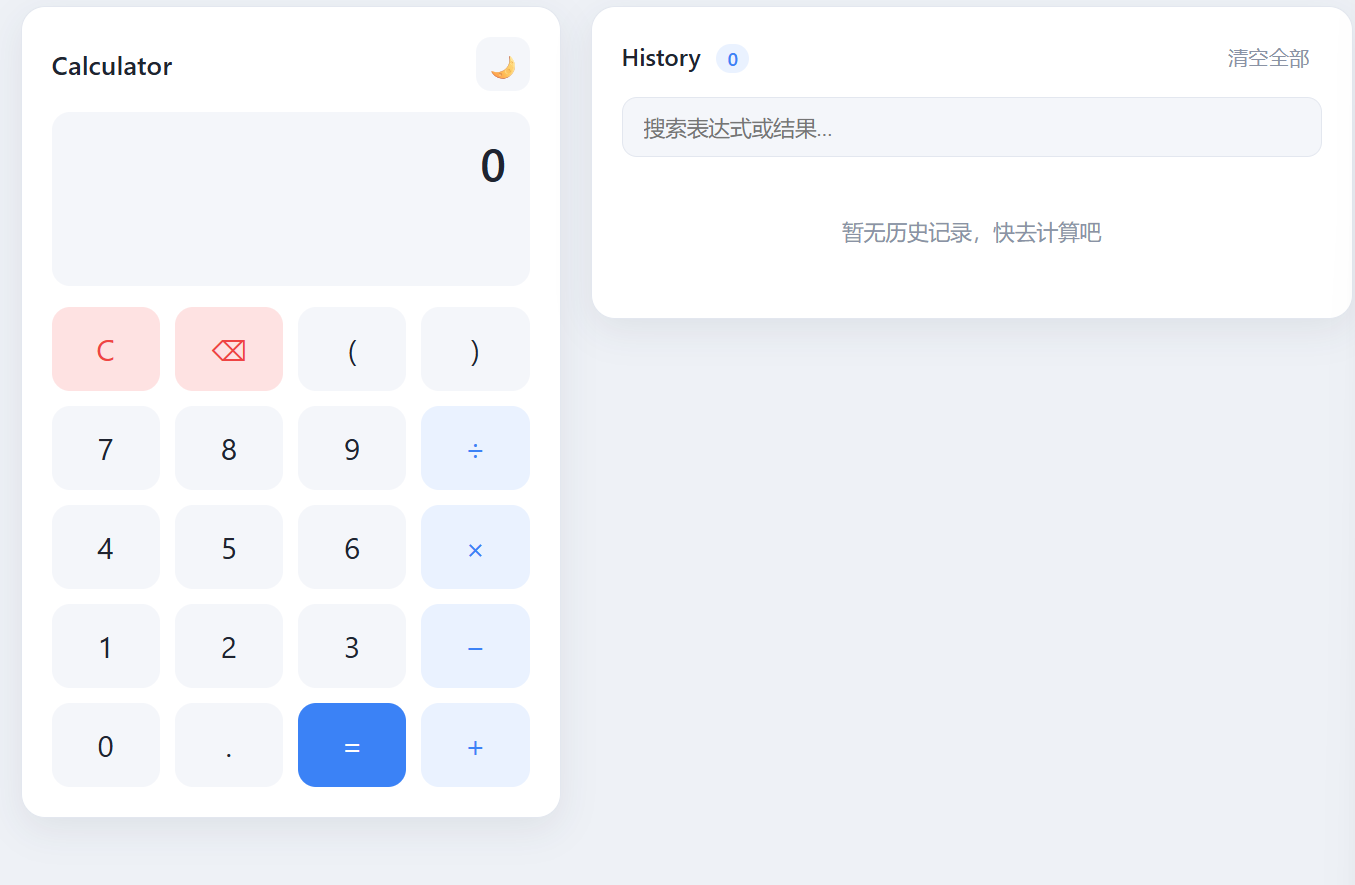
| Requirement | Description | Owner |
|---|---|---|
| Basic arithmetic | + − × ÷; results must be computed by the back end | Back-end calculation + front-end display |
| Compound expressions | Precedence, parentheses, unary signs, decimals | Back-end parser |
| Exception handling | Invalid expressions, division by zero, illegal characters | Back-end validation + front-end messages |
| Calculation history | Expression / result / time stored in the back-end database | Back-end database |
| Delete history | Delete one record by id; clearing all as an extension | Back-end API + front-end actions |
| Separated architecture | No calculation logic in the front end; API communication | Architectural constraint |
┌─────────────────────────┐        HTTP/JSON         ┌─────────────────────────┐
│      Front End (Web)     │  ──────────────────────▶ │     Back End (Flask)     │
│  index.html             │   POST /api/calculate    │  controller layer        │
│  css/style.css          │ ◀──────────────────────  │     ↓ calls              │
│  js/app.js (fetch)      │   200 {result: 9}        │  service layer           │
│                         │                          │   parsing / calc / history│
│  Interaction & display   │                          │     ↓ reads / writes     │
│  only — no calc logic    │                          │  model layer             │
└─────────────────────────┘                          │     ↓                   │
                                                     │  SQLite calculator.db   │
                                                     └─────────────────────────┘
Calculator System
|
|-- Calculator
|   |-- Basic Calculation
|   |-- Compound Expression (precedence / parentheses / unary sign / decimals)
|   |-- Error Handling (invalid expression / division by zero)
|
|-- Calculation History
|   |-- Save History (auto-saved after each successful calculation)
|   |-- Query History (list + search filter)
|   |-- Delete History (single delete / clear all)
|
|-- Front End
|   |-- User Input (buttons + keyboard)
|   |-- Result & Error Display
|   |-- History Display & Search
|   |-- Theme Switching
|
|-- Back End
    |-- API (controller layer: routing / validation / unified responses)
    |-- Expression Processing (tokenization + recursive-descent parsing)
    |-- Calculation Service (evaluation + result formatting)
    |-- History Service (history business logic)
    |-- Database (SQLite persistence)
| Method | Path | Description | Success | Failure |
|---|---|---|---|---|
| POST | /api/calculate | Calculate an expression and store it in history | 200 | 400 |
| GET | /api/history | Query all history | 200 | - |
| DELETE | /api/history/{id} | Delete a specific record | 200 | 404 |
| DELETE | /api/history | Clear all history (extension) | 200 | - |
Unified response format (success carries success: true; failure carries success: false and a message):
// POST /api/calculate  request
{"expression": "(1+2)*3"}

// success 200
{"success": true, "expression": "(1+2)*3", "result": 9, "id": 12, "time": "2026-10-06 15:48:39"}

// failure 400
{"success": false, "message": "Division by zero"}
Status code design: missing parameters / syntax errors / division by zero → 400; deleting a non-existent record → 404; unknown path → 404; method not allowed → 405.
The database is SQLite: zero configuration, a single file, bundled with the Python standard library — fully sufficient for this project's persistence needs.
Table calculation_history:
| Field | Type | Constraint | Description |
|---|---|---|---|
| id | INTEGER | PRIMARY KEY AUTOINCREMENT | Unique record id, used by the front end for deletion |
| expression | TEXT | NOT NULL | The expression, e.g. (1+2)*3 |
| result | TEXT | NOT NULL | Display string of the result, e.g. 9, 0.3 |
| created_at | TEXT | NOT NULL | Calculation time YYYY-MM-DD HH:MM:SS |
Design notes:
result is stored as TEXT instead of REAL: reading 12+8 back from a REAL column would give 20.0, while we already format results into the most display-friendly string during calculation (integers without a decimal point). Storing TEXT guarantees "what is stored is what is displayed";CREATE TABLE IF NOT EXISTS runs at startup to create the table automatically; deleting the calculator.db file resets the database.Why not eval? eval("(1+2)*3") computes correctly, but a user input like __import__('os').system(...) would be executed as Python code — an arbitrary code execution vulnerability. The assignment also explicitly forbids it. Therefore I implemented my own parser:
expression := term  (('+' | '-') term)*      ← addition/subtraction, binds last
term       := factor (('*' | '/') factor)*   ← multiplication/division, binds first (higher precedence)
factor     := ('+' | '-') factor             ← unary plus/minus
            | '(' expression ')'             ← parentheses (recursion back to expression)
            | NUMBER
1+2*3: expression first takes term 1, sees +, then takes another term — inside that term, 2*3 is fully multiplied out first, so precedence is achieved naturally;-5+8, 3*-2: the factor layer handles unary -, allowing a minus at the start and after an operator;(1+2)*3: when factor meets ( it recursively calls expression, computes 3, and continues with it as the multiplicand;5/0: the term layer checks the right operand before dividing and raises DivisionByZeroError;1++, (1+2) raises ExpressionError at the corresponding layer, producing a 400.round(x, 10) removes floating-point tails (0.1+0.2 → 0.3 instead of 0.30000000000000004), and integer values drop the decimal point (20.0 → 20).INSERT (preventing SQL injection);SELECT ... ORDER BY id DESC, newest first; the front end only does display-level filtering (search) locally — the data source is always the database;DELETE WHERE id = ?; if rowcount is 0 the API returns 404; after a successful deletion the front end re-queries the history API so the list always matches the database;| Layer | Exception | Handling |
|---|---|---|
| controller | Non-JSON body / missing expression field / overlong input | Direct 400 + message |
| service | ExpressionError (syntax / illegal characters) | Caught and returned as 400; nothing written to history |
| service | DivisionByZeroError | Caught and returned as 400 "Division by zero" |
| Global | 404 / 405 / 500 | Flask errorhandler returning unified JSON |
Principle: only successful calculations enter the database; every failure returns structured JSON, and the front end uses the success field to decide how to display it.
User presses keys → front end builds the expression (display layer uses × ÷)
Press = → front end converts × ÷ to * / → POST /api/calculate {"expression":"(1+2)*3"}
     → back-end controller validates parameters
     → service: tokenization + recursive-descent evaluation
     → success: format result → INSERT into database → return 200 {result:9}
     → failure: return 400 {message}
Front end receives response → success=true shows "= 9" and refreshes history
            → success=false shows the message in red
            → data is null (network down) shows "cannot reach the back-end service"
One implementation detail: with fetch you must not rely on the HTTP status code alone — when the back end returns 400 the response body is still JSON, so the front end must parse it and use the success field to distinguish a "business error" from a "network failure".
pip install flask, no credit card required); PythonAnywhere's WSGI config loads the app object from src/app.py, and the SQLite file persists inside the project directory, so history survives refreshes and restarts;index.html sits at the repository root); simply change API_BASE_URL at the top of js/app.js to the back end's public address — the back end already enables CORS;python src/app.py starts the back end (port 5000) + python -m http.server 5500 serves the front end.Full code in src/service/expression_parser.py; the three snippets below best illustrate the design:
def tokenize(expression):
    """Lexical analysis: numbers become floats, operators stay as
    characters, illegal characters raise an error immediately."""
    tokens = []
    i = 0
    while i < len(expression):
        char = expression[i]
        if char in _OPERATORS:                # + - * / ( )
            tokens.append(char); i += 1
        elif char.isdigit() or char == ".":
            # read the whole number (including decimal point);
            # two decimal points are illegal
            ...
            tokens.append(float(number_text))
        else:
            raise ExpressionError("Invalid character: " + char)
    return tokens
Why this design: the lexical layer first turns a "character stream" into a "token stream", so the syntax layer only deals with clean tokens — validation responsibilities are cleanly separated: illegal characters are caught at the lexical layer, syntax errors at the parsing layer.
def _expression(self):
    """Addition/subtraction layer: term (('+'|'-') term)*"""
    value = self._term()
    while self._peek() in ("+", "-"):
        operator = self._advance()
        right = self._term()          # ← key: the right operand is a whole term
        value = value + right if operator == "+" else value - right
    return value

def _term(self):
    """Multiplication/division layer: factor (('*'|'/') factor)*;
    division by zero is caught here."""
    value = self._factor()
    while self._peek() in ("*", "/"):
        operator = self._advance()
        right = self._factor()
        if operator == "*":
            value = value * right
        else:
            if right == 0:
                raise DivisionByZeroError("Division by zero")
            value = value / right
    return value
Why this design: the right operand in _expression is _term(), and _term fully evaluates all multiplications/divisions first — precedence needs no extra markers because the grammar layers guarantee it. Division by zero is checked before dividing, avoiding a bare Python ZeroDivisionError turning into a 500.
def _factor(self):
    """Unary sign / parentheses / number."""
    token = self._peek()
    if token == "-":
        self._advance()
        return -self._factor()        # recursion supports 3*-2, --5, etc.
    if token == "(":
        self._advance()
        value = self._expression()    # inside parentheses, recurse to the top layer
        if self._peek() != ")":
            raise ExpressionError("Missing closing parenthesis")
        self._advance()
        return value
    if isinstance(token, float):
        return self._advance()
    raise ExpressionError("Incomplete expression")   # e.g. "1++" missing a number
@api_bp.route("/calculate", methods=["POST"])
def calculate():
    body = request.get_json(silent=True)          # bad JSON → None, not a 500
    if body is None:
        return _error("Request body must be valid JSON", 400)
    raw_expression = body.get("expression")
    if not isinstance(raw_expression, str):       # never trust front-end data
        return _error("Field 'expression' is required...", 400)
    try:
        outcome = calculator_service.calculate_and_store(raw_expression)
    except calculator_service.expression_parser.DivisionByZeroError:
        return _error("Division by zero", 400)
    except calculator_service.expression_parser.ExpressionError as exc:
        return _error(str(exc), 400)
    return jsonify({...,"result": outcome["result"], ...}), 200
Why this design: the controller only does three things — "validate parameters → call the service → translate business exceptions into HTTP status codes"; all calculation logic lives in the service layer. Business exceptions (syntax errors, division by zero) are uniformly converted to 400 at this try/except boundary, so user input can never cause a 500.
def insert_history(expression, result):
    created_at = datetime.now().strftime("%Y-%m-%d %H:%M:%S")
    with get_connection() as conn:
        cursor = conn.execute(
            "INSERT INTO calculation_history (expression, result, created_at) "
            "VALUES (?, ?, ?)",                     # parameterized query, prevents SQL injection
            (expression, result, created_at),
        )
        return cursor.lastrowid, created_at
async function requestApi(path, options = {}) {
  const controller = new AbortController();
  const timer = setTimeout(() => controller.abort(), REQUEST_TIMEOUT_MS);
  try {
    const response = await fetch(API_BASE_URL + path, {
      ...options, signal: controller.signal,
    });
    const data = await response.json().catch(() => null);
    return { ok: response.ok, status: response.status, data };
  } catch (networkError) {
    return { ok: false, status: 0, data: null };  // all network failures land here
  } finally {
    clearTimeout(timer);                          // clear the timer either way
  }
}
Why this design: every request goes through one wrapper with a unified 8-second timeout (the front end never hangs forever when the back end is down), and all network failures collapse into data: null, so business code only needs to check data.success.
async function handleEquals() {
  // convert display-layer × ÷ into API-layer * /
  const expressionToSend = currentExpression.replace(/×/g, '*').replace(/÷/g, '/');
  const { data } = await apiCalculate(expressionToSend);   // ← sends the expression only
  if (!data) { showMessage('Cannot reach the back-end service…'); return; }  // ← back end down → no result
  if (data.success) {
    renderResult('= ' + data.result);                      // ← shows the back end's result
    loadHistory();                                         // ← refreshes history (from the database)
  } else {
    showMessage(data.message);                             // ← shows the back end's error
  }
}
Note: there is no calculation code anywhere in the front end — data.result comes entirely from the back end. If the back-end service is stopped, this function always ends at the "cannot reach the back-end service" branch — exactly the verification method the assignment requires.
deleteBtn.addEventListener('click', async (event) => {
  event.stopPropagation();
  const { data } = await apiDeleteHistory(record.id);  // DELETE /api/history/{id}
  if (data && data.success) {
    loadHistory();   // not removed locally — re-query the database's latest state
  } else {
    showMessage((data && data.message) || 'Delete failed');
  }
});
Why this design: after deleting, the front end re-runs GET /api/history instead of just removing the record locally, guaranteeing the list always reflects the database's real state (explicitly required by the assignment).
eval, but research showed it is an arbitrary code execution vulnerability (an input like __import__("os") gives control of the machine). After switching to a recursive-descent parser, I truly understood that "grammar layering determines precedence": the addition layer calls the multiplication layer, so multiplication naturally computes first.0.1+0.2 = 0.30000000000000004 is the classic IEEE 754 problem; I solved it with display-layer formatting — rounding to 10 decimal places and trimming integers.fetch's response.ok is false, which I first mistook for a network error showing "cannot reach the back-end service". After debugging, I switched to parsing the response body's success field to distinguish business errors from network errors.12+8 display as 20.0; I changed it to store the formatted string so "what is stored is what is displayed".LIMIT/OFFSET for large datasets; the parser currently supports only the four basic operations and could be extended with powers, functions, and other scientific-calculation capabilities.# Back end (defaults to 127.0.0.1:5000)
cd 832402212_calculator_backend
pip install -r requirements.txt
python src/app.py
# Front end (in another terminal)
cd 832402212_calculator_frontend
python -m http.server 5500
# Open http://localhost:5500 in the browser

