

 Python全栈技术社区

七天学习-day4-用python读写文件
 墨衍会员 · AI 创作全网分发 墨衍智能分发 通过墨衍一键同步至各平台 可同步平台 CSDN微信公众号微博知乎掘金百家号博客园抖音小红书 你的文章也可以这样分发 墨衍会员 ¥399起/年,写一次发全网
我也要 关注 + 加入社区
墨衍会员 · AI 创作全网分发 墨衍智能分发 通过墨衍一键同步至各平台 可同步平台 CSDN微信公众号微博知乎掘金百家号博客园抖音小红书 你的文章也可以这样分发 墨衍会员 ¥399起/年,写一次发全网
我也要 关注 + 加入社区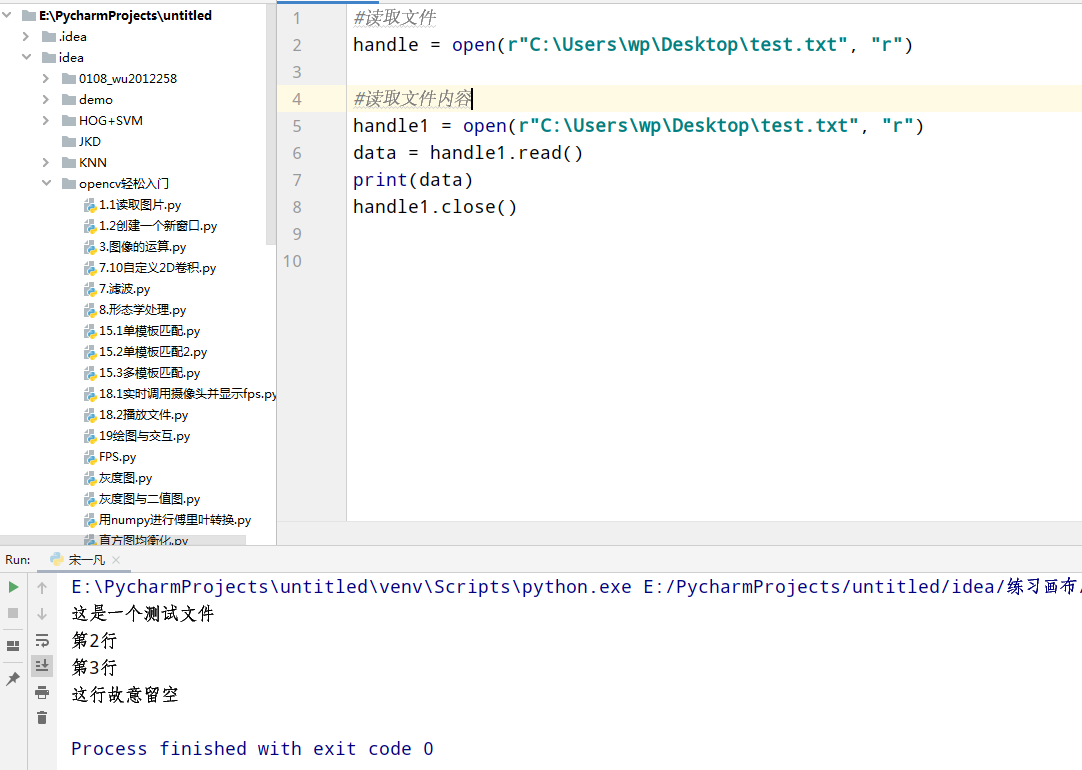
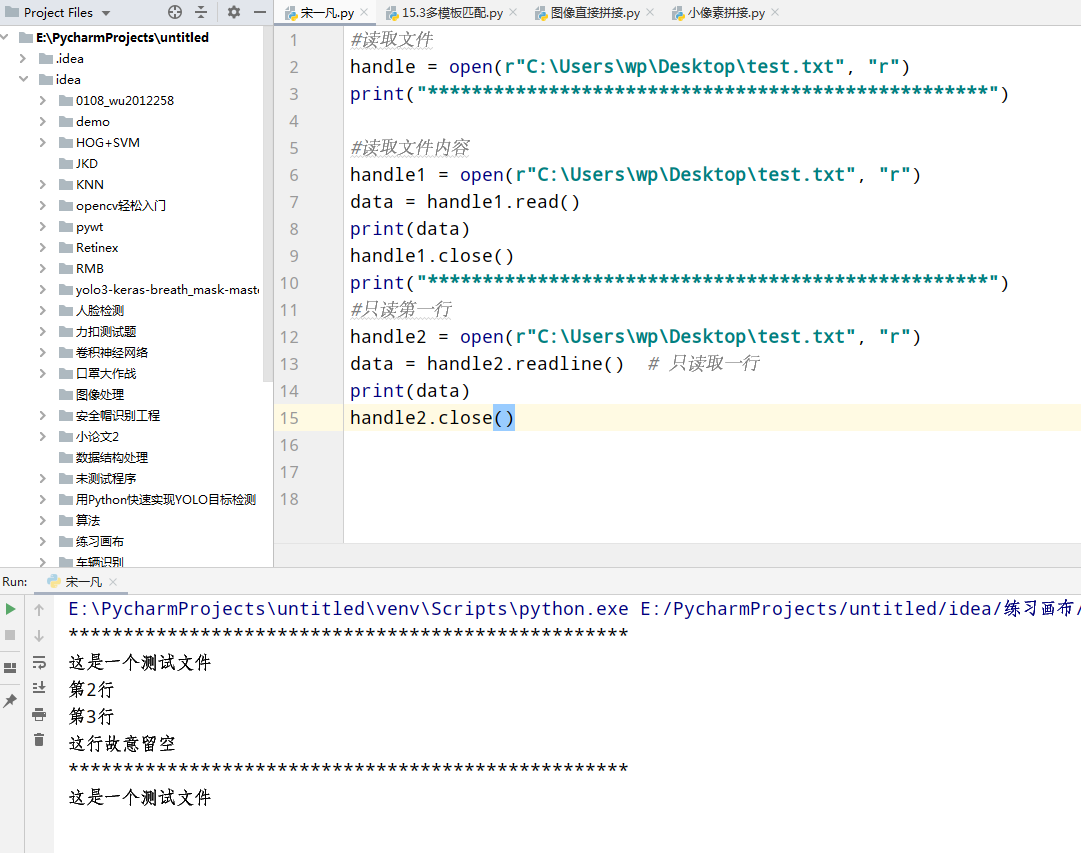
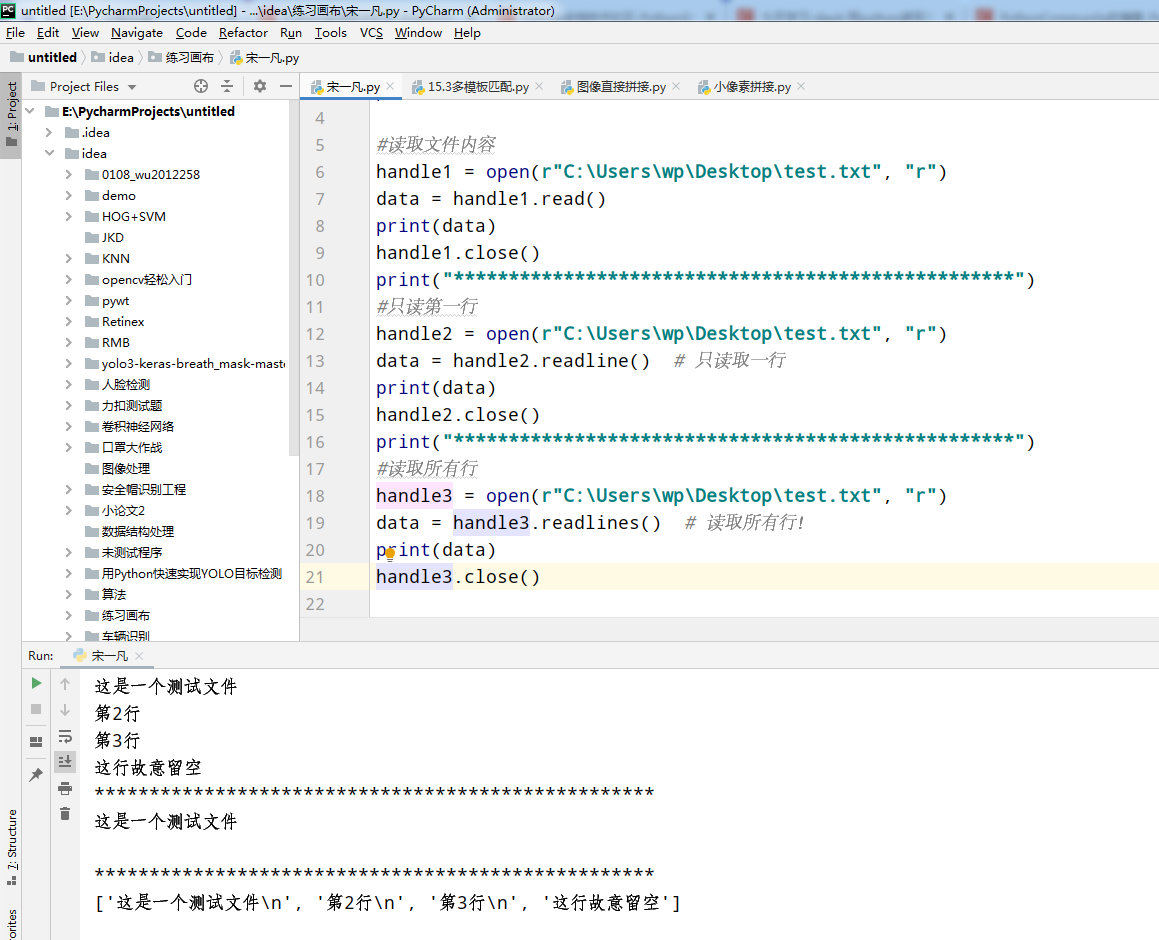
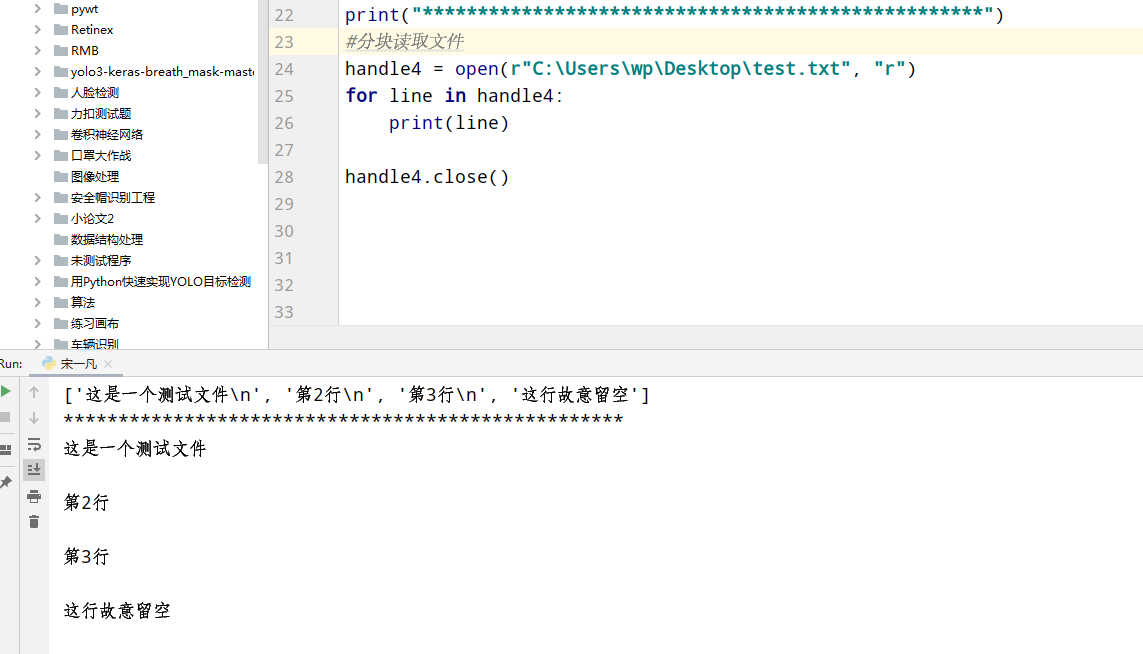
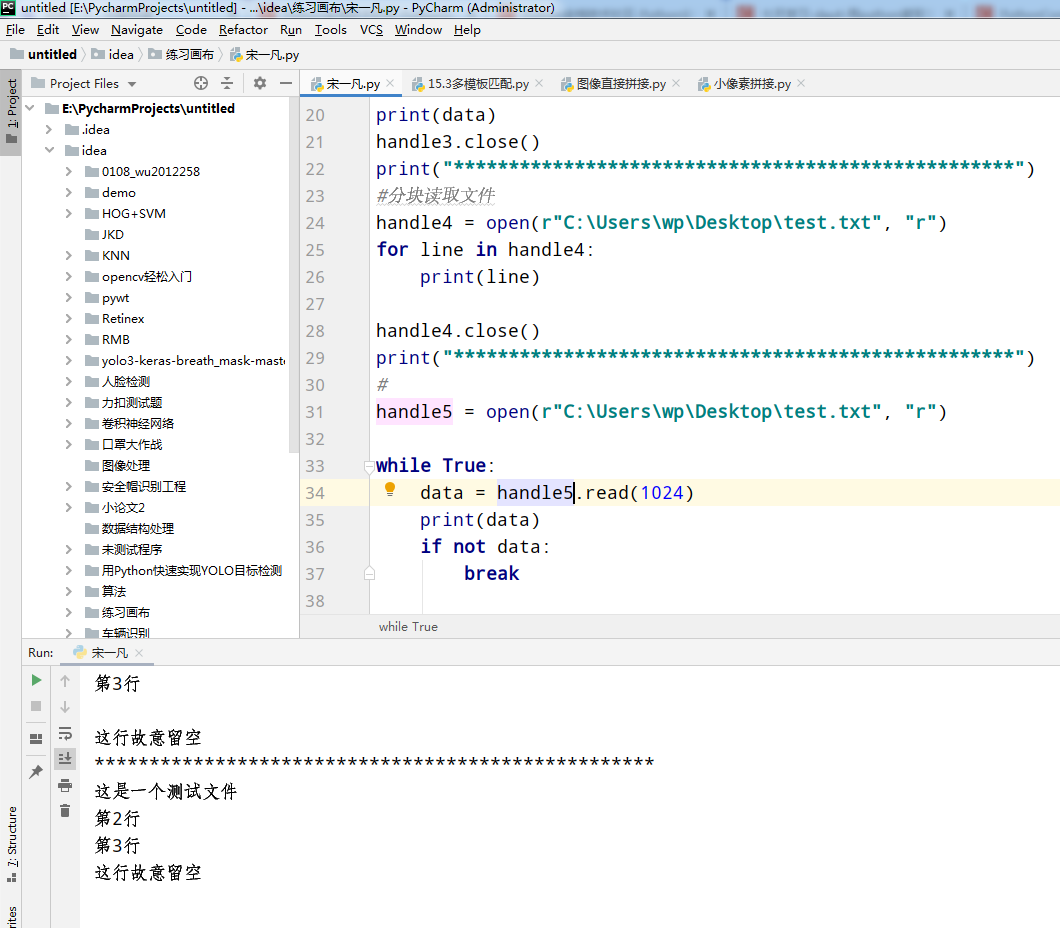
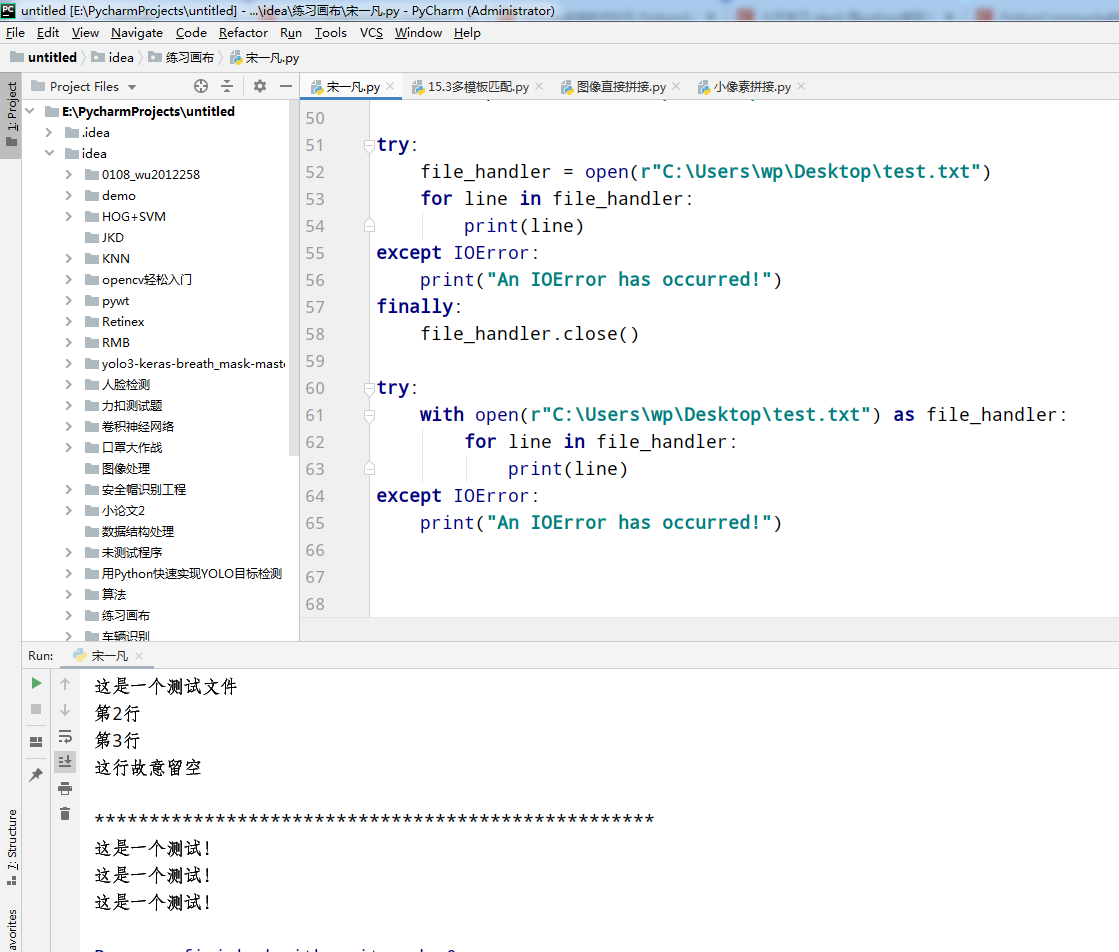
总结:整体来说,今天任务不难,代码见下面
#读取文件
handle = open(r"C:\Users\wp\Desktop\test.txt", "r")
print("***************************************************")

#读取文件内容
handle1 = open(r"C:\Users\wp\Desktop\test.txt", "r")
data = handle1.read()
print(data)
handle1.close()
print("***************************************************")
#只读第一行
handle2 = open(r"C:\Users\wp\Desktop\test.txt", "r")
data = handle2.readline()  # 只读取一行
print(data)
handle2.close()
print("***************************************************")
#读取所有行
handle3 = open(r"C:\Users\wp\Desktop\test.txt", "r")
data = handle3.readlines()  # 读取所有行!
print(data)
handle3.close()
print("***************************************************")
#分块读取文件
handle4 = open(r"C:\Users\wp\Desktop\test.txt", "r")
for line in handle4:
    print(line)

handle4.close()
print("***************************************************")
#
handle5 = open(r"C:\Users\wp\Desktop\test.txt", "r")

while True:
    data = handle5.read(1024)
    print(data)
    if not data:
        break


print("***************************************************")
#handle6 = open("test.pdf", "rb")
handle7 = open(r"C:\Users\wp\Desktop\test.txt", "w")
handle7.write("这是一个测试!")
handle7.close()

with open(r"C:\Users\wp\Desktop\test.txt") as file_handler:
    for line in file_handler:
        print(line)
handle = open(r"C:\Users\wp\Desktop\test.txt")

try:
    file_handler = open(r"C:\Users\wp\Desktop\test.txt")
    for line in file_handler:
        print(line)
except IOError:
    print("An IOError has occurred!")
finally:
    file_handler.close()

try:
    with open(r"C:\Users\wp\Desktop\test.txt") as file_handler:
        for line in file_handler:
            print(line)
except IOError:
    print("An IOError has occurred!")
...全文
相关推荐
python-Day07.rar
在Python编程语言的学习过程中,"Day07"可能代表着一个教学日程或者课程模块,重点关注的是第七天所涉及的主题和概念。
【飞桨深度学习 && 百度七日打卡 && Python小白逆袭大神】Day5:综合大作业
编程语言,旨在帮助Python新手在短短七天内快速提升技能,实现从入门到精通的转变。
8天高强度Python训练营day5-8天课件.zip
学员将学习如何利用Python处理数据,例如读写文件、处理CSV或Excel文件,进行数据清洗和预处理。
day07.zip
在这种情况下,我们只能根据压缩包的命名习惯和常规文件归档策略来进行推测。通常情况下,类似命名的压缩包可能是某个项目或课程的一部分,例如可能是第七天的学习资料或工作进度的归档。
python进阶-Day7
在Python进阶学习的第七天,我们将深入探讨一些高级特性和技巧,为开发者的编程技能增添更多的深度和宽度。




