福州大学-软件工程EE308-2021秋

EE308-LAB4
 墨衍会员 · AI 创作全网分发 墨衍智能分发 通过墨衍一键同步至各平台 可同步平台 CSDN微信公众号微博知乎掘金百家号博客园抖音小红书 你的文章也可以这样分发 墨衍会员 ¥399起/年,写一次发全网
我也要 关注 + 加入社区
| The Link Your Class | https://bbs.csdn.net/forums/MUEE308FZ?category=0 |
|---|---|
| The Link of Requirement of This Assignment | https://bbs.csdn.net/topics/601188617 |
| MU STU ID and FZU STU ID | 19103662 and 831902222 |
| Teammate's MU STU ID and FZU STU ID | 19105665&831902229 |
| Teammate's blog link | https://bbs.csdn.net/topics/601422564 |
| The Aim of This Assignment | Develop the BoBing software in lab3 |
| Video demo link | https://weibo.com/u/7712185716?is_all=1 |
Directory
1.GitHub Repository
2.PSP form
3.Publish applets
4.Key or difficult functions and programming thinking
5.Team Photo
6.Pair programming experience
7.Three events that take a long time in coding,arguing,reviewing
8.Link to the video demonstration of software running
1.GitHub Repository
You can click here to know our codes and the development of these codes.
2.PSP form
|
Personal Software Process Stage |
Estimated Time/hour |
Real Time/hour |
|
Planning |
180 |
180 |
|
Estimate |
240 |
240 |
|
Development |
360 |
420 |
|
Analysis |
120 |
120 |
|
Design Spec |
60 |
60 |
|
Design Review |
180 |
240 |
|
Coding Standard |
- |
- |
|
Design |
60 |
60 |
|
Test |
120 |
120 |
|
Reporting |
100 |
100 |
|
Test Report |
120 |
120 |
|
Size Measurement |
- |
- |
|
Summary |
1540 |
1660 |
3.Publish applets
We will show you some information about our applet.
First,this is a game lobby.It will show you some game modes.
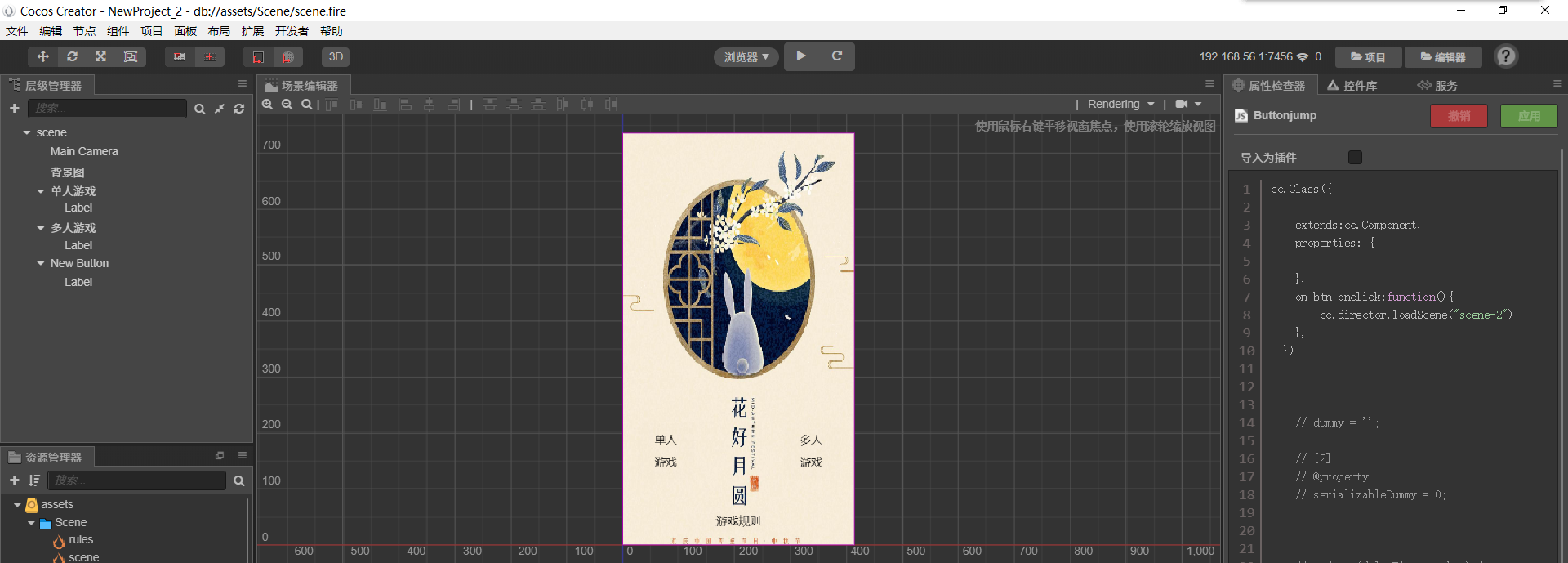
After that,you will enter the single player game interface or multi player game.Now,we see the single player game interface.
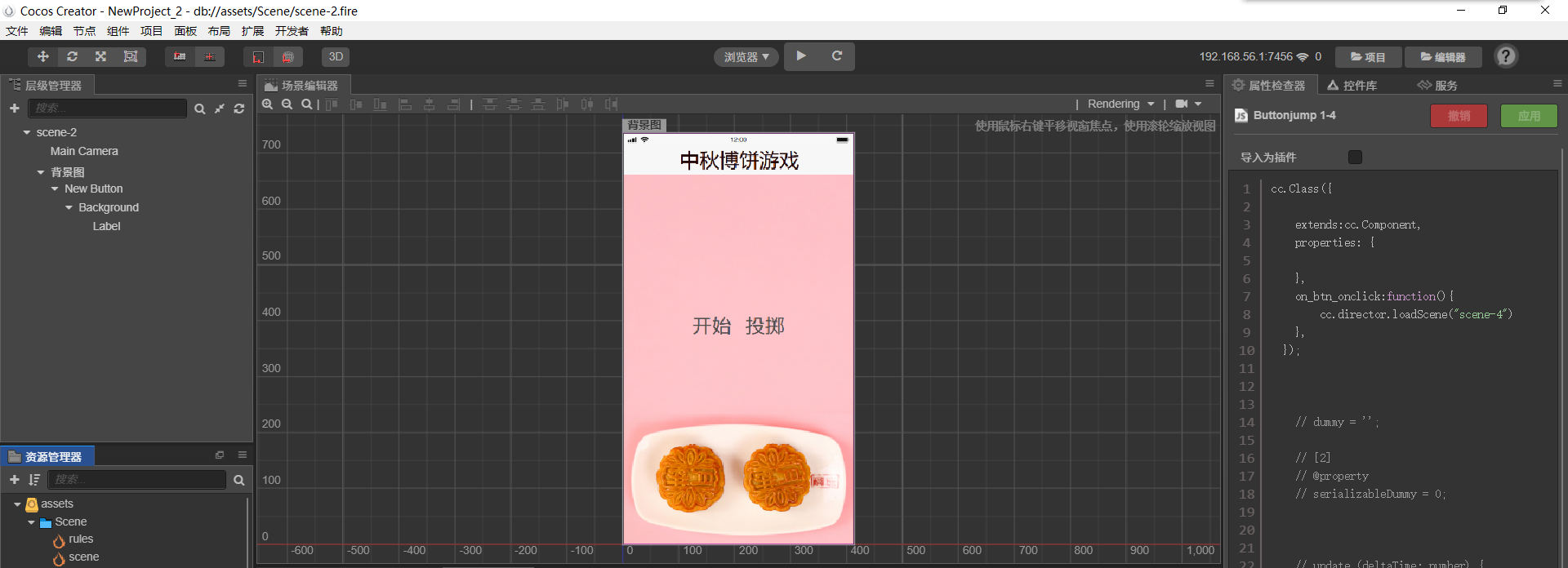
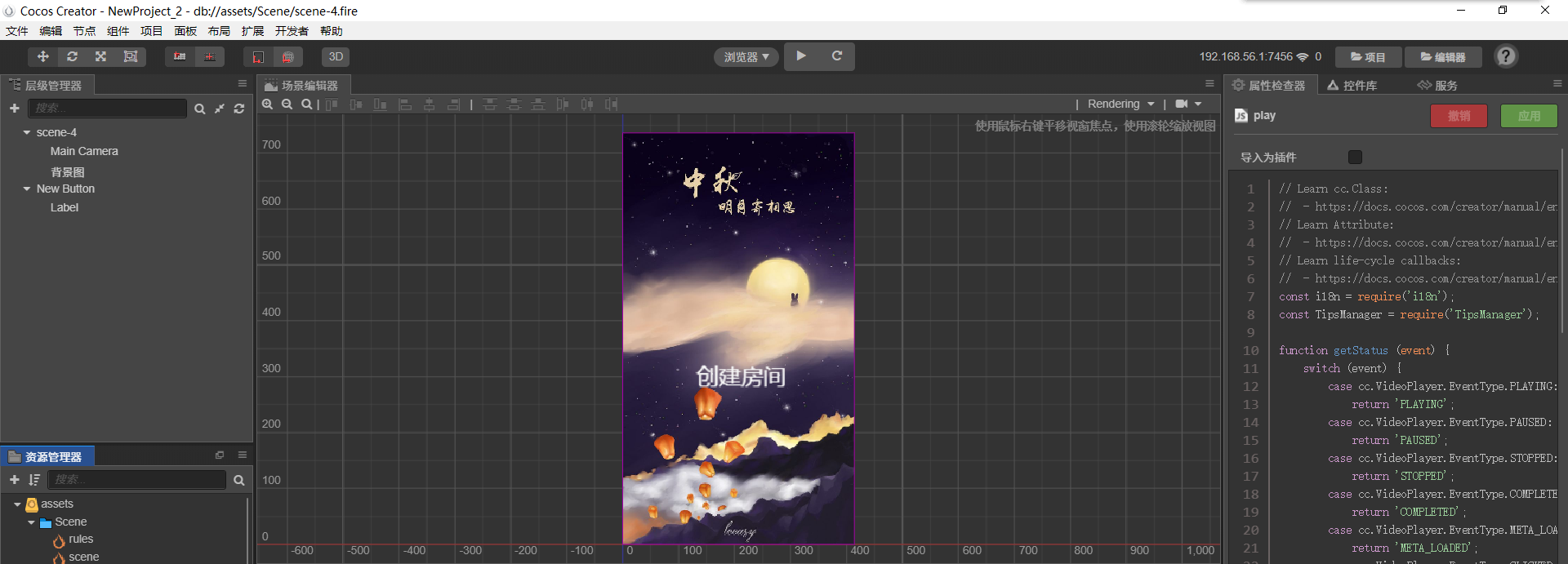
Of courese,if we enter the multi player game interface,we will see the next photo.
4.Key or difficult functions and programming thinking
We didn't know how to make the interface become the next interface through codes.To be honest,it's a pretty difficult question for us.Because we didn't learn JavaScript language and can't design the codes that suit the task.Hence,we have to search for them on CSDN and blibli.Then,we have to modify the codes so that it can meet the request.
Of course,I have to tell a thing that while we we find codes,we don't know the location of codes that we need to modify.Yes,it's a waste of time.We have to modify and test again and again.

5.Team Photo
This is our team picture.

6.Pair programming experience
We realize the importance of cooperation.You know,when we wrote the relative codes,we had a lof of difficulties,such as how to implement the interface turn,and how to design a button so that we can enter the next interface.But we finally solved them.Why?Because,we can spent a great deal of time discussing a problem until it was dealt with.Besides,once we didn't know how to design the next codes,we will search for it online together.In my view,it can improve our speed.After all,unity is strength.

7.Three events that take a long time in coding,arguing,reviewing
i)coding
In this segment,it took me many time in coding.We didn't understand JavaScript language.Therefore we have to learn this from the basic.
ii)arguing
I had a difference in the software with my partner.I prefer to use 微信开发者工具,but my partner likes using cocos creator.Of course,he did it better that I did.So we finally select the software cocos creator.
iii)reviewing
Reviewing is very essential.Because we have to improve our application so that it has no problem.In other words,we have to review again and again.Hence it spends our many time.

8.Link to the video demonstration of software running
The link is our game commentary:
https://weibo.com/u/7712185716?is_all=1

相关推荐
EE-308 LAB4 final version.7z
这是本次实验的压缩包
EE308-Lab8-AlphaSprint-Day4
EE308-Lab8-AlphaSprint-Day4Feedback From Members1. Beichen, ZhouModulePersonal SummaryCode & Results2. Yuwei, JiangModulePersonal SummaryCode & Results3. Yifan, ZhuModulePersonal Summary4. Yifan, ShenModulePersonal SummaryCode & Results5. Shenk
好用免费猴PDM查阅器v1.7
# 好用免费猴PDM查阅器 一个用 Python 写的 **PowerDesigner `.pdm` 模型阅读器**:不用装 PowerDesigner,双击就能把 `.pdm` 里的表、字段、主键、索引、外键、注释全部摊开看,任意内容可直接复制,并一键导出 Excel / HTML / Markdown / 建表 DDL。 - **v1.7**:彻底修掉「再点表就覆盖已打开的 sheet」——已打开的表单独记成一份标签列表,和左侧「选中」不再共用状态,**筛选框找表后再点,永远是新开一个标签、绝不动已有的**;已打开的表在清单里显示为**绿色**,再点它是「切回那个标签」,`Ctrl`+单击才关掉 - **v1.6**:左侧清单**点一下就打开**(不用再按 Ctrl / Shift);启动默认进「标签页切换」;标签页开着 5 张以上时切「并排分屏」会自动弹窗让你挑要保留的 4 张 - **v1.5**:两种多表视图 ——「并排分屏」(≤4 栏,窄栏也显示全部列,Shift+滚轮 / 中键拖动可横向滚动)+「标签页切换」(像 Excel sheet 一样一个表一个标签,最多 12 个,看另一张表时其余自动隐藏);exe 图标改用 Windows 原生多尺寸设置,标题栏/任务栏不再被拉伸糊掉 - **v1.4**:多表分屏 —— 左侧按住 Ctrl / Shift 多选表,右侧每张表开一个独立面板并排展示(最多 4 个,各栏自动等宽),超了会弹窗让你自己挑;exe 换成新的像素猴子图标 - **v1.3**:打开过的文件会被记住,下次启动自动载入同一批模型并回到上次查看的表,不用每次重新选 - **v1.2**:新增程序内复制(任意表格框选 → Ctrl+C / 右键复制,支持 Tab 分隔与 Markdown) - 单文件实现,`pdm_viewer.py` 一个文件
用于计算系统状态的卡尔曼最优增益和最小均方误差(MMSE)估计研究(Matlab代码实现)
内容概要:本文围绕“用于计算系统状态的卡尔曼最优增益和最小均方误差(MMSE)估计研究”展开,系统阐述了卡尔曼滤波在动态系统状态估计中的核心作用,重点探讨了最优增益的递推计算方法与基于最小均方误差准则的状态更新机制。研究内容涵盖线性系统状态估计的完整流程,包括状态预测、协方差传播、创新计算、卡尔曼增益求解及状态校正等关键步骤,并通过Matlab代码实现了算法的仿真验证,展示了其在噪声环境下对系统状态进行高精度跟踪的有效性。文中不仅强调理论推导,还注重工程实现细节,帮助读者深入理解卡尔曼滤波的数学本质与自适应特性。; 适合人群:具备线性代数、概率统计及控制理论基础知识,熟悉Matlab编程语言,从事自动化、电子信息、通信工程、导航制导、信号处理、物联网或智能系统研发等相关领域的研究生、科研人员及工程技术人员。; 使用场景及目标:①应用于传感器数据融合、目标跟踪、惯性导航(如GNSS/INS组合导航)、工业过程监控等存在噪声干扰的状态估计任务;②帮助读者掌握卡尔曼滤波从数学建模到代码实现的全过程,深入理解MMSE估计原理及其在提升系统鲁棒性与精度方面的关键作用;③为后续学习非线性滤波算法(如扩展卡尔曼EKF、无迹卡尔曼UKF)以及更复杂的多传感器融合架构奠定坚实的理论与实践基础。; 阅读建议:建议读者结合提供的Matlab代码逐行调试运行,重点关注预测与更新过程中各矩阵的维度变化与数值演化,尝试调整过程噪声与观测噪声的协方差参数,观察其对滤波收敛速度、估计精度及卡尔曼增益自适应调节的影响,从而深刻领会滤波器的设计思想与调参技巧。
适合政府进行产业链技术缺口识别的分析工具有哪些?.docx
科易网基于行业知识库+行业大数据+科技资源要素+AI模型,以AI,赋能技术转移、成果转化、技术经理人培训、知识产权管理、区域产业分析与布局、地方科技招商、创新创业大赛等场景,推出科技创新领域的AI工具、场景化服务和数智化解决方案,推动科技创新与产业创新智能化发展。