FZU-SE-EE308-2022秋

EE308 LAB2-2
 墨衍会员 · AI 创作全网分发 墨衍智能分发 通过墨衍一键同步至各平台 可同步平台 CSDN微信公众号微博知乎掘金百家号博客园抖音小红书 你的文章也可以这样分发 墨衍会员 ¥399起/年,写一次发全网
我也要 关注 + 加入社区
| The Link Your Class | https://bbs.csdn.net/forums/MUEE308FZU202201 |
| The Link of Requirement of This Assignment | https://bbs.csdn.net/topics/608859318 |
| MU STU ID and FZU STU ID | 20122772_832001311 |
| Teammate's MU STU ID and FZU STU ID | 20124503_832001306 |
| Teammate's blog link | https://bbs.csdn.net/topics/609240670 |
| GitHub link | https://github.com/li123sq/lab2-2 |
| Video demo link | Video |
目录
1.PSP and learning progress bar
3. Pair programming experience
4.Events that take a long time
1.PSP and learning progress bar
| Personal Software Process Stages | Estimated time (minutes) | Real time (minutes) |
|---|---|---|
| Planning | 10 | 20 |
| Estimate | - | - |
| Development | 300 | 500 |
| Analysis | 30 | 40 |
| Design Spec | 60 | 90 |
| Design Review | 30 | 30 |
| Coding Standard | 10 | 10 |
| Design | 45 | 60 |
| Coding | 600 | 900 |
| Code Review | 30 | 60 |
| Test | 60 | 45 |
| Reporting | - | - |
| Test Report | 20 | 15 |
| Size Measurement | 10 | 20 |
| Postmortem & Process Improvement Plan | 20 | 60 |
| total | 1225 | 1850 |
Learning progress bar
| week | Added code (line) | Cumulative code (lines) | Study Time this week (hours) | Cumulative learning time (hours) | Important Growth |
|---|---|---|---|---|---|
| 1 | 200 | 200 | 5 | 5 | The first week we learned vs and unity, but unity didn't work after many attempts and we were ready to change direction |
| 2 | 300 | 500 | 6 | 11 | The second week we used vs and learned about winform. |
2.Key points of programming
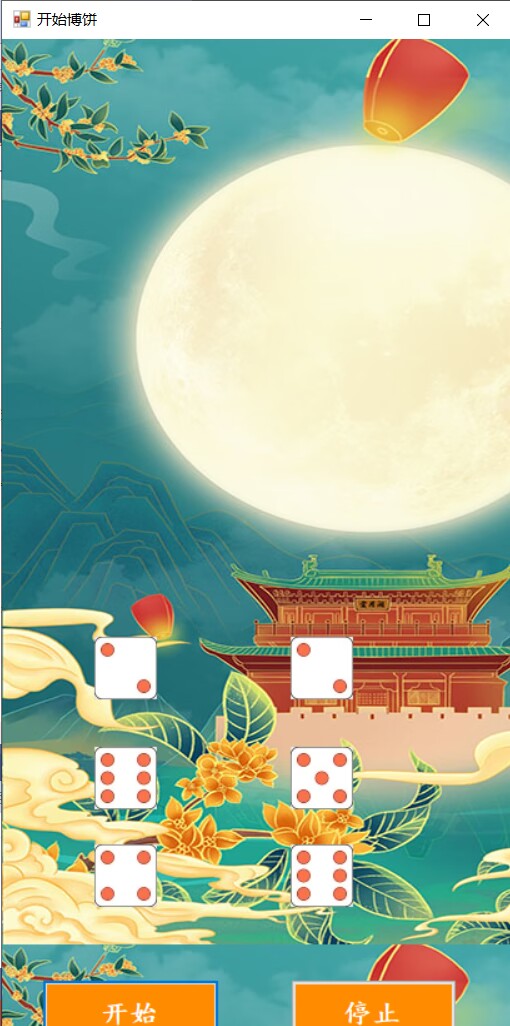
1.The first key point we think is the random generation of dice roll and the determination of six random dice roll sets.
        private void timer1_Tick(object sender, EventArgs e)
        {
            for (int i=0; i < 7; i++)
                count[i] = 0;
            Random randomNumbers = new Random();
            a[1] = randomNumbers.Next(1, 7); count[a[1]]++;
            pictureBox1.Image = (Image)
                (Properties.Resources.ResourceManager.GetObject(string.Format("_{0}", a[1])));
            a[2] = randomNumbers.Next(1, 7); count[a[2]]++;
            pictureBox2.Image = (Image)
               (Properties.Resources.ResourceManager.GetObject(string.Format("_{0}", a[2])));
            a[3] = randomNumbers.Next(1, 7); count[a[3]]++;
            pictureBox3.Image = (Image)
              (Properties.Resources.ResourceManager.GetObject(string.Format("_{0}", a[3])));
            a[4] = randomNumbers.Next(1, 7); count[a[4]]++;
            pictureBox4.Image = (Image)
               (Properties.Resources.ResourceManager.GetObject(string.Format("_{0}", a[4])));
            a[5] = randomNumbers.Next(1, 7); count[a[5]]++;
            pictureBox5.Image = (Image)
               (Properties.Resources.ResourceManager.GetObject(string.Format("_{0}", a[5])));
            a[6] = randomNumbers.Next(1, 7); count[a[6]]++;
            pictureBox6.Image = (Image)
               (Properties.Resources.ResourceManager.GetObject(string.Format("_{0}", a[6])));

        }
        private void Play()
        {
             if (count[4] == 6)
                MessageBox.Show("恭喜你,满堂红!博饼积分+800。\n");
            else if (count[4] == 5)
                MessageBox.Show("恭喜你,五红!博饼积分+300。\n");
            else if (count[4] == 4)
            {
                if (count[1] == 2)
                    MessageBox.Show("恭喜你,状元插金花!博饼积分+1000。\n");
                else
                    MessageBox.Show("恭喜你,状元!博饼积分+500。\n");
            }
            else if (count[4] == 3)
                MessageBox.Show("恭喜你,三红!博饼积分+200。\n");
            else if (count[4] == 2)
            {
                if (count[1] == 4 || count[2] == 4 || count[3] == 4 || count[5] == 4 || count[6] == 4)
                    MessageBox.Show("恭喜你,四进!博饼积分+100。\n");
                else
                    MessageBox.Show("恭喜你,二举!博饼积分+50。\n");
            }
            else if (count[4] == 1)
            {
                if (count[1] == 4 || count[2] == 4 || count[3] == 4 || count[5] == 4 || count[6] == 4)
                    MessageBox.Show("恭喜你,四进!博饼积分+100。\n");
                else if (count[1] == 5 || count[2] == 5 || count[3] == 5 || count[5] == 5 || count[6] == 5)
                    MessageBox.Show("恭喜你,五子!博饼积分+100。\n");
                else if (count[1] == 1 && count[2] == 1 && count[3] == 1 && count[5] == 1 && count[6] == 1)
                    MessageBox.Show("恭喜你,对堂!博饼积分+300。\n");
                else
                    MessageBox.Show("恭喜你,一秀!博饼积分+10。\n");
            }
            else if (count[4] == 0)
            {
                if (count[1] == 6 || count[2] == 6 || count[3] == 6 || count[5] == 6 || count[6] == 6)
                    MessageBox.Show("人品爆发,可惜要接受惩罚...\n");
                else if (count[1] == 5 || count[2] == 5 || count[3] == 5 || count[5] == 5 || count[6] == 5)
                    MessageBox.Show("恭喜你,五子!博饼积分+500。\n");
                else if (count[1] == 4 || count[2] == 4 || count[3] == 4 || count[5] == 4 || count[6] == 4)
                    MessageBox.Show("恭喜你,四进!博饼积分+100。\n");
                else
                    MessageBox.Show("很遗憾,没有积分,下次继续努力!\n");
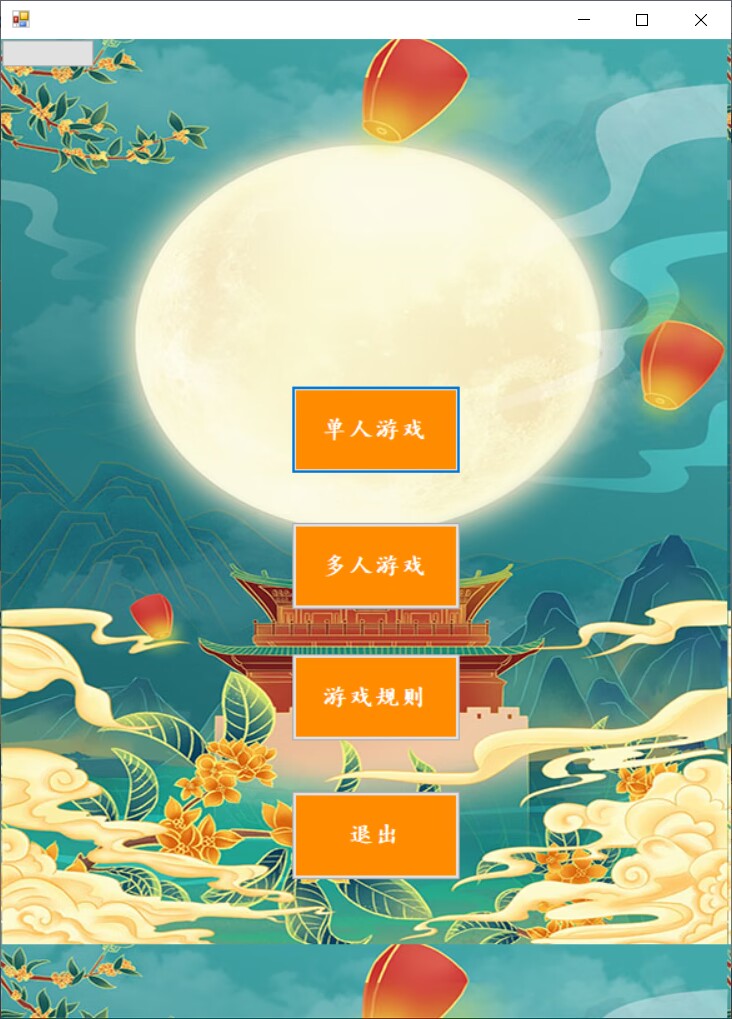
2.The second key point we consider is the interaction between the button and the window.
public Form1()
        {
            InitializeComponent();
        }

        private void button1_Click(object sender, EventArgs e)
        {
            GAME g = new GAME();
            g.ShowDialog();
        }

        private void button2_Click(object sender, EventArgs e)
        {
            RULE r = new RULE();
            r.ShowDialog();
        }

        private void button3_Click(object sender, EventArgs e)
        {
            Application.Exit();
        }

        private void button6_Click(object sender, EventArgs e)
        {
            GAME g = new GAME();
            g.ShowDialog();
        }
        private void Form1_Load(object sender, EventArgs e)
        {
           // Cursor = new Cursor("1.cur");
        }
    }
}

3. Pair programming experience
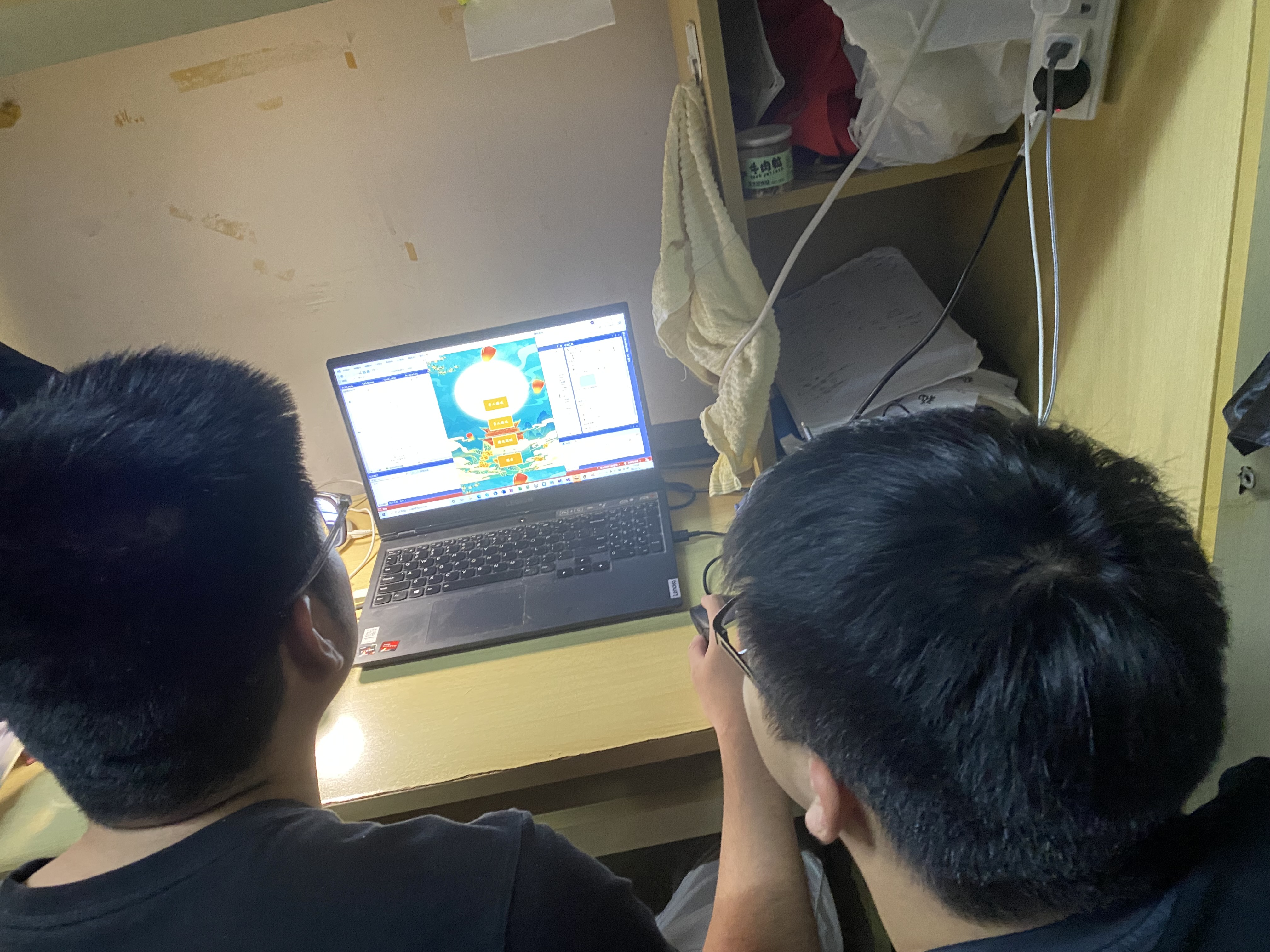
In this project, I was first responsible for the product design of our team by using AXURE PR9, while my teammates were learning VS software while I was doing product design. After finishing the product design, I joined in the study of VS. Then the two of us wrote the code together to complete the project. I was responsible for writing the interaction between buttons and Windows, and my teammates were responsible for the random number generation and determination of dice.In the process of completing tasks, our team members would keep proper communication with each other, discuss with them when faced with difficulties, and let each other know the progress of their tasks at any time. When the task is completed to a certain extent, we will merge the corresponding parts of the code for code detection, so as to complete the task more efficiently. This is the experience of our group.
4.Events that take a long time
1)At the beginning, our team planned to make a pie software apk by using VS and unity. At the beginning, we used loop statements and iterative functions in VS to generate six dice and random points on the dice. We could read the roll of one die, but we couldn't read the roll of six dice, and we couldn't fix the bug after many attempts, so we abandoned unity.
2)We learned about form building and various uses of the components in it, such as button interaction and background image Settings.
3)We understood the specific needs of the project, and then began to design the game interface. At first, we hoped to realize the animation of dice throwing through the dynamic graph, but later we thought it was not intuitive enough, so we used the change of the specific points of each dice to realize the display of the specific number.
4)It took us a lot of time to realize the coding of random numbers, and it was also time-consuming for the collection of random numbers to correspond to each award, as well as to display the output results in the form.
5.Photo
6.Summary
In this experiment, I learned professional knowledge about VS and winform. I think this experiment is a new breakthrough for me and my teammates. I hope we can absorb the experience from this experiment and better apply it to the next experiment.
相关推荐
EE-308 LAB4 final version.7z
这是本次实验的压缩包
产业园区如何提升科技企业技术需求匹配精准度?.docx
科易网基于AI模型+行业大数据,在技术转移、成果转化、技术经纪、知识产权、产业创新、科技招商等垂直领域的多样化应用场景,推出科技创新领域的AI+工具与数智化解决方案,推动科技创新与产业创新智能化发展。
Redis集群部署+Redis 链接地址放入Aollo +c#项目接入Redis
Redis集群部署+Redis 链接地址放入Aollo +c#项目接入Redis
cover_1793582495122.png
cover_1793582495122.png
国央企创新负责人如何高效配置分散的科技创新资源?.docx
科易网基于AI模型+行业大数据,在技术转移、成果转化、技术经纪、知识产权、产业创新、科技招商等垂直领域的多样化应用场景,推出科技创新领域的AI+工具与数智化解决方案,推动科技创新与产业创新智能化发展。