

 FZU-SE-EE308-2022秋









MU-SE: Course summary

 墨衍会员 · AI 创作全网分发 墨衍智能分发 通过墨衍一键同步至各平台 可同步平台 CSDN微信公众号微博知乎掘金百家号博客园抖音小红书 你的文章也可以这样分发 墨衍会员 ¥399起/年,写一次发全网
我也要 关注 + 加入社区
墨衍会员 · AI 创作全网分发 墨衍智能分发 通过墨衍一键同步至各平台 可同步平台 CSDN微信公众号微博知乎掘金百家号博客园抖音小红书 你的文章也可以这样分发 墨衍会员 ¥399起/年,写一次发全网
我也要 关注 + 加入社区| The Link Your Class | My class |
| The Link of Requirements of This Assignment | Summary |
| MU STU ID and FZU STU ID | 20124708_832001211 |
| Video demo link | Video |
| GitHub link | GitHub |
Contents
2.4 team project practice experience summary
1. The CSDN links of each Lab
Lab1-1: <Lab1-1>
Lab1-2: <Lab1-2>
Lab2-1: <Lab2-1>
Lab2-2: <Lab2-2>
Lab3-1: <Lab3-1>
Lab3-2: <Lab3-2>
2. Summary and harvest
2.1 personal programming
At first I thought that designing and developing a piece of software was a difficult thing for me to accomplish. But after finishing this semester's software engineering course, I learned a lot about designing a software and developing software knowledge. For a software development, it is very important to sort out the logical framework in the early stage. I learned to draw uml diagrams, various test methods, calculate critical paths, and more. I used the ink knife in the design of the prototype. In terms of technology, I learned to use Java, wechat developer tools, Android studio and other software development and programming tools, and got to know various matters of front-end development. In a word, I grow a lot.
2.2 pair programming
In this pair programming, I started from scratch and independently learned how to use WeChat developer tools, and had a deeper understanding of front-end development such as WeChat mini program, which is very beneficial for our future development. I also put a lot of effort into the UI design and learned how to use PS and Ai to complete our UI background and UI ICONS. In terms of code writing, I optimized the logic of dice rolling and final result calculation, which made my program run faster.
I am also more accustomed to teamwork, so that I can perform my respective duties and make progress together. In cooperation, I can find the shortcomings of myself and correct them in time.
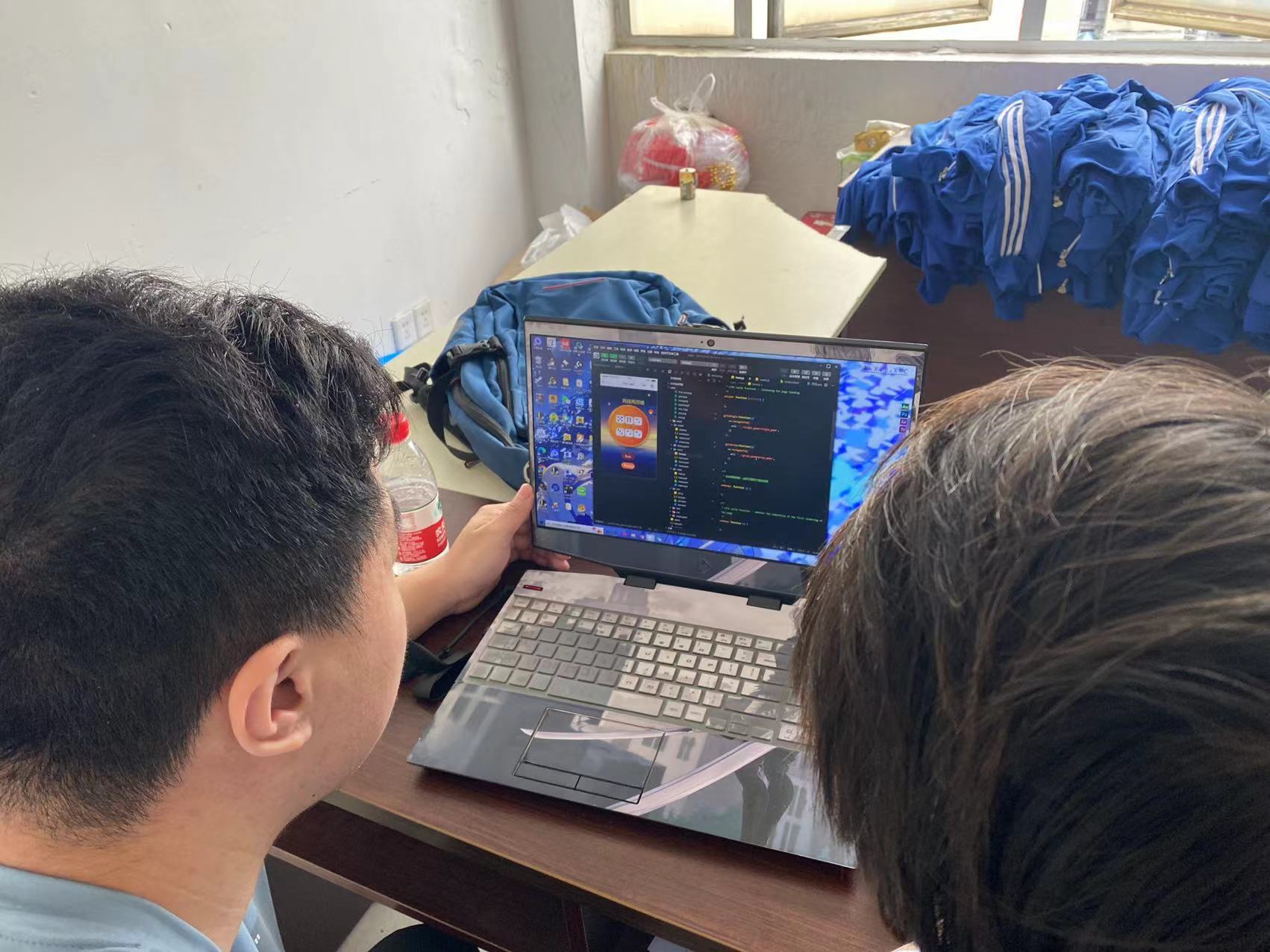
2.3 on-site programming
2.4 team project practice experience summary
In large-scale projects, our team developed "Sports Mei" APP, a college student sports app integrating sports socializing, sports planning and data recording. In this process, I found that demand analysis and reasonable division of labor of the team are very important. In requirements analysis, I learned how to draw uml diagrams and write requirements documents. In teamwork, we assign different tasks according to people's abilities and priorities, and each person needs to complete the assigned tasks. Team collaboration also requires careful data definition to prevent massive changes later in the programming process.
3. Technology and tools
tools: Wechat developer tool, Android Studio
technology summary:
1. Id can not be the same in the same HTML file. Ids are named with underscores (_), class (_), and variable hump type
2. The timer must be cleared before use. If there are multiple timers on a page at the same time, the timer can be clearly written in a function to avoid the nested call of the timer
3. The Js file is introduced in order. For dependent files, for example, jquery.js should be imported between bootstrap.js; A js file that does not rely on event handling that is not related to the DOM tree for the initial rendering of the page is introduced at the bottom of the body to facilitate browser rendering of the page
4. Reduce the use of global variables in the js file to avoid redefinition coverage; Reduce the use of closures to avoid memory overflow
5. Determine the front-end technology and project architecture construction, and specify the adapted device, browser and screen resolution
6. Modular development, high cohesion and low coupling, improve code reusability, reduce redundancy
7. Js to achieve hierarchical processing, base layer (compatible with different browsers), common layer (packaging common processing function)
8. Page layer unified entry function init(), easy maintenance
4. Own ideas
After learning this software engineering course, my ability has been greatly improved, and a lot of knowledge which had been vacant has been supplemented. I also have a clearer orientation for the future. After completing the undergraduate study, I will go abroad for further study and pursue a master's degree until I get a job in the future. I really hope to have the opportunity to engage in software development in the future!

5.Video and GitHub Link
Software Project Demonstration Video: Video
Github link:
TeamCode: Code
TeamFile:File
相关推荐
get_data_course_project:获取数据 Coursera 课程的课程项目
get_data_course_project 获取数据 Coursera 课程的课程项目 存储库包含以下文件: 'run_analysis.R' : Runs analysis on data set from the Human Activity Recognition Using Smartphone Dataset Version 1.0 'tidy_data_summary.txt' : A summary text file with mean values for each mean/std column corresponding to each subject and activity. 要求: You must have the dplyr library to run run_analysis.R 指示: To run run_analysis
tidyverse数据工作流:从Tidy Data原则到端到端分析实战
tidyverse不是R语言的语法糖,而是基于‘整洁数据’(Tidy Data)原则构建的现代数据科学工作流操作系统。其核心在于将数据清洗、变换、聚合与可视化封装为可组合、可复用、可调试的原子操作,显著降低认知负荷与工程风险。通过dplyr的管道链式操作和ggplot2的图形语法,用户能以接近自然语言的表达完成复杂分析任务;而tibble、readr、purrr等组件协同保障数据类型安全与缺失值处理一致性。在真实场景如Titanic生存率分析中,它支撑从原始CSV加载、缺失值智能填充、分组统计到动态可视化的
SAS有序分类数据建模:Binary、Binomial与Beta分布选择指南
有序分类数据(ordinal data)是一类常见但易被误用的数据类型,其数值仅表征顺序关系,不具等距性或正态性,无法直接套用线性回归或t检验。其建模核心在于理解潜变量生成机制——通过累积概率(cumulative probability)将离散等级映射为连续潜在尺度。Binary路径基于多层二元分割,适合解释性强的基础分析;Binomial路径依托潜变量框架,天然适配聚类与重复测量场景;Beta分布则专精于[0,1]区间比例型有序指标,可灵活刻画U形、偏态等真实分布形态。三者分别对应SAS中PROC LO
无刷直流电机模糊神经网络PID-模糊PID-传统PID三种控制对比Simulink仿真
内容概要:本文系统研究了无刷直流电机(BLDCM)在Simulink环境下的三种控制策略:传统PID控制、模糊PID控制以及模糊神经网络PID控制。研究基于三相桥式星型全控电路结构,构建了转速电流双闭环控制系统,并通过Matlab/Simulink搭建仿真模型,全面对比分析了三种算法在动态响应速度、稳态精度、抗干扰能力及系统鲁棒性等方面的性能差异。文章深入阐述了各控制方法的设计原理与实现机制,重点突出了模糊逻辑与神经网络在自适应调节PID参数方面的优势,验证了智能控制算法在提升电机控制品质上的显著效果。同时,文档提供了详实的仿真资源、参考文献和技术说明,有助于读者复现实验并深化对先进控制策略的理解与应用。 适合人群:具备自动控制理论基础和MATLAB/Simulink仿真能力的电气工程、自动化及相关专业的研究生、科研人员及工程技术人员,特别适用于从事电机驱动系统设计、智能控制算法开发等领域的专业人士。 使用场景及目标:①用于教学与科研中对比分析传统PID、模糊PID与模糊神经网络PID在无刷直流电机调速系统中的控制性能差异;②为高性能电机控制器的设计与优化提供仿真验证平台,支持参数整定与控制策略选型;③辅助完成毕业设计、科研项目或工业应用中的控制算法评估与改进。 阅读建议:建议读者结合所提供的Simulink模型与参考文献,逐步复现仿真过程,重点关注不同控制器的参数整定方法、响应曲线特征及其在负载扰动下的表现。可进一步拓展研究方向,如引入无位置传感器控制、滑模观测器或模型预测控制等先进控制技术,以深化对现代电机智能控制体系的理解与创新能力。
分省份-城投债信用利差跟踪(私募债)20260206.xlsx
分省份-城投债信用利差跟踪(私募债)20260206.xlsx




