如何提取矩形轮廓、并统计各条轮廓线所占的像素点数目

玄机21 2023-06-06 15:29:55
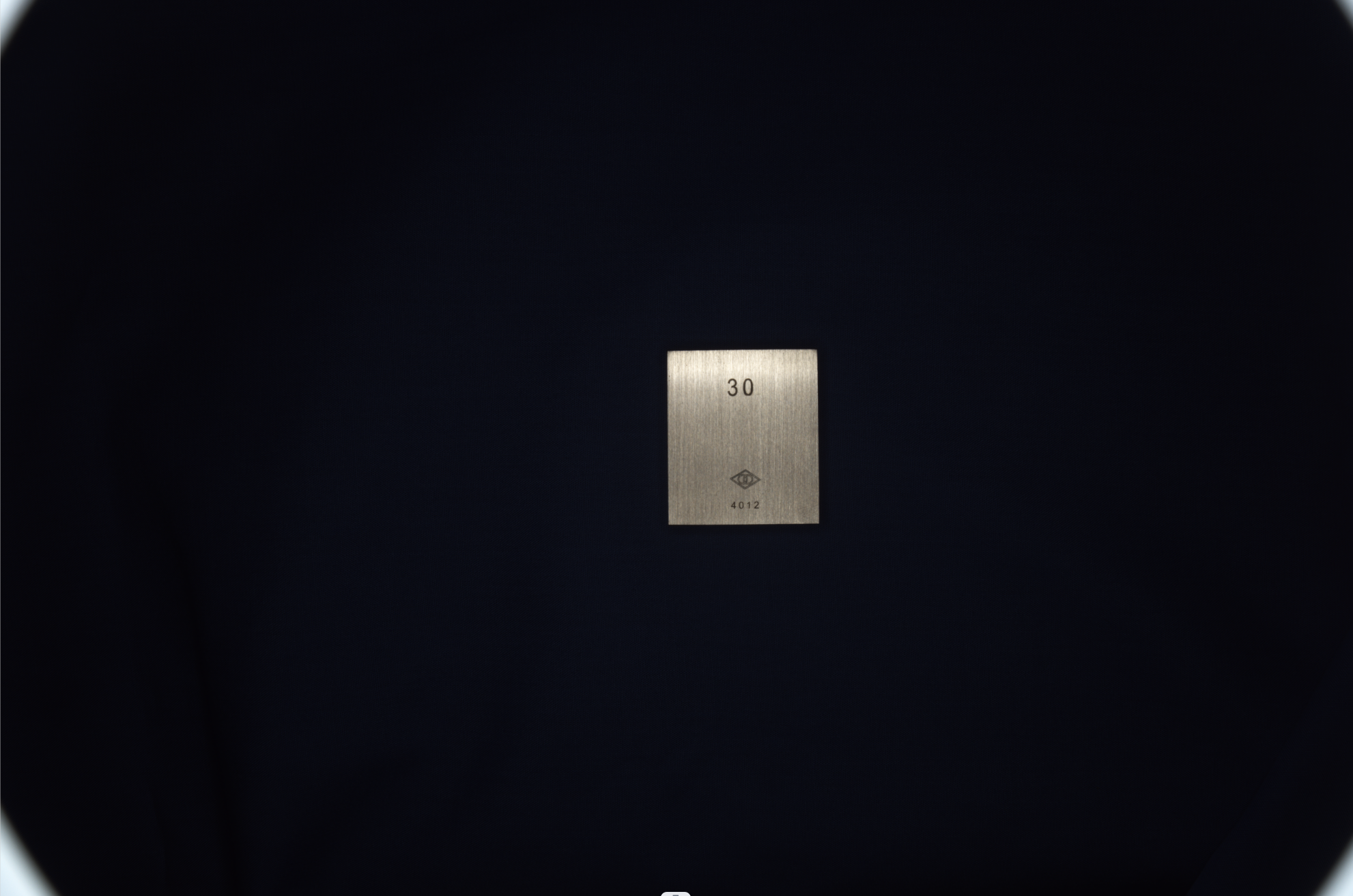
使用的cv2.findContours(canny, cv2.RETR_EXTERNAL, cv2.CHAIN_APPROX_SIMPLE)提取的矩形物体最外层的轮廓,请大佬说一下详细思路或步骤


...全文
514 3 打赏 收藏 转发到动态 举报
写回复
用AI写文章
3 条回复
切换为时间正序
请发表友善的回复…
发表回复
CSDN-Ada助手 2023-06-06
精选
  • 打赏
  • 举报
回复
您的问题已经帮您同步至问答, 链接: https://ask.csdn.net/questions/7958974, 请您保持关注, 如果回答有帮助解决此问题, 麻烦您动动小手给相关的回答点赞, Ada会在评论区为您更新结题状态
MWWZ 2023-07-28
  • 打赏
  • 举报
回复 1

你好,我有一个模板匹配的工具,可以创建一个矩形的模板,行列方向可以是不同缩放尺度,具体可以看我的博客,也有程序可以下载,希望能帮到你

img

img

赵4老师 2023-06-06
  • 打赏
  • 举报
回复 1

仅供参考:

#include "opencv2/highgui/highgui.hpp"
#include "opencv2/imgproc/imgproc.hpp"
#include "opencv2/imgproc/imgproc_c.h"
#include "opencv2\highgui\highgui_c.h"
using namespace std;
using namespace cv;
Mat img,smallImg,gray,bw;
vector<Vec4i> hierarchy;
vector<vector<Point> > contours;
int threshval=128;
Rect r;
Rect maxrect,brect;
int idx,n;
const static Scalar colors[15]={
    CV_RGB(  0,  0,128),
    CV_RGB(  0,128,  0),
    CV_RGB(  0,128,128),
    CV_RGB(128,  0,  0),
    CV_RGB(128,  0,128),
    CV_RGB(128,128,  0),
    CV_RGB(128,128,128),
    CV_RGB(160,160,160),
    CV_RGB(  0,  0,255),
    CV_RGB(  0,255,  0),
    CV_RGB(  0,255,255),
    CV_RGB(255,  0,  0),
    CV_RGB(255,  0,255),
    CV_RGB(255,255,  0),
    CV_RGB(255,255,255),
};
Scalar color;
void gamma_correct(Mat& img, Mat& dst, double gamma) {
    Mat tmp;

    img.convertTo(tmp, CV_32FC1, 1.0/255.0, 0.0);
    pow(tmp, gamma, tmp);
    tmp.convertTo(dst , CV_8UC1,     255.0, 0.0);
}
int main() {
    cvNamedWindow("display",1);
    img=imread("image.jpg",1);
    r.x     =img.cols*1/10;
    r.y     =img.rows*1/5;
    r.width =img.cols*8/10;
    r.height=img.rows*3/5;
    smallImg=img(r);
    cvtColor(smallImg,gray,CV_BGR2GRAY);
//  medianBlur(gray,gray,5);
    equalizeHist(gray,gray);
    gamma_correct(gray,gray,4.0);
    imshow("display",gray);
    waitKey(0);

    bw=(gray>threshval);
    imshow("display",bw);
    waitKey(0);

//  Mat Structure1=getStructuringElement(MORPH_RECT   ,Size(6,6));
    Mat Structure1=getStructuringElement(MORPH_ELLIPSE,Size(6,6));
    dilate(bw,bw,Structure1, Point(-1,-1));
    imshow("display",bw);
    waitKey(0);

    Mat Structure0=getStructuringElement(MORPH_RECT   ,Size(3,3));
    Mat Structure0=getStructuringElement(MORPH_ELLIPSE,Size(3,3));
    erode(bw,bw,Structure0,Point(-1,-1));
    imshow("display",bw);
    waitKey(0);

    findContours(bw,contours,hierarchy,RETR_EXTERNAL,CHAIN_APPROX_SIMPLE);
    if (!contours.empty()&&!hierarchy.empty()) {
        idx=0;
        n=0;
        vector<Point> approx;
        for (;idx>=0;idx=hierarchy[idx][0]) {
            color=colors[idx%15];
//          drawContours(smallImg,contours,idx,color,1,8,hierarchy);
            approxPolyDP(Mat(contours[idx]), approx, arcLength(Mat(contours[idx]), true)*0.005, true);//0.005为将毛边拉直的系数
            const Point* p = &approx[0];
            int m=(int)approx.size();
            polylines(smallImg, &p, &m, 1, true, color);
            circle(smallImg,Point(p[0].x,p[0].y),3,color);
            circle(smallImg,Point(p[1].x,p[1].y),2,color);
            for (int i=2;i<m;i++) circle(smallImg,Point(p[i].x,p[i].y),1,color);
            n++;
            if (1==n) {
                maxrect=boundingRect(Mat(contours[idx]));
            } else {
                brect=boundingRect(Mat(contours[idx]));
                CvRect mr;
                mr.x=maxrect.x;
                mr.y=maxrect.y;
                mr.width=maxrect.width;
                mr.height=maxrect.height;
                CvRect br;
                br.x=brect.x;
                br.y=brect.y;
                br.width=brect.width;
                br.height=brect.height;
                maxrect=cvMaxRect(&mr,&br);
            }
        }
        circle(smallImg,Point(maxrect.x+maxrect.width/2,maxrect.y+maxrect.height/2),2,CV_RGB(255,0,0));
    }
    imshow("display",smallImg);
    waitKey(0);
    cvDestroyWindow("display");
    return 0;
}


4,512

社区成员

发帖
与我相关
我的任务
社区描述
图形图像/机器视觉
社区管理员
  • 机器视觉
  • 迪菲赫尔曼
加入社区
  • 近7日
  • 近30日
  • 至今
社区公告
暂无公告

试试用AI创作助手写篇文章吧
