


122
社区成员
 发帖
发帖 与我相关
与我相关 我的任务
我的任务
 分享
分享| 这个作业属于哪个课程 | 2302软件工程社区 |
|---|---|
| 这个作业要求在哪里 | 软件工程第二次作业--文件读取 |
| 这个作业的目标 | 完成文件读取小练习 |
| 其他参考文献 | 阿里巴巴Java开发手册》 工程师的能力评估和发展、单元测试和回归测试 |
| PSP | Personal Software Process Stages | 预估耗时(分钟) | 实际耗时(分钟) |
|---|---|---|---|
| Planning | 计划 | 20 | 20 |
| • Estimate | • 估计这个任务需要多少时间 | 480 | 600 |
| Development | 开发 | 300 | 360 |
| • Analysis | • 需求分析 (包括学习新技术) | 60 | 120 |
| • Design Spec | • 生成设计文档 | 20 | 20 |
| • Design Review | • 设计复审 | 10 | 10 |
| • Coding Standard | • 代码规范 (为目前的开发制定合适的规范) | 10 | 10 |
| • Design | • 具体设计 | 30 | 45 |
| • Coding | • 具体编码 | 120 | 120 |
| • Code Review | • 代码复审 | 30 | 30 |
| • Test | • 测试(自我测试,修改代码,提交修改) | 60 | 90 |
| Reporting | 报告 | 90 | 90 |
| • Test Repor | • 测试报告 | 45 | 45 |
| • Size Measurement | • 计算工作量 | 20 | 20 |
| • Postmortem & Process Improvement Plan | • 事后总结, 并提出过程改进计划 | 20 | 20 |
| 合计 | 815 | 980 |
在解析和处理json文件中,我用的是fastjson。Fastjson 是一个 Java 库,可以将 Java 对象转换为 JSON 格式,当然它也可以将 JSON 字符串转换为 Java 对象。
fastJson提供的json对象了JSONObject和json数组对象 JSONArray
数据说明
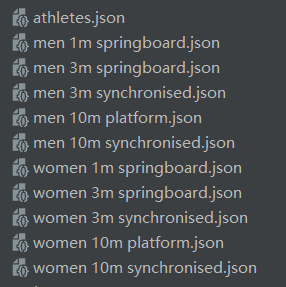
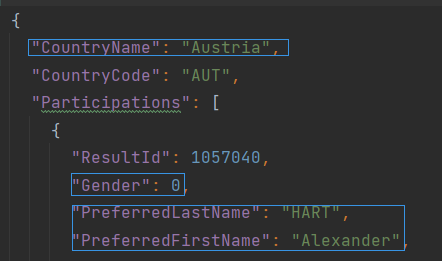
athletes:存储运动员信息
results:存储具体比赛结果信息
运动员信息
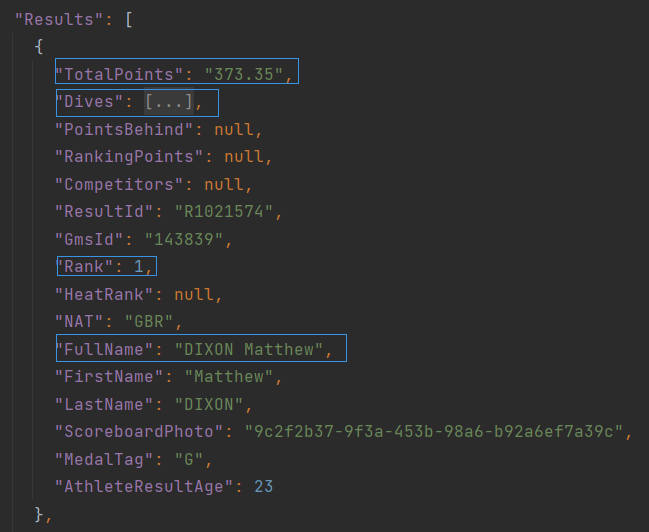
比赛信息
通过具体的比赛名找到对应的文件,比赛结果存储在Heats数组之下的Result数据(包括Fullname、Rank、TotalPoints、每次小比赛的得分DivePoints在Dives里)
.
├─datas // json数据文件
└─src
├─codes
├─entity // 实体对象封装
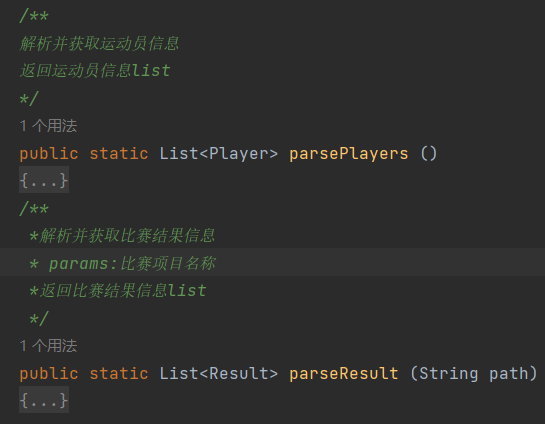
主函数
public class DWASearch {
    public static void main(String[] args) throws IOException {

        if(args.length!=2)
        {
            System.out.println("输入参数数量错误");
            System.exit(-1);
        }

        //文件名错误的话报错
        if(!Files.exists(Paths.get(args[0]))||!Files.exists(Paths.get(args[1])))
        {
            System.out.println("文件不存在");
            //System.exit(-1);
        }
        //提取input.txt里面的内容
        String[] arr= FileUtils.ReadFromFile("src\\input.txt");
        //清空output.txt的内容
        FileUtils.ClearFile("src\\output.txt");
        for(String s : arr) {
            //写入output.txt
            doWrite(s,"src\\output.txt");
        }
    }
    public static void doWrite (String s,String writePath) throws IOException {
        //isNameValid判断input.txt的内容是否合法
        int flag=isNameValid(s);
        if(flag==-2)
        {
            FileUtils.WriteToFile("N/A\r\n"+"----\r\n",writePath);
        } else if (flag==-1) {
            FileUtils.WriteToFile("Error\r\n"+"----\r\n",writePath);
        } else if (flag==1) {
            List<Player> playerList=JsonParse.parsePlayers();
            FileUtils.WritePlayerToFile(playerList,writePath);
        } else if (flag==2) {
            s=s.substring(7);
            List<Result> resultList=JsonParse.parseResult(s);
            FileUtils.WriteResultToFile(resultList,writePath);
        }
    }
}
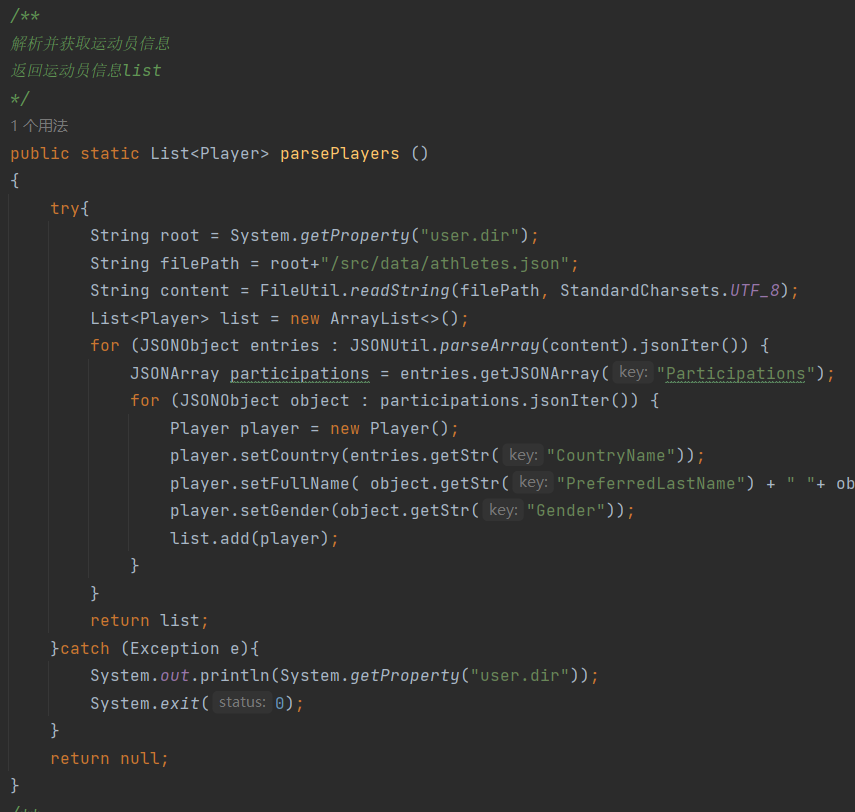
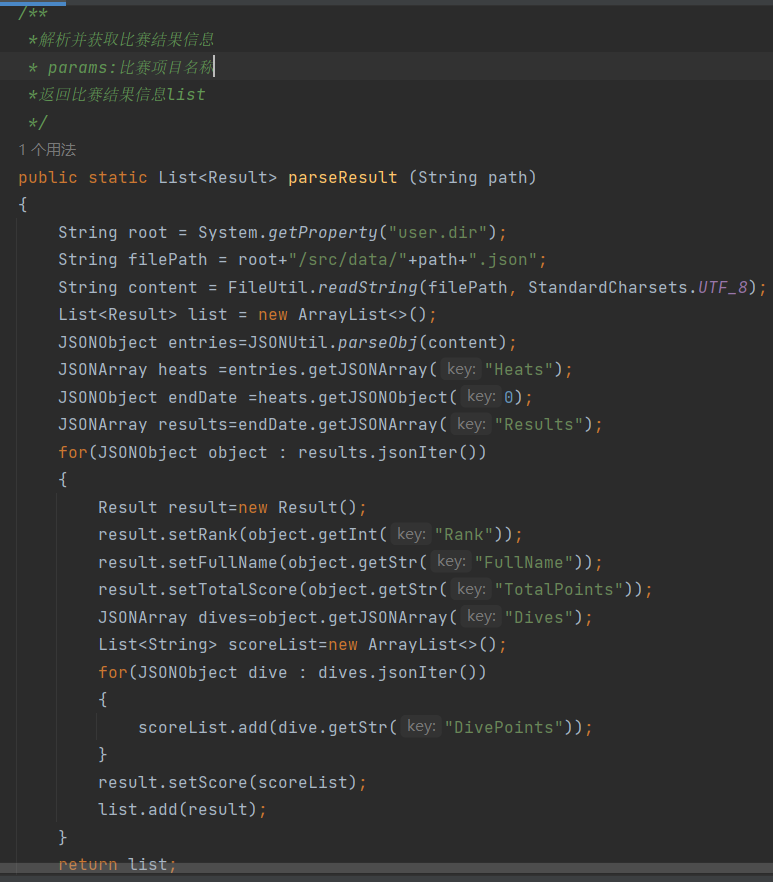
分析:用FileWriter比较慢
解决:用BufferWriter封装FileWriter
FileWriter writer = new FileWriter(writeName);
BufferedWriter out = new BufferedWriter(writer);
部分测试:
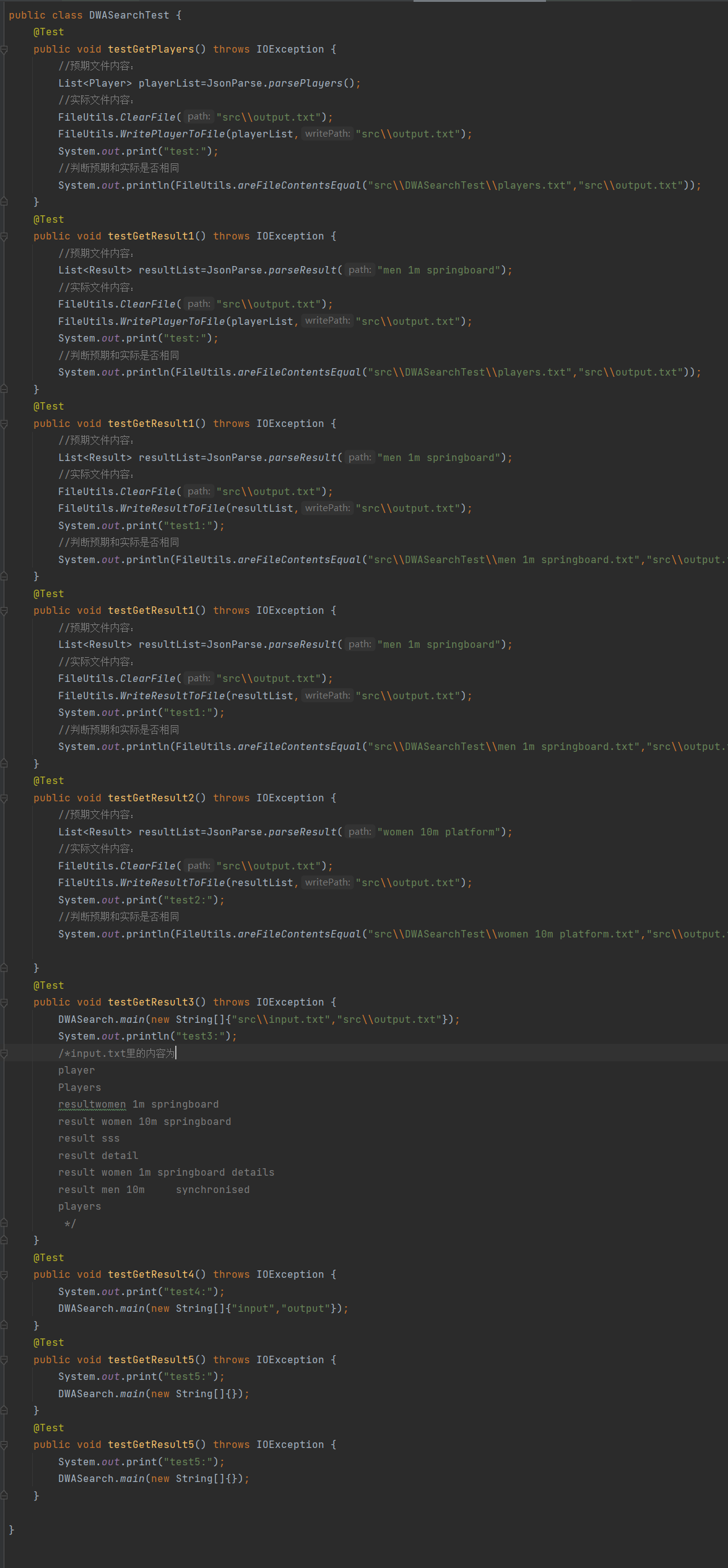
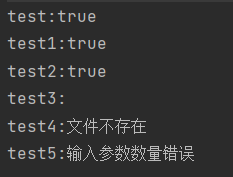
当用户输入参数不是两个时,提示输入参数数量错误
当用户输入的文件名错误时,提示文件不存在
if(args.length!=2)
        {
            System.out.println("输入参数数量错误");
            System.exit(-1);
        }
if(!readName.exists()||!writeName.exists())
        {
            System.out.println("文件不存在");
            System.exit(-1);
        }
try{
            String root = System.getProperty("user.dir");
            String filePath = root+"/src/data/athletes.json";
            String content = FileUtil.readString(filePath, StandardCharsets.UTF_8);
            List<Player> list = new ArrayList<>();
            for (JSONObject entries : JSONUtil.parseArray(content).jsonIter()) {
                JSONArray participations = entries.getJSONArray("Participations");
                for (JSONObject object : participations.jsonIter()) {
                    Player player = new Player();
                    player.setCountry(entries.getStr("CountryName"));
                    player.setFullName( object.getStr("PreferredLastName") + " "+ object.getStr("PreferredFirstName"));
                    player.setGender(object.getStr("Gender"));
                    list.add(player);
                }
            }
            return list;
        }catch (Exception e){
            e.printStackTrace();
            System.exit(0);
        }
完成这次作业我学会了如何获取解析并处理json文件的数据,学会了json与类的序列化和反序列化,学会了文件的读入和写入。最开始完成代码的时候其实我函数的封装是一坨狗屎,但我偷懒觉得能跑就行了,结果自己写测试类的时候才发现函数不好好封装写测试非常麻烦,于是又回去改。所以我以后一定要好好封装函数。


