


315
社区成员
 发帖
发帖 与我相关
与我相关 我的任务
我的任务
 分享
分享| 这个作业属于哪个课程 | 软件工程实践-2023 学年-W 班 |
|---|---|
| 这个作业要求在哪里 | 软件工程实践第二次作业——个人实战 |
| 这个作业的目标 | 完成对世界游泳锦标赛跳水项目相关数据的收集 |
| 其他参考文献 | ... |
@
https://gitcode.net/zzl18396534089/project-java
| PSP | Personal Software Process Stages | 预估耗时(分钟) | 表实际耗时(分钟) |
|---|---|---|---|
| Planning | 计划 | 120 | 30 |
| • Estimate | • 估计这个任务需要多少时间 | 1000 | 1150 |
| Development | 开发 | 800 | 960 |
| • Analysis | • 需求分析 (包括学习新技术) | 200 | 300 |
| • Design Spec | • 生成设计文档 | 50 | 30 |
| • Design Review | • 设计复审 | 20 | 30 |
| • Coding Standard | • 代码规范 (为目前的开发制定合适的规范) | 60 | 40 |
| • Design | • 具体设计 | 60 | 60 |
| • Coding | • 具体编码 | 300 | 400 |
| • Code Review | • 代码复审 | 60 | 80 |
| • Test | • 测试(自我测试,修改代码,提交修改) | 50 | 20 |
| Reporting | 报告 | 80 | 60 |
| • Test Repor | • 测试报告 | 30 | 30 |
| • Size Measurement | • 计算工作量 | 20 | 10 |
| • Postmortem & Process Improvement Plan | • 事后总结, 并提出过程改进计划 | 30 | 20 |
| 合计 | 1000 | 1150 |
在解决此问题时,我们的主要目标是从世界游泳锦标赛的官方 API 中收集跳水项目的相关数据。首先不论功能,现将命令行程序写好并进行测试,与命令行程序一桶的还有输入判断部分。而信息的爬取则通过爬虫程序获取。
我们需要根据用户的输入“players”从 API 中发送请求,获取我们想要的选手信息并返回文件流中。
我们需要根据用户的输入查找特定比赛结果,为了实现这一目标我们需要:
1、获取比赛信息:
我们通过 API 获取比赛项目列表,然后根据用户输入的比赛项目名称,查找相应的比赛项目。
2、获取比赛结果:
对于特定的比赛项目,我们使用其唯一的比赛 ID 从 API 中获取比赛结果。然后,我们提取所需的信息,如选手的全名、排名和得分,并将其输出到输出文件中,遇到比赛 Name 非 Final 的直接进行跳过。
DWASearch 类: 这是程序的入口点,负责解析命令行参数、读取输入文件并写入输出文件。它根据用户的命令调用适当的函数来执行相应的操作。
这是主类的实现:
public class DWASearch {
    public static void main(String[] args) {
        String inputFile = args[0];
        String outputFile = args[1];
        System.out.println(inputFile);
        try {
            BufferedReader reader = new BufferedReader(new FileReader(inputFile));  // 打开输入文件
            BufferedWriter writer = new BufferedWriter(new FileWriter(outputFile)); // 打开输出文件
            String command;    // 逐行读取输入文件并写入输出文件
            while ((command = reader.readLine()) != null) {
                if ("players".equals(command)) {
                    Lib.playersPrint(writer);
                    // writer.write("选手信息...后补");
                } else if (command.startsWith("result") && (!command.endsWith("detail"))) {
                    String project = command.substring(6); // 获取result后比赛项目
                    if (project.startsWith(" ")) {
                        project = project.substring(1);
                        // System.out.println(project);
                        if (project.equals("women 1m springboard") || project.equals("women 3m springboard") || project.equals("women 10m platform")
                                || project.equals("women 3m synchronised") || project.equals("women 10m synchronised") || project.equals("men 1m springboard")
                                || project.equals("men 3m springboard") || project.equals("men 10m platform") || project.equals("men 3m synchronised")
                                || project.equals("men 10m synchronised")) {
                            // System.out.println(project);
                            Lib.searchCompetitionName(project, writer);
                        } else {
                            writer.write("N/A");
                        }
                    } else {
                        writer.write("Error");
                    }
                } else {
                    writer.write("Error");
                }
                writer.write("\n");
                // writer.write("这里的吗?-----");
                writer.write("\n");
            }

            reader.close();
            writer.close();
            // 关闭文件流
            System.out.println("文件流已关闭,检查结果");
        } catch (IOException e) {
            System.out.println("发生错误" + e.getMessage());
        }
    }
}
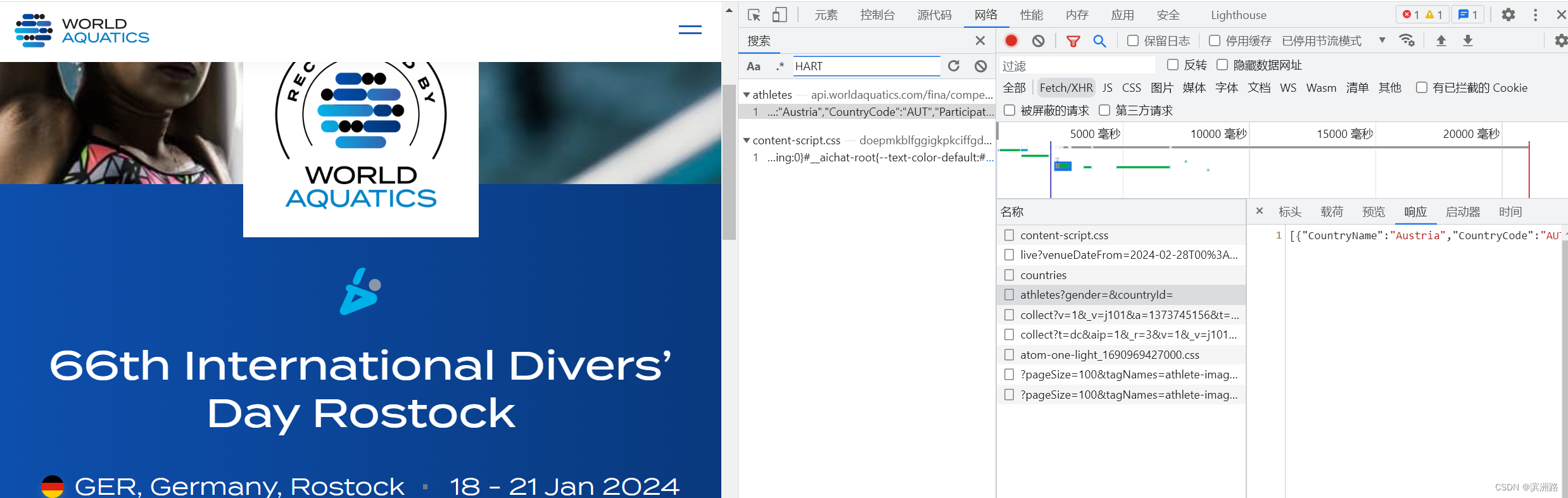
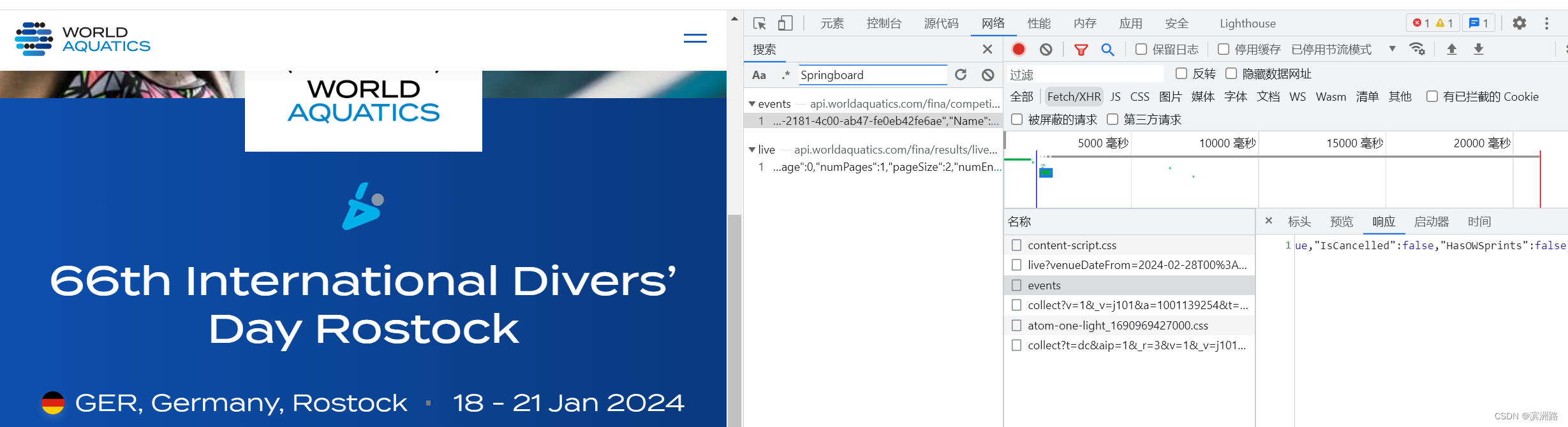
爬虫的首要步骤是在官网内找到相应的 api,先找到运动员信息,点击 athlete 查看网络响应并随机搜索一个运动员的名字就能找到:
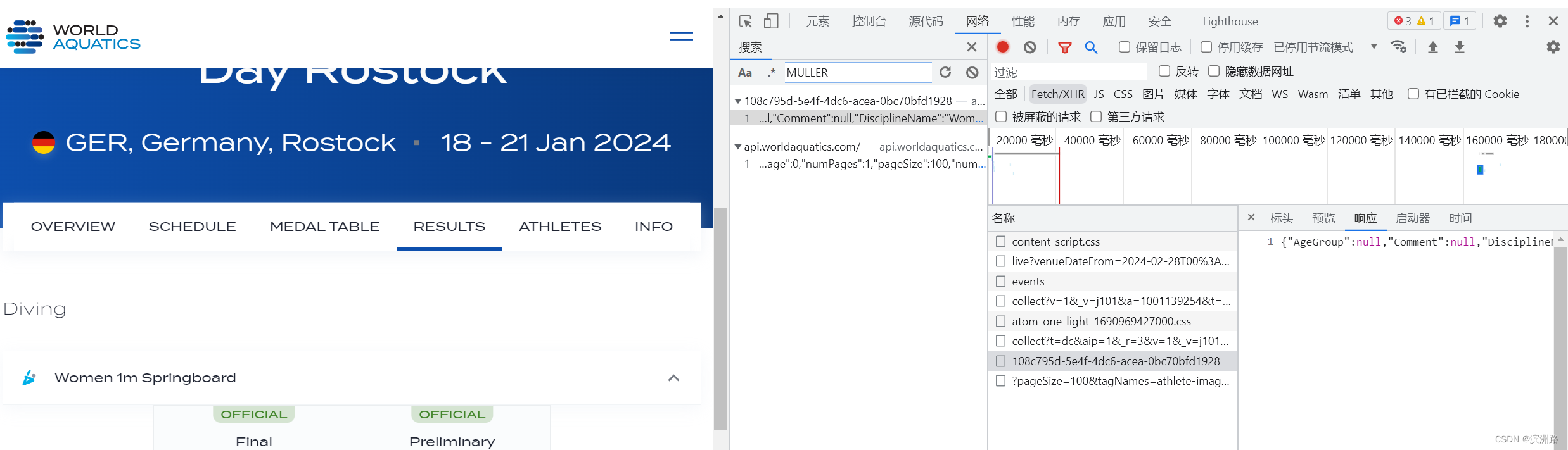
最后通过对应比赛 id 找到各个比赛详细信息:
Lib 类: 这个类包含了用于处理 API 请求和处理 JSON 数据的静态方法。它包括以下功能:
public static void playersPrint(BufferedWriter writer)
    public static void playersPrint(BufferedWriter writer) {
        String url = "https://api.worldaquatics.com/fina/competitions/3337/athletes?gender=&countryId=";
        try {
            HttpURLConnection connection = (HttpURLConnection) new URL(url).openConnection();
            connection.setRequestMethod("GET");
            connection.setRequestProperty("User-Agent", "Mozilla/5.0"); // 设置用户代理

            int responseCode = connection.getResponseCode();
            if (responseCode == HttpURLConnection.HTTP_OK) {
                BufferedReader reader = new BufferedReader(new InputStreamReader(connection.getInputStream()));
                StringBuilder response = new StringBuilder();
                String line;
                while ((line = reader.readLine()) != null) {
                    response.append(line);
                }
                reader.close();

                // 检查返回的是否为JSON数据
                if (isValidJSON(response.toString())) {
                    processJSONDataForPlayers(response.toString(), writer);
                } else {
                    System.out.println("返回的数据不是有效的JSON格式!");
                }
            } else {
                System.out.println("爬取失败啦!: " + responseCode);
            }
        } catch (Exception e) {
            e.printStackTrace();
        }
    }
public static void processJSONDataForPlayers(String jsonData, BufferedWriter writer)
public static void searchCompetitionName(String competitionName, BufferedWriter writer)
public static void processJSONDataForCompetition(String jsonData, BufferedWriter writer, String competitionName)
public static void searchJSONDataForResult(String url, BufferedWriter writer)
public static void processJSONDataForPlayers(String jsonData, BufferedWriter writer) {
        try {
            JSONArray jsonArray = new JSONArray(jsonData);
            for (int i = 0; i < jsonArray.length(); i++) {
                JSONObject countryObj = jsonArray.getJSONObject(i);
                String countryName = countryObj.getString("CountryName");
                // 处理 Participations 字段
                JSONArray participations = countryObj.optJSONArray("Participations");
                if (participations != null) {
                    for (int j = 0; j < participations.length(); j++) {
                        JSONObject participationObj = participations.getJSONObject(j);
                        String lastName = participationObj.getString("PreferredLastName");
                        String firstName = participationObj.getString("PreferredFirstName");
                        String gender = participationObj.getInt("Gender") == 0 ? "Male" : "Female";
                        String fullName = lastName + " " + firstName;
                        writer.write("Full Name:" + fullName + "\n");
                        writer.write("Gender:" + gender + "\n");
                        writer.write("Country:" + countryName + "\n");
                        writer.write("-----\n");
                    }
                }
            }
        } catch (Exception e) {
            e.printStackTrace();
        }
    }
public static void searchCompetitionName(String competitionName, BufferedWriter writer) {
        String url = "https://api.worldaquatics.com/fina/competitions/3337/events";
        try {
            HttpURLConnection connection = (HttpURLConnection) new URL(url).openConnection();
            connection.setRequestMethod("GET");
            connection.setRequestProperty("User-Agent", "Mozilla/5.0"); // 设置用户代理

            int responseCode = connection.getResponseCode();
            if (responseCode == HttpURLConnection.HTTP_OK) {
                BufferedReader reader = new BufferedReader(new InputStreamReader(connection.getInputStream()));
                StringBuilder response = new StringBuilder();
                String line;
                while ((line = reader.readLine()) != null) {
                    response.append(line);
                }
                reader.close();

                // 检查返回的是否为JSON数据
                if (isValidJSON(response.toString())) {
                    processJSONDataForCompetition(response.toString(), writer, competitionName);
                } else {
                    System.out.println("返回的数据不是有效的JSON格式!");
                }
            } else {
                System.out.println("比赛ID爬取失败啦!: " + responseCode);
            }
        } catch (Exception e) {
            e.printStackTrace();
        }
    }
public static void processJSONDataForCompetition(String jsonData, BufferedWriter writer, String competitionName) {
        try {
            JSONObject jsonObject = new JSONObject(jsonData);
            JSONArray sportsArray = jsonObject.getJSONArray("Sports");
            for (int i = 0; i < sportsArray.length(); i++) {
                JSONObject sportObj = sportsArray.getJSONObject(i);
                JSONArray disciplineList = sportObj.getJSONArray("DisciplineList");
                for (int j = 0; j < disciplineList.length(); j++) {
                    JSONObject disciplineObj = disciplineList.getJSONObject(j);
                    String disciplineName = disciplineObj.getString("DisciplineName");
                    if (disciplineName.equalsIgnoreCase(competitionName)) {
                        String disciplineId = disciplineObj.getString("Id");
                        searchJSONDataForResult(disciplineId, writer);
                    }
                }
            }
        } catch (Exception e) {
            e.printStackTrace();
        }
    }
    public static void searchJSONDataForResult(String url, BufferedWriter writer) {
        String finalUrl = "https://api.worldaquatics.com/fina/events/" + url;
        try {
            HttpURLConnection connection = (HttpURLConnection) new URL(finalUrl).openConnection();
            connection.setRequestMethod("GET");
            connection.setRequestProperty("User-Agent", "Mozilla/5.0"); // 设置用户代理

            int responseCode = connection.getResponseCode();
            if (responseCode == HttpURLConnection.HTTP_OK) {
                BufferedReader reader = new BufferedReader(new InputStreamReader(connection.getInputStream()));
                StringBuilder response = new StringBuilder();
                String line;
                while ((line = reader.readLine()) != null) {
                    response.append(line);
                }
                reader.close();
                if (isValidJSON(response.toString())) {
                    processJSONDataForResult(response.toString(), writer);
                } else {
                    System.out.println("返回的数据不是有效的JSON格式!");
                }
            } else {
                System.out.println("比赛信息爬取失败啦!: " + responseCode);
            }
        } catch (Exception e) {
            e.printStackTrace();
        }
    }
    public static void processJSONDataForResult(String jsonData, BufferedWriter writer) {
        try {
            JSONObject jsonObject = new JSONObject(jsonData);
            JSONArray heats = jsonObject.getJSONArray("Heats");
            for (int i = 0; i < heats.length(); i++) {
                JSONObject heat = heats.getJSONObject(i);
                String heatName = heat.getString("Name"); // 获取 Heat 的名称
                JSONArray results = heat.getJSONArray("Results");
                for (int j = 0; j < results.length(); j++) {
                    JSONObject resultObj = results.getJSONObject(j);
                    String fullName = resultObj.getString("FullName");
                    String totalPoints = resultObj.getString("TotalPoints");
                    int rank = resultObj.getInt("Rank");
                    if (!heatName.equalsIgnoreCase("Final")) {
                        // 如果detail为false且不是final结果,则跳过
                        continue;
                    }
                    if (fullName.contains("/")) {
                        String[] nameArray = fullName.split(" / ");
                        Arrays.sort(nameArray, String.CASE_INSENSITIVE_ORDER);
                        fullName = String.join(" & ", nameArray);
                    }
                    if (heatName.equalsIgnoreCase("Final")) {
                        writer.write("Full Name:" + fullName + "\n");
                        writer.write("Rank:" + rank + "\n");
                        JSONArray dives = resultObj.getJSONArray("Dives");
                        StringBuilder divePointsString = new StringBuilder();
                        for (int k = 0; k < dives.length(); k++) {
                            JSONObject divesObj = dives.getJSONObject(k);
                            String eachResult = divesObj.getString("DivePoints");
                            divePointsString.append(" + ").append(eachResult);
                        }
                        writer.write("Score:" + divePointsString.substring(3) + " = " + totalPoints + "\n");
                        writer.write("-----\n");
                    }
                }
            }
        } catch (Exception e) {
            e.printStackTrace();
        }
    }
我们对程序性能进行了改进,主要集中在以下几个方面:
HTTP 请求优化: 使用了合适的请求头和连接参数,以提高请求的效率和稳定性。
JSON 数据处理优化: 对 JSON 数据的处理进行了优化,尽量减少不必要的循环和嵌套,以提高处理效率。
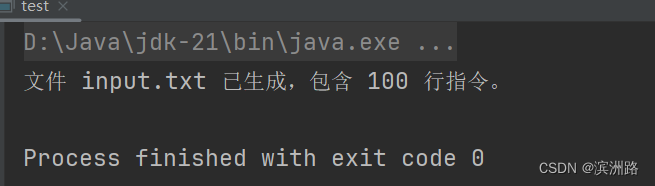
public class test {
    public static void main(String[] args) {
        // 指定文件名
        String fileName = "input.txt";
        // 指定要生成的行数
        int numLines = 100;
        // 定义有效的事件列表
        List<String> validEvents = Arrays.asList(
                "women 1m springboard", "women 3m springboard", "women 10m platform",
                "women 3m synchronised", "women 10m synchronised",
                "men 1m springboard", "men 3m springboard", "men 10m platform",
                "men 3m synchronised", "men 10m synchronised"
        );
        Random random = new Random();
        int j = 0;
        // 使用 try-with-resources 语句来确保 BufferedWriter 被正确关闭
        try (BufferedWriter writer = new BufferedWriter(new FileWriter(fileName))) {
            for (int i = 0; i < numLines; i++) {
                j = random.nextInt(validEvents.size());
                String event = validEvents.get(j);
                writer.write("result " + event + "\n");
            }
            System.out.println("文件 " + fileName + " 已生成,包含 " + numLines + " 行指令。");
        } catch (IOException e) {
            e.printStackTrace();
        }
    }
}
在完成本次任务的过程中,确实遇到了一些挑战,如处理复杂的 JSON 数据结构、优化程序性能和处理异常情况等。通过不断的学习和实践,我逐渐解决了这些问题,并取得了相当的收获:


