7,790
社区成员
 发帖
发帖 与我相关
与我相关 我的任务
我的任务
 分享
分享GitHub 账号在长期使用过程中,通常会系统强制或主动要求开启两步验证(2FA)以提升账号安全性。目前主流的验证方式分为两种:一是使用微软官方 Authenticator 移动端验证器,操作便捷、适配手机日常使用;二是基于 TOTP 协议自行编写 Python 脚本,实现本地电脑动态验证码生成,适配桌面端使用场景。下文将详细演示 GitHub 两步验证的完整开启与配置流程。
1.首先登陆到github后台。
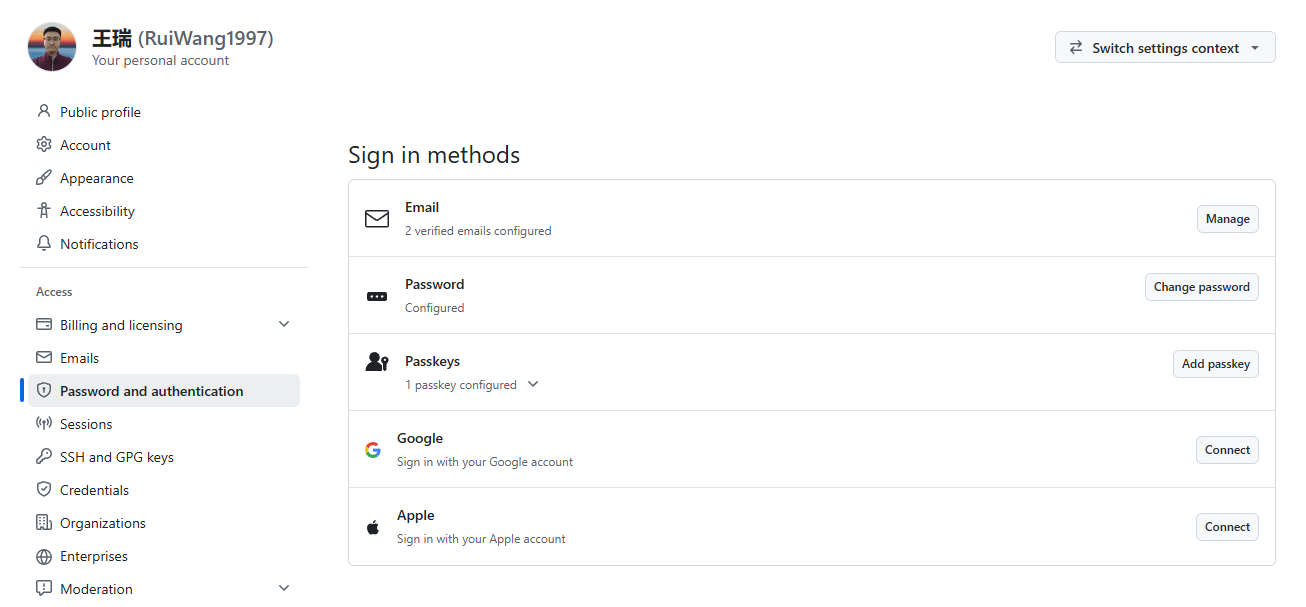
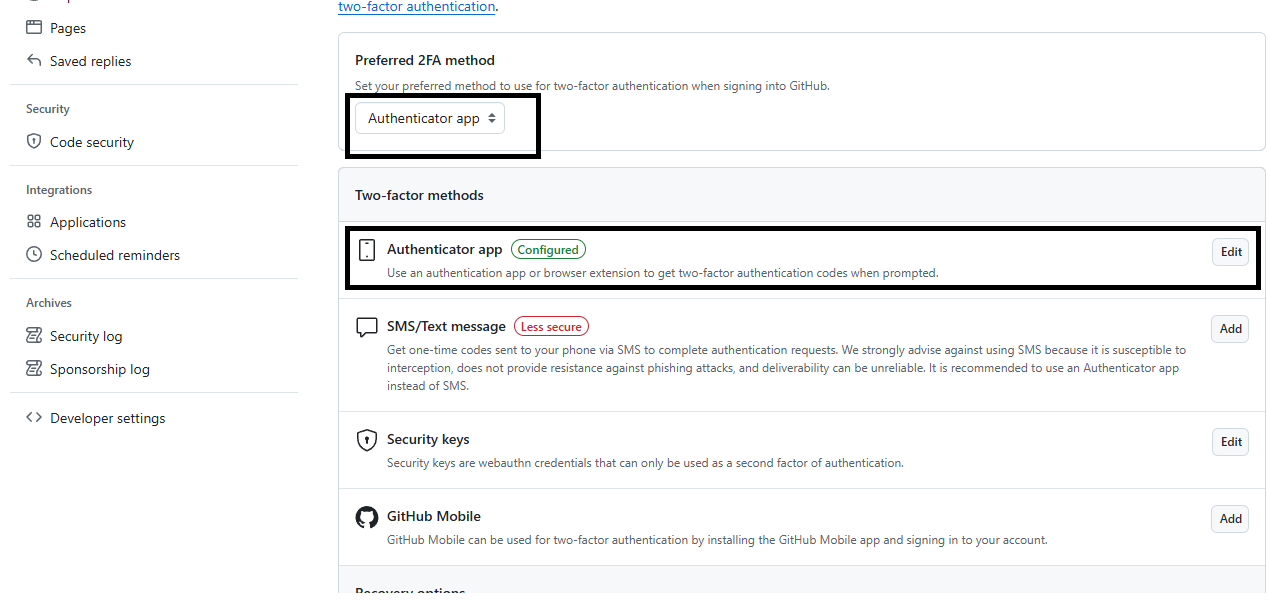
找到编辑按钮
扫描二维码,得到关键信息
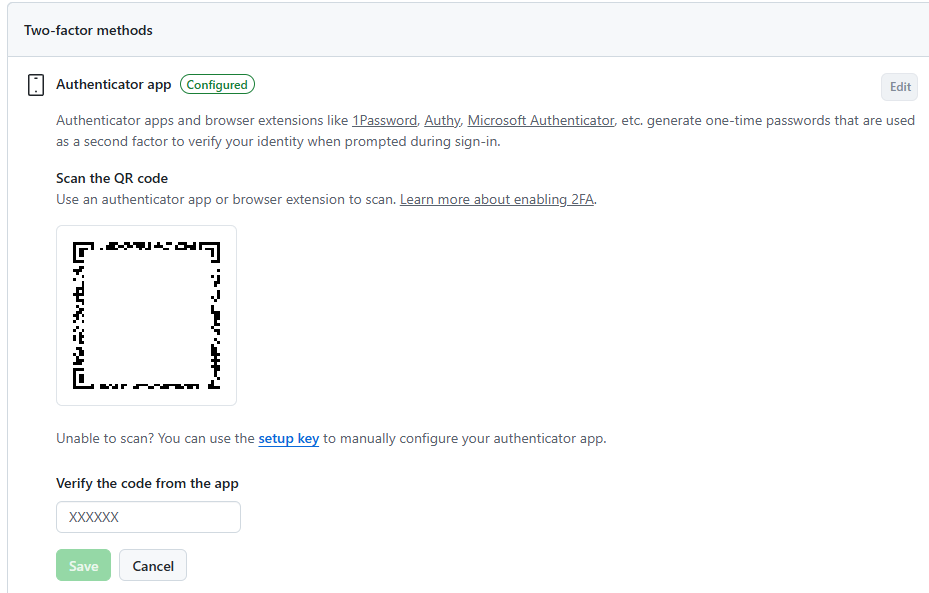
并将SECRET_KEY填入到如下代码SECRET_KEY = "xxxxxxxxxxxx"中
import tkinter as tk
from tkinter import ttk
import hashlib
import base64
import struct
import time
import hmac
import subprocess

SECRET_KEY = "xxxxxxxxxxxx"
WINDOW_TITLE = "GitHub TOTP"

def base32_decode_no_pad(s):
    s = s.upper().strip()
    pad_len = (8 - len(s) % 8) % 8
    s += "=" * pad_len
    return base64.b32decode(s)

def get_totp_code(secret, period=30, digits=6):
    key_bytes = base32_decode_no_pad(secret)
    timestamp = int(time.time())
    counter = timestamp // period
    counter_raw = struct.pack(">Q", counter)

    hmac_result = hmac.new(key_bytes, counter_raw, hashlib.sha1).digest()
    offset = hmac_result[-1] & 0x0F
    bin_code = struct.unpack(">I", hmac_result[offset:offset+4])[0] & 0x7FFFFFFF
    otp_code = bin_code % (10 ** digits)
    return f"{otp_code:0{digits}d}"

root = tk.Tk()
root.title(WINDOW_TITLE)
root.geometry("390x230")
root.resizable(False, False)

font_title = ("Microsoft YaHei", 12)
font_code = ("Microsoft YaHei", 40, "bold")
font_tip = ("Microsoft YaHei", 11)

tk.Label(root, text=WINDOW_TITLE, font=font_title).pack(pady=(15, 8))

code_label = tk.Label(root, text="------", font=font_code, fg="#0066dd", cursor="hand2")
code_label.pack(pady=5)

time_label = tk.Label(root, text="剩余:-- s(点击数字复制验证码)", font=font_tip)
time_label.pack()

progress_bar = ttk.Progressbar(root, maximum=30, length=320)
progress_bar.pack(pady=15)

def copy_code(event):
    code_text = code_label["text"]
    if code_text.isdigit():
        subprocess.run(["clip"], text=True, input=code_text)

code_label.bind("<Button-1>", copy_code)

def update_loop():
    remain = 30 - (int(time.time()) % 30)
    current_code = get_totp_code(SECRET_KEY)
    code_label.config(text=current_code)
    time_label.config(text=f"剩余有效期:{remain} 秒 [点击数字复制]")
    progress_bar["value"] = remain
    root.after(1000, update_loop)

update_loop()
root.mainloop()
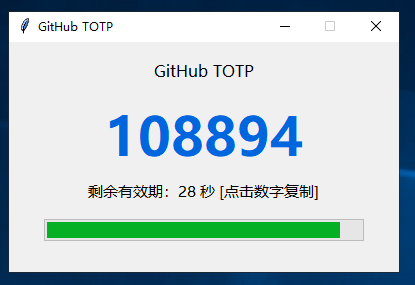
运行程序,每次都会生成独特的KEY登录