



239
社区成员
 发帖
发帖 与我相关
与我相关 我的任务
我的任务
 分享
分享| 这个作业属于哪个课程 | FZU_SE_teacherW_4 |
|---|---|
| 这个作业要求在哪里 | 结对第二次作业——编程实现 |
| 结对学号 | 222200218 222200232 |
| 这个作业的目标 | 编码实现原型 |
| 其他参考文献 | 构建之法 |
CodeArt项目地址
项目公网IP
域名访问(目前还在备案中)http://www.218232fzu.top:8060/
代码规范链接
| PSP | Personal Software Process Stages | 预估耗时(分钟) | 实际耗时(分钟) |
|---|---|---|---|
| Planning | 计划 | 40 | 60 |
| • Estimate | • 估计这个任务需要多少时间 | 4000 | 4000 |
| Development | 开发 | 3000 | 4000 |
| • Analysis | • 需求分析 (包括学习新技术) | 60 | 100 |
| • Design Spec | • 生成设计文档 | 20 | 30 |
| • Design Review | • 设计复审 | 5 | 15 |
| • Coding Standard | • 代码规范 (为目前的开发制定合适的规范) | 45 | 60 |
| • Design | • 具体设计 | 50 | 60 |
| • Coding | • 具体编码 | 300 | 300 |
| • Code Review | • 代码复审 | 20 | 20 |
| • Test | • 测试(自我测试,修改代码,提交修改) | 60 | 40 |
| Reporting | 报告 | 60 | 60 |
| • Test Repor | • 测试报告 | 10 | 10 |
| • Size Measurement | • 计算工作量 | 10 | 10 |
| • Postmortem & Process Improvement Plan | • 事后总结, 并提出过程改进计划 | 30 | 15 |
| 合计 | 2135 | 2440 |
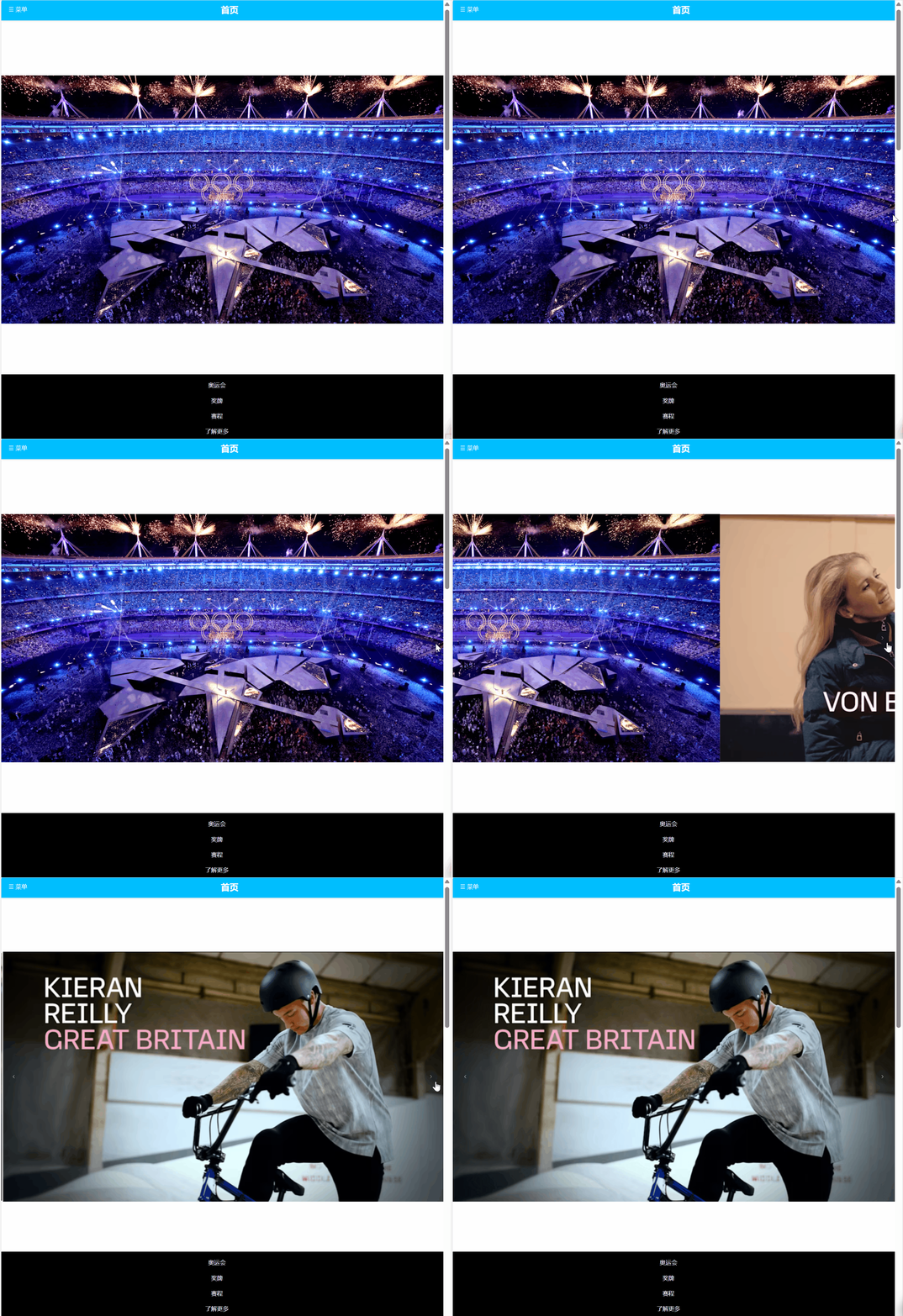
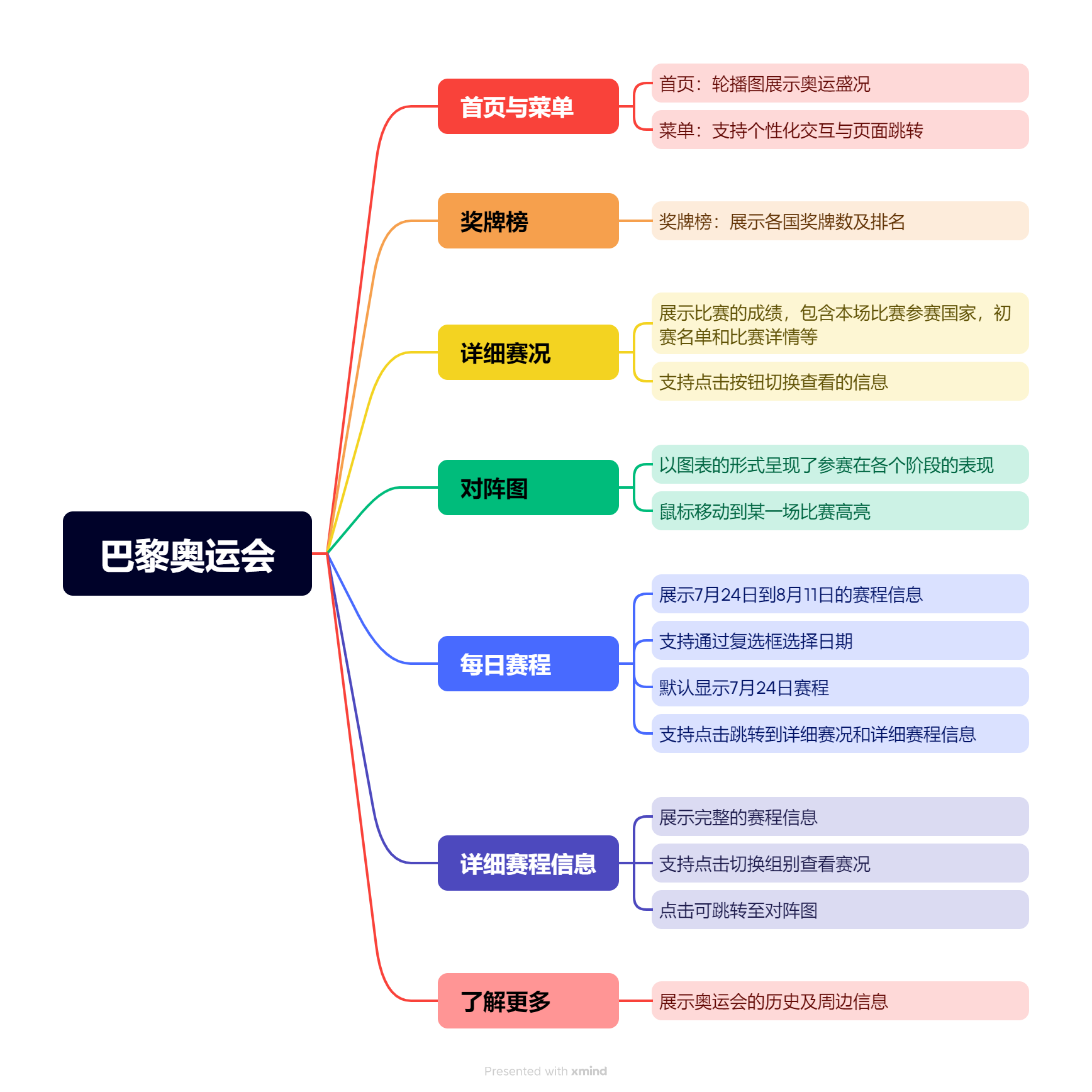
- 首页通过轮播图的形式展示奥运盛况,吸引用户的注意力
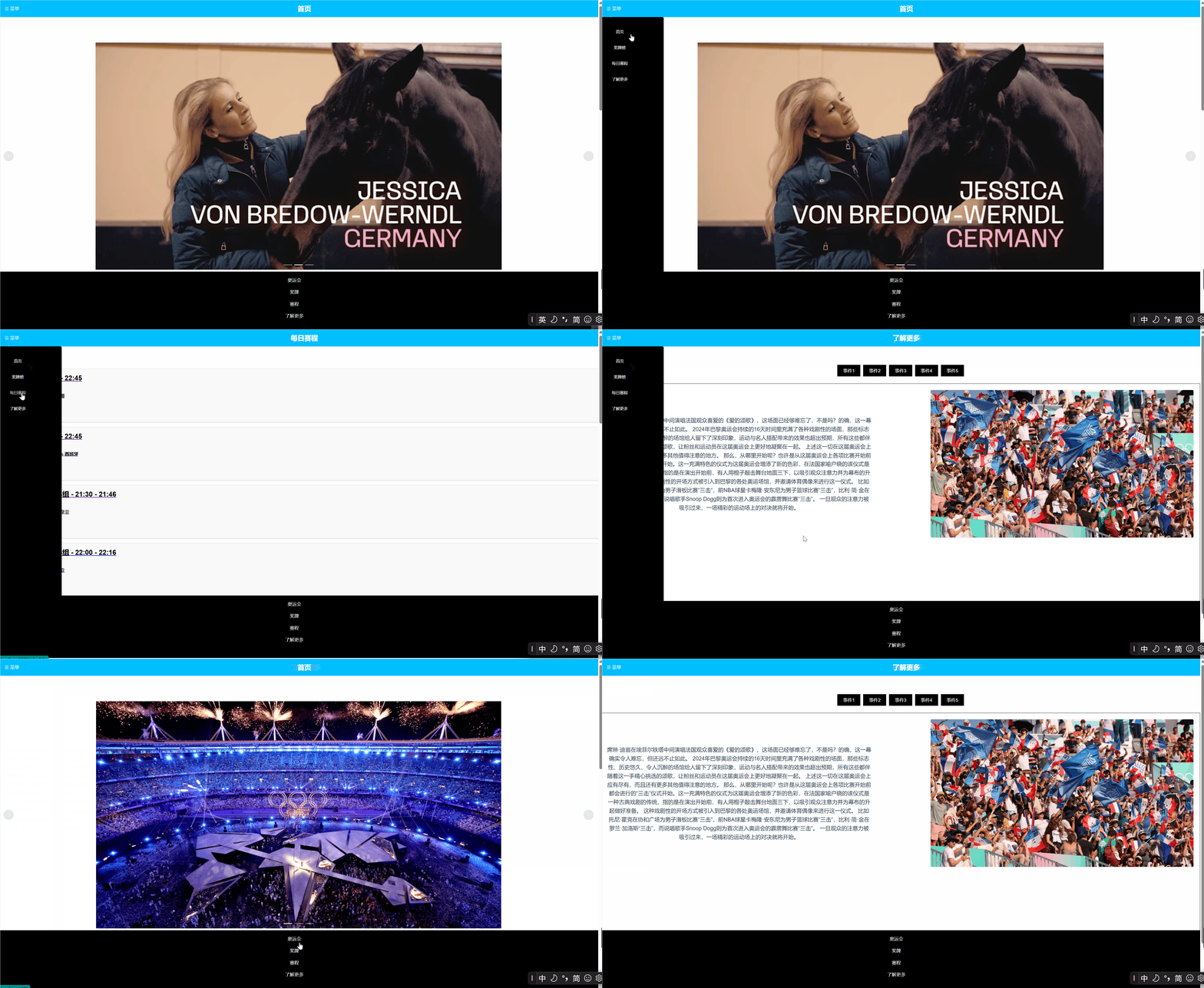
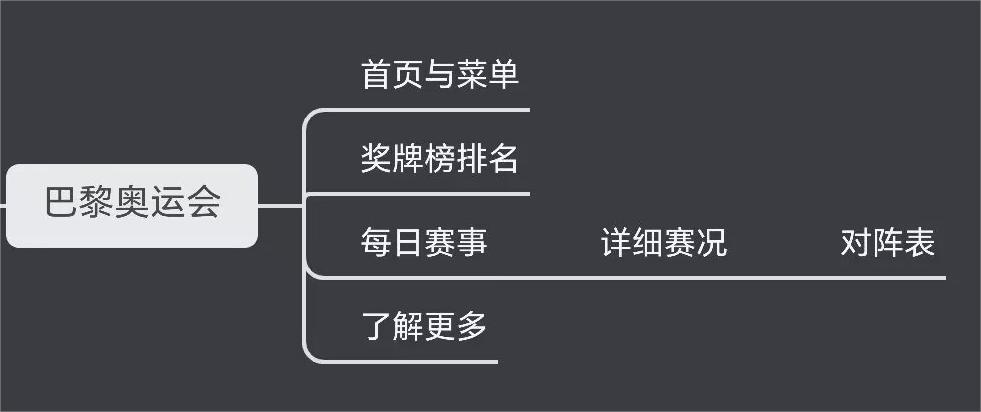
提供菜单栏与底部交互供跳转:
- 菜单栏按钮点击后可弹出菜单,通过菜单可跳转到首页,奖牌榜,每日赛程,了解更多页面
- 底部栏的文字点击也可进行跳转,点击奥运会跳转到首页,奖牌跳转到奖牌榜,每日跳转到每日赛程,了解更多跳转到了解更多页面
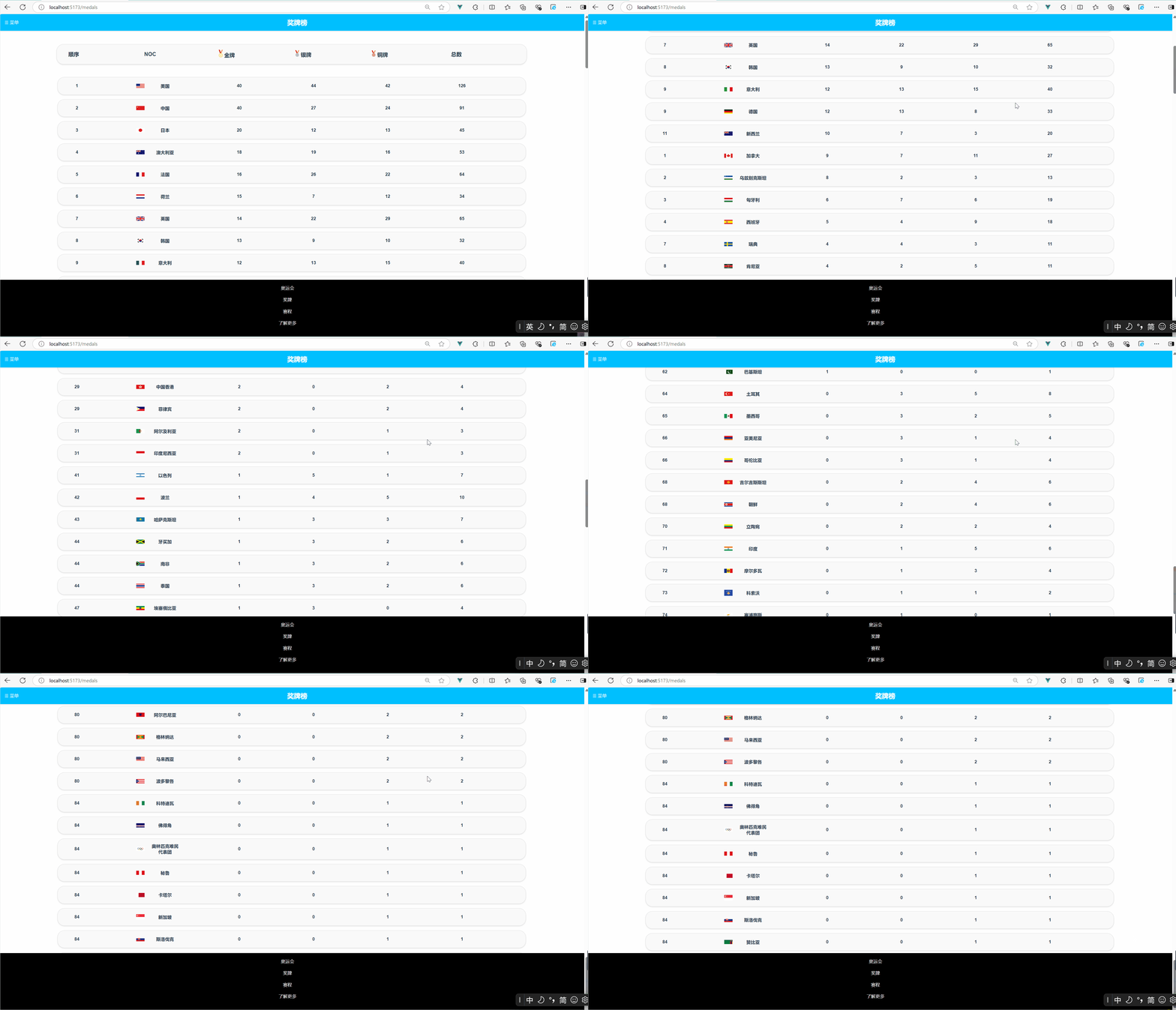
- 展示奖牌榜,分别比较金牌,,银牌,铜牌数量进行排序
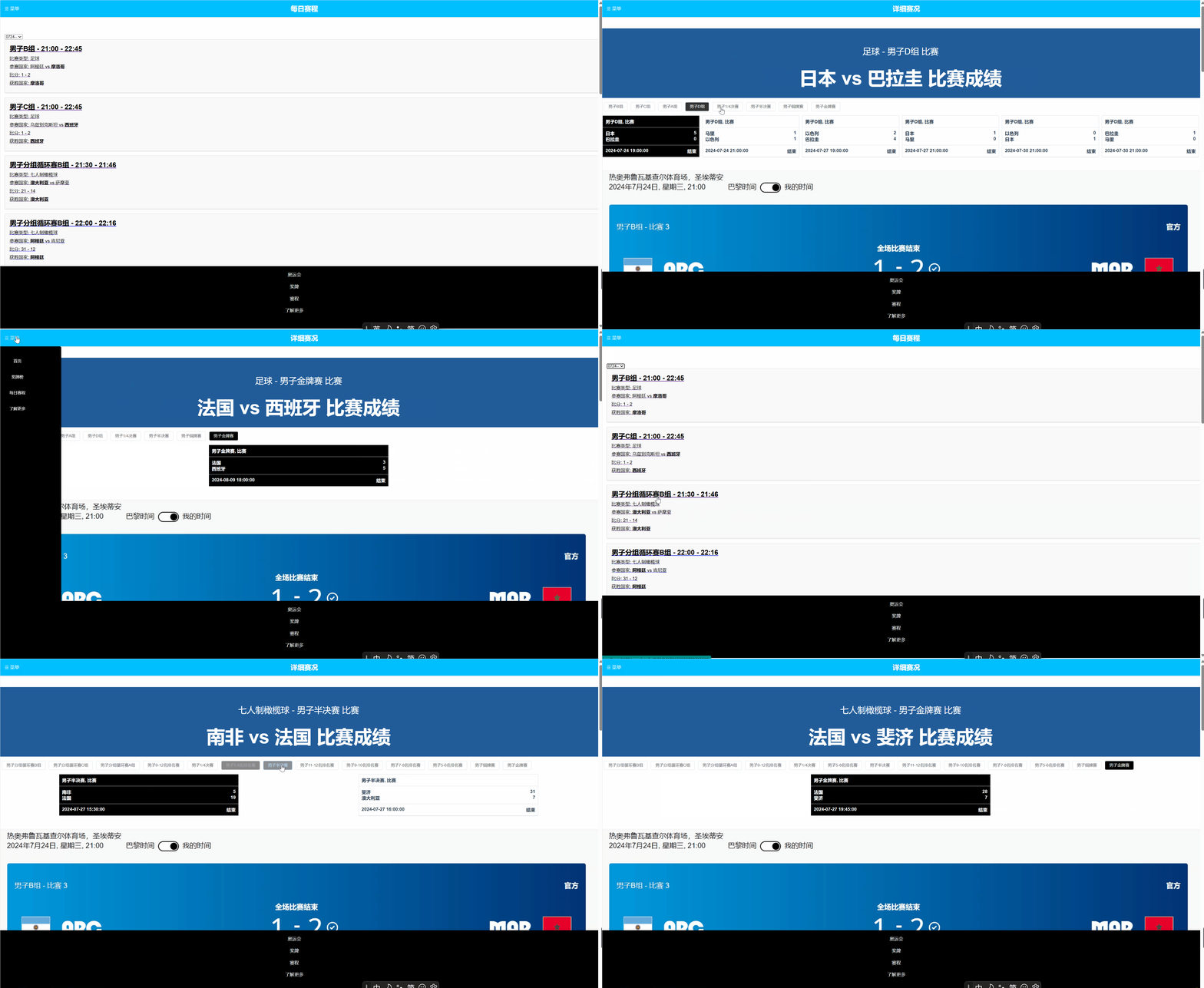
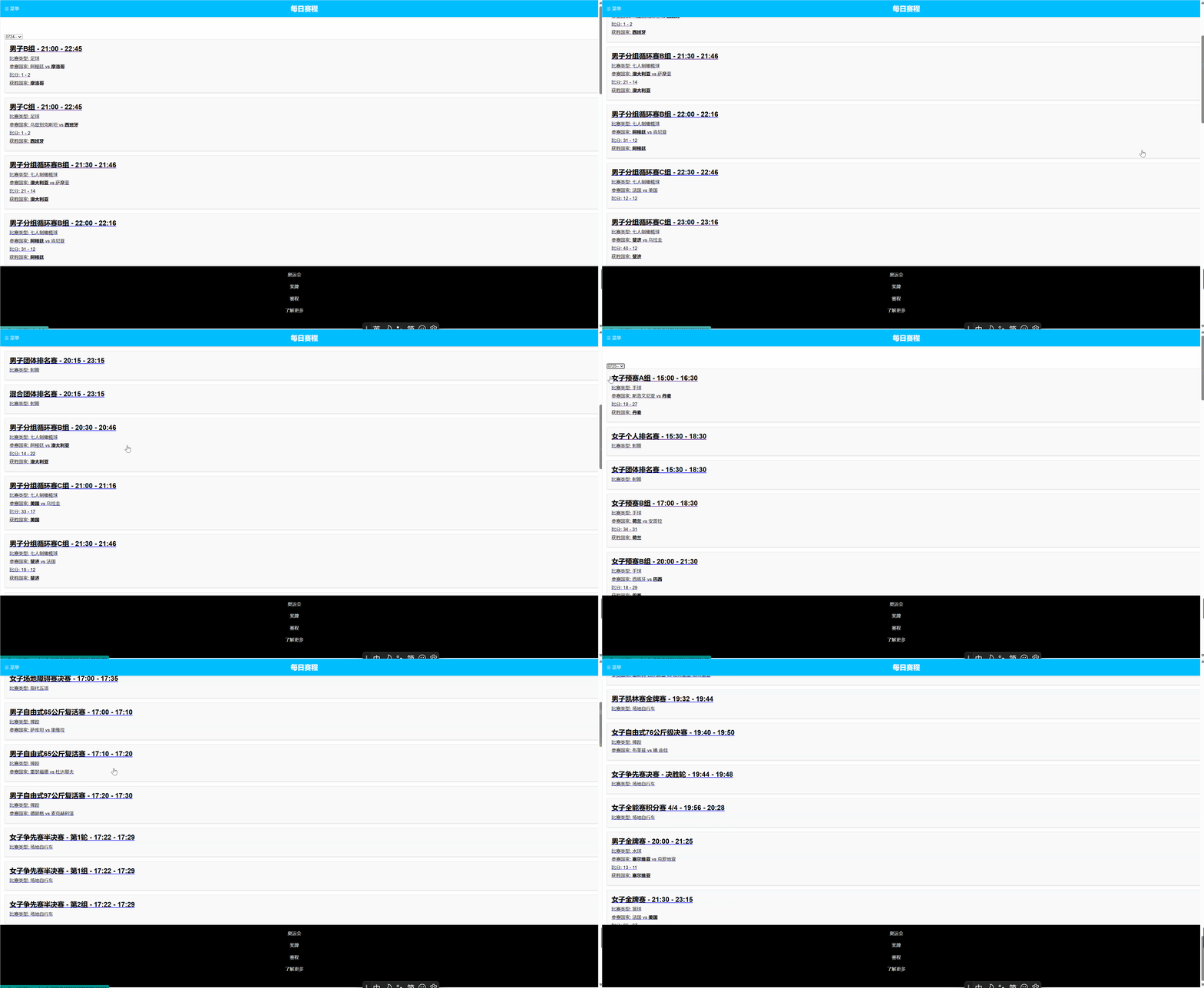
- 展示每一天的赛事,显示比赛类型(足球、七人制橄榄球、手球等),比赛时间,比赛项目,参赛国家和比赛比分,且获胜国家加粗显示
- 支持通过切换日期查看不同的赛程
- 用户可通过每日赛程跳转到详细赛程信息
- 比赛晋级图是一种直观的展示比赛进程和结果的工具,它以图表的形式呈现了参赛在各个阶段的表现。
- 鼠标移动到某一场比赛高亮显示
- 用户可通过详细赛程详细跳转到对阵图
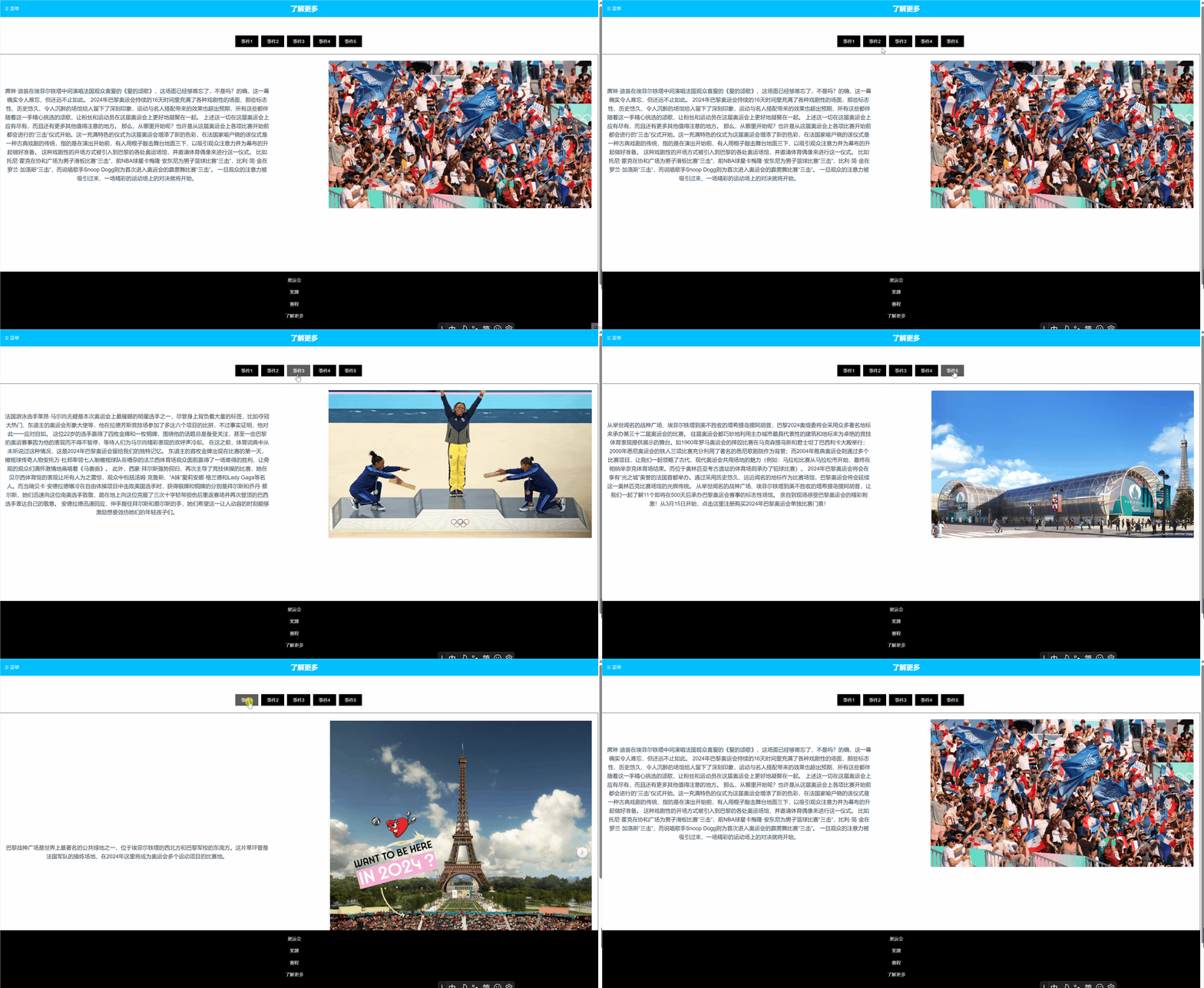
- 用户可通过菜单栏和底部交互跳转到了解更多
- 了解更多页面图文结合,生动形象,帮助用户快速了解奥运会的历史、比赛地点等信息
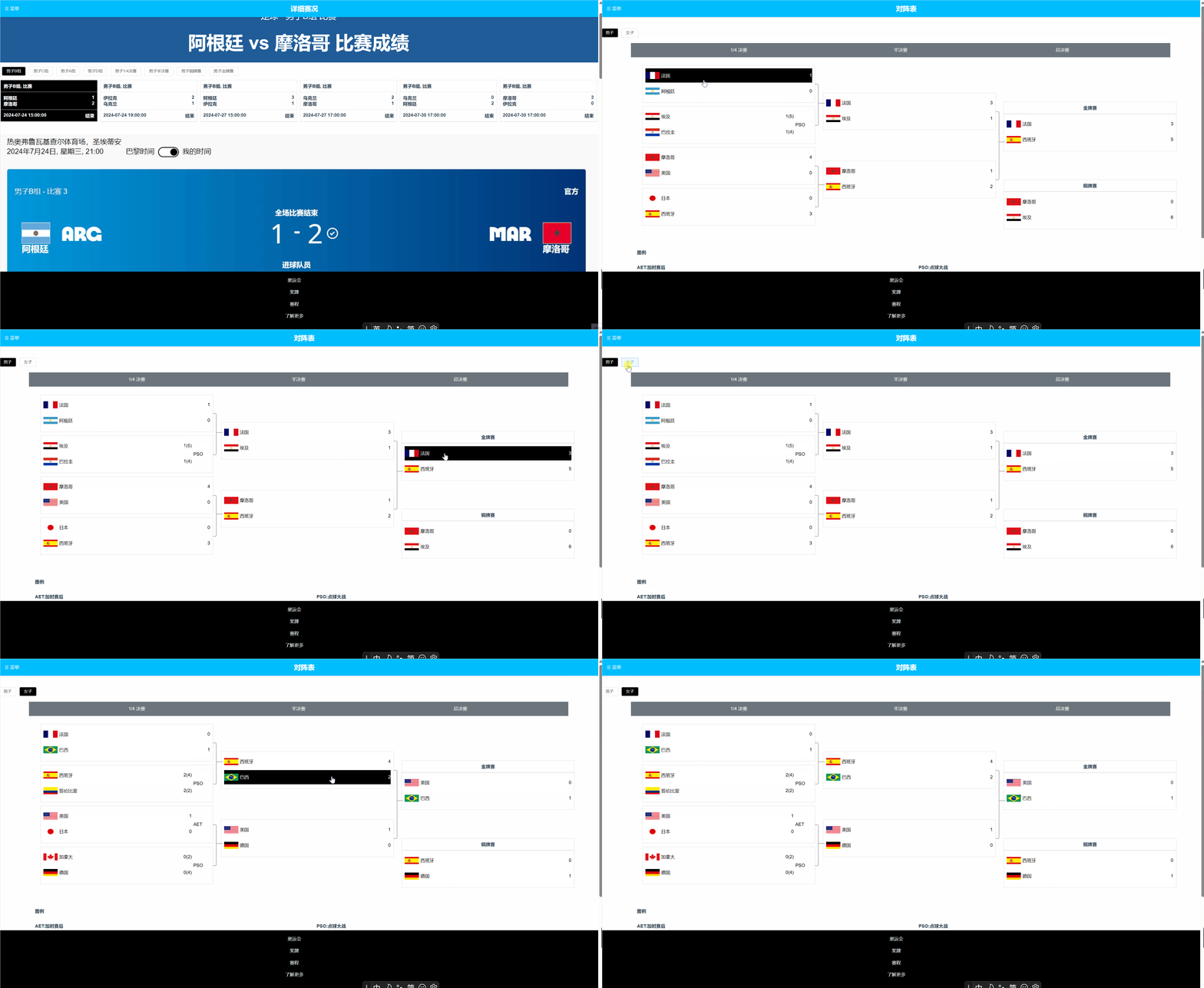
- 用户可通过每日赛程跳转到详细赛况
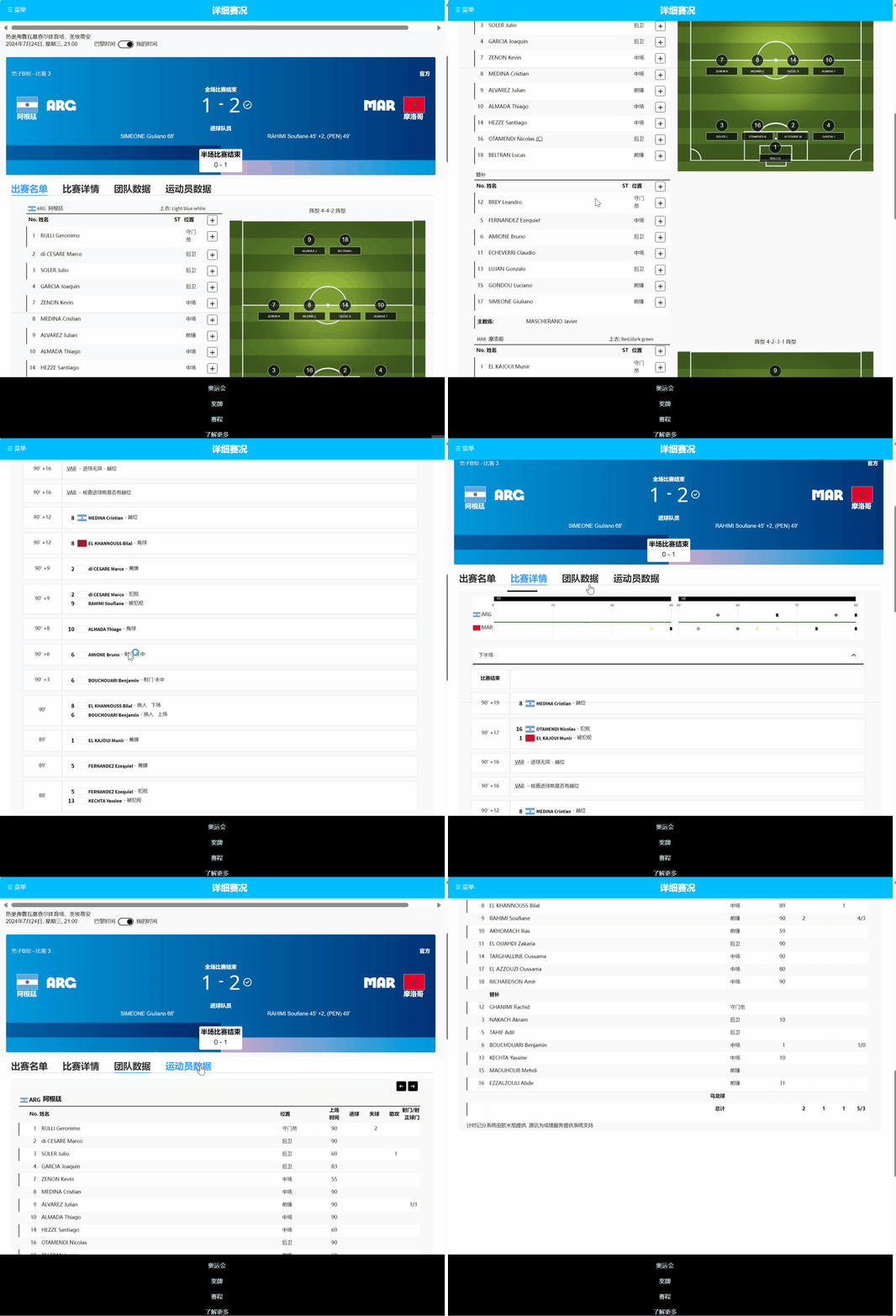
- 展示比赛的成绩,包含本场比赛参赛国家,初赛名单和比赛详情等
讨论以线下讨论为主,通过线上微信QQ以及git传送文件
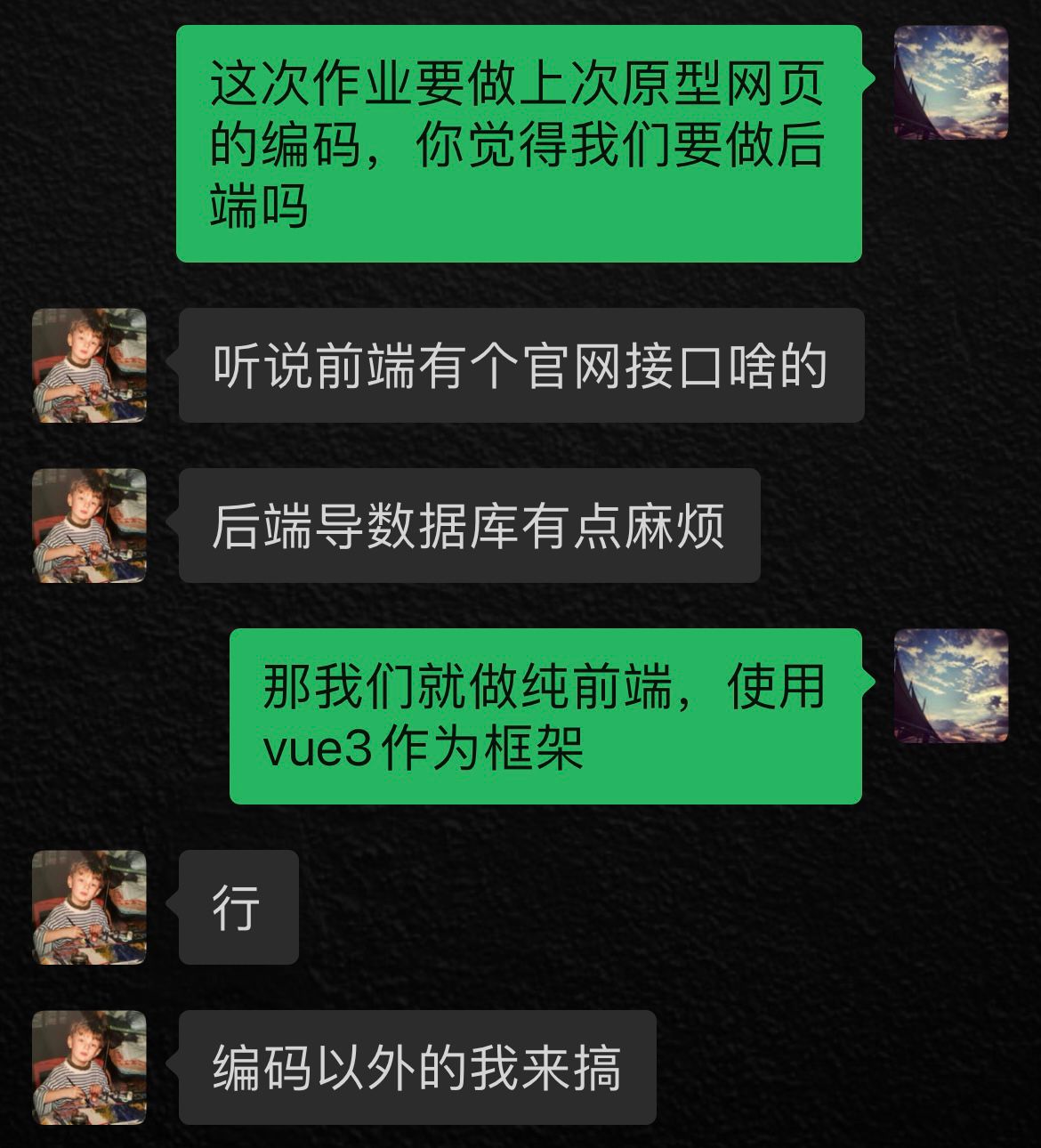
由于在之前的个人作业中有爬取过官网的数据,我们看到官网的数据都是存储在json文件中,所以我们选择使用json文件来存储数据。并且决定采用纯前端的开发方式,并且我们了解到现在的网页开发中vue是流行的框架,所以我们选择了Vue3作为前端框架。
我们在部署项目的时候,遇到了很多问题,主要是由于服务器配置不当导致的。下面是我们部署项目的步骤:
1.购买域名与华为云服务器
域名购买后在管理界面将其与云服务器的ip绑定,华为云服务器选用Flexus云服务器,使用CloudShell登入。
2.配置nginx环境
运行终端命令安装nginx
sudo apt-get install nginx
安装完成后查看nignx版本,显示版本信息则说明安装成果
nginx -v
启动nginx,如正确启动,则不会出现任何提示信息。
sudo nginx
值得注意的是,启动nginx的时候可能会出现端口占用的情况,这个时候需要杀死占用进程。
nginx默认端口为80端口,查看该端口。
sudo netstat -ntlp|grep 80
如被占用,杀死占用的进程
sudo kill -9 1515087
最后重启nginx
sudo nginx
完成以上步骤,就能在域名welcome to nginx
3.配置跨域请求
打包vue项目为dist文件后
在nginx的配置文件添加服务server,配置其配置的端口
server {
        listen       8060;  #访问前端的端口号
        server_name  olympic;  #自己设置项目名称
        location / {
            root   /olympic/dist;  #服务器上vue项目的所在地址
            index  index.html;  #这里是vue项目的首页,需要保证dist中有index.html文件
        }

        #添加代理配置

        location /api/ {
            rewrite ^/api/(.*) /$1 break;             # 做统一代理
            proxy_pass https://120.46.67.66:8080;     # 后端服务 ip、端口
        }

        error_page   500 502 503 504  /50x.html;  #错误页面
}
App.vue 是 Vue 项目的入口文件,它包含了整个项目的路由配置,以及全局的状态管理。
import AppHeader from './components/AppHeader.vue';
import SidebarMenu from './components/SidebarMenu.vue';
import AppFooter from './components/AppFooter.vue';

export default {
  name: 'App',
  components: {
    AppHeader,
    SidebarMenu,
    AppFooter
  },
  data() {
    return {
      sidebarActive: false
    };
  },
  methods: {
    toggleSidebar() {
      this.sidebarActive = !this.sidebarActive;
    }
  }
};
AppHeader.vue 是项目的头部组件,它包含了项目的 logo、用户菜单等。
<template>
  <div class="app-header">
    <div class="logo">
      <img src="./assets/logo.png" alt="logo">
    </div>
    <div class="search">
      <el-input placeholder="搜索"></el-input>
    </div>
    <div class="user-menu">
      <el-dropdown trigger="click">
        <span class="el-dropdown-link">
          {{ username }}
          <i class="el-icon-arrow-down el-icon--right"></i>
        </span>
        <el-dropdown-menu slot="dropdown">
          <el-dropdown-item>退出</el-dropdown-item>
        </el-dropdown-menu>
      </el-dropdown>
    </div>
  </div>
</template>
AppFooter.vue 是项目的底部组件,它包含了项目的版权信息、社交媒体链接等。
<template>
    <footer>
        <div class="footer-links">
            <router-link to="/" class="footer-link" exact>奥运会</router-link>
            <router-link to="/medals" class="footer-link">奖牌</router-link>
            <router-link to="/schedule" class="footer-link">赛程</router-link>
            <router-link to="/about" class="footer-link">了解更多</router-link>
        </div>
    </footer>
</template>
SidebarMenu.vue 是项目的侧边栏组件,它包含了项目的菜单列表。
<template>
    <aside class="sidebar" :class="{ 'is-active': isActive }">
        <ul class="menu-list">
            <li v-for="item in menuItems" :key="item.path">
                <router-link :to="item.path" class="menu-item" @click="toggleSidebar">
                    <button>{{ item.name }}</button>
                </router-link>
            </li>
        </ul>
    </aside>
</template>
v-for指令用于循环遍历medals数组中的每一项,medal代表当前循环项,index为当前索引。
:key用于提供唯一标识,以提高渲染性能。
<div v-for="(medal, index) in medals" :key="medal.countryname" class="medal-item">
每一行展示了当前国家的排名、国旗、国家名称,以及该国家获得的金牌、银牌和铜牌的数量,以及奖牌总数。
使用{{ }}语法插入数据, getRank(index)和getFlagImage(medal.countryid)为调用的方法,分别用于获取排名和国旗图片。
<span class="medal-cell">{{ getRank(index) }}</span> <!-- 排名 -->
<img :src="getFlagImage(medal.countryid)" alt="Flag" class="flag-image">
<span class="medal-cell">{{ medal.countryname }}</span>
<span class="medal-cell">{{ medal.gold }}</span>
<span class="medal-cell">{{ medal.silver }}</span>
<span class="medal-cell">{{ medal.bronze }}</span>
<span class="medal-cell">{{ medal.count }}</span>
功能: 根据传入的countryid(国家ID),返回对应的国旗图片URL。
实现:
该方法试图从this.flagImages数组中获取与countryid相关联的国旗图片。如果没有找到相应的图像,则返回一个默认的国旗图片路径'/path/to/default/flag.png'。
getFlagImage(countryid) {
    return this.flagImages[countryid] || '/path/to/default/flag.png';
},
功能: 计算指定索引index所代表的国家的奖牌排名。
实现:
初始化rank为1,表示当前国家至少排名第一。
循环遍历从0到index-1的所有国家,如果遍历的国家在金牌、银牌和铜牌的数量上优于当前国家,则rank加1。
最终返回计算得到的排名。
getRank(index) {
    let rank = 1;
    for (let i = 0; i < index; i++) {
        const currentMedal = this.medals[index];
        const comparedMedal = this.medals[i];
        if (comparedMedal.gold > currentMedal.gold || (comparedMedal.gold === currentMedal.gold && comparedMedal.silver > currentMedal.silver) || (comparedMedal.gold === currentMedal.gold && comparedMedal.silver === currentMedal.silver && comparedMedal.bronze > currentMedal.bronze)) {
            rank++;
        }
    }
    return rank;
},
功能: 在组件挂载后,对medals数组进行排序。
实现:
medals.sort()根据每个国家获得的金牌、银牌和铜牌数量进行排序,首先按金牌数量降序排序,若金牌数量相同,则按银牌数量排序,若银牌和金牌都相同,则按铜牌数量排序。
mounted() {
    this.medals.sort((a, b) => b.gold - a.gold || b.silver - a.silver || b.bronze - a.bronze);
},
el-carousel 是 Element UI 框架中的轮播图组件。
:interval="5000":这是一个 Vue 的动态绑定属性,表示轮播图自动切换的时间间隔为 5000 毫秒(5 秒)。
arrow="always":表示轮播图的箭头始终显示。
height="800px":设置轮播图的高度为 800 像素。
el-carousel-item 是 Element UI 轮播图组件中的子项。
v-for="(image, index) in images":这是 Vue 的列表渲染指令,用于遍历 images 数组,并为每个元素创建一个 el-carousel-item。
:key="index":这是 Vue 中用于跟踪列表渲染中每个元素的唯一键值。
:src="image":动态绑定图片的源地址,image 是从 images 数组中当前循环项的值。
alt="轮播图":设置图片的替代文本。
class="carousel-image":设置图片的 CSS 类名。
<template>
    <div class="container">
        <div class="carousel-container">
            <!-- 轮播图内容 -->
            <el-carousel :interval="5000" arrow="always" height="800px">
                <el-carousel-item v-for="(image, index) in images" :key="index">
                    <img :src="image" alt="轮播图" class="carousel-image" />
                </el-carousel-item>
            </el-carousel>
        </div>
    </div>
</template>
export default defineComponent({
  setup() {
    const selectedDate = ref('0724');
    const filteredEvents = computed(() => {
      return allEventData[selectedDate.value].data.matchList || [];
    });

    const availableDates = ref(Object.keys(allEventData));

    const formatDate = (date) => {
      return date.slice(0, 4) + '-' + date.slice(4, 6) + '-' + date.slice(6);
    };

    const isWinner = (event, team) => {
      return team === 'home' ? event.homescore > event.awayscore : event.awayscore > event.homescore;
    };

    return {
      selectedDate,
      availableDates,
      filteredEvents,
      formatDate,
      isWinner,
    };
  },
});
availableDates 使用 ref 传入所有可用日期的键,这些日期可能是存储在 allEventData 对象中的。
formatDate 是一个普通函数,它将日期字符串格式化为 YYYY-MM-DD 的形式,方便显示。
isWinner 函数用于判断比赛中哪个队伍获胜。根据传入的 team 参数(可以是 'home' 或 'away'),比较主队和客队的得分。
最后,组件从 setup 函数返回了多个响应式数据和方法,使得它们可以在模板中使用。
export default defineComponent({
setup() {
  const selectedDate = ref('0724');
  const filteredEvents = computed(() => {
    return allEventData[selectedDate.value].data.matchList || [];
  });

  const availableDates = ref(Object.keys(allEventData));

  const formatDate = (date) => {
    return date.slice(0, 4) + '-' + date.slice(4, 6) + '-' + date.slice(6);
  };

  const isWinner = (event, team) => {
    return team === 'home' ? event.homescore > event.awayscore : event.awayscore > event.homescore;
  };

  return {
    selectedDate,
    availableDates,
    filteredEvents,
    formatDate,
    isWinner,
  };
},
});
这个页面我们只展示了一场比赛的详细信息,包括赛事详情、出场队员、团队数据等。
- 使用 el-tabs 组件实现赛事详情页面的切换。
- :active-name.sync="activeName":这是 Vue 的动态绑定属性,表示当前激活的标签页的名称。
- :name="item.id":这是 Vue 的绑定属性,表示每个标签页的名称。
- v-model="activeName":这是 Vue 的双向绑定属性,表示当前激活的标签页的名称。
<img style="width: 100%" src="../assets/4.png" alt="" />
    <el-tabs v-model="activeName" class="demo-tabs">
      <el-tab-pane label="出赛名单" name="first">
        <img style="width: 100%" src="../assets/6.png" alt="" />
      </el-tab-pane>
      <el-tab-pane label="比赛详情" name="second">
        <img style="width: 100%" src="../assets/7.png" alt="" />
      </el-tab-pane>
      <el-tab-pane label="团队数据" name="third">
        <img style="width: 100%" src="../assets/8.png" alt="" />
      </el-tab-pane>
      <el-tab-pane label="运动员数据" name="fourth">
        <img style="width: 100%" src="../assets/9.png" alt="" />
      </el-tab-pane>
    </el-tabs>
定义了四个响应式引用,分别用于存储四分之一决赛、半决赛、总决赛和铜牌赛的比赛信息。
const quarterfinalsMatches1 = ref([]);
const quarterfinalsMatches2 = ref([]);
const finalsMatch = ref({});
const bronzeMatch = ref({});
在函数内部,比赛数据是以对象形式定义的,包括团队名称、国旗路径、分数等。例如:
quarterfinalsMatches1.value = [
    {
        id: 1,
        team1: "法国",
        team1Flag: new URL("../assets/flags/FRA.png", import.meta.url).href,
        team1Score: "1",
        team2: "阿根廷",
        team2Flag: new URL("../assets/flags/ARG.png", import.meta.url).href,
        team2Score: "0",
    },
    ...
];
- readTextFile是一个方法,用于读取文本文件和图像:
- eventId是传入的参数,用于确定要读取哪个事件的数据。
- fileName和imagePath分别构造要读取的文本文件名和图像文件名。
- textFilePath和imageFilePath使用new URL构造完整的文件路径。
readTextFile(eventId) {
    const fileName = `${eventId}.txt`;
    const imagePath = `${eventId}.png`;
    const textFilePath = new URL(`../assets/events/${fileName}`, import.meta.url).href;
    const imageFilePath = new URL(`../assets/events/${imagePath}`, import.meta.url).href;
}
- 使用fetch函数从textFilePath路径读取文本文件。
- then方法处理响应,将文本内容存储在eventDetails中,并设置showResult为true以显示结果。
- 也为eventImage指定图像路径。
- catch方法用于捕获和处理读取文件的错误,输出错误信息。
fetch(textFilePath)
  .then(response => response.text())
  .then(text => {
    this.eventDetails = text;
    this.showResult = true;
    this.eventImage = imageFilePath; // Set the image path
  })
  .catch(error => console.error('Error reading the text file:', error));
本次作业由纯前端完成,在一些页面上对作业题意题解不深导致转牛角尖浪费了很多时间。其次就是数据的爬取和项目的部署比较麻烦。但通过这次作业,我们熟悉了完成一个项目的流程,熟练掌握git的使用与项目上线的流程。
张济显:在这次团队项目的开发过程中,我的搭档表现出了卓越的技术能力和对项目细节的敏锐洞察力。他对前端代码的编写不仅快速而且准确,页面设计既符合现代审美又兼顾了功能性。我特别赞赏他在代码实现中展现出的创新思维,这些新颖的解决方案往往能够显著提升用户体验。他在前端开发方面的专业技能和对新技术的掌握程度令人钦佩,他的代码整洁、高效,且易于维护。
谢鑫阳:在最近完成的项目中,我的搭档表现出了卓越的技术实力和对工作的敬业精神。他使得我们的项目能够顺利进行云端部署。在数据爬取方面,他展现出了对细节的关注和对数据准确性的追求,确保了我们的数据质量。他的专注和对技术的热情不仅提升了我们项目的完成度,也为团队带来了积极的能量。与他合作是一次愉快的经历,他的积极态度和专业能力极大地提高了我们团队的士气和工作效率。


