

 FZU-SE-EE308-2022秋

MU-SE: Course summary
 墨衍会员 · AI 创作全网分发 墨衍智能分发 通过墨衍一键同步至各平台 可同步平台 CSDN微信公众号微博知乎掘金百家号博客园抖音小红书 你的文章也可以这样分发 墨衍会员 ¥399起/年,写一次发全网
我也要 关注 + 加入社区
墨衍会员 · AI 创作全网分发 墨衍智能分发 通过墨衍一键同步至各平台 可同步平台 CSDN微信公众号微博知乎掘金百家号博客园抖音小红书 你的文章也可以这样分发 墨衍会员 ¥399起/年,写一次发全网
我也要 关注 + 加入社区目录
- CATALOGUE
- 1.CSDN Links
- 2.Summary And Harvest
- 2.1Personal Programming
- 2.2Pair Programming
- 2.3On-site Programming
- 2.4Team Project
- 3.Technology And Tools
- 3.1Wechat Development Tools
- 3.2Ink Knife
- 3.3Process On
- 3.4Flutter
- 4.Sincere Summary
- 5.Video Link And Github Link
EE308-Course Summary
| The Link Your Class | https://bbs.csdn.net/forums/MUEE308FZU202201 |
|---|---|
| The Link of Requirement of This Assignment | https://bbs.csdn.net/topics/611628445?spm=1001.2014.3001.6377 |
| MU STU ID and FZU STU ID | 20122586_832001315 |
| Video demo (Lab 2) link | https://live.csdn.net/v/253645 |
| Video demo (Lab 3-1) link | https://www.bilibili.com/video/BV1Ed4y147ua/?vd_source=c097d07b73ffad0fbcaf33c3a2e73b7c |
| Video demo (Lab 3-2) link | https://www.bilibili.com/video/BV1qR4y1S7fg/ |
| GitHub link (Lab2) | https://github.com/FZUHUANGWENLIN/EE308FZ_LAB2-1 |
| GitHub link (Lab3) | https://github.com/pikaquququ/LAB3_12-group |
CATALOGUE
1.CSDN Links
Lab1-1: https://bbs.csdn.net/topics/608746990
Lab1-2: https://bbs.csdn.net/topics/608837273
Lab2-1: https://bbs.csdn.net/topics/608956212
Lab2-2: https://bbs.csdn.net/topics/609180507
Lab3-1: https://bbs.csdn.net/topics/610278268
Lab3-2: https://bbs.csdn.net/topics/611214939?spm=1001.2014.3001.6377
2.Summary And Harvest
2.1Personal Programming
During the personal programming process, I went back to my old programming tools and learned to use new ones
🌕 C++: Use C++ for programming tasks and write required programs for use. In the process of programming, the PSP form is used to record the completion time of the task, and draw the program logic and flow chart.
😍 Markdown: This is the first time for me to use Markdown tool. From being strange at the beginning, I became proficient in using Markdown to record every software development process. Markdown allowed me to clearly record the success and shortcomings of every software development process.
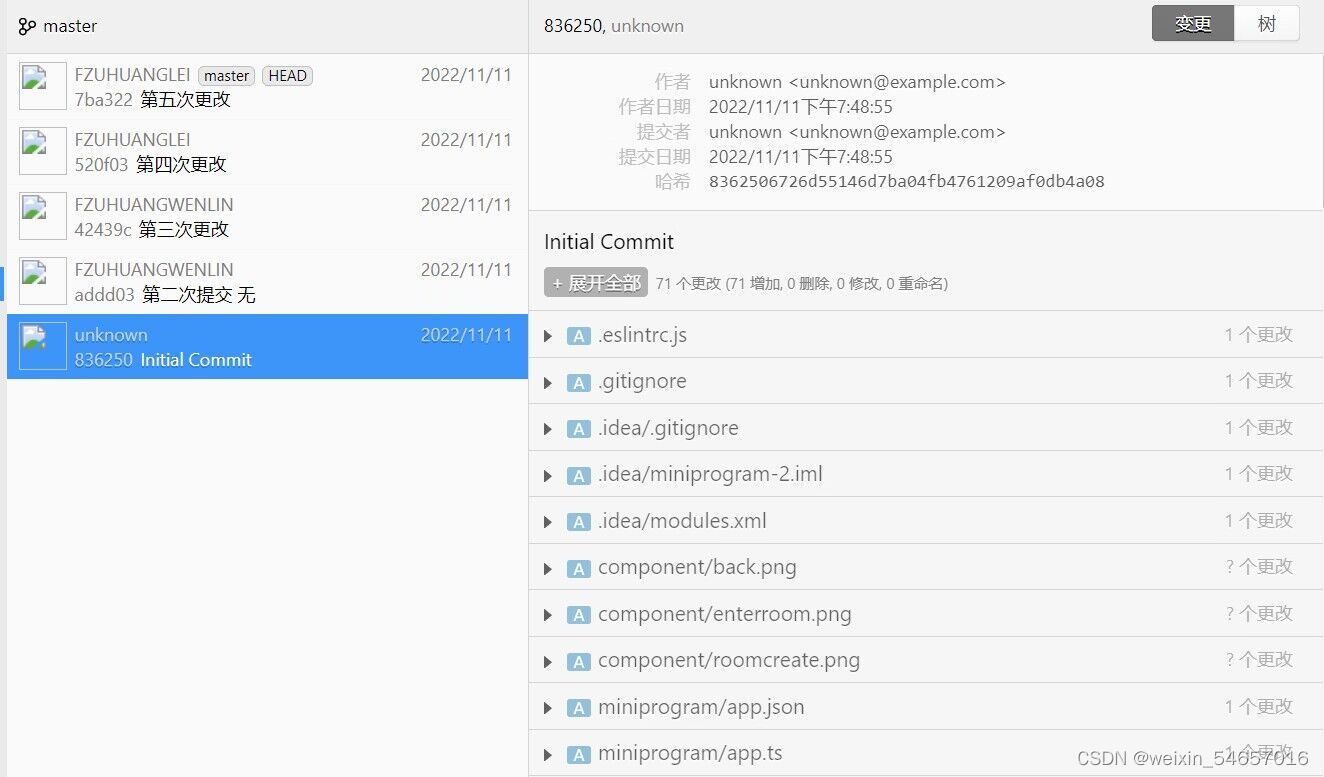
🎃 Github: In my personal programming task, I set up my first Github repository and uploaded the program code for download. In the past, I managed the code by myself. This time, I was exposed to open source for the first time. It was very convenient to share, which laid the foundation for the pair programming and team programming.
2.2Pair Programming
This was my first experience with pair co-programming. The cooperation with my partner was very pleasant and the whole programming development process was very substantial 👍. First of all, we made a strict and reasonable task time planning, each of us studied different modules, and finally summarized and merged them to effectively improve work efficiency. The NABCD model was used to analyze the Bobing program, the PSP form was used to record the task time, and the use case diagram was used to analyze the use case.
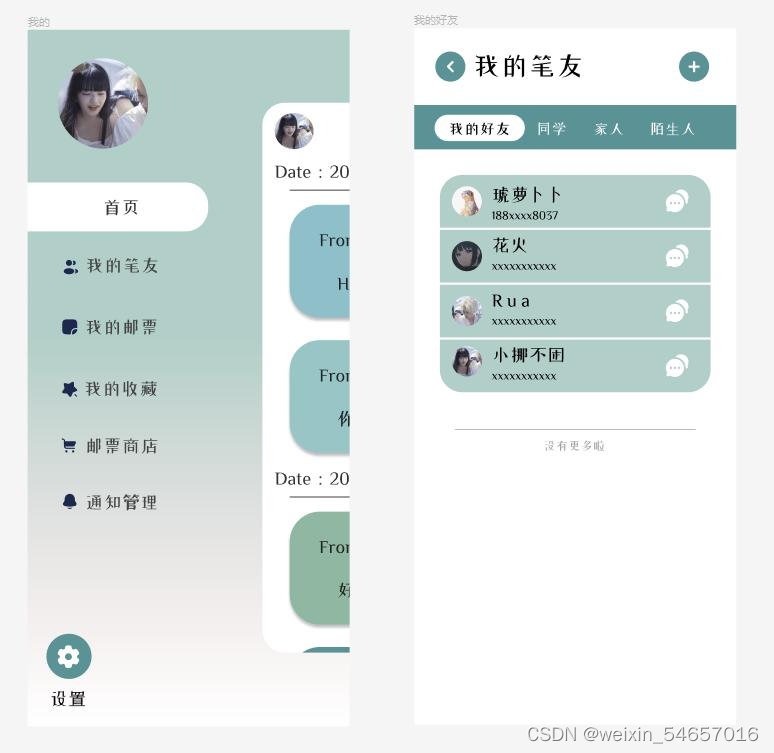
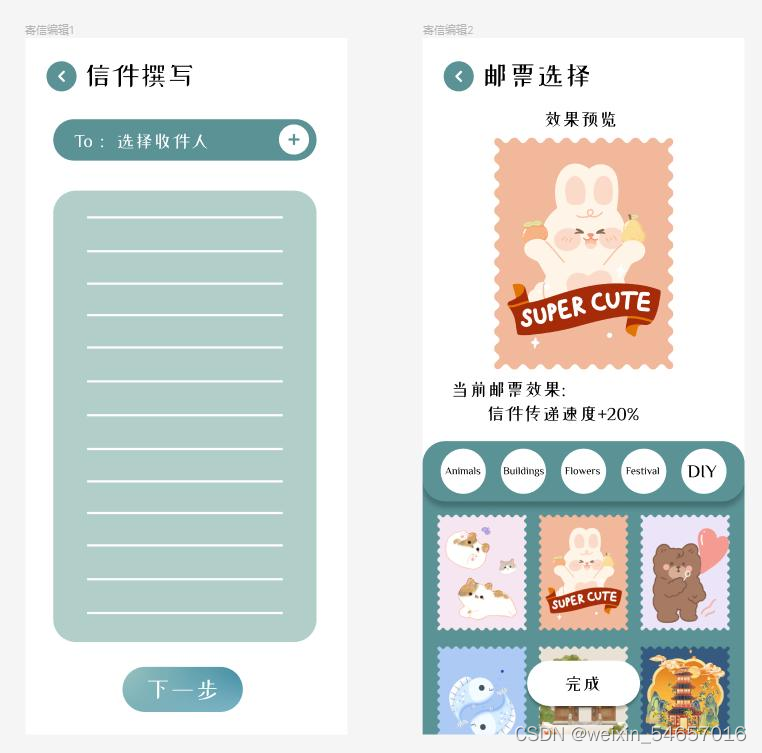
①Interface Prototype: I first learned prototype design, searched teaching videos on B website for learning, and chose to use the ink knife as a design tool. Then carry out the page prototype design of the Bobing mini program, collect the component elements and colors needed for the page, and then process the elements through PS, and then use the ink knife tool to design the UI page.
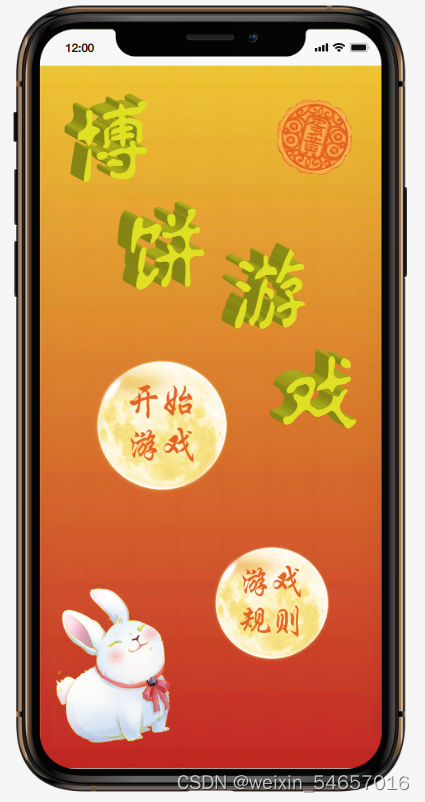
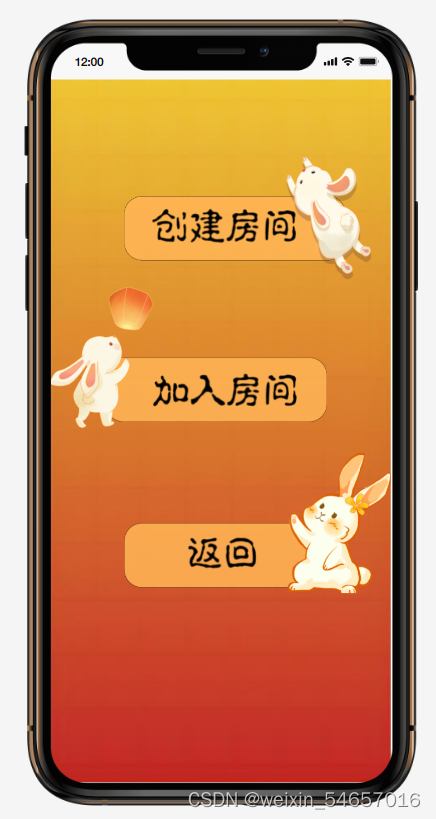
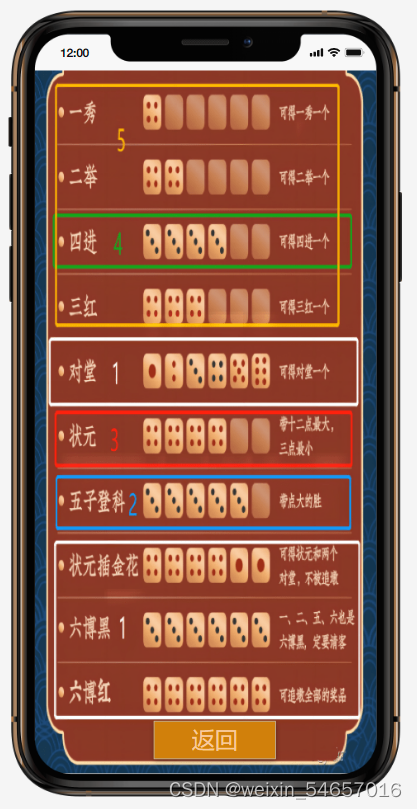
②Front-end Code: In the coding stage, I first independently learned wxml, json, js and wxss files. Using Wechat development tools to write code, compared with the UI page in the previous stage, constantly improve and perfect the code, and finally basically achieve the expected UI page and function.
2.3On-site Programming
On-site Programming is a very challenging way to program and an important part of team programming. We can improve the code through flowcharts, logic diagrams, and pseudocode.
2.4Team Project

In the practice of team project, the important thing is how to efficiently carry out team cooperation and task allocation. In practice, under the leadership of the team leader, our team carried out an efficient division of team tasks, and everyone had clear tasks. When faced with some difficult problems, each member would actively put forward solutions and suggestions to deal with the problems together.
①UML Diagram:
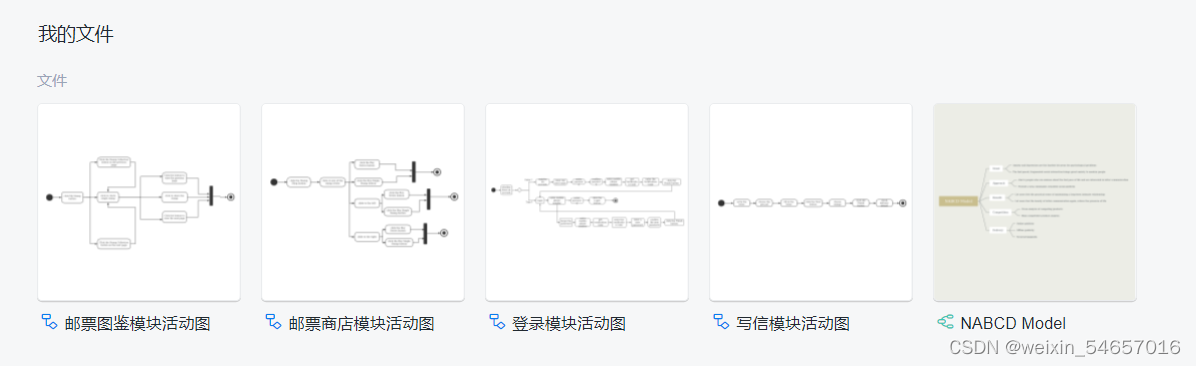
The activity diagram, class diagram, use case diagram and state diagram of UML diagram are drawn by combining the knowledge about UML diagram taught by the teacher in class, learning the tutorials of different examples independently and using the tool Processon website.
②Demand Report:
By referring to the specification and standard of the demand report provided by the teacher, I thoroughly analyzed and evaluated our team project and then wrote a complete and logical demand report.
③Front-end Code:
On the basis and experience of writing small Bobing program code in pairs, I am more comfortable writing code for this team project. However, in the process of writing, I constantly realized that the difficulty of writing code for the team project deepened. However, through continuous in-depth learning in practice, we finally overcome the difficulty and successfully achieve the expected function of the program.
3.Technology And Tools
3.1Wechat Development Tools
In the process of using Wechat Development Tools, I continuously learned the writing methods of wxml, wxss, json and js files in depth, which combined with the practice of writing code, deepened my coding ability and gradually improved the project.
3.2Ink Knife
I like the simple page, rich functions and quick operation design of ink knife very much, which reduces the difficulty of page prototype design. The combination of teaching videos and my own practice of designing UI deepened my understanding of UI design. In addition, I can use more advanced professional UI design tools such as figma easily in the future by using the experience of ink knife.
3.3Process On
For drawing UML diagrams, choose ProcessOn, which is a free website, convenient and quick, easy to operate, very good to realize the drawing of class diagram, flow chart, use case diagram, state diagram. It also supports online collaboration and can cooperate with teammates at the same time, which is conducive to the progress of team projects.
3.4Flutter
Using the Flutter cross-platform framework, a single set of code runs on multiple sides with the
fluidity of native development. Because Flutter is open source, free, and has a loose open source agreement, it was very helpful for us to implement the project.
4.Sincere Summary
🏩Through the study of software engineering and software project development in this semester, I have learned a lot from the complete software development process. From the initial decision of development tools, prototyping, UML diagram drawing, code writing, started from nothing, step by step, finally we made something. Increasing my understanding of software development in the process. I was very impressed when I worked hard with my team members for the team project. Thank you Mr. Lin, for your instruction and help me taste the charm of software engineering!😄
5.Video Link And Github Link
①Video Link :
🥮Lab2: https://live.csdn.net/v/253645
📱 Lab3-1:https://www.bilibili.com/video/BV1Ed4y147ua/?vd_source=c097d07b73ffad0fbcaf33c3a2e73b7c
🔗Lab3-2:https://www.bilibili.com/video/BV1qR4y1S7fg/
②GitHub Link :
🎲 Lab2: https://github.com/FZUHUANGWENLIN/EE308FZ_LAB2-1
🔍 Lab3:https://github.com/pikaquququ/LAB3_12-group
相关推荐
get_data_course_project:获取数据 Coursera 课程的课程项目
get_data_course_project 获取数据 Coursera 课程的课程项目 存储库包含以下文件: 'run_analysis.R' : Runs analysis on data set from the Human Activity Recognition Using Smartphone Dataset Version 1.0 'tidy_data_summary.txt' : A summary text file with mean values for each mean/std column corresponding to each subject and activity. 要求: You must have the dplyr library to run run_analysis.R 指示: To run run_analysis
2026年电动汽车高压继电器行业分析:预计到2032年收入规模将接近 15082.78 百万美元.pdf
2026年电动汽车高压继电器行业分析:预计到2032年收入规模将接近 15082.78 百万美元.pdf
【Shell编程基础】变量定义与引号规则详解:交互式脚本开发核心技术及实战应用
内容概要:本文系统介绍了Shell编程中变量与交互式输入的核心知识,涵盖变量的定义、赋值、引用及删除,深入讲解了单引号、双引号、反引号和无引号的差异与使用场景。文章还阐述了位置参数和其他特殊变量(如$#、$@、$?等)的功能,介绍通过命令行传递参数及使用getopts处理选项的方法。重点说明了read命令的各种用法,包括提示信息、超时限制、隐藏输入和多变量读取,并区分了普通变量与环境变量的作用域。此外,提供了算术运算与字符串操作技巧,并通过一个完整的个人信息收集脚本实例内容概要综合应用所学内容:本文系统。; 适合讲解了Shell编程人群:具备基本中变量与交互Linux操作系统使用经验,式输入的核心知识正在学习Shell脚,涵盖变量的本编程的初级定义、赋值、引用开发者或系统管理员,、作用域及尤其适合有一定编程基础删除,深入剖析、希望提升自动化脚本编写能力的技术单引号、双引号、人员。; 使用反引号与无场景及目标:引号的区别及其①掌握Shell中变量管理的最佳实践,应用场景。文章还介绍了Shell内置的特殊变量避免因引号或作用域问题导致的常见(如位置参数、错误;②学会$#、$@编写支持命令行选项、$?等与交互式输入的健壮脚本;)、参数传递机制(包括getopts③理解特殊变量和参数处理命令处理选项)、read命令实现交互式输入机制,提升脚本的灵活性与实用性;(支持提示、④通过实战案例超时、隐藏输入等功能),并掌握输入验证、区分了普通变量与流程控制与信息环境变量的作用域差异格式化输出。。此外,文中; 阅读建议包含了算术运算:建议结合实际与字符串操作方法,并通过一个完整的终端环境边学“个人信息收集脚边练,重点关注本”实战示引号使用规则例,综合运用所学知识点,帮助、变量作用域差异读者掌握实际开发及read与getopts的实际技能。; 适合人群:具备Linux应用场景,务必动手基础操作能力,运行示例代码正在学习Shell脚并尝试修改调试,以加深理解并本编程的初学者或形成良好的脚本编写有一定实践经验的技术人员习惯。。; 使用场景及目标:① 编写自动化运维脚本时正确使用变量和引号避免错误;② 实现用户交互式输入与参数解析功能;③ 理解环境变量与局部变量的区别以优化脚本结构;④ 掌握字符串处理与基本运算提升脚本灵活性; 阅读建议:建议边阅读边在实验环境中动手实践各示例代码,重点理解引号规则、变量作用域和getopts参数处理机制,结合实战脚本进行调试与扩展练习,加深对Shell编程逻辑的理解。
政府科技管理者在推动科技成果转化时,如何精准匹配科技资源与产业需求?.docx
科易网基于40亿+科创知识图谱数据库,深度探索AI技术在技术转移、成果转化、技术经纪、知识产权、产业创新、科技招商等垂直领域的多样化应用场景,研究科技创新领域的AI+数智化解决方案,推动科技创新与产业创新智能化发展。
高校技术转移办公室在推动成果转化时,如何精准匹配企业需求?.docx
科易网基于40亿+科创知识图谱数据库,深度探索AI技术在技术转移、成果转化、技术经纪、知识产权、产业创新、科技招商等垂直领域的多样化应用场景,研究科技创新领域的AI+数智化解决方案,推动科技创新与产业创新智能化发展。




